automatic transmission Ram 1500 2020 Owner's Guide
[x] Cancel search | Manufacturer: RAM, Model Year: 2020, Model line: 1500, Model: Ram 1500 2020Pages: 674, PDF Size: 32.69 MB
Page 338 of 674
336 STARTING AND OPERATING
Conditions That Force An Automatic Shift To Park While
In Autostop Mode
The engine will not start automatically and the transmission
will be placed in PARK if:
• The driver door is open and brake pedal released.
• The driver door is open and the driver seat belt isunbuckled.
• The engine hood has been opened.
• A STOP/START system error present.
The engine may then be restarted by moving the transmis -
sion shift selector out of PARK (e.g. to DRIVE) or, in some
cases, only by a KEY START. The instrument cluster will
display a SHIFT OUT OF PARK message, or a STOP/START
KEY START REQUIRED message, to indicate which action is
required.
Refer to “Instrument Cluster Display” in “Getting To Know
Your Instrument Panel” for further information.To Manually Turn Off The Stop Start System
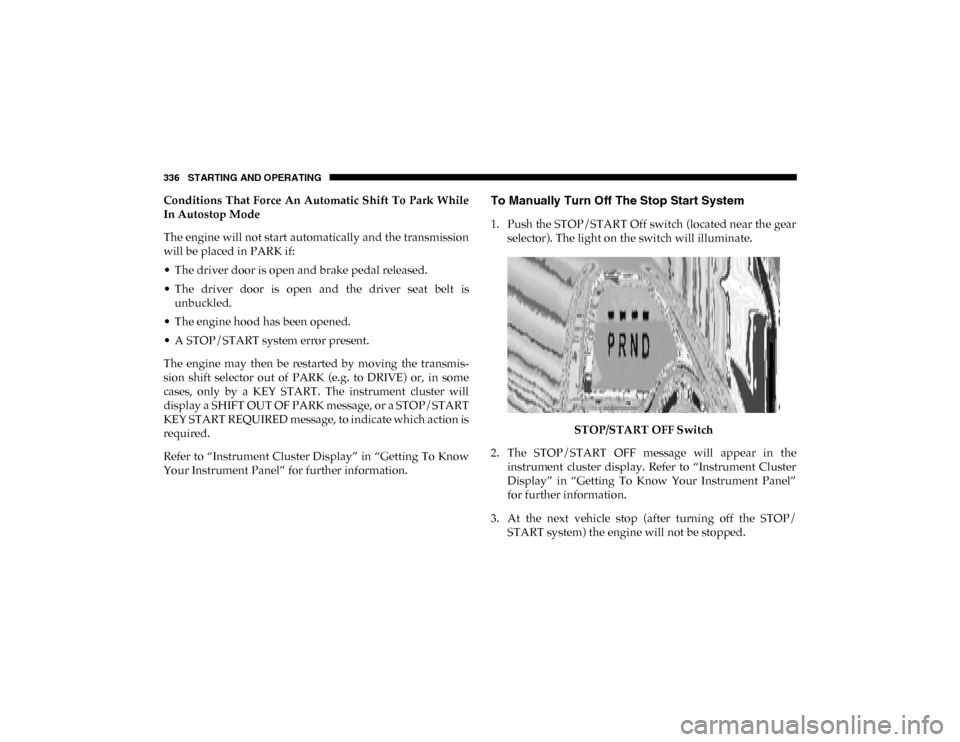
1. Push the STOP/START Off switch (located near the gear selector). The light on the switch will illuminate.
STOP/START OFF Switch
2. The STOP/START OFF message will appear in the instrument cluster display. Refer to “Instrument Cluster
Display” in “Getting To Know Your Instrument Panel”
for further information.
3. At the next vehicle stop (after turning off the STOP/ START system) the engine will not be stopped.
2020_DT_1500_OM_US.book Page 336
Page 342 of 674

340 STARTING AND OPERATING
To Accelerate For Passing
Press the accelerator as you would normally. When the pedal
is released, the vehicle will return to the set speed.
To Resume Speed
To resume a previously set speed, push the RES button and
release. Resume can be used at any speed above 20 mph
(32 km/h).
To Deactivate
A soft tap on the brake pedal, pushing the CANC (cancel)
button, or normal brake pressure while slowing the vehicle
will deactivate the speed control without erasing the set
speed from memory.
Pushing the on/off button or placing the ignition in the OFF
position, erases the set speed from memory.
Using Speed Control On Hills
The transmission may downshift on hills to maintain the
vehicle set speed.
NOTE:
The Speed Control system maintains speed up and down
hills. A slight speed change on moderate hills is normal.On steep hills, a greater speed loss or gain may occur so it
may be preferable to drive without Speed Control.
ADAPTIVE CRUISE CONTROL (ACC) — IF EQUIPPED
Adaptive Cruise Control (ACC) increases the driving conve
-
nience provided by cruise control while traveling on high -
ways and major roadways. However, it is not a safety system
and not designed to prevent collisions. Speed Control func-
tion performs differently. Please refer to the proper section
within this chapter.
ACC will allow you to keep cruise control engaged in light
to moderate traffic conditions without the constant need to
reset your cruise control. ACC utilizes a radar sensor and a
forward facing camera designed to detect a vehicle directly
ahead of you.
NOTE:
• If the sensor does not detect a vehicle ahead of you, ACC will maintain a fixed set speed.
• If the ACC sensor detects a vehicle ahead, ACC will apply limited braking or accelerate (not to exceed the original set
speed) automatically to maintain a preset following
distance, while matching the speed of the vehicle ahead.
2020_DT_1500_OM_US.book Page 340
Page 345 of 674

STARTING AND OPERATING 343
NOTE:
Any chassis/suspension or tire size modifications to the
vehicle will effect the performance of the Adaptive Cruise
Control and Forward Collision Warning System.
Activating Adaptive Cruise Control (ACC)
You can only engage ACC if the vehicle speed is above
0 mph (0 km/h).
The minimum set speed for the ACC system is 20 mph
(32 km/h).
When the system is turned on and in the ready state, the
instrument cluster display will read “ACC Ready.”
When the system is off, the instrument cluster display will
read “Adaptive Cruise Control (ACC) Off.”NOTE:
You cannot engage ACC under the following conditions:
• When in Four-Wheel Drive Low
• When you apply the brakes
• When the parking brake is applied
• When the automatic transmission is in PARK, REVERSE or
NEUTRAL
• When the vehicle speed is outside of the speed range
• When the brakes are overheated
• When the driver door is open at low speed
• When the driver seat belt is unbuckled at low speed
• ESC Full-Off Mode is active
5
2020_DT_1500_OM_US.book Page 343
Page 422 of 674
420 STARTING AND OPERATING
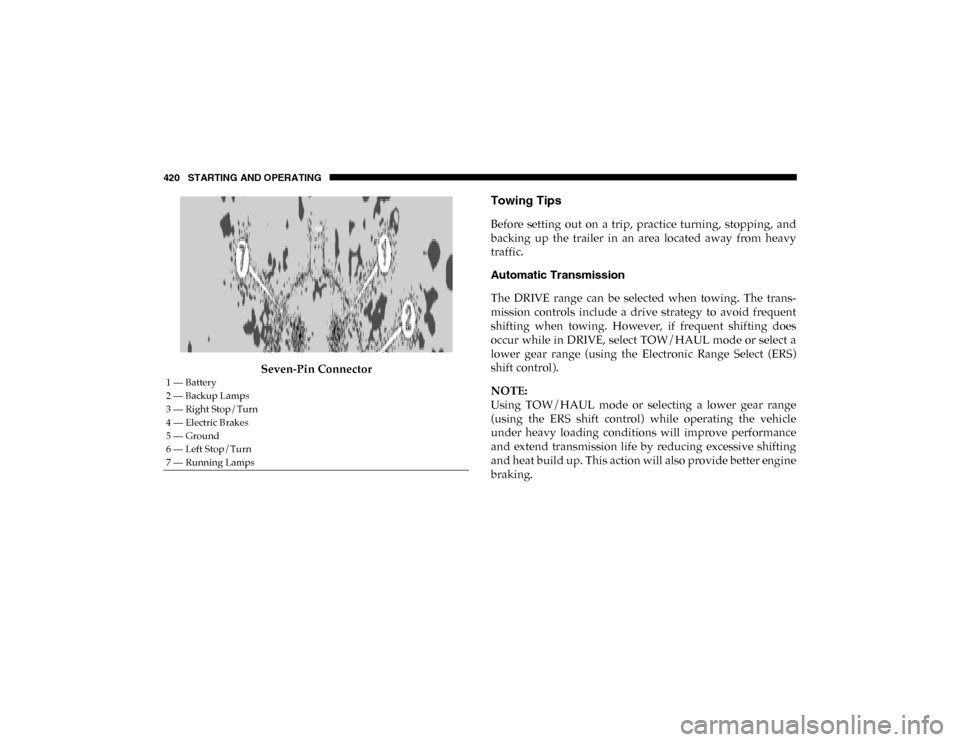
Seven-Pin Connector
Towing Tips
Before setting out on a trip, practice turning, stopping, and
backing up the trailer in an area located away from heavy
traffic.
Automatic Transmission
The DRIVE range can be selected when towing. The trans-
mission controls include a drive strategy to avoid frequent
shifting when towing. However, if frequent shifting does
occur while in DRIVE, select TOW/HAUL mode or select a
lower gear range (using the Electronic Range Select (ERS)
shift control).
NOTE:
Using TOW/HAUL mode or selecting a lower gear range
(using the ERS shift control) while operating the vehicle
under heavy loading conditions will improve performance
and extend transmission life by reducing excessive shifting
and heat build up. This action will also provide better engine
braking.
1 — Battery
2 — Backup Lamps
3 — Right Stop/Turn
4 — Electric Brakes
5 — Ground
6 — Left Stop/Turn
7 — Running Lamps
2020_DT_1500_OM_US.book Page 420
Page 423 of 674

STARTING AND OPERATING 421
Tow/Haul Mode
To reduce potential for automatic transmission overheating,
activate TOW/HAUL mode when driving in hilly areas, or
select a lower gear range (using the Electronic Range Select
(ERS) shift control) on more severe grades.
Speed Control — If Equipped
• Do not use on hilly terrain or with heavy loads.
• When using the speed control, if you experience speeddrops greater than 10 mph (16 km/h), disengage until you
can get back to cruising speed.
• Use speed control in flat terrain and with light loads to maximize fuel efficiency.
Cooling System
To reduce potential for engine and transmission over -
heating, take the following actions:
City Driving
In city traffic — while stopped, place the transmission in
NEUTRAL, but do not increase engine idle speed. Highway Driving
• Reduce speed
• Temporarily turn off air conditioning
Air Suspension System
To aid in attaching/detaching the trailer from the vehicle, the air
suspension system can be used. Refer to “Air Suspension
System” in “Starting And Operating” for further information.
NOTE:
The vehicle must remain in the engine running position
while attaching a trailer for proper leveling of the air suspen
-
sion system.
SNOWPLOW
NOTE:
Do not use this model vehicle for snowplow applications.
WARNING!
Snowplows and other aftermarket equipment should not
be added to the front end of your vehicle. The airbag
crash sensors may be affected by the change in the front
end structure. The airbags could deploy unexpectedly or
could fail to deploy during a collision resulting in
serious injury or death.
5
2020_DT_1500_OM_US.book Page 421
Page 427 of 674

STARTING AND OPERATING 425
1. Bring the vehicle to a complete stop on level ground, withthe engine running. Apply the parking brake.
2. Press and hold the brake pedal.
3. Shift the transmission to NEUTRAL. The driver's door must be closed (or the driver's seat belt buckled) so that
the transmission will remain in NEUTRAL when the
brake pedal is released.
NOTE:
If vehicle is equipped with air suspension, ensure the vehicle
is set to Normal Ride Height.
4. Using a ballpoint pen or similar object, push and hold the recessed transfer case NEUTRAL (N) button (at the center
of the transfer case switches). The NEUTRAL (N) indi -
cator light will illuminate, and remain lit, when the shift
to NEUTRAL (N) is complete. After the shift is completed
and the NEUTRAL (N) light stays on, release the
NEUTRAL (N) button. 5. Release the parking brake.
6. Shift the transmission into REVERSE.
7. Release the brake pedal for five seconds and ensure that
there is no vehicle movement.
8. Repeat steps 6 and 7 with the transmission in DRIVE.
9. Shift the transmission to NEUTRAL. Apply the parking brake. Turn OFF the engine. For vehicles with Keyless
Enter-N-Go, push and hold the ENGINE START/STOP
button until the engine shuts off. The transmission will
automatically select PARK when the engine is turned off.
10. Turn the ignition to the OFF mode.
11. Attach the vehicle to the tow vehicle using a suitable tow bar.
12. Turn the ignition to the ON/RUN mode, but do not start the engine.
13. Release the parking brake.
14. Turn the ignition OFF.
CAUTION!
It is necessary to follow these steps to be certain that the
transfer case is fully in NEUTRAL (N) before
recreational towing to prevent damage to internal parts.
5
2020_DT_1500_OM_US.book Page 425
Page 428 of 674

426 STARTING AND OPERATING
NOTE:
• Steps 2 and 3 are requirements that must be met beforepushing the NEUTRAL (N) button, and must continue to
be met until the shift has been completed. If any of these
requirements are not met before pushing the NEUTRAL
(N) button or are no longer met during the shift, the
NEUTRAL (N) indicator light will flash continuously until
all requirements are met or until the NEUTRAL (N) button
is released.
• The ignition must be in the ON/RUN mode for a shift to take place and for the position indicator lights to be oper -
able. If the ignition is not in the ON/RUN mode, the shift
will not take place and no position indicator lights will be
on or flashing.
• A flashing NEUTRAL (N) position indicator light indi -
cates that shift requirements have not been met.
• If the vehicle is equipped with air suspension, the engine should be started and left running for a minimum of 60
seconds (with all the doors closed) at least once every 24
hours. This process allows the air suspension to adjust the
vehicle’s ride height to compensate for temperature
effects. Shifting Out Of NEUTRAL (N)
Use the following procedure to prepare your vehicle for
normal usage:
1. Bring the vehicle to a complete stop, leaving it connected
to the tow vehicle.
2. Press and hold the brake pedal.
3. Start the engine. Apply the parking brake. Shift the trans -
mission into NEUTRAL.
4. Using a ballpoint pen or similar object, push and hold the recessed transfer case NEUTRAL (N) button (at the center
of the transfer case switches).
5. When the NEUTRAL (N) indicator light turns off, release the NEUTRAL (N) button.
6. Turn the engine OFF. The transmission will automatically select PARK when the engine is turned off.
7. Release the brake pedal.
8. Disconnect vehicle from the tow vehicle.
9. Press and hold the brake pedal.
2020_DT_1500_OM_US.book Page 426
Page 481 of 674

IN CASE OF EMERGENCY 479
Proper towing or lifting equipment is required to prevent
damage to your vehicle. Use only tow bars and other equip-
ment designed for this purpose, following equipment manu-
facturer’s instructions. Use of safety chains is mandatory.
Attach a tow bar or other towing device to main structural
members of the vehicle, not to bumpers or associated
brackets. State and local laws regarding vehicles under tow
must be observed.
If you must use the accessories (wipers, defrosters, etc.)
while being towed, the ignition must be in the ON/RUN
mode, not the ACC mode. If the key fob is unavailable or the vehicle's battery is
discharged, refer to ”Manual Park Release” in this section for
instructions on shifting the transmission out of PARK for
towing.
Towing
Condition Wheels OFF
The Ground 2WD Models
4WD Models
Flat Tow NONE If transmission is operable:
• Transmission in
NEUTRAL
• 30 mph (48 km/h) max speed
• 30 miles (48 km) max distance See instructions in “Recreational Towing”
under “Starting And Operating”
• Automatic Transmission in
PARK
• Transfer Case in NEUTRAL (N)
• Tow in forward direction
Wheel Lift Or Dolly Tow Front
NOT ALLOWED
Rear OK NOT ALLOWED
Flatbed ALL BEST METHOD BEST METHOD
CAUTION!
• Do not use sling type equipment when towing. Vehicle damage may occur.
• When securing the vehicle to a flat bed truck, do not attach to front or rear suspension components. Damage
to your vehicle may result from improper towing.
6
2020_DT_1500_OM_US.book Page 479
Page 508 of 674

506 SERVICING AND MAINTENANCE
(Continued)
Under normal operating conditions, the catalytic converter
will not require maintenance. However, it is important to
keep the engine properly tuned to assure proper catalyst
operation and prevent possible catalyst damage.
NOTE:
Intentional tampering with emissions control systems can
result in civil penalties being assessed against you.
In unusual situations involving grossly malfunctioning
engine operation, a scorching odor may suggest severe and
abnormal catalyst overheating. If this occurs, stop the
vehicle, turn off the engine and allow it to cool. Service,
including a tune-up to manufacturer's specifications, should
be obtained immediately.To minimize the possibility of catalytic converter damage:
• Do not interrupt the ignition when the transmission is in
gear and the vehicle is in motion.
• Do not try to start the vehicle by pushing or towing the vehicle.
• Do not idle the engine with any ignition components disconnected or removed, such as when diagnostic testing,
or for prolonged periods during very rough idle or
malfunctioning operating conditions.Cooling System
• Damage to the catalytic converter can result if yourvehicle is not kept in proper operating condition. In the
event of engine malfunction, particularly involving
engine misfire or other apparent loss of performance,
have your vehicle serviced promptly. Continued opera -
tion of your vehicle with a severe malfunction could
cause the converter to overheat, resulting in possible
damage to the converter and vehicle. CAUTION!
(Continued)
WARNING!
• You or others can be badly burned by hot engine coolant (antifreeze) or steam from your radiator. If you
see or hear steam coming from under the hood, do not
open the hood until the radiator has had time to cool.
Never open a cooling system pressure cap when the
radiator or coolant bottle is hot.
• Keep hands, tools, clothing, and jewelry away from the radiator cooling fan when the hood is raised. The fan
starts automatically and may start at any time, whether
the engine is running or not.
2020_DT_1500_OM_US.book Page 506
Page 515 of 674

SERVICING AND MAINTENANCE 513
(Continued)
Automatic Transmission
Selection Of Lubricant
It is important to use the proper transmission fluid to ensure
optimum transmission performance and life. Use only the
manufacturer’s specified transmission fluid. Refer to “Fluids
And Lubricants” in “Technical Specifications”. It is
important to maintain the transmission fluid at the correct
level using the recommended fluid. No chemical flushes
should be used in any transmission; only the approved lubri-
cant should be used.
WARNING!
• Use only manufacturer's recommended brake fluid. Refer to “Fluids And Lubricants” in “Technical Speci -
fications” for further information. Using the wrong
type of brake fluid can severely damage your brake
system and/or impair its performance. The proper type
of brake fluid for your vehicle is also identified on the
original factory installed hydraulic master cylinder
reservoir.
• To avoid contamination from foreign matter or mois -
ture, use only new brake fluid or fluid that has been in
a tightly closed container. Keep the master cylinder
reservoir cap secured at all times. Brake fluid in a open
container absorbs moisture from the air resulting in a
lower boiling point. This may cause it to boil unexpect -
edly during hard or prolonged braking, resulting in
sudden brake failure. This could result in a collision.
• Overfilling the brake fluid reservoir can result in spilling brake fluid on hot engine parts, causing the
brake fluid to catch fire. Brake fluid can also damage
painted and vinyl surfaces, care should be taken to
avoid its contact with these surfaces.
• Do not allow petroleum based fluid to contaminate thebrake fluid. Brake seal components could be damaged,
causing partial or complete brake failure. This could
result in a collision.
CAUTION!
Using a transmission fluid other than the manufacturer’s
recommended fluid may cause deterioration in
transmission shift quality and/or torque converter
shudder. Refer to “Fluids And Lubricants” in “Technical
Specifications” for fluid specifications.
WARNING! (Continued)
7
2020_DT_1500_OM_US.book Page 513