door lock Ram 1500 2020 Owner's Guide
[x] Cancel search | Manufacturer: RAM, Model Year: 2020, Model line: 1500, Model: Ram 1500 2020Pages: 674, PDF Size: 32.69 MB
Page 51 of 674

GETTING TO KNOW YOUR VEHICLE 49
Linking And Unlinking The Remote Keyless Entry Key
Fob To Memory
Your key fob can be programmed to recall one of two
pre-programmed memory profiles by pushing the unlock
button on the key fob.
NOTE:
Before programming your key fob you must select the
“Personal Settings Linked to Key Fob” feature through the
Uconnect Settings. Refer to “Uconnect Settings” in “Multi-
media” for further information.
To program your key fob, perform the following:
1. Place the vehicle’s ignition in the OFF position.
2. Select a desired memory profile 1 or 2.
NOTE:
If a memory profile has not already been set, refer to
"Programming The Memory Feature" in this section for
instructions on how to set a memory profile.
3. Once the profile has been recalled, push and release the set (S) button on the memory switch. 4. Push and release button (1) or (2) accordingly. “Memory
Profile Set” (1 or 2) will display in the instrument cluster.
5. Push and release the lock button on the key fob within 10 seconds.
NOTE:
Your key fob can be unlinked to your memory settings by
pushing the set (S) button, and then within 10 seconds,
pushing the unlock button on the key fob.
Memory Position Recall
NOTE:
The vehicle speed must be lower than 5 mph (8 km/h) to
recall memory positions. If a recall is attempted when the
vehicle speed is greater than 5 mph (8 km/h), a message will
be displayed in the instrument cluster display.
Driver One Memory Position Recall
• To recall the memory settings for driver one using the memory buttons on the door panel, push memory button
(1).
• To recall the memory settings for driver one using the key fob, push the unlock button on the key fob linked to
memory position 1.
2
2020_DT_1500_OM_US.book Page 49
Page 52 of 674

50 GETTING TO KNOW YOUR VEHICLE
Driver Two Memory Position Recall
• To recall the memory setting for driver two using thememory buttons on the door panel, push memory button
(2).
• To recall the memory settings for driver two using the key fob, push the unlock button on the key fob linked to
memory position 2.
A recall can be cancelled by pushing any of the memory
buttons during a recall (S, 1, or 2). When a recall is canceled,
the driver's seat and the power pedals (if equipped) stop
moving. A delay of one second will occur before another
recall can be selected.
Easy Entry/Exit Seat
This feature provides automatic driver’s seat positioning to
enhance driver mobility when entering and exiting the
vehicle.
The distance the driver’s seat moves depends on where you
have the driver’s seat positioned when you remove the key
fob from the ignition.
• When you remove the key fob from the ignition, the driver’s seat will move about 2.4 inches (60 mm) rearward
if the driver’s seat position is greater than or equal to 2.7 inches (67.7 mm) forward of the rear stop. The seat will
return to its previously set position when you place the
ignition into the ACC or RUN position.
• When you remove the key fob from the ignition, the driver’s seat will move to a position 0.3 inches (7.7 mm)
forward of the rear stop if the driver’s seat position is
between 0.9 inches and 2.7 inches (22.7 mm and 67.7 mm)
forward of the rear stop. The seat will return to its previ -
ously set position when you place the ignition to the ACC
or RUN position.
• The Easy Entry/Easy Exit feature is disabled when the driver’s seat position is less than 0.9 inches (22.7 mm)
forward of the rear stop. At this position, there is no benefit
to the driver by moving the seat for Easy Exit or Easy
Entry.
Each stored memory setting will have an associated Easy
Entry and Easy Exit position.
NOTE:
The Easy Entry/Exit feature is not enabled when the vehicle
is delivered from the factory. The Easy Entry/Exit feature is
enabled (or later disabled) through the programmable
features in the Uconnect system. Refer to “Uconnect
Settings” in “Multimedia” for further information.
2020_DT_1500_OM_US.book Page 50
Page 75 of 674
GETTING TO KNOW YOUR VEHICLE 73
Battery Saver
To protect the life of your vehicle’s battery, load shedding is
provided for both the interior and exterior lights.
If the ignition is OFF and any door is left ajar for 10 minutes
or the dimmer control is rotated all the way up to the dome
on position for 10 minutes, the interior lights will automati-
cally turn off.
NOTE:
Battery saver mode is canceled if the ignition is ON.
If the headlights remain on while the ignition is placed in the
OFF position, the exterior lights will automatically turn off
after eight minutes. If the headlights are turned on and left
on for eight minutes while the ignition is OFF, the exterior
lights will automatically turn off.
INTERIOR LIGHTS
Courtesy Lights
Courtesy and dome lights are turned on when the front
doors are opened, the ambient dimmer control is rotated to
the highest detent, or the Dome ON button is pushed on the
overhead console. Also, if your vehicle is equipped with Remote Keyless Entry (RKE), and the unlock button is
pushed on the key fob, the courtesy and dome lights will
turn on.
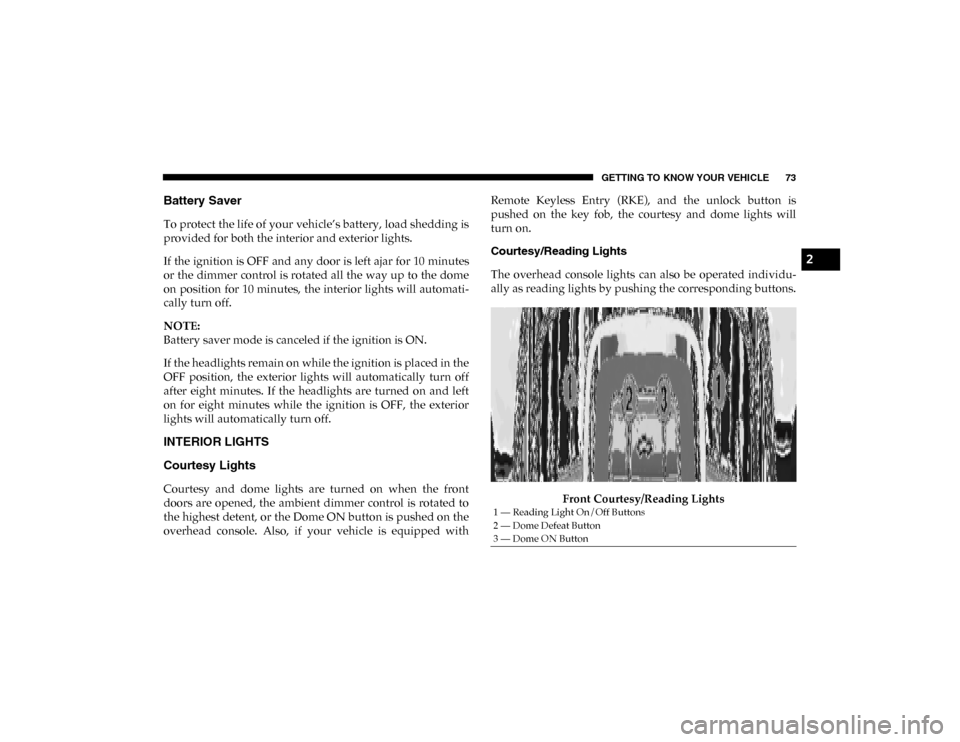
Courtesy/Reading Lights
The overhead console lights can also be operated individu-
ally as reading lights by pushing the corresponding buttons.
Front Courtesy/Reading Lights
1 — Reading Light On/Off Buttons
2 — Dome Defeat Button
3 — Dome ON Button
2
2020_DT_1500_OM_US.book Page 73
Page 77 of 674
GETTING TO KNOW YOUR VEHICLE 75
With the parking lights or headlights on, rotating the right
dimmer control upward will increase the brightness of the
instrument panel lights. Rotating the left dimmer control will
adjust the interior and ambient light levels.
NOTE:
The dimming of the touchscreen is programmable through
the Uconnect system. Refer to “Uconnect Settings” in “Multi-
media” for further details.
Illuminated Entry
The courtesy lights will turn on when you use the key fob to
unlock the doors or open any door.
This feature also turns on the puddle lamps located beneath
the outside mirrors (if equipped).
The lights will fade to off after approximately 30 seconds, or
they will immediately fade to off once the ignition switch is
placed in the ON/RUN position from the OFF position.
The front courtesy overhead console and door courtesy
lights will not turn off if the Dome ON button on the over -
head console is pushed.
The illuminated entry system will not operate if the Dome
Defeat button on the overhead console is pushed. NOTE:
If your vehicle is equipped with Illuminated Approach lights
under the outside mirrors, they can also be turned off by
pushing the Dome Defeat button.
WINDSHIELD WIPERS AND WASHERS
Windshield Wipers
The wipers and washers are operated by a switch in the
multifunction lever. Turn the end of the lever to select the
desired wiper speed.
Windshield Wiper/Washer Lever
2
2020_DT_1500_OM_US.book Page 75
Page 98 of 674

96 GETTING TO KNOW YOUR VEHICLE
NOTE:
If the window runs into any obstacle during the Auto-Closure,
it will reverse direction and then go back down. Remove the
obstacle and use the window switch again to close the
window. Any impact due to rough road conditions may
trigger the auto reverse function unexpectedly during auto
closure. If this happens, pull the switch lightly to the first
detent and hold to close the window manually.
Reset Auto-Up
Should the Auto-Up feature stop working, the window may
need to be reset. To reset Auto-Up:
1. Make sure the door is fully closed.
2. Pull the window switch up to close the windowcompletely and continue to hold the switch up for an
additional two seconds after the window is closed. 3. Push the window switch down firmly to the second
detent to open the window completely and continue to
hold the switch down for an additional two seconds after
the window is fully open.
Window Lockout Switch
The window lockout switch on the driver's door allows you
to disable the window control on the rear passenger doors.
To disable the window controls on the rear passenger doors,
push the window lock switch into the latched or down posi -
tion. To enable the window controls, push the window lock
switch again and return the switch to the released or up posi -
tion.
Window Lockout Switch
WARNING!
There is no anti-pinch protection when the window is
almost closed. Be sure to clear all objects from the
window before closing.
2020_DT_1500_OM_US.book Page 96
Page 108 of 674
106 GETTING TO KNOW YOUR VEHICLE
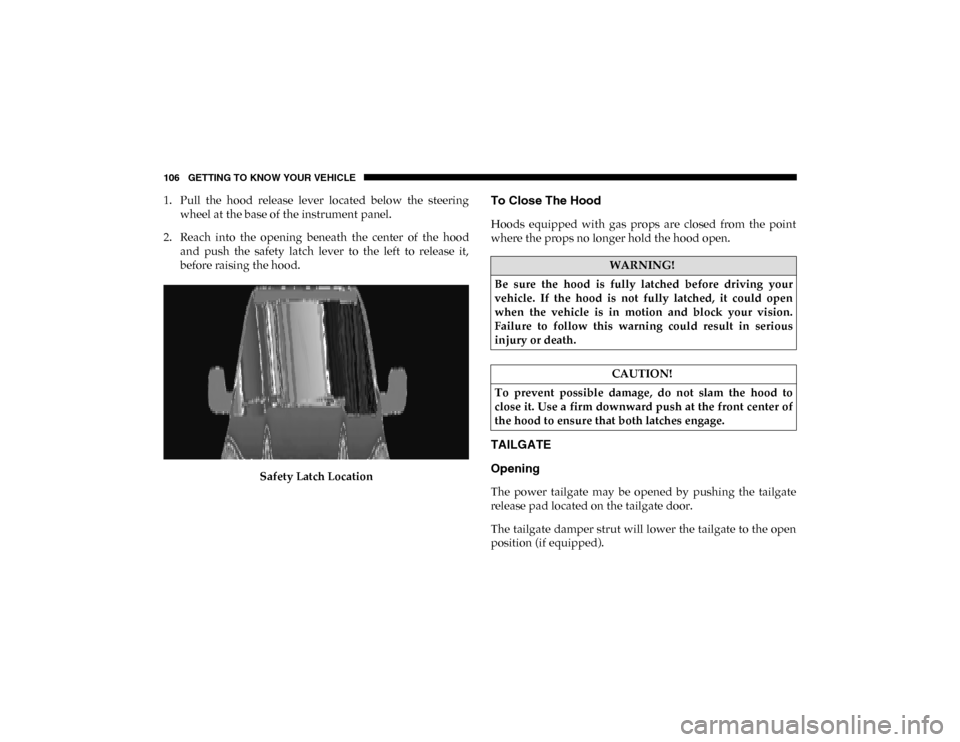
1. Pull the hood release lever located below the steeringwheel at the base of the instrument panel.
2. Reach into the opening beneath the center of the hood and push the safety latch lever to the left to release it,
before raising the hood.
Safety Latch LocationTo Close The Hood
Hoods equipped with gas props are closed from the point
where the props no longer hold the hood open.
TAILGATE
Opening
The power tailgate may be opened by pushing the tailgate
release pad located on the tailgate door.
The tailgate damper strut will lower the tailgate to the open
position (if equipped).
WARNING!
Be sure the hood is fully latched before driving your
vehicle. If the hood is not fully latched, it could open
when the vehicle is in motion and block your vision.
Failure to follow this warning could result in serious
injury or death.
CAUTION!
To prevent possible damage, do not slam the hood to
close it. Use a firm downward push at the front center of
the hood to ensure that both latches engage.
2020_DT_1500_OM_US.book Page 106
Page 116 of 674

114 GETTING TO KNOW YOUR VEHICLE
4. Watch for the HomeLink® indicator to change flashrates. When it changes, it is programmed. It may take up
to 30 seconds or longer in rare cases. The garage door
may open and close while you are programming.
5. Press and hold the programmed HomeLink® button and observe the indicator light.
NOTE:
• If the indicator light stays on constantly, programming is complete and the garage door/device should activate
when the HomeLink® button is pressed.
• To program the two remaining HomeLink® buttons, repeat each step for each remaining button. DO NOT erase
the channels.
If you unplugged the garage door opener/device for
programming, plug it back in at this time.
Reprogramming A Single HomeLink® Button (Canadian/
Gate Operator)
To reprogram a channel that has been previously trained,
follow these steps:
1. Place the ignition in the ON/RUN position. 2. Press and hold the desired HomeLink® button until the
indicator light begins to flash after 20 seconds. Do not
release the button.
3. Without releasing the button, proceed with “Canadian/ Gate Operator Programming” step 2 and follow all
remaining steps.
Using HomeLink®
To operate, push and release the programmed HomeLink®
button. Activation will now occur for the programmed
device (i.e. garage door opener, gate operator, security
system, entry door lock, home/office lighting, etc.) The
hand-held transmitter of the device may also be used at any
time.
Security
It is advised to erase all channels before you sell or turn in
your vehicle.
To do this, push and hold the two outside buttons for 20 seconds
until the orange indicator flashes. Note that all channels will be
erased. Individual channels cannot be erased.
The HomeLink® Universal Transceiver is disabled when the
Vehicle Security Alarm is active.
2020_DT_1500_OM_US.book Page 114
Page 141 of 674

GETTING TO KNOW YOUR VEHICLE 139
Locking And Unlocking RamBox
Push and release the lock or unlock button on the key fob to
lock and unlock all doors, the tailgate and the RamBox (if
equipped). Refer to “Keys” in this chapter for further details.
To unlatch the storage bin manually, insert the emergency
key into the keyhole and turn clockwise. Always return the
key to the upright (vertical) position before removing it from
the keyhole.RamBox Safety Warning
Carefully follow these warnings to help prevent personal
injury or damage to your vehicle:
CAUTION!
• Ensure cargo bin lids are closed and latched before moving or driving vehicle.
• Loads applied to the top of the bin lid should be mini -
mized to prevent damage to the lid and latching/
hinging mechanisms.
• Damage to the RamBox bin may occur due to heavy/ sharp objects placed in bin that shift due to vehicle
motion. In order to minimize potential for damage,
secure all cargo to prevent movement and protect inside
surfaces of bin from heavy/sharp objects with appro -
priate padding.
WARNING!
• Always close the storage bin covers when your vehicle is unattended.
• Do not allow children to have access to the storage bins. Once in the storage bin, young children may not be able
to escape. If trapped in the storage bin, children can die
from suffocation or heat stroke.
• In an accident, serious injury could result if the storage bin covers are not properly latched.
• Do not drive the vehicle with the storage bin covers open.
• Keep the storage bin covers closed and latched while the vehicle is in motion.
• Do not use a storage bin latch as a tie down.2
2020_DT_1500_OM_US.book Page 139
Page 264 of 674
262 SAFETY
However, if you haven’t healed significantly within a few
days, or if you have any blistering, see your doctor imme-
diately.
• As the air bags deflate, you may see some smoke-like parti -
cles. The particles are a normal by-product of the process
that generates the non-toxic gas used for air bag inflation.
These airborne particles may irritate the skin, eyes, nose, or
throat. If you have skin or eye irritation, rinse the area with
cool water. For nose or throat irritation, move to fresh air.
If the irritation continues, see your doctor. If these particles
settle on your clothing, follow the garment manufacturer’s
instructions for cleaning.
Do not drive your vehicle after the air bags have deployed. If
you are involved in another collision, the air bags will not be
in place to protect you. NOTE:
• Air bag covers may not be obvious in the interior trim, but
they will open during air bag deployment.
• After any collision, the vehicle should be taken to an authorized dealer immediately.
Enhanced Accident Response System
In the event of an impact, if the communication network
remains intact, and the power remains intact, depending on
the nature of the event, the ORC will determine whether to
have the Enhanced Accident Response System perform the
following functions:
• Cut off fuel to the engine (If Equipped)
• Cut off battery power to the electric motor (If Equipped)
• Flash hazard lights as long as the battery has power
• Turn on the interior lights, which remain on as long as the battery has power or for 15 minutes from the intervention
of the Enhanced Accident Response System
• Unlock the power door locks
WARNING!
Deployed air bags and seat belt pretensioners cannot
protect you in another collision. Have the air bags, seat
belt pretensioners, and the seat belt retractor assemblies
replaced by an authorized dealer immediately. Also,
have the Occupant Restraint Controller System serviced
as well.
2020_DT_1500_OM_US.book Page 262
Page 265 of 674

SAFETY 263
(Continued)
Your vehicle may also be designed to perform any of these
other functions in response to the Enhanced Accident
Response System:
• Turn off the Fuel Filter Heater, Turn off the HVAC BlowerMotor, Close the HVAC Circulation Door
• Cut off battery power to the: • Engine
• Electric Motor (if equipped)
• Electric power steering
• Brake booster
• Electric park brake
• Automatic transmission gear selector
• Horn
• Front wiper
• Headlamp washer pump
NOTE:
After an accident, remember to cycle the ignition to the STOP
(OFF/LOCK) position and remove the key from the ignition
switch to avoid draining the battery. Carefully check the
vehicle for fuel leaks in the engine compartment and on the
ground near the engine compartment and fuel tank before
resetting the system and starting the engine. If there are no
fuel leaks or damage to the vehicle electrical devices (e.g. headlights) after an accident, reset the system by following
the procedure described below. If you have any doubt,
contact an authorized dealer.
Enhanced Accident Response System Reset Procedure
In order to reset the Enhanced Accident Response System
functions after an event, the ignition switch must be changed
from ignition START or ON/RUN to ignition OFF. Carefully
check the vehicle for fuel leaks in the engine compartment
and on the ground near the engine compartment and fuel
tank before resetting the system and starting the engine.
Maintaining Your Air Bag System
WARNING!
• Modifications to any part of the air bag system could cause it to fail when you need it. You could be injured
if the air bag system is not there to protect you. Do not
modify the components or wiring, including adding
any kind of badges or stickers to the steering wheel hub
trim cover or the upper passenger side of the instru -
ment panel. Do not modify the front bumper, vehicle
body structure, or add aftermarket side steps or
running boards.
4
2020_DT_1500_OM_US.book Page 263