Gear ratio Ram 1500 2020 Owner's Manual
[x] Cancel search | Manufacturer: RAM, Model Year: 2020, Model line: 1500, Model: Ram 1500 2020Pages: 674, PDF Size: 32.69 MB
Page 30 of 674
28 GETTING TO KNOW YOUR VEHICLE
(Continued)
REMOTE START — IF EQUIPPED
How To Use Remote Start
All of the following conditions must be met before the engine
will remote start:
• Gear selector in PARK
• Doors closed
• Hood closed
• HAZARD switch off
• BRAKE switch inactive (brake pedal not pushed)
• Battery at an acceptable charge level
• PANIC button not pushed
• Fuel meets minimum requirement
• System not disabled from previous remote start event
• Vehicle security alarm not active
Remote Start Abort Message
The following messages will display in the instrument
cluster display if the vehicle fails to remote start or exits
remote start prematurely:
• Remote Start Cancelled — Door Open
• Remote Start Cancelled — Hood Open
• Remote Start Cancelled — Fuel Low
• Remote Start Cancelled — System Fault
• Remote Start Disabled — Start Vehicle to Reset
The instrument cluster display message stays active until the
ignition is turned to the ON/RUN position.
WARNING!
• Do not start or run an engine in a closed garage or confined area. Exhaust gas contains Carbon Monoxide
(CO) which is odorless and colorless. Carbon
Monoxide is poisonous and can cause serious injury or
death when inhaled.
• Keep key fobs away from children. Operation of the
Remote Start System, windows, door locks or other
controls could cause serious injury or death.
WARNING! (Continued)
2020_DT_1500_OM_US.book Page 28
Page 80 of 674
78 GETTING TO KNOW YOUR VEHICLE
wiper switch is moved, vehicle speed is greater than
3 mph (5 km/h), or the gear selector is moved out of the
NEUTRAL position.
• Remote Start Mode Inhibit — On vehicles equipped with
Remote Starting system, Rain Sensing wipers are not oper -
ational when the vehicle is in the remote start mode. Once
the operator is in the vehicle and has placed the ignition
switch in the RUN position, Rain Sensing wiper operation
can resume, if it has been selected, and no other inhibit
conditions (mentioned previously) exist.
CLIMATE CONTROLS
The Climate Control System allows you to regulate the
temperature, air flow, and direction of air circulating
throughout the vehicle. The controls are located on the
touchscreen (if equipped), on the sides of the touchscreen or
on the instrument panel below the radio.
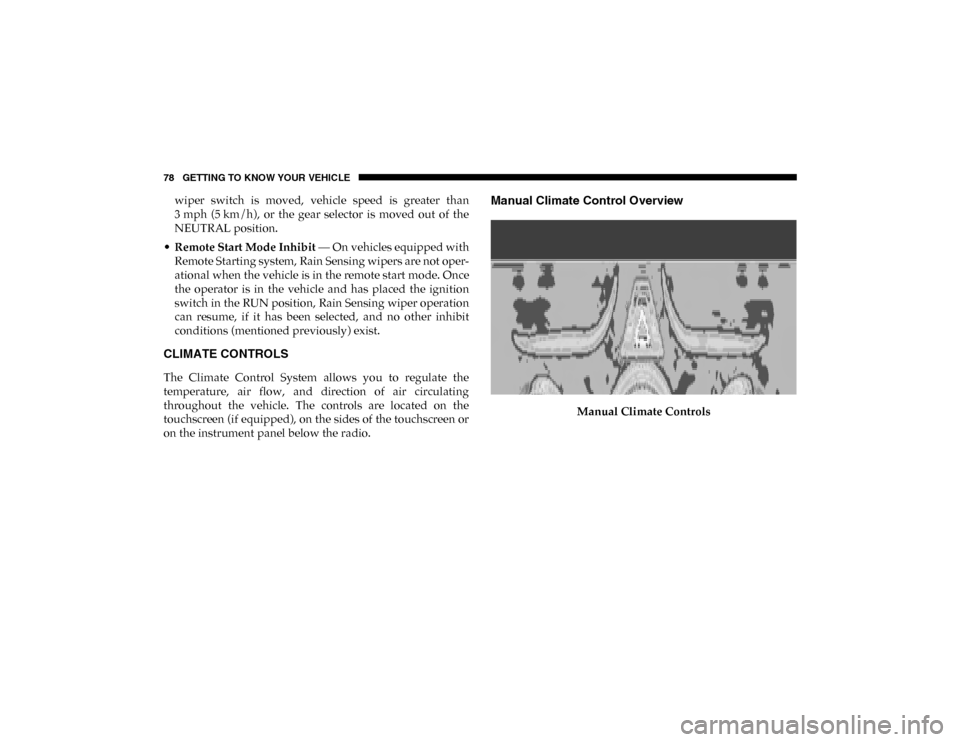
Manual Climate Control Overview
Manual Climate Controls
2020_DT_1500_OM_US.book Page 78
Page 192 of 674
190 GETTING TO KNOW YOUR INSTRUMENT PANEL
— Rear Axle Lock Indicator Light
This light indicates when the rear axle lock has been acti -
vated.
— 4WD Indicator Light — If Equipped
This light alerts the driver that the vehicle is in the
four-wheel drive mode, and the front and rear driveshafts
are mechanically locked together forcing the front and rear
wheels to rotate at the same speed.
— 4WD Low Indicator Light — If Equipped
This light alerts the driver that the vehicle is in the
four-wheel drive LOW mode. The front and rear driveshafts
are mechanically locked together forcing the front and rear
wheels to rotate at the same speed. Low range provides a
greater gear reduction ratio to provide increased torque at
the wheels.
Refer to “Four-Wheel Drive Operation — If Equipped” in
“Starting And Operating” for further information on
four-wheel drive operation and proper use. — 4WD High Indicator Light — If Equipped
This light alerts the driver that the vehicle is in the
four-wheel drive HIGH mode. The front and rear driveshafts
are mechanically locked together forcing the front and rear
wheels to rotate at the same speed.
— NEUTRAL Indicator Light — If Equipped
This light alerts the driver that the 4WD power transfer case
is in the NEUTRAL mode and the front and rear driveshafts
are disengaged from the powertrain.
— Diesel Particulate Filter (DPF) Cleaning In Progress
Indicator Light — Diesel Versions With DPF Only
The symbol switches on constantly to indicate that the DPF
system needs to eliminate the trapped pollutants (particu-
late) through the regeneration process. The symbol does not
switch on during every DPF regeneration, but only when
driving conditions require that the driver is notified. To turn
off the symbol, keep the vehicle in motion until the regener -
ation process is over. On average, the process lasts
15 minutes.
2020_DT_1500_OM_US.book Page 190
Page 210 of 674
208 SAFETY
The following conditions must be met in order for HSA to
activate:
• The feature must be enabled.
• The vehicle must be stopped.
• The park brake must be off.
• The driver door must be closed.
• The vehicle must be on a sufficient grade.
• The gear selection must match vehicle uphill direction (i.e.,vehicle facing uphill is in forward gear; vehicle backing
uphill is in REVERSE (R) gear).
• HSA will work in REVERSE (R) gear and all forward gears. The system will not activate if the transmission is in PARK
(P) or NEUTRAL (N). For vehicles equipped with a
manual transmission, if the clutch is pressed, HSA will
remain active.WARNING!
There may be situations where the Hill Start Assist
(HSA) will not activate and slight rolling may occur,
such as on minor hills or with a loaded vehicle, or while
pulling a trailer. HSA is not a substitute for active
driving involvement. It is always the driver’s
responsibility to be attentive to distance to other
vehicles, people, and objects, and most importantly
brake operation to ensure safe operation of the vehicle
under all road conditions. Your complete attention is
always required while driving to maintain safe control of
your vehicle. Failure to follow these warnings can result
in a collision or serious personal injury.
2020_DT_1500_OM_US.book Page 208
Page 213 of 674
SAFETY 211
AUXILIARY DRIVING SYSTEMS
Blind Spot Monitoring (BSM) — If Equipped
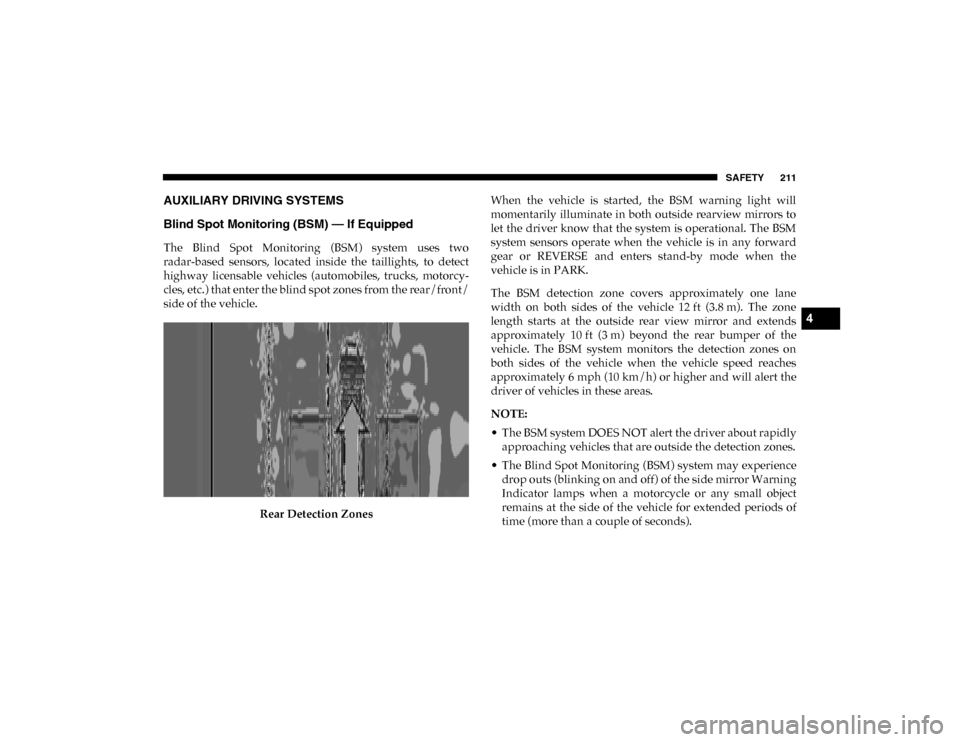
The Blind Spot Monitoring (BSM) system uses two
radar-based sensors, located inside the taillights, to detect
highway licensable vehicles (automobiles, trucks, motorcy-
cles, etc.) that enter the blind spot zones from the rear/front/
side of the vehicle.
Rear Detection Zones When the vehicle is started, the BSM warning light will
momentarily illuminate in both outside rearview mirrors to
let the driver know that the system is operational. The BSM
system sensors operate when the vehicle is in any forward
gear or REVERSE and enters stand-by mode when the
vehicle is in PARK.
The BSM detection zone covers approximately one lane
width on both sides of the vehicle 12 ft (3.8 m). The zone
length starts at the outside rear view mirror and extends
approximately 10 ft (3 m) beyond the rear bumper of the
vehicle. The BSM system monitors the detection zones on
both sides of the vehicle when the vehicle speed reaches
approximately 6 mph (10 km/h) or higher and will alert the
driver of vehicles in these areas.
NOTE:
• The BSM system DOES NOT alert the driver about rapidly
approaching vehicles that are outside the detection zones.
• The Blind Spot Monitoring (BSM) system may experience drop outs (blinking on and off) of the side mirror Warning
Indicator lamps when a motorcycle or any small object
remains at the side of the vehicle for extended periods of
time (more than a couple of seconds).
4
2020_DT_1500_OM_US.book Page 211
Page 299 of 674
STARTING AND OPERATING 297
ENGINE BREAK-IN RECOMMENDATIONS
A long break-in period is not required for the engine and
drivetrain (transmission and axle) in your vehicle.
Drive moderately during the first 300 miles (500 km). After
the initial 60 miles (100 km), speeds up to 50 or 55 mph (80 or
90 km/h) are desirable.
While cruising, brief full-throttle acceleration within the
limits of local traffic laws contributes to a good break-in.
Wide-open throttle acceleration in low gear can be detri-
mental and should be avoided.
The engine oil installed in the engine at the factory is a
high-quality energy conserving type lubricant. Oil changes
should be consistent with anticipated climate conditions
under which vehicle operations will occur. For the recom -
mended viscosity and quality grades, refer to “Fluids And
Lubricants” in “Technical Specifications”. NOTE:
A new engine may consume some oil during its first few
thousand miles (kilometers) of operation. This should be
considered a normal part of the break-in and not interpreted
as a problem. Please check your oil level with the engine oil
indicator often during the break in period. Add oil as
required.
PARKING BRAKE
Electric Park Brake (EPB)
Your vehicle is equipped with an Electric Park Brake System
(EPB) that offers simple operation, and some additional
features that make the parking brake more convenient and
useful.
The parking brake is primarily intended to prevent the
vehicle from rolling while parked. Before leaving the vehicle,
make sure that the park brake is applied. Also, be certain to
leave the transmission in PARK.
You can engage the park brake in two ways:
• Manually, by applying the park brake switch.
• Automatically, by enabling the Auto Park Brake feature in
the customer programmable features section of the Ucon -
nect settings.
CAUTION!
Never use Non-Detergent Oil or Straight Mineral Oil in
the engine or damage may result.5
2020_DT_1500_OM_US.book Page 297
Page 304 of 674

302 STARTING AND OPERATING
(Continued)
Brake Service Mode through the Uconnect Settings in your
vehicle. This menu based system will guide you through the
steps necessary to retract the EPB actuator in order to
perform rear brake service.
Service Mode has requirements that must be met in order to
be activated:
• The vehicle must be at a standstill.
• The park brake must be unapplied.
• The transmission must be in PARK or NEUTRAL.
While in service mode, the Electric Park Brake fault lamp will
flash continuously while the ignition is ON.
When brake service work is complete, the following steps must
be followed to reset the park brake system to normal operation:
• Ensure the vehicle is at a standstill.
• Press the brake pedal with moderate force.
• Apply the Electric Park Brake Switch.AUTOMATIC TRANSMISSION
WARNING!
You can be badly injured working on or around a motor
vehicle. Do only that service work for which you have
the knowledge and the right equipment. If you have any
doubt about your ability to perform a service job, take
your vehicle to a competent mechanic.
WARNING!
• Never use the PARK position as a substitute for the parking brake. Always apply the parking brake fully
when exiting the vehicle to guard against vehicle move -
ment and possible injury or damage.
• Your vehicle could move and injure you and others if it is not in PARK. Check by trying to move the transmission gear
selector out of PARK with the brake pedal released. Make
sure the transmission is in PARK before exiting the vehicle.
• The transmission may not engage PARK if the vehicle is moving. Always bring the vehicle to a complete stop
before shifting to PARK, and verify that the transmission
gear position indicator solidly indicates PARK (P) without
blinking. Ensure that the vehicle is completely stopped,
and the PARK position is properly indicated, before
exiting the vehicle.
• It is dangerous to shift out of PARK or NEUTRAL if the engine speed is higher than idle speed. If your foot is
not firmly pressing the brake pedal, the vehicle could
accelerate quickly forward or in reverse. You could lose
control of the vehicle and hit someone or something.
Only shift into gear when the engine is idling normally
and your foot is firmly pressing the brake pedal.
2020_DT_1500_OM_US.book Page 302
Page 307 of 674
STARTING AND OPERATING 305
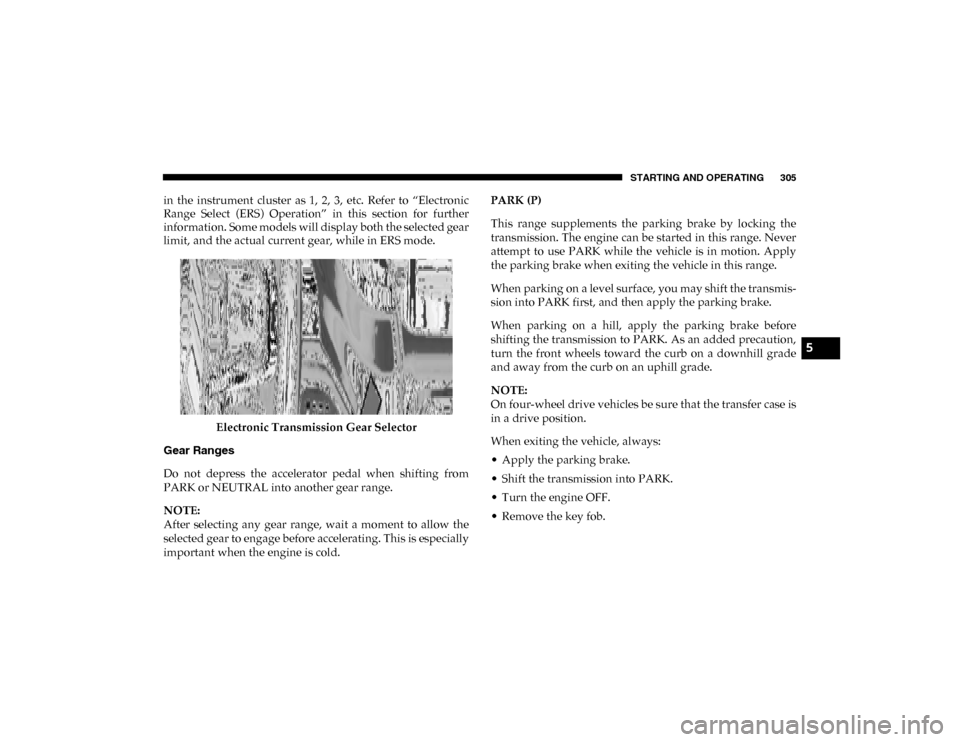
in the instrument cluster as 1, 2, 3, etc. Refer to “Electronic
Range Select (ERS) Operation” in this section for further
information. Some models will display both the selected gear
limit, and the actual current gear, while in ERS mode.Electronic Transmission Gear Selector
Gear Ranges
Do not depress the accelerator pedal when shifting from
PARK or NEUTRAL into another gear range.
NOTE:
After selecting any gear range, wait a moment to allow the
selected gear to engage before accelerating. This is especially
important when the engine is cold. PARK (P)
This range supplements the parking brake by locking the
transmission. The engine can be started in this range. Never
attempt to use PARK while the vehicle is in motion. Apply
the parking brake when exiting the vehicle in this range.
When parking on a level surface, you may shift the transmis
-
sion into PARK first, and then apply the parking brake.
When parking on a hill, apply the parking brake before
shifting the transmission to PARK. As an added precaution,
turn the front wheels toward the curb on a downhill grade
and away from the curb on an uphill grade.
NOTE:
On four-wheel drive vehicles be sure that the transfer case is
in a drive position.
When exiting the vehicle, always:
• Apply the parking brake.
• Shift the transmission into PARK.
• Turn the engine OFF.
• Remove the key fob.
5
2020_DT_1500_OM_US.book Page 305
Page 310 of 674

308 STARTING AND OPERATING
When frequent transmission shifting occurs (such as when
operating the vehicle under heavy loading conditions, in
hilly terrain, traveling into strong head winds, or while
towing a heavy trailer), select TOW/HAUL mode or use the
Electronic Range Select (ERS) shift control (refer to "Elec-
tronic Range Select (ERS) Operation" in this section for
further information) to select a lower gear range. Under
these conditions, using a lower gear range will improve
performance and extend transmission life by reducing exces -
sive shifting and heat buildup.
During extremely cold temperatures (-22°F [-30°C] or
below), transmission operation may be modified depending
on engine and transmission temperature as well as vehicle
speed. Normal operation will resume once the transmission
temperature has risen to a suitable level.
Transmission Limp Home Mode
Transmission function is monitored electronically for
abnormal conditions. If a condition is detected that could
result in transmission damage, Transmission Limp Home
Mode is activated. In this mode, the transmission may
operate only in certain gears, or may not shift at all. Vehicle
performance may be severely degraded and the engine may
stall. In some situations, the transmission may not re-engage
if the engine is turned off and restarted. The Malfunction Indicator Light (MIL) may be illuminated. A message in the
instrument cluster will inform the driver of the more serious
conditions, and indicate what actions may be necessary.
In the event of a momentary problem, the transmission can
be reset to regain all forward gears by performing the
following steps:
NOTE:
In cases where the instrument cluster message indicates the
transmission may not re-engage after engine shutdown,
perform this procedure only in a desired location (prefer
-
ably, at an authorized dealer).
1. Stop the vehicle.
2. Shift the transmission into PARK, if possible. If not, shift the transmission to NEUTRAL.
3. Push and hold the ignition switch until the engine turns OFF.
4. Wait approximately 30 seconds.
5. Restart the engine.
6. Shift into the desired gear range. If the problem is no longer detected, the transmission will return to normal
operation.
2020_DT_1500_OM_US.book Page 308
Page 311 of 674
STARTING AND OPERATING 309
NOTE:
Even if the transmission can be reset, we recommend that
you visit an authorized dealer at your earliest possible
convenience. An authorized dealer has diagnostic equip-
ment to assess the condition of your transmission.
If the transmission cannot be reset, an authorized dealer
service is required.
Electronic Range Select (ERS) Operation — Eight-Speed
Transmission
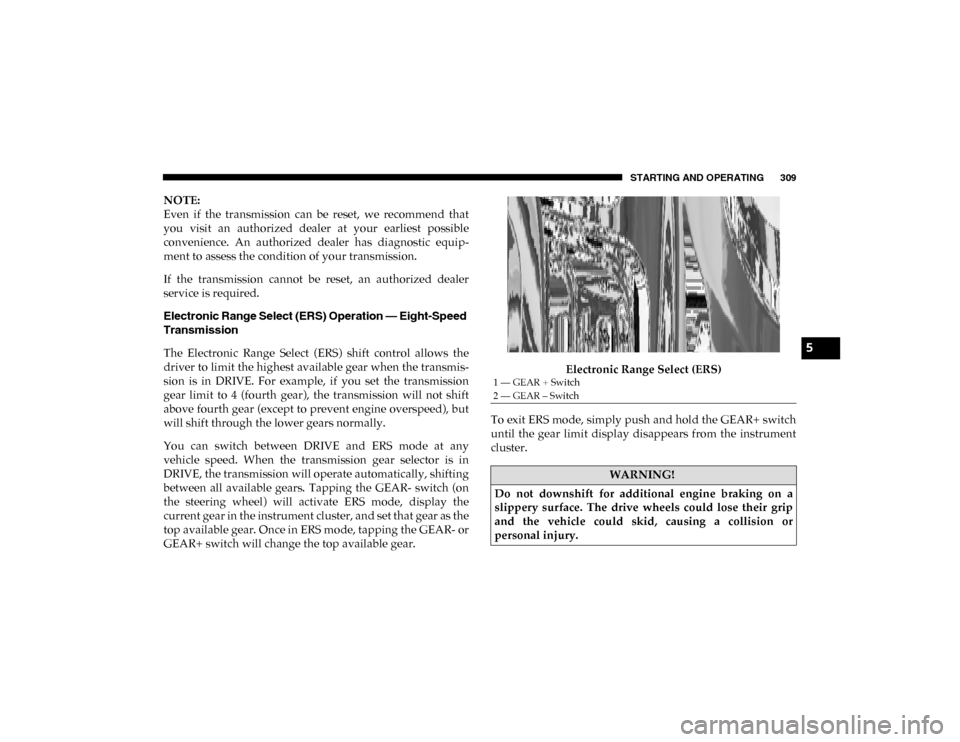
The Electronic Range Select (ERS) shift control allows the
driver to limit the highest available gear when the transmis -
sion is in DRIVE. For example, if you set the transmission
gear limit to 4 (fourth gear), the transmission will not shift
above fourth gear (except to prevent engine overspeed), but
will shift through the lower gears normally.
You can switch between DRIVE and ERS mode at any
vehicle speed. When the transmission gear selector is in
DRIVE, the transmission will operate automatically, shifting
between all available gears. Tapping the GEAR- switch (on
the steering wheel) will activate ERS mode, display the
current gear in the instrument cluster, and set that gear as the
top available gear. Once in ERS mode, tapping the GEAR- or
GEAR+ switch will change the top available gear. Electronic Range Select (ERS)
To exit ERS mode, simply push and hold the GEAR+ switch
until the gear limit display disappears from the instrument
cluster.
1 — GEAR + Switch
2 — GEAR – Switch
WARNING!
Do not downshift for additional engine braking on a
slippery surface. The drive wheels could lose their grip
and the vehicle could skid, causing a collision or
personal injury.
5
2020_DT_1500_OM_US.book Page 309