change Ram 3500 2018 User Guide
[x] Cancel search | Manufacturer: RAM, Model Year: 2018, Model line: 3500, Model: Ram 3500 2018Pages: 700, PDF Size: 8.87 MB
Page 54 of 700

Keyless Enter-N-Go), the driver ’s seat will move about
2.4 inches (60 mm) rearward if the driver ’s seat position
is greater than or equal to 2.7 inches (67.7 mm) forward
of the rear stop. The seat will return to its previously set
position when you place the ignition into the ACC or
RUN position.
• When you remove the key fob from the ignition (or
change the ignition to OFF, for vehicles equipped with
Keyless Enter-N-Go), the driver ’s seat will move to a
position 0.3 inches (7.7 mm) forward of the rear stop if
the driver ’s seat position is between 0.9 inches and 2.7
inches (22.7 mm and 67.7 mm) forward of the rear stop.
The seat will return to its previously set position when
you place the ignition to the ACC or RUN position.
• The Easy Entry/Easy Exit feature is disabled when the
driver ’s seat position is less than 0.9 inches (22.7 mm)
forward of the rear stop. At this position, there is no
benefit to the driver by moving the seat for Easy Exit or
Easy Entry.
Each stored memory setting will have an associated Easy
Entry and Easy Exit position. NOTE:The Easy Entry/Exit feature is not enabled when the
vehicle is delivered from the factory. The Easy Entry/Exit
feature is enabled (or later disabled) through the program-
mable features in the Uconnect system. Refer to “Uconnect
Settings” in “Multimedia” for further information.
Heated Seats — If Equipped
On some models, the front and rear seats may be equipped
with heaters located in the seat cushions and seat backs.
WARNING!
• Persons who are unable to feel pain to the skin
because of advanced age, chronic illness, diabetes,
spinal cord injury, medication, alcohol use, exhaus-
tion or other physical condition must exercise care
when using the seat heater. It may cause burns even
at low temperatures, especially if used for long
periods of time.
•
Do not place anything on the seat or seatback that
insulates against heat, such as a blanket or cushion.
This may cause the seat heater to overheat. Sitting in a
seat that has been overheated could cause serious burns
due to the increased surface temperature of the seat.
52 GETTING TO KNOW YOUR VEHICLE
Page 55 of 700

Front Heated Seats
The front heated seats control buttons are located on the
center instrument panel below the climate controls.
If your vehicle is equipped with a touchscreen, the front
heated seats control buttons are also located within the
climate or controls screen of the touchscreen.
•Press the heated seat button
once to turn the HI
setting on.
• Press the heated seat buttona second time to turn
the LO setting on.
• Press the heated seat buttona third time to turn the
heating elements off.
When the HI-level setting is selected, the heater will
provide a boosted heat level during the first four minutes
of operation. Then, the heat output will drop to the normal
HI-level. If the HI-level setting is selected, the system will
automatically switch to LO-level after approximately 60
minutes of continuous operation. At that time, the display
will change from HI to LO, indicating the change. The
LO-level setting will turn off automatically after approxi-
mately 45 minutes. NOTE:
The engine must be running for the heated seats to
operate.
Vehicles Equipped With Remote Start
On models that are equipped with remote start, the driv-
er ’s seat can be programmed to come on during a remote
start.
If your vehicle is equipped with a touchscreen, this feature
can be programmed through the Uconnect system. Refer to
“Uconnect Settings” in “Multimedia” for further informa-
tion.
If your vehicle is not equipped with a touchscreen, this
feature can be programmed through the instrument cluster
display. Refer to “Instrument Cluster Display” in “Getting
To Know Your Instrument Panel” for further information.
Rear Heated Seats
On some models, the two outboard seats are equipped
with heated seats. The heated seat switches for these seats
are located on the rear of the center console.
3
GETTING TO KNOW YOUR VEHICLE 53
Page 56 of 700

There are two heated seat switches that allow the rear
passengers to operate the seats independently. You can
choose from HI, LO or OFF heat settings. Amber indicator
lights in each switch indicate the level of heat in use. Two
indicator lights will illuminate for HI, one for LO and none
for OFF.Push the switch once to select HI-level heating.
Push the switch a second time to select LO-level
heating. Push the switch a third time to shut the
heating elements OFF.
NOTE:
• Once a heat setting is selected, heat will be felt within
two to five minutes.
• The engine must be running for the heated seats to
operate.
When the HI-level setting is selected, the heater will
provide a boosted heat level during the first four minutes
of operation. Then, the heat output will drop to the normal
HI-level. If the HI-level setting is selected, the system will
automatically switch to LO-level after approximately 60
minutes of continuous operation. At that time, the number of illuminated LEDs changes from two to one, indicating
the change. The LO-level setting will turn OFF automati-
cally after approximately 45 minutes.
Ventilated Seats — If Equipped
Located in the seat cushion are small fans that draw the air
from the passenger compartment and move air through
fine perforations in the seat cover to help keep the driver
and front passenger cooler in higher ambient temperatures.
The fans operate at two speeds, HI and LO.
The front ventilated seats control buttons are located on the
center instrument panel below the climate controls.
If your vehicle is equipped with a touchscreen, the front
ventilated seats control buttons are also located within the
climate or controls screen of the touchscreen.
•
Press the ventilated seat button
once to choose HI.
•Press the ventilated seat buttona second time to
choose LO.
• Press the ventilated seat buttona third time to turn
the ventilated seat OFF.
NOTE: The engine must be running for the ventilated seats
to operate.
54 GETTING TO KNOW YOUR VEHICLE
Page 72 of 700

Outside Mirrors Folding Feature
All outside mirrors are designed to be able to be manually
folded both forward and rearward to prevent damage.
CAUTION!
It is recommended to fold the mirrors into the full
rearward position to resist damage when entering a car
wash or a narrow location.
Trailer Towing Mirrors — If Equipped
These mirrors are designed with an adjustable mirror head
to provide a greater vision range when towing extra-wide
loads. To change position inboard or outboard, the mirror
head should be rotated (flipped in or out).
NOTE:Fold the trailer towing mirrors rearward prior to
entering an automated car wash.
A small blindspot mirror is located next to main mirror and
can be adjusted separately.
Folding Mirror
Trailer Towing Position
70 GETTING TO KNOW YOUR VEHICLE
Page 81 of 700

Lane Change Assist — If Equipped
Tap the lever up or down once, without moving beyond
the detent, and the turn signal (right or left) will flash three
times then automatically turn off.
Cargo Light With Bed Lights — If Equipped
The cargo light and bed lights (if equipped) are turned on
by pushing the cargo lights button located just below the
headlight switch.If the vehicle’s speed is 0 mph (0 km/h), these lights can
also be turned on using the switch located just inside the
pickup box. A telltale will illuminate in the instrument
cluster display when this lights are on. Pushing the switch
a second time will turn the lights off.
Cargo/Bed Lights Button On Headlight Switch
Bed Light Switch Without RamBox
3
GETTING TO KNOW YOUR VEHICLE 79
Page 89 of 700

Manual Climate Control Descriptions
IconDescription
MAX A/C Setting
Rotate the Temperature Control Knob counterclockwise until it is set to MAX A/C. This is the
coldest setting and will put the A/C to its maximum power.
A/C Button
Push the A/C button to engage the Air Conditioning (A/C). A LED will illuminate when the
A/C system is engaged.
Recirculation Button
Push and release this button to change the system between recirculation mode and outside air
mode. Recirculation can be used when outside conditions such as smoke, odors, dust, or high
humidity are present.
NOTE:
•Continuous use of the Recirculation mode may make the inside air stuffy and window fog-
ging may occur. Extended use of this mode is not recommended.
•The use of the Recirculation mode in cold or damp weather could cause windows to fog on
the inside, because of moisture buildup inside the vehicle. Select the outside air position for
maximum defogging.
•Recirculation can be used in all modes except for Defrost.
•The A/C can be deselected manually without disturbing the mode control selection.
3
GETTING TO KNOW YOUR VEHICLE 87
Page 91 of 700
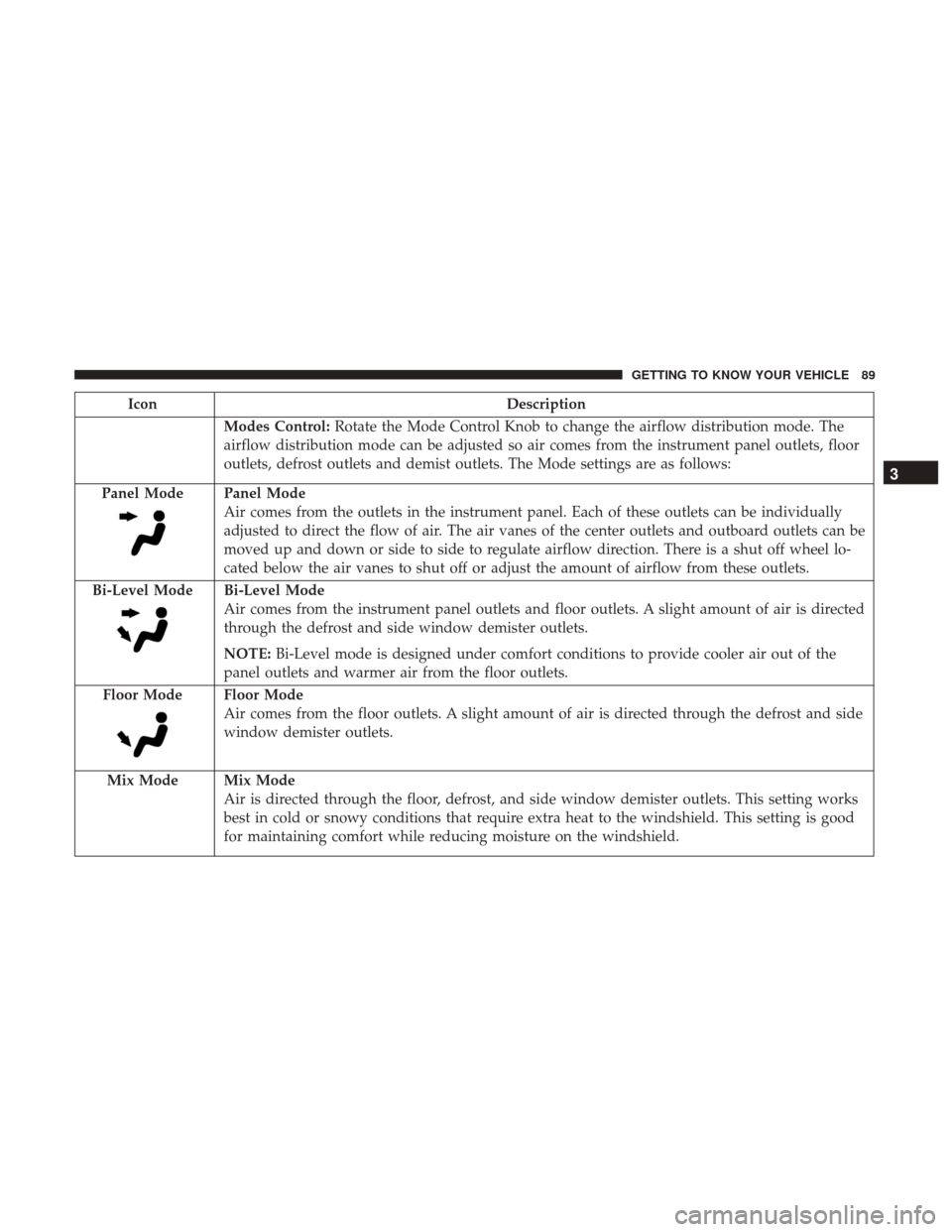
IconDescription
Modes Control:Rotate the Mode Control Knob to change the airflow distribution mode. The
airflow distribution mode can be adjusted so air comes from the instrument panel outlets, floor
outlets, defrost outlets and demist outlets. The Mode settings are as follows:
Panel Mode
Panel Mode
Air comes from the outlets in the instrument panel. Each of these outlets can be individually
adjusted to direct the flow of air. The air vanes of the center outlets and outboard outlets can be
moved up and down or side to side to regulate airflow direction. There is a shut off wheel lo-
cated below the air vanes to shut off or adjust the amount of airflow from these outlets.
Bi-Level Mode
Bi-Level Mode
Air comes from the instrument panel outlets and floor outlets. A slight amount of air is directed
through the defrost and side window demister outlets.
NOTE: Bi-Level mode is designed under comfort conditions to provide cooler air out of the
panel outlets and warmer air from the floor outlets.
Floor Mode
Floor Mode
Air comes from the floor outlets. A slight amount of air is directed through the defrost and side
window demister outlets.
Mix Mode
Mix Mode
Air is directed through the floor, defrost, and side window demister outlets. This setting works
best in cold or snowy conditions that require extra heat to the windshield. This setting is good
for maintaining comfort while reducing moisture on the windshield.
3
GETTING TO KNOW YOUR VEHICLE 89
Page 94 of 700

Manual Climate Control With Touchscreen Descriptions
IconDescription
MAX A/C Setting
Press the button to select MAX A/C. This is the coldest setting and will put the A/C to its
maximum power.
A/C Button
Push the A/C button on the touchscreen or faceplate to engage the Air Conditioning (A/C).
A LED will illuminate when the A/C system is engaged.
Recirculation Button
Push and release this button to change the system between recirculation mode and outside air
mode. Recirculation can be used when outside conditions such as smoke, odors, dust, or high
humidity are present.
NOTE:
•Continuous use of the Recirculation mode may make the inside air stuffy and window fog-
ging may occur. Extended use of this mode is not recommended.
•The use of the Recirculation mode in cold or damp weather could cause windows to fog on
the inside, because of moisture buildup inside the vehicle. Select the outside air position for
maximum defogging.
•Recirculation can be used in all modes except for Defrost.
•The A/C can be deselected manually without disturbing the mode control selection.
92 GETTING TO KNOW YOUR VEHICLE
Page 100 of 700

Control Descriptions
NOTE:Icons and descriptions can vary based upon vehicle equipment.
Icon Description
MAX A/C Button
Press and release to change the current setting, the indicator illuminates when MAX A/C is on.
Performing this function again will cause the MAX A/C operation to switch into manual mode
and the MAX A/C indicator will turn off.
A/C Button
Press and release the button on the touchscreen, or push and release the button on the faceplate,
to change the current setting, the indicator illuminates when A/C is on.
Recirculation Button
Press and release this button to change the system between recirculation mode and outside air
mode. Recirculation can be used when outside conditions such as smoke, odors, dust, or high
humidity are present.
NOTE:
•Continuous use of the Recirculation mode may make the inside air stuffy and window fog-
ging may occur. Extended use of this mode is not recommended.
•The use of the Recirculation mode in cold or damp weather could cause windows to fog on
the inside, because of moisture buildup inside the vehicle. Select the outside air position for
maximum defogging.
•Recirculation can be used in all modes except for Defrost.
•The A/C can be deselected manually without disturbing the mode control selection.
98 GETTING TO KNOW YOUR VEHICLE
Page 101 of 700
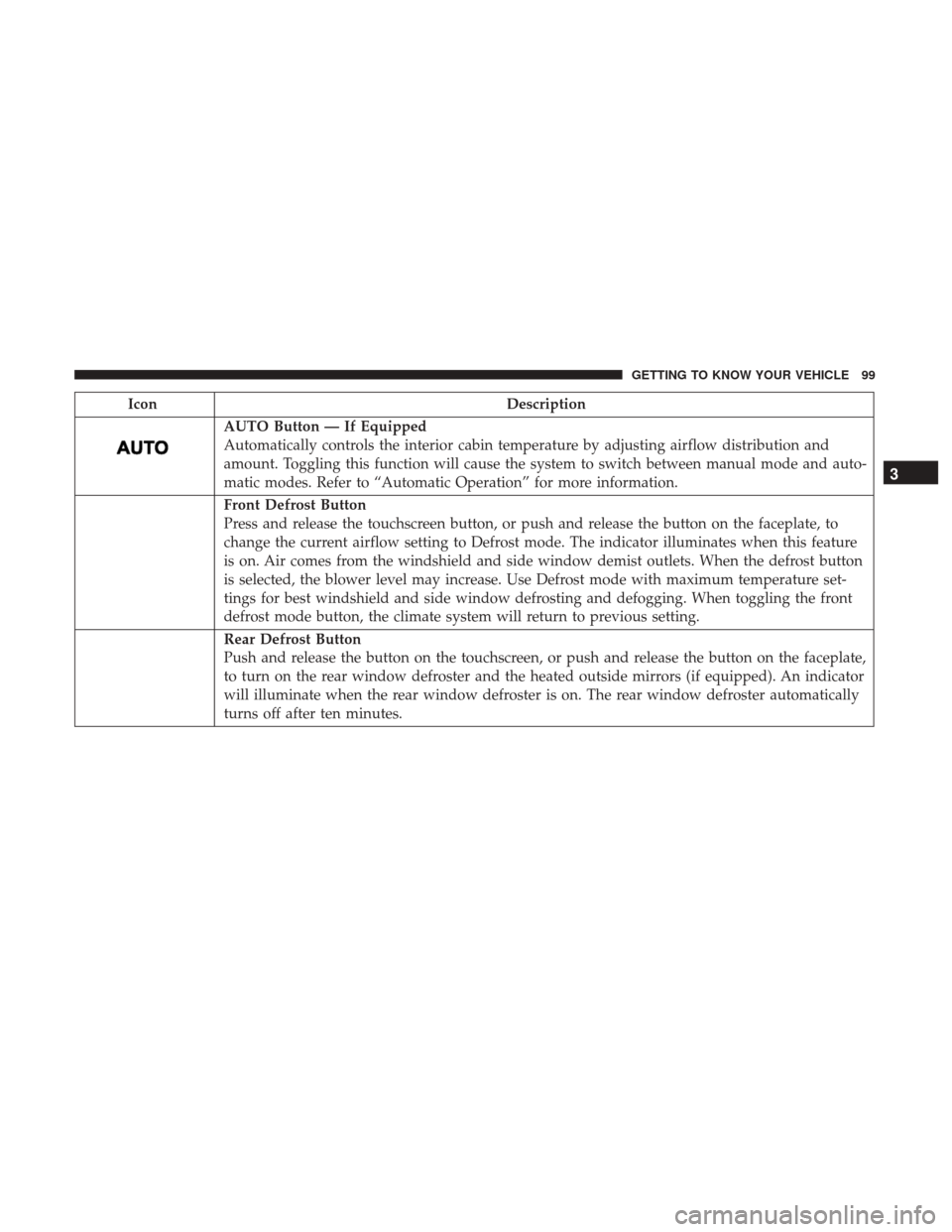
IconDescription
AUTO Button — If Equipped
Automatically controls the interior cabin temperature by adjusting airflow distribution and
amount. Toggling this function will cause the system to switch between manual mode and auto-
matic modes. Refer to “Automatic Operation” for more information.
Front Defrost Button
Press and release the touchscreen button, or push and release the button on the faceplate, to
change the current airflow setting to Defrost mode. The indicator illuminates when this feature
is on. Air comes from the windshield and side window demist outlets. When the defrost button
is selected, the blower level may increase. Use Defrost mode with maximum temperature set-
tings for best windshield and side window defrosting and defogging. When toggling the front
defrost mode button, the climate system will return to previous setting.
Rear Defrost Button
Push and release the button on the touchscreen, or push and release the button on the faceplate,
to turn on the rear window defroster and the heated outside mirrors (if equipped). An indicator
will illuminate when the rear window defroster is on. The rear window defroster automatically
turns off after ten minutes.
3
GETTING TO KNOW YOUR VEHICLE 99