lights Ram 3500 2020 User Guide
[x] Cancel search | Manufacturer: RAM, Model Year: 2020, Model line: 3500, Model: Ram 3500 2020Pages: 568
Page 51 of 568

GETTING TO KNOW YOUR VEHICLE49
Rotate the headlight switch clockwise to the first
detent for parking light and instrument panel
light operation. Rotate the headlight switch to the
second detent for headlight, parking light, and
instrument panel light operation.
DAYTIME RUNNING LIGHTS (DRLS) — IF
E
QUIPPED
The headlights on your vehicle will illuminate
when the engine is started and the
transmission is in any gear except PARK. This
provides a constant "lights on" condition until
the ignition is placed in the OFF position. The
lights illuminate at less than half of normal
intensity. If the parking brake is applied, the
Daytime Running Lights (DRLs) will turn off.
Also, if a turn signal is activated, the DRL lamp
on the same side of the vehicle may turn off for
the duration of the turn signal activation. Once
the turn signal is no longer active, the DRL lamp
will illuminate.
NOTE:
If allowed by law in the country in which the
vehicle was purchased, the Daytime Running
Lights can be turned on and off using the Ucon -
nect system, refer to “Uconnect Settings” in
“Multimedia” for further information.
HIGH/LOW BEAM SWITCH
Push the multifunction lever toward the
instrument panel to switch the headlights to
high beam. Pulling the multifunction lever back
toward the steering wheel will turn the low
beams back on, or shut the high beams off.
AUTOMATIC HIGH BEAM HEADLAMP
C
ONTROL — IF EQUIPPED
The Automatic High Beam Headlamp Control
system provides increased forward lighting at
night by automating high beam control through
the use of a digital camera mounted on the inside
rearview mirror or forward facing camera. This
camera detects vehicle specific light and
automatically switches from high beams to low
beams until the approaching vehicle is out of view.
NOTE:
The Automatic High Beam Headlamp Control
can be turned on or off by selecting “ON”
under “Auto Dim High Beams” within your
Uconnect settings, as well as turning the
headlight switch to the AUTO position. Refer
to “Uconnect Settings” in “Multimedia” for
further information.
Broken, muddy, or obstructed headlights
and taillights of vehicles in the field of view
will cause headlights to remain on longer
(closer to the vehicle). Also, dirt, film, and
other obstructions on the windshield or
camera lens will cause the system to func -
tion improperly.
To opt out of the Advanced Auto High Beam
Sensitivity Control (default) and enter
Reduced High Beam Sensitivity Control (not
recommended), on vehicles equipped with
mirror controlled automatic high beams and
without the forward facing camera, toggle the
high beam lever six full on/off cycles within
10 seconds of placing the ignition in the ON
position. The system will return to the default
setting when the ignition is OFF.
If the windshield or Automatic High Beam
Headlamp Control mirror is replaced, the mirror
must be re-aimed to ensure proper
performance. See a local authorized dealer.
2
20_DJD2_OM_EN_USC_t.book Page 49
Page 52 of 568

50GETTING TO KNOW YOUR VEHICLE
To Activate
1. The Automatic High Beams are enabled
through the Uconnect system. Refer to
“Uconnect Settings” in “Multimedia” for
further information.
2. Turn the headlight switch to the AUTO headlight position.
3. Push the multifunction lever away from you (toward front of vehicle) to engage the high
beam mode.
NOTE:
The Automatic High Beams will not activate until
the vehicle is at or above 12 mph (20 km/h).
To Deactivate
1. Pull the multifunction lever toward you (or rearward in vehicle) to manually deactivate
the system (normal operation of low
beams).
2. Push back on the multifunction lever to reactivate the system.
The Automatic High Beams can also be
deactivated through the Uconnect system.
Refer to “Uconnect Settings” in “Multimedia”
for further information.
FLASH-TO-PASS
You can signal another vehicle with your
headlights by lightly pulling the multifunction
lever toward you. This will cause the high beam
headlights to turn on, and remain on, until the
lever is released.
AUTOMATIC HEADLIGHTS — IF EQUIPPED
This system automatically turns your headlights
on or off based on ambient light levels. To turn
the system on, turn the headlight switch to the
extreme clockwise position aligning the
indicator with the AUTO on the headlight switch.
When the system is on, the Headlight Time
Delay feature is also on. This means your
headlights will stay on for up to 90 seconds
after the ignition is placed in the OFF position.
To turn the Automatic System off, turn the
headlight switch counterclockwise to the O (off)
position.
NOTE:
The engine must be running before the head -
lights will come on in the Automatic mode.
DIRECTIONAL LED HEADLAMP SYSTEM
— I
F EQUIPPED
This is a system consisting of LED (low/high
beam) headlights that incorporate dynamic
cornering with 5-degree inboard/15-degree
outboard swivel. The headlights continuously
and automatically adapt to the driving
conditions around bends or when cornering
based on steering wheel angle.
The system directs the headlights to light up the
road in the best way, taking into account the
speed of the vehicle and the bend or corner
angle, as well as the speed of the vehicle while
the steering wheel is being turned.
The adaptive lights are automatically activated
when the vehicle is traveling above
approximately 5 mph (8 km/h).
This system can be turned on/off through the
Uconnect Settings under “Steering Directed
Lights”. Refer to Uconnect Settings in
“Multimedia” for further information.
20_DJD2_OM_EN_USC_t.book Page 50
Page 53 of 568
GETTING TO KNOW YOUR VEHICLE51
PARKING LIGHTS AND PANEL LIGHTS
To turn on the parking lights and instrument
panel lights, from the O (off) position, rotate the
headlight switch clockwise to the first detent. To
turn off the parking lights, rotate the headlight
switch back to the O (off) position.
HEADLIGHTS ON WITH WIPERS
(A
VAILABLE WITH AUTOMATIC
H
EADLIGHTS ONLY)
When this feature is active, the headlights will
turn on approximately 10 seconds after the
wipers are turned on if the headlight switch is
placed in the AUTO position. In addition, the
headlights will turn off when the wipers are
turned off, if they were turned on by this feature.
NOTE:
This feature can be programmed through the
Uconnect system. Refer to “Uconnect Settings”
in “Multimedia” for further information.
HEADLIGHT DELAY
To aid in your exit, your vehicle is equipped with
a headlight delay that will leave the headlights
on for up to 90 seconds. This delay is initiated
when the ignition is turned off while the headlight switch is on, and then the headlight
switch is cycled off. Headlight delay can be
canceled by either turning the headlight switch
on then off, or by placing the ignition in the ON/
RUN position.
NOTE:
This feature can be programmed through the
Uconnect system. Refer to “Uconnect Settings”
in “Multimedia” for further information.
LIGHTS-ON REMINDER
If the headlights, parking lights, or cargo lights
are left on after the ignition is placed in the OFF
position, a chime will sound and a message will
appear in the instrument cluster display when
the driver’s door is opened.
FRONT FOG LIGHTS — IF EQUIPPED
To activate the front fog lights, turn on the
parking lights or low beam headlights and push
in the center of the headlight switch control
knob. Pushing the headlight switch control knob
a second time will turn the front fog lights off.
Front Fog Light Switch
TURN SIGNALS
Move the multifunction lever up or down and
the arrows on each side of the instrument
cluster display will flash to show proper
operation of the front and rear turn signal lights.
NOTE:
If either light remains on and does not flash, or
there is a very fast flash rate, check for a defec
-
tive outside light bulb. If an indicator fails to
light when the lever is moved, it would suggest
that the indicator bulb is defective.
2
20_DJD2_OM_EN_USC_t.book Page 51
Page 54 of 568
52GETTING TO KNOW YOUR VEHICLE
LANE CHANGE ASSIST — IF EQUIPPED
Tap the multifunction lever up or down once,
without moving beyond the detent, and the turn
signal (right or left) will flash three times then
automatically turn off.
CARGO LIGHTS/TRAILER SPOTTER
L
IGHTS WITH BED LIGHTS — IF
E
QUIPPED
The cargo light and bed lights (if equipped), as
well as trailer spotter lights (if equipped) are
turned on by pushing the cargo lights button
located on the lower half of the headlight
switch.
Cargo/Bed Lights Button On Headlight Switch
If equipped, and the vehicle’s speed is 0 mph
(0 km/h), these lights can also be turned on
using the switch located just inside the pickup
box, on the lower part of the bed light lens. A
telltale will illuminate in the instrument cluster
display when these lights are on. Pushing the
switch a second time will turn the lights off.
Bed Light Switch Without RamBox Bed Light Switch With RamBox
The cargo light and bed lights (if equipped) will
turn on for approximately 30 seconds when a
key fob unlock button is pushed, as part of the
Illuminated Entry feature.
When these lights are activated using the
button on the headlight switch, the trailer
spotter lights will remain illuminated when the
vehicle transmission is in PARK, NEUTRAL, or
REVERSE. The trailer spotter lights will turn off
when the vehicle transmission is placed in
DRIVE.
20_DJD2_OM_EN_USC_t.book Page 52
Page 55 of 568
GETTING TO KNOW YOUR VEHICLE53
NOTE:
For vehicles shipped to or sold in the states of
California or Mississippi, the cargo, bed, and
mirror spotter lights will not work while the
vehicle is in motion. In every other state, the
cargo and mirror spotter lights will turn off when
the vehicle is in motion, but the bed light will
remain on. In all states, including California and
Mississippi, if a bed camera is deactivated, the
bed lights will turn back on.
BATTERY SAVER
To protect the life of your vehicle’s battery, load
shedding is provided for both the interior and
exterior lights.
If the ignition is OFF, the interior lights will
automatically turn off when:
Any door is left ajar for 10 minutes.
The Dome Defeat button is pushed.
The cargo, bed, and spotter lights are manu -
ally activated by either the headlight switch
or the truck bed switch. NOTE:
Battery saver mode is canceled if the ignition is
ON.
If the headlights remain on while the ignition is
placed in the OFF position, the exterior lights will
automatically turn off after eight minutes. If the
headlights are turned on and left on for eight
minutes while the ignition is OFF, the exterior
lights will automatically turn off.
INTERIOR LIGHTS
COURTESY LIGHTS
The courtesy, dome, cargo, and bed lights are
turned on when any door is opened. The
courtesy and dome lights are turned on when
the Dome On button is pushed on the overhead
console. Also, if your vehicle is equipped with
Remote Keyless Entry, and the unlock button is
pushed on the key fob, the courtesy, dome,
cargo, and bed lights will turn on.
Courtesy/Reading Lights
The overhead console lights can also be
operated individually as reading lights by
pushing the corresponding buttons.
Front Courtesy/Reading Lights
1 — Driver’s Reading Light On/Off Button
2 — Dome Defeat Button
3 — Dome On Button
4 — Passenger’s Reading Light On/Off Button
2
20_DJD2_OM_EN_USC_t.book Page 53
Page 56 of 568

54GETTING TO KNOW YOUR VEHICLE
NOTE:
On vehicles equipped with an LED overhead
console, if both the Dome On and Dome Defeat
buttons are pushed, the Illuminated Entry with
door ajar feature will be disabled, but the Dome
Lights inside the vehicle will turn on.
Three types of Rear Courtesy/Reading Lights
are available for your vehicle:
Push button on/off
Push lens on/off
No on/off button, only Courtesy Light.
Push Lens On/Off Rear Courtesy Light
NOTE:
The Rear Courtesy/Reading Lights will remain
on until the switch is pushed a second time, so
be sure they have been turned off before exiting
the vehicle. If the interior lights are left on after
the ignition is turned off, they will automatically
turn off after 10 minutes.
Dimmer Control
The dimmer controls are part of the headlight
switch and are located on the left side of the
instrument panel.
Dimmer Controls
With the parking lights or headlights on, rotating
the right dimmer control upward will increase
the brightness of the instrument panel lights.
Rotating the left dimmer control will adjust the
interior and ambient light levels.
NOTE:
The ambient lights are only active when the
headlights or parking lights are on.ILLUMINATED ENTRY
The courtesy lights will turn on when you use the
key fob to unlock the doors or open any door.
This feature also turns on the puddle lamps
located beneath the outside mirrors (if
equipped).
The lights will fade to off after approximately
30 seconds, or they will immediately fade to off
once the ignition switch is placed in the ON/
RUN position from the OFF position.
The front courtesy overhead console and door
courtesy lights will not turn off if the Dome On
button on the overhead console is pushed.
The illuminated entry system will not operate if
the Dome Defeat button on the overhead
console is pushed.
1 — Ambient Light Control
2 — Instrument Panel Dimmer Control
20_DJD2_OM_EN_USC_t.book Page 54
Page 57 of 568
GETTING TO KNOW YOUR VEHICLE55
NOTE:
If your vehicle is equipped with Illuminated
Approach lights under the outside mirrors, they
can also be turned off by pushing the Dome
Defeat button.
WINDSHIELD WIPERS AND WASHERS
WINDSHIELD WIPERS
The wipers and washers are operated by a
switch in the multifunction lever, and can only
be operated with the ignition in the ACC or ON/
RUN position. Turn the end of the lever to select
the desired wiper speed.
Windshield Wiper/Washer Switch
Rotate the end of the lever upward, to the first
detent past the intermittent settings for
low-speed wiper operation. Rotate the end of the lever upward to the second detent past the
intermittent settings for high-speed wiper
operation.
Intermittent Wiper System
The intermittent feature of this system was
designed for use when weather conditions
make a single wiping cycle, with a variable
pause between cycles, desirable. For maximum
delay between cycles, rotate the control knob
upward to the first detent.
The delay interval decreases as you rotate the
knob until it enters the low continual speed
position. The delay can be regulated from a
maximum of about 18 seconds between cycles,
to a cycle every one second. The delay intervals
will double in duration when the vehicle speed
is 10 mph (16 km/h) or less.
Windshield Washers
To use the windshield washer, push the washer
knob, located on the end of the multifunction
lever, inward to the second detent. Washer fluid
will be sprayed and the wiper will operate for
two to three cycles after the washer knob is
released from this position.
If the washer knob is depressed while in the
delay range, the wiper will operate for several
seconds after the washer knob is released. It
will then resume the intermittent interval
previously selected. If the washer knob is
pushed while in the off position, the wiper will
turn on and cycle approximately three times
after the wash knob is released.
To prevent freeze-up of your windshield washer
system in cold weather, select a solution or
mixture that meets or exceeds the temperature
range of your climate. This rating information
can be found on most washer fluid containers.
WARNING!
Sudden loss of visibility through the
windshield could lead to a collision. You might
not see other vehicles or other obstacles. To
avoid sudden icing of the windshield during
freezing weather, warm the windshield with
the defroster before and during windshield
washer use.
2
20_DJD2_OM_EN_USC_t.book Page 55
Page 74 of 568

72GETTING TO KNOW YOUR VEHICLE
buffeting occurs with the rear windows open,
open the front and rear windows together to
minimize the buffeting. If the buffeting occurs
with the sunroof open, adjust the sunroof
opening to minimize the buffeting or open any
window.
POWER SUNROOF — IF EQUIPPED
SINGLE PANE POWER SUNROOF — IF
E
QUIPPED
The power sunroof switches are located on the
overhead console between the courtesy/
reading lights.
Power Sunroof Switches
Opening Sunroof
Express
Push the switch rearward and release it within
one-half second. The sunroof and sunshade will
open automatically and stop when the full open
position is reached. This is called “Express
Open.” During Express Open operation, any
other actuation of the sunroof switch will stop
the sunroof.
Manual Mode
To open the sunroof, push and hold the switch
rearward. The sunroof will move rearward and
automatically stop at full open position. Any
release of the switch will stop the movement.
The sunroof and sunshade will remain in a
partially opened condition until the sunroof
switch is pushed again.
Closing Sunroof
Express
Push the switch forward and release it within
one-half second and the sunroof will close
automatically from any position. The sunroof
will close fully and stop automatically. This is
1 — Opening/Closing Sunroof
2 — Venting Sunroof
WARNING!
Never leave children unattended in a
vehicle, or with access to an unlocked
vehicle. Never leave the key fob in or near
the vehicle, or in a location accessible to
children. Do not leave the ignition of a
vehicle equipped with Keyless Enter-N-Go
in the ACC or ON/RUN mode. Occupants,
particularly unattended children, can
become entrapped by the power sunroof
while operating the power sunroof switch.
Such entrapment may result in serious
injury or death.
In a collision, there is a greater risk of being
thrown from a vehicle with an open sunroof.
You could also be seriously injured or killed.
Always fasten your seat belt properly and
make sure all passengers are also properly
secured.
Do not allow small children to operate the
sunroof. Never allow your fingers, other
body parts, or any object, to project through
the sunroof opening. Injury may result.
20_DJD2_OM_EN_USC_t.book Page 72
Page 89 of 568
GETTING TO KNOW YOUR VEHICLE87
(Continued)
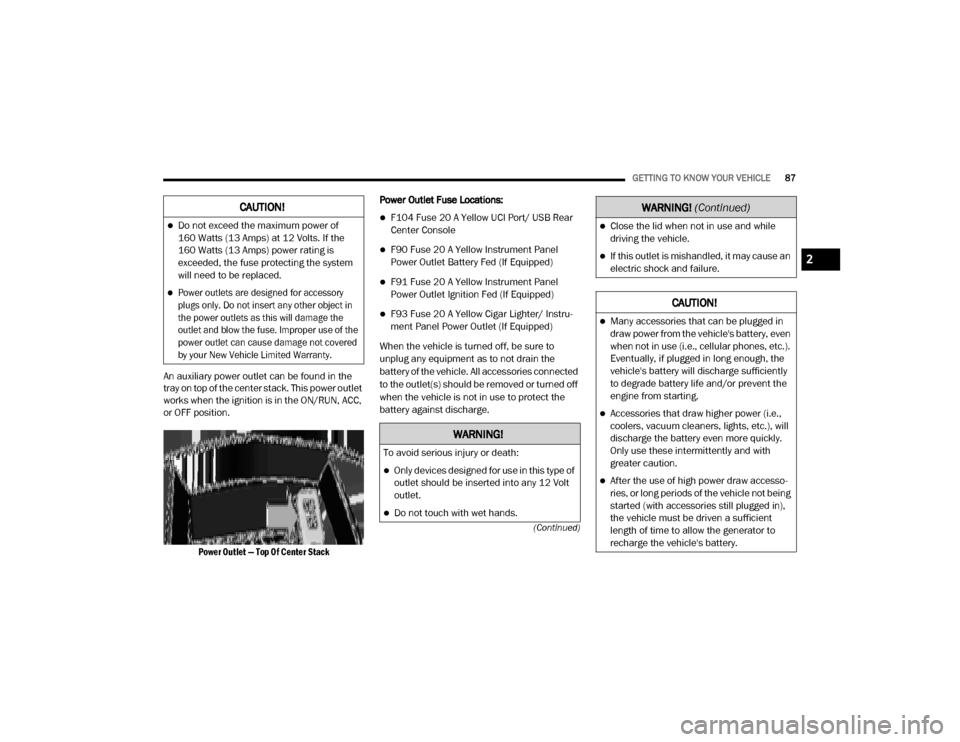
An auxiliary power outlet can be found in the
tray on top of the center stack. This power outlet
works when the ignition is in the ON/RUN, ACC,
or OFF position.
Power Outlet — Top Of Center Stack
Power Outlet Fuse Locations:
F104 Fuse 20 A Yellow UCI Port/ USB Rear
Center Console
F90 Fuse 20 A Yellow Instrument Panel
Power Outlet Battery Fed (If Equipped)
F91 Fuse 20 A Yellow Instrument Panel
Power Outlet Ignition Fed (If Equipped)
F93 Fuse 20 A Yellow Cigar Lighter/ Instru
-
ment Panel Power Outlet (If Equipped)
When the vehicle is turned off, be sure to
unplug any equipment as to not drain the
battery of the vehicle. All accessories connected
to the outlet(s) should be removed or turned off
when the vehicle is not in use to protect the
battery against discharge.
CAUTION!
Do not exceed the maximum power of
160 Watts (13 Amps) at 12 Volts. If the
160 Watts (13 Amps) power rating is
exceeded, the fuse protecting the system
will need to be replaced.
Power outlets are designed for accessory
plugs only. Do not insert any other object in
the power outlets as this will damage the
outlet and blow the fuse. Improper use of the
power outlet can cause damage not covered
by your New Vehicle Limited Warranty.
WARNING!
To avoid serious injury or death:
Only devices designed for use in this type of
outlet should be inserted into any 12 Volt
outlet.
Do not touch with wet hands.
Close the lid when not in use and while
driving the vehicle.
If this outlet is mishandled, it may cause an
electric shock and failure.
CAUTION!
Many accessories that can be plugged in
draw power from the vehicle's battery, even
when not in use (i.e., cellular phones, etc.).
Eventually, if plugged in long enough, the
vehicle's battery will discharge sufficiently
to degrade battery life and/or prevent the
engine from starting.
Accessories that draw higher power (i.e.,
coolers, vacuum cleaners, lights, etc.), will
discharge the battery even more quickly.
Only use these intermittently and with
greater caution.
After the use of high power draw accesso -
ries, or long periods of the vehicle not being
started (with accessories still plugged in),
the vehicle must be driven a sufficient
length of time to allow the generator to
recharge the vehicle's battery.
WARNING! (Continued)
2
20_DJD2_OM_EN_USC_t.book Page 87
Page 95 of 568
GETTING TO KNOW YOUR VEHICLE93
(Continued)
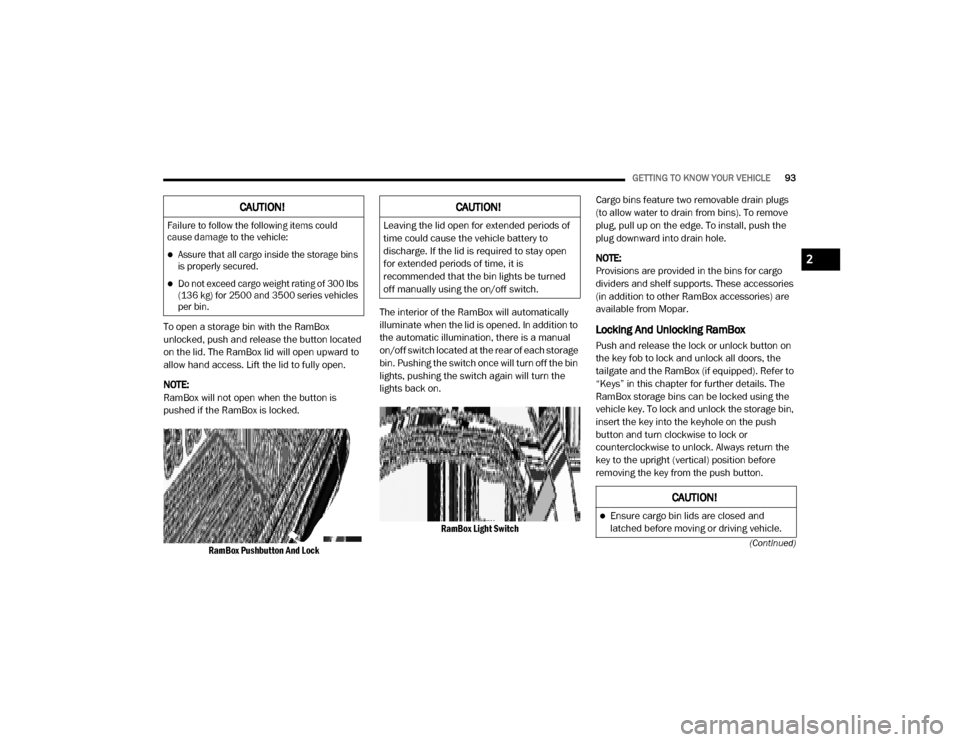
To open a storage bin with the RamBox
unlocked, push and release the button located
on the lid. The RamBox lid will open upward to
allow hand access. Lift the lid to fully open.
NOTE:
RamBox will not open when the button is
pushed if the RamBox is locked.
RamBox Pushbutton And Lock
The interior of the RamBox will automatically
illuminate when the lid is opened. In addition to
the automatic illumination, there is a manual
on/off switch located at the rear of each storage
bin. Pushing the switch once will turn off the bin
lights, pushing the switch again will turn the
lights back on.
RamBox Light Switch
Cargo bins feature two removable drain plugs
(to allow water to drain from bins). To remove
plug, pull up on the edge. To install, push the
plug downward into drain hole.
NOTE:
Provisions are provided in the bins for cargo
dividers and shelf supports. These accessories
(in addition to other RamBox accessories) are
available from Mopar.Locking And Unlocking RamBox
Push and release the lock or unlock button on
the key fob to lock and unlock all doors, the
tailgate and the RamBox (if equipped). Refer to
“Keys” in this chapter for further details. The
RamBox storage bins can be locked using the
vehicle key. To lock and unlock the storage bin,
insert the key into the keyhole on the push
button and turn clockwise to lock or
counterclockwise to unlock. Always return the
key to the upright (vertical) position before
removing the key from the push button.
CAUTION!
Failure to follow the following items could
cause damage to the vehicle:
Assure that all cargo inside the storage bins
is properly secured.
Do not exceed cargo weight rating of 300 lbs
(136 kg) for 2500 and 3500 series vehicles
per bin.
CAUTION!
Leaving the lid open for extended periods of
time could cause the vehicle battery to
discharge. If the lid is required to stay open
for extended periods of time, it is
recommended that the bin lights be turned
off manually using the on/off switch.
CAUTION!
Ensure cargo bin lids are closed and
latched before moving or driving vehicle.
2
20_DJD2_OM_EN_USC_t.book Page 93