brake light Ram 3500 2020 Service Manual
[x] Cancel search | Manufacturer: RAM, Model Year: 2020, Model line: 3500, Model: Ram 3500 2020Pages: 568
Page 271 of 568

STARTING AND OPERATING269
30 feet (6 to 9 meters) between the vehicles
to allow for a safe recovery. If necessary join
two tow straps together using a 1.5 inch hard
wood dowel. This will keep the straps from
becoming knotted and is safer than using a
clevis pin if the strap breaks. Next have the
tow vehicle backup, leaving two to three feet
worth of slack in the strap. Then the tow
vehicle, using light throttle, should accelerate
tightening the strap providing the pulling
force needed to free the vehicle. The vehicle
being recovered should assist in the
recovery, at the time of the snap, by slowly
spinning the tires in the same direction as
the pulling vehicle. After the vehicle becomes
free, the driver of the previously stuck vehicle
should signal they are free and should hit
their brakes stopping both vehicles. The
driver of the pulling vehicle should let off the
throttle without using the brakes, once
signaled by the other driver. This sequence is
important to avoid having the recovered
vehicle hit the pulling vehicle.
Winching (Refer To “Winch Operation” For
Additional Information) – Winching is most
commonly used in the following situations:
there is no support vehicle available, a high
controlled force is required to recover the
vehicle, there is a high risk of environmental
or vehicle damage, or where nothing else
seems to work. A winch can deliver a high
pulling force with a great deal of control. It
allows you to walk the vehicle out of the situ -
ation in a slow controlled manner. This
control works well for avoiding further vehicle
damage. Once you decide it is time to use the
winch look for a good anchor point. It needs
to be strong enough to hold more than the vehicle's weight and provide a direction of
pull as straight as possible. Use block and
tackle if necessary to improve the angle of
pull or increase the winch's pulling force. If
the anchor point is a tree use a strap around
its base and hook the cable to the strap. If it
is another vehicle, then place that vehicle in
PARK and block the front tires. If you cannot
find an anchor point within reach try using
your spare tire by burying it. Once you have
determined an anchor point hook up the
cable, ensuring there are a least five wraps of
cable left on the drum, and place a floor mat
or something else over the strung out cable.
Placing something over the strung out cable
helps keep the cable on the ground if it
breaks. Next, place the vehicle in FIRST gear
and apply a very light throttle as you power
the winch in. Be careful not to allow slack in
the cable as you recover the vehicle. Do not
try to guide the cable into the drum. If it starts
to bunch up on one end, let it. You can
re-spool the cable afterwards. Never use a
winch cable as a tow strap and always stand
back while winching.
WARNING!
Never use tow straps with end hooks or link
two straps with a clevis pin. These heavy
metal objects could become projectiles if a
strap breaks, which could cause severe
injury. Never leave more than 2 to 3 feet
(0.60 to 1 meter) of slack in the strap. More
slack than this greatly increases the risk of
injury and vehicle damage. Always keep
everyone at least 30 feet (9 meters) away
from a strapping or winching situation.
5
20_DJD2_OM_EN_USC_t.book Page 269
Page 272 of 568

270STARTING AND OPERATING
AFTER DRIVING OFF-ROAD
Off-road operation puts more stress on your
vehicle than does most on-road driving. After
going off-road, it is always a good idea to check
for damage. That way you can get any problems
taken care of right away and have your vehicle
ready when you need it.
Completely inspect the underbody of your
vehicle. Check tires, body structure, steering,
suspension, and exhaust system for damage.
Inspect the radiator for mud and debris and
clean as required.
Check threaded fasteners for looseness,
particularly on the chassis, drivetrain compo -
nents, steering, and suspension. Retighten them, if required, and torque to the values
specified in the Service Manual.
Check for accumulations of plants or brush.
These things could be a fire hazard. They
might hide damage to fuel lines, brake hoses,
axle pinion seals, and propeller shafts.
After extended operation in mud, sand,
water, or similar dirty conditions, have the
radiator, fan, brake rotors, wheels, brake
linings, and axle yokes inspected and
cleaned as soon as possible.
If you experience unusual vibration after
driving in mud, slush or similar conditions,
check the wheels for impacted material.
Impacted material can cause a wheel imbal-
ance and freeing the wheels of it will correct
the situation.
LIMITED-SLIP DIFFERENTIAL
The limited-slip differential provides additional
traction on snow, ice, mud, sand and gravel,
particularly when there is a difference between
the traction characteristics of the surface under
the right and left rear wheels. During normal
driving and cornering, the limited-slip unit
performs similarly to a conventional differential.
On slippery surfaces, however, the differential
delivers more of the driving effort to the rear
wheel having the better traction.
The limited-slip differential is especially helpful
during slippery driving conditions. With both rear
wheels on a slippery surface, a slight application
of the accelerator will supply maximum traction.
When starting with only one rear wheel on an
excessively slippery surface, slight momentary
application of the parking brake may be
necessary to gain maximum traction.
WARNING!
Winch cables are under high tension when in
use and can become a projectile if they fail.
Never stand over or straddle the winch cable.
Never jerk or overload the winch cable. Never
stand in front of the vehicle while winching.
Failure to follow these instructions can result
in serious or fatal injury.
WARNING!
Abrasive material in any part of the brakes
may cause excessive wear or unpredictable
braking. You might not have full braking
power when you need it to prevent a collision.
If you have been operating your vehicle in
dirty conditions, get your brakes checked and
cleaned as necessary.
WARNING!
On vehicles equipped with a limited-slip
differential never run the engine with one rear
wheel off the ground since the vehicle may
drive through the rear wheel remaining on the
ground. You could lose control of the vehicle.
20_DJD2_OM_EN_USC_t.book Page 270
Page 274 of 568

272STARTING AND OPERATING
2.Remote Socket: The remote socket (which
will be located on the bumper assembly)
allows the remote control to be attached to
the control pack to allow the winch to
function.
3. Winch Drum With Integral Brake: The winch
drum allows the rope to be stored on the
winch and transmits force to the rope. The
winch is equipped with an integral brake
that will stop rotation of the winch drum if
the winch motor is stopped.
4. Synthetic Rope: The synthetic rope allows
the winch to be connected to an anchor to
provide a pulling force. This synthetic rope is
highly flexible, lightweight, and it floats.
5. Clutch Lever: The clutch lever allows the
winch drum to be disconnected from the
winch motor to allow the rope to be pulled
from the winch by hand.
6. Remote Control: The remote control
provides the interface between the winch
operator and the winch. The remote control
provides the ability to power the winch in,
out, and stop the winch. To operate the
winch, the toggle switch is pressed down to power the winch in and up to power the
winch out. The winch will stop if the switch
is left in the neutral (center) position.
Fairlead: The hawse fairlead acts as a guide for
the synthetic rope and minimizes damage to the
rope.
WINCH ACCESSORIES
The following accessories are necessary to
attach the winch to anchors, change direction of
pull, and for safe winching.
Gloves: It is extremely important to
wear protective gloves while
operating the winch or handling the
winch rope. Avoid loose fitting clothes
or anything that could become entangled in the
rope and other moving parts.
Snatch/Block Pulley: Used properly,
the multi-purpose snatch block allows
you to (1) increase the winch's pulling power; and (2) change your pulling direction
without damaging the winch rope. Proper use of
the snatch block is covered in "Before You Pull."
Clevis/D-Shackles: The D-Shackle is
a safe means of connecting the
looped ends of cables, straps and
snatch blocks. The shackle's pin is
threaded to allow easy removal.
Tree Trunk Protector: Typically made
of tough, high-quality nylon, it
provides the operator an attachment
point for the winch rope to a wide
variety of anchor points and objects, as well as
protect living trees.
Abrasion Sleeve: The abrasion sleeve is
provided with the synthetic rope and must be
used with the synthetic rope at all times to
protect the rope from potential abrasion wear.
The sleeve has a loose fit so it can easily be
positioned along the synthetic rope to protect
from rough surfaces and sharp corners.
CAUTION!
If not installed, the hook strap must be
placed on the hook.
20_DJD2_OM_EN_USC_t.book Page 272
Page 280 of 568
278STARTING AND OPERATING
synthetic rope tends to stack up at one end of
the drum. This stack can become large
enough to cause serious damage to the
winch. So, line up pulls as straight ahead as
possible and stop winching if the synthetic
rope comes close to the tie rods or mounting
plate. To fix an uneven stack, spool out that
section of the rope and reposition it to the
opposite end of the drum, which will free up
space for continued winching.
15. Secure vehicle. Once recovery of the vehicle is complete, be sure to secure the vehicle's
brakes and shift the transmission to PARK.
Release tension in the synthetic rope.
16. Disconnect the synthetic rope, and disconnect from the anchor.
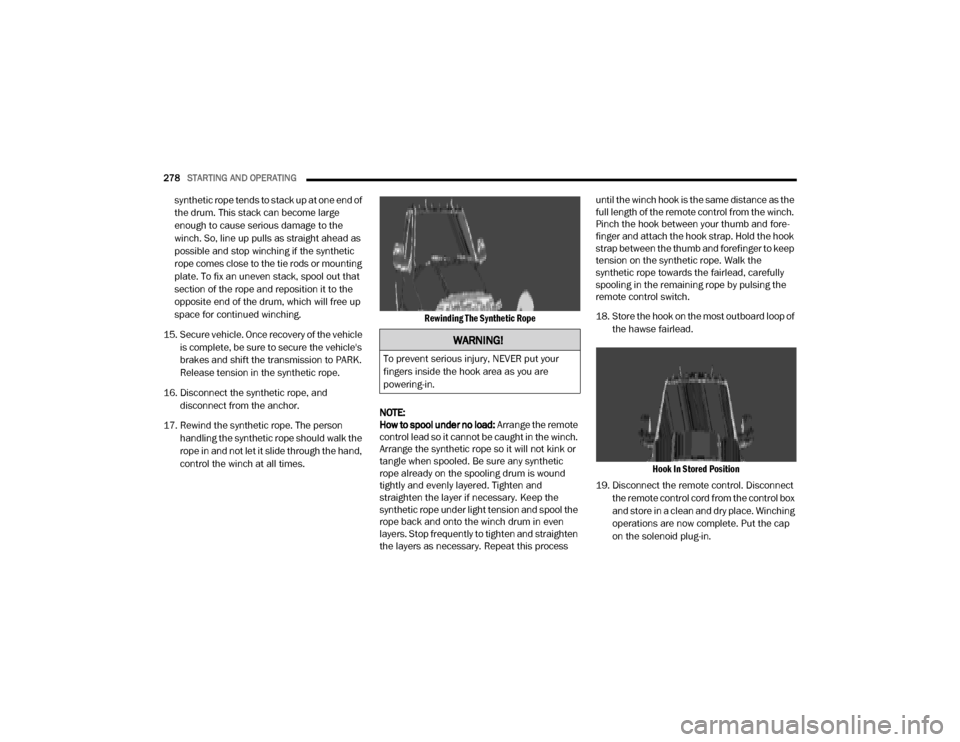
17. Rewind the synthetic rope. The person handling the synthetic rope should walk the
rope in and not let it slide through the hand,
control the winch at all times.
Rewinding The Synthetic Rope
NOTE:
How to spool under no load: Arrange the remote
control lead so it cannot be caught in the winch.
Arrange the synthetic rope so it will not kink or
tangle when spooled. Be sure any synthetic
rope already on the spooling drum is wound
tightly and evenly layered. Tighten and
straighten the layer if necessary. Keep the
synthetic rope under light tension and spool the
rope back and onto the winch drum in even
layers. Stop frequently to tighten and straighten
the layers as necessary. Repeat this process until the winch hook is the same distance as the
full length of the remote control from the winch.
Pinch the hook between your thumb and fore
-
finger and attach the hook strap. Hold the hook
strap between the thumb and forefinger to keep
tension on the synthetic rope. Walk the
synthetic rope towards the fairlead, carefully
spooling in the remaining rope by pulsing the
remote control switch.
18. Store the hook on the most outboard loop of
the hawse fairlead.
Hook In Stored Position
19. Disconnect the remote control. Disconnect the remote control cord from the control box
and store in a clean and dry place. Winching
operations are now complete. Put the cap
on the solenoid plug-in.
WARNING!
To prevent serious injury, NEVER put your
fingers inside the hook area as you are
powering-in.
20_DJD2_OM_EN_USC_t.book Page 278
Page 283 of 568

STARTING AND OPERATING281
Metric Speed (km/h)
Pushing the RES (+) button once will result in
a 1 km/h increase in set speed. Each subse -
quent tap of the button results in an increase
of 1 km/h.
If the button is continually pushed, the set
speed will continue to increase until the
button is released, then the new set speed
will be established.
To Decrease Speed
When the Speed Control is set, you can
decrease speed by pushing the SET (-) button.
The driver’s preferred units can be selected
through the instrument panel settings (if
equipped). Refer to “Getting To Know Your
Instrument Panel” for more information. The
speed decrement shown is dependent on the
chosen speed unit of U.S. (mph) or Metric (km/h):
U.S. Speed (mph)
Pushing the SET (-) button once will result in
a 1 mph decrease in set speed. Each subse -
quent tap of the button results in a decrease
of 1 mph.
If the button is continually pushed, the set
speed will continue to decrease until the
button is released, then the new set speed
will be established. Metric Speed (km/h)
Pushing the SET (-) button once will result in
a 1 km/h decrease in set speed. Each subse -
quent tap of the button results in a decrease
of 1 km/h.
If the button is continually pushed, the set
speed will continue to decrease until the
button is released, then the new set speed
will be established.
TO ACCELERATE FOR PASSING
Press the accelerator as you would normally.
When the pedal is released, the vehicle will
return to the set speed.
Using Speed Control On Hills
The transmission may downshift on hills to
maintain the vehicle set speed.
NOTE:
The Speed Control system maintains speed up
and down hills. A slight speed change on
moderate hills is normal.
On steep hills, a greater speed loss or gain may
occur so it may be preferable to drive without
Speed Control.
TO RESUME SPEED
To resume a previously set speed, push the RES
(+) button and release. Resume can be used at
any speed above 20 mph (32 km/h).
TO DEACTIVATE
A soft tap on the brake pedal, pushing the
CANCEL button, or normal brake pressure while
slowing the vehicle will deactivate the Speed
Control without erasing the set speed from
memory.
Pushing the on/off button, or placing the
ignition in the OFF position, erases the set
speed from memory.
WARNING!
Speed Control can be dangerous where the
system cannot maintain a constant speed.
Your vehicle could go too fast for the
conditions, and you could lose control and
have an accident. Do not use Speed Control
in heavy traffic or on roads that are winding,
icy, snow-covered or slippery.
5
20_DJD2_OM_EN_USC_t.book Page 281
Page 284 of 568

282STARTING AND OPERATING
(Continued)
The following conditions will also deactivate the
Speed Control without erasing the set speed
from memory:
Vehicle parking brake is applied
Stability event occurs
Gear selector is moved out of DRIVE
Engine overspeed occurs
ADAPTIVE CRUISE CONTROL (ACC) — IF
EQUIPPED
Adaptive Cruise Control (ACC) increases the
driving convenience provided by cruise control
while traveling on highways and major
roadways. However, it is not a safety system
and not designed to prevent collisions. Speed
Control function performs differently. Please
refer to the proper section within this chapter.
ACC will allow you to keep cruise control
engaged in light to moderate traffic conditions
without the constant need to reset your cruise
control. ACC utilizes a radar sensor and a
forward facing camera designed to detect a
vehicle directly ahead of you. NOTE:
If the sensor does not detect a vehicle ahead
of you, ACC will maintain a fixed set speed.
If the ACC sensor detects a vehicle ahead,
ACC will apply limited braking or accelerate
(not to exceed the original set speed) auto
-
matically to maintain a preset following
distance, while matching the speed of the
vehicle ahead.
The Cruise Control system has two control
modes:
Adaptive Cruise Control mode for main -
taining an appropriate distance between
vehicles.
Normal (Fixed Speed) Cruise Control mode
for cruising at a constant preset speed. For
additional information, refer to “Normal
(Fixed Speed) Cruise Control Mode” in this
section.
NOTE:
Normal (Fixed Speed) Cruise Control will not
react to preceding vehicles. Always be aware of
the mode selected. You can change the mode by using the Cruise
Control buttons. The two control modes
function differently. Always confirm which mode
is selected.
WARNING!
Adaptive Cruise Control (ACC) is a conve
-
nience system. It is not a substitute for
active driver involvement. It is always the
driver’s responsibility to be attentive of
road, traffic, and weather conditions,
vehicle speed, distance to the vehicle
ahead; and, most importantly, brake opera -
tion to ensure safe operation of the vehicle
under all road conditions. Your complete
attention is always required while driving to
maintain safe control of your vehicle.
Failure to follow these warnings can result
in a collision and death or serious personal
injury.
The ACC system:
Does not react to pedestrians,
oncoming vehicles, and stationary
objects (e.g., a stopped vehicle in a
traffic jam or a disabled vehicle).
20_DJD2_OM_EN_USC_t.book Page 282
Page 290 of 568
288STARTING AND OPERATING
The system automatically defaults to the
longest distance setting. To decrease the
distance setting, push the Distance Button and
release. Each time the button is pushed, the
distance setting decreases by one bar. Once the
shortest setting is reached, if the button is
pushed again it will reset to the default setting
(longest).
If there is no vehicle ahead, the vehicle will
maintain the set speed. If a slower moving
vehicle is detected in the same lane, the
instrument cluster displays the ACC Set With
Target Indicator Light, and the system adjusts
vehicle speed automatically to maintain the
distance setting, regardless of the set speed.
The vehicle will then maintain the set distance
until:
The vehicle ahead accelerates to a speed
above the set speed.
The vehicle ahead moves out of your lane or
view of the sensor.
The distance setting is changed.
The system disengages. (Refer to “Activating
Adaptive Cruise Control (ACC)” in this
chapter. The maximum braking applied by ACC is limited;
however, the driver can always apply the brakes
manually, if necessary.
NOTE:
The brake lights will illuminate whenever the
ACC system applies the brakes.
A Proximity Warning will alert the driver if ACC
predicts that its maximum braking level is not
sufficient to maintain the set distance. If this
occurs, a visual alert “BRAKE” will flash in the
instrument cluster display and a chime will
sound while ACC continues to apply its
maximum braking capacity.
Brake Alert
NOTE:
The “BRAKE!” Screen in the instrument cluster
display is a warning for the driver to take action
and does not necessarily mean that the
Forward Collision Warning system is applying
the brakes autonomously.
Trailer Detect — If Equipped
When a trailer is detected, the ACC system
automatically defaults to the longest setting (four
bars). The setting can be overridden by pushing
the Distance Button on the steering wheel.
OVERTAKE AID
When driving with ACC engaged and following a
vehicle, the system will provide an additional
acceleration up to the ACC set speed to assist in
passing the vehicle. This additional acceleration
is triggered when the driver utilizes the left turn
signal and will only be active when passing on
the left hand side.
20_DJD2_OM_EN_USC_t.book Page 288
Page 297 of 568

STARTING AND OPERATING295
has been set a message “CRUISE CONTROL SET
TO MPH (km/h)” will appear indicating what
speed was set. This light will turn on when the
system is turned on via the on/off control. It
turns green when the cruise control is set.
To Vary The Speed Setting
To Increase Speed
When the Normal (Fixed Speed) Cruise Control
is set, you can increase speed by pushing the
RES (+) button.
The driver's preferred units can be selected
through the instrument panel settings. Refer to
“Instrument Cluster Display” in “Getting To
Know Your Instrument Panel” for more
information. The speed increment shown is
dependent on the speed of U.S. (mph) or Metric
(km/h) units:
U.S. Speed (mph)
Pushing the RES (+) button once will result in a
1 mph increase in set speed. Each subse -
quent tap of the button results in an increase
of 1 mph.
If the button is continually pushed, the set
speed will continue to increase in 5 mph incre -
ments until the button is released. The
increase in set speed is reflected in the instru -
ment cluster display.
Metric Speed (km/h)
Pushing the RES (+) button once will result in
a 1 km/h increase in set speed. Each subse -
quent tap of the button results in an increase
of 1 km/h.
If the button is continually pushed, the set
speed will continue to increase in 10 km/h
increments until the button is released. The
increase in set speed is reflected in the
instrument cluster display.
To Decrease Speed
When the Normal (Fixed Speed) Cruise Control
is set, you can decrease speed by pushing the
SET (-) button.
The driver's preferred units can be selected
through the instrument panel settings. Refer to
“Instrument Cluster Display” in “Getting To
Know Your Instrument Panel” for more
information. The speed decrement shown is
dependent on the speed of U.S. (mph) or Metric
(km/h) units:
U.S. Speed (mph)
Pushing the SET (-) button once will result in
a 1 mph decrease in set speed. Each subse -
quent tap of the button results in a decrease
of 1 mph.
If the button is continually pushed, the set
speed will continue to decrease in 5 mph
decrements until the button is released. The
decrease in set speed is reflected in the
instrument cluster display.
Metric Speed (km/h)
Pushing the SET (-) button once will result in
a 1 km/h decrease in set speed. Each subse -
quent tap of the button results in a decrease
of 1 km/h.
If the button is continually pushed, the set
speed will continue to decrease in 10 km/h
decrements until the button is released. The
decrease in set speed is reflected in the
instrument cluster display.
To Cancel
The following conditions will cancel the Normal
(Fixed Speed) Cruise Control without clearing
the memory:
The brake pedal is applied.
The CANCEL button is pushed.
The Electronic Stability Control/Traction
Control System (ESC/TCS) activates.
5
20_DJD2_OM_EN_USC_t.book Page 295
Page 329 of 568

STARTING AND OPERATING327
With Weight-Distributing Hitch (Correct) Without Weight-Distributing Hitch (Incorrect)
Improper Adjustment Of Weight-Distributing Hitch (Incorrect)
Recommended Distribution Hitch Adjustment
Towing With 2500/3500 Air Suspension
1. Position the truck to be ready to connect to
the trailer (do not connect the trailer).
NOTE:
Normal Ride Height (NRH) or Alternate Trailer
Height (ATH) can be used. The vehicle must
remain in the engine running position while
attaching a trailer for proper leveling of the air
suspension system. It may not be possible to
enter Alternate Trailer Height (ATH) while lightly
loaded.
2. Measure the height of the top of the front wheel opening on the fender to ground, this
is height H1.
3. Attach the trailer to the vehicle without the weight distribution bars connected.
4. Measure the height of the top of the front wheel opening on the fender to ground, this
is height H2.
WARNING!
An improperly adjusted weight distributing
hitch system may reduce handling, stability
and braking performance and could result
in a collision.
Weight distributing systems may not be
compatible with surge brake couplers.
Consult with your hitch and trailer manufac -
turer or a reputable Recreational Vehicle
dealer for additional information.
5
20_DJD2_OM_EN_USC_t.book Page 327
Page 334 of 568
332STARTING AND OPERATING
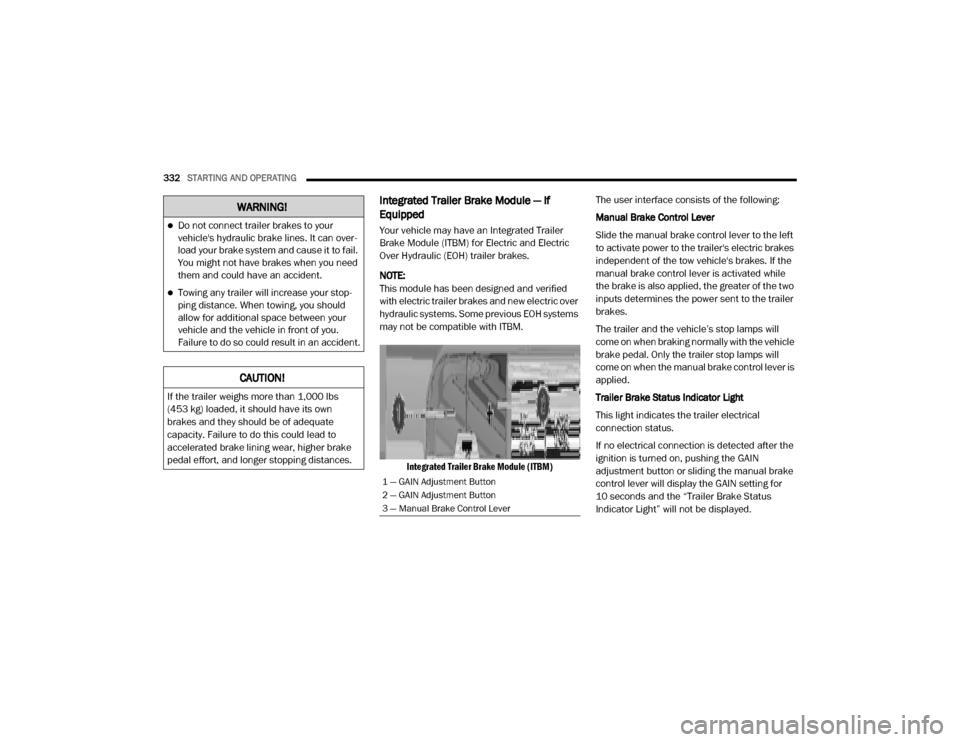
Integrated Trailer Brake Module — If
Equipped
Your vehicle may have an Integrated Trailer
Brake Module (ITBM) for Electric and Electric
Over Hydraulic (EOH) trailer brakes.
NOTE:
This module has been designed and verified
with electric trailer brakes and new electric over
hydraulic systems. Some previous EOH systems
may not be compatible with ITBM.
Integrated Trailer Brake Module (ITBM)
The user interface consists of the following:
Manual Brake Control Lever
Slide the manual brake control lever to the left
to activate power to the trailer's electric brakes
independent of the tow vehicle's brakes. If the
manual brake control lever is activated while
the brake is also applied, the greater of the two
inputs determines the power sent to the trailer
brakes.
The trailer and the vehicle’s stop lamps will
come on when braking normally with the vehicle
brake pedal. Only the trailer stop lamps will
come on when the manual brake control lever is
applied.
Trailer Brake Status Indicator Light
This light indicates the trailer electrical
connection status.
If no electrical connection is detected after the
ignition is turned on, pushing the GAIN
adjustment button or sliding the manual brake
control lever will display the GAIN setting for
10 seconds and the “Trailer Brake Status
Indicator Light” will not be displayed.
WARNING!
Do not connect trailer brakes to your
vehicle's hydraulic brake lines. It can over
-
load your brake system and cause it to fail.
You might not have brakes when you need
them and could have an accident.
Towing any trailer will increase your stop -
ping distance. When towing, you should
allow for additional space between your
vehicle and the vehicle in front of you.
Failure to do so could result in an accident.
CAUTION!
If the trailer weighs more than 1,000 lbs
(453 kg) loaded, it should have its own
brakes and they should be of adequate
capacity. Failure to do this could lead to
accelerated brake lining wear, higher brake
pedal effort, and longer stopping distances.
1 — GAIN Adjustment Button
2 — GAIN Adjustment Button
3 — Manual Brake Control Lever
20_DJD2_OM_EN_USC_t.book Page 332