trailer Ram 3500 2020 Service Manual
[x] Cancel search | Manufacturer: RAM, Model Year: 2020, Model line: 3500, Model: Ram 3500 2020Pages: 568
Page 290 of 568
288STARTING AND OPERATING
The system automatically defaults to the
longest distance setting. To decrease the
distance setting, push the Distance Button and
release. Each time the button is pushed, the
distance setting decreases by one bar. Once the
shortest setting is reached, if the button is
pushed again it will reset to the default setting
(longest).
If there is no vehicle ahead, the vehicle will
maintain the set speed. If a slower moving
vehicle is detected in the same lane, the
instrument cluster displays the ACC Set With
Target Indicator Light, and the system adjusts
vehicle speed automatically to maintain the
distance setting, regardless of the set speed.
The vehicle will then maintain the set distance
until:
The vehicle ahead accelerates to a speed
above the set speed.
The vehicle ahead moves out of your lane or
view of the sensor.
The distance setting is changed.
The system disengages. (Refer to “Activating
Adaptive Cruise Control (ACC)” in this
chapter. The maximum braking applied by ACC is limited;
however, the driver can always apply the brakes
manually, if necessary.
NOTE:
The brake lights will illuminate whenever the
ACC system applies the brakes.
A Proximity Warning will alert the driver if ACC
predicts that its maximum braking level is not
sufficient to maintain the set distance. If this
occurs, a visual alert “BRAKE” will flash in the
instrument cluster display and a chime will
sound while ACC continues to apply its
maximum braking capacity.
Brake Alert
NOTE:
The “BRAKE!” Screen in the instrument cluster
display is a warning for the driver to take action
and does not necessarily mean that the
Forward Collision Warning system is applying
the brakes autonomously.
Trailer Detect — If Equipped
When a trailer is detected, the ACC system
automatically defaults to the longest setting (four
bars). The setting can be overridden by pushing
the Distance Button on the steering wheel.
OVERTAKE AID
When driving with ACC engaged and following a
vehicle, the system will provide an additional
acceleration up to the ACC set speed to assist in
passing the vehicle. This additional acceleration
is triggered when the driver utilizes the left turn
signal and will only be active when passing on
the left hand side.
20_DJD2_OM_EN_USC_t.book Page 288
Page 294 of 568
292STARTING AND OPERATING
Towing A Trailer
ACC while towing a trailer is recommended only
with an Integrated Trailer Brake Controller.
Aftermarket trailer brake controllers will not
activate the trailer brakes when ACC is braking.
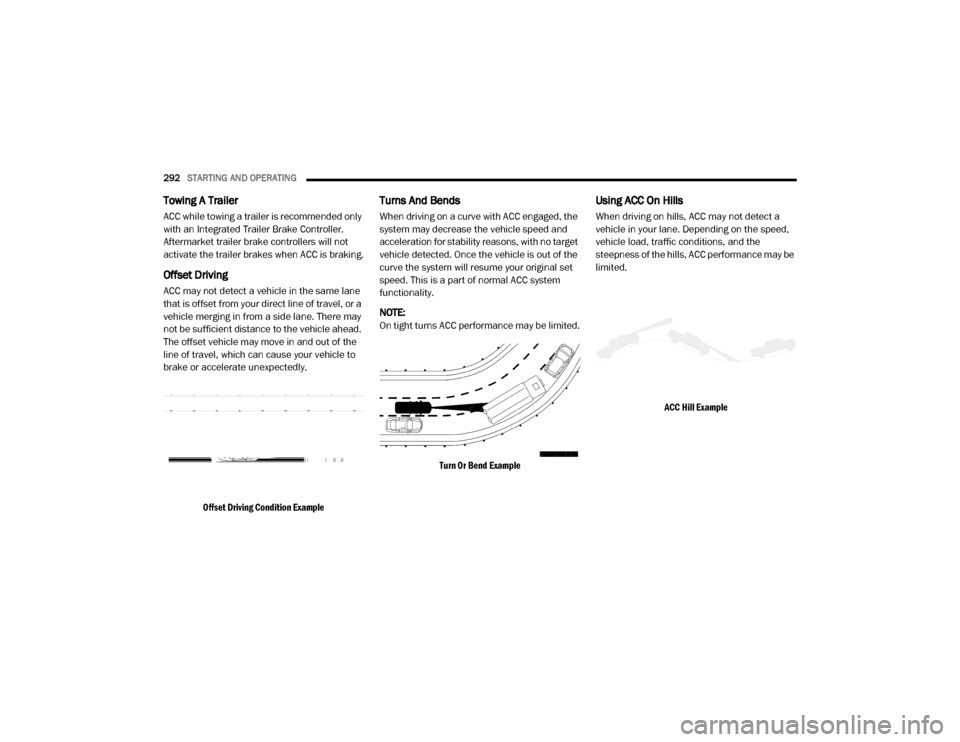
Offset Driving
ACC may not detect a vehicle in the same lane
that is offset from your direct line of travel, or a
vehicle merging in from a side lane. There may
not be sufficient distance to the vehicle ahead.
The offset vehicle may move in and out of the
line of travel, which can cause your vehicle to
brake or accelerate unexpectedly.
Offset Driving Condition Example
Turns And Bends
When driving on a curve with ACC engaged, the
system may decrease the vehicle speed and
acceleration for stability reasons, with no target
vehicle detected. Once the vehicle is out of the
curve the system will resume your original set
speed. This is a part of normal ACC system
functionality.
NOTE:
On tight turns ACC performance may be limited.
Turn Or Bend Example
Using ACC On Hills
When driving on hills, ACC may not detect a
vehicle in your lane. Depending on the speed,
vehicle load, traffic conditions, and the
steepness of the hills, ACC performance may be
limited.
ACC Hill Example
20_DJD2_OM_EN_USC_t.book Page 292
Page 301 of 568

STARTING AND OPERATING299
Adjustable Chime Volume Settings
The rear chime volume settings are
programmable through the Uconnect system.
Refer to “Uconnect Settings” in “Multimedia”
for further information.
The chime volume settings include low,
medium, and high. The factory default volume is
medium.
ENABLING AND DISABLING PARKSENSE
ParkSense can be enabled and disabled with
the ParkSense switch.
When the gear selector is moved to
REVERSE and the system is disabled,
the instrument cluster display will show
the vehicle graphic with “Off” over the
arcs for as long as the vehicle is in REVERSE.
NOTE:
The ParkSense system will automatically
disable when the system detects that a trailer
with trailer brakes has been connected to the
Integrated Trailer Brake Module. The instru -
ment cluster display will show an “Off” message
over the arcs if the ParkSense system is off, or
a “Trailer” message if the system is on, for as
long as the vehicle is in REVERSE. The ParkSense switch LED will be on when
ParkSense is disabled or defective. The
ParkSense switch LED will be off when the
system is enabled.
If the ParkSense switch is pushed, and the
system is disabled or requires service, the
ParkSense switch LED will blink momentarily,
and then the LED will be on.
SERVICE THE PARKSENSE REAR PARK
A
SSIST SYSTEM
During vehicle start up, when the Rear
ParkSense System has detected a faulted
condition, the instrument cluster display will
show the "Rear ParkSense Unavailable Service
Required" or the "Rear ParkSense Unavailable
Wipe Sensors" message.
When the gear selector is moved into REVERSE,
a vehicle graphic will show in the instrument
cluster display, along with the display overlay
“Rear ParkSense Unavailable Wipe Sensors.” If
the system needs service, the display overlay
will read “Rear ParkSense Unavailable Service
Required” Under this condition, ParkSense will
not operate. If "Rear ParkSense Unavailable Wipe Sensors"
appears in the instrument cluster display make
sure the outer surface and the underside of the
rear fascia/bumper is clean and clear of snow,
ice, mud, dirt or other obstruction, and then
cycle the ignition. If the message continues to
appear, see an authorized dealer.
If "Rear ParkSense Unavailable Service
Required" appears in the instrument cluster
display, see an authorized dealer.CLEANING THE PARKSENSE SYSTEM
Clean the ParkSense sensors with water, car
wash soap and a soft cloth. Do not use rough or
hard cloths. Do not scratch or poke the sensors.
Otherwise, you could damage the sensors.
PARKSENSE SYSTEM USAGE
P
RECAUTIONS
NOTE:
Ensure that the rear bumper is free of snow,
ice, mud, dirt and debris to keep the Park -
Sense system operating properly.
Jackhammers, large trucks, and other vibra -
tions could affect the performance of Park -
Sense.
5
20_DJD2_OM_EN_USC_t.book Page 299
Page 302 of 568

300STARTING AND OPERATING
(Continued)
(Continued)
When you move the gear selector into
REVERSE with ParkSense turned off, the
instrument cluster display will show "Off" on
the vehicle graphic arcs for as long as the
vehicle is in REVERSE.
ParkSense, when on, will reduce the volume
of the radio when it is sounding a tone.
Clean the ParkSense sensors regularly,
taking care not to scratch or damage them.
The sensors must not be covered with ice,
snow, slush, mud, dirt or debris. Failure to do
so can result in the system not working prop
-
erly. The ParkSense system might not detect
an obstacle behind the fascia/bumper, or it
could provide a false indication that an
obstacle is behind the fascia/bumper.
Ensure the ParkSense system is off if objects
such as bicycle carriers, trailer hitches, etc.,
are placed within 18 inches (45 cm) of the
rear fascia/bumper while driving the vehicle.
Failure to do so can result in the system
misinterpreting a close obstacle as a sensor
problem, causing the "Rear ParkSense
Unavailable Service Required" message to
appear in the instrument cluster display.
On vehicles equipped with a tailgate, Park -
Sense should be disabled when the tailgate
is in the lowered or open position and the
vehicle is in REVERSE. A lowered tailgate
could provide a false indication that an
obstacle is behind the vehicle.
WARNING!
Drivers must be careful when backing up
even when using ParkSense. Always check
carefully behind your vehicle, look behind
you, and be sure to check for pedestrians,
animals, other vehicles, obstructions, and
blind spots before backing up. You are
responsible for safety and must continue to
pay attention to your surroundings. Failure
to do so can result in serious injury or
death.
Before using ParkSense, it is strongly
recommended that the ball mount and
hitch ball assembly is disconnected from
the vehicle when the vehicle is not used for
towing. Failure to do so can result in injury
or damage to vehicles or obstacles
because the hitch ball will be much closer
to the obstacle than the rear fascia when
the loudspeaker sounds the continuous
tone. Also, the sensors could detect the ball
mount and hitch ball assembly, depending
on its size and shape, giving a false indica -
tion that an obstacle is behind the vehicle.
CAUTION!
ParkSense is only a parking aid and it is
unable to recognize every obstacle,
including small obstacles. Parking curbs
might be temporarily detected or not
detected at all. Obstacles located above or
below the sensors will not be detected
when they are in close proximity.
WARNING! (Continued)
20_DJD2_OM_EN_USC_t.book Page 300
Page 308 of 568
306STARTING AND OPERATING
Clean the ParkSense sensors regularly,
taking care not to scratch or damage them.
The sensors must not be covered with ice,
snow, slush, mud, dirt or debris. Failure to do
so can result in the system not working prop -
erly. The ParkSense system might not detect
an obstacle behind or in front of the fascia/
bumper, or it could provide a false indication
that an obstacle is behind or in front of the
fascia/bumper.
Use the ParkSense switch to turn the Park -
Sense system off if obstacles such as bicycle
carriers, trailer hitches, etc. are placed within
18 inches (45 cm) from the rear fascia/
bumper. Failure to do so can result in the
system misinterpreting a close obstacle as a
sensor problem, causing the “Front/Rear
ParkSense Unavailable Service Required”
message to be appear in the instrument
cluster display.
On vehicles equipped with a tailgate, Park -
Sense should be disabled when the tailgate
is in the lowered or open position. A lowered
tailgate could provide a false indication that
an obstacle is behind the vehicle.
LANESENSE — IF EQUIPPED
LANESENSE OPERATION
The LaneSense system is operational at speeds
above 37 mph (60 km/h) and below 112 mph
(180 km/h). It uses a forward looking camera to
detect lane markings and measure vehicle
position within the lane boundaries.
When both lane markings are detected and the
driver unintentionally drifts out of the lane while
no turn signal has been applied OR the driver
departs the lane on the opposite side of the
WARNING!
Drivers must be careful when backing up
even when using ParkSense. Always check
carefully behind your vehicle, look behind
you, and be sure to check for pedestrians,
animals, other vehicles, obstructions, and
blind spots before backing up. You are
responsible for safety and must continue to
pay attention to your surroundings. Failure
to do so can result in serious injury or
death.
Before using ParkSense, it is strongly
recommended that the ball mount and
hitch ball assembly is disconnected from
the vehicle when the vehicle is not used for
towing. Failure to do so can result in injury
or damage to vehicles or obstacles
because the hitch ball will be much closer
to the obstacle than the rear fascia when
the loudspeaker sounds the continuous
tone. Also, the sensors could detect the ball
mount and hitch ball assembly, depending
on its size and shape, giving a false indica -
tion that an obstacle is behind the vehicle.
CAUTION!
ParkSense is only a parking aid and it is
unable to recognize every obstacle,
including small obstacles. Parking curbs
might be temporarily detected or not
detected at all. Obstacles located above or
below the sensors will not be detected
when they are in close proximity.
The vehicle must be driven slowly when
using ParkSense in order to be able to stop
in time when an obstacle is detected. It is
recommended that the driver looks over
his/her shoulder when using ParkSense.
20_DJD2_OM_EN_USC_t.book Page 306
Page 313 of 568
STARTING AND OPERATING311
The ParkView Camera is located in the center of
the tailgate handle.
NOTE:
If snow, ice, mud, or any foreign substance
builds up on the camera lens, clean the lens,
rinse with water, and dry with a soft cloth. Do
not cover the lens.
Zoom View
When the Rear View Camera image is
being displayed, and the vehicle
speed is below 8 mph (13 km/h)
while in any gear selector position,
Zoom View is available. By pressing the
“magnifying glass” icon in the upper left of the display screen, the image will zoom in to four
times the standard view. Pressing the icon a
second time will return the view to the standard
Backup Camera display.
When Zoom View is selected while the vehicle is
in REVERSE, then shifted to DRIVE, the camera
delay view will display the standard Backup
Camera view. If the vehicle is then returned to
REVERSE gear from DRIVE, the Zoom View
selection will automatically resume.
Shifting to NEUTRAL from any gear will maintain
the selected view (Zoom or Standard) as long as
the vehicle is below 8 mph (13 km/h).
If the vehicle is in PARK, Zoom View is available
until the gear selector is placed in DRIVE or
REVERSE.
NOTE:
If the vehicle is in DRIVE, NEUTRAL, or
REVERSE, and speed is greater than or equal
to 8 mph (13 km/h), Zoom View is unavail
-
able and the icon will appear gray.
While in Zoom View, the guidelines will not be
visible.
AUX CAMERA — IF EQUIPPED
Your vehicle may be equipped with one or two
AUX Cameras, which display rearview and side
view images from the trailer on the
touchscreen.
Activation
The AUX Camera is activated by first pressing
the Backup Camera, Cargo Camera (if
equipped), or Surround View Camera (if
equipped) button on the touchscreen, followed
by the AUX button located in the upper left
corner of the rearview display. The AUX camera
can also be activated when the vehicle is in
REVERSE by pressing the AUX button.
If equipped with two AUX Cameras, you can
switch between each camera by then pressing
the AUX1 or AUX2 buttons on the Trailer Camera
display.
AUX1 Camera Button
AUX2 Camera Button
CAUTION!
To avoid vehicle damage, ParkView should
only be used as a parking aid. The ParkView
camera is unable to view every obstacle or
object in your drive path.
To avoid vehicle damage, the vehicle must
be driven slowly when using ParkView to be
able to stop in time when an obstacle is
seen. It is recommended that the driver
look frequently over his/her shoulder when
using ParkView.
5
20_DJD2_OM_EN_USC_t.book Page 311
Page 314 of 568

312STARTING AND OPERATING
Deactivation
The AUX Camera is deactivated by pressing the
“X” in the upper right corner of the touchscreen.
This will return the display back to the
previously displayed screen.
NOTE:
If the AUX button is pressed and no AUX
Camera is connected, the touchscreen will
display a blue screen along with the message
“Camera System Unavailable.” The screen
can be exited out by pressing the “X” in the
upper right hand corner. This will return the
display back to the previously displayed
screen.
Zoom View is not available with the AUX
Camera feature.
The display will always default to the Trailer
Camera display (AUX 1).
SURROUND VIEW CAMERA SYSTEM — IF
EQUIPPED
Your vehicle may be equipped with the
Surround View Camera system that allows you
to see an on-screen image of the surroundings
and Top View of your vehicle whenever the gear
selector is put into REVERSE or manually
activated via the Uconnect system. The Top
View of the vehicle will show which doors are
open. The image will be displayed on the
touchscreen display along with a caution note
“Check Entire Surroundings” across the top of
the screen. After five seconds, this note will
disappear. The Surround View Camera system
is comprised of four sequential cameras
located in the front grille, rear tailgate and side
mirrors.
NOTE:
The Surround View Camera system has
programmable settings that may be selected
through the Uconnect System. Refer to “Ucon -
nect Settings” in “Multimedia” for further infor -
mation. When the vehicle is shifted into REVERSE, the
Rear View and Top View is the default view of
the system (Automatic Activation).
When the vehicle is shifted out of REVERSE (with
camera delay turned on), the Rear View will
continue to be displayed for up to 10 seconds,
unless the vehicle speed exceeds 8 mph
(13 km/h), the vehicle is shifted into PARK or the
ignition is placed in the OFF position. There is a
touchscreen button “X” to disable the display of
the camera image.
When the vehicle is shifted out of REVERSE
(with camera delay turned off), the Surround
View system is exited and the last known screen
appears again.
While the Rear View is displayed and guidelines
are enabled, active guidelines are overlaid on
the image to illustrate the width of the vehicle,
including the side view mirrors and its projected
backup path based on the steering wheel
position.
Different colored zones indicate the distance to
the rear of the vehicle.
20_DJD2_OM_EN_USC_t.book Page 312
Page 315 of 568
STARTING AND OPERATING313
The following table shows the approximate
distances for each zone:
Modes Of Operation
The Rear View can be manually activated by
selecting “Backup Camera” through the
Controls menu within the Uconnect system.
Refer to “Parkview Rear Back Up Camera” in
this section for more information on activation
conditions.
Top View
The Top View will show in the Uconnect system
with Rear view and Front View in a split screen
display. There are integrated ParkSense arcs in
the image at the front and rear of the vehicle.
The arcs will change color from yellow to red
corresponding the distance zones to the
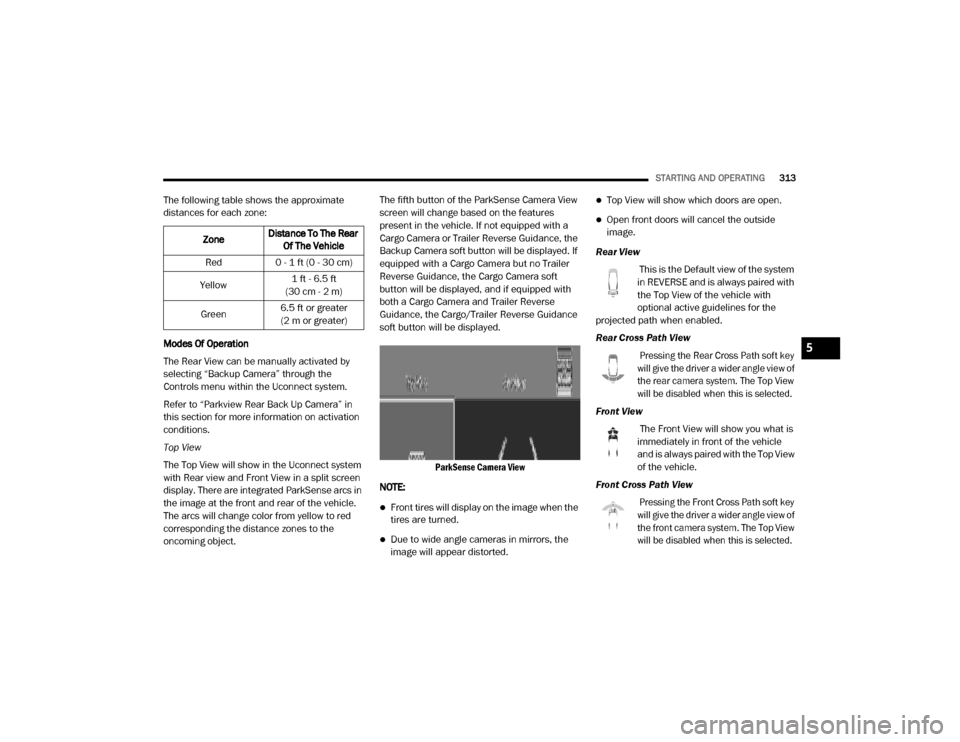
oncoming object. The fifth button of the ParkSense Camera View
screen will change based on the features
present in the vehicle. If not equipped with a
Cargo Camera or Trailer Reverse Guidance, the
Backup Camera soft button will be displayed. If
equipped with a Cargo Camera but no Trailer
Reverse Guidance, the Cargo Camera soft
button will be displayed, and if equipped with
both a Cargo Camera and Trailer Reverse
Guidance, the Cargo/Trailer Reverse Guidance
soft button will be displayed.
ParkSense Camera View
NOTE:
Front tires will display on the image when the
tires are turned.
Due to wide angle cameras in mirrors, the
image will appear distorted.
Top View will show which doors are open.
Open front doors will cancel the outside
image.
Rear View This is the Default view of the system
in REVERSE and is always paired with
the Top View of the vehicle with
optional active guidelines for the
projected path when enabled.
Rear Cross Path View
Pressing the Rear Cross Path soft key
will give the driver a wider angle view of
the rear camera system. The Top View
will be disabled when this is selected.
Front View The Front View will show you what is
immediately in front of the vehicle
and is always paired with the Top View
of the vehicle.
Front Cross Path View
Pressing the Front Cross Path soft key
will give the driver a wider angle view of
the front camera system. The Top View
will be disabled when this is selected.
Zone
Distance To The Rear
Of The Vehicle
Red 0 - 1 ft (0 - 30 cm)
Yellow 1 ft - 6.5 ft
(30 cm - 2 m)
Green 6.5 ft or greater
(2 m or greater)
5
20_DJD2_OM_EN_USC_t.book Page 313
Page 316 of 568
314STARTING AND OPERATING
Rear View Camera
Pressing the Backup Camera soft key
will provide a full screen rear view with
Zoom View.
NOTE:
If the Backup Camera view was selected
through the Surround View menu, exiting out of
the Rear View Camera screen will return to the
Surround View screen. If the Backup Camera
was manually activated through the Controls
menu of the Uconnect system, exiting out of the
display screen will return to the Controls menu.
Cargo Camera Pressing the Cargo Camera soft key
will provide a full screen view of the
cargo area.
NOTE:
If the Cargo Camera view was selected through
the Surround View screen, exiting out of the
Cargo Camera screen will return to the
Surround View screen. If the Cargo Camera was
manually activated through the Controls menu
of the Uconnect system, exiting out of the
display screen will return to the Controls menu. Trailer Reverse Guidance
Pressing the Trailer Reverse
Guidance soft key will provide a full
screen view of the cargo area and
trailer.
Pressing the Left & Right Tow Mirror
Split Screen View button within the
Trailer Reverse Guidance screen will
display a split screen to allow the
driver to see both sides of the trailer at the
same time. This view allows the driver to pan
left/right to better frame the trailer in the image.
NOTE:
Trailer Reverse Guidance can only be selected
through the Surround View screen; exiting out of
the Trailer Reverse Guidance screen will return
to the Surround View screen.
Zoom View
When the Rear View Camera image is
being displayed, and the vehicle
speed is below 8 mph (13 km/h)
while in any gear, Zoom View is
available. By pressing the “magnifying glass”
icon in the upper left of the display screen, the
image will zoom in to four times the standard
view. Pressing the icon a second time will return the view to the standard Backup Camera
display.
When Zoom View is selected while the vehicle is
in REVERSE, then shifted to DRIVE, the camera
delay view will display the standard Backup
Camera view. If the vehicle is then returned to
REVERSE gear from DRIVE, the Zoom View
selection will automatically resume.
Shifting to NEUTRAL from any gear will maintain
the selected view (Zoom or Standard) as long as
the vehicle is below 8 mph (13 km/h).
Zoom View is available until the gear selector is
placed in DRIVE or REVERSE and speeds are at
or above 8 mph (13 km/h).
NOTE:
If the vehicle is in DRIVE, NEUTRAL, or
REVERSE, and speed is greater than or equal
to 8 mph (13 km/h), Zoom View is unavail
-
able and the icon will appear gray.
While in Zoom View, the guidelines will not be
visible.
20_DJD2_OM_EN_USC_t.book Page 314
Page 317 of 568

STARTING AND OPERATING315
Deactivation
The system is deactivated in the following
conditions if it was activated automatically:
When the vehicle is shifted out of REVERSE
(with camera delay turned on), the camera
image will continue to be displayed for up to
10 seconds, unless the vehicle speed
exceeds 8 mph (13 km/h), the vehicle is
shifted into PARK or the ignition is placed in
the OFF position. There is a touch screen
button “X” to disable the display of the
camera image.
When the vehicle is shifted out of REVERSE
(with camera delay turned off), the Surround
View Camera mode is exited and the last
known screen appears again.
The system is deactivated in the following
conditions if it was activated manually from the
Uconnect controls menu via the Surround View button, Backup Camera button, Cargo Camera
button or Forward Facing Camera button:
The "X" button on the display is pressed
Vehicle is shifted into PARK
Ignition is placed in the OFF position
Vehicle speed is over 8 mph (13 km/h) for
10 seconds
NOTE:
If the Surround View Camera, Cargo Camera,
Backup Camera, or Forward Facing Camera is
activated manually, and the vehicle is shifted
into REVERSE, deactivation methods for auto -
matic activation are assumed.
The camera delay system is turned off manually
through the Uconnect Settings menu. Refer to
“Uconnect Settings” in “Multimedia” for further
information.
NOTE:
If snow, ice, mud, or any foreign substance
builds up on the camera lenses, clean the
lenses, rinse with water, and dry with a soft
cloth. Do not cover the lenses.
If a malfunction with the system has
occurred, see an authorized dealer. Cargo Camera With Dynamic Centerline — If
Equipped
The Dynamic Centerline feature provides an
overlay on the Cargo Camera display screen
that aligns to the center of the pickup box to aid
in hooking up a fifth wheel camper or
gooseneck trailer. The centerline auto aligns to
the center of the pickup box, and can also be
manually adjusted. The centerline will adjust in
response to steering angle inputs, and will not
obstruct the gooseneck receiver or an
approaching trailer gooseneck in the camera
feed.
Activation
The Dynamic Centerline feature can be
activated through the Uconnect settings by
pressing the Cargo Camera soft button,
followed by the “Dynamic Centerline” soft
button on the touchscreen.
If the Dynamic Centerline feature is turned on,
the overlay will display anytime the Cargo
Camera image is displayed.
5
20_DJD2_OM_EN_USC_t.book Page 315