mirror Ram 3500 Chassis Cab 2016 User Guide
[x] Cancel search | Manufacturer: RAM, Model Year: 2016, Model line: 3500 Chassis Cab, Model: Ram 3500 Chassis Cab 2016Pages: 669, PDF Size: 4.78 MB
Page 134 of 669

Automatic Dimming Mirror With Rear View
Camera Display — If Equipped
A single ball joint mirror is provided in the vehicle. It is
a twist on mirror that has a fixed position at the wind-
shield. The mirror installs on the windshield button with
a counterclockwise rotation and requires no tools for
mounting. The mirror head can be adjusted up, down,
left, and right for various drivers. The mirror should be
adjusted to center on the view through the rear window.
This mirror automatically adjusts for headlight glare
from vehicles behind you.
When the vehicle is placed into reverse gear a video
display illuminates to display the image generated by the
rear view camera. The auto dimming feature is also
disabled to improve rear view viewing.
Outside Mirrors
To receive maximum benefit, adjust the outside mirrors
to center on the adjacent lane of traffic with a slight
overlap of the view obtained on the inside mirror.
Automatic Dimming Mirror With Rear View Camera
132 UNDERSTANDING THE FEATURES OF YOUR VEHICLE
Page 135 of 669
NOTE:If your vehicle is equipped with illuminated
approach lights under the outside mirrors they can be
turned off through the instrument cluster or the Uconnect
radio. For further information refer to “EVIC” or ”DID”
and “Uconnect Settings” in “Understanding Your Instru-
ment Panel”.
WARNING!
Vehicles and other objects seen in the passenger side
convex mirror will look smaller and farther away
than they really are. Relying too much on your
passenger side convex mirror could cause you to
collide with another vehicle or other object. Use your
inside mirror when judging the size or distance of a
vehicle seen in the passenger side convex mirror.
Some vehicles will not have a convex passenger side
mirror.
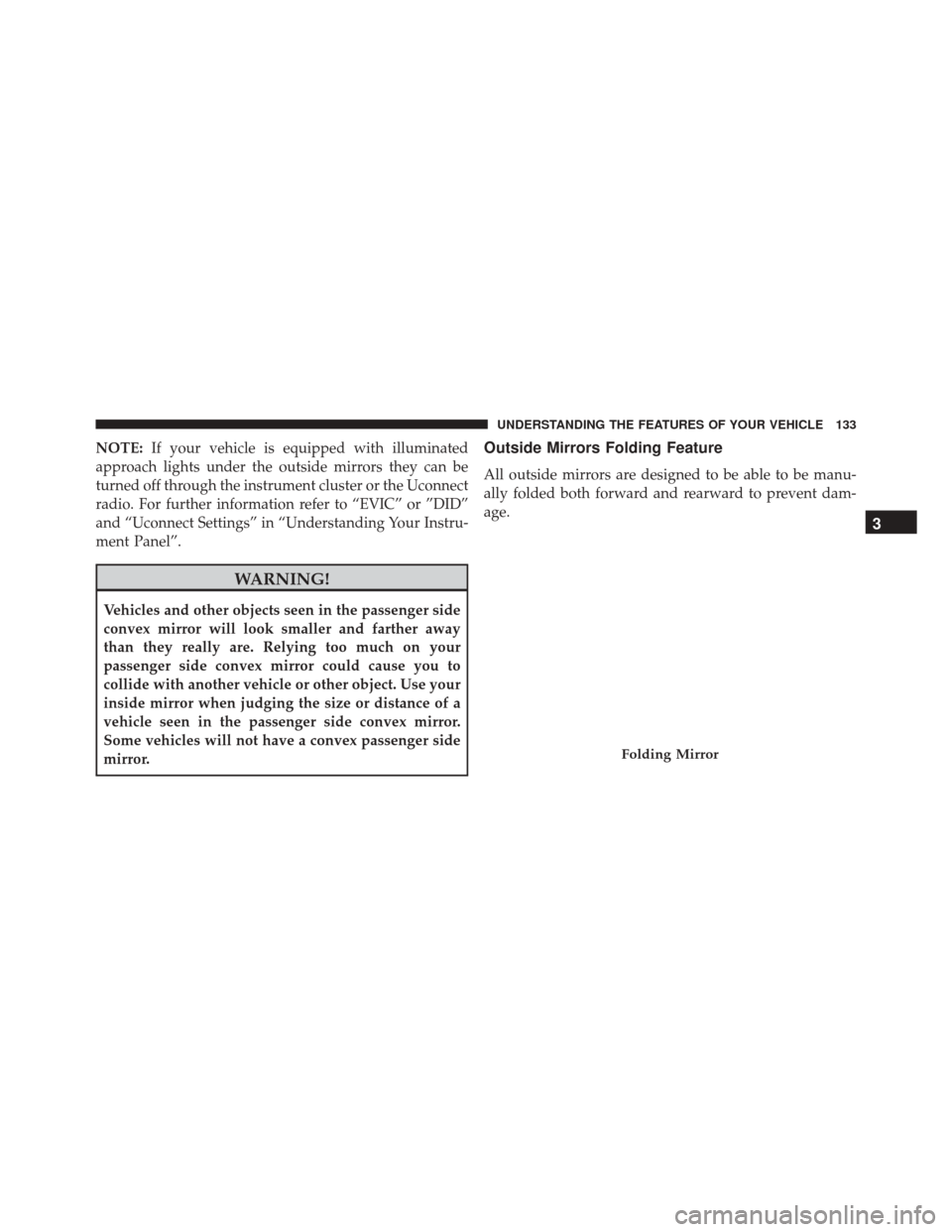
Outside Mirrors Folding Feature
All outside mirrors are designed to be able to be manu-
ally folded both forward and rearward to prevent dam-
age.
Folding Mirror
3
UNDERSTANDING THE FEATURES OF YOUR VEHICLE 133
Page 136 of 669

CAUTION!
It is recommended to fold the mirrors into the full
rearward position to resist damage when entering a
car wash or a narrow location.
Power Mirrors — If Equipped
The controls for the power mirrors are located on the
driver’s door trim panel.The power mirror controls consist of mirror select but-
tons and a four-way mirror control switch.
Power Mirror Controls Location
134 UNDERSTANDING THE FEATURES OF YOUR VEHICLE
Page 137 of 669

To adjust a mirror, push either the L (left) or R (right)
button to select the mirror that you want to adjust.Using the mirror control switch, push on any of the four
arrows for the direction that you want the mirror to
move.
Power Mirror Controls
1 — Mirror Select Buttons
2 — Four-Way Mirror Control Switch
Power Mirror Movement
3
UNDERSTANDING THE FEATURES OF YOUR VEHICLE 135
Page 138 of 669
Heated Mirrors — If Equipped
These mirrors are heated to melt frost or ice. This
feature can be activated whenever you turn on the
rear window defroster (if equipped). Refer to “Rear
Window Features” in “Understanding The Features Of
Your Vehicle” for further information.
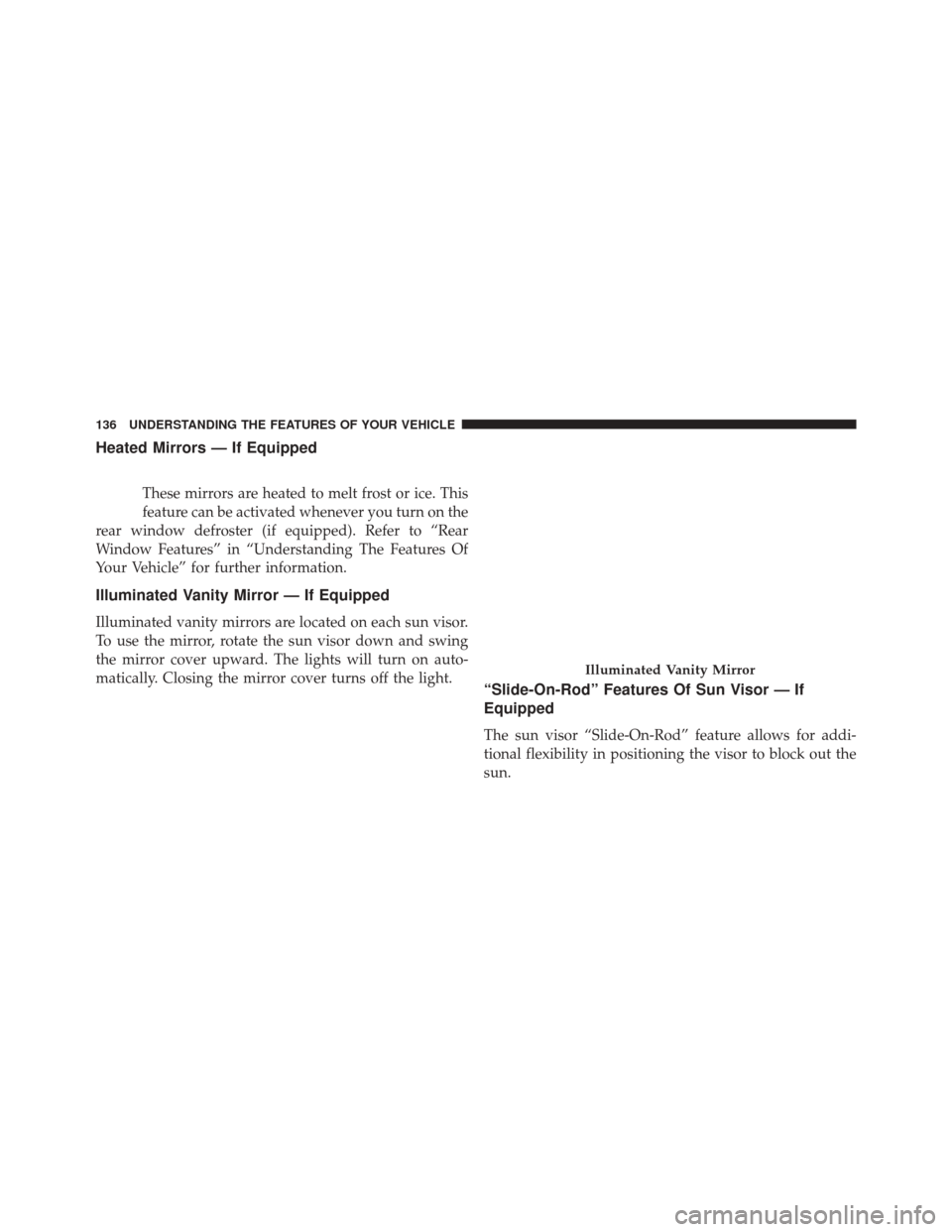
Illuminated Vanity Mirror — If Equipped
Illuminated vanity mirrors are located on each sun visor.
To use the mirror, rotate the sun visor down and swing
the mirror cover upward. The lights will turn on auto-
matically. Closing the mirror cover turns off the light.
“Slide-On-Rod” Features Of Sun Visor — If
Equipped
The sun visor “Slide-On-Rod” feature allows for addi-
tional flexibility in positioning the visor to block out the
sun.
Illuminated Vanity Mirror
136 UNDERSTANDING THE FEATURES OF YOUR VEHICLE
Page 139 of 669
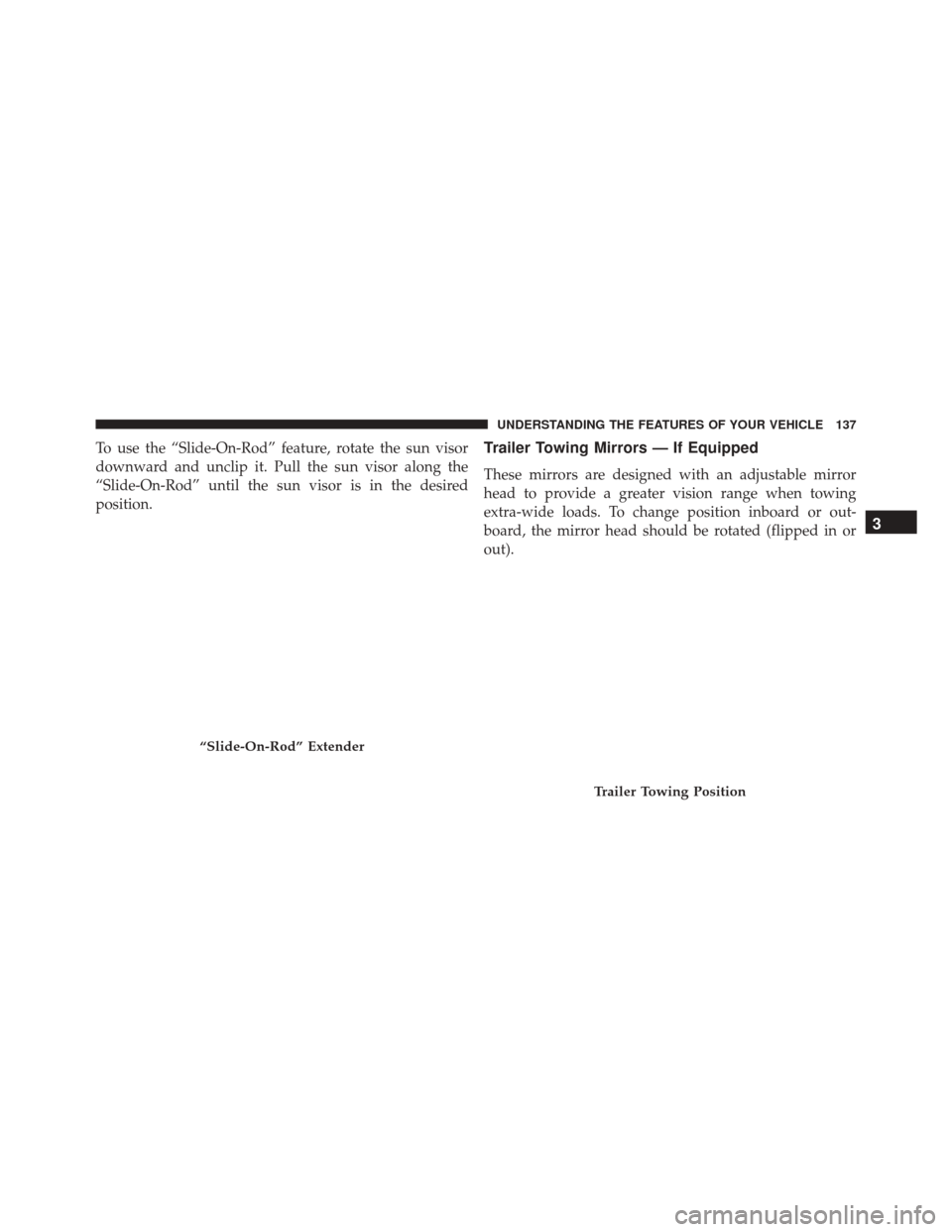
To use the “Slide-On-Rod” feature, rotate the sun visor
downward and unclip it. Pull the sun visor along the
“Slide-On-Rod” until the sun visor is in the desired
position.Trailer Towing Mirrors — If Equipped
These mirrors are designed with an adjustable mirror
head to provide a greater vision range when towing
extra-wide loads. To change position inboard or out-
board, the mirror head should be rotated (flipped in or
out).
“Slide-On-Rod” Extender
Trailer Towing Position
3
UNDERSTANDING THE FEATURES OF YOUR VEHICLE 137
Page 140 of 669
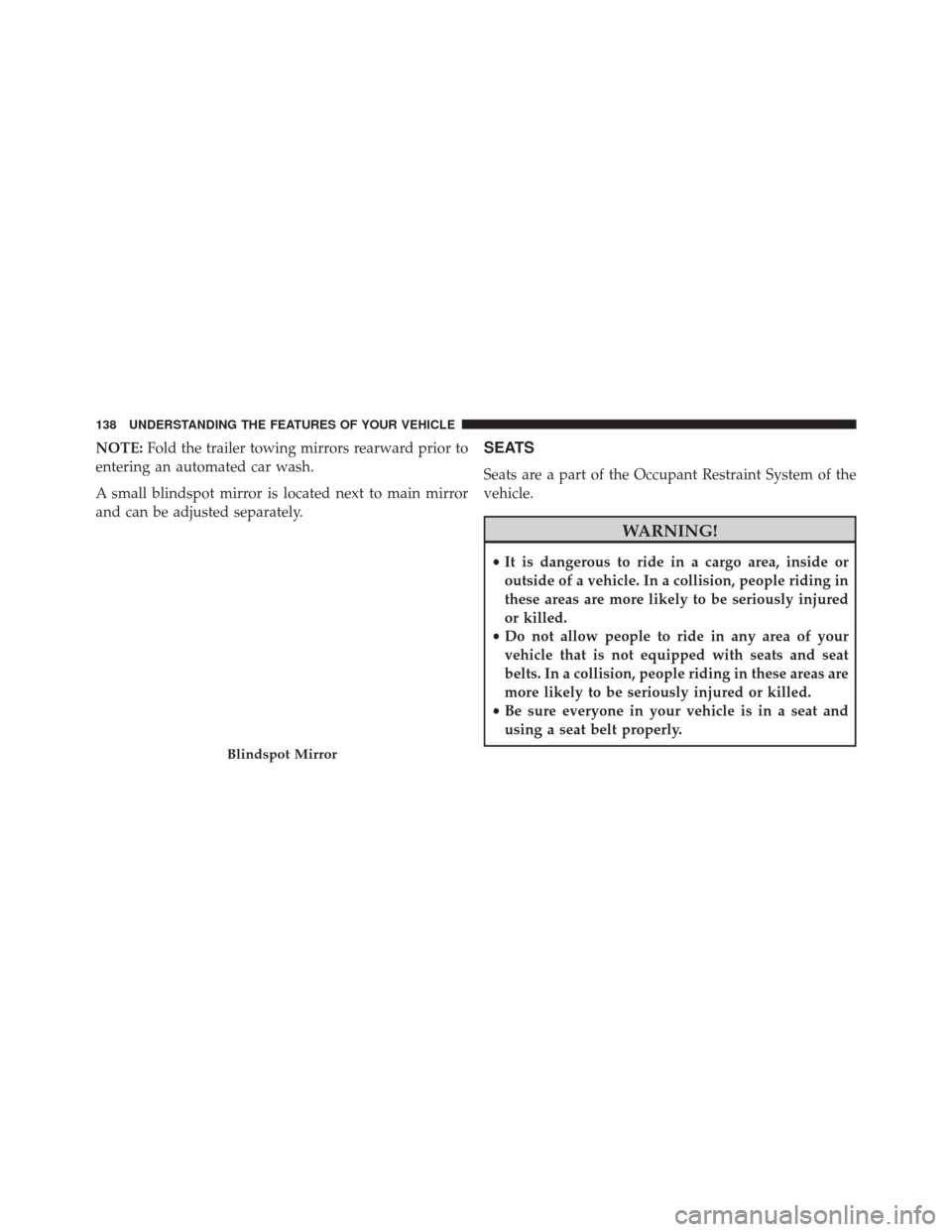
NOTE:Fold the trailer towing mirrors rearward prior to
entering an automated car wash.
A small blindspot mirror is located next to main mirror
and can be adjusted separately.SEATS
Seats are a part of the Occupant Restraint System of the
vehicle.
WARNING!
• It is dangerous to ride in a cargo area, inside or
outside of a vehicle. In a collision, people riding in
these areas are more likely to be seriously injured
or killed.
• Do not allow people to ride in any area of your
vehicle that is not equipped with seats and seat
belts. In a collision, people riding in these areas are
more likely to be seriously injured or killed.
• Be sure everyone in your vehicle is in a seat and
using a seat belt properly.
Blindspot Mirror
138 UNDERSTANDING THE FEATURES OF YOUR VEHICLE
Page 153 of 669

NOTE:
•The rear center head restraint (Crew Cab and Quad
Cab) has only one adjustment position that is used to
aid in the routing of a tether. Refer to “Occupant
Restraints” in “Things to Know Before Starting Your
Vehicle” for further information.
• Do not reposition the head restraint 180 degrees to the
incorrect position in an attempt to gain additional
clearance to the back of the head.
WARNING!
ALL the head restraints MUST be reinstalled in the
vehicle to properly protect the occupants. Follow the
re-installation instructions above prior to operating
the vehicle or occupying a seat.
DRIVER MEMORY SEAT — IF EQUIPPED
This feature allows the driver to store up to two different
memory profiles for easy recall through a memory
switch. Each memory profile contains desired position
settings for the driver seat, side mirrors, adjustable
pedals (if equipped) and a set of desired radio station
presets. Your Remote Keyless Entry (RKE) transmitter
can also be programmed to recall the same positions
when the UNLOCK button is pushed.
NOTE: Your vehicle is equipped with two RKE transmit-
ters, one RKE transmitter can be linked to memory
position 1 and the other transmitter can be linked to
memory position 2.
The memory seat buttons are located on the outboard
side of the drivers seat cushion.
3
UNDERSTANDING THE FEATURES OF YOUR VEHICLE 151
Page 154 of 669

Programming The Memory Feature
NOTE:To create a new memory profile, perform the
following:
1. Cycle the vehicles ignition to the ON/RUN position (do not start the engine). 2. Adjust all memory profile settings to desired prefer-
ences (seat, side mirrors, adjustable pedals and radio
station presets).
3. Push and release the S (Set) button on the memory switch.
4. Within five seconds, push and release either of the memory buttons (1) or (2). The Electronic Vehicle
Information Center (EVIC) or Driver Information Dis-
play (DID) will display which memory position has
been set.
NOTE:
• Memory profiles can be set without the vehicle in
PARK, but the vehicle must be in PARK to recall a
memory profile.
• To set a memory profile to your RKE transmitter, refer
to “Linking And Unlinking The Remote Keyless Entry
Transmitter To Memory” in this section.
Memory Seat Buttons
152 UNDERSTANDING THE FEATURES OF YOUR VEHICLE
Page 160 of 669
Your vehicle is equipped with plastic headlight and fog
light (if equipped) lenses that are lighter and less suscep-
tible to stone breakage than glass lights. Plastic is not as
scratch resistant as glass and therefore different lens
cleaning procedures must be followed.To minimize the possibility of scratching the lenses and
reducing light output, avoid wiping with a dry cloth. To
remove road dirt, wash with a mild soap solution fol-
lowed by rinsing.
NOTE:
If your vehicle is equipped with illuminated
approach lights under the outside mirrors they can be
turned off through the instrument cluster or the Uconnect
radio. For further information refer to “EVIC” or ”DID”
and “Uconnect Settings” in “Understanding Your Instru-
ment Panel”.
CAUTION!
Do not use abrasive cleaning components, solvents,
steel wool or other abrasive materials to clean the
lenses.
Headlight Switch Location
158 UNDERSTANDING THE FEATURES OF YOUR VEHICLE