brake light Ram 3500 Chassis Cab 2018 Service Manual
[x] Cancel search | Manufacturer: RAM, Model Year: 2018, Model line: 3500 Chassis Cab, Model: Ram 3500 Chassis Cab 2018Pages: 527, PDF Size: 5.83 MB
Page 359 of 527
SCHEDULED SERVICING
Your vehicle is equipped with an automatic oil change
indicator system. The oil change indicator system will
remind you that it is time to take your vehicle in for
scheduled maintenance.
Based on engine operation conditions, the oil change
indicator message will illuminate. This means that service
is required for your vehicle. Operating conditions such as
frequent short-trips, trailer tow, extremely hot or cold
ambient temperatures, and E85 fuel usage will influence
when the “Oil Change Required” message is displayed.
Severe Operating Conditions can cause the change oil
message to illuminate as early as 3,500 miles (5,600 km)
since last reset. Have your vehicle serviced as soon as
possible, within the next 500 miles (805 km).
Your authorized dealer will reset the oil change indicator
message after completing the scheduled oil change. If a
scheduled oil change is performed by someone other than
your authorized dealer, the message can be reset by
referring to the steps described under “Instrument Cluster
Display” in “Getting To Know Your Instrument Panel” for
further information.Gasoline Engines:
Under no circumstances should oil change intervals exceed
8,000 miles (13,000 km), twelve months or 350 hours of
engine run time, whichever comes first. The 350 hours of
engine run or idle time is generally only a concern for fleet
customers.
Severe Duty:
Change Engine Oil at 4,000 miles (6,500 km) or 350 hours of
engine run time if the vehicle is operated in a dusty and off
road environment or is operated predominately at idle or
very low engine RPM’s. This type of vehicle use is consid-
ered Severe Duty.
Once A Month Or Before A Long Trip:
•
Check engine oil level
• Check windshield washer fluid level
• Check the tire inflation pressures and look for unusual
wear or damage
• Check the fluid levels of the coolant reservoir, brake
master cylinder, power steering and automatic transmis-
sion, and fill as needed
• Check function of all interior and exterior lights
8
SERVICING AND MAINTENANCE 357
Page 392 of 527
9. Reinsert the dipstick. Check for leaks. Release the park-ing brake.
NOTE: To prevent dirt and water from entering the trans-
mission after checking or replenishing fluid, make sure that
the dipstick cap is properly reseated. It is normal for the
dipstick cap to spring back slightly from its fully seated
position, as long as its seal remains engaged in the dipstick
tube.
Fluid And Filter Changes
Refer to the “Maintenance Plan” for the proper mainte-
nance intervals.
In addition, change the fluid and filters if the fluid becomes
contaminated (with water, etc.), or if the transmission is
disassembled for any reason.
Rear Axle And 4x4 Front Driving Axle Fluid Level
For models with 9.25 in Front Axles and 11.5 in Rear Axles,
refer to “Fluids And Lubricants” in “Servicing And Main-
tenance” for further information. For normal service, peri-
odic fluid level checks are not required. When the vehicle is
serviced for other reasons, the exterior surfaces of the axle
assembly should be inspected. When checking the fluid level (4500/5500 only), the vehicle
should be in a level position. The fluid level should be ¼ in
± ¼ in (6.4 mm ± 6.4 mm) below the fill hole on the front
axle. The fluid level should be level with the bottom of the
fill hole on the rear axle.
Drain And Refill
On 4500/5500 vehicles, remove the lower bolt to drain the
axle fluid.
4500/5500 Rear Axle Plugs
1 — 4500/5500 Rear Axle Fluid Fill Plug
2 — 4500/5500 Rear Axle Fluid Drain Plug
390 SERVICING AND MAINTENANCE
Page 426 of 527

IDENTIFICATION DATA
Vehicle Identification Number
The Vehicle Identification Number (VIN) is found on the
left front corner of the instrument panel, visible through
the windshield. This number also appears on the vehicle
frame and underbody as well as the Automobile Informa-
tion Disclosure Label affixed to a window on your vehicle,
the vehicle registration and title.
NOTE:It is illegal to remove or alter the VIN.
BRAKE SYSTEM
If power assist is lost for any reason (for example, repeated
brake applications with the engine off), the brakes will still
function. However, you will experience a substantial in-
crease in braking effort to stop the vehicle.
If either the front or rear hydraulic system loses normal
braking capability, the remaining system will still function
with some loss of overall braking effectiveness. This will be
evident by increased pedal travel during application,
greater pedal force required to slow or stop, and activation
of the “Brake Warning Light” and the “ABS Warning
Light” (if equipped) during brake use.
The brake system power assist is provided by a hydro-
boost unit which shares fluid with the power steering
system. You may experience some clicking or hissing
noises from the hydro-boost system during hard braking
conditions.
NOTE:Under cold temperatures, pedal effort will be
higher than normal until the power steering fluid reaches
operating temperature.
Vehicle Identification Number
424 TECHNICAL SPECIFICATIONS
Page 444 of 527
Customer Programmable Features — Uconnect 3
Personal Settings
Push the MORE or SETTINGS button on the faceplate, then
press the “Settings” button on the touchscreen (if
equipped) to display the settings menu screen. In this
mode the Uconnect system allows you to access program-
mable features that may be equipped such as Display,Units, Voice, Clock, Safety & Driving Assistance, Lights,
Doors & Locks, Auto-On Comfort (if equipped), Engine Off
Options, Trailer Brake, Audio, Compass Settings, Phone/
Bluetooth, SiriusXM Setup (if equipped), Restore Settings,
Clear Personal Data and System Information.
NOTE:
Only one category may be selected at a time.
When making a selection, press the button on the touch-
screen to enter the desired mode. Once in the desired
mode, press and release the preferred setting until the
button is highlighted. Once the setting is complete, either
press the back arrow or the “Done” button on the touch-
screen or the Back button on the faceplate to return to the
previous menu. Pressing the Up or Down Arrow buttons
on the touchscreen on the right side of the screen will allow
you to toggle up or down through the list of available
settings.
NOTE: All settings should be changed with the ignition in
the RUN position.Display
After pressing the “Display” button on the touchscreen, the
following settings will be available.
Uconnect 4C/4C NAV Buttons On The Touchscreen And
Buttons On The Faceplate
1 — Uconnect Buttons On The Touchscreen
2 — Uconnect Buttons On The Faceplate 442 MULTIMEDIA
Page 455 of 527

Setting NameSelectable Options
Transport Mode OnOff
NOTE:
When the “Transport Mode” feature is selected, the air suspension system is disabled to assist with flat bed towing. Wheel Alignment Mode
NOTE:
The “Wheel Alignment Mode” feature prevents auto leveling of the air suspension while performing a wheel align-
ment service. Before performing a wheel alignment, this mode must be enabled. Refer to your authorized dealer for
further information.
Trailer Brake
After pressing the “Trailer Brake” button on the touch-
screen, the following settings will be available:
Setting Name Selectable Options
Trailer Select Trailer 1Trailer 2Trailer 3 Trailer 4
Trailer Brake Type Light Electric Heavy Electric Light EOHHeavy EOH10
MULTIMEDIA 453
Page 463 of 527
Customer Programmable Features — Uconnect
4C/4C NAV Personal Settings
Press the “Apps” button on the touchscreen then press the
“Settings” button on the touchscreen to display the settings
menu screen. In this mode the Uconnect system allows you
to access programmable features that may be equipped
such as Display, Voice, Clock, Safety & Driving Assistance,
Lights, Doors & Locks, Auto-On Comfort (if equipped),
Engine Off Options, Trailer Brake, Audio, Phone/
Bluetooth, SiriusXM Setup (if equipped), Restore Settings,
Clear Personal Data and System Information.
NOTE:Only one category may be selected at a time.
When making a selection, press the button on the touch-
screen to enter the desired mode. Once in the desired
mode, press and release the preferred setting until a check-mark appears next to the setting, showing that
setting has been selected. Once the setting is complete,
either press the back arrow button on the touchscreen or
the Back button on the faceplate to return to the previous
menu or press the “X” button on the touchscreen to close
out of the settings screen. Pressing the Up or Down Arrow
buttons on the touchscreen on the right side of the screen
will allow you to toggle up or down through the list of
available settings.
NOTE:
All settings should be changed with the ignition in
the RUN position.
Language
After pressing the “Language” button on the touchscreen,
the following settings will be available:
Setting Name Selectable Options
Set Language EnglishFrançais Español
10
MULTIMEDIA 461
Page 478 of 527
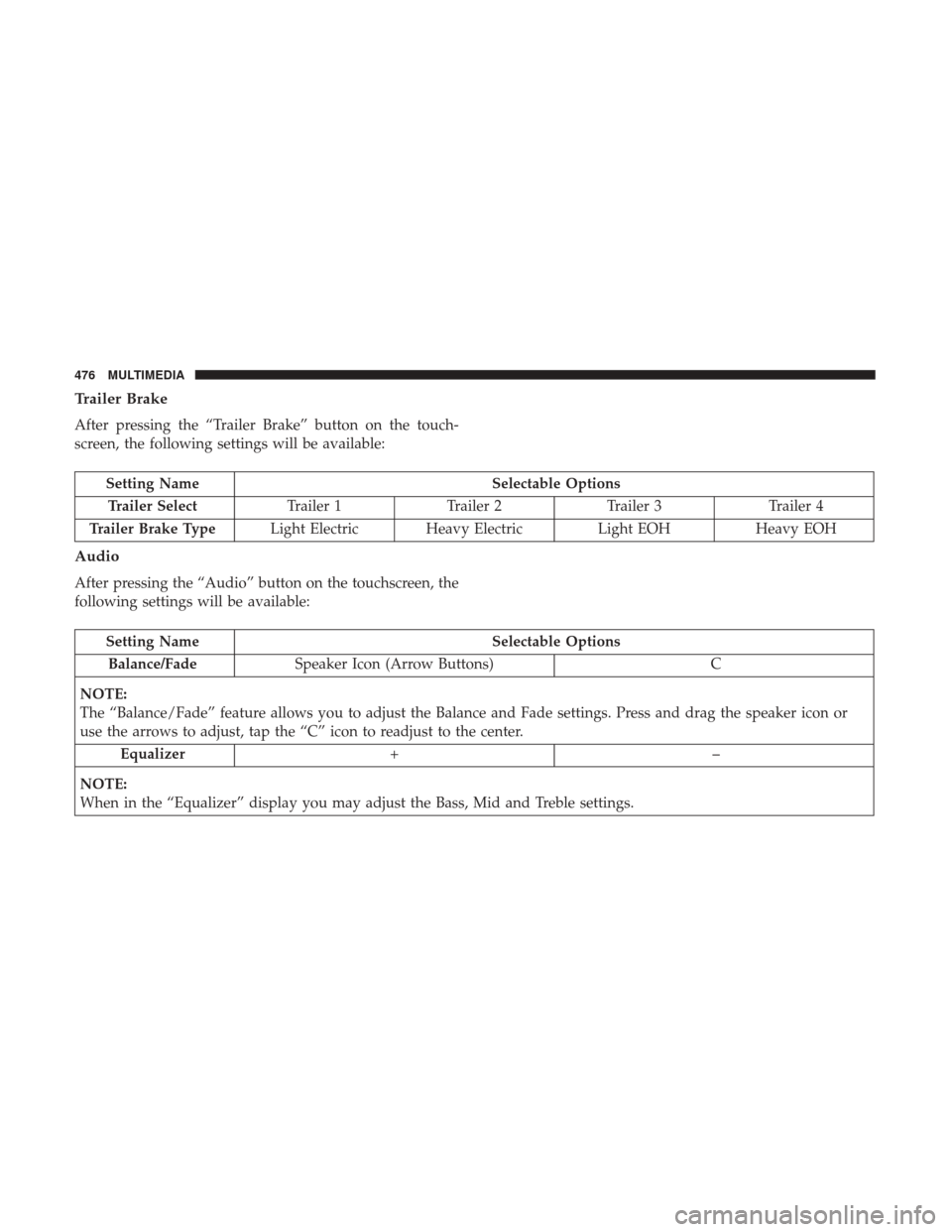
Trailer Brake
After pressing the “Trailer Brake” button on the touch-
screen, the following settings will be available:
Setting NameSelectable Options
Trailer Select Trailer 1Trailer 2Trailer 3 Trailer 4
Trailer Brake Type Light Electric Heavy Electric Light EOHHeavy EOH
Audio
After pressing the “Audio” button on the touchscreen, the
following settings will be available:
Setting Name Selectable Options
Balance/Fade Speaker Icon (Arrow Buttons) C
NOTE:
The “Balance/Fade” feature allows you to adjust the Balance and Fade settings. Press and drag the speaker icon or
use the arrows to adjust, tap the “C” icon to readjust to the center. Equalizer +–
NOTE:
When in the “Equalizer” display you may adjust the Bass, Mid and Treble settings.
476 MULTIMEDIA
Page 512 of 527

Adding Engine Coolant (Antifreeze).............383
Adding Fuel ............................. .287
Additives, Fuel ........................ .288, 428
Adjust Down .............................. .45, 46
Forward ............................ .44, 46
Rearward ........................... .44, 46
Up ................................ .45, 46
Adjustable Pedals ...........................57
Air Bag Air Bag Operation ....................... .196
Air Bag Warning Light .....................193
Enhanced Accident Response .............203, 353
Event Data Recorder (EDR) .................353
If A Deployment Occurs ....................201
Knee Impact Bolsters ..................... .197
Maintaining Your Air Bag System .............203
Transporting Pets ....................... .230
Air Bag Light ...................... .147, 193, 232
Air Bag Maintenance ....................... .203
Air Cleaner, Engine (Engine Air Cleaner Filter) ......366
Air Conditioner Maintenance ..................369
Air Conditioning ............................80
Air Conditioning Filter ....................94, 370
Air Conditioning, Operating Tips ................93Air Conditioning Refrigerant
...............369, 370
Air Conditioning System ...................92, 369
Air Filter ............................... .366
Air Pressure, Tires ......................... .403
Alarm, Panic ...............................22
Alarm (Security Alarm) ....................33, 148
Alarm System (Security Alarm) .................33
Alterations/Modifications, Vehicle ................7
Antifreeze (Engine Coolant) ...................382
Capacities ............................. .432
Disposal .............................. .385
Anti-Lock Brake System (ABS) .................160
Anti-Lock Warning Light .....................153
Ashtray ................................ .123
Assist,
Hill Start .......................... .162
Audio Systems (Radio) ...................... .439
Auto Down Power Windows ...................96
Automatic Door Locks ........................39
Automatic Headlights ........................70
Automatic High Beams .......................69
Automatic Temperature Control (ATC) ............92
Automatic Transmission Adding Fluid .......................... .389
Fluid And Filter Changes ...................390
Fluid Level Check .....................387, 388
510 INDEX
Page 513 of 527
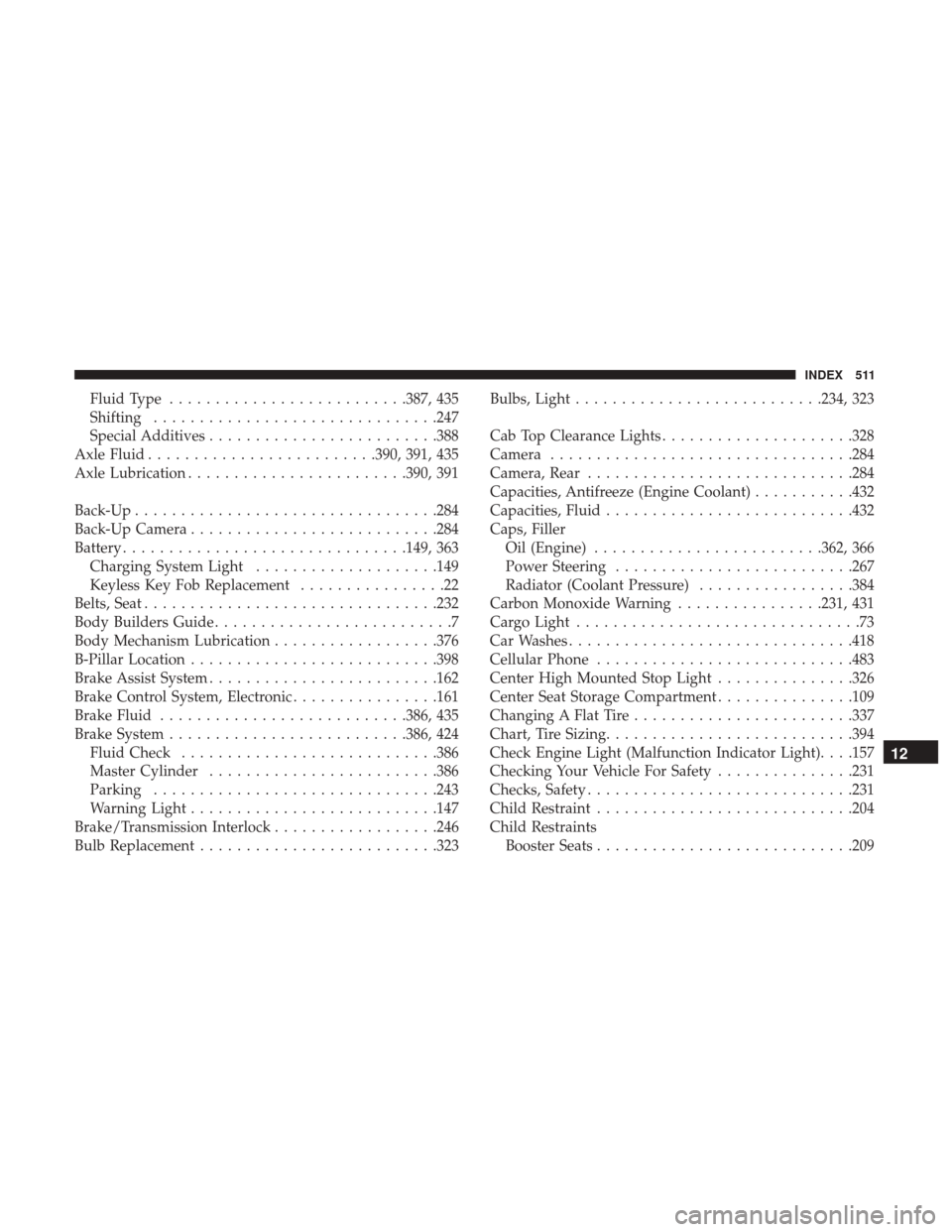
Fluid Type......................... .387, 435
Shifting .............................. .247
Special Additives ........................ .388
Axle Fluid ........................ .390, 391, 435
Axle Lubrication ....................... .390, 391
Back-Up ................................ .284
Back-Up Camera .......................... .284
Battery .............................. .149, 363
Charging System Light ....................149
Keyless Key Fob Replacement ................22
Belts, Seat ............................... .232
Body Builders Guide ..........................7
Body Mechanism Lubrication ..................376
B-Pillar Location .......................... .398
Brake Assist System ........................ .162
Brake Control System, Electronic ................161
Brake Fluid .......................... .386, 435
Brake System ......................... .386, 424
Fluid Check ........................... .386
Master Cylinder ........................ .386
Parking .............................. .243
Warning Light .......................... .147
Brake/Transmission Interlock ..................246
Bulb Replacement ......................... .323Bulbs, Light
.......................... .234, 323
Cab Top Clearance Lights .....................328
Camera ................................ .284
Camera, Rear ............................ .284
Capacities, Antifreeze (Engine Coolant) ...........432
Capacities, Fluid .......................... .432
Caps, Filler Oil (Engine) ........................ .362, 366
Power Steering ......................... .267
Radiator (Coolant Pressure) .................384
Carbon Monoxide Warning ................231, 431
Cargo Light ...............................
73
Car Washes .............................. .418
Cellular Phone ........................... .483
Center High Mounted Stop Light ...............326
Center Seat Storage Compartment ...............109
Changing A Flat Tire ....................... .337
Chart, Tire Sizing .......................... .394
Check Engine Light (Malfunction Indicator Light). . . .157
Checking Your Vehicle For Safety ...............231
Checks, Safety ............................ .231
Child Restraint ........................... .204
Child Restraints Booster Seats ........................... .209
12
INDEX 511
Page 515 of 527
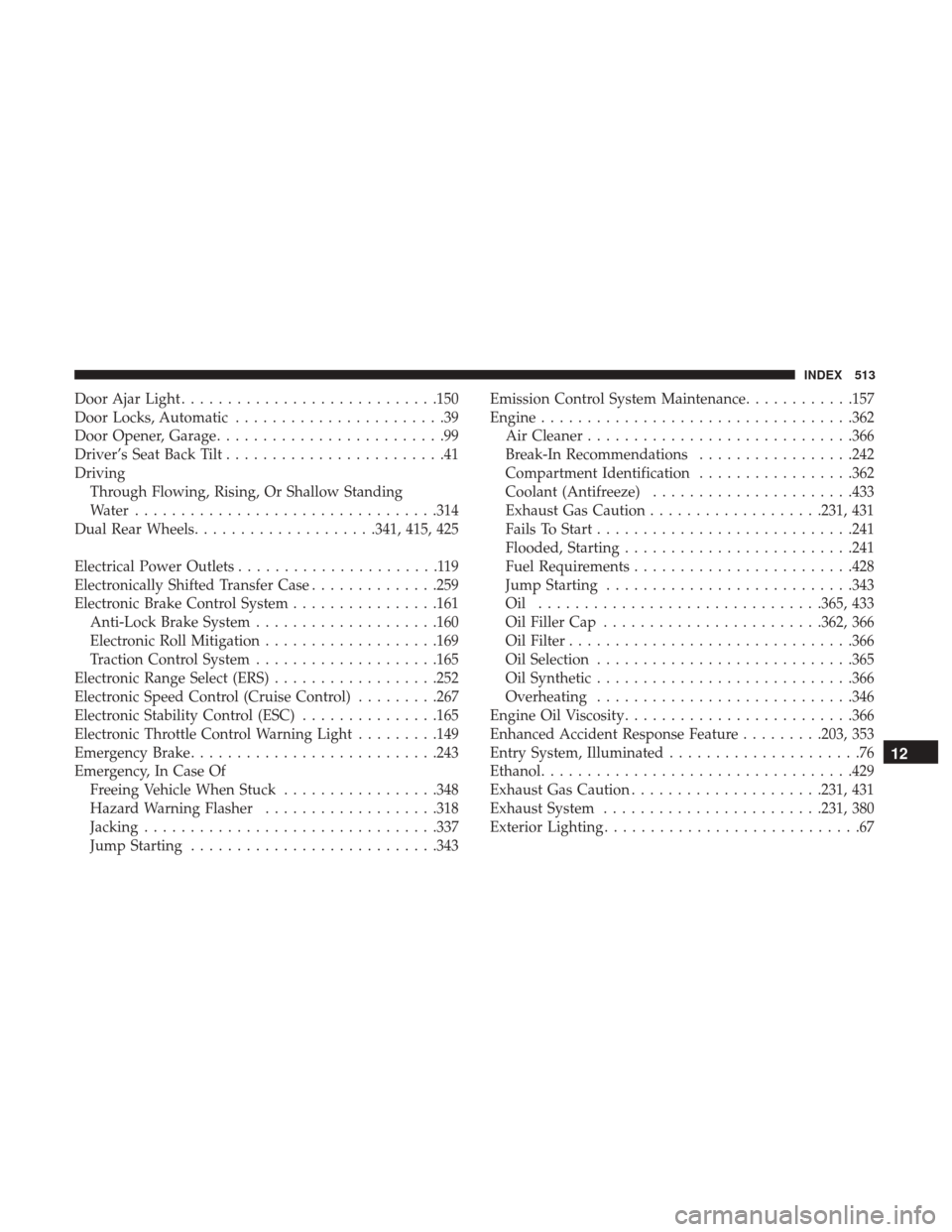
Door Ajar Light........................... .150
Door Locks, Automatic .......................39
Door Opener, Garage .........................99
Driver’s Seat Back Tilt ........................41
Driving Through Flowing, Rising, Or Shallow Standing
Water ................................ .314
Dual Rear Wheels ....................341, 415, 425
Electrical Power Outlets ......................119
Electronically Shifted Transfer Case ..............259
Electronic Brake Control System ................161
Anti-Lock Brake System ....................160
Electronic Roll Mitigation ...................169
Traction Control System ....................165
Electronic Range Select (ERS)..................252
Electronic Speed Control (Cruise Control) .........267
Electronic Stability Control (ESC) ...............165
Electronic Throttle Control Warning Light .........149
Emergency Brake .......................... .243
Emergency, In Case Of Freeing Vehicle When Stuck .................348
Hazard Warning Flasher ...................318
Jacking ............................... .337
Jump Starting .......................... .343Emission Control System Maintenance
............157
Engine ................................. .362
Air Cleaner ............................ .366
Break-In Recommendations .................242
Compartment Identification .................362
Coolant (Antifreeze) ..................... .433
Exhaust Gas Caution ...................231, 431
Fails To Start ........................... .241
Flooded, Starting ........................ .241
Fuel Requirements ....................... .428
Jump Starting .......................... .343
Oil .............................. .365, 433
Oil Filler Cap ....................... .362, 366
Oil Filter .............................. .366
Oil
Selection ........................... .365
Oil Synthetic ........................... .366
Overheating ........................... .346
Engine Oil Viscosity ........................ .366
Enhanced Accident Response Feature .........203, 353
Entry System, Illuminated .....................76
Ethanol ................................. .429
Exhaust Gas Caution .....................231, 431
Exhaust System ....................... .231, 380
Exterior Lighting ............................67
12
INDEX 513