tow Ram 5500 Chassis Cab 2011 User Guide
[x] Cancel search | Manufacturer: RAM, Model Year: 2011, Model line: 5500 Chassis Cab, Model: Ram 5500 Chassis Cab 2011Pages: 476, PDF Size: 7.32 MB
Page 116 of 476
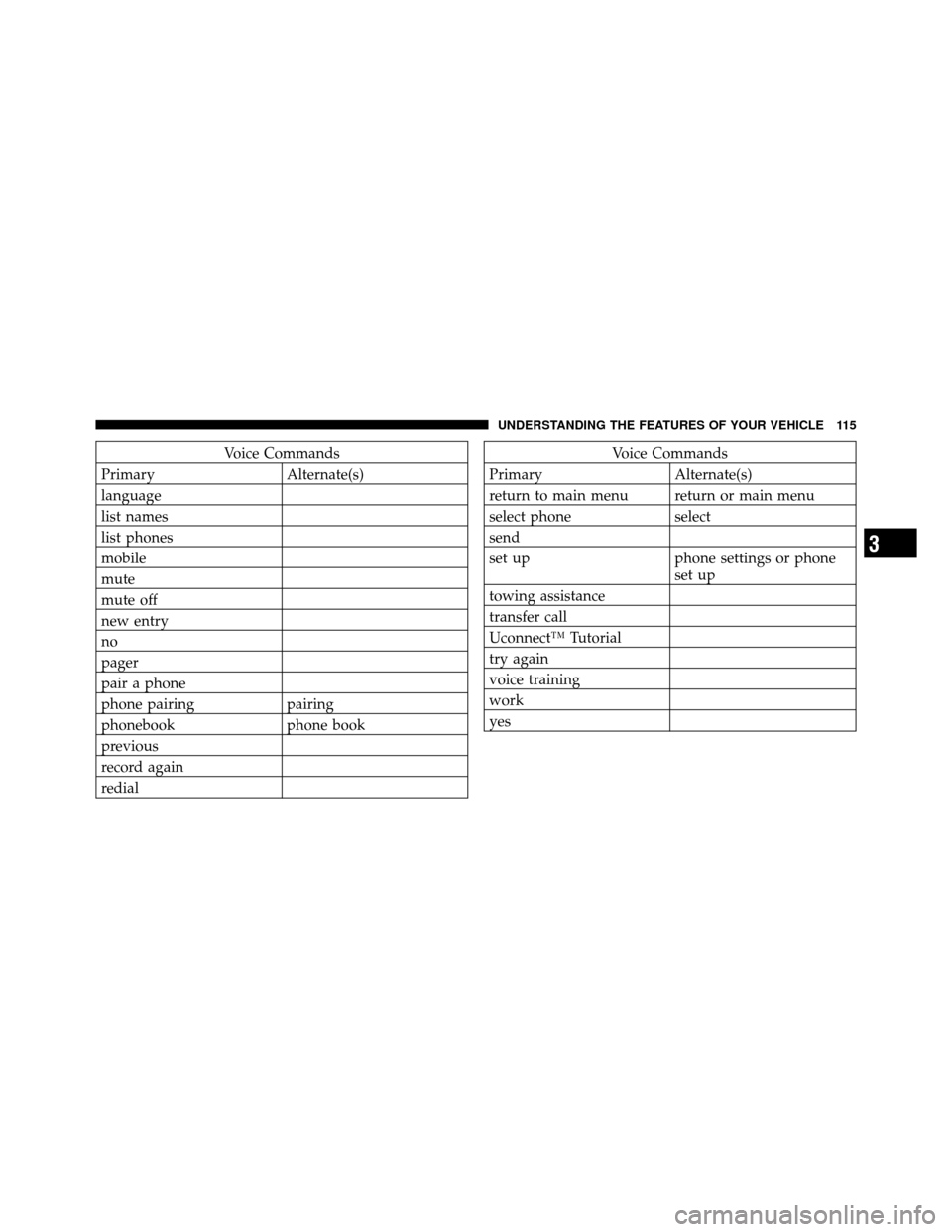
Voice Commands
Primary Alternate(s)
language
list names
list phones
mobile
mute
mute off
new entry
no
pager
pair a phone
phone pairing pairing
phonebook phone book
previous
record again
redialVoice Commands
Primary Alternate(s)
return to main menu return or main menu
select phone select
send
set up phone settings or phone set up
towing assistance
transfer call
Uconnect™ Tutorial
try again
voice training
work
yes
3
UNDERSTANDING THE FEATURES OF YOUR VEHICLE 115
Page 127 of 476
until the head restraint reaches the first lock position,
push the large button in and push down and adjust head
restraint to desired position.
NOTE:Ensure that the front of the head restraint is
facing toward the front of the vehicle.
WARNING!
Driving a vehicle with the head restraints removed or
improperly adjusted could cause serious injury or
death in the event of a collision. The head restraints
should always be checked prior to operating the
vehicle and never adjusted while the vehicle is in
motion. Always adjust the head restraints when the
vehicle is in PARK.
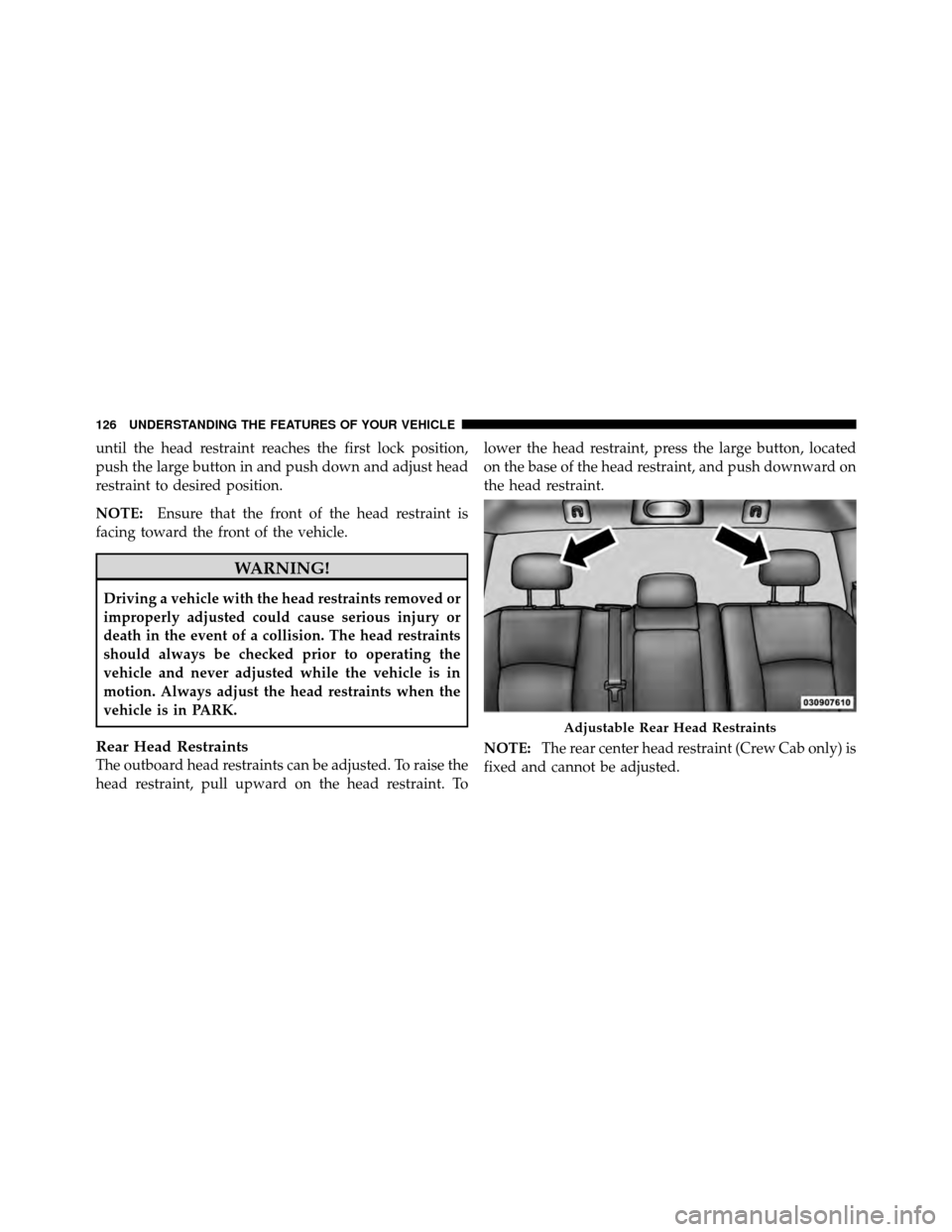
Rear Head Restraints
The outboard head restraints can be adjusted. To raise the
head restraint, pull upward on the head restraint. To lower the head restraint, press the large button, located
on the base of the head restraint, and push downward on
the head restraint.
NOTE:
The rear center head restraint (Crew Cab only) is
fixed and cannot be adjusted.
Adjustable Rear Head Restraints
126 UNDERSTANDING THE FEATURES OF YOUR VEHICLE
Page 145 of 476
Turn Signals
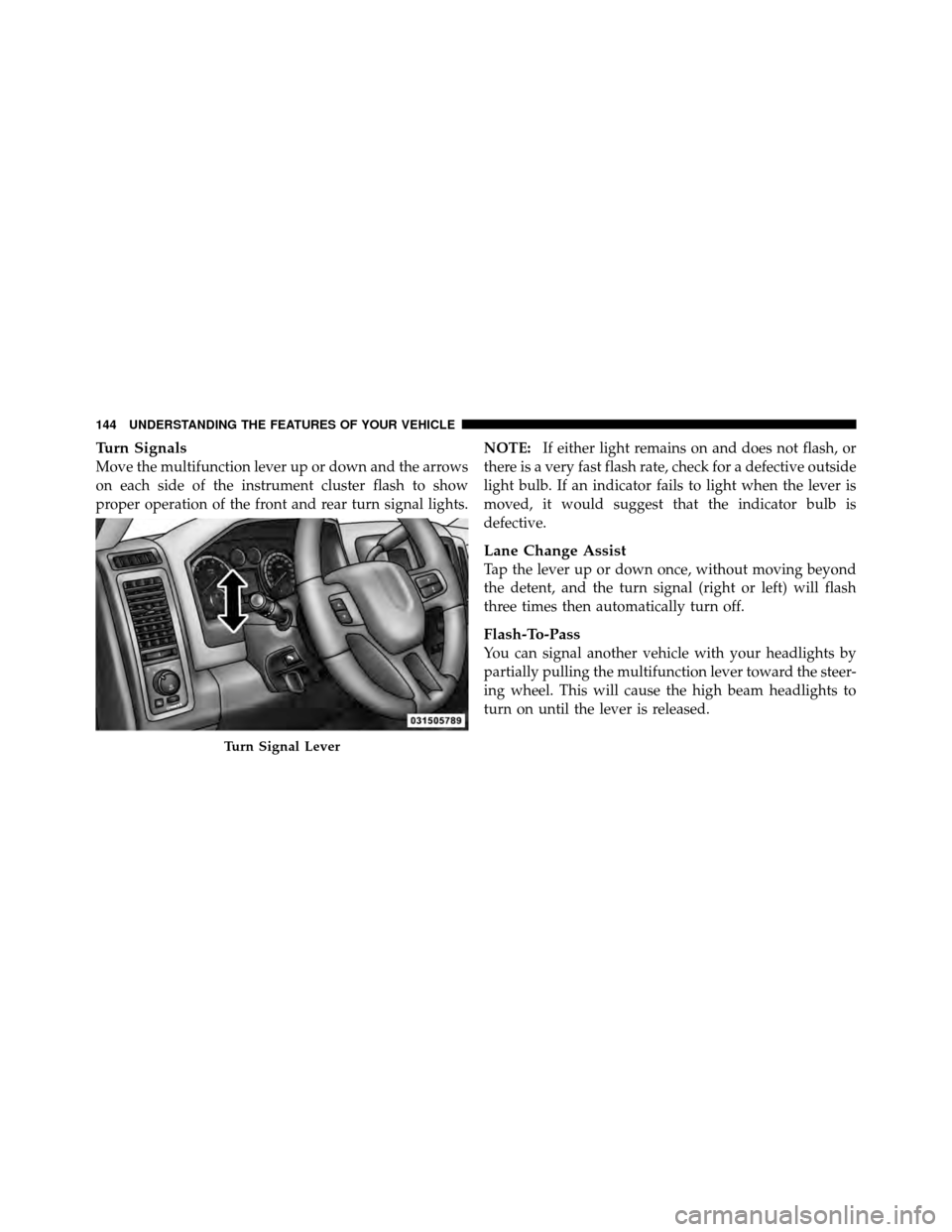
Move the multifunction lever up or down and the arrows
on each side of the instrument cluster flash to show
proper operation of the front and rear turn signal lights.NOTE:
If either light remains on and does not flash, or
there is a very fast flash rate, check for a defective outside
light bulb. If an indicator fails to light when the lever is
moved, it would suggest that the indicator bulb is
defective.
Lane Change Assist
Tap the lever up or down once, without moving beyond
the detent, and the turn signal (right or left) will flash
three times then automatically turn off.
Flash-To-Pass
You can signal another vehicle with your headlights by
partially pulling the multifunction lever toward the steer-
ing wheel. This will cause the high beam headlights to
turn on until the lever is released.
Turn Signal Lever
144 UNDERSTANDING THE FEATURES OF YOUR VEHICLE
Page 146 of 476
High/Low Beam Switch
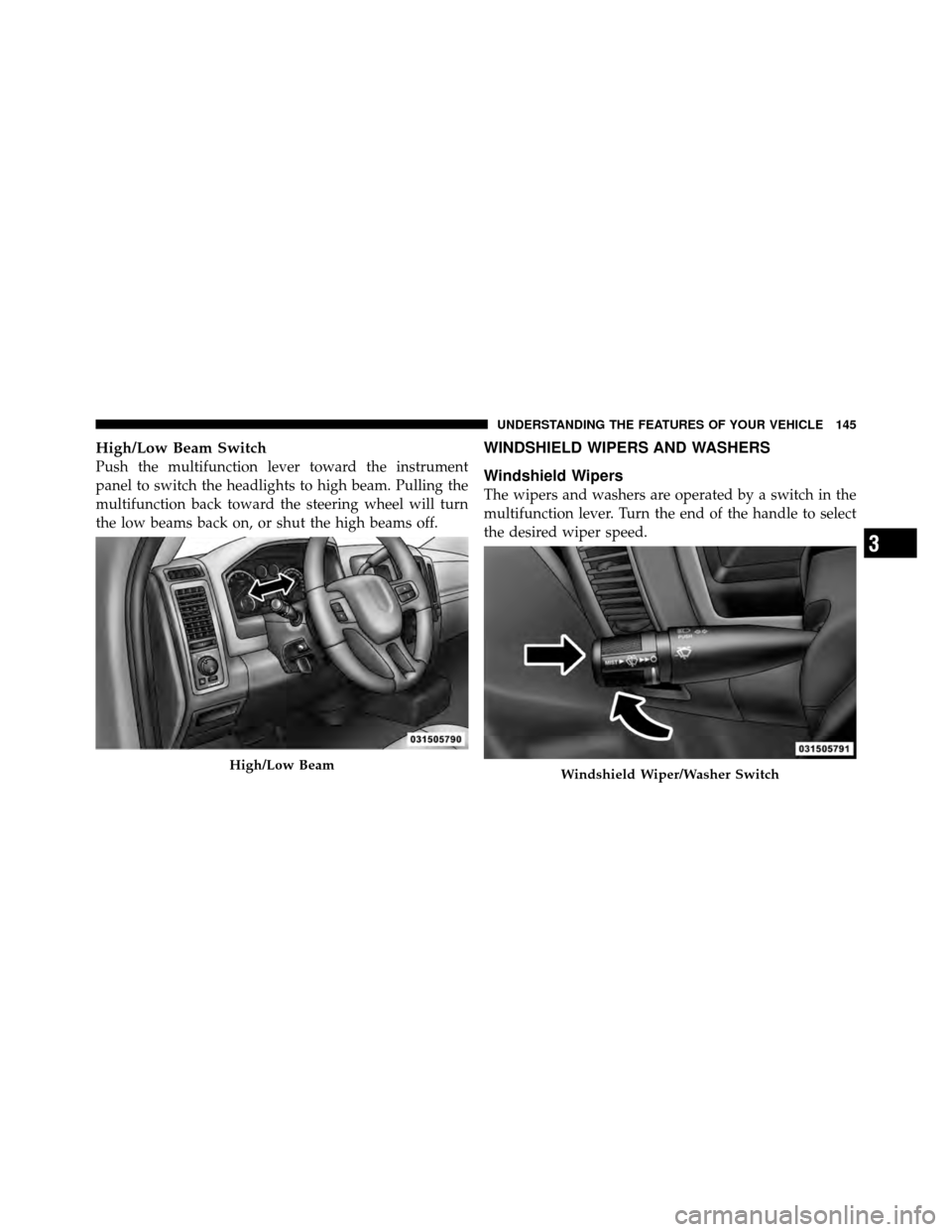
Push the multifunction lever toward the instrument
panel to switch the headlights to high beam. Pulling the
multifunction back toward the steering wheel will turn
the low beams back on, or shut the high beams off.
WINDSHIELD WIPERS AND WASHERS
Windshield Wipers
The wipers and washers are operated by a switch in the
multifunction lever. Turn the end of the handle to select
the desired wiper speed.
High/Low BeamWindshield Wiper/Washer Switch
3
UNDERSTANDING THE FEATURES OF YOUR VEHICLE 145
Page 148 of 476
WARNING!
Sudden loss of visibility through the windshield
could lead to an accident. You might not see other
vehicles or other obstacles. To avoid sudden icing of
the windshield during freezing weather, warm the
windshield with the defroster before and during
windshield washer use.
Mist Feature
Push the washer knob, located on the end of the multi-
function lever, inward to the first detent. The wipers will
cycle one time and automatically shut off to clear road
mist or spray from a passing vehicle.
TILT STEERING COLUMN
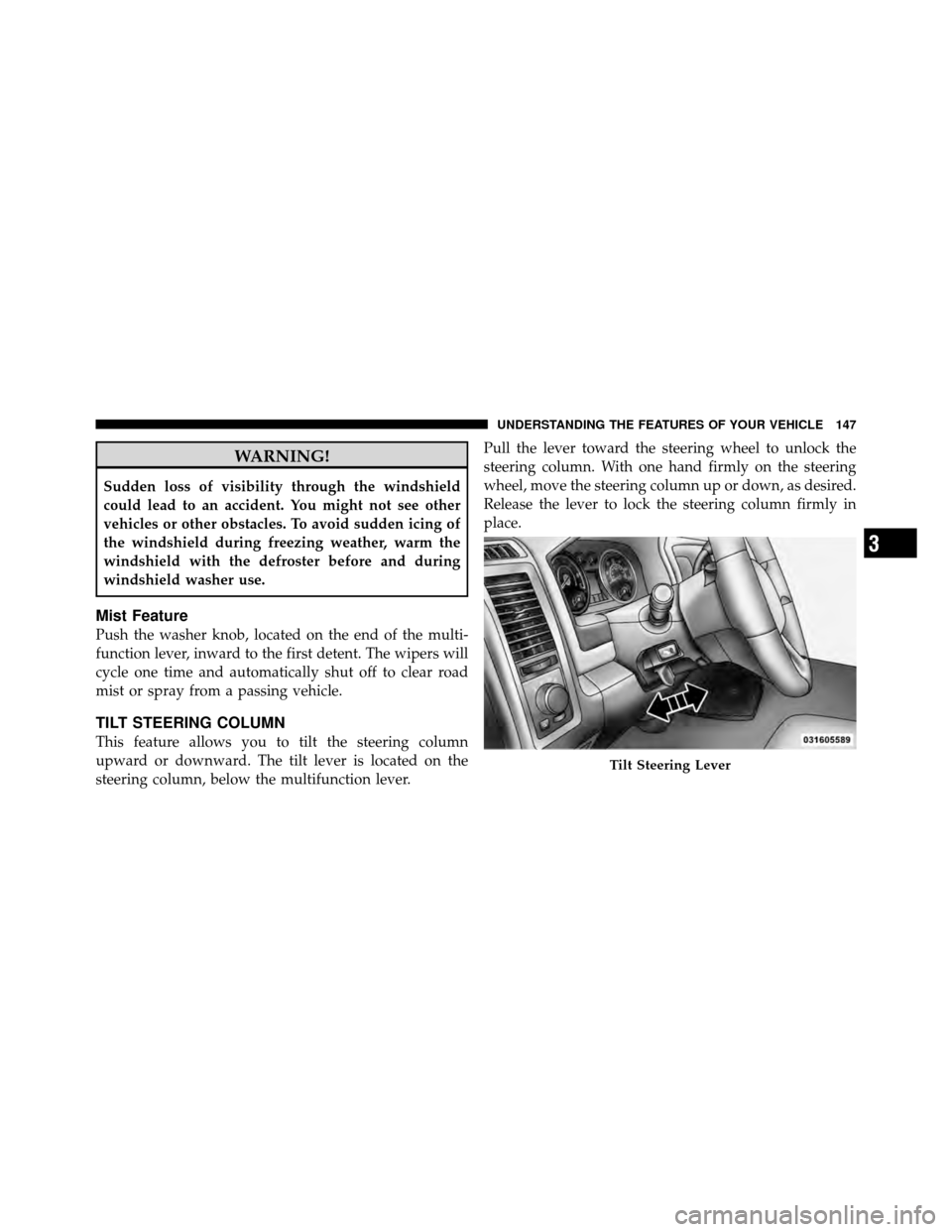
This feature allows you to tilt the steering column
upward or downward. The tilt lever is located on the
steering column, below the multifunction lever.Pull the lever toward the steering wheel to unlock the
steering column. With one hand firmly on the steering
wheel, move the steering column up or down, as desired.
Release the lever to lock the steering column firmly in
place.
Tilt Steering Lever
3
UNDERSTANDING THE FEATURES OF YOUR VEHICLE 147
Page 153 of 476
WARNING!
Leaving the Electronic Speed Control system on
when not in use is dangerous. You could accidently
set the system or cause it to go faster than you want.
You could lose control and have an accident. Always
leave the Electronic Speed Control system off when
you are not using it.
To Set a Desired Speed
When the vehicle has reached the desired speed, press
the SET lever downward and then release. Lift your foot
off the accelerator and the vehicle will operate at the
selected speed.
Deactivating Electronic Speed Control
A soft tap on the brake pedal or pulling the Electronic
Speed Control lever (CANCEL) toward you will deacti-
vate the Electronic Speed Control without erasing the setspeed memory. Pushing the ON/OFF button to the OFF
position or turning OFF the ignition erases the set speed
memory.
To Resume Speed
To resume a previously set speed, raise the Electronic
Speed Control lever (RESUME ACCEL) upwards and
release. Resume can be used at any speed above 30 mph
(50 km/h).
Varying The Speed Setting
When the Electronic Speed Control is set, you can in-
crease speed by pushing up and holding the RESUME
ACCEL lever. If the lever is continually held in the
RESUME ACCEL position, the set speed will continue to
increase until the lever is released, then the new set speed
will be established.
Raising the Electronic Speed Control lever RESUME
ACCEL upwards once will result in a 1 mph (1 km/h)
152 UNDERSTANDING THE FEATURES OF YOUR VEHICLE
Page 181 of 476
INSTRUMENT CLUSTER DESCRIPTIONS
1. Tachometer
The Tachometer indicates engine speed in revolutions per
minute.
CAUTION!
Do not operate the engine with the tachometer
pointer at high RPM for extended periods. Engine
damage may occur.
2. Turn Signal Indicators The arrow will flash with the exterior turn signal
when the turn signal lever is operated.
NOTE:
•A continuous chime will sound if the vehicle is driven
more than 1 mile (1.6 km) with either turn signal on.
•Check for an inoperative outside light bulb if either
indicator flashes at a rapid rate.
3. Fuel Gauge
Shows level of fuel in tank when ignition switch is in the
ON position.
4. Temperature Gauge
The temperature gauge shows engine coolant tempera-
ture. Any reading within the normal range indicates that
the engine cooling system is operating satisfactorily.
The gauge pointer will likely indicate a higher tempera-
ture when driving in hot weather, up mountain grades,
or when towing a trailer. It should not be allowed to
exceed the upper limits of the normal operating range.
180 UNDERSTANDING YOUR INSTRUMENT PANEL
Page 183 of 476
If a problem is detected, the light will come on while the
engine is running. Cycle the ignition key when the
vehicle has completely stopped and the shift lever is
placed in the PARK position, the light should turn off.
If the light remains lit with the engine running, your
vehicle will usually be drivable; however, see an autho-
rized dealer for service as soon as possible. If the light is
flashing when the engine is running, immediate service is
required and you may experience reduced performance,
an elevated/rough idle or engine stall and your vehicle
may require towing.
For vehicles equipped with a premium cluster this indi-
cator will display in the Electronic Vehicle Information
Center (EVIC). Refer to ”Electronic Vehicle Information
Center (EVIC) — If Equipped” for further information.8. 4WD Indicator
This light indicates the vehicle is in four-wheel
drive and 4LOCK. 4WD allows all four wheels
to receive torque from the engine simulta-
neously.
9. SERV (Service) 4WD The SERV 4WD light monitors the electric shift
four-wheel drive system. If the SERV 4WD
light stays on or comes on during driving, it
means that the four-wheel drive system is not
functioning properly and that service is required.
For vehicles equipped with a premium cluster this indi-
cator will display in the Electronic Vehicle Information
Center (EVIC). Refer to ”Electronic Vehicle Information
Center (EVIC) — If Equipped” for further information.
182 UNDERSTANDING YOUR INSTRUMENT PANEL
Page 184 of 476
10. TOW/HAULThe TOW HAUL button is located on the
center stack switch bank. This light will illumi-
nate when TOW HAUL mode is selected
11. Vehicle Security Light — If Equipped This light will flash at a fast rate for approxi-
mately 15 seconds, when the vehicle security
alarm is arming, and then will flash slowly
until the vehicle is disarmed.
12. Oil Pressure Gauge — If Equipped
The pointer should always indicate some oil pressure
when the engine is running. A continuous high or low
reading under normal driving conditions may indicate a
lubrication system malfunction. Immediate service
should be obtained from an authorized dealer. 13. Odometer/Trip Odometer Button
Press this button to toggle between the odometer and the
trip odometer display. Holding the button in resets the
trip odometer reading when in trip mode.
14. Odometer / Electronic Vehicle Information Center
(EVIC) Display Area
Odometer Display
The odometer shows the total distance the vehicle has
been driven. Regulations require that upon transfer of
vehicle ownership, the seller certify to the purchaser the
correct mileage that the vehicle has been driven. If your
odometer needs to be repaired or serviced, the repair
technician should leave the odometer reading the same
as it was before the repair or service. If s/he cannot do so,
then the odometer must be set at zero, and a sticker must
be placed in the door jamb stating what the mileage was
before the repair or service. It is a good idea for you to
make a record of the odometer reading before the repair/
4
UNDERSTANDING YOUR INSTRUMENT PANEL 183
Page 188 of 476
lever to activate ERS. Refer to “Automatic Transmission”
in “Starting And Operating” for further information.
17. Low Fuel LightWhen the fuel level reaches approximately 3.0 gal
(11.0 L) this light will turn on, and remain on until
fuel is added.
For vehicles equipped with a premium cluster this indi-
cator will display in the Electronic Vehicle Information
Center (EVIC). Refer to ”Electronic Vehicle Information
Center (EVIC) — If Equipped” for further information.
18. High Beam Indicator This indicator shows that headlights are on high
beam. Push the multifunction lever forward to
switch the headlights to high beam, and pull toward
yourself (normal position) to return to low beam. 19. Voltmeter — If Equipped
When the engine is running, the gauge indicates the
electrical system voltage. The pointer should stay within
the normal range if the battery is charged. If the pointer
moves to either extreme left or right and remains there
during normal driving, the electrical system should be
serviced.
NOTE:
The voltmeter may show a gauge fluctuation at
various engine temperatures. This cycling operation is
caused by the post-heat cycle of the intake manifold
heater system. The number of cycles and the length of the
cycling operation is controlled by the engine control
module. Post-heat operation can run for several minutes,
and then the electrical system and voltmeter needle will
stabilize.
4
UNDERSTANDING YOUR INSTRUMENT PANEL 187