seats Ram 5500 Chassis Cab 2011 Owner's Guide
[x] Cancel search | Manufacturer: RAM, Model Year: 2011, Model line: 5500 Chassis Cab, Model: Ram 5500 Chassis Cab 2011Pages: 476, PDF Size: 7.32 MB
Page 128 of 476
Eight-Way Power Seats — If Equipped
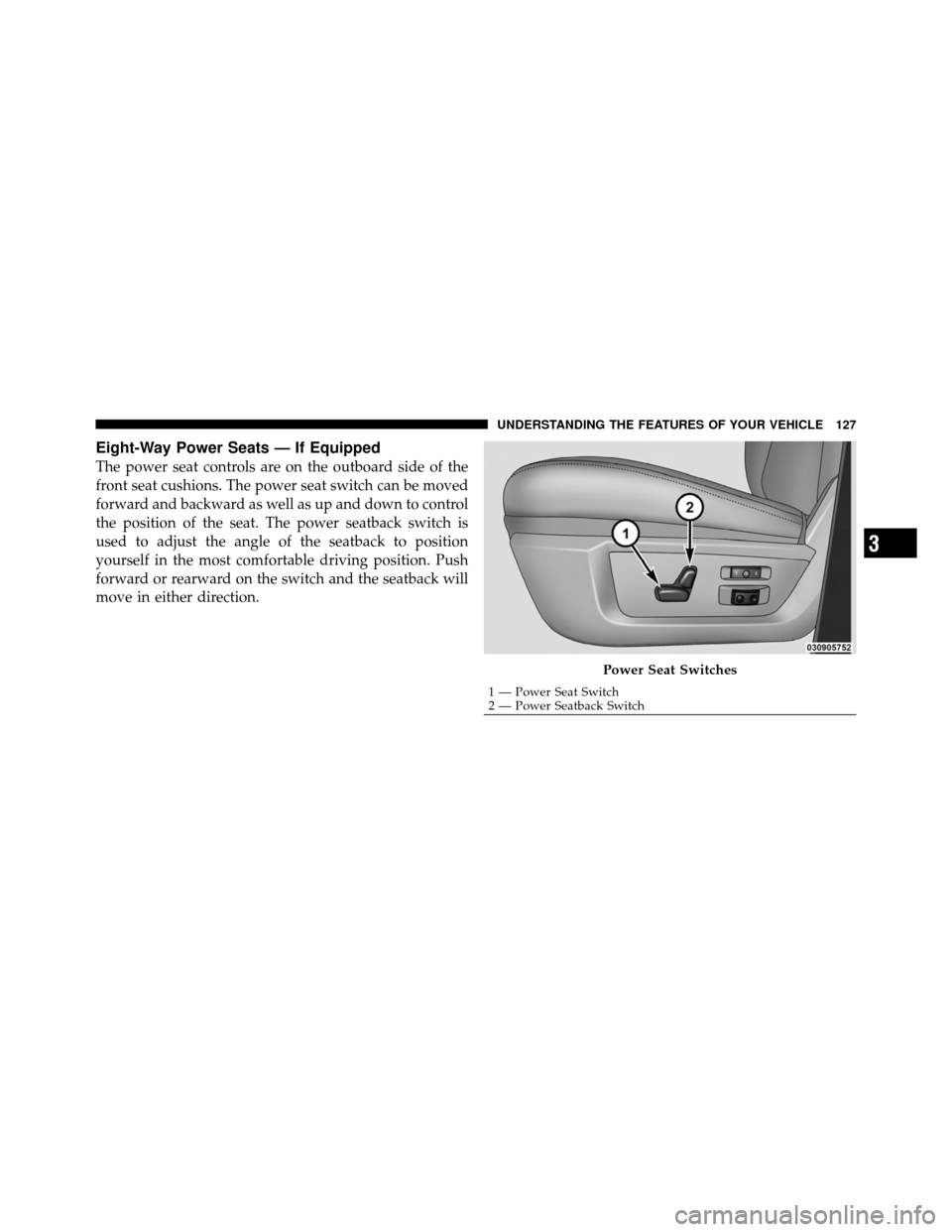
The power seat controls are on the outboard side of the
front seat cushions. The power seat switch can be moved
forward and backward as well as up and down to control
the position of the seat. The power seatback switch is
used to adjust the angle of the seatback to position
yourself in the most comfortable driving position. Push
forward or rearward on the switch and the seatback will
move in either direction.
Power Seat Switches
1 — Power Seat Switch
2 — Power Seatback Switch
3
UNDERSTANDING THE FEATURES OF YOUR VEHICLE 127
Page 130 of 476
WARNING!
Adjusting a seat while the vehicle is moving is
dangerous. The sudden movement of the seat could
cause you to lose control. The seat belt might not be
properly adjusted and you could be injured. Adjust
any seat only while the vehicle is parked.
Heated Seats — If Equipped
Both front seats and rear passenger outboard seats can be
equipped with heaters. The switches for the front seats
are located in the instrument panel under the climate
controls. The switches for the rear passenger seats are
located on the back of the center console.
After turning the ignition ON, you can choose from High,
Low, or Off heat settings. Amber indicator lights in each
switch indicate the level of heat in use. Two indicator
lights will illuminate for High, one for Low, and none for
Off.Press the switch once to select High-
level heating. Press the switch a sec-
ond time to select Low-level heating.
Press the switch a third time to shut
the heating elements Off.
NOTE: The engine must be running for the heated seats
to operate.
The heated seats switch from High to Low and from Low
to Off automatically, based on time and temperature of
the seat. The heated seats can operate on High heat for as
little as 4 minutes and up to 30 minutes before switching
to Low heat. Once a seat has switched to the Low heat
setting it may operate for an additional 60 minutes before
automatically shutting Off. The heated seats can shut Off
early or may not turn on when the seat is already warm.
3
UNDERSTANDING THE FEATURES OF YOUR VEHICLE 129
Page 132 of 476
Ventilated Seats — If Equipped
Located in the seat cushion and seatback are small fans
that draw the air from around the occupant and exhaust
it underneath the seat and into the passenger compart-
ment. The fans draw this air across the surface of the seat
using air ducts and fine perforations in the covering to
help keep the driver cooler in higher ambient tempera-
tures.
The ventilated seat switches are located in the switch
bank in the center stack of the instrument panel, just
below the climate controls. The fans operate at two
speeds, High and Low.Press the switch once to choose High,
press it a second time to choose Low.
Pressing the switch a third time will
turn the ventilated seat Off. When
High speed is selected both lights on the switch will be illuminated. When Low speed is
selected one light will be illuminated.
NOTE:
•The engine must be running for the ventilated seats to
operate.
•The driver’s ventilated seat can be programmed to
come on during a remote start. Refer to “Remote
Starting System — If Equipped” in “Things to Know
Before Starting Your Vehicle” for further information.
40-20-40 Front Bench Seat — If Equipped
The seat is divided into three segments. The outboard
seat portions are each 40% of the total width of the seat.
The back of the center portion (20%) easily folds down to
provide an armrest/center storage compartment (if
equipped).
3
UNDERSTANDING THE FEATURES OF YOUR VEHICLE 131
Page 133 of 476
DRIVER MEMORY SEAT — IF EQUIPPED
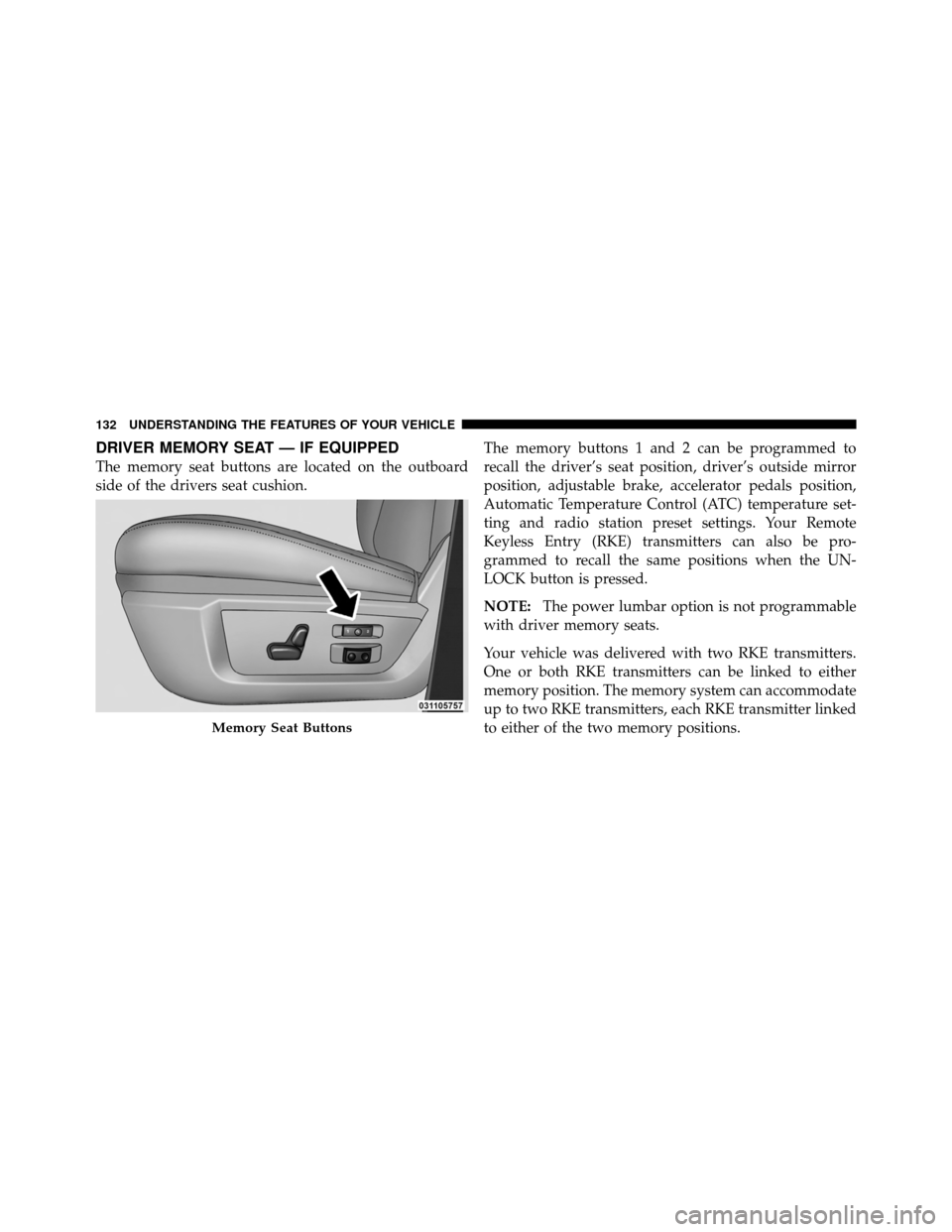
The memory seat buttons are located on the outboard
side of the drivers seat cushion.The memory buttons 1 and 2 can be programmed to
recall the driver’s seat position, driver’s outside mirror
position, adjustable brake, accelerator pedals position,
Automatic Temperature Control (ATC) temperature set-
ting and radio station preset settings. Your Remote
Keyless Entry (RKE) transmitters can also be pro-
grammed to recall the same positions when the UN-
LOCK button is pressed.
NOTE:
The power lumbar option is not programmable
with driver memory seats.
Your vehicle was delivered with two RKE transmitters.
One or both RKE transmitters can be linked to either
memory position. The memory system can accommodate
up to two RKE transmitters, each RKE transmitter linked
to either of the two memory positions.
Memory Seat Buttons
132 UNDERSTANDING THE FEATURES OF YOUR VEHICLE
Page 134 of 476

Setting Memory Positions and Linking RKE
Transmitter to Memory
NOTE:Each time the S (SET) button and a numbered
button (1 or 2) are pressed, you erase the memory settings
for that button and store new settings.
1. Turn the vehicle key to the ON/RUN position.
2. Adjust the driver’s seat, recliner, and both sideview
mirrors to the desired positions.
NOTE: Not all motors may be moved at one time. Refer
to “Seats/Eight-Way Power Seat” in this section for
further information.
3. Adjust the brake and accelerator pedals to the desired
positions.
4. Turn on the radio and set the radio station presets (up
to 10 AM and 10 FM stations can be set). 5. Adjust the Automatic Temperature Control (ATC)
while the ATC is in Auto mode.
6. Press and release the SET button located on the
driver’s seat.
7. Within five seconds, press and release MEMORY
button 1 or 2 on the driver’s seat. The next steps must be
performed within 10 seconds if you desire to also use a
RKE transmitter to recall memory positions.
8. Turn the ignition OFF and remove the key.
9. Press and release the LOCK button on one of the RKE
transmitters.
10. Repeat the above steps to set the next memory
position using the other numbered memory button or to
link another RKE transmitter to memory.
NOTE:
A chime sound may be heard if Setting Memory
was inhibited for any reason.
3
UNDERSTANDING THE FEATURES OF YOUR VEHICLE 133
Page 135 of 476

Memory Position Recall
NOTE:
•The vehicle must be in PARK to recall memory posi-
tions.
•Not all motors may be moved at one time. Refer to the
“Seats/Eight-Way Power Seat” in this section for fur-
ther information.
To recall the memory settings for driver one, press
MEMORY button number 1 on the driver’s seat or the
UNLOCK button on the RKE transmitter linked to
memory position 1.
To recall the memory setting for driver two, press
MEMORY button number 2 on the driver’s seat or the
UNLOCK button on the RKE transmitter linked to
memory position 2.
A recall can be cancelled by pressing any of the
MEMORY buttons on the driver’s seat during a recall (S, 1, or 2), or pressing any one of the power seat buttons,
pressing the adjustable pedals button, or pressing either
the LOCK or UNLOCK button on the RKE transmitter
when not in the ignition switch. When a recall is can-
celled, the driver’s seat and the pedals stop moving. A
delay of one second will occur before another recall can
be selected.
NOTE:
A chime sound may be heard if setting memory
was inhibited for any reason.
To Disable a RKE Transmitter Linked to Memory
1. Turn the ignition switch to the OFF position and
remove the key.
2. Press and release the memory SET button located on
the driver’s seat.
3. Within 10 seconds, press and release the UNLOCK
button on the RKE transmitter.
134 UNDERSTANDING THE FEATURES OF YOUR VEHICLE
Page 162 of 476
NOTE:
•When the power inverter switch is pressed, there will
be a delay of approximately one second before the
power inverter status indicator turns on. The status
indicator of the AC power inverter indicates whether
the inverter is producing AC power.
•Due to built-in overload protection, the power inverter
will shut down if the power rating is exceeded.
WARNING!
To avoid serious injury or death:
•Do not use a three-prong adapter.
•Do not insert any objects into the receptacles.
•Do not touch with wet hands.
•Close the lid when not in use.
•If this outlet is mishandled it may cause an electric
shock and failure.
CUPHOLDERS
Front Instrument Panel Cupholders — (40–20–40
Seats)
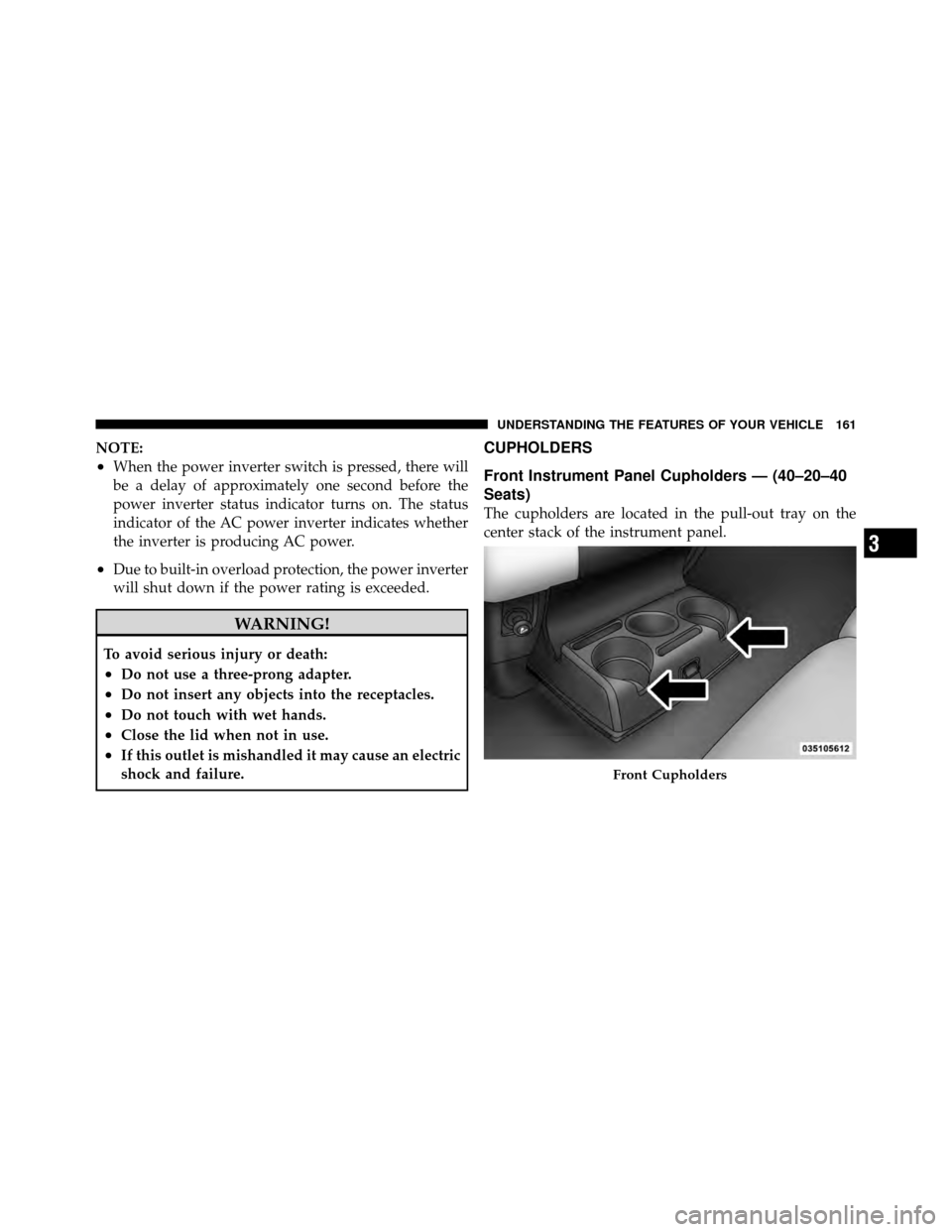
The cupholders are located in the pull-out tray on the
center stack of the instrument panel.
Front Cupholders
3
UNDERSTANDING THE FEATURES OF YOUR VEHICLE 161
Page 163 of 476
Front Instrument Panel Cupholders — Floor
Storage Bin
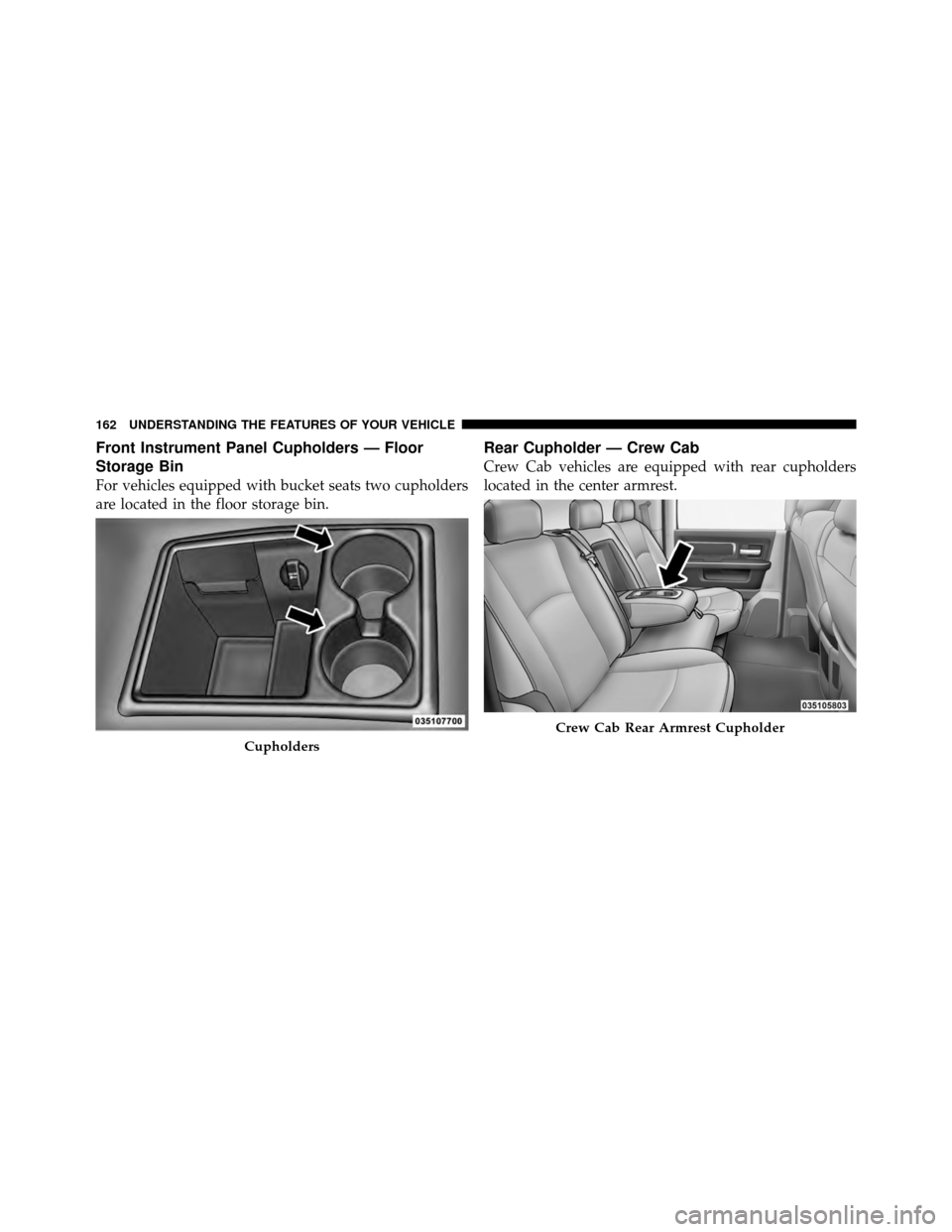
For vehicles equipped with bucket seats two cupholders
are located in the floor storage bin.
Rear Cupholder — Crew Cab
Crew Cab vehicles are equipped with rear cupholders
located in the center armrest.
Cupholders
Crew Cab Rear Armrest Cupholder
162 UNDERSTANDING THE FEATURES OF YOUR VEHICLE
Page 167 of 476
Center Storage Compartment — If Equipped
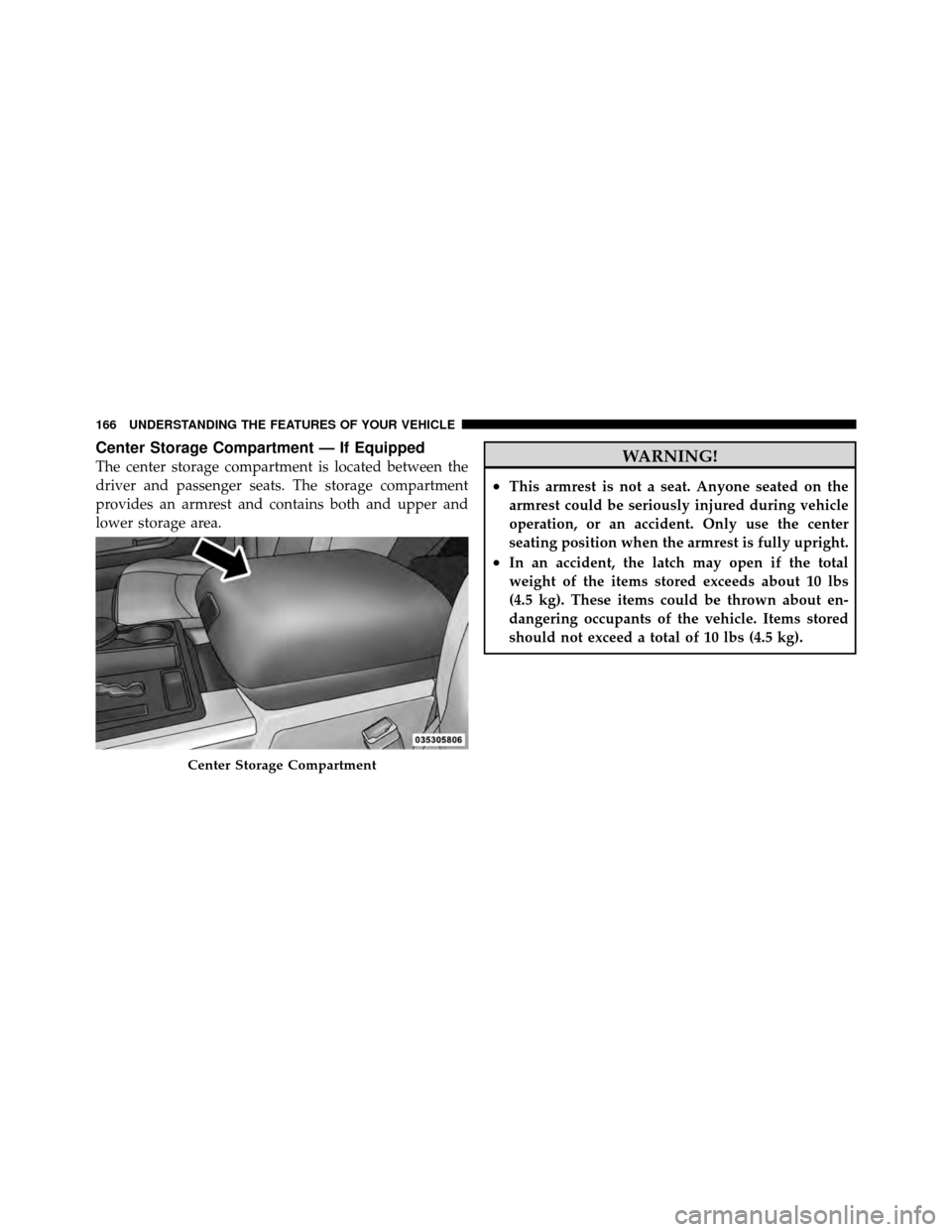
The center storage compartment is located between the
driver and passenger seats. The storage compartment
provides an armrest and contains both and upper and
lower storage area.WARNING!
•This armrest is not a seat. Anyone seated on the
armrest could be seriously injured during vehicle
operation, or an accident. Only use the center
seating position when the armrest is fully upright.
•In an accident, the latch may open if the total
weight of the items stored exceeds about 10 lbs
(4.5 kg). These items could be thrown about en-
dangering occupants of the vehicle. Items stored
should not exceed a total of 10 lbs (4.5 kg).
Center Storage Compartment
166 UNDERSTANDING THE FEATURES OF YOUR VEHICLE
Page 169 of 476
Seatback Storage
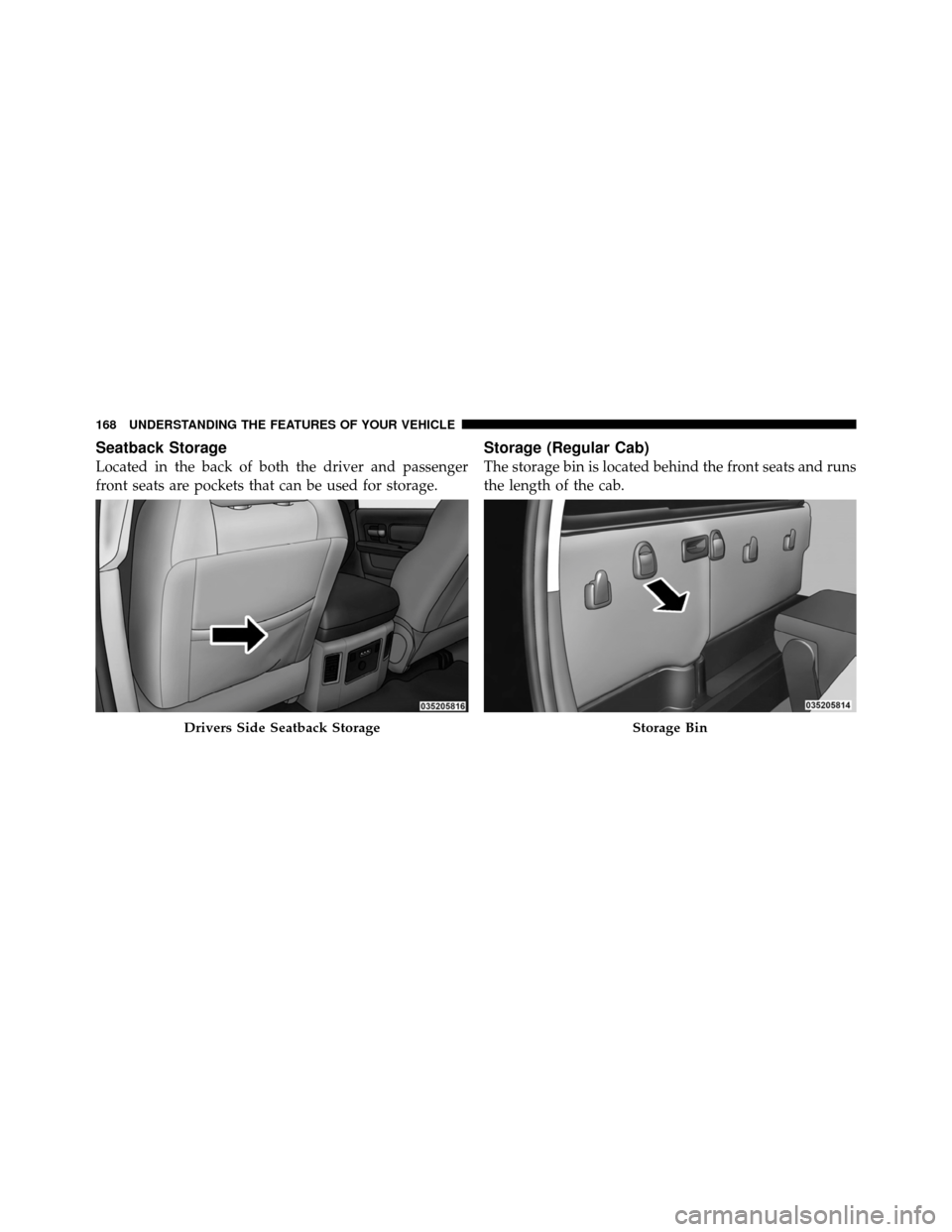
Located in the back of both the driver and passenger
front seats are pockets that can be used for storage.
Storage (Regular Cab)
The storage bin is located behind the front seats and runs
the length of the cab.
Drivers Side Seatback StorageStorage Bin
168 UNDERSTANDING THE FEATURES OF YOUR VEHICLE