warning light Ram 5500 Chassis Cab 2011 Owner's Guide
[x] Cancel search | Manufacturer: RAM, Model Year: 2011, Model line: 5500 Chassis Cab, Model: Ram 5500 Chassis Cab 2011Pages: 476, PDF Size: 7.32 MB
Page 273 of 476
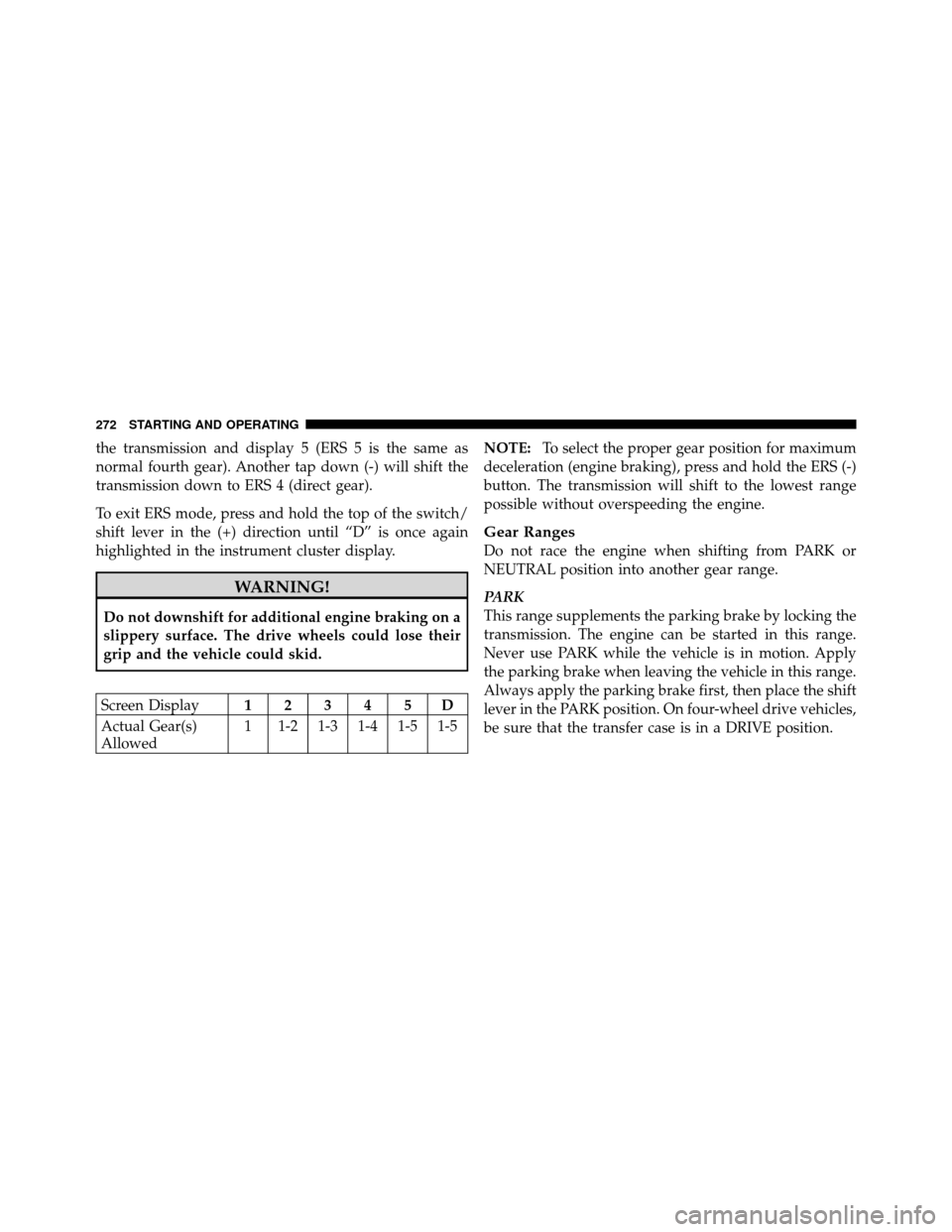
the transmission and display 5 (ERS 5 is the same as
normal fourth gear). Another tap down (-) will shift the
transmission down to ERS 4 (direct gear).
To exit ERS mode, press and hold the top of the switch/
shift lever in the (+) direction until “D” is once again
highlighted in the instrument cluster display.
WARNING!
Do not downshift for additional engine braking on a
slippery surface. The drive wheels could lose their
grip and the vehicle could skid.
Screen Display12345D
Actual Gear(s)
Allowed 1 1-2 1-3 1-4 1-5 1-5 NOTE:
To select the proper gear position for maximum
deceleration (engine braking), press and hold the ERS (-)
button. The transmission will shift to the lowest range
possible without overspeeding the engine.
Gear Ranges
Do not race the engine when shifting from PARK or
NEUTRAL position into another gear range.
PARK
This range supplements the parking brake by locking the
transmission. The engine can be started in this range.
Never use PARK while the vehicle is in motion. Apply
the parking brake when leaving the vehicle in this range.
Always apply the parking brake first, then place the shift
lever in the PARK position. On four-wheel drive vehicles,
be sure that the transfer case is in a DRIVE position.
272 STARTING AND OPERATING
Page 275 of 476
DRIVE
This range provides all forward gears, including third
gear direct and fourth and fifth gear overdrive (Refer to
Overdrive Operation). Use this range for most city and
highway driving.
Overdrive Operation
The Overdrive automatic transmission contains an elec-
tronically controlled fourth and fifth gear (Overdrive).
The transmission will automatically shift from DRIVE to
Overdrive if the following conditions are present:
•the shift lever is in DRIVE;
•the engine coolant (antifreeze) has reached normal
operating temperature;
•vehicle speed is above approximately 30 mph
(48 km/h);
•the “TOW/HAUL” switch has not been activated;
•transmission has reached normal operating
temperature.
NOTE: If the vehicle is started in extremely cold tem-
peratures, the transmission may not shift into Overdrive
and will automatically select the most desirable gear for
operation at this temperature. Normal operation will
resume when the transmission fluid temperature has
risen to a suitable level.
If the transmission temperature gets extremely hot, the
transmission will automatically select the most desirable
gear for operation at this temperature. If the transmission
temperature becomes hot enough, the “Transmission
Temperature Warning Light” may illuminate and the
transmission may downshift out of Overdrive until the
transmission cools down. After cool down, the transmis-
sion will resume normal operation.
274 STARTING AND OPERATING
Page 284 of 476
The “SVC 4WD Warning Light” monitors the electronic
shift four-wheel drive system. If this light remains on
after engine start up or illuminates during driving, it
means that the four-wheel drive system is not function-
ing properly and that service is required.
WARNING!
Always engage the parking brake when powering
down the vehicle if the “SVC 4WD Warning Light” is
illuminated. Not engaging the parking brake may
allow the vehicle to roll, which may cause personal
injury.
NOTE: Do not attempt to make a shift while only the
front or rear wheels are spinning, as this can cause
damage to driveline components. When operating your vehicle in 4WD LOW, the engine
speed is approximately three times that of the 2WD or
4WD LOCK positions at a given road speed. Take care
not to overspeed the engine and do not exceed 25 mph
(40 km/h).
Proper operation of four-wheel drive vehicles depends
on tires of equal size, type and circumference on each
wheel. Any difference in tire size can cause damage to the
transfer case.
Because four-wheel drive provides improved traction,
there is a tendency to exceed safe turning and stopping
speeds. Do not go faster than road conditions permit.
5
STARTING AND OPERATING 283
Page 291 of 476
CAUTION! (Continued)
•Driving through standing water may cause dam-
age to your vehicle’s drivetrain components. Al-
ways inspect your vehicle’s fluids (i.e., engine oil,
transmission/transaxle, axle, etc.) for signs of con-
tamination (i.e., fluid that is milky or foamy in
appearance) after driving through standing water.
Do not continue to operate the vehicle if any fluid
appears contaminated, as this may result in further
damage. Such damage is not covered by the New
Vehicle Limited Warranty.
•Getting water inside your vehicle’s engine can
cause it to lock up and stall out, and cause serious
internal damage to the engine. Such damage is not
covered by the New Vehicle Limited Warranty.
WARNING!
•Driving through standing water limits your vehi-
cle’s traction capabilities. Do not exceed 5 mph
(8 km/h) when driving through standing water.
•Driving through standing water limits your vehi-
cle’s braking capabilities, which increases stop-
ping distances. Therefore, after driving through
standing water, drive slowly and lightly press on
the brake pedal several times to dry the brakes.
•Getting water inside your vehicle’s engine can
cause it to lock up and stall out, and leave you
stranded.
•Failure to follow these warnings may result in
injuries that are serious or fatal to you, your
passengers, and others around you.
290 STARTING AND OPERATING
Page 294 of 476
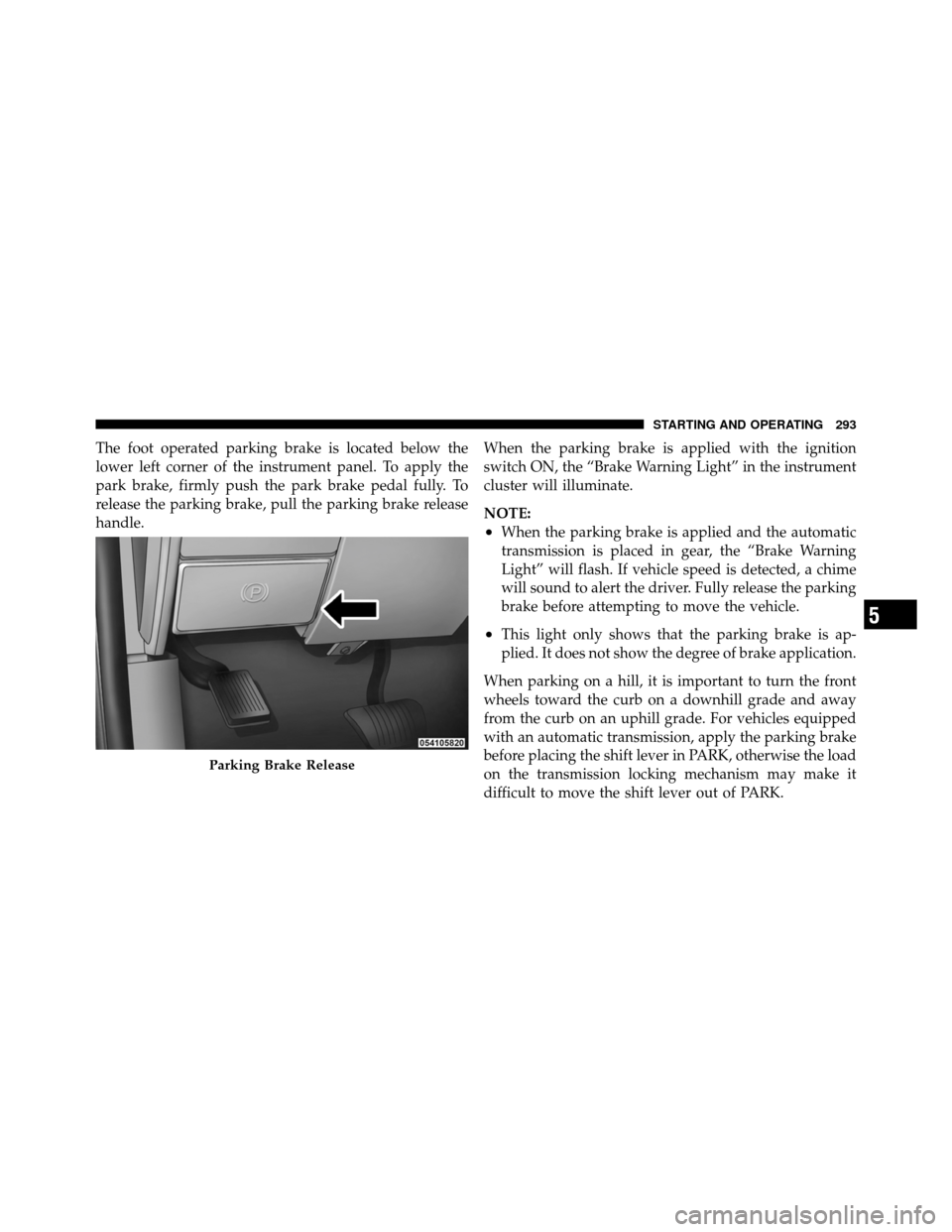
The foot operated parking brake is located below the
lower left corner of the instrument panel. To apply the
park brake, firmly push the park brake pedal fully. To
release the parking brake, pull the parking brake release
handle.When the parking brake is applied with the ignition
switch ON, the “Brake Warning Light” in the instrument
cluster will illuminate.
NOTE:
•When the parking brake is applied and the automatic
transmission is placed in gear, the “Brake Warning
Light” will flash. If vehicle speed is detected, a chime
will sound to alert the driver. Fully release the parking
brake before attempting to move the vehicle.
•This light only shows that the parking brake is ap-
plied. It does not show the degree of brake application.
When parking on a hill, it is important to turn the front
wheels toward the curb on a downhill grade and away
from the curb on an uphill grade. For vehicles equipped
with an automatic transmission, apply the parking brake
before placing the shift lever in PARK, otherwise the load
on the transmission locking mechanism may make it
difficult to move the shift lever out of PARK.
Parking Brake Release
5
STARTING AND OPERATING 293
Page 295 of 476

The parking brake should always be applied whenever
the driver is not in the vehicle.
WARNING!
•Never leave children alone in a vehicle. Leaving
unattended children in a vehicle is dangerous for a
number of reasons. A child or others could be
seriously or fatally injured.
•Do not leave the key fob in the ignition switch. A
child could operate power windows, other con-
trols, or move the vehicle.
•Be sure the parking brake is fully disengaged
before driving; failure to do so can lead to brake
failure and an accident.(Continued)
WARNING! (Continued)
•Always fully apply the parking brake when leav-
ing your vehicle or it may roll and cause damage or
injury. Also, be certain to leave an automatic
transmission in PARK, a manual transmission in
REVERSE or first gear. Failure to do so may cause
the vehicle to roll and cause damage or injury.
CAUTION!
If the “Brake Warning Light” remains on with the
parking brake released, a brake system malfunction
is indicated. Have the brake system serviced by an
authorized dealer immediately.
294 STARTING AND OPERATING
Page 296 of 476
BRAKE SYSTEM
If power assist is lost for any reason (for example,
repeated brake applications with the engine off), the
brakes will still function. However, you will experience a
substantial increase in braking effort to stop the vehicle.
If either the front or rear hydraulic system loses normal
braking capability, the remaining system will still func-
tion with some loss of overall braking effectiveness. This
will be evident by increased pedal travel during applica-
tion, greater pedal force required to slow or stop, and
activation of the “Brake Warning Light” and the “ABS
Warning Light” (if equipped) during brake use.
Dual Rear Wheel Models Only
The brake system power assist is provided by a hydro-
boost unit which shares fluid with the power steering
system. You may experience some clicking or hissing
noises from the hydro-boost system during hard braking
conditions.NOTE:
Under cold temperatures, pedal effort will be
higher than normal until the power steering fluid reaches
operating temperature.
Four-Wheel Anti-Lock Brake System
WARNING!
The Four-Wheel Anti-Lock Brake System contains
sophisticated electronic equipment. It may be sus-
ceptible to interference caused by improperly in-
stalled or high output radio transmitting equipment.
This interference can cause possible loss of anti-lock
braking capability. Installation of such equipment
should be performed by qualified professionals.
The Four-Wheel Anti-Lock Brake System (ABS) is de-
signed to aid the driver in maintaining vehicle control
under adverse braking conditions. The system operates
5
STARTING AND OPERATING 295
Page 297 of 476
with a separate computer to modulate hydraulic pressure
to prevent wheel lockup and help avoid skidding on
slippery surfaces.
The system’s pump motor runs during an ABS stop to
provide regulated hydraulic pressure. The pump motor
makes a low humming noise during operation. This is
normal.
The ABS conducts a low-speed selftest at about 10 mph
(16 km/h). If you have your foot lightly on the brake
while this test is occurring, you may feel slight pedal
movement. The movement can be more apparent on ice
and snow. This is normal.
When you are in a severe braking condition involving
use of the ABS, you will experience some pedal drop as
the vehicle comes to a complete stop. This is the result of
the system reverting to the base brake system and is
normal.Engagement of the ABS may be accompanied by a
pulsing sensation. You may also hear a clicking noise.
These occurrences are normal, and indicate that the
system is functioning.
ABS Warning Light
The ABS includes an amber warning light. When the light
is illuminated, the ABS is not functioning. The system
reverts to standard, non-anti-lock brakes.
WARNING!
•Pumping of the anti-lock brakes will diminish
their effectiveness and may lead to an accident.
Pumping makes the stopping distance longer. Just
press firmly on your brake pedal when you need
to slow down or stop.
(Continued)
296 STARTING AND OPERATING
Page 316 of 476
WARNING!
Tires and spare tire should be replaced after six years,
regardless of the remaining tread. Failure to follow
this warning can result in sudden tire failure. You
could lose control and have an accident resulting in
serious injury or death.
Keep dismounted tires in a cool, dry place with as little
exposure to light as possible. Protect tires from contact
with oil, grease, and gasoline.
Replacement Tires
The tires on your new vehicle provide a balance of many
characteristics. They should be inspected regularly for wear and correct cold tire inflation pressure. The manu-
facturer strongly recommends that you use tires equiva-
lent to the originals in size, quality and performance
when replacement is needed (refer to the paragraph on
“Tread Wear Indicators”). Refer to the Tire and Loading
Information placard for the size designation of your tire.
The service description and load identification will be
found on the original equipment tire. Failure to use
equivalent replacement tires may adversely affect the
safety, handling, and ride of your vehicle. We recommend
that you contact your original equipment or an autho-
rized tire dealer with any questions you may have on tire
specifications or capability.
5
STARTING AND OPERATING 315
Page 327 of 476
WARNING! (Continued)
•Guard against carbon monoxide with proper
maintenance. Have the exhaust system inspected
every time the vehicle is raised. Have any abnor-
mal conditions repaired promptly. Until repaired,
drive with all side windows fully open.
ADDING FUEL
The fuel tank filler tube has a restricting door about 2 in
(50 mm) inside the opening. If using a portable fuel
container, it should have a flexible nozzle long enough to
force open the restricting door.
CAUTION!
•Damage to the fuel system or emissions control
system could result from using an improper fuel
tank filler tube cap (gas cap). A poorly fitting cap
could let impurities into the fuel system. Also, a
poorly-fitted aftermarket cap can cause the MIL
(Malfunction Indicator Light) to illuminate due to
fuel vapors escaping from the system.
•A poorly fitting gas cap may cause the MIL to turn
on.
•To avoid fuel spillage and overfilling, do not “top
off” the fuel tank after filling.
NOTE: When the fuel nozzle “clicks” or shuts off the
fuel tank is full.
326 STARTING AND OPERATING