Door locks Ram 5500 Chassis Cab 2017 User Guide
[x] Cancel search | Manufacturer: RAM, Model Year: 2017, Model line: 5500 Chassis Cab, Model: Ram 5500 Chassis Cab 2017Pages: 534, PDF Size: 4.74 MB
Page 243 of 534
change settings (i.e., 30, 60, 90), push the center of the
control knob one or more times to select or change a setting
(i.e., ON, OFF).
Your Uconnect system may also have Screen Off and Back
buttons located below the Uconnect system.
Push the Screen Off button to turn off the Uconnect
touchscreen. Push the Screen Off button a second time to
turn the touchscreen on.
Push the Back button to exit out of a Menu or certain
option on the Uconnect system.
Buttons On The Touchscreen
Buttons on the touchscreen are accessible on the Uconnect
display.
Customer Programmable Features — Uconnect 5.0
Personal Settings
Push the MORE or SETTINGS button on the faceplate, then
press the “Settings” button on the touchscreen (if
equipped) to display the settings menu screen. In this
mode the Uconnect system allows you to access program-
mable features that may be equipped such as Display,Units, Voice, Clock, Safety & Driving Assistance, Lights,
Doors & Locks, Auto-On Comfort (if equipped), Engine Off
Options, Trailer Brake, Audio, Compass Settings, Phone/
Bluetooth, SiriusXM Setup (if equipped), Restore Settings,
Clear Personal Data and System Information.
NOTE:
Only one category may be selected at a time.
When making a selection, press the button on the touch-
screen to enter the desired mode. Once in the desired
mode, press and release the preferred setting until the
button is highlighted. Once the setting is complete, either
press the back arrow or the “Done” button on the touch-
screen or the Back button on the faceplate to return to the
previous menu. Pressing the Up or Down Arrow buttons
on the touchscreen on the right side of the screen will allow
you to toggle up or down through the list of available
settings.
NOTE: All settings should be changed with the ignition in
the RUN position.
4
UNDERSTANDING YOUR INSTRUMENT PANEL 241
Page 249 of 534

Doors & Locks
After pressing the “Doors & Locks” button on the touch-
screen, the following settings will be available:
Setting NameSelectable Options
Auto Door Locks On Off
NOTE: When the “Auto Door Locks” feature is selected, all doors will lock automatically when the vehicle reaches a
speed of 15 mph (24 km/h).
Auto Unlock On Exit On Off
NOTE: When the “Auto Unlock On Exit” feature is selected, all doors will unlock when the vehicle is stopped, the
transmission is in the PARK or NEUTRAL position and the driver’s door is opened.
Sound Horn With Lock Off1st Press 2nd Press
Remote Door Unlock All Driver
NOTE: The “Remote Door Unlock” feature will allow you to program your remote door locks to open “All doors” or
only the “Driver door” with the first push of the key fob or grabbing the Passive Entry door handle.
Sound Horn With Remote Start On
Off
NOTE: When the “Sound Horn With Remote Start” feature is selected, the horn will sound when the remote start is
activated.
4
UNDERSTANDING YOUR INSTRUMENT PANEL 247
Page 250 of 534

Setting NameSelectable Options
Memory Linked To Fob — If Equipped On
Off
NOTE:
•The “Memory Linked To Fob” feature provides automatic driver seat positioning to enhance driver mobility when
entering and exiting the vehicle.
•The seat will return to the memorized seat location if “Memory Linked To Fob” is set to (On) when the key fob is
used to unlock the door. Passive Entry — If Equipped On Off
NOTE: The “Passive Entry” feature allows you to lock and unlock the vehicle’s door(s) without having to push the
key fob lock or unlock buttons. It automatically unlocks the doors when the outside door handle is grabbed.
Flash Lights With Lock On Off
NOTE: When the “Flash Lights With Lock” feature is selected, the exterior lights will flash when the doors are locked
or unlocked with the key fob. This feature may be selected with or without the “Sound Horn With Lock” feature se-
lected.
248 UNDERSTANDING YOUR INSTRUMENT PANEL
Page 258 of 534
System Information
After pressing the “System Information” button on the
touchscreen, the following settings will be available:
Setting NameSelectable Options
System Information System Software Information Screen
NOTE: When the “System Information” feature is selected, a “System Software Information” screen will appear, dis-
playing the system software version.
Customer Programmable Features — Uconnect
8.4/8.4 NAV Personal Settings
Press the “Apps” button on the touchscreen then press the
“Settings” button on the touchscreen to display the settings
menu screen. In this mode the Uconnect system allows you
to access programmable features that may be equipped
such as Display, Voice, Clock, Safety & Driving Assistance,
Lights, Doors & Locks, Auto-On Comfort (if equipped),
Engine Off Options, Trailer Brake, Audio, Phone/
Bluetooth, SiriusXM Setup (if equipped), Restore Settings,
Clear Personal Data and System Information.
NOTE: Only one category may be selected at a time.
When making a selection, press the button on the touch-
screen to enter the desired mode. Once in the desired mode, press and release the preferred setting until a
check-mark appears next to the setting, showing that
setting has been selected. Once the setting is complete,
either press the back arrow button on the touchscreen or
the Back button on the faceplate to return to the previous
menu or press the “X” button on the touchscreen to close
out of the settings screen. Pressing the Up or Down Arrow
buttons on the touchscreen on the right side of the screen
will allow you to toggle up or down through the list of
available settings.
NOTE:
All settings should be changed with the ignition in
the RUN position.
256 UNDERSTANDING YOUR INSTRUMENT PANEL
Page 266 of 534
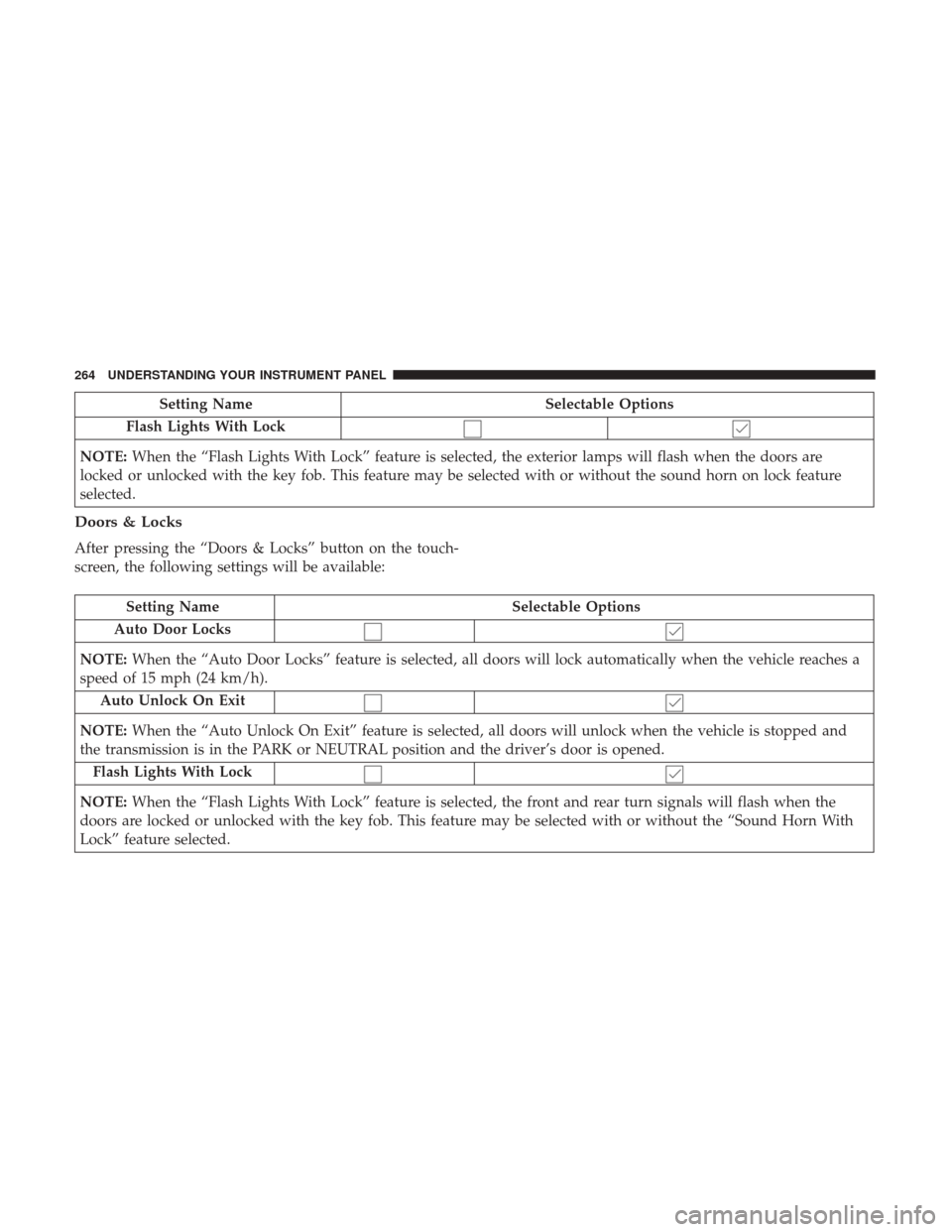
Setting NameSelectable Options
Flash Lights With Lock
NOTE: When the “Flash Lights With Lock” feature is selected, the exterior lamps will flash when the doors are
locked or unlocked with the key fob. This feature may be selected with or without the sound horn on lock feature
selected.
Doors & Locks
After pressing the “Doors & Locks” button on the touch-
screen, the following settings will be available:
Setting Name Selectable Options
Auto Door Locks
NOTE: When the “Auto Door Locks” feature is selected, all doors will lock automatically when the vehicle reaches a
speed of 15 mph (24 km/h).
Auto Unlock On Exit
NOTE: When the “Auto Unlock On Exit” feature is selected, all doors will unlock when the vehicle is stopped and
the transmission is in the PARK or NEUTRAL position and the driver’s door is opened.
Flash Lights With Lock
NOTE: When the “Flash Lights With Lock” feature is selected, the front and rear turn signals will flash when the
doors are locked or unlocked with the key fob. This feature may be selected with or without the “Sound Horn With
Lock” feature selected.
264 UNDERSTANDING YOUR INSTRUMENT PANEL
Page 267 of 534
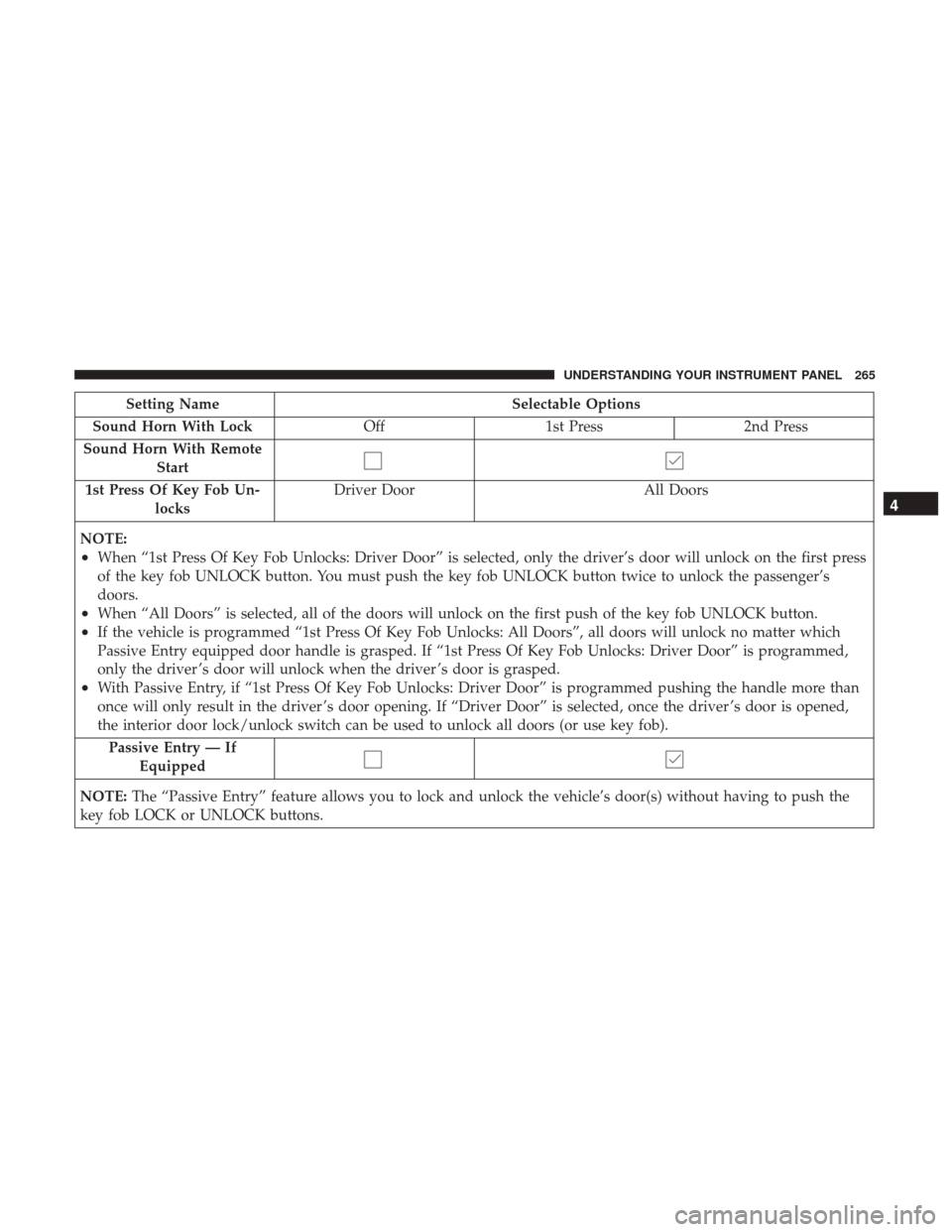
Setting NameSelectable Options
Sound Horn With Lock Off1st Press 2nd Press
Sound Horn With Remote Start
1st Press Of Key Fob Un- locks Driver Door
All Doors
NOTE:
•When “1st Press Of Key Fob Unlocks: Driver Door” is selected, only the driver’s door will unlock on the first press
of the key fob UNLOCK button. You must push the key fob UNLOCK button twice to unlock the passenger’s
doors.
•When “All Doors” is selected, all of the doors will unlock on the first push of the key fob UNLOCK button.
•If the vehicle is programmed “1st Press Of Key Fob Unlocks: All Doors”, all doors will unlock no matter which
Passive Entry equipped door handle is grasped. If “1st Press Of Key Fob Unlocks: Driver Door” is programmed,
only the driver ’s door will unlock when the driver ’s door is grasped.
•With Passive Entry, if “1st Press Of Key Fob Unlocks: Driver Door” is programmed pushing the handle more than
once will only result in the driver ’s door opening. If “Driver Door” is selected, once the driver ’s door is opened,
the interior door lock/unlock switch can be used to unlock all doors (or use key fob). Passive Entry — If Equipped
NOTE: The “Passive Entry” feature allows you to lock and unlock the vehicle’s door(s) without having to push the
key fob LOCK or UNLOCK buttons.
4
UNDERSTANDING YOUR INSTRUMENT PANEL 265
Page 467 of 534
joint. Refer to the “Maintenance Schedule” for the proper
maintenance intervals. Use MOPAR Type MS-6560
(lithium-based grease), or equivalent.Body Lubrication
Locks and all body pivot points, including such items as
seat tracks, door hinge pivot points and rollers, liftgate,
tailgate, decklid, sliding doors and hood hinges, should be
lubricated periodically with a lithium based grease, such as
MOPAR Spray White Lube to assure quiet, easy operation
and to protect against rust and wear. Prior to the applica-
tion of any lubricant, the parts concerned should be wiped
clean to remove dust and grit; after lubricating excess oil
and grease should be removed. Particular attention should
also be given to hood latching components to ensure
proper function. When performing other underhood ser-
vices, the hood latch, release mechanism and safety catch
should be cleaned and lubricated.
The external lock cylinders should be lubricated twice a
year, preferably in the Fall and Spring. Apply a small
amount of a high quality lubricant, such as MOPAR Lock
Cylinder Lubricant directly into the lock cylinder.
Double Cardan Joint
1 — Double Cardan Joint
2 — Grease Fitting
3 — Exploded View – Grease Fitting
7
MAINTAINING YOUR VEHICLE 465
Page 518 of 534
Adding Engine Coolant (Antifreeze).............473
Adding Fuel ............................. .400
Additives, Fuel ........................... .398
Adjust Down .............................115,116
Forward ............................115,116
Rearward ...........................115,116
Up................................115,116
Adjustable Pedals ......................... .142
Air Bag Air Bag Operation .........................58
Air Bag Warning Light .....................55
Enhanced Accident Response ..............68, 444
Event Data Recorder (EDR) .................444
If A Deployment Occurs ....................67
Knee Impact Bolsters .......................58
Maintaining Your Air Bag System ..............69
Side Air Bags ......................... .58, 62
Transporting Pets .........................93
Air Bag Light ....................... .55, 96, 201
Air Bag Maintenance .........................69
Air Cleaner, Engine (Engine Air Cleaner Filter) ......454
Air Conditioner Maintenance ..................458
Air Conditioning .......................... .277
Air Conditioning Controls ....................277 Air Conditioning Filter
...................292, 459
Air Conditioning, Operating Tips ...............291
Air Conditioning Refrigerant ...............458, 459
Air Conditioning System ...............277, 291, 458
Air Pressure, Tires ......................... .377
Alarm, Panic ...............................24
Alarm (Security Alarm) ....................19, 203
Alarm System (Security Alarm) .................19
Alterations/Modifications, Vehicle ................7
Antifreeze (Engine Coolant) ...................472
Capacities ............................. .499
Disposal .............................. .474
Anti-Lock Brake System (ABS) .................353
Appearance Care .......................... .481
Ashtray ................................ .177
Assist, Hill Start .......................... .355
Auto
Down Power Windows ...................38
Automatic Door Locks ........................32
Automatic Headlights ...................... .130
Automatic High Beams ..................... .132
Automatic Temperature Control (ATC) ...........291
Automatic Transmission ..................... .478
Adding Fluid .......................... .480
Fluid And Filter Changes ...................481
Fluid Level Check ....................... .479
516 INDEX
Page 521 of 534
Door LocksDoor Locks ..............................30
KeyFob................................30
Remote ................................30
Remote Keyless Entry ......................30
Door Locks, Automatic .......................32
Door Opener, Garage ....................... .165
Driving Through Flowing, Rising, Or Shallow Standing
Water ................................ .348
Dual Rear Wheels ....................387, 427, 434
Electrical Power Outlets ..................... .172
Electric Rear Window Defrost ..................186
Electronically Shifted Transfer Case ..............342
Electronic Brake Control System ................353
Anti-Lock Brake System ....................353
Electronic Roll Mitigation ...................361
Traction Control System ....................357
Electronic Range Select (ERS)..................332
Electronic Speed Control (Cruise Control) .........145
Electronic Stability Control (ESC) ...............358
Electronic Throttle Control Warning Light .........205
Electronic Vehicle Information Center (EVIC) .......161
Emergency Brake .......................... .350Emergency, In Case Of
Freeing Vehicle When Stuck .................439
Hazard Warning Flasher ...................426
Jump Starting .......................... .436
Tow Hooks ............................ .440
Emission Control System Maintenance ............449
Engine ................................. .447
Air Cleaner ............................ .454
Break-In Recommendations ................93, 94
Compartment Identification .................447
Coolant (Antifreeze) ..................... .500
Exhaust Gas Caution ...................95, 399
Flooded, Starting ........................ .323
Fuel Requirements ....................... .396
Jump Starting .......................... .436
Oil .............................. .452,
500
Oil Filler Cap .......................... .453
Oil Filter .............................. .454
Oil Selection ........................... .452
Oil Synthetic ........................... .453
Overheating ........................... .426
Engine Oil Viscosity ........................ .453
Enhanced Accident Response Feature ..........68, 444
Entry System, Illuminated .....................21
Ethanol ................................. .39710
INDEX 519
Page 525 of 534

Low Fuel............................. .214
Malfunction Indicator (Check Engine) ..........208
Park ................................. .219
Passing ............................... .138
Seat Belt Reminder ...................... .201
Security Alarm ......................... .203
Service ............................ .493, 494
Tire Pressure Monitoring (TPMS) ..........212, 389
Traction Control ........................ .360
Transfer Case .......................... .341
Turn Signal ....................98, 137, 220, 494
Warning (Instrument Cluster Description) . . . .204, 220
Limited-Slip Differential ..................346, 478
Loading Vehicle ........................... .401
Tires................................. .371
Load Shed Battery Saver Mode ...................... .236
Battery Saver On ........................ .236
Electrical Load Reduction ...................236
Intelligent Battery Sensor ...................236
Locks ....................................30
Automatic Door ..........................32
Child Protection ..........................33
Door ..................................30
Power Door .............................32 Low Tire Pressure System
.....................389
Lubrication, Body ......................... .465
Lug Nuts ......................... .427, 433, 434
Maintenance Free Battery .....................457
Maintenance Procedures ..................... .451
Maintenance Schedule ...................... .504
Malfunction Indicator Light (Check Engine) . . . .208, 449
Manual, Service ........................... .514
Manual Transmission Fluid Level Check ....................... .478
Memory Seat ............................. .124
Methanol ............................... .397
Mirrors ................................. .103
Electric
Powered .........................111
Heated ................................112
Memory .............................. .124
Outside ...............................110
Rearview ....................... .103, 104, 109
Trailer Towing ...........................113
Modifications/Alterations, Vehicle ................7
Monitor, Tire Pressure System ..................389
MOPAR Parts ......................... .450, 513
MTBE/ETBE ............................. .397
10
INDEX 523