fuel Ram 5500 Chassis Cab 2017 User Guide
[x] Cancel search | Manufacturer: RAM, Model Year: 2017, Model line: 5500 Chassis Cab, Model: Ram 5500 Chassis Cab 2017Pages: 534, PDF Size: 4.74 MB
Page 216 of 534
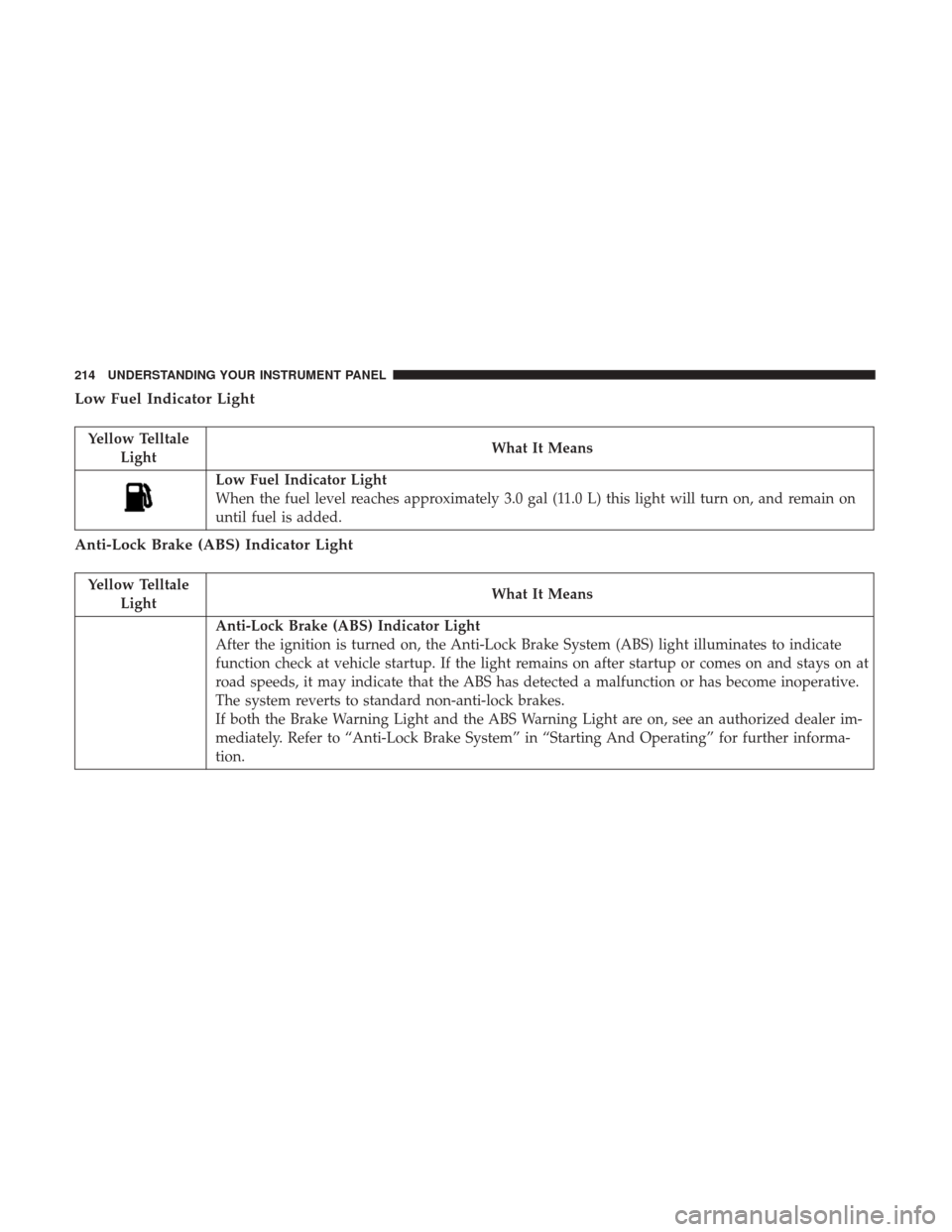
Low Fuel Indicator Light
Yellow TelltaleLight What It Means
Low Fuel Indicator Light
When the fuel level reaches approximately 3.0 gal (11.0 L) this light will turn on, and remain on
until fuel is added.
Anti-Lock Brake (ABS) Indicator Light
Yellow Telltale
Light What It Means
Anti-Lock Brake (ABS) Indicator Light
After the ignition is turned on, the Anti-Lock Brake System (ABS) light illuminates to indicate
function check at vehicle startup. If the light remains on after startup or comes on and stays on at
road speeds, it may indicate that the ABS has detected a malfunction or has become inoperative.
The system reverts to standard non-anti-lock brakes.
If both the Brake Warning Light and the ABS Warning Light are on, see an authorized dealer im-
mediately. Refer to “Anti-Lock Brake System” in “Starting And Operating” for further informa-
tion.
214 UNDERSTANDING YOUR INSTRUMENT PANEL
Page 219 of 534
Cargo Light — If Equipped
Yellow Tell-tale Light What It Means
Cargo Light
The cargo light will illuminate when the cargo light is activated by pushing the cargo light button on
the headlight switch.
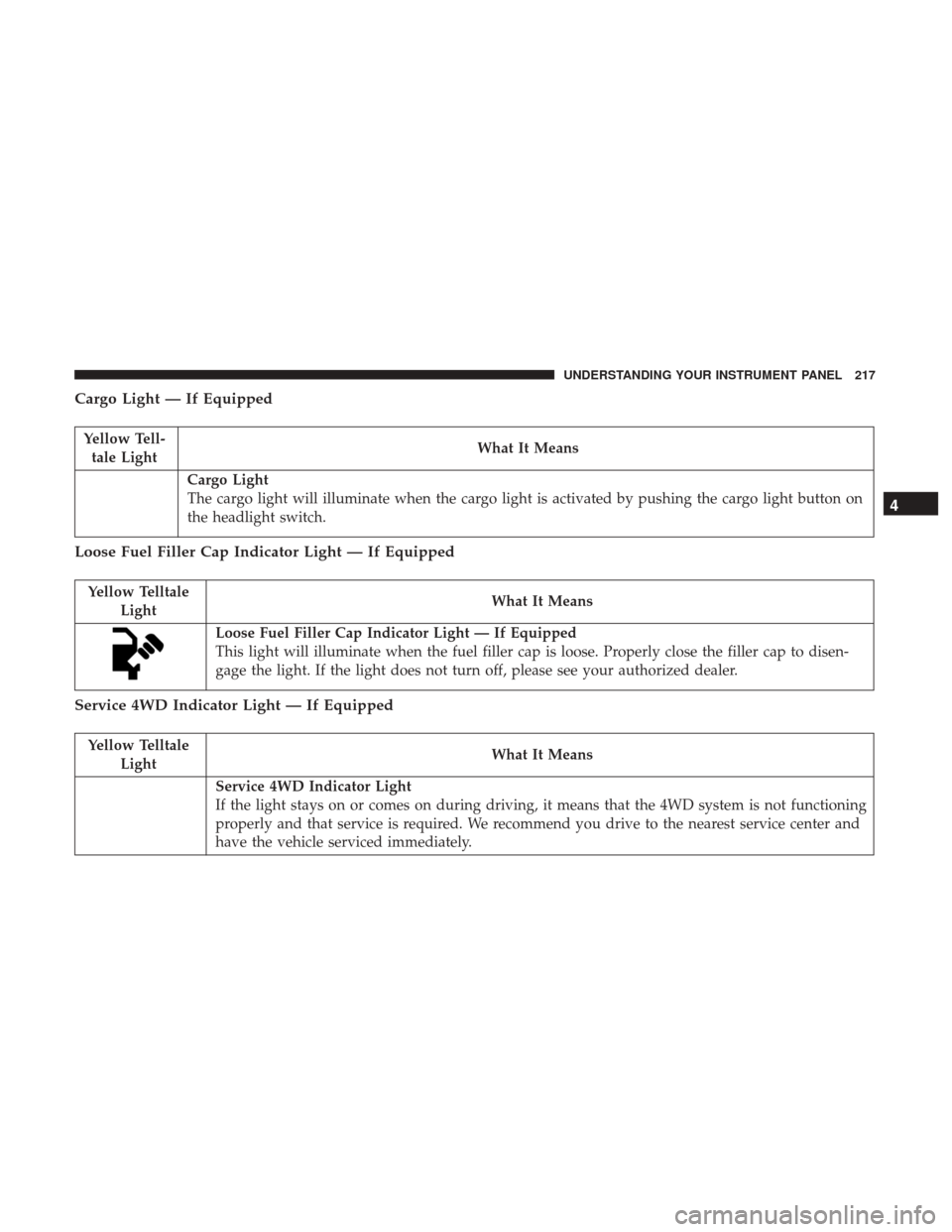
Loose Fuel Filler Cap Indicator Light — If Equipped
Yellow Telltale
Light What It Means
Loose Fuel Filler Cap Indicator Light — If Equipped
This light will illuminate when the fuel filler cap is loose. Properly close the filler cap to disen-
gage the light. If the light does not turn off, please see your authorized dealer.
Service 4WD Indicator Light — If Equipped
Yellow Telltale
Light What It Means
Service 4WD Indicator Light
If the light stays on or comes on during driving, it means that the 4WD system is not functioning
properly and that service is required. We recommend you drive to the nearest service center and
have the vehicle serviced immediately.
4
UNDERSTANDING YOUR INSTRUMENT PANEL 217
Page 225 of 534
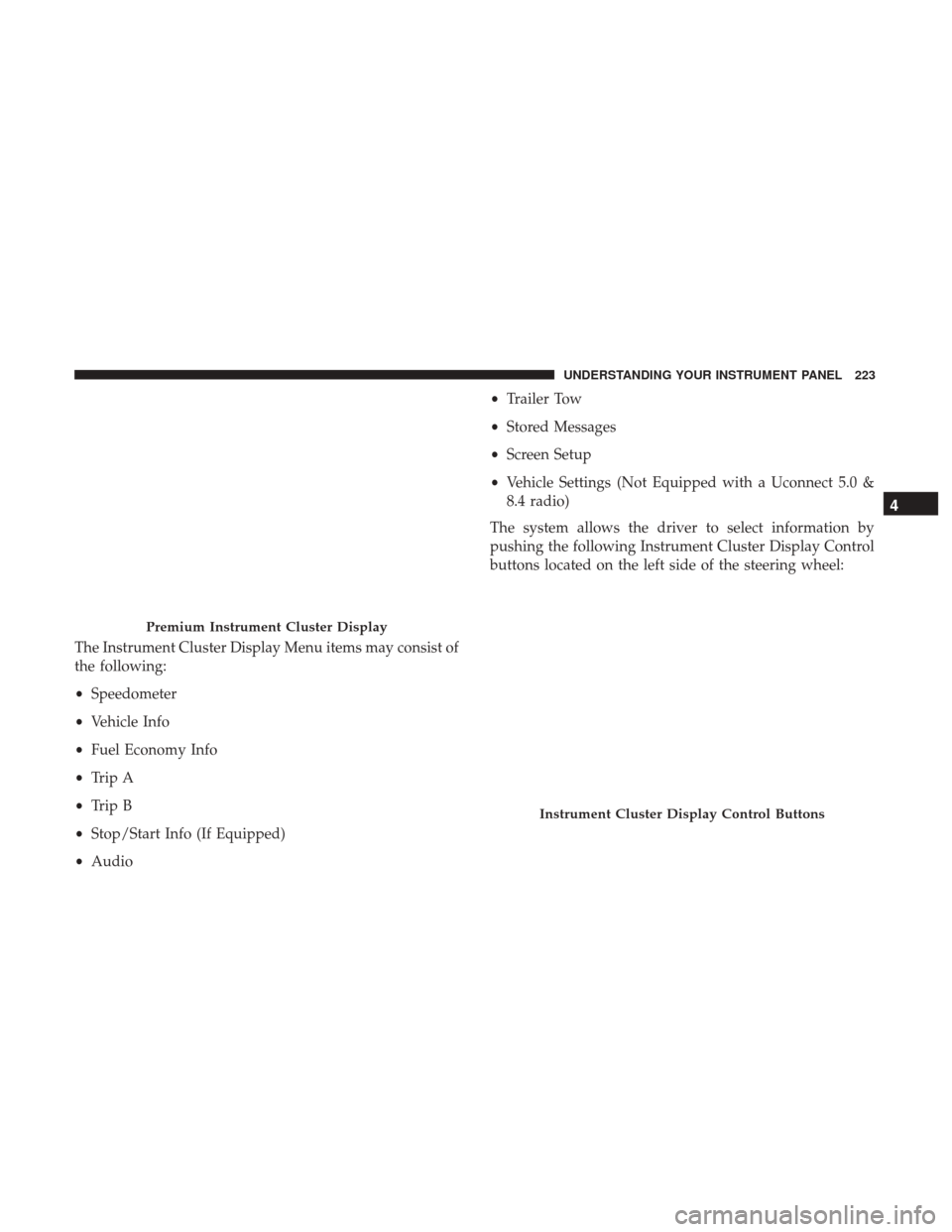
The Instrument Cluster Display Menu items may consist of
the following:
•Speedometer
• Vehicle Info
• Fuel Economy Info
• Trip A
• Trip B
• Stop/Start Info (If Equipped)
• Audio •
Trailer Tow
• Stored Messages
• Screen Setup
• Vehicle Settings (Not Equipped with a Uconnect 5.0 &
8.4 radio)
The system allows the driver to select information by
pushing the following Instrument Cluster Display Control
buttons located on the left side of the steering wheel:
Premium Instrument Cluster Display
Instrument Cluster Display Control Buttons
4
UNDERSTANDING YOUR INSTRUMENT PANEL 223
Page 230 of 534
Vehicle Info
Push and release theUPorDOWNarrow button
until the Vehicle Info menu item is highlighted in the
Instrument Cluster Display. Push and release the
RIGHT
arrow button to enter the submenus items of
Vehicle Info. follow the directional prompts to access or
reset any of the following Vehicle Info submenu items:
• Tire Pressure
• Air Suspension — If Equipped
• Coolant Temp — If Equipped
• Transmission Temp (Automatic only)
• Oil Temp
• Oil Pressure — If Equipped
• Oil Life
• Battery Voltage — If Equipped
• Gauge Summary — If Equipped
• Engine Hours
Fuel Economy
Push and release the UPorDOWNarrow button
until the Fuel Economy menu item is highlighted in the
Instrument Cluster Display. Push and Hold the RIGHT
arrow button to reset Average Fuel Economy.
•Current Fuel Economy Gauge
• Average Fuel Economy value
• Range to Empty
• Dual Fuel Tank levels — If Equipped
• Push and release the RIGHT
arrow button to dis-
play the Fuel Tank Level submenu item. Your Instru-
ment Cluster Display will display the fuel levels of
the Front and Rear fuel tanks. The fuel is automati-
cally transferred from the Rear tank to the Front tank
based on both tank levels. Fuel transfer is complete
once the Front Fuel Level is greater than the Rear Fuel
Level.
228 UNDERSTANDING YOUR INSTRUMENT PANEL
Page 236 of 534
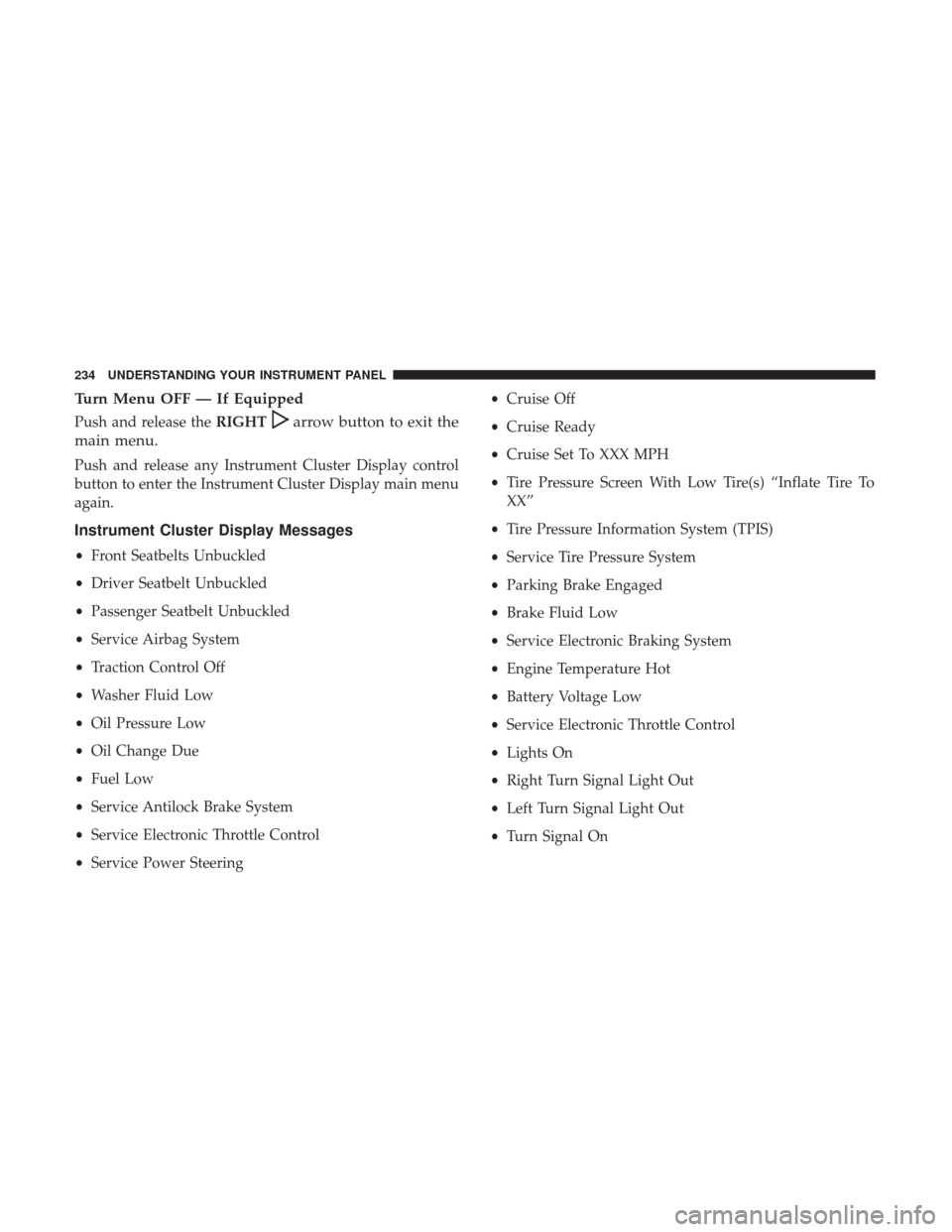
Turn Menu OFF — If Equipped
Push and release theRIGHTarrow button to exit the
main menu.
Push and release any Instrument Cluster Display control
button to enter the Instrument Cluster Display main menu
again.
Instrument Cluster Display Messages
• Front Seatbelts Unbuckled
• Driver Seatbelt Unbuckled
• Passenger Seatbelt Unbuckled
• Service Airbag System
• Traction Control Off
• Washer Fluid Low
• Oil Pressure Low
• Oil Change Due
• Fuel Low
• Service Antilock Brake System
• Service Electronic Throttle Control
• Service Power Steering •
Cruise Off
• Cruise Ready
• Cruise Set To XXX MPH
• Tire Pressure Screen With Low Tire(s) “Inflate Tire To
XX”
• Tire Pressure Information System (TPIS)
• Service Tire Pressure System
• Parking Brake Engaged
• Brake Fluid Low
• Service Electronic Braking System
• Engine Temperature Hot
• Battery Voltage Low
• Service Electronic Throttle Control
• Lights On
• Right Turn Signal Light Out
• Left Turn Signal Light Out
• Turn Signal On
234 UNDERSTANDING YOUR INSTRUMENT PANEL
Page 237 of 534
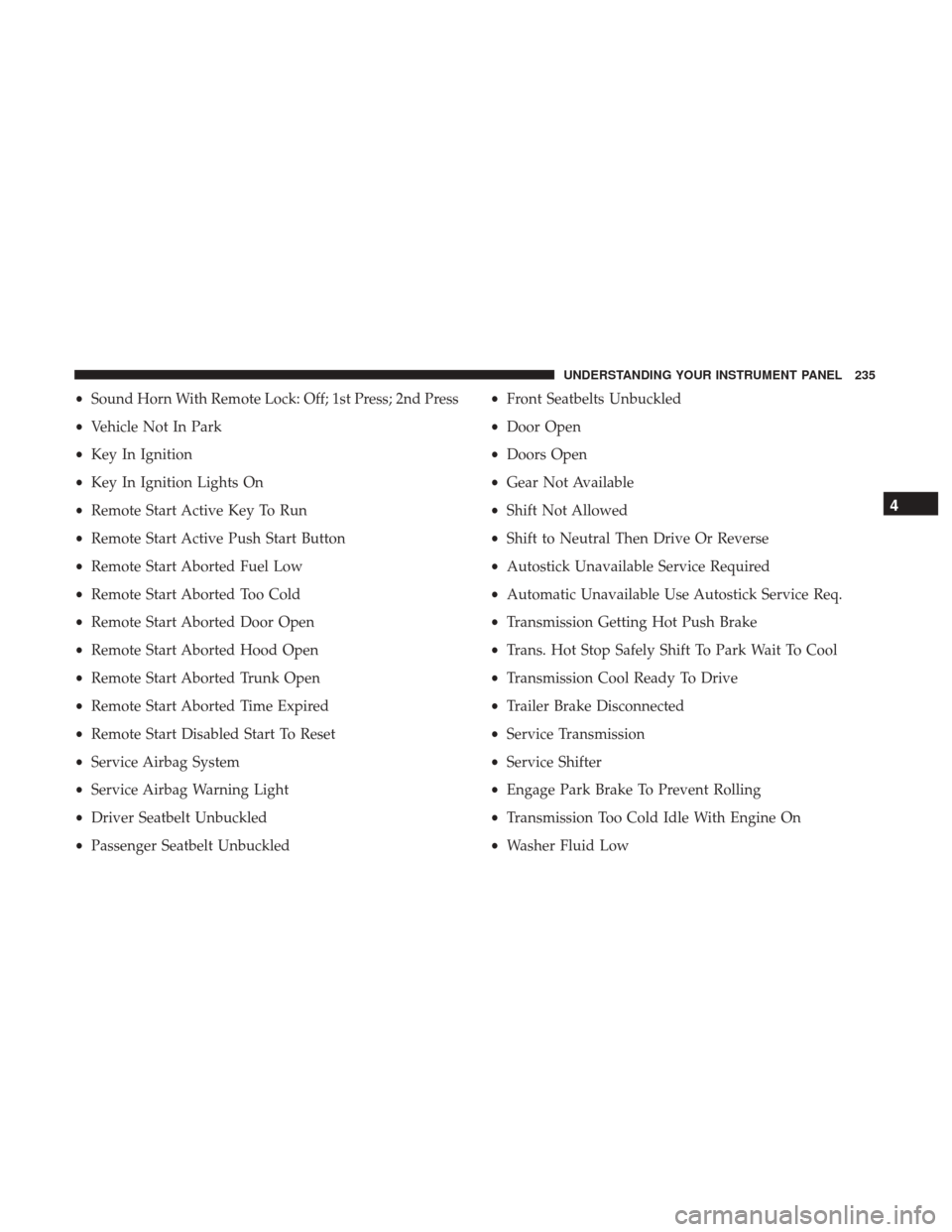
•Sound Horn With Remote Lock: Off; 1st Press; 2nd Press
• Vehicle Not In Park
• Key In Ignition
• Key In Ignition Lights On
• Remote Start Active Key To Run
• Remote Start Active Push Start Button
• Remote Start Aborted Fuel Low
• Remote Start Aborted Too Cold
• Remote Start Aborted Door Open
• Remote Start Aborted Hood Open
• Remote Start Aborted Trunk Open
• Remote Start Aborted Time Expired
• Remote Start Disabled Start To Reset
• Service Airbag System
• Service Airbag Warning Light
• Driver Seatbelt Unbuckled
• Passenger Seatbelt Unbuckled •
Front Seatbelts Unbuckled
• Door Open
• Doors Open
• Gear Not Available
• Shift Not Allowed
• Shift to Neutral Then Drive Or Reverse
• Autostick Unavailable Service Required
• Automatic Unavailable Use Autostick Service Req.
• Transmission Getting Hot Push Brake
• Trans. Hot Stop Safely Shift To Park Wait To Cool
• Transmission Cool Ready To Drive
• Trailer Brake Disconnected
• Service Transmission
• Service Shifter
• Engage Park Brake To Prevent Rolling
• Transmission Too Cold Idle With Engine On
• Washer Fluid Low
4
UNDERSTANDING YOUR INSTRUMENT PANEL 235
Page 244 of 534
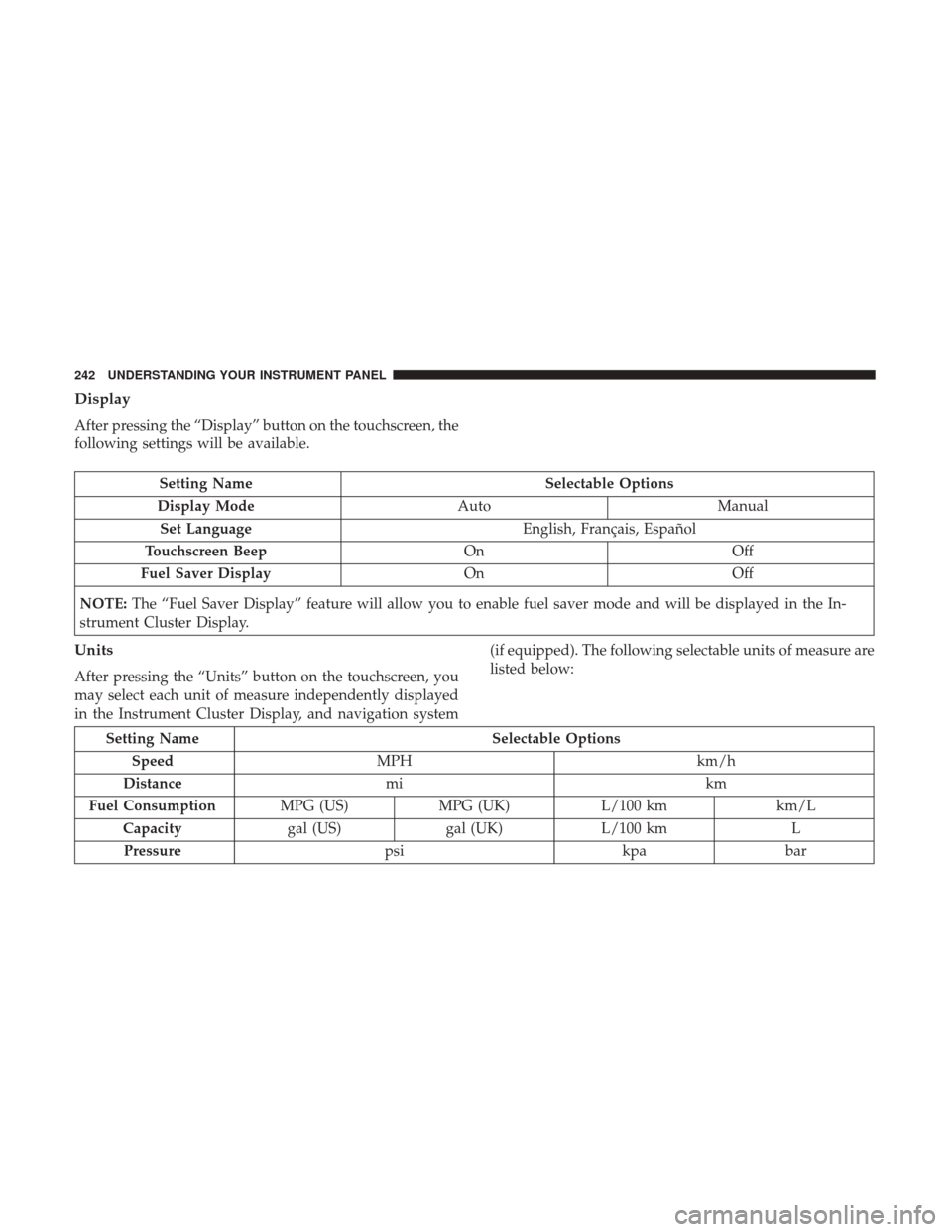
Display
After pressing the “Display” button on the touchscreen, the
following settings will be available.
Setting NameSelectable Options
Display Mode AutoManual
Set Language English, Français, Español
Touchscreen Beep OnOff
Fuel Saver Display OnOff
NOTE: The “Fuel Saver Display” feature will allow you to enable fuel saver mode and will be displayed in the In-
strument Cluster Display.
Units
After pressing the “Units” button on the touchscreen, you
may select each unit of measure independently displayed
in the Instrument Cluster Display, and navigation system (if equipped). The following selectable units of measure are
listed below:
Setting Name
Selectable Options
Speed MPH km/h
Distance mi km
Fuel Consumption MPG (US)MPG (UK) L/100 km km/L
Capacity gal (US)gal (UK)L/100 km L
Pressure psikpabar
242 UNDERSTANDING YOUR INSTRUMENT PANEL
Page 260 of 534
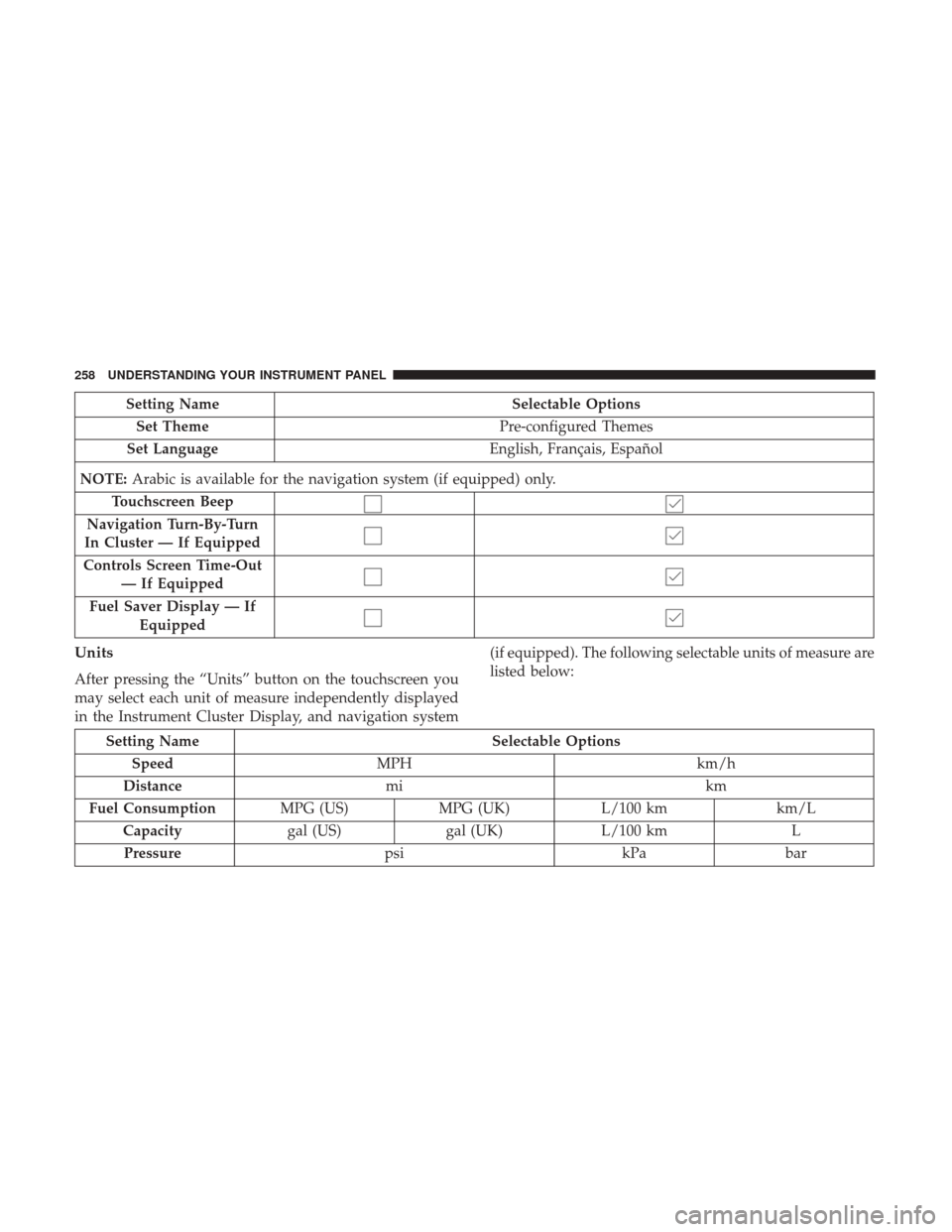
Setting NameSelectable Options
Set Theme Pre-configured Themes
Set Language English, Français, Español
NOTE: Arabic is available for the navigation system (if equipped) only.
Touchscreen Beep
Navigation Turn-By-Turn
In Cluster — If Equipped
Controls Screen Time-Out — If Equipped
Fuel Saver Display — If Equipped
Units
After pressing the “Units” button on the touchscreen you
may select each unit of measure independently displayed
in the Instrument Cluster Display, and navigation system (if equipped). The following selectable units of measure are
listed below:
Setting Name
Selectable Options
Speed MPH km/h
Distance mi km
Fuel Consumption MPG (US)MPG (UK) L/100 km km/L
Capacity gal (US)gal (UK)L/100 km L
Pressure psikPabar
258 UNDERSTANDING YOUR INSTRUMENT PANEL
Page 292 of 534
dehumidified air will flow through the outlets into the
cabin. For improved fuel economy, press the A/C button to
turn off the air conditioning and manually adjust the
blower and airflow mode settings. Also, make sure to select
only Panel, Bi-Level or Floor modes.
NOTE:
•If fog or mist appears on the windshield or side glass,
select Defrost mode and increase blower speed if
needed.
• If your air conditioning performance seems lower than
expected, check the front of the A/C condenser (located
in front of the radiator), for an accumulation of dirt or
insects. Clean with a gentle water spray from the front of
the radiator and through the condenser.
MAX A/C
MAX A/C sets the control for maximum cooling perfor-
mance.
Press and release to toggle between MAX A/C and the
prior settings. The button illuminates when MAX A/C is
ON. In MAX A/C, the blower level and mode position can be
adjusted to desired user settings. Pressing other settings
will cause the MAX A/C operation to switch to the selected
setting and MAX A/C to exit.
Recirculation
When outside air contains smoke, odors, or high humidity,
or if rapid cooling is desired, you may wish to recirculate
interior air by pressing the Recirculation control button.
The recirculation indicator will illuminate when this button
is selected. Press the button a second time to turn off the
Recirculation mode and allow outside air into the vehicle.
NOTE:
In cold weather, use of recirculation mode may lead
to excessive window fogging. The recirculation feature
may be unavailable (button on the touchscreen greyed out)
if conditions exist that could create fogging on the inside of
the windshield. On systems with Manual Climate Controls,
the Recirculation mode is not allowed in Defrost mode to
improve window clearing operation. Recirculation will be
disabled automatically if this mode is selected. Attempting
to use Recirculation while in this mode will cause the LED
in the control button to blink and then turn off.
290 UNDERSTANDING YOUR INSTRUMENT PANEL
Page 313 of 534

SiriusXM Travel Link (8.4/8.4 NAV)
Need to find a gas station, view local movie listings, check
a sports score or the 5 - day weather forecast? SiriusXM
Travel Link is a suite of services that brings a wealth of
information right to your Uconnect 8.4 NAV system. (Not
available for 8.4 system or vehicles sold in the Canadian
market.)Push the VR button
. After the beep, say one of the
following commands:
• Show fuel prices
• Show 5 - day weather forecast
• Show extended weather
TIP: Traffic alerts are not accessible with Voice Command.
Yelp
SiriusXM Travel Link
4
UNDERSTANDING YOUR INSTRUMENT PANEL 311