alarm Ram Cargo Van 2014 User Guide
[x] Cancel search | Manufacturer: RAM, Model Year: 2014, Model line: Cargo Van, Model: Ram Cargo Van 2014Pages: 666, PDF Size: 5.09 MB
Page 33 of 666
•Vehicle security alarm not active
• Ignition in Off position
WARNING!
•Do not start or run an engine in a closed garage or
confined area. Exhaust gas contains Carbon Mon-
oxide (CO) which is odorless and colorless. Carbon
Monoxide is poisonous and can cause serious in-
jury or death when inhaled.
• Keep Remote Keyless Entry (RKE) transmitters
away from children. Operation of the Remote Start
System, windows, door locks or other controls
could cause serious injury or death.
Remote Start Abort Message On Electronic Vehicle
Information Center (EVIC) — If Equipped
The following messages will display in the EVIC if the
vehicle fails to remote start or exits remote start prema-
turely:
• Remote Start Aborted — Door Ajar
• Remote Start Aborted — Hood Ajar
• Remote Start Aborted — Fuel Low
• Remote Start Aborted — L/Gate Ajar
• Remote Start Disabled — Start Vehicle To Reset
The EVIC message stays active until the ignition is turned
to the ON/RUN position.
2
THINGS TO KNOW BEFORE STARTING YOUR VEHICLE 31
Page 34 of 666
To Enter Remote Start Mode
Press and release the REMOTE START button
on the RKE transmitter twice within five sec-
onds. The vehicle doors will lock, the parking
lights will flash and horn will chirp twice (if
programmed). Then, the engine will start and the vehicle
will remain in the Remote Start mode for a 15-minute
cycle.
NOTE:
• If your power door locks were unlocked, Remote Start
will automatically lock the doors.
• The park lights will turn on and remain on during
Remote Start mode.
• For security, power window and power sunroof op-
eration (if equipped) are disabled when the vehicle is
in the Remote Start mode. •
The engine can be started two consecutive 15-minute
cycles with the RKE transmitter. However, the ignition
switch must be turned to the ON/RUN position.
To Enter The Vehicle After Remote Start
To enter the vehicle while the engine is running during a
Remote Start, you must first unlock the vehicle using the
UNLOCK button on the transmitter. After the vehicle is
unlocked, you can enter the vehicle, insert the Key Fob
into the ignition switch and turn it to the ON/RUN
position, otherwise the engine will shut off at the end of
15-minute cycle.
To Exit Remote Start Mode And Drive The Vehicle
Before the end of the 15-minute cycle, press and release
the UNLOCK button on the RKE transmitter to unlock
the doors and disarm the Vehicle Security Alarm (if
equipped). Then, prior to the end of the 15-minute cycle,
insert the Key Fob into the ignition switch and turn the
switch to the ON/RUN position.
32 THINGS TO KNOW BEFORE STARTING YOUR VEHICLE
Page 36 of 666
initiated but the engine stopped cranking without start-
ing. After either of these conditions, or if the Vehicle
Security Alarm system is alarming, or if the PANIC
button was pressed, the vehicle must be reset. Insert the
Key Fob into the ignition switch and turn the switch to
the ON/RUN position.
DOOR LOCKS
Manual Door Locks
Lock the front doors by pushing down on the lock knobs
on each door trim panel.
If the lock knob is down when you shut either front door,
the door will lock. Make sure the keys are not inside the
vehicle before closing the door.If the lock knob is rearward when you shut either side
sliding door, the door will lock. Make sure the keys are
not inside the vehicle before closing the door.
Manual Door Lock
34 THINGS TO KNOW BEFORE STARTING YOUR VEHICLE
Page 77 of 666
Advanced Front Air Bag Features
The Advanced Front Air Bag system has multistage
driver and front passenger air bags. This system provides
output appropriate to the severity and type of collision as
determined by the Occupant Restraint Controller (ORC),
which may receive information from the front impact
sensors.
The first stage inflator is triggered immediately during an
impact that requires air bag deployment. This low output
is used in less severe collisions. A higher energy output is
used for more severe collisions.
WARNING!
•No objects should be placed over or near the air
bag on the instrument panel, because any such
objects could cause harm if the vehicle is in a
collision severe enough to cause the air bag to
inflate.
• Do not put anything on or around the air bag
covers or attempt to open them manually. You may
damage the air bags and you could be injured
because the air bags may no longer be functional.
The protective covers for the air bag cushions are
designed to open only when the air bags are
inflating.
• Do not drill, cut or tamper with the knee bolster in
any way.
• Do not mount any accessories to the knee bolster
such as alarm lights, stereos, citizen band radios,
etc.
2
THINGS TO KNOW BEFORE STARTING YOUR VEHICLE 75
Page 129 of 666
RCP monitors the rear detection zones on both sides of
the vehicle, for objects that are moving toward the side of
the vehicle with a minimum speed of approximately
3 mph (5 km/h), to objects moving a maximum of
approximately 20 mph (32 km/h), such as in parking lot
situations.NOTE:
In a parking lot situation, oncoming vehicles can
be obscured by vehicles parked on either side. If the
sensors are blocked by other structures or vehicles, the
system will not be able to alert the driver.
When RCP is on and the vehicle is in REVERSE, the
driver is alerted using both the visual and audible
alarms, including reducing the radio volume.
WARNING!
RCP is not a Back Up Aid system. It is intended to be
used to help a driver detect an oncoming vehicle in a
parking lot situation. Drivers must be careful when
backing up, even when using RCP. Always check
carefully behind your vehicle, look behind you, and
be sure to check for pedestrians, animals, other
vehicles, obstructions, and blind spots before back-
ing up. Failure to do so can result in serious injury or
death.
RCP Detection Zones
3
UNDERSTANDING THE FEATURES OF YOUR VEHICLE 127
Page 242 of 666
The HomeLink® buttons, located on either the overhead
console, headliner or sunvisor, designate the three differ-
ent HomeLink® channels. The HomeLink® indicator is
located above the center button.NOTE:HomeLink® is disabled when the Vehicle Secu-
rity Alarm is active.
HomeLink® Buttons/Overhead Consoles
HomeLink® Buttons/Sunvisor/Headliner
240 UNDERSTANDING THE FEATURES OF YOUR VEHICLE
Page 249 of 666
Using HomeLink®
To operate, press and release the programmed
HomeLink® button. Activation will now occur for the
programmed device (i.e., garage door opener, gate opera-
tor, security system, entry door lock, home/office light-
ing, etc.,). The hand-held transmitter of the device may
also be used at any time.
Security
It is advised to erase all channels before you sell or turn
in your vehicle.
To do this, press and hold the two outside buttons for 20
seconds until the red indicator flashes. Note that all
channels will be erased. Individual channels cannot be
erased.
The HomeLink® Universal Transceiver is disabled when
the Vehicle Security Alarm is active.
Troubleshooting Tips
If you are having trouble programming HomeLink®,
here are some of the most common solutions:
•Replace the battery in the original hand-held transmit-
ter.
• Press the LEARN button on the Garage Door Opener
to complete the training for a Rolling Code.
• Did you unplug the device for programming and
remember to plug it back in?
If you have any problems, or require assistance, please
call toll-free 1-800-355-3515 or, on the Internet at
www.HomeLink.com for information or assistance.
3
UNDERSTANDING THE FEATURES OF YOUR VEHICLE 247
Page 305 of 666
dealer as soon as possible. Refer to “Occupant Restraints”
in “Things To Know Before Starting Your Vehicle” for
further information.
16. Shift Lever Indicator
The Shift Lever Indicator is self-contained within the
instrument cluster. It displays the gear position of the
automatic transmission.
NOTE:•You must apply the brakes before shifting from
PARK.
• The highest available transmission gear is displayed
in the lower right corner of the Electronic Vehicle
Information Center (EVIC) whenever the Electronic
Range Select (ERS) feature is active. Use the +/-
selector on the shift lever to activate ERS. Refer to
“Automatic Transmission” in “Starting And Operat-
ing” for further information. 17. Vehicle Security Light — If Equipped
This light will flash at a fast rate for approxi-
mately 15 seconds, when the vehicle security
alarm is arming, and then will flash slowly
until the vehicle is disarmed.
18. Brake Warning Light
This light monitors various brake functions,
including brake fluid level and parking brake
application. If the brake light turns on it may
indicate that the parking brake is applied, that
the brake fluid level is low, or that there is a problem with
the anti-lock brake system reservoir.
If the light remains on when the parking brake has been
disengaged, and the fluid level is at the full mark on the
master cylinder reservoir, it indicates a possible brake
hydraulic system malfunction or that a problem with the
Brake Booster has been detected by the Anti-Lock Brake
System (ABS)/Electronic Stability Control (ESC) system.
4
UNDERSTANDING YOUR INSTRUMENT PANEL 303
Page 646 of 666
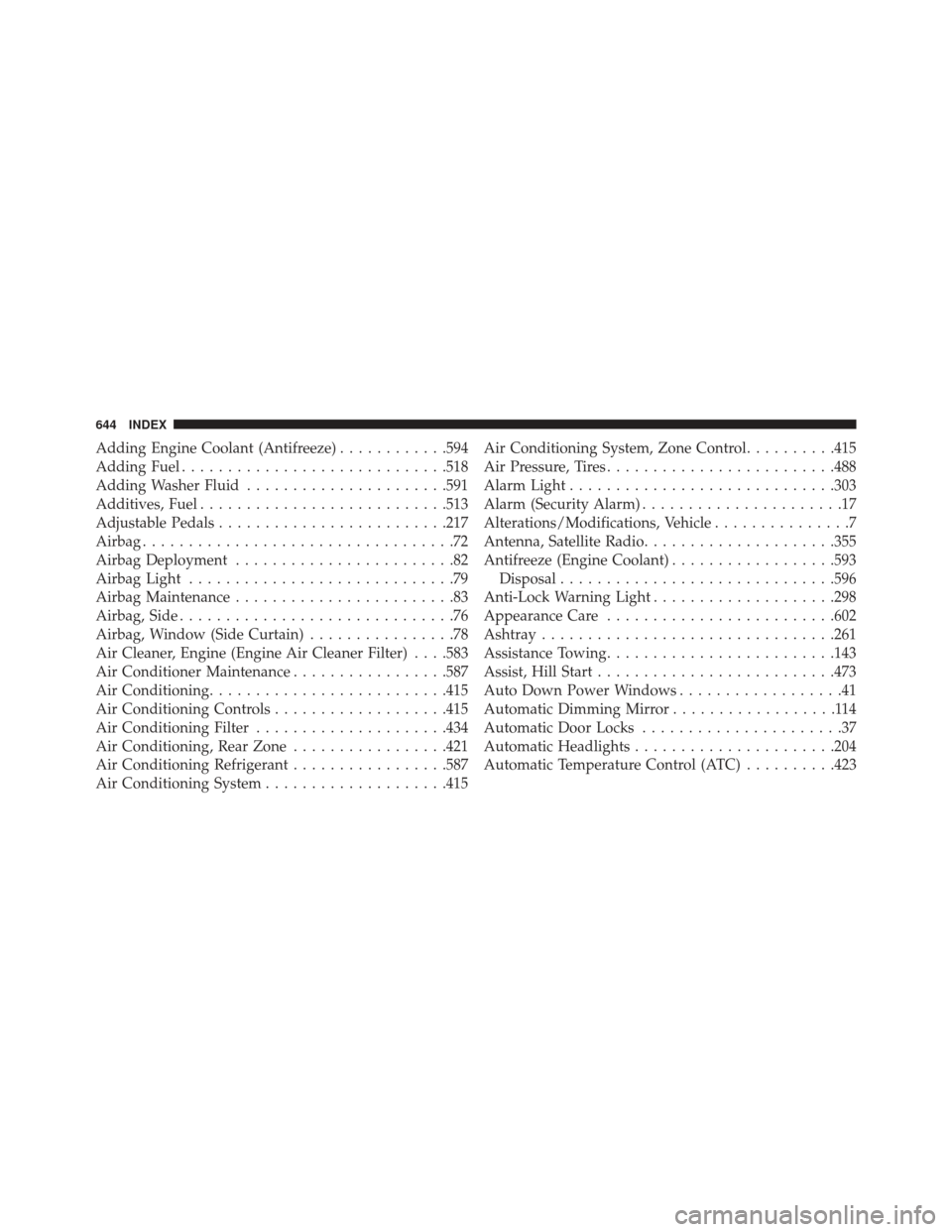
Adding Engine Coolant (Antifreeze)............594
Adding Fuel ............................ .518
Adding Washer Fluid ..................... .591
Additives, Fuel .......................... .513
Adjustable Pedals ........................ .217
Airbag ..................................72
Airbag Deployment ........................82
Airbag Light .............................79
Airbag Maintenance ........................83
Airbag, Side ..............................76
Airbag, Window (Side Curtain) ................78
Air Cleaner, Engine (Engine Air Cleaner Filter) . . . .583
Air Conditioner Maintenance .................587
Air Conditioning ......................... .415
Air Conditioning Controls ...................415
Air Conditioning Filter .....................434
Air Conditioning, Rear Zone .................421
Air Conditioning Refrigerant .................587
Air Conditioning System ....................415 Air Conditioning System, Zone Control
..........415
Air Pressure, Tires ........................ .488
Alarm Light ............................ .303
Alarm (Security Alarm) ......................17
Alterations/Modifications, Vehicle ...............7
Antenna, Satellite Radio .....................355
Antifreeze (Engine Coolant) ..................593
Disposal ............................. .596
Anti-Lock Warning Light ....................298
Appearance Care ........................ .602
Ashtray ............................... .261
Assistance Towing ........................ .143
Assist, Hill Start ......................... .473
Auto Down Power Windows ..................41
Automatic Dimming Mirror ..................114
Automatic Door Locks ......................37
Automatic Headlights ..................... .204
Automatic Temperature Control (ATC) ..........423
644 INDEX
Page 654 of 666
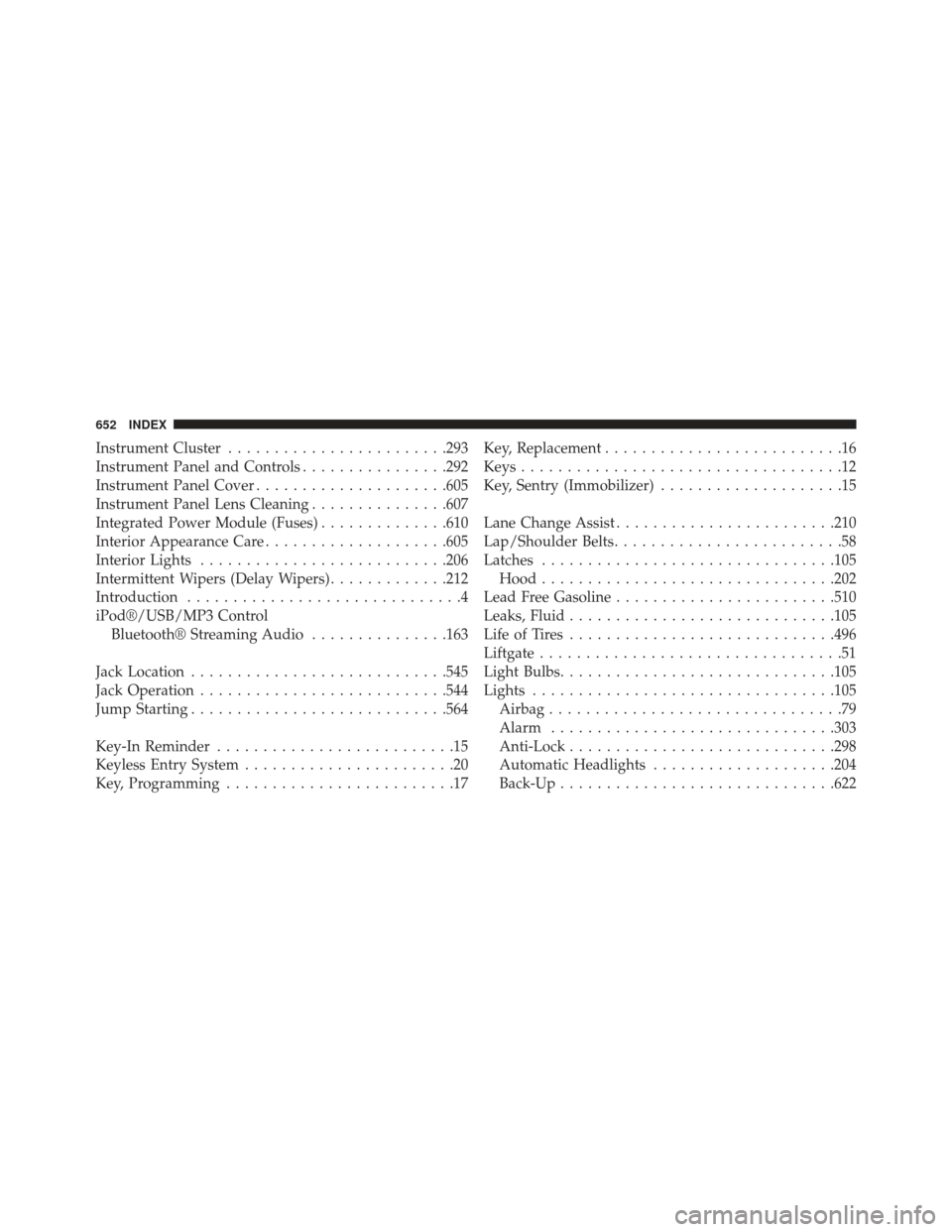
Instrument Cluster....................... .293
Instrument Panel and Controls ................292
Instrument Panel Cover .....................605
Instrument Panel Lens Cleaning ...............607
Integrated Power Module (Fuses) ..............610
Interior Appearance Care ....................605
Interior Lights .......................... .206
Intermittent Wipers (Delay Wipers) .............212
Introduction ..............................4
iPod®/USB/MP3 Control Bluetooth® Streaming Audio ...............163
Jack Location ........................... .545
Jack Operation .......................... .544
Jump Starting ........................... .564
Key-In Reminder ..........................15
Keyless Entry System .......................20
Key, Programming .........................17 Key, Replacement
..........................16
Keys ...................................12
Key, Sentry (Immobilizer) ....................15
Lane Change Assist ....................... .210
Lap/Shoulder Belts .........................58
Latches ............................... .105
Hood ............................... .202
Lead Free Gasoline ....................... .510
Leaks, Fluid ............................ .105
Life of Tires ............................ .496
Liftgate .................................51
Light Bulbs ............................. .105
Lights ................................ .105
Airbag ................................79
Alarm .............................. .303
Anti-Lock ............................ .298
Automatic Headlights ....................204
Back-Up ............................. .622
652 INDEX