ECO mode Ram Cargo Van 2015 Service Manual
[x] Cancel search | Manufacturer: RAM, Model Year: 2015, Model line: Cargo Van, Model: Ram Cargo Van 2015Pages: 671, PDF Size: 5.05 MB
Page 371 of 671
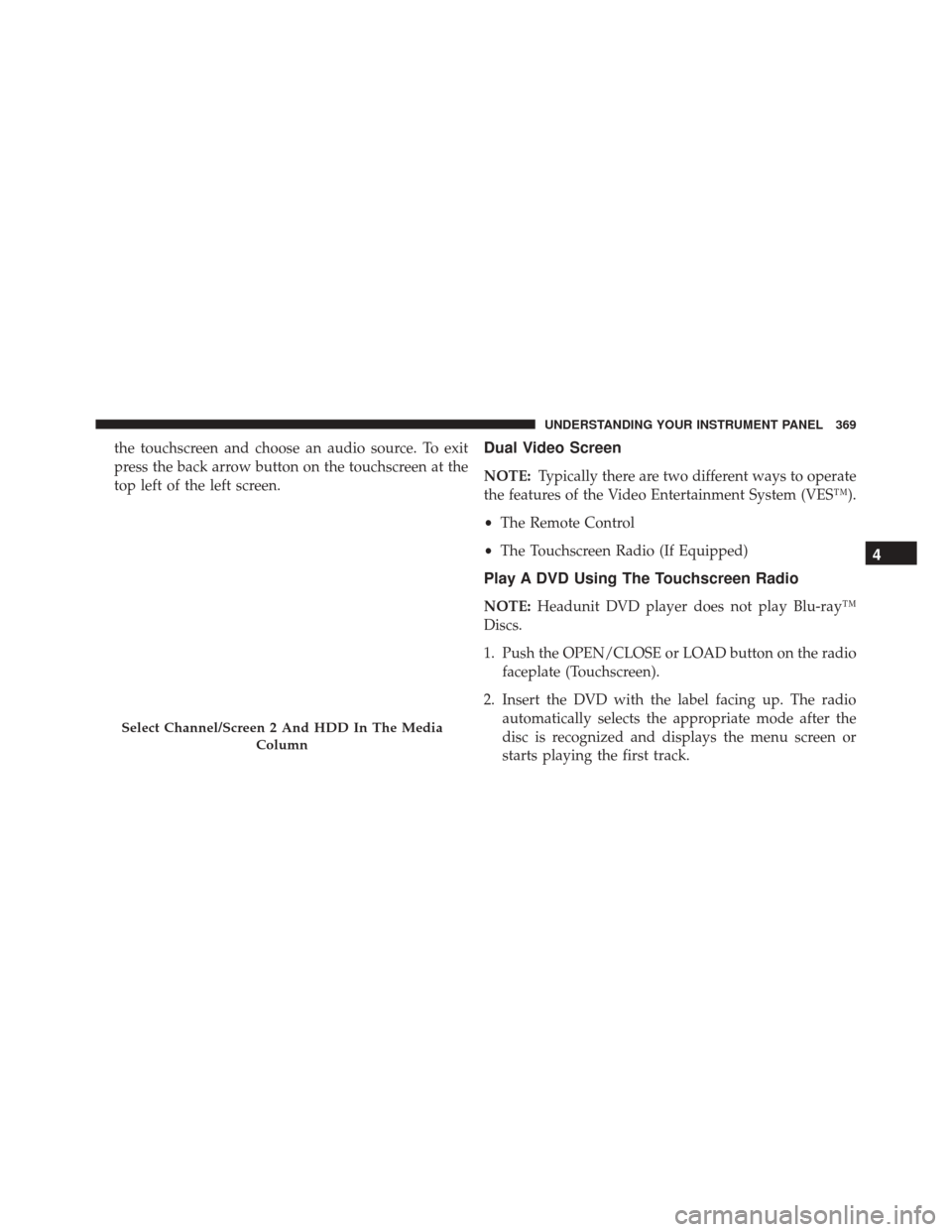
the touchscreen and choose an audio source. To exit
press the back arrow button on the touchscreen at the
top left of the left screen.Dual Video Screen
NOTE:Typically there are two different ways to operate
the features of the Video Entertainment System (VES™).
• The Remote Control
• The Touchscreen Radio (If Equipped)
Play A DVD Using The Touchscreen Radio
NOTE: Headunit DVD player does not play Blu-ray™
Discs.
1. Push the OPEN/CLOSE or LOAD button on the radio faceplate (Touchscreen).
2. Insert the DVD with the label facing up. The radio automatically selects the appropriate mode after the
disc is recognized and displays the menu screen or
starts playing the first track.
Select Channel/Screen 2 And HDD In The Media
Column
4
UNDERSTANDING YOUR INSTRUMENT PANEL 369
Page 372 of 671
3. To watch a DVD on Screen 1 for second row passen-gers, ensure the Remote Control and Headphone
switch is on Channel 1.
4. To watch a DVD on Screen 2 for third row passengers, ensure the Remote Control and Headphone switch is
on Channel 2.
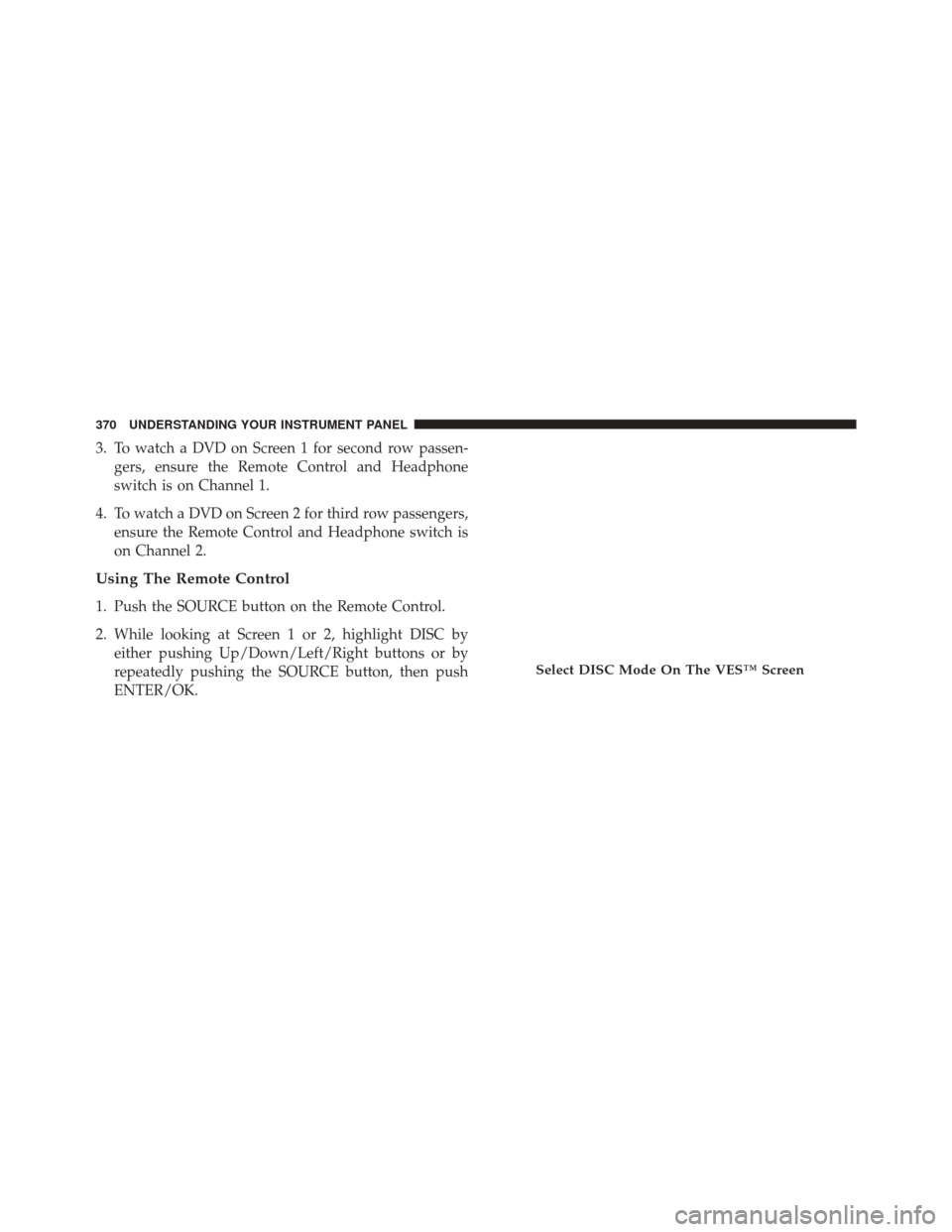
Using The Remote Control
1. Push the SOURCE button on the Remote Control.
2. While looking at Screen 1 or 2, highlight DISC byeither pushing Up/Down/Left/Right buttons or by
repeatedly pushing the SOURCE button, then push
ENTER/OK.
Select DISC Mode On The VES™ Screen
370 UNDERSTANDING YOUR INSTRUMENT PANEL
Page 374 of 671
NOTE:
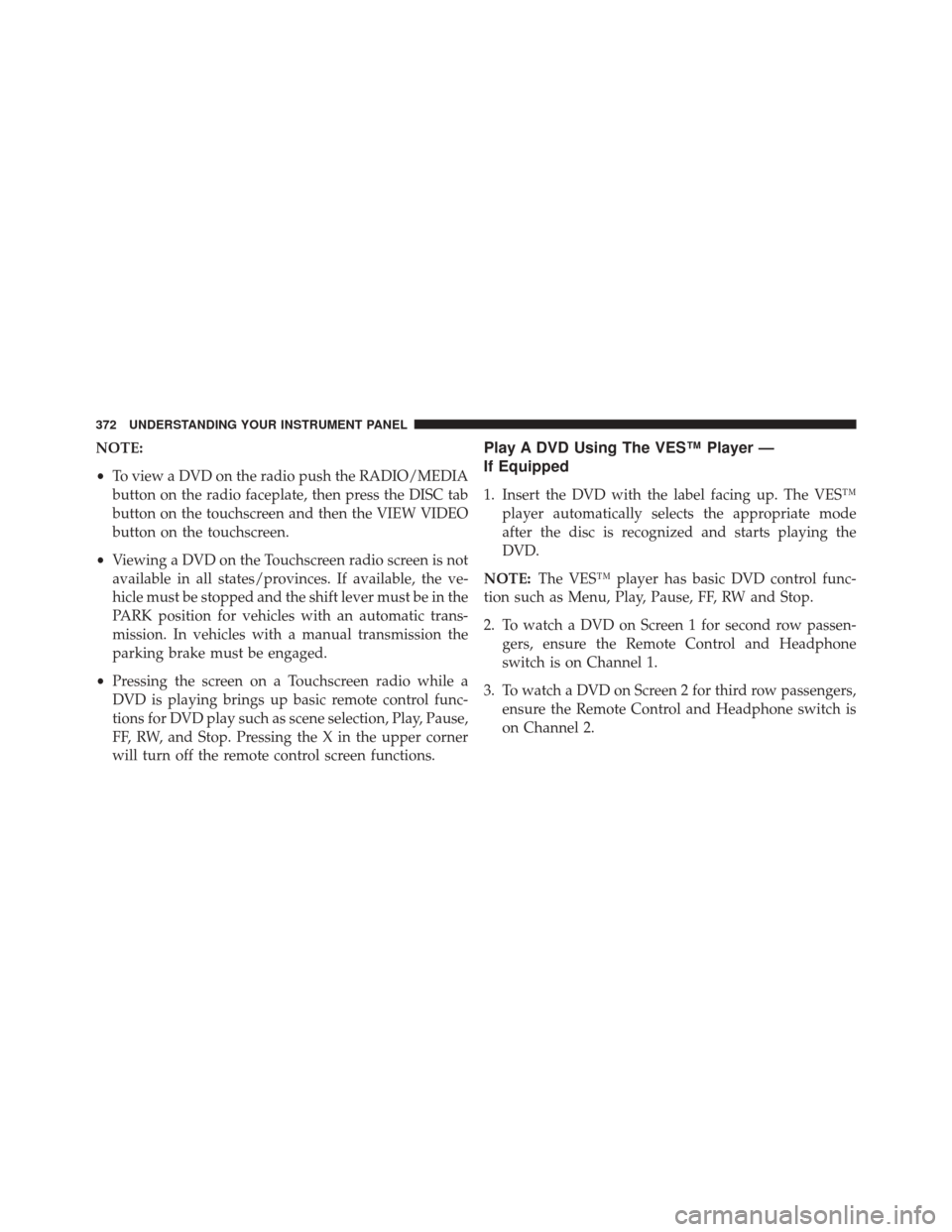
•To view a DVD on the radio push the RADIO/MEDIA
button on the radio faceplate, then press the DISC tab
button on the touchscreen and then the VIEW VIDEO
button on the touchscreen.
• Viewing a DVD on the Touchscreen radio screen is not
available in all states/provinces. If available, the ve-
hicle must be stopped and the shift lever must be in the
PARK position for vehicles with an automatic trans-
mission. In vehicles with a manual transmission the
parking brake must be engaged.
• Pressing the screen on a Touchscreen radio while a
DVD is playing brings up basic remote control func-
tions for DVD play such as scene selection, Play, Pause,
FF, RW, and Stop. Pressing the X in the upper corner
will turn off the remote control screen functions.Play A DVD Using The VES™ Player —
If Equipped
1. Insert the DVD with the label facing up. The VES™ player automatically selects the appropriate mode
after the disc is recognized and starts playing the
DVD.
NOTE: The VES™ player has basic DVD control func-
tion such as Menu, Play, Pause, FF, RW and Stop.
2. To watch a DVD on Screen 1 for second row passen- gers, ensure the Remote Control and Headphone
switch is on Channel 1.
3. To watch a DVD on Screen 2 for third row passengers, ensure the Remote Control and Headphone switch is
on Channel 2.
372 UNDERSTANDING YOUR INSTRUMENT PANEL
Page 377 of 671
NOTE:
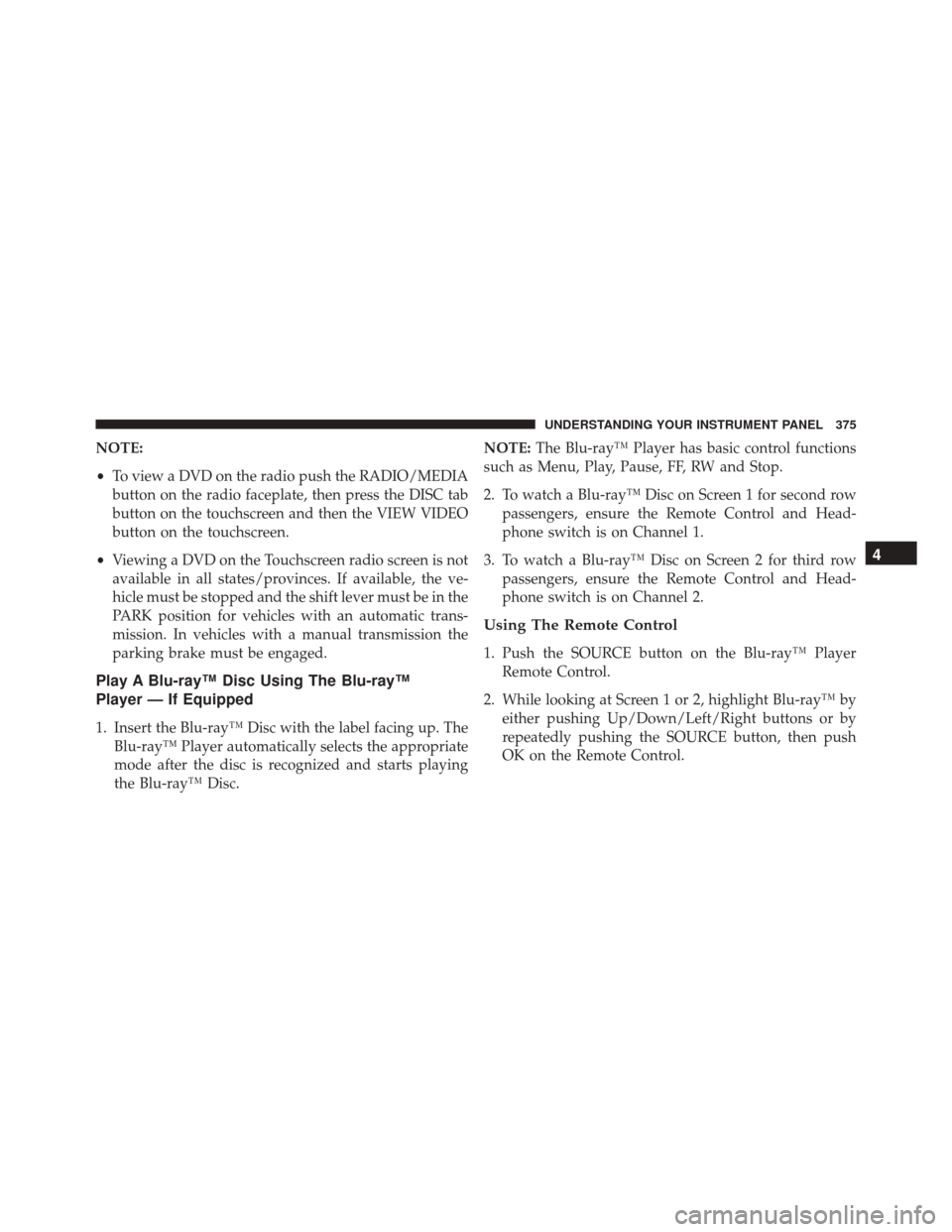
•To view a DVD on the radio push the RADIO/MEDIA
button on the radio faceplate, then press the DISC tab
button on the touchscreen and then the VIEW VIDEO
button on the touchscreen.
• Viewing a DVD on the Touchscreen radio screen is not
available in all states/provinces. If available, the ve-
hicle must be stopped and the shift lever must be in the
PARK position for vehicles with an automatic trans-
mission. In vehicles with a manual transmission the
parking brake must be engaged.
Play A Blu-ray™ Disc Using The Blu-ray™
Player — If Equipped
1. Insert the Blu-ray™ Disc with the label facing up. The Blu-ray™ Player automatically selects the appropriate
mode after the disc is recognized and starts playing
the Blu-ray™ Disc. NOTE:
The Blu-ray™ Player has basic control functions
such as Menu, Play, Pause, FF, RW and Stop.
2. To watch a Blu-ray™ Disc on Screen 1 for second row passengers, ensure the Remote Control and Head-
phone switch is on Channel 1.
3. To watch a Blu-ray™ Disc on Screen 2 for third row passengers, ensure the Remote Control and Head-
phone switch is on Channel 2.
Using The Remote Control
1. Push the SOURCE button on the Blu-ray™ PlayerRemote Control.
2. While looking at Screen 1 or 2, highlight Blu-ray™ by either pushing Up/Down/Left/Right buttons or by
repeatedly pushing the SOURCE button, then push
OK on the Remote Control.
4
UNDERSTANDING YOUR INSTRUMENT PANEL 375
Page 378 of 671
NOTE:
•Channel/Screen 1 select mode information is shown
on the left side of the screen.
• Channel/Screen 2 select mode information is shown
on the right side of the screen.
• The VES™ will retain the last setting when turned off.
Using The Touchscreen Radio Controls
1. Push the MENU button on the radio faceplate.
2. Press the Rear VES™ button on the touchscreen to
display the Rear VES™ Controls. If a channel list is
displayed, press the HIDE LIST button on the touch-
screen to display the Rear VES™ Controls screen.
3. Press the 1 or 2 button on the touchscreen and then the VES™ Disc button on the touchscreen in the VES™
column. To exit press the back arrow button at the top
left of the screen. NOTE:
•
To view a Blu-ray™ Disc on the radio, push the
RADIO/MEDIA button on the radio faceplate, then
press the VES™ Disc tab button on the touchscreen
and then the VIEW VIDEO button on the touchscreen.
• Viewing a Blu-ray™ Disc on the Touchscreen radio
screen is not available in all states/provinces. If avail-
able, the vehicle must be stopped and the shift lever
must be in the PARK position for vehicles with an
automatic transmission. In vehicles with a manual
transmission the parking brake must be engaged.
Listen To An Audio Source While A Video Is
Playing
Ensure the Remote Control and Headphone switch are
on the same channel. If watching a video on Screen 1
(second row), then Channel 2 could be used for audio.
376 UNDERSTANDING YOUR INSTRUMENT PANEL
Page 381 of 671
Important Notes For Dual Video Screen System
•VES™ is able to transmit two channels of stereo audio
and video simultaneously.
• The Blu-ray™ Disc Player can play CDs, DVDs and
Blu-ray™ Discs.
• The DVD Player can play CDs and DVDs.
• In split screen mode the left side equates to Channel 1
and the right side equates to Channel 2.
• Selecting a video source on Channel 1, the video
source will display on the second row screen or Screen
1 and can be heard on Channel 1. •
Selecting a video source on Channel 2, the video
source will display on the third row screen or Screen 2
and can be heard on Channel 2.
• The 2nd row screen and 3rd row screen of the Video
Entertainment System can play two separate discs by
utilizing the touchscreen radio DVD player and Blu-
ray™ Disc Player.
• Audio can be heard through the headphones even
when the screen(s) are closed.
4
UNDERSTANDING YOUR INSTRUMENT PANEL 379
Page 397 of 671
Disc Features control the remote DVD player’s (if
equipped) settings of DVD being watched in the remote
player.
Listening To Audio With The Screen Closed
To listen to only audio portion of the channel with the
screen closed:
1. Set the audio to the desired source and channel.
2. Close the video screen.
3. To change the current audio mode, push the remotecontrol’s MODE button. This will automatically select
the next available audio mode without using the
MODE/SOURCE Select menu.
If the screen is closed and there is no audio heard, verify
that the headphones are turned on (the ON indicator is
illuminated) and the headphone selector switch is on
the desired channel. If the headphones are turned on, push the remote control’s power button to turn audio on.
If audio is still not heard, check that fully charged
batteries are installed in the headphones.
Disc Formats
The DVD player is capable of playing the following types
of discs (12 cm or 8 cm diameter):
•
DVD-Video discs (MPEG-2 video compression) (see
notes about DVD Region Codes)
• DVD-Audio discs (2 channel audio output only)
• Audio Compact Discs (CDs)
• CD Data discs with MP3 and WMA compressed audio
format files
• Video CDs (MPEG-1 video compression)4
UNDERSTANDING YOUR INSTRUMENT PANEL 395
Page 399 of 671
•Maximum frame rate for progressive source 30
frames per second
• Maximum field rate for interlaced source 60 fields
per second
• To change the current chapter, use the remote control’s
or Blu-Ray™ Player ’s “Fast Forward” button to ad-
vance to the next chapter, or the “Fast Rewind” button
to return to the start of the current or previous chapter.
DVD/Blu-ray™/BD Region Codes
The DVD player/Blu-ray™ Player and many DVD/Blu-
ray™ Discs are coded by geographic region. These region
codes must match in order for the disc to play. If the
region code for the DVD/Blu-ray™ Disc does not match
the region code for the player, the disc will stop playing
and a warning will be displayed. DVD Audio Support
When a DVD-Audio disc is inserted in the DVD player,
the DVD-Audio title on the disc is played by default
(most DVD-Audio discs also have a Video title, but the
Video title is ignored). All multi - channel program
material is automatically mixed down to two channels,
which may result in a lowered apparent volume level. If
you increase the volume level to account for this change
in level, remember to lower the volume before changing
the disc or to another mode.
Recorded Discs
The DVD player will play CD-R and CD-RW discs
recorded in CD-Audio or Video-CD format, or as a
CD-ROM containing MP3, WMA or AAC (Blu-ray™ Disc
Player only) files. The player will also play DVD-Video
content recorded to a DVD-R or DVD-RW disc. DVD-
ROM discs (either pressed or recorded) are not sup-
ported.
4
UNDERSTANDING YOUR INSTRUMENT PANEL 397
Page 412 of 671
The right-hand rocker switch has a push-button in the
center, and controls the volume and mode of the sound
system. Pushing the top of the rocker switch will increase
the volume. Pushing the bottom of the rocker switch will
decrease the volume. Pushing the center button changes
the operation of the radio from AM to FM, or to CD
mode, depending on which radio is in the vehicle.
The left-hand rocker switch has a push-button in the
center. The function of the left-hand switch is different,
depending on which mode you are in.
The following describes the left-hand rocker switch op-
eration in each mode.
Radio Operation
Pushing the top of the switch will SEEK up for the next
listenable station, and pushing the bottom of the switch
will SEEK down for the next listenable station.The button located in the center of the left-hand switch
will tune to the next preset station that you have pro-
grammed in the radio preset push-button.
CD Player
Pushing the top of the switch once will go to the next
track on the CD. Pushing the bottom of the switch once
will go to the beginning of the current track, or to the
beginning of the previous track if it is within one second
after the current track begins to play.
If you push the switch up or down twice it plays the
second track; three times, it will play the third, etc.
The button in the center of the left-hand switch has no
function in this mode.
410 UNDERSTANDING YOUR INSTRUMENT PANEL
Page 416 of 671
4. Rear Temperature Control — If Equipped
Provides temperature control for the rear cabin. Turn left
for cooler or right for warmer temperature settings in the
rear cabin.
5. Right Front Temperature Control
Provides right front seat occupant with independent
temperature control. Turn left for cooler or right for
warmer temperature settings.
6. Mix ModeAir is directed through the floor, defrost and side
window demist outlets. This setting works best in
cold or snowy conditions that require extra heat at the
windshield. This setting is good for maintaining comfort,
while reducing moisture on the windshield. 7. Front Defrost Mode
Air is directed through the windshield and side
window demist outlets. Use Defrost mode with
maximum blower and temperature settings for best
windshield and side window defrosting.
NOTE: The air conditioning compressor may operate in
Mix and Defrost, even if the A/C button is not pushed.
This dehumidifies the air to help dry the windshield.
To improve fuel economy, use these modes only when
necessary.
8. Electronic Rear Window Defrost
Push this button to turn on the rear window
defroster and the heated outside mirrors (if
equipped). An indicator in the button will illuminate
when the rear window defroster is on. The rear window
defroster automatically turns off after approximately
10 minutes.
414 UNDERSTANDING YOUR INSTRUMENT PANEL