instrument panel RAM CHASSIS CAB 2012 Owners Manual
[x] Cancel search | Manufacturer: RAM, Model Year: 2012, Model line: CHASSIS CAB, Model: RAM CHASSIS CAB 2012Pages: 502, PDF Size: 3.96 MB
Page 343 of 502

WARNING!• Never have any smoking materials lit in or near
the vehicle when the gas cap is removed or the
tank is being filled.
• Never add fuel to the vehicle when the engine is
running. This is in violation of most state and
federal fire regulations and may cause the MIL to
turn on.
NOTE: Tighten the gas cap 1/4 turn until you hear one
click. This is an indication that the cap is properly
tightened.
If the gas cap is not tightened properly, the Malfunction
Indicator Light will come on, Be sure the gas cap is
tightened every time the vehicle is refueled. WARNING!A fire may result if gasoline is pumped into a
portable container that is inside of a vehicle. You
could be burned. Always place gas containers on the
ground while filling.
Loose Fuel Filler Cap Message
If the vehicle diagnostic system determines
that the fuel filler cap is loose, improperly
installed, or damaged, a loose gascap indicator
will display in the EVIC telltale display area.
Refer to “Electronic Vehicle Information Center (EVIC) in
“Understanding Your Instrument Panel” for further in-
formation. Tighten the fuel filler cap properly and press
the SELECT button to turn off the message. If the
problem continues, the message will appear the next time
the vehicle is started.
5 STARTING AND OPERATING 341
Page 360 of 502
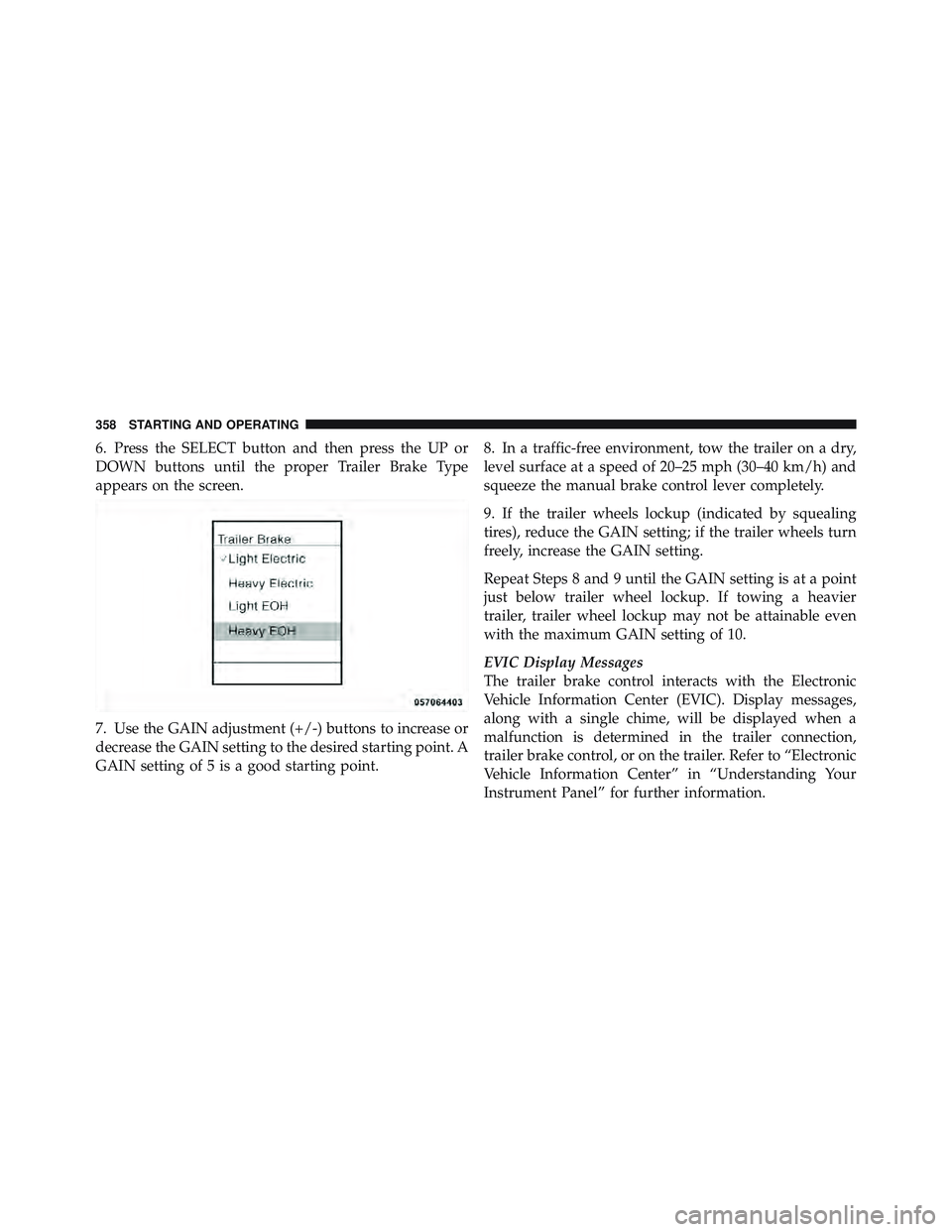
6. Press the SELECT button and then press the UP or
DOWN buttons until the proper Trailer Brake Type
appears on the screen.
7. Use the GAIN adjustment (+/-) buttons to increase or
decrease the GAIN setting to the desired starting point. A
GAIN setting of 5 is a good starting point. 8. In a traffic-free environment, tow the trailer on a dry,
level surface at a speed of 20–25 mph (30–40 km/h) and
squeeze the manual brake control lever completely.
9. If the trailer wheels lockup (indicated by squealing
tires), reduce the GAIN setting; if the trailer wheels turn
freely, increase the GAIN setting.
Repeat Steps 8 and 9 until the GAIN setting is at a point
just below trailer wheel lockup. If towing a heavier
trailer, trailer wheel lockup may not be attainable even
with the maximum GAIN setting of 10.
EVIC Display Messages
The trailer brake control interacts with the Electronic
Vehicle Information Center (EVIC). Display messages,
along with a single chime, will be displayed when a
malfunction is determined in the trailer connection,
trailer brake control, or on the trailer. Refer to “Electronic
Vehicle Information Center” in “Understanding Your
Instrument Panel” for further information.358 STARTING AND OPERATING
Page 404 of 502

ONBOARD DIAGNOSTIC SYSTEM (OBD II)
Your vehicle is equipped with a sophisticated onboard
diagnostic system called OBD II. This system monitors
the performance of the emissions, engine, and automatic
transmission control systems. When these systems are
operating properly, your vehicle will provide excellent
performance and fuel economy, as well as engine emis-
sions well within current government regulations.
If any of these systems require service, the OBD II system
will turn on the “Malfunction Indicator Light (MIL).” It
will also store diagnostic codes and other information to
assist your service technician in making repairs. Al-
though your vehicle will usually be drivable and not
need towing, see your authorized dealer for service as
soon as possible. CAUTION!• Prolonged driving with the MIL on could cause
further damage to the emission control system. It
could also affect fuel economy and drivability. The
vehicle must be serviced before any emissions
tests can be performed.
• If the MIL is flashing, while the engine is running,
severe catalytic converter damage and power loss
will soon occur. Immediate service is required.
Loose Fuel Filler Cap Message
If the vehicle diagnostic system determines
that the fuel filler cap is loose, improperly
installed, or damaged, a loose gascap indicator
will display in the EVIC telltale display area.
Refer to “Electronic Vehicle Information Center (EVIC) in
“Understanding Your Instrument Panel” for further in-
formation. Tighten the fuel filler cap properly and press402 MAINTAINING YOUR VEHICLE
Page 440 of 502

Cavity Cartridge
Fuse Mini
Fuse Description
M6 20 Amp
Yellow Power Outlet (Instru-
ment Panel or Front
Console)/Rain Snsr
M7 20 Amp
Yellow Power Outlet (Rear
Console or Center
Seat)
M8 20 Amp
Yellow Front Heated Seat &
Steering Wheel
M9 20 Amp
Yellow Rear Heated Seats
M10 15 Amp
Blue Hands Free Module/
Vanity Lamp/
Universal Garage
Door Opener Module
M11 10 Amp
Red Climate Control Sys-
tem Cavity Cartridge
Fuse Mini
Fuse Description
M12 30 Amp
Green Radio/Amplifier
M13 20 Amp
Yellow Main #2 Instrument
Cluster/Wireless Con-
trol Module/ITM/
Siren/Multifunction
Switch (Steering Col-
umn Module)
M14 20 Amp
Yellow Back Up Camera
(Domestic Only)
M15 20 Amp
Yellow Power Seat
Module(s)/Audio
Telematics/Daytime
Running Lights
Relay/Instrument
Cluster/Transfer Case
Module438 MAINTAINING YOUR VEHICLE
Page 457 of 502

NOTE:
• The oil change indicator message will not monitor the
time since the last oil change. Change your vehicle’s
oil if it has been six months since your last oil change,
even if the oil change indicator message is NOT
illuminated.
• Change your engine oil more often if you drive your
vehicle off-road for an extended period of time.
• Under no circumstances should oil change intervals
exceed 8,000 miles (13 000 km) or six months, which-
ever comes first.
Your authorized dealer will reset the oil change indicator
message after completing the scheduled oil change. If a
scheduled oil change is performed by someone other
than your authorized dealer, the message can be reset by referring to the steps described under “Electronic Vehicle
Information Center (EVIC)/Oil Change Required” in
“Understanding Your Instrument Panel” or under “In-
strument Cluster Description/Odometer/Trip Odom-
eter” in “Understanding Your Instrument Panel” for
further information.
At Each Stop For Fuel
• Check the engine oil level about 5 minutes after a fully
warmed engine is shut off. Checking the oil level while
the vehicle is on level ground will improve the accu-
racy of the oil level reading. Add oil only when the
level is at or below the ADD or MIN mark.
• Check the windshield washer solvent and add if
required.
8 M
A
I
N
T
E
N
A
N
C
E
S
C
H
E
D
U
L
E
SMAINTENANCE SCHEDULES 455
Page 491 of 502

Information Center, Vehicle ................. 203
Inside Rearview Mirror .................... 87
Instrument Cluster .................... 187,189
Instrument Panel and Controls .............. 186
Instrument Panel Lens Cleaning ............. 435
Integrated Power Module (Fuses) ............ 435
Integrated Trailer Brake Controls ............. 354
Interior Appearance Care .................. 433
Interior Lights .......................... 150
Intermittent Wipers (Delay Wipers) ........... 155
Introduction ............................. 4
Inverter Outlet (115V) ..................... 170
Jack Location ........................... 376
Jump Starting .......................... 388
Key-In Reminder ......................... 16
Key, Programming ........................ 18
Key, Replacement ........................ 17 Key, Sentry (Immobilizer) ................... 16
Keyless Entry System ...................... 21
Keys ................................. 12
Lane Change and Turn Signals .............. 153
Lane Change Assist ...................... 154
Lap Belts .............................. 48
Lap/Shoulder Belts ....................... 39
LATCH
(Lower Anchors and Tether for CHildren) ....... 68
Latches ................................ 81
Leaks, Fluid ............................ 81
Life of Tires ............................ 328
Light Bulbs ............................. 81
Lights .............................. 81,147
Airbag ...................... 58,62,79,200
Alarm ............................ 192
Anti-Lock .......................... 200
Anti-Lock Warning ................... 308
10 INDEX 489