tow RAM CHASSIS CAB 2012 User Guide
[x] Cancel search | Manufacturer: RAM, Model Year: 2012, Model line: CHASSIS CAB, Model: RAM CHASSIS CAB 2012Pages: 502, PDF Size: 3.96 MB
Page 110 of 502

Mexico City in Mexico). Please refer to the 24-Hour
“Towing Assistance” coverage details on the DVD in
the Warranty Information Booklet and the 24-Hour
Towing Assistance references.
• If supported, this number may be programmable on
some systems. To do this, press the button and say
“Setup”, followed by “Towing Assistance”.
Paging
To learn how to page, refer to “Working with Automated
Systems”. Paging works properly except for pagers of
certain companies, which time out a little too soon to
work properly with the Uconnect™ Phone.
Voice Mail Calling
To learn how to access your voice mail, refer to “Working
with Automated Systems”. Working With Automated Systems
This method is used in instances where one generally has
to press numbers on the mobile phone keypad while
navigating through an automated telephone system.
You can use your Uconnect™ Phone to access a voice
mail system or an automated service, such as a paging
service or automated customer service line. Some ser-
vices require immediate response selection. In some
instances, that may be too quick for use of the
Uconnect™ Phone.
When calling a number with your Uconnect™ Phone that
normally requires you to enter in a touch-tone sequence
on your mobile phone keypad, you can press the
button and say the sequence you wish to enter, followed
by the word “Send”. For example, if required to enter
your PIN followed with a pound, ( 3746#),youcan
press the button and say, “ 3746# Send”. Saying
a number, or sequence of numbers, followed by “Send”,108 UNDERSTANDING THE FEATURES OF YOUR VEHICLE
Page 124 of 502

Voice Commands
Primary Alternate(s)
language
list names
list phones
mobile
mute
mute off
new entry
no
other
pair a phone
phone pairing pairing
phonebook phone book
previous
record again
redial Voice Commands
Primary Alternate(s)
return to main menu return or main menu
select phone select
send
set up phone settings or phone
set up
towing assistance
transfer call
Uconnect™ Tutorial
try again
voice training
work
yes122 UNDERSTANDING THE FEATURES OF YOUR VEHICLE
Page 146 of 502

transmitter linked to either memory position, repeat
steps 1 through 5 for each RKE transmitter.
NOTE: Once programmed, all RKE transmitters linked
to memory can be easily enabled or disabled at one time.
Refer to “Electronic Vehicle Information Center (EVIC)/
Customer-Programmable Features” in “Understanding
Your Instrument Panel” for further information.
Easy Entry/Exit Seat
This feature provides automatic driver ’s seat positioning
which will enhance driver mobility out of and into the
vehicle.
There are two possible Easy Entry/Exit adjustments
available:
• The seat cushion will move rearward approximately
2.5 in (60 mm), if the starting position of the seat is
greater than or equal to 2.67 in (68 mm) forward of the
rear seat stop when the key is removed from the ignition switch. The seat will then move forward
approximately 2.5 in (60 mm) when the key is placed
into the ignition and turned out of the LOCK position.
• The seat will move to the position located 0.3 in
(8 mm) forward of the rear stop if the starting position
is between 0.9 to 2.67 in (23 to 68 mm) forward of the
rear stop when the key is removed from the ignition
switch. The seat will move forward to the memory/
driving position when the key is placed into the
ignition, and turned out of the LOCK position toward
the ACC/ON position.
The Easy Entry/Exit feature will be automatically dis-
abled if the seat is already positioned closer than 0.9 in
(23 mm) forward of the rear stop. At this position, there
is no benefit to the driver by moving the seat for Easy
Exit/Entry.
Each stored memory setting will have an associated Easy
Entry/Exit position.144 UNDERSTANDING THE FEATURES OF YOUR VEHICLE
Page 156 of 502
Lane Change Assist
Tap the lever up or down once, without moving beyond
the detent, and the turn signal (right or left) will flash
three times then automatically turn off.
Flash-To-Pass
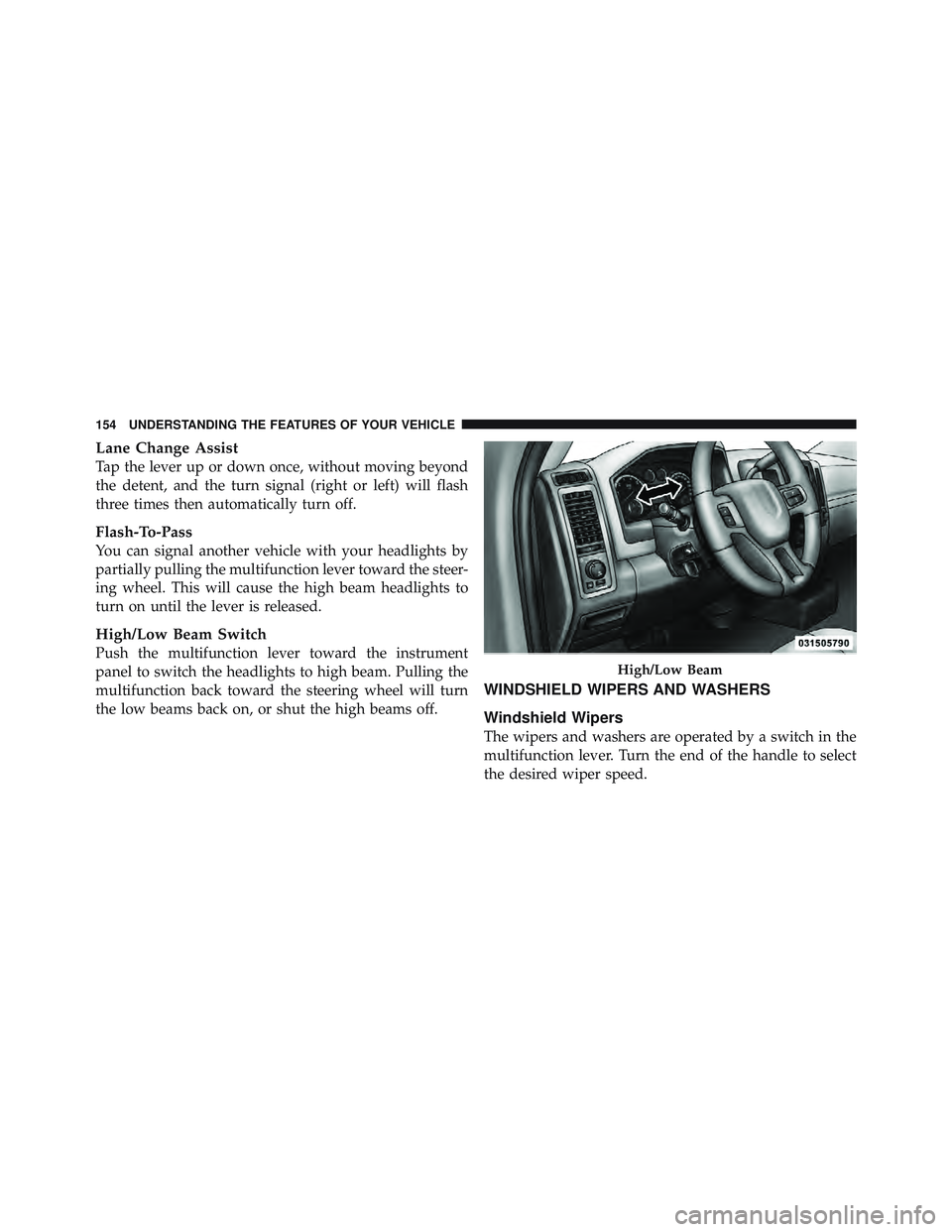
You can signal another vehicle with your headlights by
partially pulling the multifunction lever toward the steer-
ing wheel. This will cause the high beam headlights to
turn on until the lever is released.
High/Low Beam Switch
Push the multifunction lever toward the instrument
panel to switch the headlights to high beam. Pulling the
multifunction back toward the steering wheel will turn
the low beams back on, or shut the high beams off. WINDSHIELD WIPERS AND WASHERS
Windshield Wipers
The wipers and washers are operated by a switch in the
multifunction lever. Turn the end of the handle to select
the desired wiper speed. High/Low Beam154 UNDERSTANDING THE FEATURES OF YOUR VEHICLE
Page 159 of 502
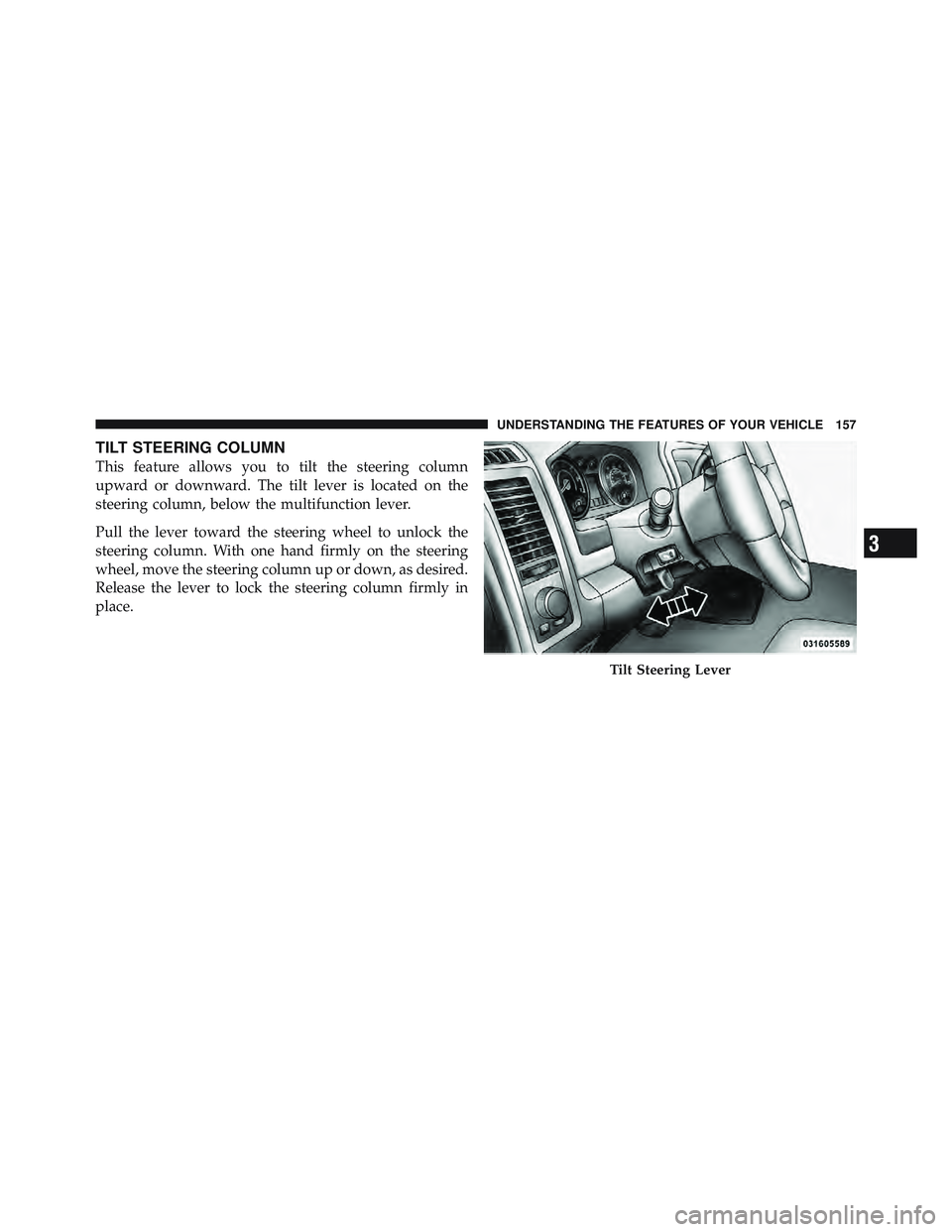
TILT STEERING COLUMN
This feature allows you to tilt the steering column
upward or downward. The tilt lever is located on the
steering column, below the multifunction lever.
Pull the lever toward the steering wheel to unlock the
steering column. With one hand firmly on the steering
wheel, move the steering column up or down, as desired.
Release the lever to lock the steering column firmly in
place.
Tilt Steering Lever
3 UNDERSTANDING THE FEATURES OF YOUR VEHICLE 157
Page 160 of 502
WARNING!Do not adjust the steering column while driving.
Adjusting the steering column while driving or driv-
ing with the steering column unlocked, could cause
the driver to lose control of the vehicle. Be sure the
steering column is locked before driving your ve-
hicle. Failure to follow this warning may result in
serious injury or death.
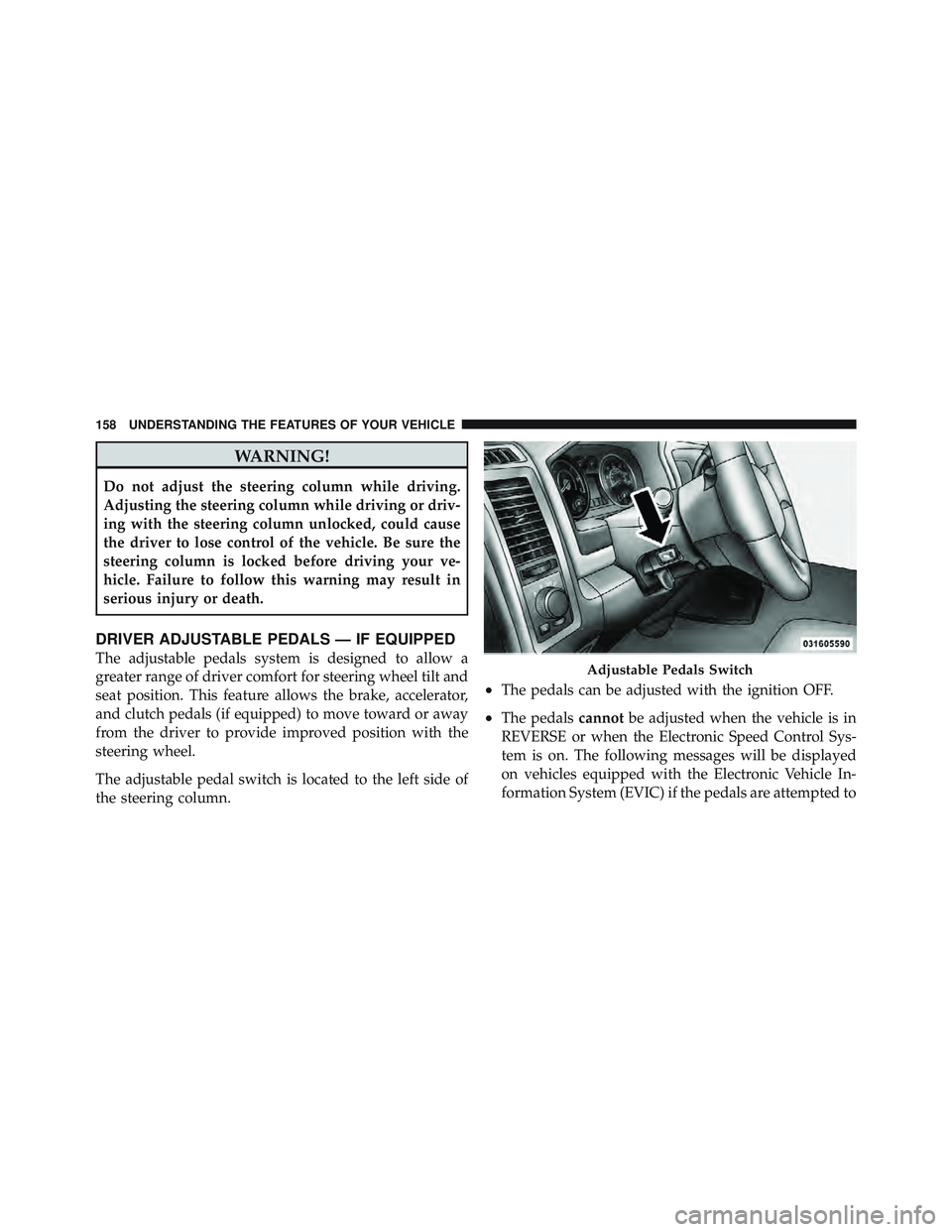
DRIVER ADJUSTABLE PEDALS — IF EQUIPPED
The adjustable pedals system is designed to allow a
greater range of driver comfort for steering wheel tilt and
seat position. This feature allows the brake, accelerator,
and clutch pedals (if equipped) to move toward or away
from the driver to provide improved position with the
steering wheel.
The adjustable pedal switch is located to the left side of
the steering column. • The pedals can be adjusted with the ignition OFF.
• The pedals cannot be adjusted when the vehicle is in
REVERSE or when the Electronic Speed Control Sys-
tem is on. The following messages will be displayed
on vehicles equipped with the Electronic Vehicle In-
formation System (EVIC) if the pedals are attempted to Adjustable Pedals Switch158 UNDERSTANDING THE FEATURES OF YOUR VEHICLE
Page 180 of 502

WARNING!Do not operate this vehicle with a console compart-
ment lid in the open position. Cellular phones, music
players, and other handheld electronic devices
should be stowed while driving. Use of these devices
while driving can cause an accident due to distrac-
tion, resulting in death or injury.
Seatback Storage
Located in the back of both the driver and passenger
front seats are pockets that can be used for storage.
Storage (Regular Cab)
The storage bin is located behind the front seats and runs
the length of the cab. Drivers Side Seatback Storage178 UNDERSTANDING THE FEATURES OF YOUR VEHICLE
Page 191 of 502

INSTRUMENT CLUSTER DESCRIPTIONS
1. Tachometer
The Tachometer indicates engine speed in revolutions per
minute (RPM x 1000).
CAUTION!Do not operate the engine with the tachometer
pointer at high RPM for extended periods. Engine
damage may occur.
2. Turn Signal Indicators
The arrow will flash with the exterior turn signal
when the turn signal lever is operated.
NOTE:
• A continuous chime will sound if the vehicle is driven
more than 1 mile (1.6 km) with either turn signal on. • Check for an inoperative outside light bulb if either
indicator flashes at a rapid rate.
3. Fuel Gauge
Shows level of fuel in tank when ignition switch is in the
ON/RUN position.
4. Temperature Gauge
The temperature gauge shows engine coolant tempera-
ture. Any reading within the normal range indicates that
the engine cooling system is operating satisfactorily.
The gauge pointer will likely indicate a higher tempera-
ture when driving in hot weather, up mountain grades,
or when towing a trailer. It should not be allowed to
exceed the upper limits of the normal operating range.
4 UNDERSTANDING YOUR INSTRUMENT PANEL 189
Page 193 of 502

rotate at the same speed. Low range provides a greater
gear reduction ratio to provide increased torque at the
wheels.
7. Electronic Throttle Control (ETC) Light
This light informs you of a problem with the
Electronic Throttle Control (ETC) system. The
light will come on when the ignition is first
turned to ON/RUN and remain on briefly as a
bulb check. If the light does not come on during starting,
have the system checked by an authorized dealer.
If a problem is detected, the light will come on while the
engine is running. Cycle the ignition key when the
vehicle has completely stopped and the shift lever is
placed in the PARK position, the light should turn off.
If the light remains lit with the engine running, your
vehicle will usually be drivable; however, see an autho-
rized dealer for service as soon as possible. If the light is
flashing when the engine is running, immediate service is required and you may experience reduced performance,
an elevated/rough idle or engine stall and your vehicle
may require towing.
For vehicles equipped with a premium cluster this indi-
cator will display in the Electronic Vehicle Information
Center (EVIC). Refer to ”Electronic Vehicle Information
Center (EVIC) — If Equipped” for further information.
8. 4WD Indicator
This light indicates the vehicle is in four-wheel
drive and 4LOCK. 4WD allows all four wheels
to receive torque from the engine simultane-
ously.
9. SVC (Service) 4WD
The SVC 4WD light monitors the electric shift
four-wheel drive system. If the SVC 4WD light
stays on or comes on during driving, it means
that the four-wheel drive system is not func-
tioning properly and that service is required. 4 UNDERSTANDING YOUR INSTRUMENT PANEL 191
Page 194 of 502
For vehicles equipped with a premium cluster this indi-
cator will display in the Electronic Vehicle Information
Center (EVIC). Refer to ”Electronic Vehicle Information
Center (EVIC) — If Equipped” for further information.
10. TOW/HAUL
The TOW HAUL button is located on the
center stack switch bank. This light will illumi-
nate when TOW HAUL mode is selected
11. Vehicle Security Light — If Equipped
This light will flash at a fast rate for approxi-
mately 15 seconds, when the vehicle security
alarm is arming, and then will flash slowly
until the vehicle is disarmed. 12. Oil Pressure Gauge — If Equipped
The pointer should always indicate some oil pressure
when the engine is running. A continuous high or low
reading under normal driving conditions may indicate a
lubrication system malfunction. Immediate service
should be obtained from an authorized dealer.
13. Odometer/Trip Odometer Button
Press this button to toggle between the odometer and the
trip odometer display. Holding the button in resets the
trip odometer reading when in trip mode.
14. Odometer Display / Electronic Vehicle Information
Center (EVIC) Display Area
Odometer Display
The odometer display shows the total distance the ve-
hicle has been driven. Regulations require that upon
transfer of vehicle ownership, the seller certify to the
purchaser the correct mileage that the vehicle has been
driven. If your odometer needs to be repaired or serviced,192 UNDERSTANDING YOUR INSTRUMENT PANEL