brake RAM CHASSIS CAB 2016 User Guide
[x] Cancel search | Manufacturer: RAM, Model Year: 2016, Model line: CHASSIS CAB, Model: RAM CHASSIS CAB 2016Pages: 675, PDF Size: 5.46 MB
Page 194 of 675
Adjustable Chime Volume Settings
The Rear chime volume settings are programmable.
• If your vehicle is equipped with a touchscreen, the
settings may be programmed through the Uconnect
System. Refer to “Uconnect Settings ” in “Understand-
ing Your Instrument Panel” for further information.
• If your vehicle is not equipped with a touchscreen, the
settings may be programmed through the Electronic
Vehicle Information Center (EVIC) or Driver Informa-
tion Display (DID). Refer to “Electronic Vehicle Infor-
mation Center (EVIC)” or “Driver Information Display
(DID)” in “Understanding Your Instrument Panel” for
further information. Enabling And Disabling ParkSense
ParkSense can be enabled and disabled with the
ParkSense switch.
When the ParkSense switch is pushed to dis-
able the system, the instrument cluster will
display the “PARKSENSE OFF” message for
approximately five seconds. Refer to “Elec-
tronic Vehicle Information Center (EVIC) or Driver Infor-
mation Display (DID)” in “Understanding Your Instru-
ment Panel” for further information. When the gear
selector is moved to REVERSE and the system is dis-
abled, the EVIC/DID will display the “PARKSENSE
OFF” message for as long as the vehicle is in REVERSE.
NOTE: The ParkSense system will automatically disable
when the system detects that a trailer with trailer brakes
has been connected to the Integrated Trailer Brake Mod-
ule. The EVIC/DID will display “PARKSENSE OFF”
message for as long as the vehicle is in reverse.192 UNDERSTANDING THE FEATURES OF YOUR VEHICLE
Page 202 of 675

Front Park Assist Audible Alerts
ParkSense will turn off the Front Park Assist audible alert
(chime) after approximately three seconds when an ob-
stacle has been detected, the vehicle is stationary, and
brake pedal is applied.
Adjustable Chime Volume Settings
The Front and Rear chime volume settings are program-
mable.
• If your vehicle is equipped with a touchscreen, the
settings may be programmed through the Uconnect
System. Refer to “Uconnect Settings ” in “Understand-
ing Your Instrument Panel” for further information.
• If your vehicle is not equipped with a touchscreen, the
settings may be programmed through the Electronic Vehicle Information Center (EVIC) or Driver Informa-
tion Display (DID). Refer to “Electronic Vehicle Infor-
mation Center (EVIC)” or “Driver Information Display
(DID)” in “Understanding Your Instrument Panel” for
further information.
Enabling And Disabling Front And/Or Rear
ParkSense
Front ParkSense can be enabled and disabled with the
Front ParkSense switch.
Rear ParkSense can be enabled and disabled with the
Rear ParkSense switch.
When the Front or Rear ParkSense switch is
pushed to disable the system, the Electronic
Vehicle Information Center (EVIC) or Driver
Information Display (DID) will display the
“PARKSENSE OFF” message for approximately five sec-
onds. Refer to “Electronic Vehicle Information Center200 UNDERSTANDING THE FEATURES OF YOUR VEHICLE
Page 234 of 675

INSTRUMENT PANEL FEATURES
1 — Headlight Switch 7 — 115v Power Inverter Outlet 13 — Gear Selector/Transfer Case Position
Switch — If Equipped
2 — Instrument Cluster 8 — Power Outlet — If Equipped 14 — Ignition Switch
3 — Radio 9 — Lower Switch Bank 15 — Hood Release
4 — Hazard Switch 10 — Instrument Panel Drawer 16 — Parking Brake Release
5 — Upper Glove Compartment 11 — Climate Controls
6 — Lower Glove Compartment 12 — Power Outlet/Cigar Lighter — If
Equipped232 UNDERSTANDING YOUR INSTRUMENT PANEL
Page 244 of 675
Brake Warning Light
Red Telltale
Light What It Means
United States
Canada Brake Warning Light
This light monitors various brake functions, including brake fluid level and parking brake
application. If the brake light turns on it may indicate that the parking brake is applied, that
the brake fluid level is low, or that there is a problem with the anti-lock brake system reser-
voir.
If the light remains on when the parking brake has been disengaged, and the fluid level is at
the full mark on the master cylinder reservoir, it indicates a possible brake hydraulic system
malfunction or that a problem with the Brake Booster has been detected by the Anti-Lock
Brake System (ABS) / Electronic Stability Control (ESC) system. In this case, the light will
remain on until the condition has been corrected. If the problem is related to the brake
booster, the ABS pump will run when applying the brake, and a brake pedal pulsation may
be felt during each stop.
The dual brake system provides a reserve braking capac-
ity in the event of a failure to a portion of the hydraulic
system. A leak in either half of the dual brake system is indicated by the Brake Warning Light, which will turn on
when the brake fluid level in the master cylinder has
dropped below a specified level.242 UNDERSTANDING YOUR INSTRUMENT PANEL
Page 245 of 675
The light will remain on until the cause is corrected.
NOTE: The light may flash momentarily during sharp
cornering maneuvers, which change fluid level condi-
tions. The vehicle should have service performed, and
the brake fluid level checked.
If brake failure is indicated, immediate repair is neces-
sary.
WARNING!Driving a vehicle with the red brake light on is
dangerous. Part of the brake system may have failed.
It will take longer to stop the vehicle. You could have
a collision. Have the vehicle checked immediately.
Vehicles equipped with the Anti-Lock Brake System
(ABS) are also equipped with Electronic Brake Force
Distribution (EBD). In the event of an EBD failure, the Brake Warning Light will turn on along with the ABS
Light. Immediate repair to the ABS system is required.
Operation of the Brake Warning Light can be checked by
turning the ignition switch from the OFF position to the
ON/RUN position. The light should illuminate for ap-
proximately two seconds. The light should then turn off
unless the parking brake is applied or a brake fault is
detected. If the light does not illuminate, have the light
inspected by an authorized dealer.
The light also will turn on when the parking brake is
applied with the ignition switch in the ON/RUN posi-
tion.
NOTE: This light shows only that the parking brake is
applied. It does not show the degree of brake application. 4UNDERSTANDING YOUR INSTRUMENT PANEL 243
Page 250 of 675
Electric Power Steering Fail Warning — If Equipped
Red Telltale
Light What It Means
Electric Power Steering Fail Warning — If Equipped
This light is used to manage the electrical warning of the EPS (Power Steering System). Re-
fer to “Power Steering” in “Starting and Operating” for further information.
Trailer Brake Disconnected Warning Light
Red Warning
Light What It Means
Trailer Brake Disconnected Warning Light
This telltale is on when the Trailer Brake has been disconnected.248 UNDERSTANDING YOUR INSTRUMENT PANEL
Page 259 of 675
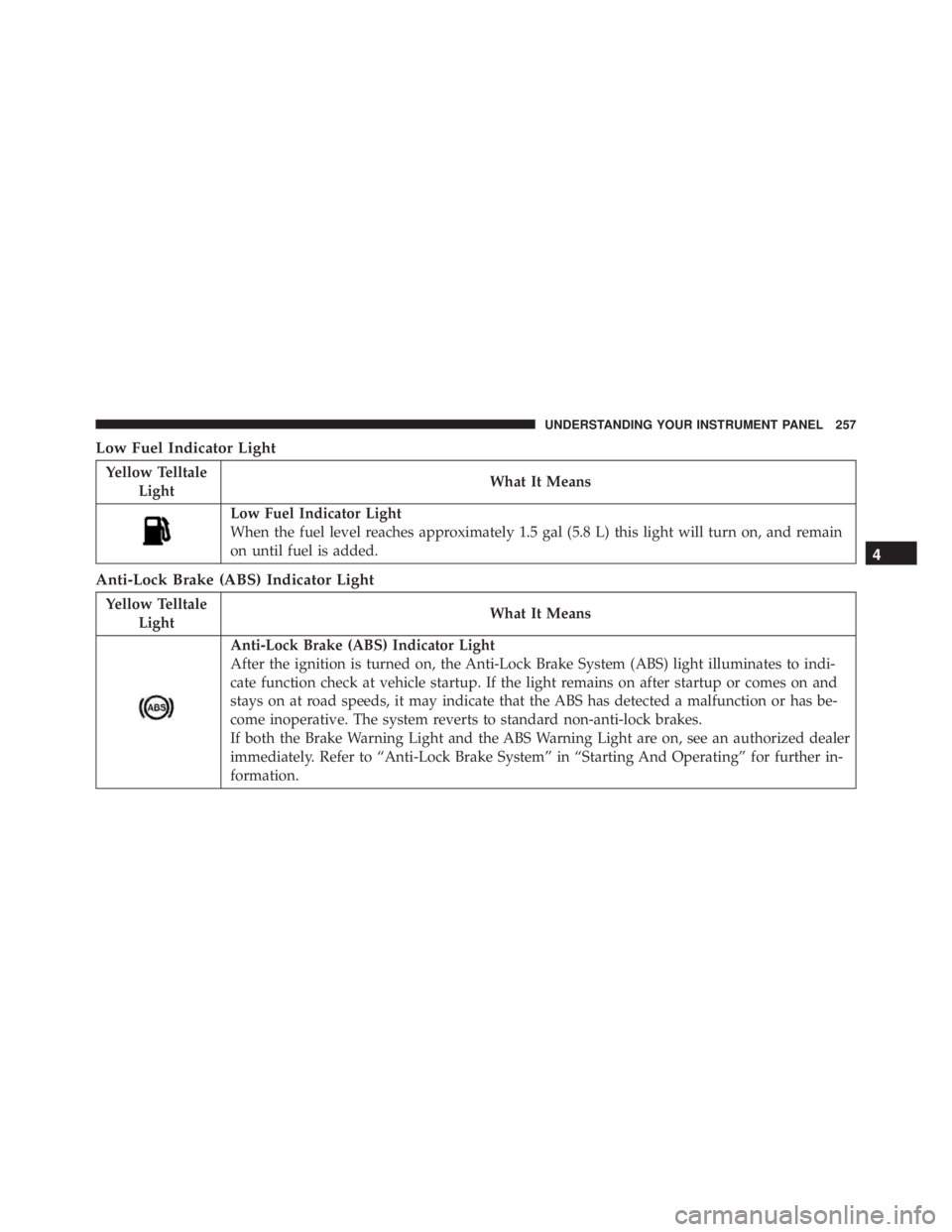
Low Fuel Indicator Light
Yellow Telltale
Light What It Means
Low Fuel Indicator Light
When the fuel level reaches approximately 1.5 gal (5.8 L) this light will turn on, and remain
on until fuel is added.
Anti-Lock Brake (ABS) Indicator Light
Yellow Telltale
Light What It Means
Anti-Lock Brake (ABS) Indicator Light
After the ignition is turned on, the Anti-Lock Brake System (ABS) light illuminates to indi-
cate function check at vehicle startup. If the light remains on after startup or comes on and
stays on at road speeds, it may indicate that the ABS has detected a malfunction or has be-
come inoperative. The system reverts to standard non-anti-lock brakes.
If both the Brake Warning Light and the ABS Warning Light are on, see an authorized dealer
immediately. Refer to “Anti-Lock Brake System” in “Starting And Operating” for further in-
formation. 4UNDERSTANDING YOUR INSTRUMENT PANEL 257
Page 274 of 675

the EVIC’s compass/outside temp line. Examples of this
message type are “Right Front Turn Signal Lamp Out”
and “Low Tire Pressure.”
• Unstored Messages
This message type is displayed indefinitely or until the
condition that activated the message is cleared. Examples
of this message type are “Turn Signal On” (if a turn signal
is left on) and “Lights On” (if driver leaves the vehicle).
• Unstored Messages Until RUN
These messages deal primarily with the Remote Start
feature. This message type is displayed until the ignition
is in the RUN state. Examples of this message type are
“Remote Start Aborted - Door Ajar” and “Press Brake
Pedal and Push Button to Start.”
• Five Second Unstored Messages
When the appropriate conditions occur, this type of
message takes control of the main display area for five seconds and then returns to the previous screen. An
example of this message type is “Automatic High Beams
On.”
Oil Life Reset
Your vehicle is equipped with an engine oil change
indicator system. The “Oil Change Required” message
will display for approximately 10 seconds after a single
chime has sounded, to indicate the next scheduled oil
change interval. The engine oil change indicator system
is duty cycle based, which means the engine oil change
interval may fluctuate, dependent upon your personal
driving style.
NOTE: Use the steering wheel controls for the following
procedure(s)272 UNDERSTANDING YOUR INSTRUMENT PANEL
Page 275 of 675
Vehicles Equipped With Passive Entry
1. Without pushing the brake pedal, push the ENGINE
START/STOP button and cycle the ignition to the
ON/RUN position (do not start the engine).
2. Push and release the DOWN arrow button to
scroll downward through the main menu to “Ve-
hicle Info.”
3. Push and release the RIGHT arrow button to
access the “Oil Life” screen.
4. Push and hold the RIGHT arrow button for one
second to access the “Oil Life Reset” screen.
5. Push and release the DOWN arrow button to
select “Yes,” then push and release the RIGHT
arrow button to select reset of the Oil Life.
6. Push and release the UP arrow button to exit the
EVIC screen. Vehicles Not Equipped With Passive Entry
1. Without pushing the brake pedal, cycle the ignition to
the ON/RUN position (do not start the engine).
2. Push and release the DOWN arrow button to
scroll downward through the main menu to “Ve-
hicle Info.”
3. Push and release the RIGHT arrow button to
access the “Oil Life” screen.
4. Push and hold the RIGHT arrow button for one
second to access the “Oil Life Reset” screen.
5. Push and release the DOWN arrow button to
select “Yes,” then push and release the RIGHT
arrow button to select reset of the Oil Life.
6. Push and release the UP arrow button to exit the
EVIC screen. 4UNDERSTANDING YOUR INSTRUMENT PANEL 273
Page 276 of 675

NOTE: If the indicator message illuminates when you
start the vehicle, the oil change indicator system did not
reset. If necessary, repeat this procedure.
EVIC Messages
• Front Seatbelts Unbuckled
• Driver Seatbelt Unbuckled
• Passenger Seatbelt Unbuckled
• Service Airbag System
• Traction Control Off
• Washer Fluid Low
• Oil Pressure Low
• Oil Change Due
• Fuel Low
• Service Antilock Brake System • Service Electronic Throttle Control
• Service Power Steering
• Cruise Off
• Cruise Ready
• Cruise Set To XXX MPH
• Tire Pressure Screen With Low Tire(s) “Inflate Tire to
XX”
• Tire Pressure Information System (TPIS)
• Service Tire Pressure System
• Parking Brake Engaged
• Brake Fluid Low
• Service Electronic Braking System
• Engine Temperature Hot274 UNDERSTANDING YOUR INSTRUMENT PANEL