horn RAM CHASSIS CAB 2017 User Guide
[x] Cancel search | Manufacturer: RAM, Model Year: 2017, Model line: CHASSIS CAB, Model: RAM CHASSIS CAB 2017Pages: 536, PDF Size: 5.67 MB
Page 233 of 536
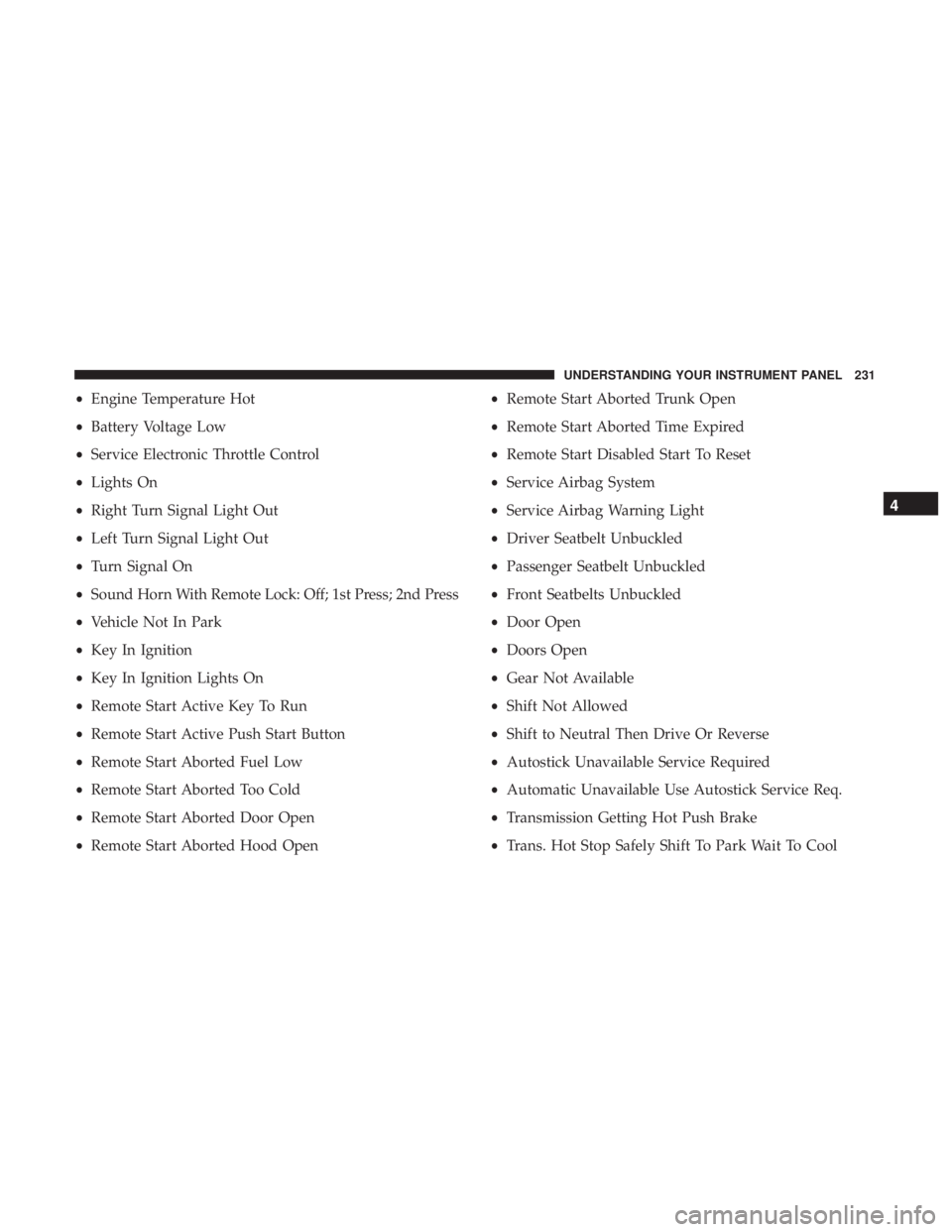
• Engine Temperature Hot
• Battery Voltage Low
• Service Electronic Throttle Control
• Lights On
• Right Turn Signal Light Out
• Left Turn Signal Light Out
• Turn Signal On
• Sound Horn With Remote Lock: Off; 1st Press; 2nd Press
• Vehicle Not In Park
• Key In Ignition
• Key In Ignition Lights On
• Remote Start Active Key To Run
• Remote Start Active Push Start Button
• Remote Start Aborted Fuel Low
• Remote Start Aborted Too Cold
• Remote Start Aborted Door Open
• Remote Start Aborted Hood Open • Remote Start Aborted Trunk Open
• Remote Start Aborted Time Expired
• Remote Start Disabled Start To Reset
• Service Airbag System
• Service Airbag Warning Light
• Driver Seatbelt Unbuckled
• Passenger Seatbelt Unbuckled
• Front Seatbelts Unbuckled
• Door Open
• Doors Open
• Gear Not Available
• Shift Not Allowed
• Shift to Neutral Then Drive Or Reverse
• Autostick Unavailable Service Required
• Automatic Unavailable Use Autostick Service Req.
• Transmission Getting Hot Push Brake
• Trans. Hot Stop Safely Shift To Park Wait To Cool 4UNDERSTANDING YOUR INSTRUMENT PANEL 231
Page 245 of 536

Lights
After pressing the “Lights” button on the touchscreen, the
following settings will be available:
Setting Name Selectable Options
Headlight Off Delay 03 06 09 0
Headlight Illumina-
tion On Approach 03 06 09 0
NOTE: When the “Headlight Illumination On Approach” feature is selected, it allows the adjustment of the amount
of time the headlights remain on when the doors are unlocked with the key fob.
Headlights With
Wipers —
If Equipped On Off
Auto Dim High
Beams —
If Equipped On Off
Flash Lights With
Lock On Off
NOTE: When the “Flash Lights With Lock” feature is selected, the exterior lights will flash when the doors are locked
or unlocked with the key fob. This feature may be selected with or without the sound horn on lock feature selected. 4UNDERSTANDING YOUR INSTRUMENT PANEL 243
Page 246 of 536

Doors & Locks
After pressing the “Doors & Locks” button on the touch-
screen, the following settings will be available:
Setting Name Selectable Options
Auto Door Locks On Off
NOTE: When the “Auto Door Locks” feature is selected, all doors will lock automatically when the vehicle reaches a
speed of 15 mph (24 km/h).
Auto Unlock On Exit On Off
NOTE: When the “Auto Unlock On Exit” feature is selected, all doors will unlock when the vehicle is stopped, the
transmission is in the PARK or NEUTRAL position and the driver’s door is opened.
Sound Horn With Lock Off 1st Press 2nd Press
Remote Door Unlock All Driver
NOTE: The “Remote Door Unlock” feature will allow you to program your remote door locks to open “All doors” or
only the “Driver door” with the first push of the key fob or grabbing the Passive Entry door handle.
Sound Horn With Remote
Start On Off
NOTE: When the “Sound Horn With Remote Start” feature is selected, the horn will sound when the remote start is
activated. 244 UNDERSTANDING YOUR INSTRUMENT PANEL
Page 247 of 536

Setting Name Selectable Options
Memory Linked To Fob —
If Equipped On Off
NOTE:
• The “Memory Linked To Fob” feature provides automatic driver seat positioning to enhance driver mobility when
entering and exiting the vehicle.
• The seat will return to the memorized seat location if “Memory Linked To Fob” is set to (On) when the key fob is
used to unlock the door.
Passive Entry —
If Equipped On Off
NOTE: The “Passive Entry” feature allows you to lock and unlock the vehicle’s door(s) without having to push the
key fob lock or unlock buttons. It automatically unlocks the doors when the outside door handle is grabbed.
Flash Lights With Lock On Off
NOTE: When the “Flash Lights With Lock” feature is selected, the exterior lights will flash when the doors are locked
or unlocked with the key fob. This feature may be selected with or without the “Sound Horn With Lock” feature se-
lected. 4UNDERSTANDING YOUR INSTRUMENT PANEL 245
Page 265 of 536

Setting Name Selectable Options
Auto Dim High Beams —
If Equipped
NOTE: When the “Auto Dim High Beams” feature is selected, the high beam headlights will deactivate automatically
under certain conditions.
Flash Lights With Lock
NOTE: When the “Flash Lights With Lock” feature is selected, the exterior lamps will flash when the doors are
locked or unlocked with the key fob. This feature may be selected with or without the sound horn on lock feature
selected.
Doors & Locks
After pressing the “Doors & Locks” button on the touch-
screen, the following settings will be available:
Setting Name Selectable Options
Auto Door Locks
NOTE: When the “Auto Door Locks” feature is selected, all doors will lock automatically when the vehicle reaches a
speed of 15 mph (24 km/h).
Auto Unlock On Exit
NOTE: When the “Auto Unlock On Exit” feature is selected, all doors will unlock when the vehicle is stopped and
the transmission is in the PARK or NEUTRAL position and the driver’s door is opened. 4UNDERSTANDING YOUR INSTRUMENT PANEL 263
Page 266 of 536

Setting Name Selectable Options
Flash Lights With Lock
NOTE: When the “Flash Lights With Lock” feature is selected, the front and rear turn signals will flash when the
doors are locked or unlocked with the key fob. This feature may be selected with or without the “Sound Horn With
Lock” feature selected.
Sound Horn With Lock Off 1st Press 2nd Press
Sound Horn With Remote
Start
1st Press Of Key Fob
Unlocks Driver Door All Doors
NOTE:
• When “1st Press Of Key Fob Unlocks: Driver Door” is selected, only the driver’s door will unlock on the first press
of the key fob unlock button. You must push the key fob unlock button twice to unlock the passenger’s doors.
• When “All Doors” is selected, all of the doors will unlock on the first push of the key fob unlock button.
• If the vehicle is programmed “1st Press Of Key Fob Unlocks: All Doors”, all doors will unlock no matter which
Passive Entry equipped door handle is grasped. If “1st Press Of Key Fob Unlocks: Driver Door” is programmed,
only the driver ’s door will unlock when the driver ’s door is grasped.
• With Passive Entry, if “1st Press Of Key Fob Unlocks: Driver Door” is programmed pushing the handle more than
once will only result in the driver ’s door opening. If “Driver Door” is selected, once the driver ’s door is opened,
the interior door lock/unlock switch can be used to unlock all doors (or use key fob).264 UNDERSTANDING YOUR INSTRUMENT PANEL
Page 309 of 536
Stolen Vehicle Assistance
Remote Vehicle Start**
Remote Horn and Lights
Vehicle Finder
Send ‘N Go
Yelp Search
Voice Texting
Roadside Assistance Call
3G Wi-Fi Hotspot***
**If vehicle is equipped.
***Extra charges apply.
Vehicle Health Alert
Your vehicle will send you an email alert if it senses a
problem under the hood with one of your vehicles key
systems. For further information go to the Mopar Owner
Connect website moparownerconnect.com.
Register (8.4/8.4 NAV)
To unlock the full potential of Uconnect Access in your
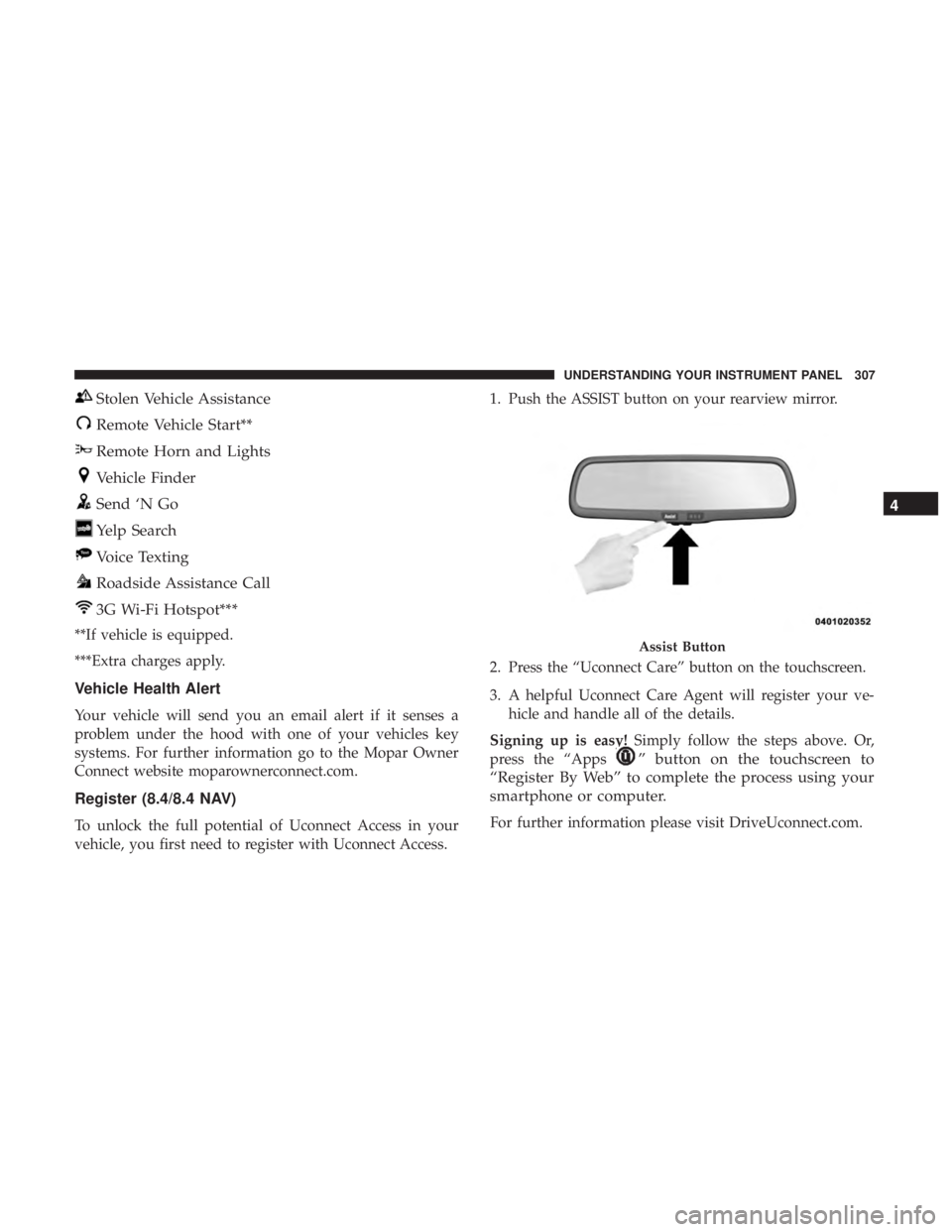
vehicle, you first need to register with Uconnect Access. 1. Push the ASSIST button on your rearview mirror.
2. Press the “Uconnect Care” button on the touchscreen.
3. A helpful Uconnect Care Agent will register your ve-
hicle and handle all of the details.
Signing up is easy! Simply follow the steps above. Or,
press the “Apps
” button on the touchscreen to
“Register By Web” to complete the process using your
smartphone or computer.
For further information please visit DriveUconnect.com. Assist Button 4UNDERSTANDING YOUR INSTRUMENT PANEL 307
Page 310 of 536
Mobile App (8.4/8.4 NAV)
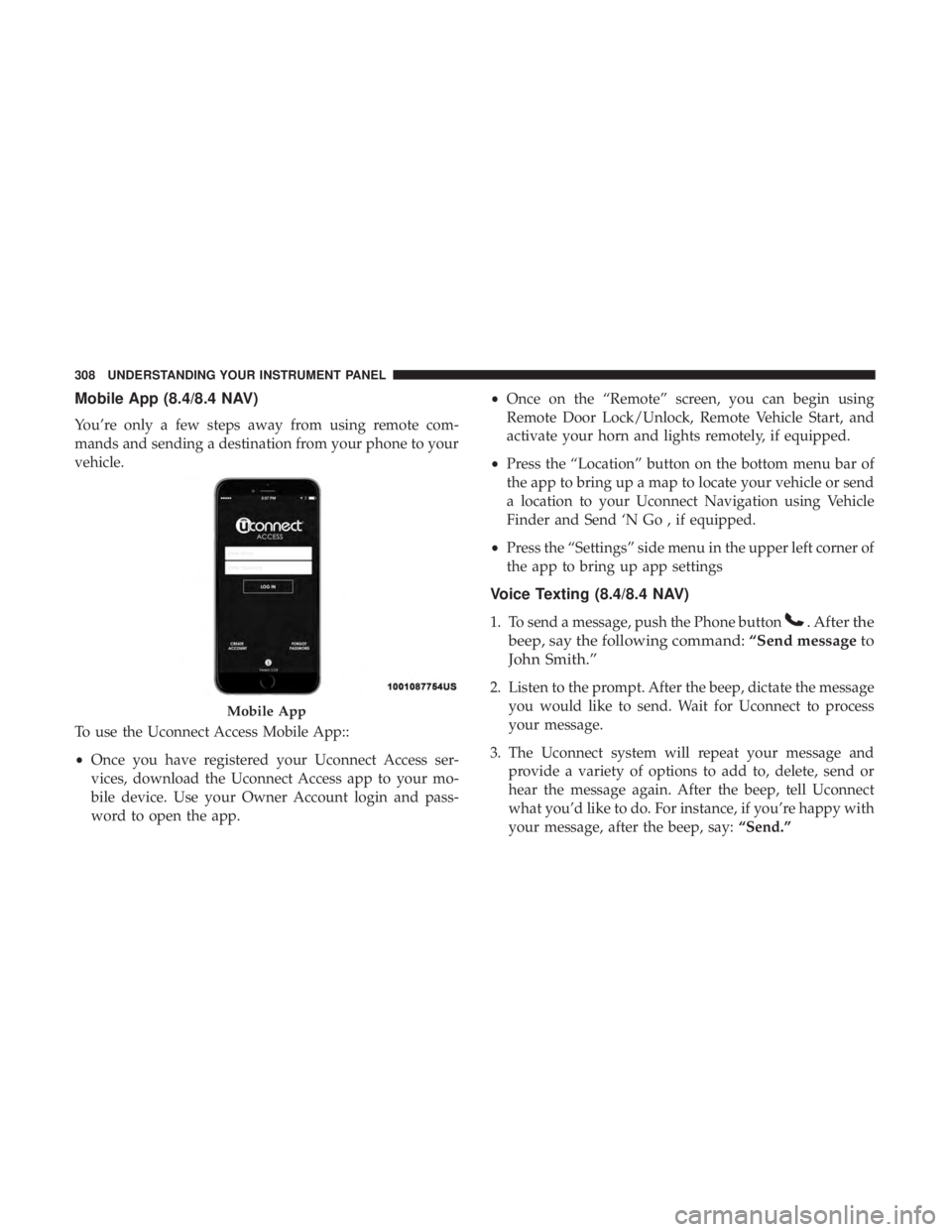
You’re only a few steps away from using remote com-
mands and sending a destination from your phone to your
vehicle.
To use the Uconnect Access Mobile App::
• Once you have registered your Uconnect Access ser-
vices, download the Uconnect Access app to your mo-
bile device. Use your Owner Account login and pass-
word to open the app. • Once on the “Remote” screen, you can begin using
Remote Door Lock/Unlock, Remote Vehicle Start, and
activate your horn and lights remotely, if equipped.
• Press the “Location” button on the bottom menu bar of
the app to bring up a map to locate your vehicle or send
a location to your Uconnect Navigation using Vehicle
Finder and Send ‘N Go , if equipped.
• Press the “Settings” side menu in the upper left corner of
the app to bring up app settings
Voice Texting (8.4/8.4 NAV)
1. To send a message, push the Phone button . After the
beep, say the following command: “Send message to
John Smith.”
2. Listen to the prompt. After the beep, dictate the message
you would like to send. Wait for Uconnect to process
your message.
3. The Uconnect system will repeat your message and
provide a variety of options to add to, delete, send or
hear the message again. After the beep, tell Uconnect
what you’d like to do. For instance, if you’re happy with
your message, after the beep, say: “Send.”Mobile App308 UNDERSTANDING YOUR INSTRUMENT PANEL
Page 492 of 536

Cavity Cartridge Fuse Micro Fuse Description
F42 – 20 Amp Yellow Horn
F44 – 10 Amp Red Diagnostic Port
F46 – 10 Amp Red Upfitter – If Equipped
F49 – 10 Amp Red Instrument Panel Cluster (Except Fleet Vehicles)
F50 – 20 Amp Yellow Air Suspension Control Module – If Equipped
F51 – 10 Amp Red Ignition Node Module / Keyless Ignition (In-
strument Panel Cluster – Fleet Vehicles Only)
F52 – 5 Amp Tan Battery Sensor
F53 – 20 Amp Yellow Trailer Tow – Left Turn/Stop Lights
F54 – 20 Amp Yellow Adjustable Pedals
F56 – 15 Amp Blue Additional Diesel Content – If Equipped
F57 – 20 Amp Yellow Transmission
F58 – 20 Amp Yellow Spare Fuse
F59 – 10 Amp Red SCR Relay – If Equipped
F60 – 15 Amp Blue Underhood Lamp
F61 – 10 Amp Red (1500 LD
Diesel & Cummins
Diesel) PM Sensor – If Equipped
F62 – 10 Amp Red Air Conditioning Clutch490 MAINTAINING YOUR VEHICLE