horn RAM CHASSIS CAB 2019 User Guide
[x] Cancel search | Manufacturer: RAM, Model Year: 2019, Model line: CHASSIS CAB, Model: RAM CHASSIS CAB 2019Pages: 607, PDF Size: 12.68 MB
Page 386 of 607

384 IN CASE OF EMERGENCY
F34 30 Amp Pink – Vehicle System Interface Module #2 – If Equipped
(HD Only)
SSV (DS 1500 Only)
F35 30 Amp Pink – Sunroof – If Equipped
F36 30 Amp Pink – Electric Back Light – If Equipped
F37 30 Amp Pink – Fuel Heater #2, Aux Relay 2 – If Equipped (HD Only)
SSV (DS 1500 Only)
F38 30 Amp Pink – Integrated Trailer Brake Module – If Equipped
(HD Only)
Power Inverter 115V AC – If Equipped (DS 1500 Only)
F39 20 Amp Blue
– Power Outlet – SSV Only
F40 – 10 Amp Red Ventilated Seats – If Equipped (HD Only)
F41 – 10 Amp Red Active Grille Shutter / Active Air Dam – If Equipped
F42 – 20 Amp Yellow Horn
F43 – 15 Amp Blue Heated Steering Wheel – If Equipped (HD Only)
F44 – 10 Amp Red Diagnostic Port
F46 – 10 Amp Red Upfitters Relay Coil – If Equipped (HD Only)
Spare (DS 1500 Only)
F49 – 10 Amp Red Instrument Panel Cluster / HVAC (DS 1500 Only)
Instrument Cluster / MOD CSG (HD Only)Cavity Cartridge Fuse Micro Fuse Description
Page 499 of 607

MULTIMEDIA 497
Doors & Locks
After pressing the “Doors & Locks” button on the touchscreen, the following settings will be available: NOTE:
When the “Flash Lights With Lock” feature is selected, the exterior lights flash when the doors are locked or unlocked with
the key fob. This feature may be selected with or without the sound horn on lock feature selected.
Steering Directed Lights On Off
NOTE:
When the “Steering Directed Lights” feature is selected, the headlights turn with the direction of the steering wheel.
Rear Cargo Guidance Lights — If
Equipped On Off
NOTE:
When the “Rear Cargo Guidance Lights” feature is selected, the lights in the cargo and bed of the truck will come on either
when the headlight switch is pressed, or the button on the back bed of the truck is pressed. Setting Name Selectable Options
Setting Name Selectable Options
Auto Door Locks — If
Equipped On Off
NOTE:
When the “Auto Door Locks” feature is selected, all doors lock automatically when the vehicle reaches a speed of 15 mph
(24 km/h).
Auto Unlock On Exit On Off 9
Page 500 of 607

498 MULTIMEDIA
NOTE:
When the “Auto Unlock On Exit” feature is selected, all doors unlock when the vehicle is stopped, the transmission is in the
PARK or NEUTRAL position and the driver's door is opened.
Sound Horn With Lock Off 1st Press 2nd Press
Remote Door Unlock All Driver
NOTE:
The “Remote Door Unlock” feature allows you to program your remote door locks to open “All doors” or only the “Driver
door” with the first push of the key fob or grabbing the Passive Entry door handle.
Sound Horn With Remote
Start On Off
NOTE:
When the “Sound Horn With Remote Start” feature is selected, the horn sounds when the remote start is activated.
Memory Linked To Fob — If
Equipped On Off
NOTE:
• The “Memory Linked To Fob” feature provides automatic driver seat positioning to enhance driver mobility when
entering and exiting the vehicle.
• The seat returns to the memorized seat location if “Memory Linked To Fob” is set to (On) when the key fob is used to
unlock the door.
Passive Entry — If Equipped On OffSetting Name Selectable Options
Page 501 of 607

MULTIMEDIA 499
Power Side Steps — If Equipped
After pressing the “Power Side Steps” button on the touchscreen, the following settings will be available: NOTE:
The “Passive Entry” feature allows you to lock and unlock the vehicle’s door(s) without having to push the key fob lock or
unlock buttons. It automatically unlocks the doors when the outside door handle is grabbed.
Flash Lights With Lock On Off
NOTE:
When the “Flash Lights With Lock” feature is selected, the exterior lights flash when the doors are locked or unlocked with
the key fob. This feature may be selected with or without the “Sound Horn With Lock” feature selected. Setting Name Selectable Options
Setting Name Selectable Options
Power Side Steps Automatic Stow
9
Page 521 of 607

MULTIMEDIA 519
Doors & Locks
After pressing the “Doors & Locks” button on the touchscreen, the following settings will be available: Flash Lights With Lock On Off
NOTE:
When the “Flash Lights With Lock” feature is selected, the exterior lamps flash when the doors are locked or unlocked with
the key fob. This feature may be selected with or without the sound horn on lock feature selected.
Rear Cargo Guidance Lights — If
Equipped On Off
NOTE:
When the “Rear Cargo Guidance Lights” feature is selected, the lights in the cargo and bed of the truck will come on either
when the headlight switch is pressed, or the button on the back bed of the truck is pressed. Setting Name Selectable Options
Setting Name Selectable Options
Auto Door Locks — If
Equipped On Off
NOTE:
When the “Auto Door Locks” feature is selected, all doors lock automatically when the vehicle reaches a speed of 15 mph
(24 km/h).
Auto Unlock On Exit On Off
NOTE:
When the “Auto Unlock On Exit” feature is selected, all doors unlock when the vehicle is stopped and the transmission is in
the PARK or NEUTRAL position and the driver's door is opened. 9
Page 522 of 607

520 MULTIMEDIA
Flash Lights With Lock On Off
NOTE:
When the “Flash Lights With Lock” feature is selected, the front and rear turn signals flash when the doors are locked or
unlocked with the key fob. This feature may be selected with or without the “Sound Horn With Lock” feature selected.
Sound Horn With Lock Off
1st Press 2nd Press
Sound Horn With Remote
Start On Off
1st Press Of Key Fob Unlocks Driver Door All Doors
NOTE:
• When “1st Press Of Key Fob Unlocks: Driver Door” is selected, only the driver's door unlocks on the first press of the key
fob unlock button. You must push the key fob unlock button twice to unlock the passenger's doors.
• When “All Doors” is selected, all of the doors unlock on the first push of the key fob unlock button.
• If the vehicle is programmed “1st Press Of Key Fob Unlocks: All Doors”, all doors will unlock no matter which Passive
Entry equipped door handle is grasped. If “1st Press Of Key Fob Unlocks: Driver Door” is programmed, only the driver’s
door will unlock when the driver’s door is grasped.
• With Passive Entry, if “1st Press Of Key Fob Unlocks: Driver Door” is programmed pushing the handle more than once
only results in the driver’s door opening. If “Driver Door” is selected, once the driver’s door is opened, the interior door
lock/unlock switch can be used to unlock all doors (or use key fob).
Passive Entry — If Equipped On OffSetting Name Selectable Options
Page 540 of 607

538 MULTIMEDIA
NOTE:
When the “Headlight Off Delay” feature is selected, the driver can choose to have the headlights remain on for 0, 30, 60, or
90 seconds when exiting the vehicle.
Headlights With Wipers — If
Equipped On Off
NOTE:
When the “Headlights With Wipers” feature is selected, and the headlight switch is in the AUTO position, the headlights
turn on approximately ten seconds after the wipers are turned on. The headlights also turn off when the wipers are turned
off if they were turned on by this feature.
Auto Dim High Beams — If Equipped On Off
NOTE:
When the “Auto Dim High Beams” feature is selected, the high beam headlights deactivate automatically under certain
conditions.
Daytime Running Lights On Off
Flash Lights with Lock On Off
NOTE:
When the “Flash Lights With Lock” feature is selected, the exterior lamps flash when the doors are locked or unlocked with
the key fob. This feature may be selected with or without the sound horn on lock feature selected.
Steering Directed Lights On OffSetting Name Selectable Options
Page 541 of 607

MULTIMEDIA 539
Doors & Locks
After pressing the “Doors & Locks” button on the touchscreen, the following settings will be available: NOTE:
When the “Steering Directed Lights” feature is selected, the headlights turn with the direction of the steering wheel.
Rear Cargo Guidance Lights — If
Equipped On Off
NOTE:
When the “Rear Cargo Guidance Lights” feature is selected, the lights in the cargo and bed of the truck will come on either
when the headlight switch is pressed, or the button on the back bed of the truck is pressed. Setting Name Selectable Options
Setting Name Selectable Options
Auto Door Locks On Off
Auto Unlock On Exit On Off
NOTE:
When the “Auto Unlock On Exit” feature is selected, all doors unlock when the vehicle is stopped and the transmission is in
the PARK or NEUTRAL position and the driver's door is opened.
Flash Lights With Lock On Off
NOTE:
When the “Flash Lights With Lock” feature is selected, the front and rear turn signals flash when the doors are locked or
unlocked with the key fob. This feature may be selected with or without the “Sound Horn With Lock” feature selected.
Sound Horn With Remote Start On Off 9
Page 576 of 607
574 MULTIMEDIA
Remote Door Lock/Unlock
Send & Go
Vehicle Finder-If Equipped
Stolen Vehicle Assistance
Remote Vehicle Start**
Remote Horn & Lights
Roadside Assistance Call
Vehicle Health Reports-If Equipped**
Vehicle Health Alert**
Performance Pages Plus**
• **If vehicle is equipped. Register (4C/4C NAV)
To unlock the full potential of SiriusXM Guardian in your
vehicle, you must activate your SiriusXM Guardian services.
1. Press the Apps icon on the bottom of your in-vehicle
touchscreen.
2. Select the Activate Services icon from your list of apps.
3. Select “Customer Care” to speak with a SiriusXM
Guardian Customer Care agent who will activate services
in your vehicle, or select “Enter Email” to activate on the
web.
For further information:
• U.S. residents visit: siriusxm.com/guardian
• Canadian residents visit: siriusxm.ca/guardian
Page 577 of 607
MULTIMEDIA 575
Mobile App (4C/4C NAV)
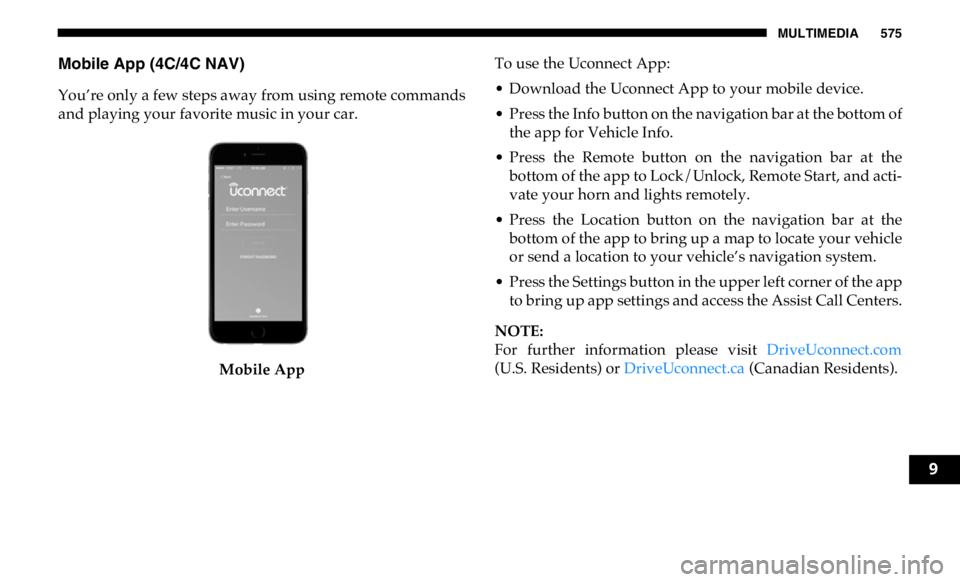
You’re only a few steps away from using remote commands
and playing your favorite music in your car.
Mobile App To use the Uconnect App:
• Download the Uconnect App to your mobile device.
• Press the Info button on the navigation bar at the bottom of
the app for Vehicle Info.
• Press the Remote button on the navigation bar at the
bottom of the app to Lock/Unlock, Remote Start, and acti -
vate your horn and lights remotely.
• Press the Location button on the navigation bar at the
bottom of the app to bring up a map to locate your vehicle
or send a location to your vehicle’s navigation system.
• Press the Settings button in the upper left corner of the app
to bring up app settings and access the Assist Call Centers.
NOTE:
For further information please visit DriveUconnect.com
(U.S. Residents) or DriveUconnect.ca (Canadian Residents).
9