mirror RAM CHASSIS CAB 2019 Owner's Manual
[x] Cancel search | Manufacturer: RAM, Model Year: 2019, Model line: CHASSIS CAB, Model: RAM CHASSIS CAB 2019Pages: 607, PDF Size: 12.68 MB
Page 246 of 607

244
(Continued)STARTING AND OPERATINGSTARTING THE ENGINE
Before starting your vehicle, adjust your seat, adjust both
inside and outside mirrors, and fasten your seat belt.
The starter should not be operated for more than 10-second
intervals. Waiting a few seconds between such intervals will
protect the starter from overheating.
WARNING!
• When leaving the vehicle, always make sure the
keyless ignition node is in the "OFF" mode, remove the
key fob from the vehicle and lock the vehicle.
• Never leave children alone in a vehicle, or with access
to an unlocked vehicle. Allowing children to be in a
vehicle unattended is dangerous for a number of
reasons. A child or others could be seriously or fatally
injured. Children should be warned not to touch the
parking brake, brake pedal or the gear selector. • Do not leave the key fob in or near the vehicle, or in a
location accessible to children, and do not leave the
ignition of a vehicle equipped with Keyless
Enter-N-Go in the ACC or ON/RUN mode. A child
could operate power windows, other controls, or move
the vehicle.
• Do not leave children or animals inside parked vehicles
in hot weather. Interior heat build-up may cause
serious injury or death. WARNING! (Continued)
Page 302 of 607

300 STARTING AND OPERATING
The ACC screen may display once again if any ACC activity
occurs, which may include any of the following:
• System Cancel
• Driver Override
• System Off
• ACC Proximity Warning
• ACC Unavailable Warning
The instrument cluster display will return to the last
display selected after five seconds of no ACC display
activity
Display Warnings And Maintenance
“Wipe Front Radar Sensor In Front Of Vehicle” Warning
The “ACC/FCW Unavailable Wipe Front Radar Sensor”
warning will display and also a chime will indicate when
conditions temporarily limit system performance.
This most often occurs at times of poor visibility, such as in
snow or heavy rain. The ACC system may also become
temporarily blinded due to obstructions, such as mud, dirt or
ice. In these cases, the instrument cluster display will display
“ACC/FCW Unavailable Wipe Front Radar Sensor” and the
system will deactivate. The “ACC/FCW Unavailable Wipe Front Radar Sensor”
message can sometimes be displayed while driving in highly
reflective areas (i.e. tunnels with reflective tiles, or ice and
snow). The ACC system will recover after the vehicle has left
these areas. Under rare conditions, when the radar is not
tracking any vehicles or objects in its path this warning may
temporarily occur.
NOTE:
If the “ACC/FCW Unavailable Wipe Front Radar Sensor”
warning is active Normal (Fixed Speed) Cruise Control is
still available. For additional information refer to “Normal
(Fixed Speed) Cruise Control Mode” in this section.
If weather conditions are not a factor, the driver should
examine the sensor. It may require cleaning or removal of an
obstruction. The sensor is located in the camera in the center
of the windshield, on the forward side of the rearview
mirror.
Page 303 of 607

STARTING AND OPERATING 301
To keep the ACC System operating properly, it is important
to note the following maintenance items:
• Always keep the sensor clean. Carefully clear the wind -
shield.
• Do not remove any screws from the sensor. Doing so could
cause an ACC system malfunction or failure and require a
sensor realignment.
• Do not attach or install any accessories near the sensor,
including transparent material or aftermarket grilles. Doing
so could cause an ACC system failure or malfunction.
When the condition that deactivated the system is no longer
present, the system will return to the “Adaptive Cruise
Control Off” state and will resume function by simply reac -
tivating it.
NOTE:
• If the “ACC/FCW Unavailable Wipe Front Radar Sensor”
message occurs frequently (e.g. more than once on every
trip) without any snow, rain, mud, or other obstruction,
have the radar sensor realigned at your authorized dealer.
• Installing a snow plow, front-end protector, an after -
market grille or modifying the grille is not recommended.
Doing so may block the sensor and inhibit ACC/FCW
operation. “Clean Front Windshield” Warning
The “ACC/FCW Limited Functionality Clean Front Wind -
shield” warning will display and also a chime will indicate
when conditions temporarily limit system performance. This
most often occurs at times of poor visibility, such as in snow
or heavy rain and fog. The ACC system may also become
temporarily blinded due to obstructions, such as mud, dirt,
or ice on windshield, driving directly into the sun and fog on
the inside of glass. In these cases, the instrument cluster
display will show “ACC/FCW Limited Functionality Clean
Front Windshield” and the system will have degraded
performance.
The “ACC/FCW Limited Functionality Clean Front Wind -
shield” message can sometimes be displayed while driving
in adverse weather conditions. The ACC/FCW system will
recover after the vehicle has left these areas. Under rare
conditions, when the camera is not tracking any vehicles or
objects in its path this warning may temporarily occur.
If weather conditions are not a factor, the driver should
examine the windshield and the camera located on the back
side of the inside rear view mirror. They may require
cleaning or removal of an obstruction. 5
Page 328 of 607

326 STARTING AND OPERATING
PARKVIEW REAR BACK UP CAMERA
Your vehicle may be equipped with the ParkView Rear Back
Up Camera that allows you to see a image of the rear
surroundings of your vehicle whenever the gear selector is
put into REVERSE or whenever it is initiated through the
"Backup Camera" button in the "Controls" menu. Whenever
the gear selector is put into REVERSE, the image will be
displayed in the rearview mirror display (if equipped) or
Uconnect screen (if equipped). If the image is displayed in
the Uconnect screen, a caution note to “check entire
surroundings” will display across the top of the screen. After
five seconds this note will disappear.
NOTE:
For the 3500, 4500, and 5500 Chassis Cab vehicles, the Rear
Backup Camera is shipped loose and not installed. Please
refer to the Ram Body Builders Guide for more information.
Manual Activation Of The Rear View Camera:
1. Press the "Controls" button located on the bottom of the
Uconnect display.
2. Press the "Backup Camera" button to turn the Rear
View Camera system on. When the vehicle is shifted out of REVERSE (with Camera
delay turned off), the rear Camera mode is exited and the
previous screen appears again.
When the vehicle is shifted out of REVERSE (with Camera
delay turned on), the rear Camera image will be displayed
for up to 10 seconds after shifting to another gear, unless the
vehicle speed exceeds 8 mph (13 km/h), the transmission is
shifted into PARK, the ignition is switched to the OFF posi -
tion, or the touchscreen button “X” to disable display of the
Rear View Camera image is pressed.
Whenever the Rear View Camera image is activated through
the "Backup Camera" button in the "Controls" menu, and the
vehicle speed is greater than, or equal to, 8 mph (13 km/h), a
display timer for the image is initiated. The image will
continue to be displayed until the display timer exceeds 10
seconds.
NOTE:
• If the vehicle speed remains below 8 mph (13 km/h), the
Rear View Camera image will be displayed continuously
until deactivated via the touchscreen button "X", the trans -
mission is shifted into PARK, or the ignition is cycled to
the OFF position.
Page 332 of 607

330 STARTING AND OPERATING
SURROUND VIEW CAMERA SYSTEM — IF EQUIPPED
Your vehicle may be equipped with the Surround View
Camera System that allows you to see an on-screen image of
the surroundings and top view of your vehicle whenever the
gear selector is put into REVERSE or a different view is
selected through the "on screen soft buttons". The top view of
the vehicle will show which doors are open. The image will
be displayed on the touchscreen display along with a caution
note “Check Entire Surroundings” across the top of the
screen. After five seconds, this note will disappear. The
Surround View Camera System is comprised of three
sequential cameras located in the front grille and side
mirrors, in addition to a fourth Rear Back Up Camera.
NOTE:
• For the 3500, 4500, and 5500 Chassis Cab vehicles, the Rear
Backup Camera is shipped loose and not installed. Please
refer to the Ram Body Builders Guide for more informa -
tion.
• The Surround View Camera System has programmable
settings that may be selected through the Uconnect
System. Refer to “Uconnect Settings” in “Multimedia” for
further information. When the vehicle is shifted into REVERSE, the rear camera
view and top view is the default view of the system (Auto -
matic Activation).
When the vehicle is shifted out of REVERSE (with camera
delay turned on), the camera image will continue to be
displayed for up to 10 seconds after shifting out of REVERSE
unless the vehicle speed exceeds 8 mph (13 km/h), the
vehicle is shifted into PARK or the ignition is switched to the
OFF position. There is a touch screen button (X) to disable the
display of the camera image.
When the vehicle is shifted out of REVERSE (with camera
delay turned off), the surround view camera mode is exited
and the last known screen appears again.
While the “rear view” is displayed, and if enabled, active
guide lines are overlaid on the image to illustrate the width
of the vehicle, including the side view mirrors and its
projected backup path based on the steering wheel position.
Different colored zones indicate the distance to the rear of
the vehicle.
Page 334 of 607
332 STARTING AND OPERATING
NOTE:
• Front tires will be in image when the tires are turned.
• Due to wide angle cameras in mirror, the image will
appear distorted.
• Top view will show which doors are open.
• Open front doors will remove outside image.
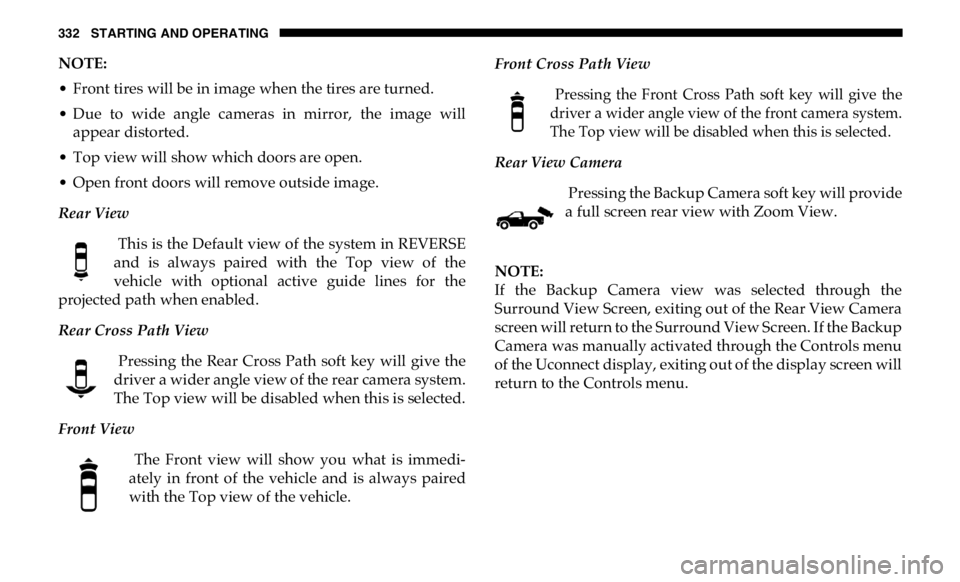
Rear View
This is the Default view of the system in REVERSE
and is always paired with the Top view of the
vehicle with optional active guide lines for the
projected path when enabled.
Rear Cross Path View
Pressing the Rear Cross Path soft key will give the
driver a wider angle view of the rear camera system.
The Top view will be disabled when this is selected.
Front View
The Front view will show you what is immedi -
ately in front of the vehicle and is always paired
with the Top view of the vehicle. Front Cross Path View
Pressing the Front Cross Path soft key will give the
driver a wider angle view of the front camera system.
The Top view will be disabled when this is selected.
Rear View Camera
Pressing the Backup Camera soft key will provide
a full screen rear view with Zoom View.
NOTE:
If the Backup Camera view was selected through the
Surround View Screen, exiting out of the Rear View Camera
screen will return to the Surround View Screen. If the Backup
Camera was manually activated through the Controls menu
of the Uconnect display, exiting out of the display screen will
return to the Controls menu.
Page 337 of 607

STARTING AND OPERATING 335
Forward Facing Camera With Tire Lines — If Equipped
The Forward Facing Camera displays a front view image of
the road ahead, along with tire lines to guide the driver when
driving on narrow roads.
Activation
The Forward Facing Camera can be activated by pressing the
Forward Camera soft button on the touchscreen.
Once activated, the camera image will remain on as long as
the vehicle speed is below 8 mph (13 km/h).
Deactivation
The Forward Facing Camera is deactivated in the following
conditions:
• The vehicle speed exceeds 8 mph (13 km/h) for 10
seconds.
• The “X” button on the display is pressed.
• Vehicle is shifted into PARK.
• Ignition is cycled to OFF.
NOTE:
The Forward Facing Camera cannot be deactivated when the
vehicle is in 4LO. Trailer Reverse Guidance — If Equipped
The Trailer Reverse Guidance feature assists the driver in
backing up a trailer by providing adjustable camera views of
the trailer and surrounding area. The cameras are mounted
on the side mirrors and the images will be displayed
side-by-side on the touchscreen. Left and right camera
images are swapped and mirrored on the touchscreen to
show the equivalent area behind the vehicle as though the
driver is using the side mirrors.
Activation
The Trailer Reverse Guidance feature can be activated by
pressing the Trailer Reverse Guidance button on the touch -
screen. 5
Page 374 of 607

372 IN CASE OF EMERGENCY
Exterior Bulbs
Bulb Number
Low Beam (Halogen Reflector Headlamp) H11LL
High Beam (Halogen Reflector Headlamp) 9005LL
Low & High Beam (LED Reflector Headlamp) LED (Serviced At An Authorized Dealer)
Low & High Beam (LED Projector Headlamp) LED (Serviced At An Authorized Dealer)
Turn Signal / Front Position (Halogen Reflector Headlamp) 7444NA
Turn Signal / Front Position (LED Headlamps) LED (Serviced at authorized dealer)
Front Side Marker (Halogen Reflector Headlamp) W5W
Front Side Marker (LED Headlamps) LED (Serviced At An Authorized Dealer)
Front Fog Lamps (Halogen Reflector Headlamp) H11LL
Front Fog Lamps (LED Headlamps) LED (Serviced At An Authorized Dealer)
Side Indicators (Front And Side View Mirror) LED (Serviced at authorized dealer)
Center High Mounted Stop Lamp (CHMSL) 921
Cab Roof Marker Lamps 194NA
Box Off Tail Lamps – Stop/Turn/Tail/License Plate 1157
Box Off Tail Lamps – Back Up 1156
Page 388 of 607

386 IN CASE OF EMERGENCY
F64 – 25 Amp Clear Fuel Injectors / Powertrain Control Module / SRV – If
Equipped
F65 – 10 Amp Red MOD Inverter (Wake Up) / Power Port / USB IP /
WCPM – If Equipped (HD Only)
Spare (DS 1500 Only)
F66 – 10 Amp Red Sunroof / Light and Rain Sensor Module / Inside
Rearview Mirror / Passenger Window SW / USB Port
Rear / Feed for R/A RLY #2 Coil – If Equipped
F67 – 10 Amp Red CD / DVD / UCI Port – If Equipped (HD Only)
Bluetooth Hands-Free Module / CD – If Equipped
(DS 1500 Only)
F68 – 10 Amp Red AEB RACAM HTR – If Equipped (HD Only)
F69 – 15 Amp Blue SCR Module – If Equipped (HD Only)
F70 – 30 Amp Green Fuel Pump Motor / K09 RLY Coil Feed (Cummins
Diesel) – If Equipped
F71 – 25 Amp Clear Amplifier / Active Noise Cancelation – If Equipped
(HD Only)
F72 – 10 Amp Red PCM / DC/DC Converter Voltage– If Equipped
(DS 1500 Only)
F73 – 20 Amp Yellow Fuel Transfer Pump (Rear Tank) – If Equipped
(HD Only)Cavity Cartridge Fuse Micro Fuse Description
Page 476 of 607

474 SERVICING AND MAINTENANCE
Leather Parts
Mopar Total Clean is specifically recommended for leather
upholstery.
Your leather upholstery can be best preserved by regular
cleaning with a damp soft cloth. Small particles of dirt can act
as an abrasive and damage the leather upholstery and
should be removed promptly with a damp cloth. Stubborn
soils can be removed easily with a soft cloth and Mopar Total
Clean. Care should be taken to avoid soaking your leather
upholstery with any liquid. Please do not use polishes, oils,
cleaning fluids, solvents, detergents, or ammonia-based
cleaners to clean your leather upholstery. Application of a
leather conditioner is not required to maintain the original
condition.
NOTE:
If equipped with light colored leather, it tends to show any
foreign material, dirt, and fabric dye transfer more so than
darker colors. The leather is designed for easy cleaning, and
FCA recommends Mopar total care leather cleaner applied
on a cloth to clean the leather seats as needed. Glass Surfaces
All glass surfaces should be cleaned on a regular basis with
Mopar Glass Cleaner, or any commercial household-type
glass cleaner. Never use an abrasive type cleaner. Use
caution when cleaning the inside rear window equipped
with electric defrosters or windows equipped with radio
antennas. Do not use scrapers or other sharp instruments
that may scratch the elements.
When cleaning the rear view mirror, spray cleaner on the
towel or cloth that you are using. Do not spray cleaner
directly on the mirror. CAUTION!
Do not use Alcohol and Alcohol-based and/or Ketone
based cleaning products to clean leather upholstery, as
damage to the upholstery may result.