coolant temperature RAM CHASSIS CAB 2019 Owners Manual
[x] Cancel search | Manufacturer: RAM, Model Year: 2019, Model line: CHASSIS CAB, Model: RAM CHASSIS CAB 2019Pages: 607, PDF Size: 12.68 MB
Page 127 of 607
GETTING TO KNOW YOUR INSTRUMENT PANEL 125
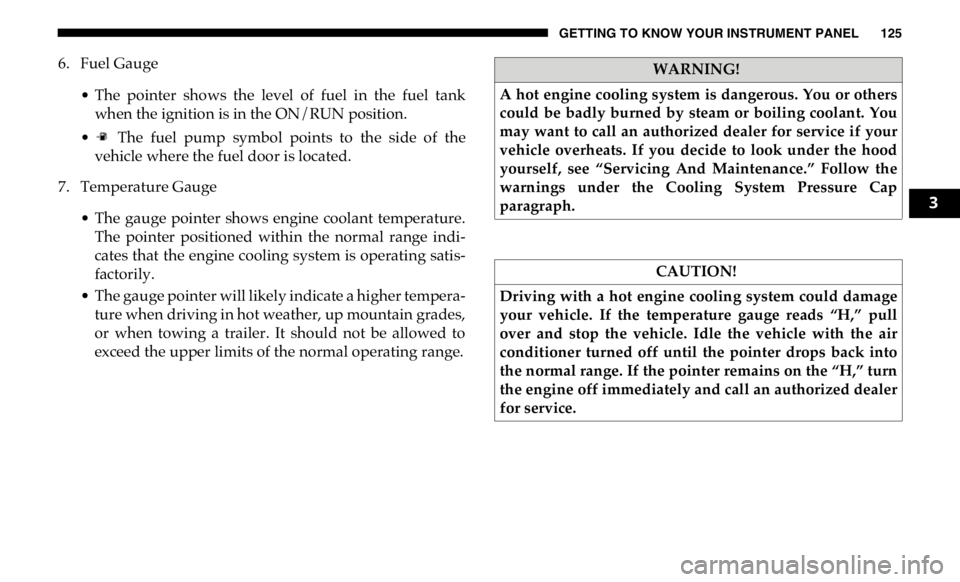
6. Fuel Gauge
• The pointer shows the level of fuel in the fuel tank
when the ignition is in the ON/RUN position.
• The fuel pump symbol points to the side of the
vehicle where the fuel door is located.
7. Temperature Gauge
• The gauge pointer shows engine coolant temperature.
The pointer positioned within the normal range indi -
cates that the engine cooling system is operating satis -
factorily.
• The gauge pointer will likely indicate a higher tempera -
ture when driving in hot weather, up mountain grades,
or when towing a trailer. It should not be allowed to
exceed the upper limits of the normal operating range. WARNING!
A hot engine cooling system is dangerous. You or others
could be badly burned by steam or boiling coolant. You
may want to call an authorized dealer for service if your
vehicle overheats. If you decide to look under the hood
yourself, see “Servicing And Maintenance.” Follow the
warnings under the Cooling System Pressure Cap
paragraph.
CAUTION!
Driving with a hot engine cooling system could damage
your vehicle. If the temperature gauge reads “H,” pull
over and stop the vehicle. Idle the vehicle with the air
conditioner turned off until the pointer drops back into
the normal range. If the pointer remains on the “H,” turn
the engine off immediately and call an authorized dealer
for service. 3
Page 129 of 607
GETTING TO KNOW YOUR INSTRUMENT PANEL 127
Premium Instrument Cluster Descriptions
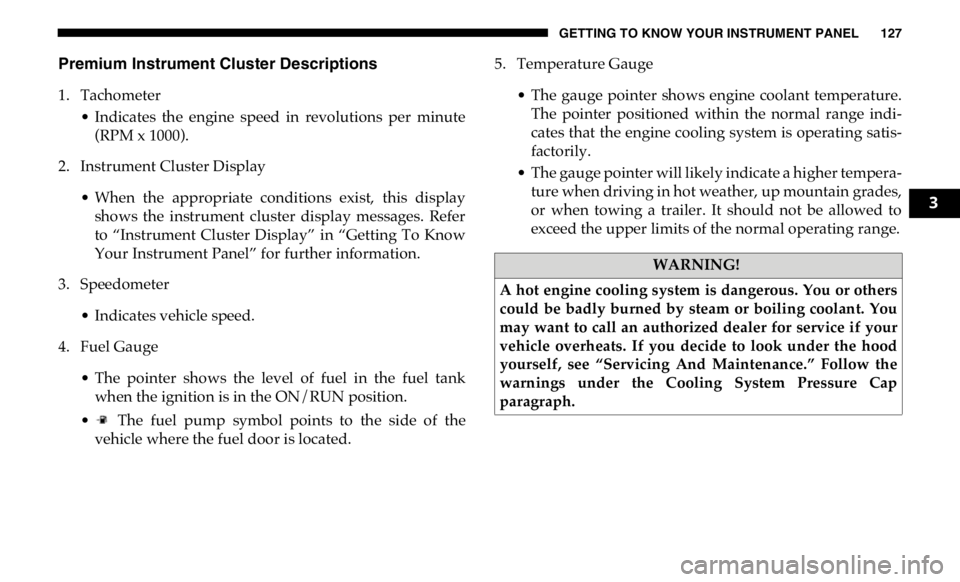
1. Tachometer
• Indicates the engine speed in revolutions per minute
(RPM x 1000).
2. Instrument Cluster Display
• When the appropriate conditions exist, this display
shows the instrument cluster display messages. Refer
to “Instrument Cluster Display” in “Getting To Know
Your Instrument Panel” for further information.
3. Speedometer
• Indicates vehicle speed.
4. Fuel Gauge
• The pointer shows the level of fuel in the fuel tank
when the ignition is in the ON/RUN position.
• The fuel pump symbol points to the side of the
vehicle where the fuel door is located. 5. Temperature Gauge
• The gauge pointer shows engine coolant temperature.
The pointer positioned within the normal range indi -
cates that the engine cooling system is operating satis -
factorily.
• The gauge pointer will likely indicate a higher tempera -
ture when driving in hot weather, up mountain grades,
or when towing a trailer. It should not be allowed to
exceed the upper limits of the normal operating range.
WARNING!
A hot engine cooling system is dangerous. You or others
could be badly burned by steam or boiling coolant. You
may want to call an authorized dealer for service if your
vehicle overheats. If you decide to look under the hood
yourself, see “Servicing And Maintenance.” Follow the
warnings under the Cooling System Pressure Cap
paragraph. 3
Page 134 of 607

132 GETTING TO KNOW YOUR INSTRUMENT PANEL
Vehicle Info
Push and release the up or down arrow button until the
Vehicle Info menu item is highlighted in the instrument
cluster display. Push and release the right arrow button to
enter the submenus items of Vehicle Info. Follow the direc -
tional prompts to access or reset any of the following Vehicle
Info submenu items:
• Tire Pressure
• Coolant Temperature — If Equipped
• Transmission Temperature — If Equipped
• Oil Temperature — If Equipped
• Oil Pressure
• Exhaust Brake — If Equipped
• Turbo Boost — If Equipped
• Diesel Particulate Filter — If Equipped
• Oil Life
• Fuel Filter Life — If Equipped
• Battery Voltage
• Gauge Summary — If Equipped
• Engine Hours Driver Assist — If Equipped
The Driver Assist menu displays the status of the ACC
system.
Push and release the up or down arrow button until the
Driver Assist menu is displayed in the instrument cluster
display.
Adaptive Cruise Control (ACC) Feature
The instrument cluster display displays the current ACC
system settings. The information displayed depends on ACC
system status.
Push the Adaptive Cruise Control (ACC) on/off button
(located on the steering wheel) until one of the following
displays in the instrument cluster display:
Adaptive Cruise Control Off
When ACC is deactivated, the display will read “Adaptive
Cruise Control Off.”
Adaptive Cruise Control Ready
When ACC is activated but the vehicle speed setting has not
been selected, the display will read “Adaptive Cruise
Control Ready.”
Page 137 of 607

GETTING TO KNOW YOUR INSTRUMENT PANEL 135
Current Gear
• Off (Default Setting)
• On
Odometer
• Unit Without Decimal (Default Setting)
• Unit With Decimal
Favorite Menu
• Speedometer
• Vehicle Info
• Driver Assist (Show/Hide) — If Equipped
• Fuel Economy (Show/Hide)
• Trip Info (Show/Hide)
• Trailer Tow (Show/Hide)
• Audio (Show/Hide)
• Messages
• Screen Setup
• Vehicle Settings — If Equipped
• Commercial Settings — If Equipped NOTE:
Menus with (Show/Hide) can push the OK button to choose
whether to show or hide this menu in the instrument cluster
display.
Upper Left
• None
• Compass (Default Setting) — If Equipped
• Outside Temp — If Equipped
• Time
• Range To Empty
• Average MPG
• Current MPG
• Trip A Distance
• Trip B Distance
• Trailer Trip — If Equipped
• Trailer Brake — If Equipped
• Oil Pressure — If Equipped
• Coolant Temperature — If Equipped
• Oil Temperature — If Equipped
• Battery Voltage — If Equipped 3
Page 138 of 607

136 GETTING TO KNOW YOUR INSTRUMENT PANEL
• Transmission Temperature — If Equipped
• Oil Life — If Equipped
• Exhaust Brake — If Equipped
• Turbo Boost — If Equipped
• Fuel Filter Life — If Equipped
Upper Center
• None
• Compass
• Outside Temp
• Time
• Range To Empty
• Average MPG
• Current MPG
• Trip A Distance
• Trip B Distance
• Trailer Trip
• Audio
• Speedometer (Default Setting)
• Menu Title Upper Right
• None
• Compass — If Equipped
• Outside Temp (Default Setting) — If Equipped
• Time
• Range To Empty
• Average MPG
• Current MPG
• Trip A Distance
• Trip B Distance
• Trailer Trip — If Equipped
• Trailer Brake — If Equipped
• Oil Pressure — If Equipped
• Coolant Temperature — If Equipped
• Oil Temperature — If Equipped
• Battery Voltage — If Equipped
• Transmission Temperature — If Equipped
Page 139 of 607

GETTING TO KNOW YOUR INSTRUMENT PANEL 137
• Oil Life — If Equipped
• Exhaust Brake — If Equipped
• Turbo Boost — If Equipped
• Fuel Filter Life — If Equipped
Left Side — If Equipped
• None
• Range
• Average MPG
• Menu Icon (Default Setting)
• Coolant Temperature
• Oil Temperature
• Transmission Temperature
• Oil Life
• Fuel Filter Life — If Equipped Right Side — If Equipped
• None
• Range (Default Setting)
• Average MPG
• Menu Icon
• Coolant Temperature
• Oil Temperature
• Transmission Temperature
• Oil Life
• Fuel Filter Life — If Equipped
Lower Left — If Equipped
• None
• Compass
• Outside Temp
• Time
• Range To Empty
• Average MPG
• Current MPG 3
Page 140 of 607

138 GETTING TO KNOW YOUR INSTRUMENT PANEL
• Trip A Distance
• Trip B Distance
• Trailer Trip
• Trailer Brake
• Oil Pressure
• Coolant Temperature
• Oil Temperature
• Battery Voltage (Default Setting)
• Transmission Temperature
• Oil Life
• Exhaust Brake — If Equipped
• Turbo Boost — If Equipped
• Fuel Filter Life — If Equipped
Lower Right — If Equipped
• None
• Compass
• Outside Temp
• Time
• Range To Empty • Average MPG
• Current MPG
• Trip A Distance
• Trip B Distance
• Trailer Trip
• Trailer Brake
• Oil Pressure (Default Setting)
• Coolant Temperature
• Oil Temperature
• Battery Voltage
• Transmission Temperature
• Oil Life
• Exhaust Brake — If Equipped
• Turbo Boost — If Equipped
• Fuel Filter Life — If Equipped
Restore Defaults
• Cancel (Default Setting)
• Ok
Page 150 of 607

148 GETTING TO KNOW YOUR INSTRUMENT PANEL
— Vehicle Security Warning Light — If Equipped
This light will flash at a fast rate for approximately 15
seconds when the vehicle security alarm is arming, and then
will flash slowly until the vehicle is disarmed.
— Engine Coolant Temperature Warning Light
This warning light warns of an overheated engine condition.
If the engine coolant temperature is too high, this indicator
will illuminate and a single chime will sound. If the tempera -
ture reaches the upper limit, a continuous chime will sound
for four minutes or until the engine is able to cool: whichever
comes first.
If the light turns on while driving, safely pull over and stop
the vehicle. If the A/C system is on, turn it off. Also, shift the
transmission into NEUTRAL and idle the vehicle. If the
temperature reading does not return to normal, turn the
engine off immediately and call for service.
Refer to “If Your Engine Overheats” in “In Case Of Emer -
gency” for further information. — Battery Charge Warning Light
This warning light will illuminate when the battery is not
charging properly. If it stays on while the engine is running,
there may be a malfunction with the charging system.
Contact an authorized dealer as soon as possible.
This indicates a possible problem with the electrical system
or a related component.
— Oil Pressure Warning Light
This warning light will illuminate to indicate low engine oil
pressure. If the light turns on while driving, stop the vehicle,
shut off the engine as soon as possible, and contact an autho -
rized dealer. A chime will sound when this light turns on.
Do not operate the vehicle until the cause is corrected. This
light does not indicate how much oil is in the engine. The
engine oil level must be checked under the hood.
— Oil Temperature Warning Light
This warning light will illuminate to indicate the engine oil
temperature is high. If the light turns on while driving, stop
the vehicle and shut off the engine as soon as possible. Wait
for oil temperature to return to normal levels.
Page 265 of 607
STARTING AND OPERATING 263
NOTE:
To select the proper gear position for maximum deceleration
(engine braking), simply push and hold the ERS (-) switch.
The transmission will shift to the range from which the
vehicle can best be slowed down.
Overdrive Operation
The automatic transmission includes an electronically
controlled Overdrive (fifth and sixth gears). The transmis -
sion will automatically shift into Overdrive if the following
conditions are present:
• The gear selector is in the DRIVE position.
• The transmission fluid has reached an adequate temperature. • The engine coolant has reached an adequate temperature.
• Vehicle speed is sufficiently high.
• The TOW/HAUL switch has not been activated.
• The driver is not heavily pressing the accelerator.
Torque Converter Clutch
A feature designed to improve fuel economy has been
included in the automatic transmission on your vehicle. A
clutch within the torque converter engages automatically at
calibrated speeds. This may result in a slightly different
feeling or response during normal operation in the upper
gears. When the vehicle speed drops or during some acceler -
ations, the clutch automatically disengages.
NOTE:
• The torque converter clutch will not engage, until the
transmission fluid and engine coolant are warm [usually
after 1 to 3 miles (2 to 5 km) of driving]. Because engine
speed is higher when the torque converter clutch is not
engaged, it may seem as if the transmission is not shifting
properly when cold. This is normal. Using the Electronic
Range Select (ERS) shift control, when the transmission is
sufficiently warm, will demonstrate that the transmission
is able to shift into and out of Overdrive.WARNING!
Do not downshift for additional engine braking on a
slippery surface. The drive wheels could lose their grip
and the vehicle could skid, causing a collision or
personal injury.
CAUTION!
When using ERS for engine braking while descending
steep grades, be careful not to overspeed the engine.
Apply the brakes as needed to prevent engine overspeed. 5
Page 389 of 607

IN CASE OF EMERGENCY 387
F74 – 20 Amp Yellow Brake Vacuum Pump Gas/Diesel – If Equipped (DS 1500
Only)
F74 – 10 Amp Red Backup Alarm – If Equipped (HD Only)
F75 – 10 Amp Red ATMM / Coil-SCR Module RLY– If Equipped
(HD Only)
Coolant Temperature Valve – If Equipped
(DS 1500 Only)
F76 – 10 Amp Red Electronic Stability Control (HD Only)
Brake System Module / Stop Lamp Switch / Electric
Park Brake / Clutch Pedal Switch (DS 1500 Only)
F77 – 10 Amp Red Drivetrain Control Module / Front Axle Disconnect
Module / TCM (HD Only)
Drivetrain Control Module / ELSD / Front Axle
Disconnect Module / Transmission Control Relay /
RDM / Power Take Off Unit – If Equipped (DS 1500
Only)
F78 – 10 Amp Red Engine Control Module / Powertrain Control Module /
Electric Power Steering (DS 1500 Only)
F78 – 15 Amp Blue Engine Control Module / Powertrain Control Module /
AEB RACM MOD / Feed To AUX PDC Relay Coils (HD
Only)
F79 – 15 Amp Blue ID / Clearance LightsCavity Cartridge Fuse Micro Fuse Description
6