lock Ram ProMaster 2018 User Guide
[x] Cancel search | Manufacturer: RAM, Model Year: 2018, Model line: ProMaster, Model: Ram ProMaster 2018Pages: 337, PDF Size: 4.13 MB
Page 30 of 337
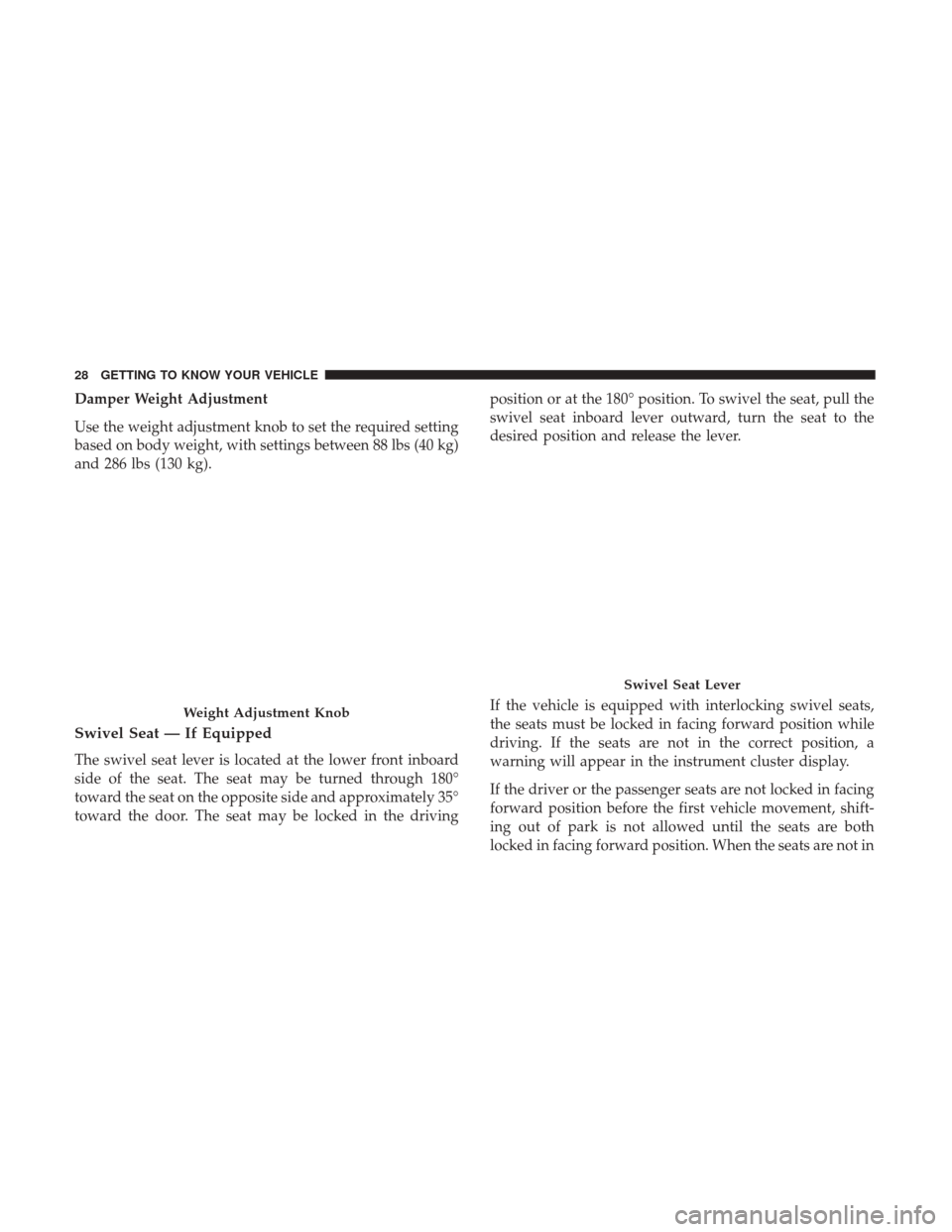
Damper Weight Adjustment
Use the weight adjustment knob to set the required setting
based on body weight, with settings between 88 lbs (40 kg)
and 286 lbs (130 kg).
Swivel Seat — If Equipped
The swivel seat lever is located at the lower front inboard
side of the seat. The seat may be turned through 180°
toward the seat on the opposite side and approximately 35°
toward the door. The seat may be locked in the drivingposition or at the 180° position. To swivel the seat, pull the
swivel seat inboard lever outward, turn the seat to the
desired position and release the lever.
If the vehicle is equipped with interlocking swivel seats,
the seats must be locked in facing forward position while
driving. If the seats are not in the correct position, a
warning will appear in the instrument cluster display.
If the driver or the passenger seats are not locked in facing
forward position before the first vehicle movement, shift-
ing out of park is not allowed until the seats are both
locked in facing forward position. When the seats are not in
Weight Adjustment Knob
Swivel Seat Lever
28 GETTING TO KNOW YOUR VEHICLE
Page 31 of 337
the right position and the first vehicle movement after the
cranking is attempted, a chime and a text message will
appear in instrument cluster display. Rotate and lock the
swivel seats in the correct position before trying again.
If the driver or the passenger seats are not locked in facing
forward position during movement of the vehicle, a mes-
sage will appear in the instrument cluster display and an
intermittent chime will sound until key-off or until the
swivel seats are locked in facing forward position. Stop and
move the swivel seats in the correct position before pro-
ceeding.
If a fault is present in the system and it is not possible to
check the correct position of the swivel seats, a message
and the generic warning light appears in the instrument
cluster display to inform about the failure. In these condi-
tions, check the status of the swivel seats and not drive the
vehicle until the swivel seats are locked in facing forward
position.Heated Seats — If Equipped
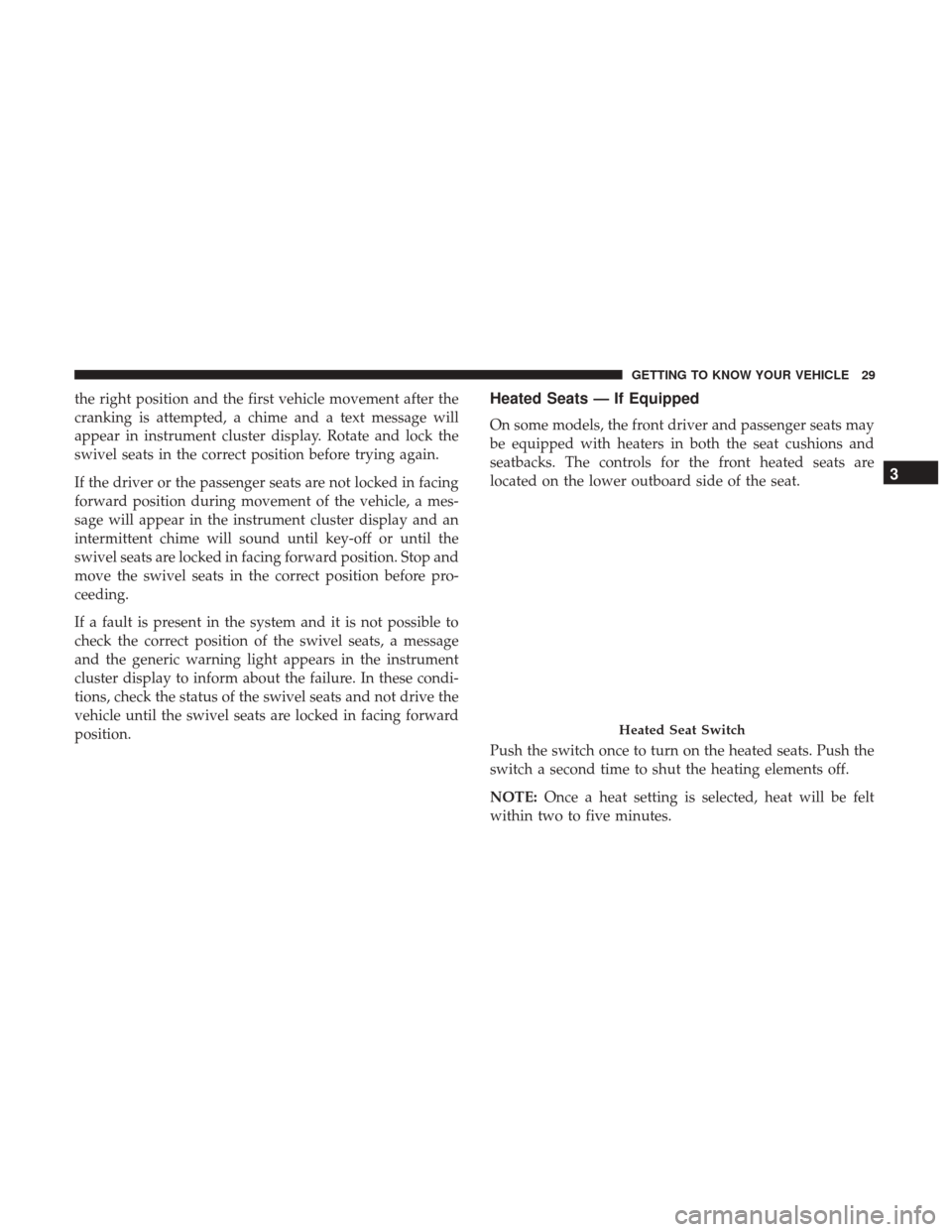
On some models, the front driver and passenger seats may
be equipped with heaters in both the seat cushions and
seatbacks. The controls for the front heated seats are
located on the lower outboard side of the seat.
Push the switch once to turn on the heated seats. Push the
switch a second time to shut the heating elements off.
NOTE:Once a heat setting is selected, heat will be felt
within two to five minutes.
Heated Seat Switch
3
GETTING TO KNOW YOUR VEHICLE 29
Page 36 of 337
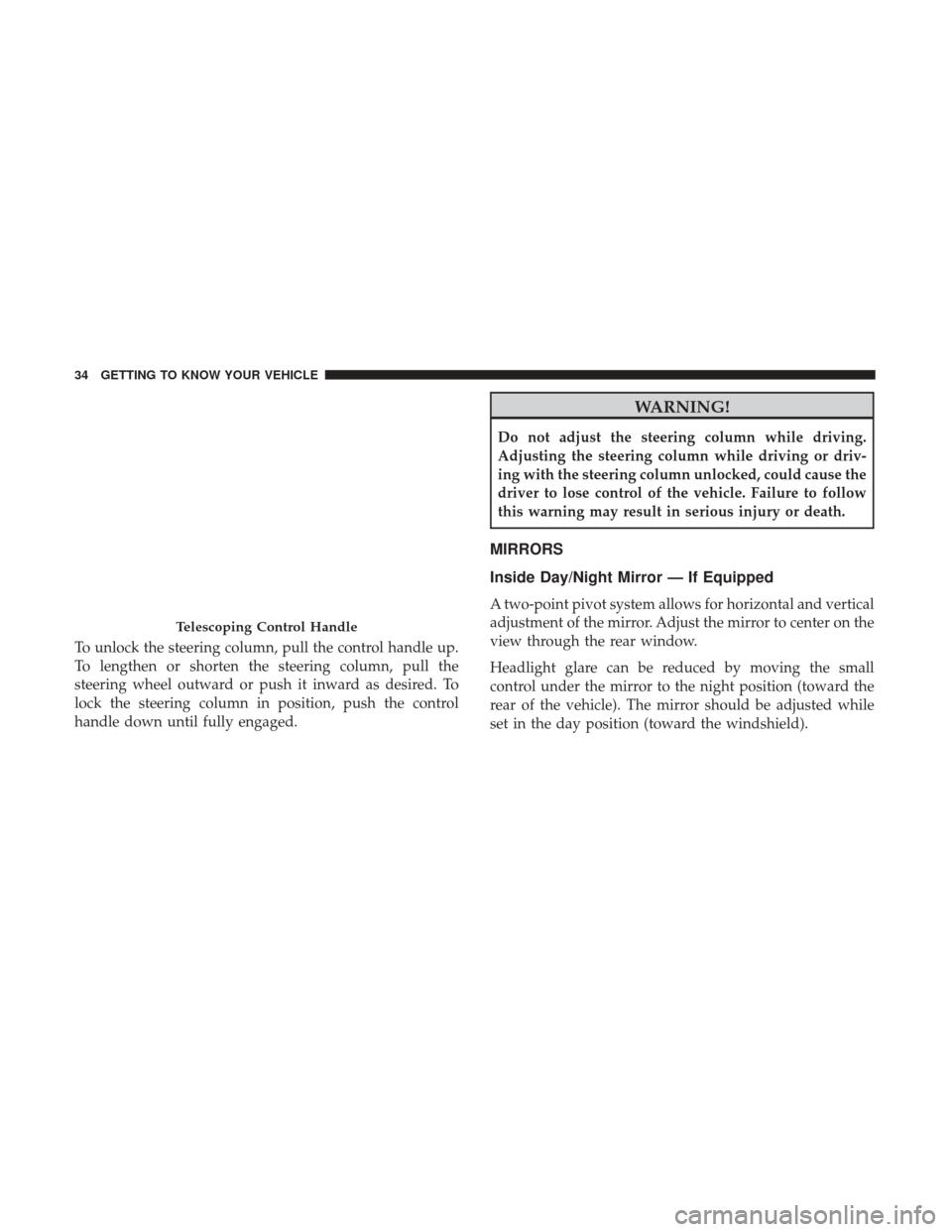
To unlock the steering column, pull the control handle up.
To lengthen or shorten the steering column, pull the
steering wheel outward or push it inward as desired. To
lock the steering column in position, push the control
handle down until fully engaged.
WARNING!
Do not adjust the steering column while driving.
Adjusting the steering column while driving or driv-
ing with the steering column unlocked, could cause the
driver to lose control of the vehicle. Failure to follow
this warning may result in serious injury or death.
MIRRORS
Inside Day/Night Mirror — If Equipped
A two-point pivot system allows for horizontal and vertical
adjustment of the mirror. Adjust the mirror to center on the
view through the rear window.
Headlight glare can be reduced by moving the small
control under the mirror to the night position (toward the
rear of the vehicle). The mirror should be adjusted while
set in the day position (toward the windshield).
Telescoping Control Handle
34 GETTING TO KNOW YOUR VEHICLE
Page 42 of 337
Flash-To-Pass
You can signal another vehicle with your headlights by
partially pulling the multifunction lever toward the steer-
ing wheel. This will cause the high beam headlights to turn
on until the lever is released.
Parking Lights
These lights can only be turned on with ignition key in the
STOP position or removed, by moving the end of the
multifunction lever to O (off) position and then to the
headlight position.
The warning light telltale in the instrument panel comes
on. The lights stay on until the next ignition cycle is
performed.
Follow Me Home/Headlight Delay
When this feature is selected, the driver can choose to have
the headlights remain on for a preset period of time.
Activation
Remove the key or turn the ignition to the OFF/LOCK
position, and pull the multifunction lever toward the
steering wheel, within two minutes. Each time the lever ispulled, the activation of the lights will be extended by 30
seconds. The activation of the lights can be extended to a
maximum of 210 seconds.
The warning light on the instrument panel will light up
and the corresponding message will appear in the instru-
ment cluster display for as long as the function is activated.
The warning light comes on when the lever is operated and
stays on until the function is automatically deactivated.
Each movement of the lever only increases the amount of
time the lights stay on.
Deactivation
Pull the multifunction lever toward the steering wheel and
hold it for more than two seconds.
Fog Lights — If Equipped
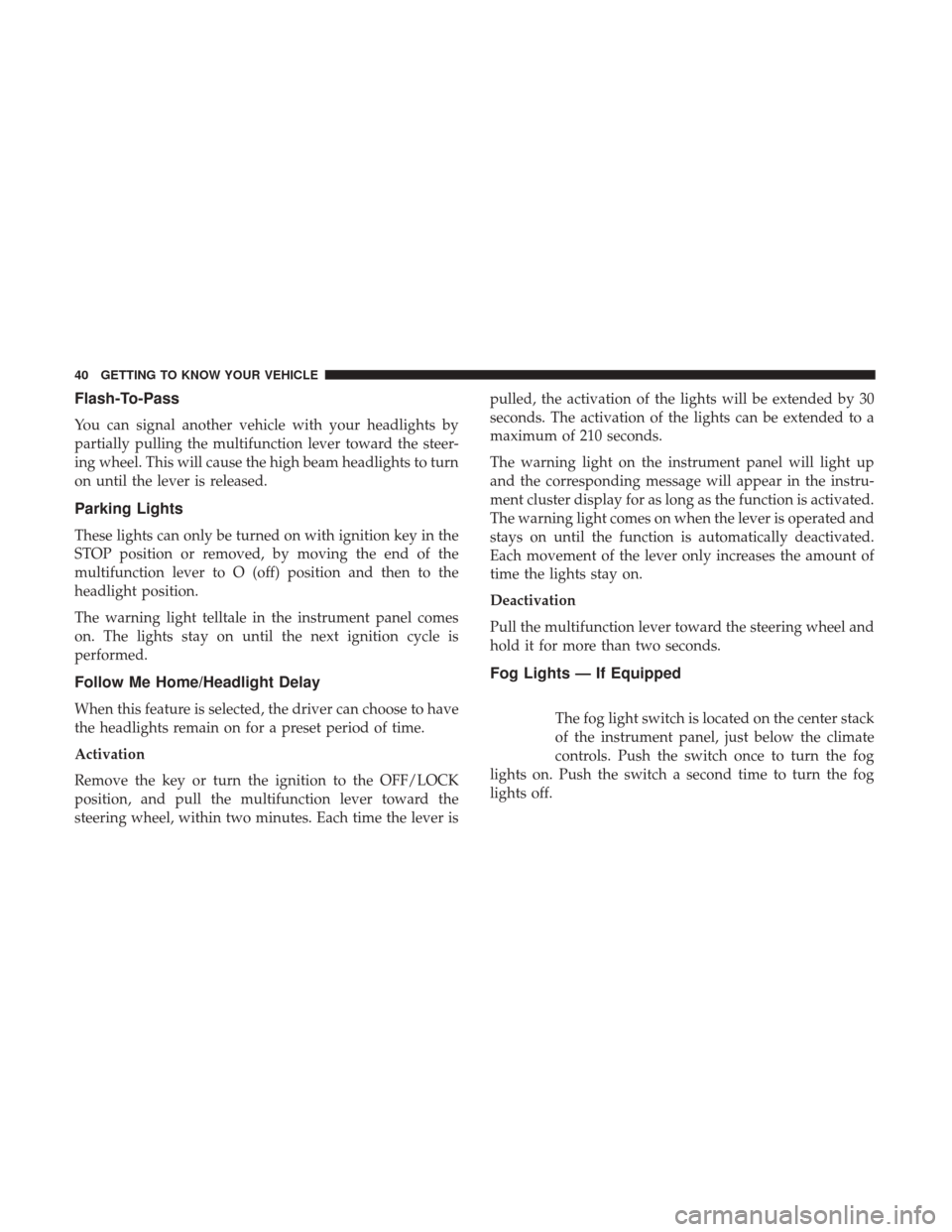
The fog light switch is located on the center stack
of the instrument panel, just below the climate
controls. Push the switch once to turn the fog
lights on. Push the switch a second time to turn the fog
lights off.
40 GETTING TO KNOW YOUR VEHICLE
Page 46 of 337
Illuminated Entry
The courtesy lights will turn on when you use the key fob
or manually from the driver door cylinder to unlock the
doors or open any door.
The lights will fade to off after approximately 30 seconds,
or they will immediately fade to off once the ignition
switch is turned to ON/RUN from the OFF position.
NOTE:
•The front courtesy overhead console and door courtesy
lights will not turn off if the dimmer control is in the
“Dome ON” position.
• The illuminated entry system will not operate if the
dimmer control is in the “Dome OFF” position.
WIPERS AND WASHERS
Front Wiper Operation
The windshield wiper/washer lever is located on the right
side of the steering column. There are five different modes
of operation for the front windshield wipers. The wind-
shield wiper lever can be raised or lowered to access the
modes. NOTE:
The windshield wipers/washers will only operate
with the ignition in the ON/RUN position.
Intermittent Wiper System
Push the lever downward to the first detent and rotate the
center ring to use one of the four intermittent wiper
settings when weather conditions make a single wiping
cycle, with a variable delay between cycles, desirable.
Low Speed
Push the lever downward to the second detent. The wipers
will operate at low speed.
Windshield Wiper/Washer Lever
44 GETTING TO KNOW YOUR VEHICLE
Page 50 of 337
IconDescription
Temperature Control
Use this control to regulate the temperature of the air inside the passenger compartment. Rotat-
ing the knob counterclockwise, from top center into the blue area of the scale, indicates cooler
temperatures. Rotating the knob clockwise, into the red area, indicates warmer temperatures.
Blower Control
There are seven blower speeds. Use this control to regulate the amount of air forced through the
system in any mode you select. The blower speed increases as you move the control clockwise
from the OFF position.
NOTE:Depending on the configuration, your vehicle may be equipped with four blower
speeds.
Modes Control
Turn the knob to change the airflow distribution mode. The airflow distribution mode can be
adjusted so air comes from the instrument panel outlets, floor outlets, defrost outlets and demist
outlets. The Mode settings are as follows:
Panel Mode
Panel Mode
Air comes from the outlets in the instrument panel. Each of these outlets can be individually
adjusted to direct the flow of air. The air vanes of the center outlets and outboard outlets can be
moved up and down or side to side to regulate airflow direction. There is a shut off wheel lo-
cated below the air vanes to shut off or adjust the amount of airflow from these outlets.
48 GETTING TO KNOW YOUR VEHICLE
Page 56 of 337

WINDOWS
Power Windows
The control on the left front door panel has up-down
switches that give you fingertip control of all power
windows. There is a single opening and closing switch on
the front passenger door for passenger window control.
NOTE:The Key Off Power Delay feature will allow the
power windows to operate for up to three minutes after the
ignition is turned OFF. This feature is cancelled when
either front door is opened.
WARNING!
• Never leave children alone in a vehicle, or with
access to an unlocked vehicle. Allowing children to
be in a vehicle unattended is dangerous for a number
of reasons. A child or others could be seriously or
fatally injured. Children should be warned not to
touch the parking brake, brake pedal or the gear
selector.
• Do not leave the key fob in or near the vehicle or in
a location accessible to children. A child could oper-
ate power windows, other controls, or move the
vehicle.
Auto-Down Feature — If Equipped
The window switches are equipped with an Auto-Down
feature. Push the window switch for half a second, release,
and the window will go down automatically.
To open the window part way, lift the window switch to
the detent for less than half a second and release it to stop
the window.
Power Window Switches
54 GETTING TO KNOW YOUR VEHICLE
Page 59 of 337

3. Raise the hood and place the hood prop rod in hood slotto secure the hood in the open position.
Closing
WARNING!
Be sure the hood is fully latched before driving your
vehicle. If the hood is not fully latched, it could open
when the vehicle is in motion and block your vision.
Failure to follow this warning could result in serious
injury or death.
CAUTION!
To prevent possible damage:
•Before closing hood, make sure the hood prop rod is
fully seated into its storage retaining clips.
• Do not slam the hood to close it. Use a firm down-
ward push at the center front edge of the hood to
ensure that both latches engage. Never drive your
vehicle unless the hood is fully closed, with both
latches engaged.
CARGO AREA FEATURES
The cargo area may be equipped with different options
such as a optional side panels, rear seats and an optional
floor.
Hood Prop Rod Slot
3
GETTING TO KNOW YOUR VEHICLE 57
Page 72 of 337
•MODE Button
Push and hold the MODEbutton for a time longer than
one second to access/select the information screens or
submenu screens of a main menu item. Push and hold the
MODE button for two seconds to reset displayed/selected
features that can be reset.
• Up Arrow Button
Push and release the uparrow button to scroll
upward through the main menu and submenus
or adjust the illumination on the instrument
panel when the headlights are on.
• Down Arrow Button
Push and release the downarrow button to scroll
downward through the main menu and sub-
menus or adjust the illumination on the instru-
ment panel when the headlights are on.
Change Engine Oil
Your vehicle is equipped with an engine oil change indi-
cator system. The “Change Engine Oil” message will
display in the instrument cluster display. The engine oil change indicator system is duty cycle based, which means
the engine oil change interval may fluctuate, dependent
upon your personal driving style.
Unless reset, this message will continue to display each
time you turn the ignition switch to the ON/RUN position.
To turn off the message temporarily, push and release the
MODE
button. To reset the oil change indicator system
(after performing the scheduled maintenance), refer to the
following procedure.
1. Turn the ignition switch to the ON position (do not start the engine).
2. Fully push the accelerator pedal slowly, three times, within 10 seconds.
3. Turn the ignition switch to the OFF/LOCK position.
NOTE: If the indicator message illuminates when you
start the vehicle, the oil change indicator system did not
reset. If necessary, repeat this procedure.Display Setup Menu
The menu comprises a series of functions arranged in a
cycle. Push and release the upordown arrow button to
access the different options and settings (setup).
70 GETTING TO KNOW YOUR INSTRUMENT PANEL
Page 73 of 337

The setup menu can be activated by pushing theMODE
button. Single pushes on the upordown arrow button will
scroll through the setup menu options. The menu items
include the following functions:
• Speed Beep
• Buzzer Volume
• Seat Belt Buzzer (Just Available After SBR Disable Made
By CHR Service)
• Service (Diesel Only)
• Exit menu
NOTE:
• If equipped, some customer programmable features
will display in the Uconnect system. Refer to your
Uconnect Owner ’s Manual Supplement for further
information.
• The clock setting procedure can be done through the
radio or the instrument cluster display.
Selecting An Option Of The Main Menu Without Submenu
1. Briefly push and release the MODEbutton to select the
main menu option to set. 2. Push and release the
upordown arrow button (by
single pushes) to select the new setting.
3. Briefly push and release the MODEbutton to store the
new setting and go back to the main menu option
previously selected.
Selecting An Option Of The Main Menu With Submenu
1. Briefly push and release the MODEbutton to display
the first submenu option.
2. Push and release the upordown arrow button (by
single pushes) to scroll through all the submenu options.
3. Briefly push and release the MODEbutton to select the
displayed submenu option and to open the relevant
setup menu.
4. Push and release the upordown arrow button (by
single pushes) to select the new setting for this submenu
option.
5. Briefly push and release the MODEbutton to store the
new setting and go back to the previously selected
submenu option.
6. Push and release and hold the MODEbutton to return
to the main menu (short hold) or the main screen (longer
hold).
4
GETTING TO KNOW YOUR INSTRUMENT PANEL 71