AUX Ram ProMaster 2020 User Guide
[x] Cancel search | Manufacturer: RAM, Model Year: 2020, Model line: ProMaster, Model: Ram ProMaster 2020Pages: 264, PDF Size: 10.11 MB
Page 212 of 264

210MULTIMEDIA
1 — SETTINGS
Push the settings button to access the Ucon -
nect setting features.
2 — BACK
Push the BACK button to return to a previous
menu or screen.
3 — ENTER/BROWSE & TUNE/SCROLL
Push the ENTER/BROWSE button to accept a
highlighted selection on the screen. Rotate the
TUNE/SCROLL rotary knob to scroll through a
list or tune a radio station.
4 — MORE
Push the MORE button on the faceplate to
access additional options such as Trip and
Clock.
5 — PHONE
Push the PHONE button to access the Uconnect
Phone feature. 6 — NAV or TRIP
Push the NAV button on the faceplate to display
the current direction of the vehicle.
NOTE:
The NAV button in the middle of your Uconnect
system may also contain the word TRIP.
7 — MEDIA
Pushing the MEDIA button will allow you to
switch to Media mode (USB/iPod®, AUX, Blue
-
tooth®).
8 — RADIO
Push the RADIO button on the faceplate to enter
Radio Mode. The different tuner modes, AM, FM
and SXM (if equipped), can be selected by
pushing the corresponding button on the touch -
screen while in the Radio Mode.
9 — ON/VOLUME
Rotate the rotary knob to adjust the Volume.
Push the ON/VOLUME button to turn on the
system. Push the ON/VOLUME button a second
time to turn off the system. 10 — MUTE
Push the MUTE button for activation/deactiva
-
tion of the volume.
11 — SCREEN ON/OFF
Push the SCREEN ON/OFF button on the face -
plate to turn the touchscreen on or off.
More Button
Push the MORE button on the faceplate to
display the More Main Menu. The More Main
Menu contains the following options:
Trip Computer — If Equipped
Press the Trip button located on the touch-
screen to display the trip information of the
vehicle.
This function allows you to display the consump -
tion levels and define two separate trips called
Trip A and Trip B for monitoring the vehicle’s
complete journey in a similarly independent
manner.
Both functions can be reset (start of a new
journey): To reset the desired Trip, hold down
the Trip A or Trip B buttons.
Clock
Show the Clock in full screen mode.
20_VF_OM_EN_US_t.book Page 210
Page 216 of 264
214MULTIMEDIA
Auto On Radio — If Equipped
Press the Auto On Radio button to set how the
radio behaves when the Ignition is switched to
ON. The options are: On, Off or Recall Last to the
last turned to stop condition. Press the back
arrow button when completed.
Radio Off Delay
Press the Radio Off Delay button to keep the
radio on for a preset amount of time after the
Ignition is switched OFF. Press the back arrow
button when completed.
AUX Volume Offset
Press the AUX Volume Offset button on the
touchscreen to activate the AUX Volume Offset
screen.
The AUX Volume Offset is adjusted by pressing
the + and - buttons. This alters the AUX input
audio volume. The level value, which spans
between plus or minus three, is displayed above
the adjustment bar.Media Mode
Operating Media Mode
Media Mode is entered by pushing the MEDIA
button located on the faceplate.
Audio Source Selection
Once in MEDIA mode, press the Source button
and the desired mode button. USB, AUX and
Bluetooth® are the Media sources available.
You can select the Browse button to be given
these options:
Now Playing
Artists
Albums
Genres
Songs
Playlists
Folders
You can select the Source button, Pause/Play
button or the Info button for artist information
on current song playing.
Seek Up/Seek Down
Seek Up /Seek Down
Press and release the Right Arrow button on
the touchscreen for the next selection. Press
and release the Left Arrow button on the
touchscreen to return to the beginning of the
current selection, or return to the beginning of
the previous selection if the track is within the
first few seconds of the current selection.
Fast Seek Up
Press and hold the Right Arrow button on the
touchscreen and the desired mode will begin to
fast forward through the current track until the
button on the touchscreen is released.
Fast Seek Down
Press and hold the Left Arrow button on the
touchscreen and the desired mode will begin to
rewind through the current track until the
button on the touchscreen is released.
Track Selection (Browse)
Rotate the Browse button on the touchscreen to
scroll through and select a desired track on the
iPod®, MP3 player, phone, or USB. Press the
Exit button on the touchscreen if you wish to
cancel the browse function.
20_VF_OM_EN_US_t.book Page 214
Page 218 of 264
216MULTIMEDIA
AUX Mode
AUX Mode is entered by inserting a AUX device
using a stereo cable with a 3.5 mm audio jack
into the AUX port, or by pushing the MEDIA
button located on the faceplate. Once in Media
Mode, press the Source button on the touch -
screen and select AUX.
Inserting Auxiliary Device
Gently insert the Auxiliary device cable into the
AUX Port. If you insert a Auxiliary device with the
ignition ON, the unit will switch to AUX mode and
begin to play when you insert the device cable.
Controlling The Auxiliary Device
The control of the Auxiliary device (e.g.,
selecting playlists, play, fast forward, etc.)
cannot be provided by the radio; use the device
controls instead. Adjust the volume with the
VOLUME rotary knob, or with the volume of the
attached device.
The radio unit is acting as the amplifier for audio
output from the Auxiliary device. Therefore if the
volume control on the Auxiliary device is set too
low, there will be insufficient audio signal for the
radio unit to play the music on the device.
Phone Mode
Operating Phone Mode
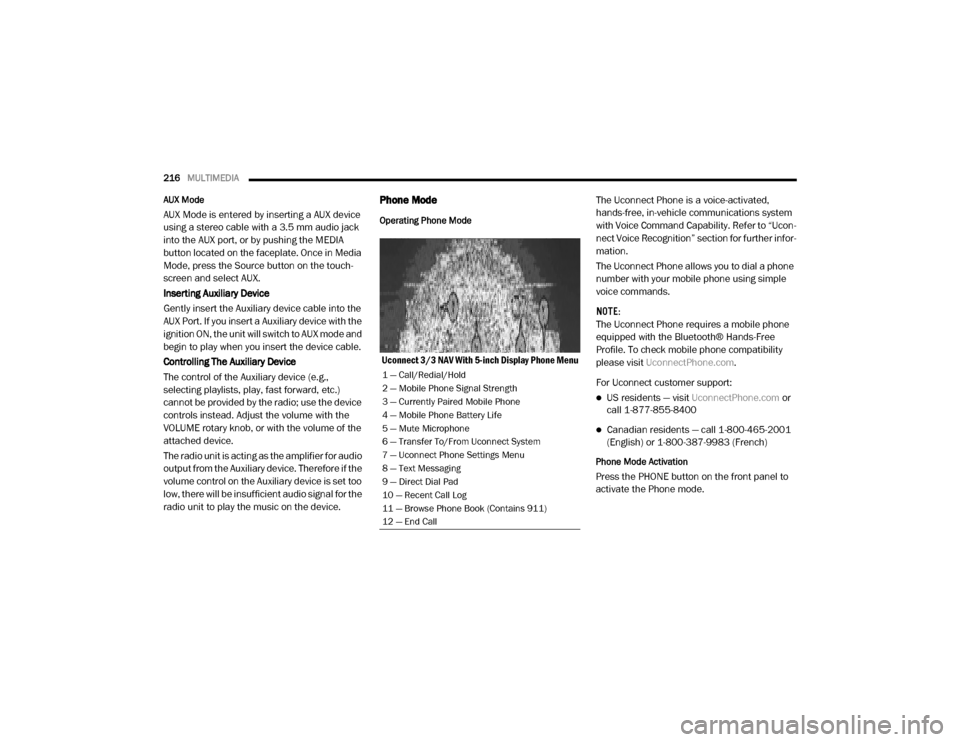
Uconnect 3/3 NAV With 5-inch Display Phone Menu The Uconnect Phone is a voice-activated,
hands-free, in-vehicle communications system
with Voice Command Capability. Refer to “Ucon
-
nect Voice Recognition” section for further infor -
mation.
The Uconnect Phone allows you to dial a phone
number with your mobile phone using simple
voice commands.
NOTE:
The Uconnect Phone requires a mobile phone
equipped with the Bluetooth® Hands-Free
Profile. To check mobile phone compatibility
please visit UconnectPhone.com .
For Uconnect customer support:
US residents — visit UconnectPhone.com or
call 1-877-855-8400
Canadian residents — call 1-800-465-2001
(English) or 1-800-387-9983 (French)
Phone Mode Activation
Press the PHONE button on the front panel to
activate the Phone mode.
1 — Call/Redial/Hold
2 — Mobile Phone Signal Strength
3 — Currently Paired Mobile Phone
4 — Mobile Phone Battery Life
5 — Mute Microphone
6 — Transfer To/From Uconnect System
7 — Uconnect Phone Settings Menu
8 — Text Messaging
9 — Direct Dial Pad
10 — Recent Call Log
11 — Browse Phone Book (Contains 911)
12 — End Call
20_VF_OM_EN_US_t.book Page 216
Page 240 of 264
238MULTIMEDIA
STEERING WHEEL AUDIO CONTROLS
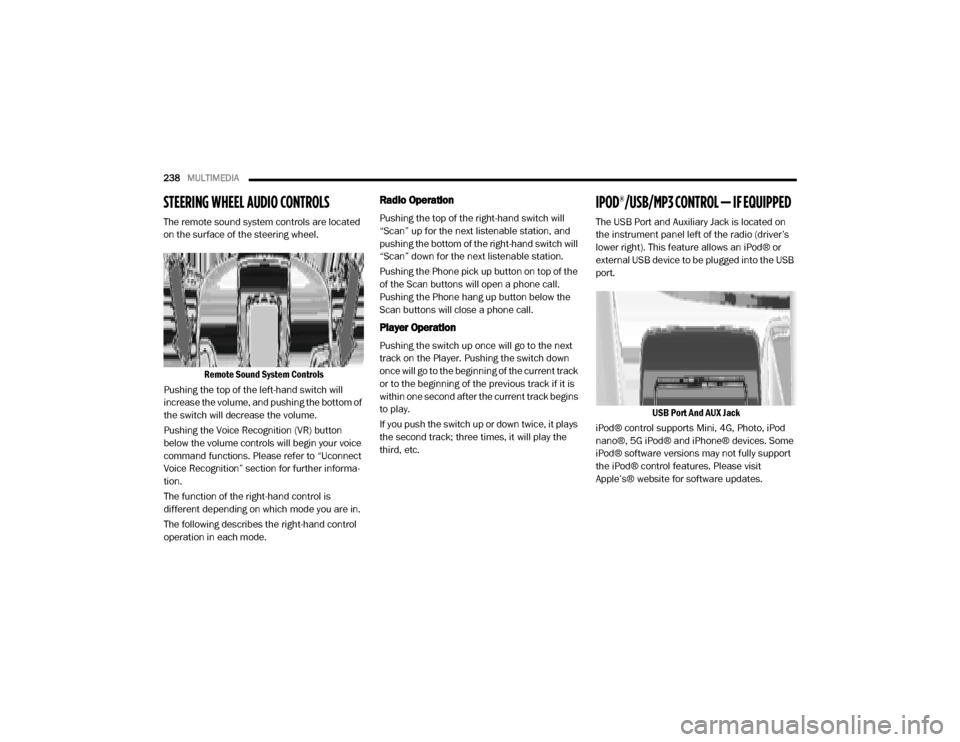
The remote sound system controls are located
on the surface of the steering wheel.
Remote Sound System Controls
Pushing the top of the left-hand switch will
increase the volume, and pushing the bottom of
the switch will decrease the volume.
Pushing the Voice Recognition (VR) button
below the volume controls will begin your voice
command functions. Please refer to “Uconnect
Voice Recognition” section for further informa -
tion.
The function of the right-hand control is
different depending on which mode you are in.
The following describes the right-hand control
operation in each mode.
Radio Operation
Pushing the top of the right-hand switch will
“Scan” up for the next listenable station, and
pushing the bottom of the right-hand switch will
“Scan” down for the next listenable station.
Pushing the Phone pick up button on top of the
of the Scan buttons will open a phone call.
Pushing the Phone hang up button below the
Scan buttons will close a phone call.
Player Operation
Pushing the switch up once will go to the next
track on the Player. Pushing the switch down
once will go to the beginning of the current track
or to the beginning of the previous track if it is
within one second after the current track begins
to play.
If you push the switch up or down twice, it plays
the second track; three times, it will play the
third, etc.
IPOD®/USB/MP3 CONTROL — IF EQUIPPED
The USB Port and Auxiliary Jack is located on
the instrument panel left of the radio (driver’s
lower right). This feature allows an iPod® or
external USB device to be plugged into the USB
port.
USB Port And AUX Jack
iPod® control supports Mini, 4G, Photo, iPod
nano®, 5G iPod® and iPhone® devices. Some
iPod® software versions may not fully support
the iPod® control features. Please visit
Apple’s® website for software updates.
20_VF_OM_EN_US_t.book Page 238
Page 242 of 264

240MULTIMEDIA
Interference Statement
This device complies with Part 15, 22, 24, and
27 of the FCC and Industry Canada
licence-exempt RSS standard(s). Operation is
subject to the following two conditions:(1) This
device may not cause interference, and(2) This
device must accept any interference, including
interference that may cause undesired opera -
tion of the device.
RF Exposure
This equipment complies with FCC and IC radia-
tion exposure limits set forth for an uncontrolled
environment. The antenna should be installed
and operated with minimum distance of 20 cm
between the radiator and your body.
Cet appareil est conforme aux limites d'exposi -
tion aux rayonnements de la IC pour environne -
ment non contrôlé. L'antenne doit être installé
de façon à garder une distance minmale de 20
centimètres entre la source de rayonnements
et votre corps.RADIO OPERATION AND MOBILE PHONES
Under certain conditions, the mobile phone
being on in your vehicle can cause erratic or
noisy performance from your radio. This condi -
tion may be lessened or eliminated by relo -
cating the mobile phone. This condition is not
harmful to the radio. If your radio performance
does not satisfactorily “clear” by the reposi -
tioning of the phone, it is recommended that the
radio volume be turned down or off during
mobile phone operation when not using Ucon -
nect (if equipped).
Regulatory And Safety Information
USA/CANADA
Exposure to Radio Frequency Radiation
The radiated output power of the internal wire -
less radio is far below the FCC and IC radio
frequency exposure limits. Nevertheless, the
wireless radio will be used in such a manner
that the radio is 8 inch (20 cm) or further from
the human body.
The internal wireless radio operates within
guidelines found in radio frequency safety stan -
dards and recommendations, which reflect the
consensus of the scientific community. The radio manufacturer believes the internal
wireless radio is safe for use by consumers. The
level of energy emitted is far less than the elec
-
tromagnetic energy emitted by wireless devices
such as mobile phones. However, the use of
wireless radios may be restricted in some situa-
tions or environments, such as aboard
airplanes. If you are unsure of restrictions, you
are encouraged to ask for authorization before
turning on the wireless radio.
The following regulatory statement applies to all
Radio Frequency (RF) devices equipped in this
vehicle:
This device complies with Part 15 of the FCC
Rules and with Innovation, Science and
Economic Development Canada license-exempt
RSS standard(s). Operation is subject to the
following two conditions:
1. This device may not cause harmful interfer -
ence, and
2. This device must accept any interference received, including interference that may
cause undesired operation.
20_VF_OM_EN_US_t.book Page 240
Page 243 of 264
MULTIMEDIA241
Le présent appareil est conforme aux CNR
d`Innovation, Science and Economic Develop -
ment applicables aux appareils radio exempts
de licence. L'exploitation est autorisée aux deux
conditions suivantes:
1. l'appareil ne doit pas produire de brouillage, et
2. l'utilisateur de l'appareil doit accepter tout brouillage radioélectrique subi, même si le
brouillage est susceptible d'en comprom -
ettre le fonctionnement.
La operación de este equipo está sujeta a las
siguientes dos condiciones:
1. es posible que este equipo o dispositivo no cause interferencia perjudicial y
2. este equipo o dispositivo debe aceptar cual -
quier interferencia, incluyendo la que
pueda causar su operación no deseada.
NOTE:
Changes or modifications not expressly
approved by the party responsible for compli -
ance could void the user’s authority to operate
the equipment. NOTE:
This equipment has been tested and found to
comply with the limits for a Class B digital
device, pursuant to Part 15 of the FCC Rules.
These limits are designed to provide reason
-
able protection against harmful interference
in a residential installation. This equipment
generates, uses and can radiate radio
frequency energy and, if not installed and
used in accordance with the instructions,
may cause harmful interference to radio
communications. However, there is no guar -
antee that interference will not occur in a
particular installation.
If this equipment does cause harmful inter -
ference to radio or television reception,
which can be determined by turning the
equipment off and on, the user is encour -
aged to try to correct the interference by one
or more of the following measures:
a. Increase the separation between the equipment and receiver.
b. Consult an authorized dealer or an expe -
rienced radio technician for help.
UCONNECT VOICE RECOGNITION
Introducing Uconnect
Start using Uconnect Voice Recognition (VR)
with these helpful quick tips. It provides the key
Voice Commands and tips you need to know to
control your Uconnect system.
Get Started
1. Visit UconnectPhone.com to check mobile
device and feature compatibility and to find
phone pairing instructions.
2. Reduce background noise. Wind and passenger conversations are examples of
noise that may impact recognition.
3. Speak clearly at a normal pace and volume while facing straight ahead. The micro -
phone is positioned in the dome lamp and
aimed at the driver.
4. Each time you give a Voice Command, you must first push either the VR or Phone
button , wait until after the beep, then
say your Voice Command.
9
20_VF_OM_EN_US_t.book Page 241
Page 245 of 264
MULTIMEDIA243
Media
Uconnect offers connections via USB, Blue -
tooth®, and Auxiliary ports. Voice operation is
only available for connected USB and iPod®
devices.
Push the VR button on the steering wheel. After
the beep, say one of the following commands
and follow the prompts to switch your media
source or choose an artist.
“ Change source to Bluetooth®”
“Change source to iPod®”
“Change source to USB”
“Play artist Beethoven”; “ Play album
Greatest Hits”; “ Play song Moonlight
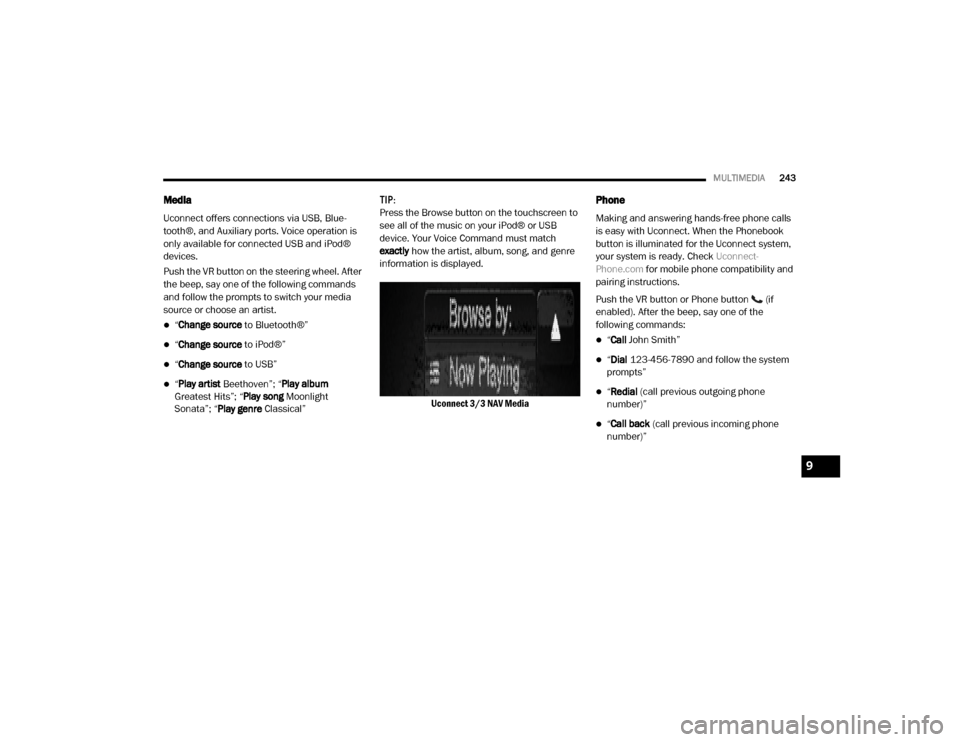
Sonata”; “ Play genre Classical” TIP:
Press the Browse button on the touchscreen to
see all of the music on your iPod® or USB
device. Your Voice Command must match
exactly
how the artist, album, song, and genre
information is displayed.
Uconnect 3/3 NAV Media
Phone
Making and answering hands-free phone calls
is easy with Uconnect. When the Phonebook
button is illuminated for the Uconnect system,
your system is ready. Check Uconnect-
Phone.com for mobile phone compatibility and
pairing instructions.
Push the VR button or Phone button (if
enabled). After the beep, say one of the
following commands:
“ Call John Smith”
“Dial 123-456-7890 and follow the system
prompts”
“ Redial (call previous outgoing phone
number)”
“ Call back (call previous incoming phone
number)”
9
20_VF_OM_EN_US_t.book Page 243
Page 247 of 264

MULTIMEDIA245
General Information
The following regulatory statement applies to all
Radio Frequency (RF) devices equipped in this
vehicle:
This device complies with Part 15 of the FCC
Rules and with Innovation, Science and
Economic Development Canada license-exempt
RSS standard(s). Operation is subject to the
following two conditions:
1. This device may not cause harmful interfer -
ence, and
2. This device must accept any interference received, including interference that may
cause undesired operation. Le présent appareil est conforme aux CNR
d`Innovation, Science and Economic Develop
-
ment applicables aux appareils radio exempts
de licence. L'exploitation est autorisée aux deux
conditions suivantes:
1. l'appareil ne doit pas produire de brouillage, et
2. l'utilisateur de l'appareil doit accepter tout brouillage radioélectrique subi, même si le
brouillage est susceptible d'en comprom -
ettre le fonctionnement.
La operación de este equipo está sujeta a las
siguientes dos condiciones:
1. es posible que este equipo o dispositivo no cause interferencia perjudicial y
2. este equipo o dispositivo debe aceptar cual -
quier interferencia, incluyendo la que
pueda causar su operación no deseada.
NOTE:
Changes or modifications not expressly
approved by the party responsible for compli -
ance could void the user’s authority to operate
the equipment.
Additional Information
© 2019 FCA US LLC. All rights reserved. Mopar
and Uconnect are registered trademarks and
Mopar Owner Connect is a trademark of FCA US
LLC. SiriusXM® and all related marks and logos
are trademarks of SiriusXM® Radio Inc.
Uconnect System Support:
US residents visit DriveUconnect.com or call:
1-877-855-8400 (24 hours a day 7 days a
week)
Canadian residents visit DriveUconnect.ca or
call: 1-800-465-2001 (English) or
1-800-387-9983 (French)
Mon. – Fri., 8:00 am – 8:00 pm, ET
Sat., 9:00 am – 5:00 pm, ET
Sun., Closed
9
20_VF_OM_EN_US_t.book Page 245
Page 252 of 264

250
INDEX
A
Adding Engine Coolant (Antifreeze)
............... 164
Adding Washing Fluid
............................... 157
Additives, Fuel
....................................... 193
Air Bag
................................................. 74Air Bag Operation............................... 75Air Bag Warning Light.......................... 73Enhanced Accident Response.............. 151Event Data Recorder (EDR)................. 151If Deployment Occurs.......................... 80Maintaining Your Air Bag System............ 81Maintenance..................................... 81Side Air Bags..................................... 76Transporting Pets............................... 89
Air Bag Light
............................... 47, 73, 90
Air Cleaner, Engine (Engine Air Cleaner Filter)
... 159
Air Conditioner Maintenance
...................... 160
Air Conditioner Refrigerant
......................... 160
Air Conditioner System
............................. 160
Air Conditioning Filter
......................... 34, 160
Air Conditioning, Operating Tips
............... 33, 34
Air Filter
.............................................. 159
Air Pressure
Tires.............................................. 177
Alarm
Security Alarm............................. 13, 49
Alarm System
Security Alarm.................................... 13
Alterations/Modifications
Vehicle...............................................8
Antifreeze (Engine Coolant)
................ 164, 195Disposal......................................... 165
Anti-Lock Brake System (ABS)
.......................56
Anti-Lock Warning Light
.............................. 52
Assist, Hill Start
........................................ 60
Auto Down Power Windows
.......................... 35
Auto Up Power Windows
.............................. 35
Automatic Door Locks
................................15
Automatic Transmission
...................... 95, 168Adding Fluid.................................... 168Fluid And Filter Change...................... 168Fluid Change................................... 168Fluid Level Check...................... 167, 168Fluid Type............................... 167, 197Special Additives.............................. 167
AUX Cord
............................................. 238
Auxiliary Driving Systems
............................. 61
B
Battery
......................................... 47, 157Charging System Light......................... 47Keyless Key Fob Replacement............... 10
Belts, Seat
............................................. 90
Body Builders Guide
................................... 8
Body Mechanism Lubrication
..................... 161
B-Pillar Location
.................................... 173
Brake Assist System
................................. 57
Brake Control System, Electronic
................... 57
Brake Fluid
...................................166, 197
Brake System
................................166, 191Anti-Lock (ABS).................................. 56Fluid Check.................................... 166Master Cylinder............................... 166Parking............................................ 94Warning Light.................................... 48
Brake, Parking
........................................ 94
Brake/Transmission Interlock
...................... 96
Bulb Replacement
.................................. 123
Bulbs, Light
....................................91, 123
C
Camera, Rear
....................................... 109
Capacities, Fluid
.................................... 195
Caps, Filler
Fuel.............................................. 111Oil (Engine)..................................... 156Power Steering................................ 103Radiator (Coolant Pressure)................ 165
Car Washes
......................................... 187
Carbon Monoxide Warning
...................89, 194
20_VF_OM_EN_US_t.book Page 250
Page 257 of 264

255
P
Paint Care
........................................... 187
Parking Brake
......................................... 94
ParkSense System, Rear
........................... 105
Passing Light
.......................................... 24
Pets
.................................................... 89
Placard, Tire And Loading Information
............ 173
Power
Mirrors............................................. 22Outlet (Auxiliary Electrical Outlet)............ 39Steering................................. 102, 103Windows.......................................... 35
Power Steering Fluid
................................ 197
Pregnant Women And Seat Belts
.................... 71
Preparation For Jacking
.................... 133, 135
R
Radial Ply Tires
...................................... 178
Radiator Cap (Coolant Pressure Cap)
............. 165
Radio Frequency
General Information.......................... 240
Rear Camera
........................................ 109
Rear ParkSense System
............................ 105
Rearview Mirror
....................................... 21
Recreational Towing
................................ 120
Reformulated Gasoline
............................. 192
Refrigerant
........................................... 160
Release, Hood
......................................... 36
Reminder, Seat Belt
.................................. 66
Remote Keyless Entry
Programming Additional Key Fobs........... 10
Replacement Bulbs
................................. 123
Replacement Keys
.................................... 12
Replacement Tires
.................................. 179
Reporting Safety Defects
........................... 248
Restraints, Child
.......................................83
Restraints, Head
......................................20
Rotation, Tires
....................................... 185
S
Safety Checks Inside Vehicle
........................ 90
Safety Checks Outside Vehicle
......................91
Safety Defects, Reporting
.......................... 248
Safety Information, Tire
............................. 168
Safety Tips
............................................. 89
Safety, Exhaust Gas
................................... 89
Schedule, Maintenance
............................ 152
Seat Belts
........................................ 66, 90Adjustable Shoulder Belt......................70Adjustable Upper Shoulder Anchorage..... 70
Adjustable Upper Shoulder Belt Anchorage.................................... 70Automatic Locking Retractor (ALR)......... 72Child Restraints................................. 83Energy Management Feature................ 71Front Seat............................. 66, 67, 68Inspection........................................ 90Lap/Shoulder Belt Operation................ 68Lap/Shoulder Belt Untwisting............... 69Lap/Shoulder Belts............................ 67Operating Instructions......................... 68Pregnant Women............................... 71Rear Seat......................................... 67Reminder......................................... 66Untwisting Procedure.......................... 69
Seat Belts Maintenance
........................... 189
Seats
.................................................. 15Adjustment....................................... 15Heated............................................ 18Rear Folding..................................... 15Tilting.............................................. 15
Security Alarm
...................................13, 49
Selection Of Coolant (Antifreeze)
................. 195
11
20_VF_OM_EN_US_t.book Page 255