warning Ram ProMaster City 2016 Workshop Manual
[x] Cancel search | Manufacturer: RAM, Model Year: 2016, Model line: ProMaster City, Model: Ram ProMaster City 2016Pages: 438, PDF Size: 3.26 MB
Page 112 of 438
CAUTION!(Continued)
closed for both latches. Never drive vehicle unless
hood is fully closed, with both latches engaged.
WARNING!
Be sure the hood is fully latched before driving your
vehicle. If the hood is not fully latched, it could open
when the vehicle is in motion and block your vision.
Failure to follow this warning could result in serious
injury or death.
LIGHTS
Multifunction Lever
The multifunction lever, located on the left side of the
steering wheel, controls the operation of the headlights,
high beams, parking lights, passing light and turn sig-
nals. NOTE:
The external lights can only be turned on with the
ignition in the ON/RUN position.Multifunction Lever
110 UNDERSTANDING THE FEATURES OF YOUR VEHICLE
Page 120 of 438
TILT/TELESCOPING STEERING COLUMN
This feature allows you to tilt the steering column
upward or downward. It also allows you to lengthen or
shorten the steering column. The tilt/telescoping control
handle is located on the steering column, below the turn
signal lever.To unlock the steering column, pull the control handle
down. To tilt the steering column, move the steering
wheel upward or downward as desired. To lengthen or
shorten the steering column, pull the steering wheel
outward or push it inward as desired. To lock the steering
column in position, pull the control handle up until fully
engaged.
WARNING!
Do not adjust the steering column while driving.
Adjusting the steering column while driving or driv-
ing with the steering column unlocked, could cause
the driver to lose control of the vehicle. Failure to
follow this warning may result in serious injury or
death.
Tilt/Telescoping Control Handle
118 UNDERSTANDING THE FEATURES OF YOUR VEHICLE
Page 122 of 438
To Activate
Push the ON/OFF button. The Cruise Indicator Light in
the instrument cluster will illuminate. To turn the system
off, push the ON/OFF button a second time. The Cruise
Indicator Light will turn off. The system should be
turned off when not in use.
WARNING!
Leaving the Electronic Speed Control system on
when not in use is dangerous. You could accidentally
set the system or cause it to go faster than you want.
You could lose control and have an accident. Always
leave the system OFF when you are not using it.
To Set A Desired Speed
Turn the Electronic Speed Control ON. When the vehicle
has reached the desired speed greater than 25 mph, pushthe SET (-) button and release. Release the accelerator and
the vehicle will operate at the selected speed.
NOTE:
The vehicle should be traveling at a steady speed
and on level ground before pushing the SET (-) button.
To Deactivate
A soft tap on the brake pedal, pushing the CAN button,
or normal brake pressure while slowing the vehicle will
deactivate Electronic Speed Control without erasing the
set speed memory. Pushing the ON/OFF button or
turning the ignition switch OFF erases the set speed
memory.
To Resume Speed
To resume a previously set speed, push the RES button
and release. Resume can be used at any speed above
20 mph (32 km/h) up to the maximum speed of 100 mph
(160 km/h).
120 UNDERSTANDING THE FEATURES OF YOUR VEHICLE
Page 124 of 438
•If the button is continually pushed, the set speed will
continue to decrease until the button is released, then
the new set speed will be established.
Metric Speed (km/h)
• Pushing the SET (-) button once will result in a 1 km/h
decrease in set speed. Each subsequent tap of the
button results in a decrease of 1 km/h.
• If the button is continually pushed, the set speed will
continue to decrease until the button is released, then
the new set speed will be established.
To Accelerate For Passing
Press the accelerator as you would normally. When the
pedal is released, the vehicle will return to the set speed.
Using Electronic Speed Control On Hills
The transmission may downshift on hills to maintain the
vehicle set speed. NOTE:
The Electronic Speed Control system maintains
speed up and down hills. A slight speed change on
moderate hills is normal.
On steep hills, a greater speed loss or gain may occur so
it may be preferable to drive without Electronic Speed
Control.
WARNING!
Electronic Speed Control can be dangerous where the
system cannot maintain a constant speed. Your ve-
hicle could go too fast for the conditions, and you
could lose control and have an accident. Do not use
Electronic Speed Control in heavy traffic or on roads
that are winding, icy, snow-covered or slippery.
122 UNDERSTANDING THE FEATURES OF YOUR VEHICLE
Page 127 of 438
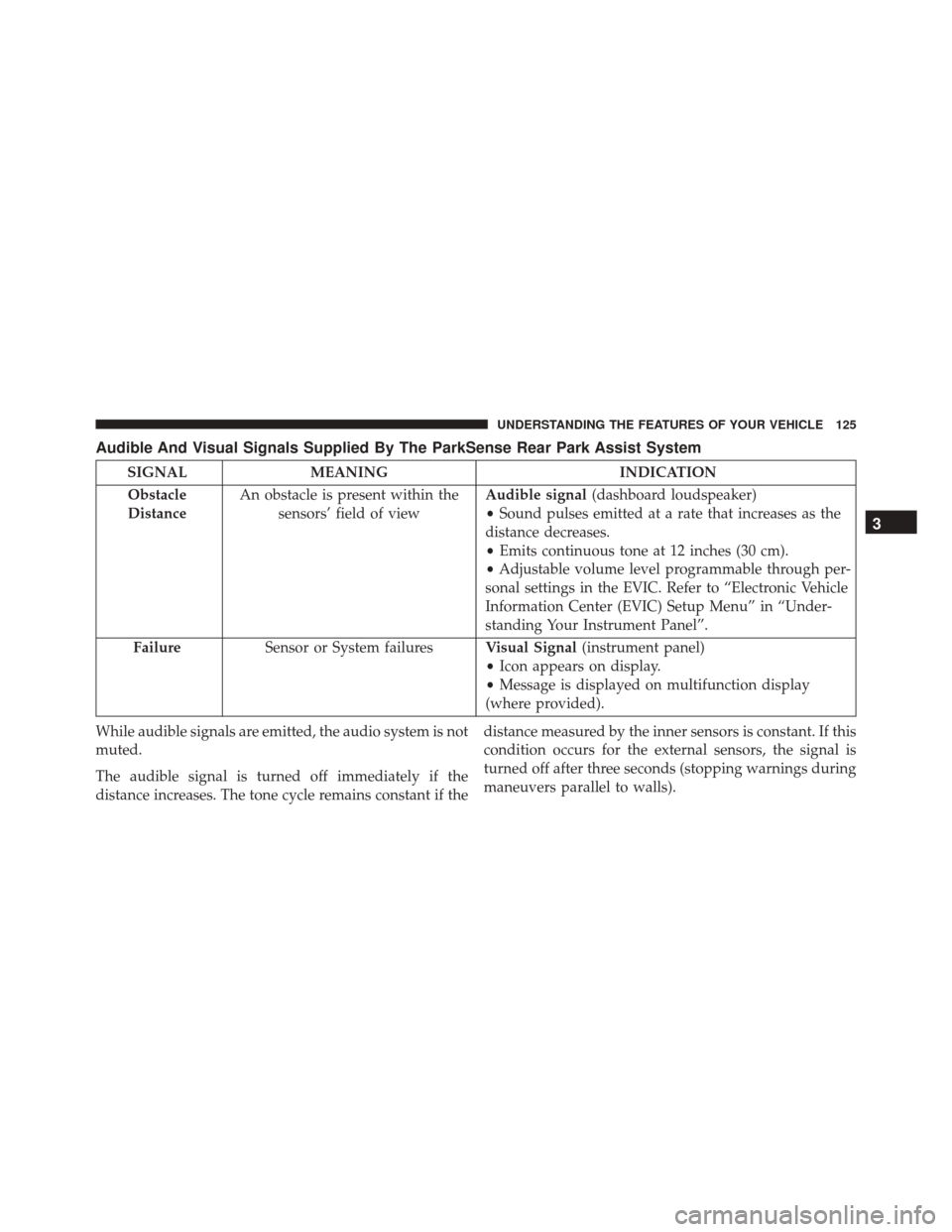
Audible And Visual Signals Supplied By The ParkSense Rear Park Assist System
SIGNALMEANING INDICATION
Obstacle
Distance An obstacle is present within the
sensors’ field of view Audible signal
(dashboard loudspeaker)
• Sound pulses emitted at a rate that increases as the
distance decreases.
• Emits continuous tone at 12 inches (30 cm).
• Adjustable volume level programmable through per-
sonal settings in the EVIC. Refer to “Electronic Vehicle
Information Center (EVIC) Setup Menu” in “Under-
standing Your Instrument Panel”.
Failure Sensor or System failures Visual Signal(instrument panel)
• Icon appears on display.
• Message is displayed on multifunction display
(where provided).
While audible signals are emitted, the audio system is not
muted.
The audible signal is turned off immediately if the
distance increases. The tone cycle remains constant if the distance measured by the inner sensors is constant. If this
condition occurs for the external sensors, the signal is
turned off after three seconds (stopping warnings during
maneuvers parallel to walls).
3
UNDERSTANDING THE FEATURES OF YOUR VEHICLE 125
Page 128 of 438
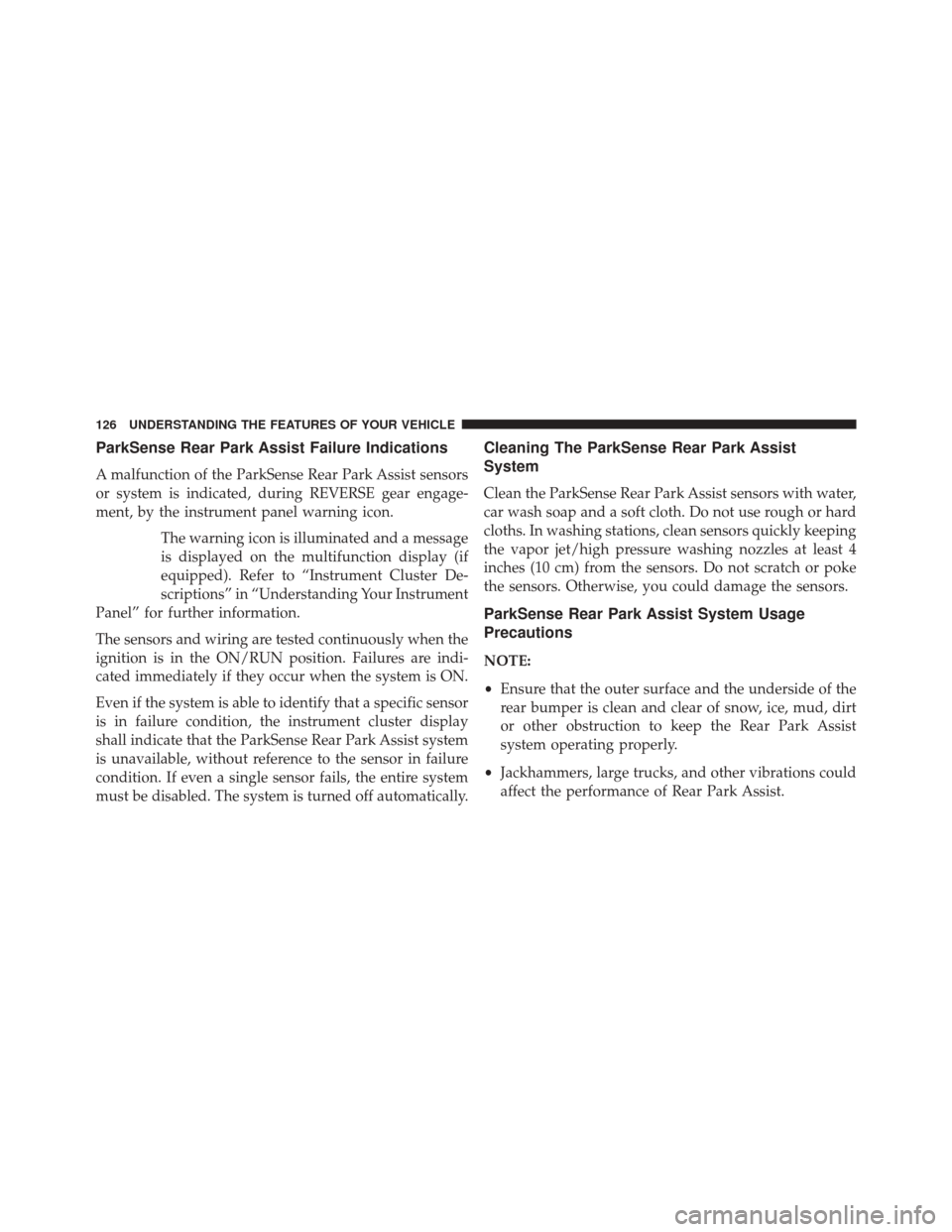
ParkSense Rear Park Assist Failure Indications
A malfunction of the ParkSense Rear Park Assist sensors
or system is indicated, during REVERSE gear engage-
ment, by the instrument panel warning icon.The warning icon is illuminated and a message
is displayed on the multifunction display (if
equipped). Refer to “Instrument Cluster De-
scriptions” in “Understanding Your Instrument
Panel” for further information.
The sensors and wiring are tested continuously when the
ignition is in the ON/RUN position. Failures are indi-
cated immediately if they occur when the system is ON.
Even if the system is able to identify that a specific sensor
is in failure condition, the instrument cluster display
shall indicate that the ParkSense Rear Park Assist system
is unavailable, without reference to the sensor in failure
condition. If even a single sensor fails, the entire system
must be disabled. The system is turned off automatically.
Cleaning The ParkSense Rear Park Assist
System
Clean the ParkSense Rear Park Assist sensors with water,
car wash soap and a soft cloth. Do not use rough or hard
cloths. In washing stations, clean sensors quickly keeping
the vapor jet/high pressure washing nozzles at least 4
inches (10 cm) from the sensors. Do not scratch or poke
the sensors. Otherwise, you could damage the sensors.
ParkSense Rear Park Assist System Usage
Precautions
NOTE:
• Ensure that the outer surface and the underside of the
rear bumper is clean and clear of snow, ice, mud, dirt
or other obstruction to keep the Rear Park Assist
system operating properly.
• Jackhammers, large trucks, and other vibrations could
affect the performance of Rear Park Assist.
126 UNDERSTANDING THE FEATURES OF YOUR VEHICLE
Page 129 of 438
•Clean the Rear Park Assist sensors regularly, taking
care not to scratch or damage them. The sensors must
not be covered with ice, snow, slush, mud, dirt or
debris. Failure to do so can result in the system not
working properly. The Rear Park Assist system might
not detect an obstacle behind the fascia/bumper, or it
could provide a false indication that an obstacle is
behind the fascia/bumper.
• Objects such as bicycle carriers, etc., must not be
placed within 12 inches (30 cm) from the rear fascia/
bumper while driving the vehicle. Failure to do so can
result in the system misinterpreting a close object as a
sensor problem, causing a failure indication to be
displayed in the instrument cluster.CAUTION!
• ParkSense is only a parking aid and it is unable to
recognize every obstacle, including small obstacles.
Parking curbs might be temporarily detected or not
detected at all. Obstacles located above or below
the sensors will not be detected when they are in
close proximity.
• The vehicle must be driven slowly when using
ParkSense in order to be able to stop in time when
an obstacle is detected. It is recommended that the
driver looks over his/her shoulder when using
ParkSense.
WARNING!
• Drivers must be careful when backing up even
when using ParkSense. Always check carefully
(Continued)
3
UNDERSTANDING THE FEATURES OF YOUR VEHICLE 127
Page 130 of 438
WARNING!(Continued)
behind your vehicle, look behind you, and be sure
to check for pedestrians, animals, other vehicles,
obstructions, and blind spots before backing up.
You are responsible for safety and must continue to
pay attention to your surroundings. Failure to do so
can result in serious injury or death.
• Before using ParkSense, it is strongly recom-
mended that the ball mount and hitch ball assem-
bly is disconnected from the vehicle when the
vehicle is not used for towing. Failure to do so can
result in injury or damage to vehicles or obstacles
because the hitch ball will be much closer to the
obstacle than the rear fascia when the loudspeaker
sounds the continuous tone. Also, the sensors
could detect the ball mount and hitch ball assem-
bly, depending on its size and shape, giving a false
indication that an obstacle is behind the vehicle. If it’s necessary to keep the ball mount and hitch ball
assembly mounted for a long period, it is possible to filter
out the ball mount and hitch ball assembly presence in
sensor field of view. The filtering operation must be
performed only by an authorized dealer.
PARKVIEW REAR BACK UP CAMERA — IF
EQUIPPED
Your vehicle may be equipped with the ParkView Rear
Back Up Camera that allows you to see an on-screen
image of the rear surroundings of your vehicle whenever
the gear selector is put into REVERSE. The image will be
displayed on the touchscreen display along with a cau-
tion note to “check entire surroundings” across the top of
the screen. After five seconds this note will disappear.
The ParkView camera is located on the rear of the vehicle
above the rear License plate.
The Camera Delay setting can be set to ON/OFF on the
rear camera settings menu. When the vehicle is shifted
128 UNDERSTANDING THE FEATURES OF YOUR VEHICLE
Page 132 of 438
WARNING!
Drivers must be careful when backing up even when
using the ParkView Rear Back Up Camera. Always
check carefully behind your vehicle, and be sure to
check for pedestrians, animals, other vehicles, ob-
structions, or blind spots before backing up. You are
responsible for the safety of your surroundings and
must continue to pay attention while backing up.
Failure to do so can result in serious injury or death.
CAUTION!
•To avoid vehicle damage, ParkView should only be
used as a parking aid. The ParkView camera is unable
to view every obstacle or object in your drive path.
• To avoid vehicle damage, the vehicle must be
driven slowly when using ParkView to be able to
(Continued)
CAUTION! (Continued)
stop in time when an obstacle is seen. It is recom-
mended that the driver look frequently over his/her
shoulder when using ParkView.
NOTE: If snow, ice, mud, or any foreign substance
builds up on the camera lens, clean the lens, rinse with
water, and dry with a soft cloth. Do not cover the lens.
POWER OUTLETS
Passenger Compartment Power Outlets
The cigar lighter and the power socket are located in the
center console, and both operate with the ignition key in
the MAR (ON/RUN) position.
130 UNDERSTANDING THE FEATURES OF YOUR VEHICLE
Page 135 of 438
WARNING!
To avoid serious injury or death:
•Only devices designed for use in this type of outlet
should be inserted into any 12 Volt outlet.
• Do not touch with wet hands.
• Close the lid when not in use and while driving the
vehicle.
• If this outlet is mishandled, it may cause an electric
shock and failure.
CAUTION!
• Many accessories that can be plugged in draw
power from the vehicle’s battery, even when not in
use (i.e., cellular phones, etc.). Eventually, if
plugged in long enough, the vehicle’s battery will
discharge sufficiently to degrade battery life and/or
prevent the engine from starting.
• Accessories that draw higher power (i.e., coolers,
vacuum cleaners, lights, etc.) will degrade the bat-
tery even more quickly. Only use these intermit-
tently and with greater caution.
• After the use of high power draw accessories, or
long periods of the vehicle not being started (with
accessories still plugged in), the vehicle must be
driven a sufficient length of time to allow the
generator to recharge the vehicle’s battery.
3
UNDERSTANDING THE FEATURES OF YOUR VEHICLE 133