engine Ram ProMaster City 2017 Owner's Guide
[x] Cancel search | Manufacturer: RAM, Model Year: 2017, Model line: ProMaster City, Model: Ram ProMaster City 2017Pages: 345, PDF Size: 3.25 MB
Page 136 of 345
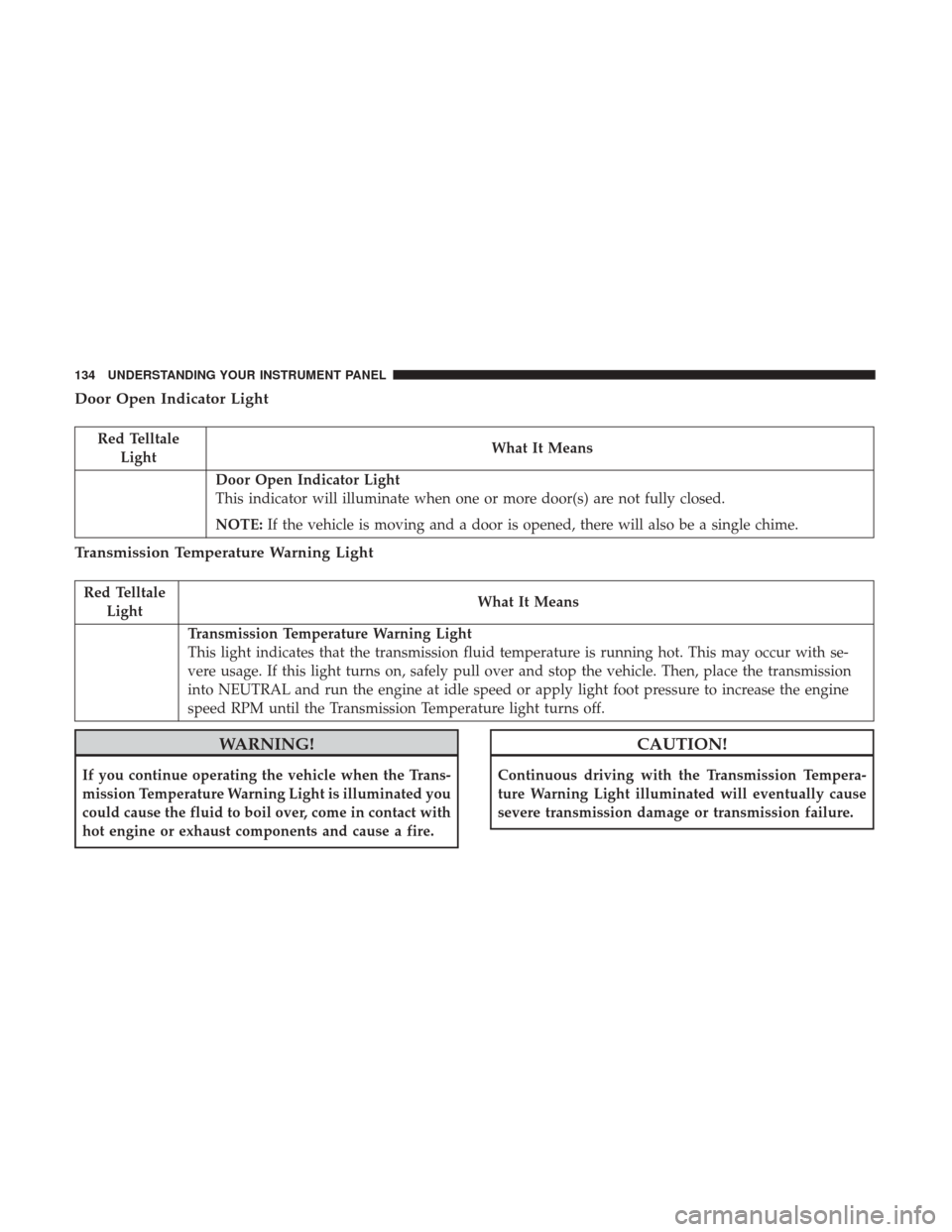
Door Open Indicator Light
Red TelltaleLight What It Means
Door Open Indicator Light
This indicator will illuminate when one or more door(s) are not fully closed.
NOTE:
If the vehicle is moving and a door is opened, there will also be a single chime.
Transmission Temperature Warning Light
Red Telltale
Light What It Means
Transmission Temperature Warning Light
This light indicates that the transmission fluid temperature is running hot. This may occur with se-
vere usage. If this light turns on, safely pull over and stop the vehicle. Then, place the transmission
into NEUTRAL and run the engine at idle speed or apply light foot pressure to increase the engine
speed RPM until the Transmission Temperature light turns off.
WARNING!
If you continue operating the vehicle when the Trans-
mission Temperature Warning Light is illuminated you
could cause the fluid to boil over, come in contact with
hot engine or exhaust components and cause a fire.
CAUTION!
Continuous driving with the Transmission Tempera-
ture Warning Light illuminated will eventually cause
severe transmission damage or transmission failure.
134 UNDERSTANDING YOUR INSTRUMENT PANEL
Page 137 of 345
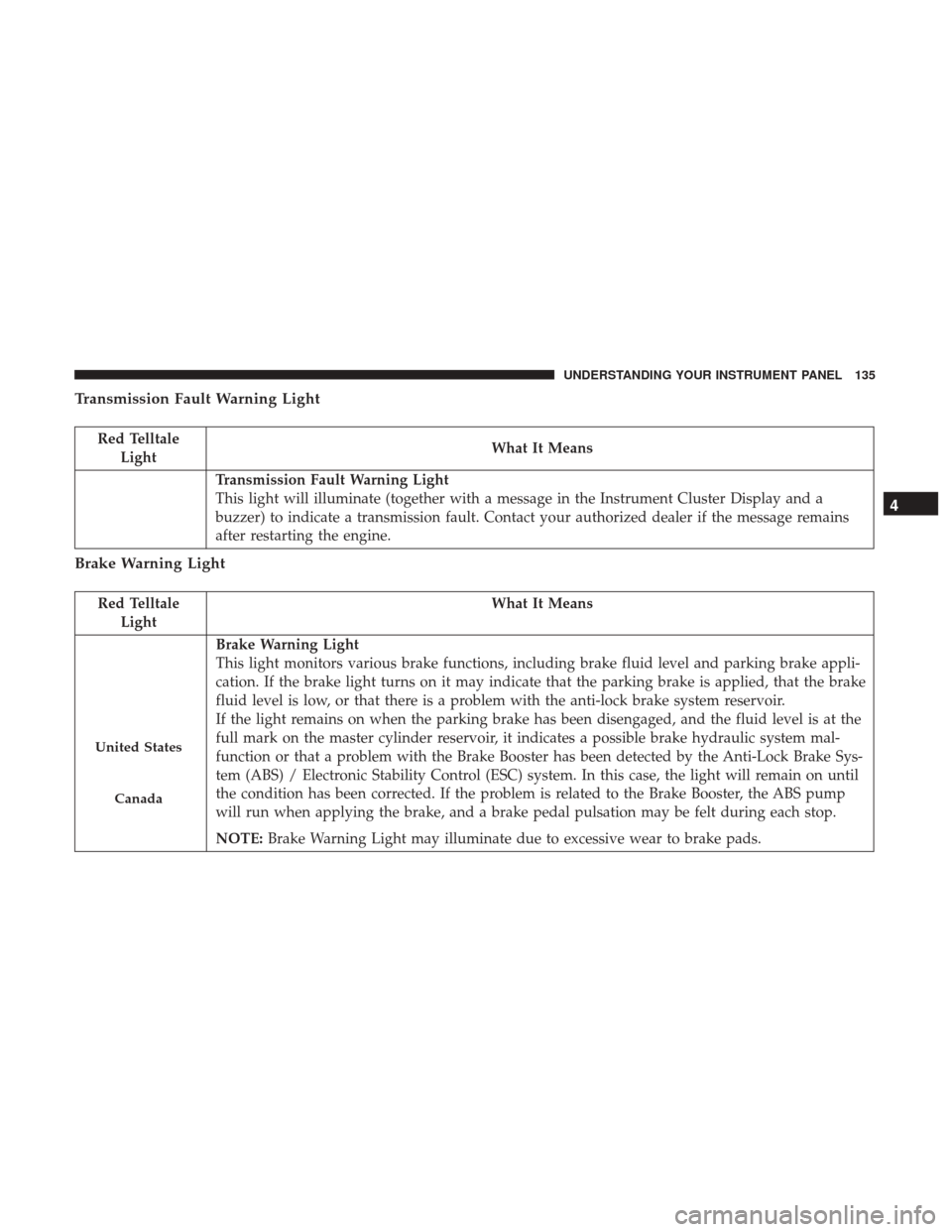
Transmission Fault Warning Light
Red TelltaleLight What It Means
Transmission Fault Warning Light
This light will illuminate (together with a message in the Instrument Cluster Display and a
buzzer) to indicate a transmission fault. Contact your authorized dealer if the message remains
after restarting the engine.
Brake Warning Light
Red Telltale
Light What It Means
United States
Canada
Brake Warning Light
This light monitors various brake functions, including brake fluid level and parking brake appli-
cation. If the brake light turns on it may indicate that the parking brake is applied, that the brake
fluid level is low, or that there is a problem with the anti-lock brake system reservoir.
If the light remains on when the parking brake has been disengaged, and the fluid level is at the
full mark on the master cylinder reservoir, it indicates a possible brake hydraulic system mal-
function or that a problem with the Brake Booster has been detected by the Anti-Lock Brake Sys-
tem (ABS) / Electronic Stability Control (ESC) system. In this case, the light will remain on until
the condition has been corrected. If the problem is related to the Brake Booster, the ABS pump
will run when applying the brake, and a brake pedal pulsation may be felt during each stop.
NOTE:
Brake Warning Light may illuminate due to excessive wear to brake pads.
4
UNDERSTANDING YOUR INSTRUMENT PANEL 135
Page 140 of 345
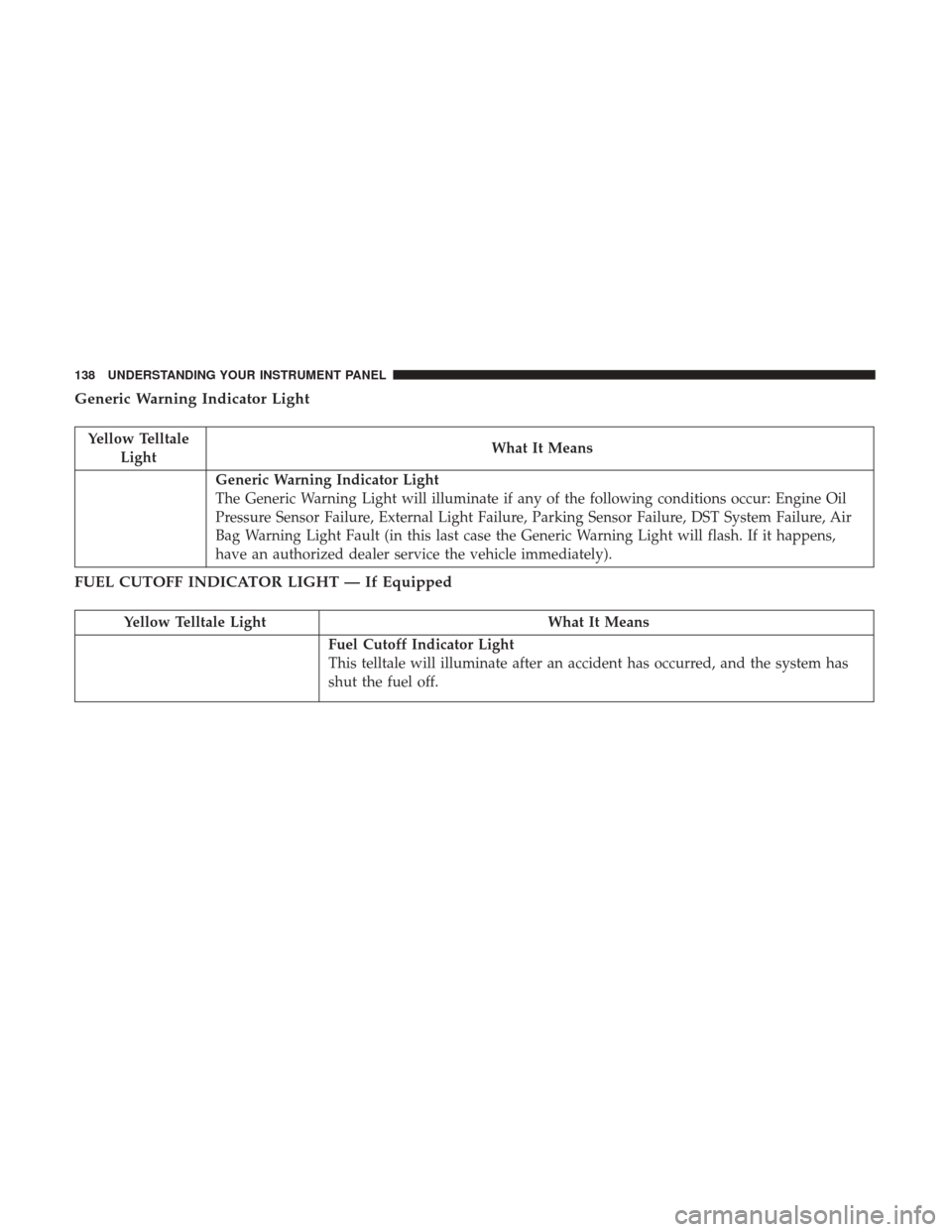
Generic Warning Indicator Light
Yellow TelltaleLight What It Means
Generic Warning Indicator Light
The Generic Warning Light will illuminate if any of the following conditions occur: Engine Oil
Pressure Sensor Failure, External Light Failure, Parking Sensor Failure, DST System Failure, Air
Bag Warning Light Fault (in this last case the Generic Warning Light will flash. If it happens,
have an authorized dealer service the vehicle immediately).
FUEL CUTOFF INDICATOR LIGHT — If Equipped
Yellow Telltale Light
What It Means
Fuel Cutoff Indicator Light
This telltale will illuminate after an accident has occurred, and the system has
shut the fuel off.
138 UNDERSTANDING YOUR INSTRUMENT PANEL
Page 141 of 345
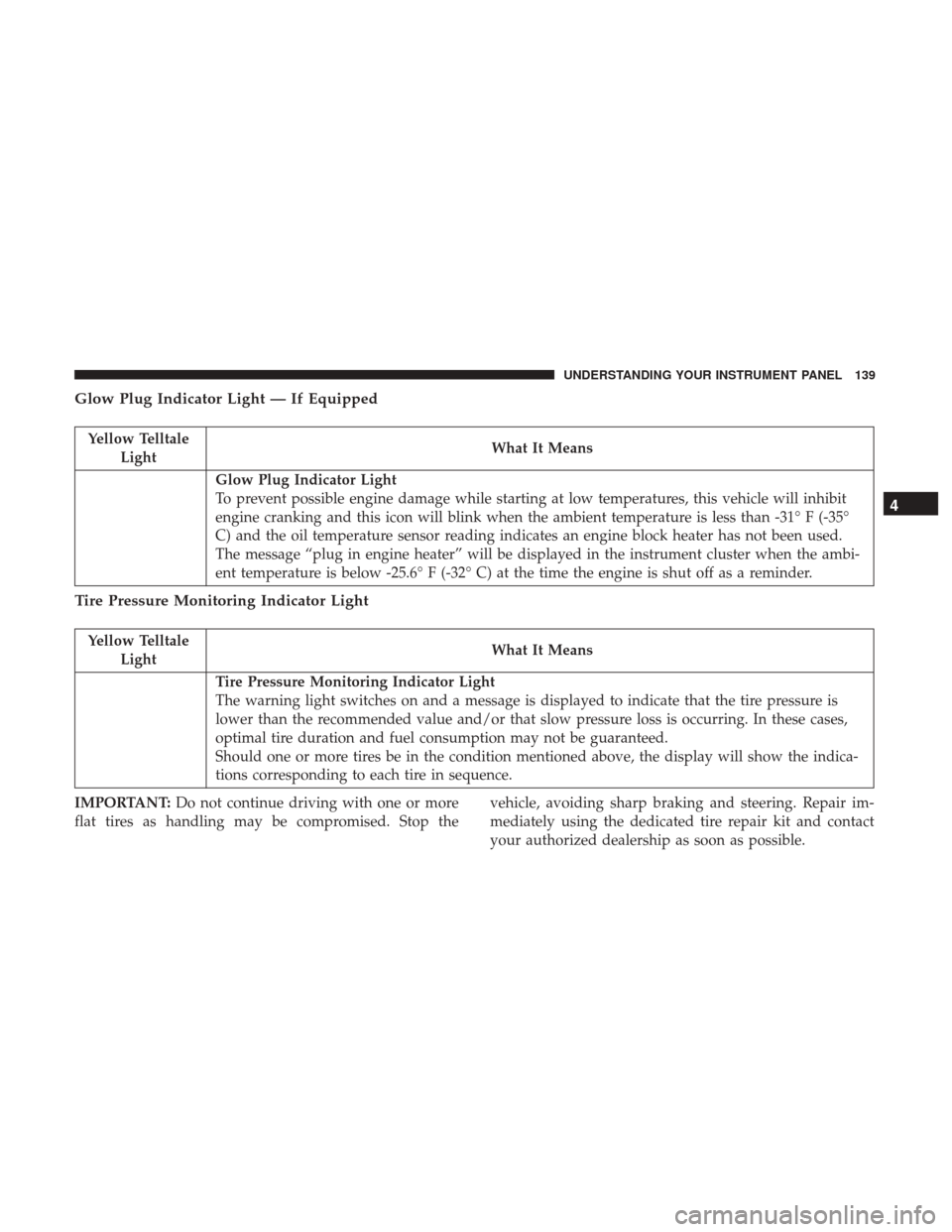
Glow Plug Indicator Light — If Equipped
Yellow TelltaleLight What It Means
Glow Plug Indicator Light
To prevent possible engine damage while starting at low temperatures, this vehicle will inhibit
engine cranking and this icon will blink when the ambient temperature is less than -31° F (-35°
C) and the oil temperature sensor reading indicates an engine block heater has not been used.
The message “plug in engine heater” will be displayed in the instrument cluster when the ambi-
ent temperature is below -25.6° F (-32° C) at the time the engine is shut off as a reminder.
Tire Pressure Monitoring Indicator Light
Yellow Telltale
Light What It Means
Tire Pressure Monitoring Indicator Light
The warning light switches on and a message is displayed to indicate that the tire pressure is
lower than the recommended value and/or that slow pressure loss is occurring. In these cases,
optimal tire duration and fuel consumption may not be guaranteed.
Should one or more tires be in the condition mentioned above, the display will show the indica-
tions corresponding to each tire in sequence.
IMPORTANT: Do not continue driving with one or more
flat tires as handling may be compromised. Stop the vehicle, avoiding sharp braking and steering. Repair im-
mediately using the dedicated tire repair kit and contact
your authorized dealership as soon as possible.
4
UNDERSTANDING YOUR INSTRUMENT PANEL 139
Page 143 of 345
CAUTION!(Continued)
your vehicle. Undesirable system operation or sensor
damage may result when using replacement equip-
ment that is not of the same size, type, and/or style.
Aftermarket wheels can cause sensor damage. Using
aftermarket tire sealants may cause the Tire Pressure
Monitoring System (TPMS) sensor to become inoper-
able. After using an aftermarket tire sealant it is
recommended that you take your vehicle to an autho-
rized dealership to have your sensor function checked.
Vehicle Security Indicator Light
Yellow
Telltale Light What It Means
Vehicle Security Indicator Light
If during starting, the key code is not correctly recognized, the Vehicle Security Light comes on in the in-
strument panel. In this case, turn the key to OFF and then to ON/RUN; if it is still locked, try again with
the other keys that come with the vehicle. Contact an authorized dealer if you still cannot start the en-
gine.
If with the engine running, the warning light comes on, this means that the system is running a self-test
(for example for a voltage drop).
4
UNDERSTANDING YOUR INSTRUMENT PANEL 141
Page 144 of 345
Engine Check/Malfunction Indicator Light (MIL)
Yellow TelltaleLight What It Means
Engine Check/Malfunction Indicator Light (MIL)
The Engine Check/Malfunction Indicator Light (MIL) is a part of an Onboard Diagnostic System
called OBD II that monitors engine and automatic transmission control systems. The light will
illuminate when the ignition is in the ON position before engine start. If the bulb does not come
on when turning the key from OFF to ON/RUN, have the condition checked promptly.
Certain conditions, such as a loose or missing gas cap, poor quality fuel, etc., may illuminate the
light after engine start. The vehicle should be serviced if the light stays on through several typical
driving styles. In most situations, the vehicle will drive normally and will not require towing.
When the engine is running, the MIL may flash to alert serious conditions that could lead to im-
mediate loss of power or severe catalytic converter damage. The vehicle should be serviced as
soon as possible if this occurs.
WARNING!
A malfunctioning catalytic converter, as referenced
above, can reach higher temperatures than in normal
operating conditions. This can cause a fire if you drive
slowly or park over flammable substances such as dry
plants, wood, cardboard, etc. This could result in death
or serious injury to the driver, occupants or others.
CAUTION!
Prolonged driving with the Malfunction Indicator
Light (MIL) on could cause damage to the engine
control system. It also could affect fuel economy and
driveability. If the MIL is flashing, severe catalytic
converter damage and power loss will soon occur.
Immediate service is required.
142 UNDERSTANDING YOUR INSTRUMENT PANEL
Page 145 of 345
Rear Fog Light Indicator — If Equipped
Yellow TelltaleLight What It Means
Rear Fog Light Indicator
This indicator will illuminate when the rear fog lights are on.
Electronic Stability Control (ESC) Indicator Light — If Equipped
Yellow Telltale
Light What It Means
Electronic Stability Control (ESC) Indicator Light — If Equipped
The “ESC Indicator Light” in the instrument cluster will come on when the ignition is placed in
the ON/RUN position, and when ESC is activated. It should go out with the engine running. If
the “ESC Indicator Light” comes on continuously with the engine running, a malfunction has
been detected in the ESC system. If this light remains on after several ignition cycles, and the ve-
hicle has been driven several miles (kilometers) at speeds greater than 30 MPH (48 km/h), see
your authorized dealer as soon as possible to have the problem diagnosed and corrected.
•
The “ESC Off Indicator Light” and the “ESC Indicator Light” come on momentarily each
time the ignition is placed in the ON/RUN position.
• Each time the ignition is turned to ON/RUN, the ESC system will be ON, even if it was
turned off previously.
• The ESC system will make buzzing or clicking sounds when it is active. This is normal; the
sounds will stop when ESC becomes inactive.
• This light will come on when the vehicle is in an ESC event. 4
UNDERSTANDING YOUR INSTRUMENT PANEL 143
Page 155 of 345
Lights
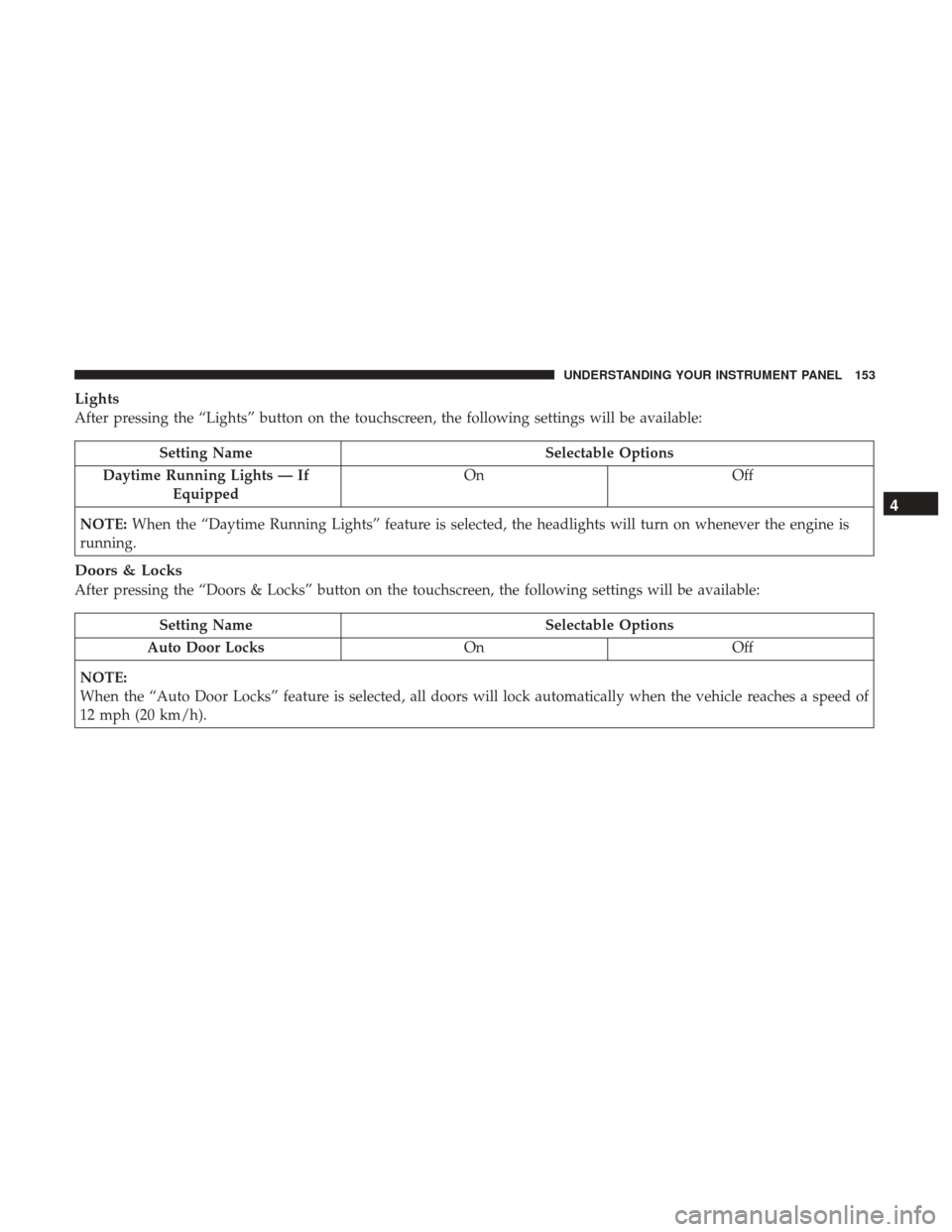
After pressing the “Lights” button on the touchscreen, the following settings will be available:
Setting NameSelectable Options
Daytime Running Lights — If Equipped On
Off
NOTE: When the “Daytime Running Lights” feature is selected, the headlights will turn on whenever the engine is
running.
Doors & Locks
After pressing the “Doors & Locks” button on the touchscreen, the following settings will be available:
Setting Name Selectable Options
Auto Door Locks OnOff
NOTE:
When the “Auto Door Locks” feature is selected, all doors will lock automatically when the vehicle reaches a speed of
12 mph (20 km/h).
4
UNDERSTANDING YOUR INSTRUMENT PANEL 153
Page 156 of 345
Engine Off Options
After pressing the “Engine Off Options” button on the touchscreen, the following settings will be available:
Setting NameSelectable Options
Radio Off Delay 0 min 20 min
NOTE: When this Setting is selected, the radio will remain off for the selected amount of time when the engine has
been shut off.
Audio
After pressing the “Audio” button on the touchscreen, the following settings will be available:
Setting Name Selectable Options
Equalizer +–
NOTE: When in this display you may adjust the “Bass”, “Mid” and “Treble” settings. Adjust the settings with the
“+” and “–” setting buttons on the touchscreen or by selecting any point on the scale between the “+” and “–” but-
tons on the touchscreen. Bass/Mid/Treble also allow you to simply slide your finger up or down to change the set-
ting as well as press directly on the desired setting.
Balance Speaker Icon Arrow Buttons
NOTE: When in this display you may adjust the “Balance/Fade” of the audio by using the “Arrow” button on the
touchscreen to adjust the sound level from the front and rear or right and left side speakers. Press the “Speaker Icon”
on the touchscreen to reset the balance and fade to the factory setting.
154 UNDERSTANDING YOUR INSTRUMENT PANEL
Page 168 of 345
Recirculation
When outside air contains smoke, odors, or high humidity,
or if rapid cooling is desired, you may wish to recirculate
interior air by pressing the Recirculation control button.
The recirculation indicator will illuminate when this button
is selected. Press the button a second time to turn off the
Recirculation mode and allow outside air into the vehicle.
NOTE:In cold weather, use of recirculation mode may lead
to excessive window fogging. The recirculation feature
may be unavailable (button on the touchscreen greyed out)
if conditions exist that could create fogging on the inside of
the windshield. On systems with Manual Climate Controls,
the Recirculation mode is not allowed in Defrost mode to
improve window clearing operation. Recirculation will be
disabled automatically if this mode is selected. Attempting
to use Recirculation while in this mode will cause the LED
in the control button to blink and then turn off.
Operating Tips
NOTE: Refer to the chart at the end of this section for
suggested control settings for various weather conditions.
Summer Operation
The engine cooling system must be protected with a
high-quality antifreeze coolant to provide proper corrosion
protection and to protect against engine overheating. OAT
coolant (conforming to MS.90032) is recommended. Refer
to “Maintenance Procedures” in “Maintaining Your Ve-
hicle” for proper coolant selection.
Winter Operation
To ensure the best possible heater and defroster perfor-
mance, make sure the engine cooling system is functioning
properly and the proper amount, type, and concentration
of coolant is used. Refer to “Maintenance Procedures” in
“Maintaining Your Vehicle” for proper coolant selection.
Use of the air Recirculation mode during Winter months is
not recommended because it may cause window fogging.
Vacation/Storage
Any time you store your vehicle or keep it out of service
(i.e., vacation) for two weeks or more, run the air condi-
tioning system at idle for about five minutes in fresh air
with the blower setting in high. This will ensure adequate
system lubrication to minimize the possibility of compres-
sor damage when the system is started again.
166 UNDERSTANDING YOUR INSTRUMENT PANEL