Doors RENAULT CAPTUR 2014 1.G User Guide
[x] Cancel search | Manufacturer: RENAULT, Model Year: 2014, Model line: CAPTUR, Model: RENAULT CAPTUR 2014 1.GPages: 244, PDF Size: 5.64 MB
Page 18 of 244
1.12
LOCKING/UNLOCKING THE DOORS (2/2)
Door and tailgate status
indicator
With the ignition on, the warning light
integrated in switch 3 informs you of the
locking status of the opening elements:
– indicator light on, the doors and tail- gate are locked,
– indicator light off, the doors and tail- gate are unlocked.
When you lock the doors, the indicator
light remains lit and then goes out.
Locking the doors without
the RENAULT card
For example, in the event of a dis-
charged battery or the RENAULT card
temporarily not working, etc.
With the engine switched off and
an opening element (door or boot)
open, press and hold switch 3 for more
than five seconds.
When the door is closed, all the doors
and the tailgate will be locked.
Unlocking the vehicle from the outside
is only possible with the RENAULT card
in the vehicle's access zone or using
the key integrated in the RENAULT
card.
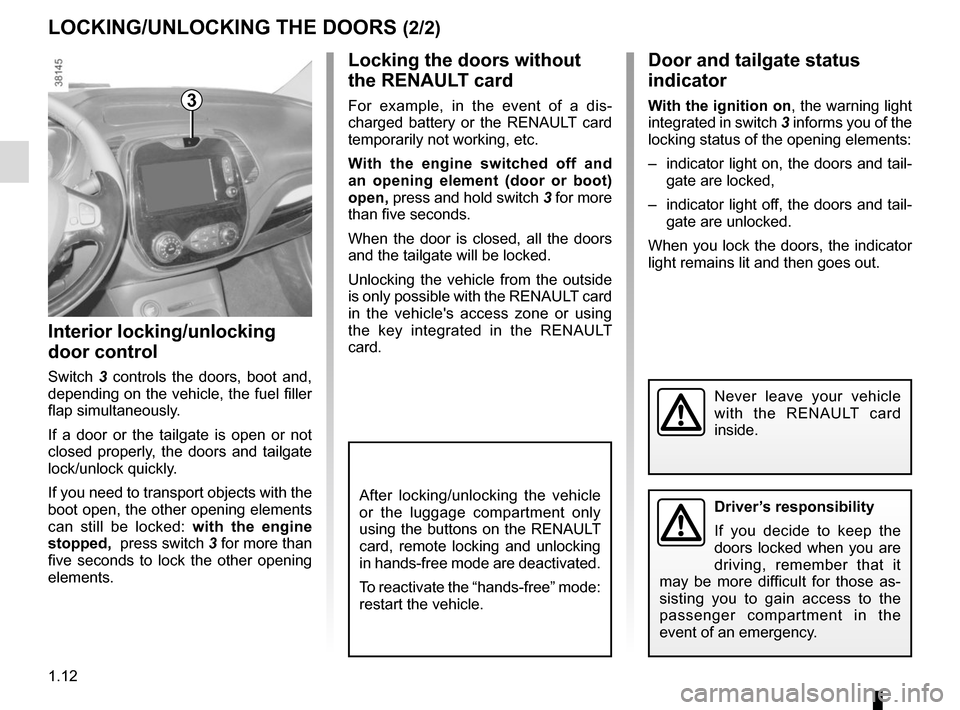
Interior locking/unlocking
door control
Switch 3 controls the doors, boot and,
depending on the vehicle, the fuel filler
flap simultaneously.
If a door or the tailgate is open or not
closed properly, the doors and tailgate
lock/unlock quickly.
If you need to transport objects with the
boot open, the other opening elements
can still be locked: with the engine
stopped, press switch 3 for more than
five seconds to lock the other opening
elements.
3
Driver’s responsibility
If you decide to keep the
doors locked when you are
driving, remember that it
may be more difficult for those as-
sisting you to gain access to the
passenger compartment in the
event of an emergency.
Never leave your vehicle
with the RENAULT card
inside.
After locking/unlocking the vehicle
or the luggage compartment only
using the buttons on the RENAULT
card, remote locking and unlocking
in hands-free mode are deactivated.
To reactivate the “hands-free” mode:
restart the vehicle.
Page 19 of 244
1.13
Operating principle
After the vehicle is started, the system
automatically locks the doors when
you are driving at approximately 6 mph
(10 km/h) and over.
The door can be unlocked:
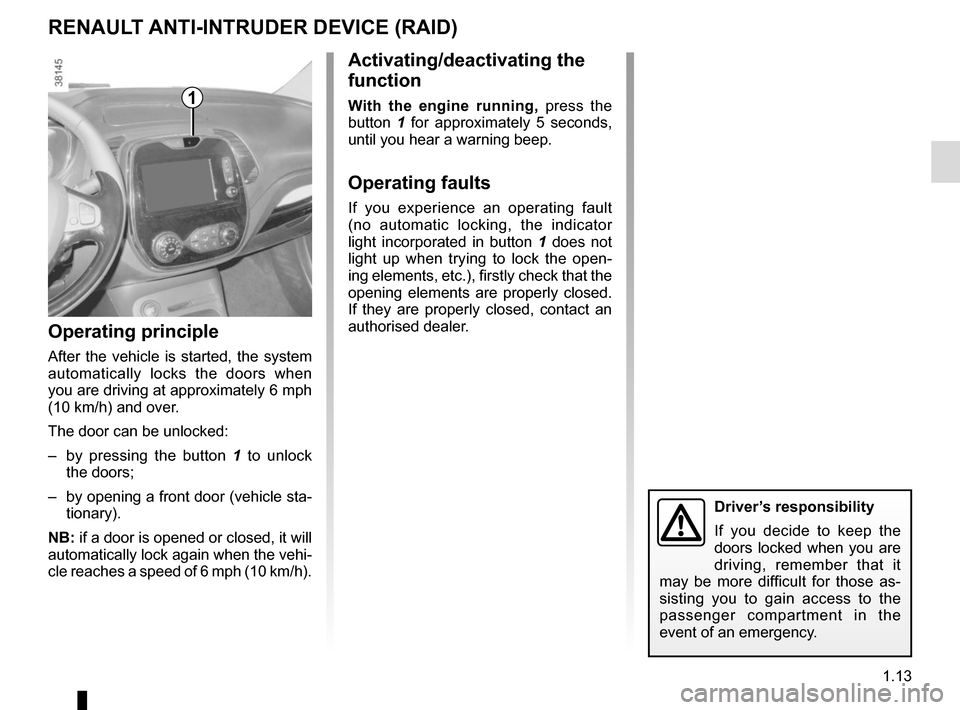
– by pressing the button 1 to unlock
the doors;
– by opening a front door (vehicle sta- tionary).
NB: if a door is opened or closed, it will
automatically lock again when the vehi-
cle reaches a speed of 6 mph (10 km/h).
Activating/deactivating the
function
With the engine running, press the
button 1 for approximately 5 seconds,
until you hear a warning beep.
Operating faults
If you experience an operating fault
(no automatic locking, the indicator
light incorporated in button 1 does not
light up when trying to lock the open-
ing elements, etc.), firstly check that the
opening elements are properly closed.
If they are properly closed, contact an
authorised dealer.
RENAULT ANTI-INTRUDER DEVICE (RAID)
1
Driver’s responsibility
If you decide to keep the
doors locked when you are
driving, remember that it
may be more difficult for those as-
sisting you to gain access to the
passenger compartment in the
event of an emergency.
Page 32 of 244
1.26
CHILD SAFETY: General information (1/2)
Carrying children
Children, and adults, must be correctly
seated and strapped in for all journeys.
The children being carried in your vehi-
cle are your responsibility.
A child is not a miniature adult. Children
are at risk of specific injuries as their
muscles and bones have not yet fin-
ished growing. The seat belt alone
would not provide suitable protection.
Use an approved child seat and ensure
you use it correctly.
A collision at 30 mph
(50 km/h) is the same as fall-
ing a distance of 10 metres.
Transporting a child without
a restraint is the equivalent of allow-
ing him or her to play on a fourth-
floor balcony without railings.
Never travel with a child held in your
arms. In the event of an accident,
you will not be able to keep hold of
the child, even if you yourself are
wearing a seat belt.
If your vehicle has been involved in
a road accident, replace the child
seat and have the seat belts and
ISOFIX anchorage points checked.
To prevent the doors being
opened, use the “Child
safety” device (refer to the
information on “Opening
and closing the doors” in Section 1).
Driver’s responsibility
when parking or stopping
the vehicle
Never leave an animal,
child or adult who is not self-suffi-
cient alone on your vehicle, even for
a short time.
They may pose a risk to themselves
or to others by starting the engine,
activating equipment such as the
electric windows or by locking the
doors.
Also, in hot and/or sunny weather,
please remember that the tempera-
ture inside the passenger compart-
ment increases very quickly.
RISK OF DEATH OR SERIOUS
INJURY.
Page 84 of 244
2.4
Operating faults
In certain cases, the hands-free
RENAULT card may not work:
– when the RENAULT card battery is drained, flat battery, etc.
– near to appliances operating on the same frequency as the card (moni-
tor, mobile phone, video game, etc.);
– vehicle located in a high electromag- netic radiation zone.
The message “PLEASE INSERT
KEYCARD” appears on the instrument
panel.
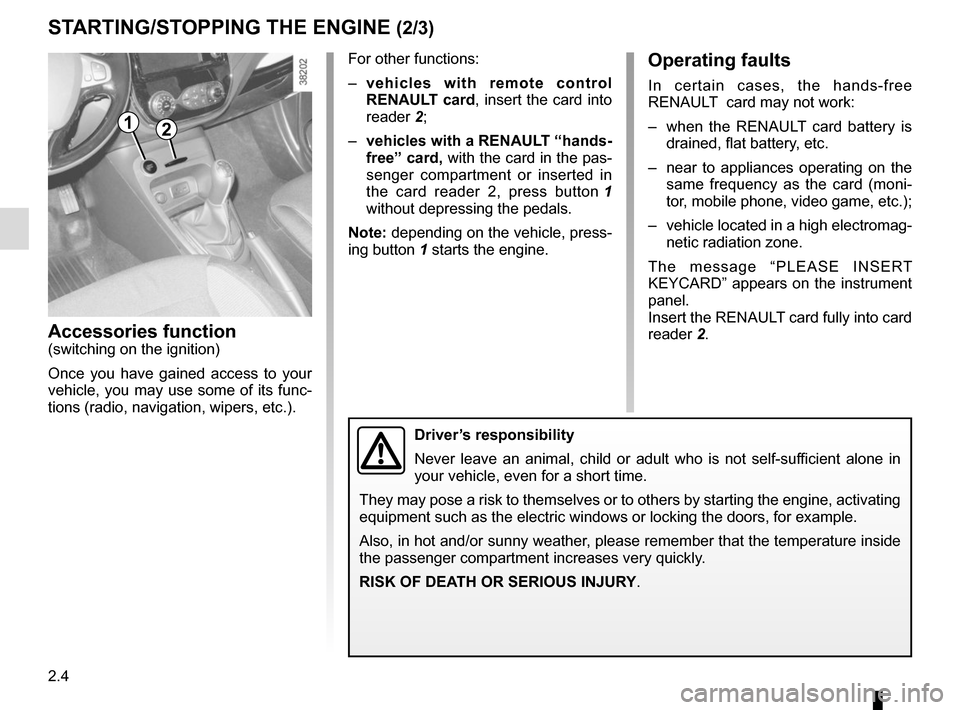
Insert the RENAULT card fully into card
reader 2.
Accessories function(switching on the ignition)
Once you have gained access to your
vehicle, you may use some of its func-
tions (radio, navigation, wipers, etc.).
STARTING/STOPPING THE ENGINE (2/3)
Driver’s responsibility
Never leave an animal, child or adult who is not self-sufficient alone in
your vehicle, even for a short time.
They may pose a risk to themselves or to others by starting the engine, \
activating
equipment such as the electric windows or locking the doors, for example\
.
Also, in hot and/or sunny weather, please remember that the temperature inside
the passenger compartment increases very quickly.
RISK OF DEATH OR SERIOUS INJURY.
For other functions:
– vehicles with remote control
RENAULT card, insert the card into
reader 2;
– vehicles with a RENAULT “hands-
free” card, with the card in the pas-
senger compartment or inserted in
the card reader 2, press button 1
without depressing the pedals.
Note: depending on the vehicle, press-
ing button 1 starts the engine.
12
Page 85 of 244
2.5
When you leave your vehi-
cle, especially if you have
your RENAULT card with
you, check that the engine
is completely switched off.
Remote control RENAULT
card
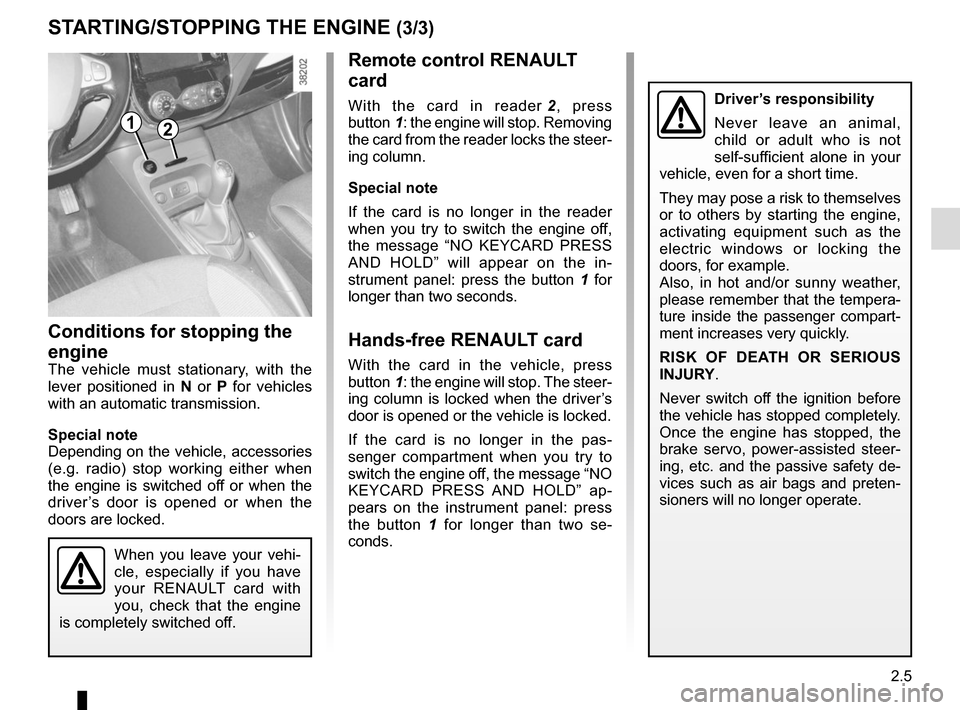
With the card in reader 2, press
button 1: the engine will stop. Removing
the card from the reader locks the steer-
ing column.
Special note
If the card is no longer in the reader
when you try to switch the engine off,
the message “NO KEYCARD PRESS
AND HOLD” will appear on the in-
strument panel: press the button 1 for
longer than two seconds.
Hands-free RENAULT card
With the card in the vehicle, press
button 1: the engine will stop. The steer-
ing column is locked when the driver’s
door is opened or the vehicle is locked.
If the card is no longer in the pas-
senger compartment when you try to
switch the engine off, the message “NO
KEYCARD PRESS AND HOLD” ap-
pears on the instrument panel: press
the button 1 for longer than two se-
conds.
Conditions for stopping the
engine
The vehicle must stationary, with the
lever positioned in N or P for vehicles
with an automatic transmission.
Special note
Depending on the vehicle, accessories
(e.g. radio) stop working either when
the engine is switched off or when the
driver’s door is opened or when the
doors are locked.
STARTING/STOPPING THE ENGINE (3/3)
Driver’s responsibility
Never leave an animal,
child or adult who is not
self-sufficient alone in your
vehicle, even for a short time.
They may pose a risk to themselves
or to others by starting the engine,
activating equipment such as the
electric windows or locking the
doors, for example.
Also, in hot and/or sunny weather,
please remember that the tempera-
ture inside the passenger compart-
ment increases very quickly.
RISK OF DEATH OR SERIOUS
INJURY.
Never switch off the ignition before
the vehicle has stopped completely.
Once the engine has stopped, the
brake servo, power-assisted steer-
ing, etc. and the passive safety de-
vices such as air bags and preten-
sioners will no longer operate.
12
Page 97 of 244
2.17
DRIVING ADVICE, ECO-DRIVING (5/5)
Advice on use
– Favour ECO mode.
– Electricity is fuel; switch off all the electrical components which are
not really needed. However (safety
first), keep your lights on when the
visibility is bad (“see and be seen”).
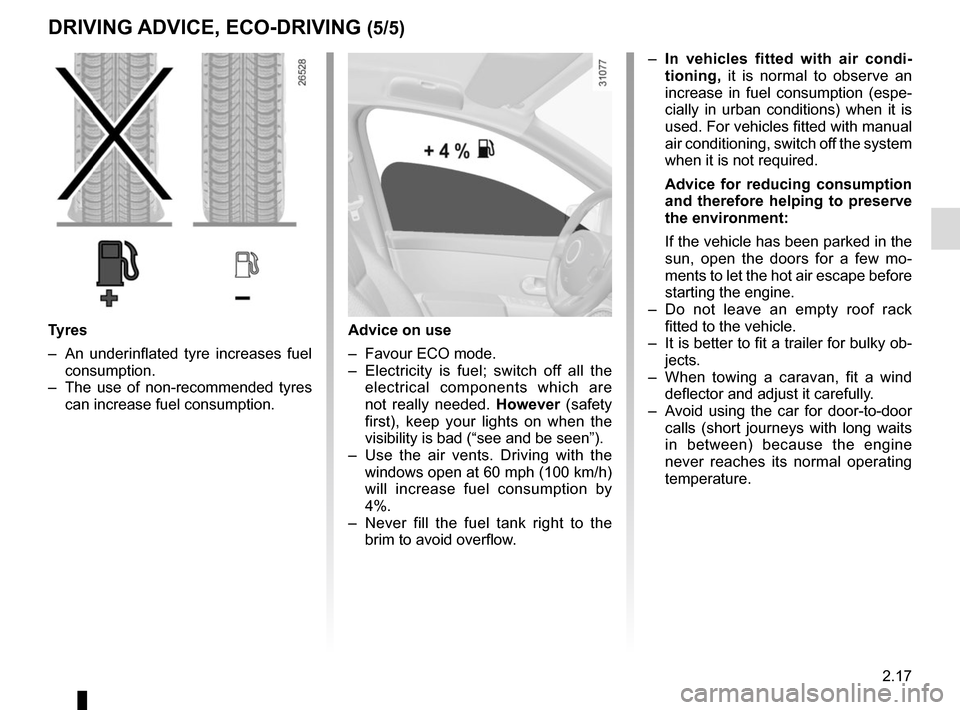
– Use the air vents. Driving with the windows open at 60 mph (100 km/h)
will increase fuel consumption by
4%.
– Never fill the fuel tank right to the brim to avoid overflow.
– In vehicles fitted with air condi-
tioning, it is normal to observe an
increase in fuel consumption (espe-
cially in urban conditions) when it is
used. For vehicles fitted with manual
air conditioning, switch off the system
when it is not required.
Advice for reducing consumption
and therefore helping to preserve
the environment:
If the vehicle has been parked in the
sun, open the doors for a few mo-
ments to let the hot air escape before
starting the engine.
– Do not leave an empty roof rack fitted to the vehicle.
– It is better to fit a trailer for bulky ob- jects.
– When towing a caravan, fit a wind deflector and adjust it carefully.
– Avoid using the car for door-to-door calls (short journeys with long waits
in between) because the engine
never reaches its normal operating
temperature.
Tyres
– An underinflated tyre increases fuel consumption.
– The use of non-recommended tyres can increase fuel consumption.
Page 137 of 244
3.11
AIR CONDITIONING: information and advice on use
Do not open the refriger-
ant fluid circuit. The fluid
may damage eyes or skin.
Fuel consumption
You will normally notice an increase in
fuel consumption (especially in town)
when the air conditioning is operating.
For vehicles fitted with air conditioning
with no automatic mode, switch off the
system when it is not required.
Advice for reducing consumption
and helping to preserve the environ-
ment
Drive with the air vents open and the
windows closed.
If the vehicle has been parked in the
sun, open the doors for a few moments
to let the hot air escape before starting
the engine.
Maintenance
Refer to the Maintenance Document
for your vehicle for the inspection fre-
quency.
Operating faults
As a general rule, contact your ap-
proved dealer in the event of an oper-
ating fault.
– Reduction in de-icing, demisting or air conditioning performance.
This may be caused by the passen-
ger compartment filter cartridge be-
coming clogged.
– No cold air is being produced .
Check that the controls are set cor-
rectly and that the fuses are sound.
Otherwise, switch off the system.
Presence of water under the
vehicle
After prolonged use of the air condi-
tioning system, it is normal for water
to be present under the vehicle. This is
caused by condensation.
Advice on use
In some situations, (air conditioning
off, air recirculation activated, ventila-
tion speed at zero or low, etc.) you may
notice that condensation starts to form
on the windows and windscreen.
If there is condensation, use the “Clear
View” function to remove it, then use
the air conditioning in automatic mode
to stop it forming again.
Vehicles equipped with the ECO
mode: once activated, the ECO
mode may reduce the effective per-
formance of the air conditioning.
Please refer to the information on
“Eco-driving” in Section 2.
Page 138 of 244
3.12
ELECTRIC WINDOWS (1/2)
These systems operate with the igni-
tion on or off, until one of the front doors
is opened (limited to about 3 minutes).
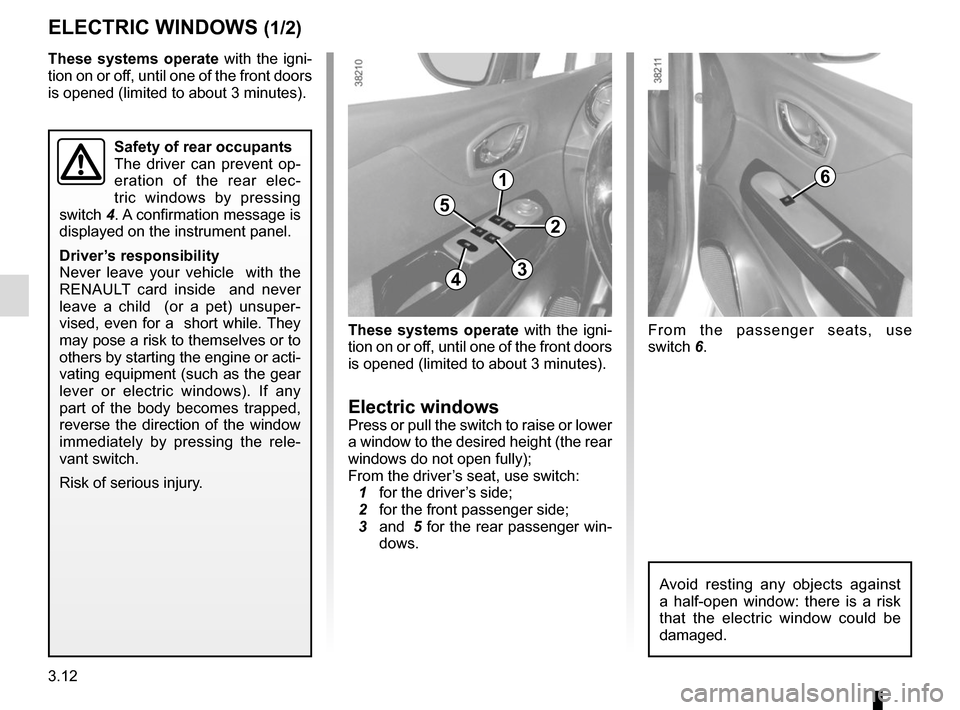
Electric windowsPress or pull the switch to raise or lower
a window to the desired height (the rear
windows do not open fully);
From the driver’s seat, use switch:
1 for the driver’s side;
2 for the front passenger side;
3 and 5 for the rear passenger win-
dows.
1
2
34
5
6
From the passenger seats, use
switch 6.
Avoid resting any objects against
a half-open window: there is a risk
that the electric window could be
damaged.
Safety of rear occupants
The driver can prevent op-
eration of the rear elec-
tric windows by pressing
switch 4. A confirmation message is
displayed on the instrument panel.
Driver’s responsibility
Never leave your vehicle with the
RENAULT card inside and never
leave a child (or a pet) unsuper-
vised, even for a short while. They
may pose a risk to themselves or to
others by starting the engine or acti-
vating equipment (such as the gear
lever or electric windows). If any
part of the body becomes trapped,
reverse the direction of the window
immediately by pressing the rele-
vant switch.
Risk of serious injury.
These systems operate with the igni-
tion on or off, until one of the front doors
is opened (limited to about 3 minutes).
Page 140 of 244
3.14
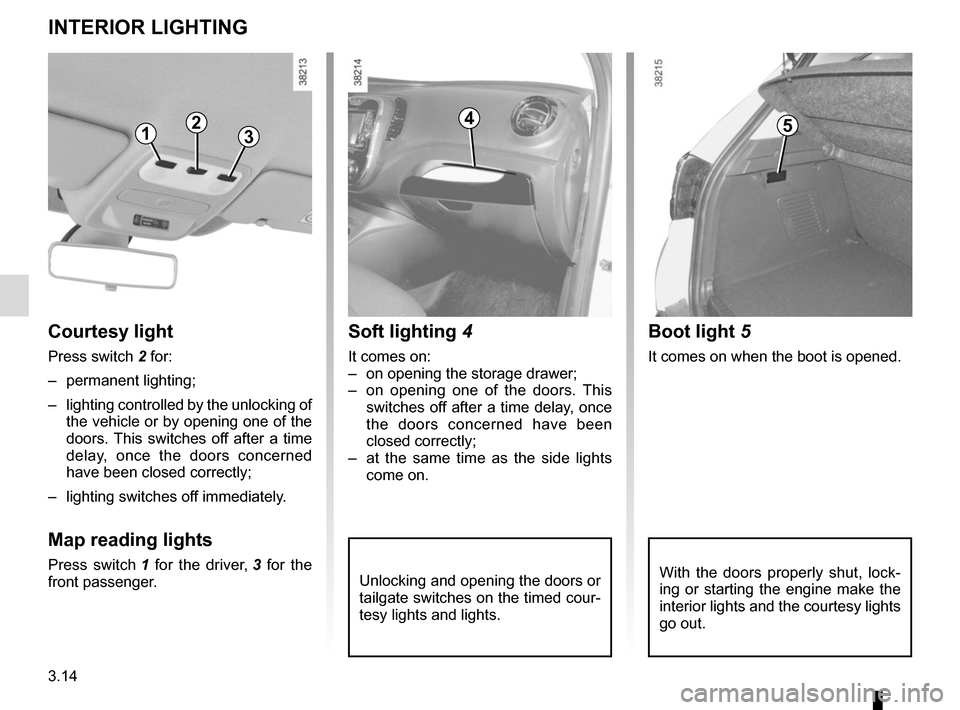
Unlocking and opening the doors or
tailgate switches on the timed cour-
tesy lights and lights.
Soft lighting 4
It comes on:
– on opening the storage drawer;
– on opening one of the doors. This
switches off after a time delay, once
the doors concerned have been
closed correctly;
– at the same time as the side lights come on.
Courtesy light
Press switch 2 for:
– permanent lighting;
– lighting controlled by the unlocking of the vehicle or by opening one of the
doors. This switches off after a time
delay, once the doors concerned
have been closed correctly;
– lighting switches off immediately.
Map reading lights
Press switch 1 for the driver, 3 for the
front passenger.
INTERIOR LIGHTING
1235
Boot light 5
It comes on when the boot is opened.
4
With the doors properly shut, lock-
ing or starting the engine make the
interior lights and the courtesy lights
go out.
Page 150 of 244
3.24
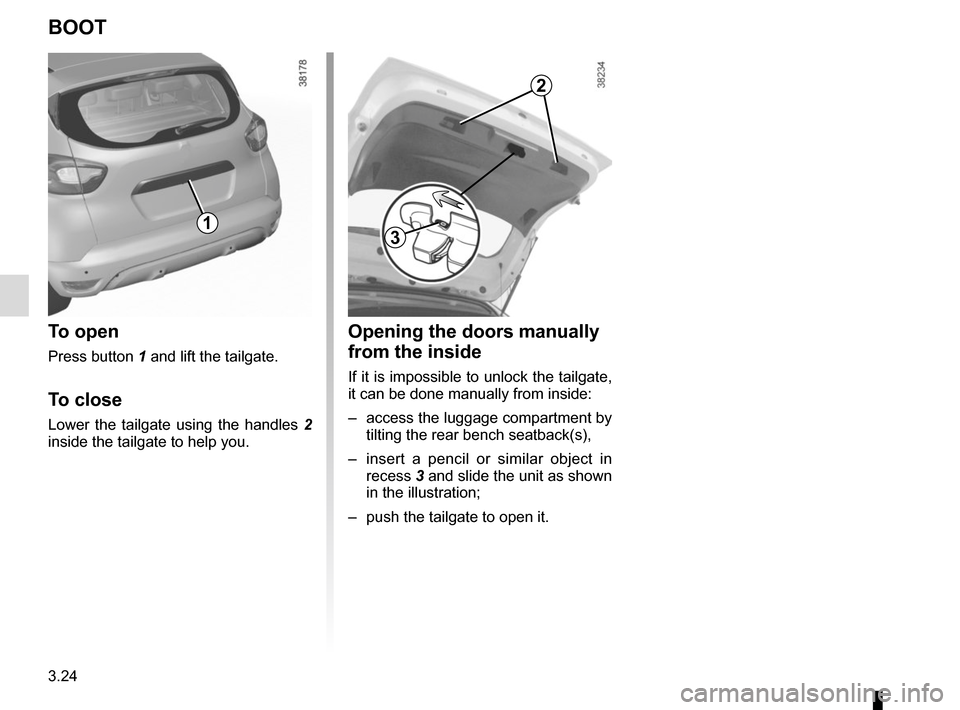
Opening the doors manually
from the inside
If it is impossible to unlock the tailgate,
it can be done manually from inside:
– access the luggage compartment by tilting the rear bench seatback(s),
– insert a pencil or similar object in recess 3 and slide the unit as shown
in the illustration;
– push the tailgate to open it.
BOOT
To open
Press button 1 and lift the tailgate.
To close
Lower the tailgate using the handles 2
inside the tailgate to help you.
13
2