display RENAULT CAPTUR 2017 1.G Owner's Guide
[x] Cancel search | Manufacturer: RENAULT, Model Year: 2017, Model line: CAPTUR, Model: RENAULT CAPTUR 2017 1.GPages: 248, PDF Size: 6.56 MB
Page 116 of 248
2.34
SPEED LIMITER (3/3)
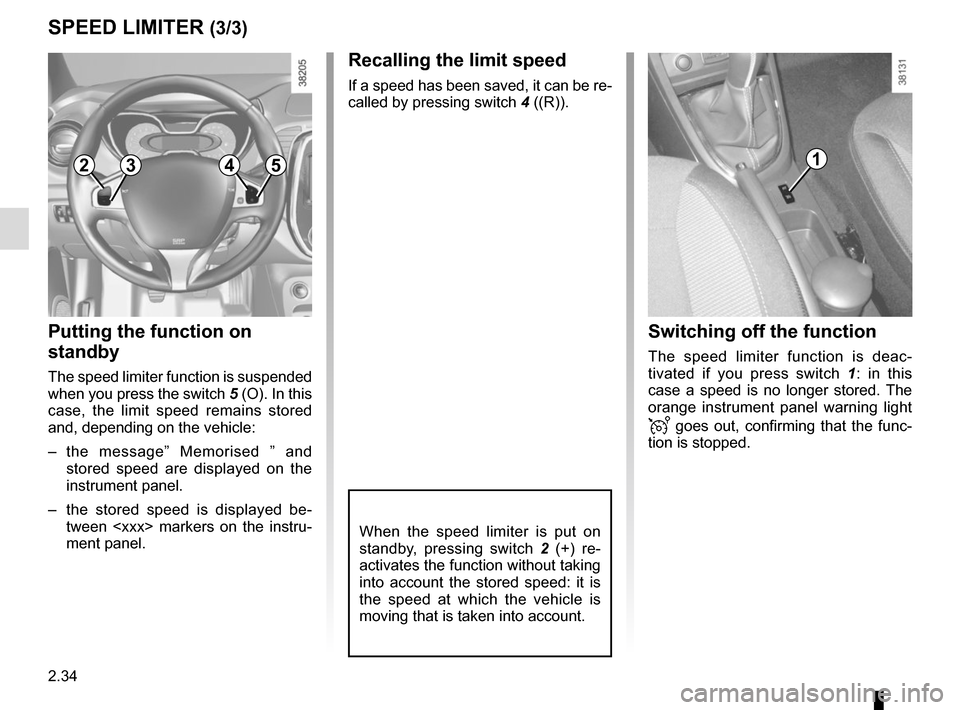
Recalling the limit speed
If a speed has been saved, it can be re-
called by pressing switch 4 ((R)).
Putting the function on
standby
The speed limiter function is suspended
when you press the switch 5 (O). In this
case, the limit speed remains stored
and, depending on the vehicle:
– the message” Memorised ” and
stored speed are displayed on the
instrument panel.
– the stored speed is displayed be- tween
ment panel.
Switching off the function
The speed limiter function is deac-
tivated if you press switch 1 : in this
case a speed is no longer stored. The
orange instrument panel warning light
goes out, confirming that the func-
tion is stopped.
When the speed limiter is put on
standby, pressing switch 2 (+) re-
activates the function without taking
into account the stored speed: it is
the speed at which the vehicle is
moving that is taken into account.
12354
Page 119 of 248
2.37
CRUISE CONTROL (3/4)
Exceeding the cruising speed
The cruising speed may be exceeded
at any time by depressing the accelera-
tor pedal. While it is being exceeded,
the cruising speed flashes on the in-
strument panel.
Then, release the accelerator: after a
few seconds, the vehicle will automati-
cally return to its set cruising speed.
Cruising speed cannot be
maintained
When driving down a steep gradient,
the system is unable to maintain the
cruising speed: the stored speed will
flash on the instrument panel informa-
tion display to inform you of this situ-
ation.
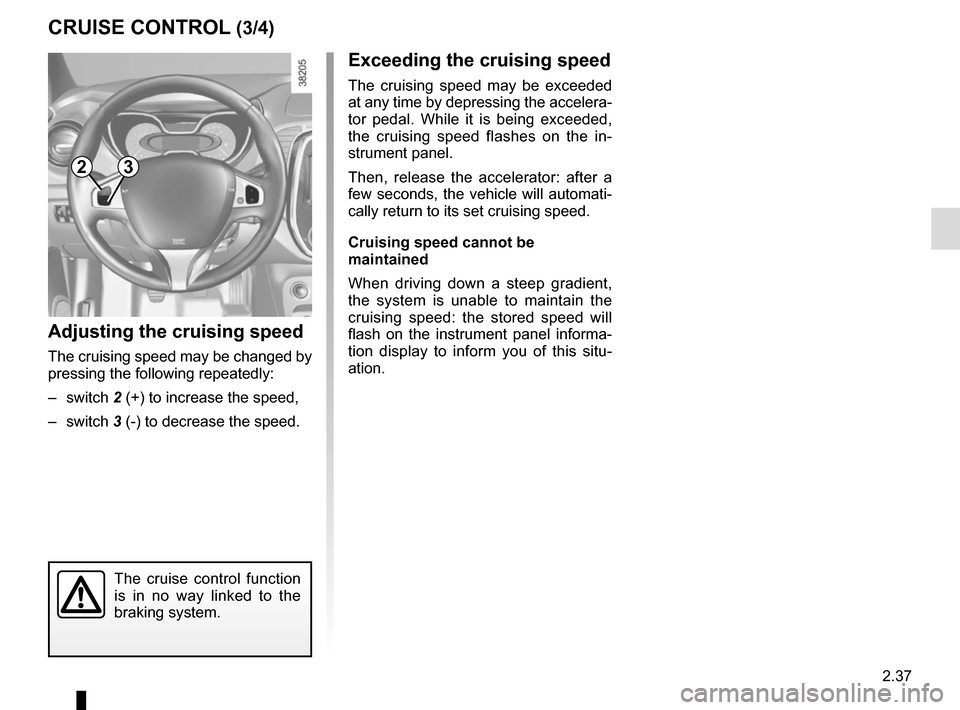
Adjusting the cruising speed
The cruising speed may be changed by
pressing the following repeatedly:
– switch 2 (+) to increase the speed,
– switch 3 (-) to decrease the speed.
The cruise control function
is in no way linked to the
braking system.
23
Page 120 of 248
2.38
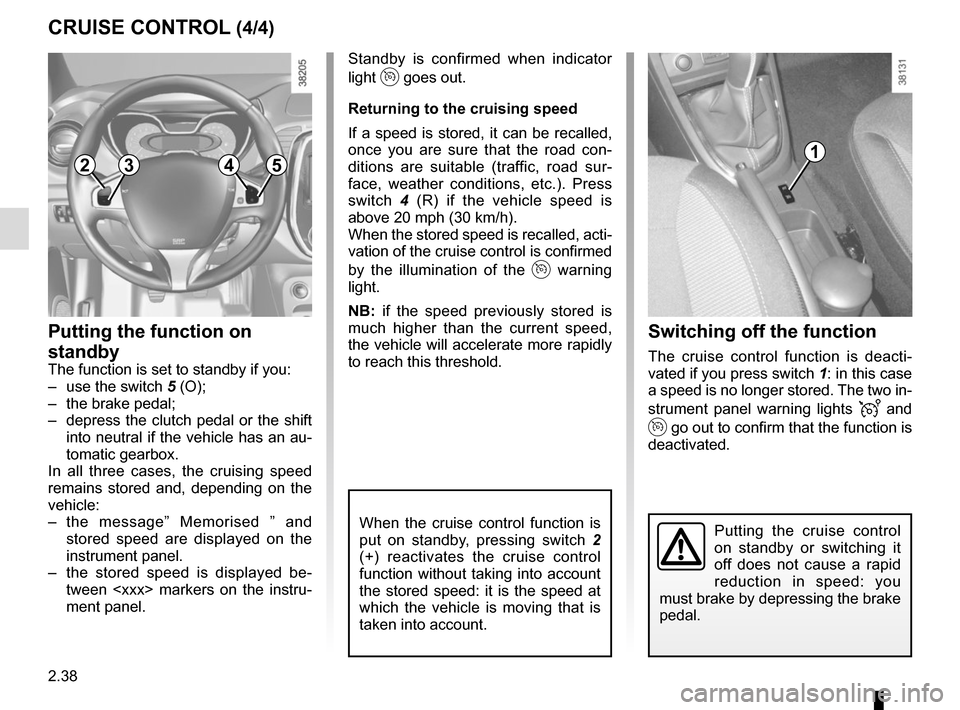
Switching off the function
The cruise control function is deacti-
vated if you press switch 1: in this case
a speed is no longer stored. The two in-
strument panel warning lights
and
go out to confirm that the function is
deactivated.
Standby is confirmed when indicator
light
goes out.
Returning to the cruising speed
If a speed is stored, it can be recalled,
once you are sure that the road con-
ditions are suitable (traffic, road sur-
face, weather conditions, etc.). Press
switch 4 (R) if the vehicle speed is
above 20 mph (30 km/h).
When the stored speed is recalled, acti-
vation of the cruise control is confirmed
by the illumination of the
warning
light.
NB: if the speed previously stored is
much higher than the current speed,
the vehicle will accelerate more rapidly
to reach this threshold.
When the cruise control function is
put on standby, pressing switch 2
(+) reactivates the cruise control
function without taking into account
the stored speed: it is the speed at
which the vehicle is moving that is
taken into account.
Putting the function on
standby
The function is set to standby if you:
– use the switch 5 (O);
– the brake pedal;
– depress the clutch pedal or the shift into neutral if the vehicle has an au-
tomatic gearbox.
In all three cases, the cruising speed
remains stored and, depending on the
vehicle:
– the message” Memorised ” and stored speed are displayed on the
instrument panel.
– the stored speed is displayed be- tween
ment panel.
CRUISE CONTROL (4/4)
Putting the cruise control
on standby or switching it
off does not cause a rapid
reduction in speed: you
must brake by depressing the brake
pedal.
23541
Page 124 of 248
2.42
REVERSING CAMERA (2/2)
The screen shows a reverse image.
The frames are a representation
projected onto flat ground; this in-
formation must not be taken into
account when superimposed on a
vertical object or an object on the
ground.
Objects which appear on the edge
of the screen may be deformed.
In very bright light (snow, vehicle in
sunshine etc.), the camera vision
may be adversely affected.
If the boot is open or poorly closed,
the message “Boot open
2” ap-
pears and, depending on the vehi-
cle, the camera display disappears.
This function is an additional
aid. It cannot, therefore,
under any circumstances
replace the vigilance or the
responsibility of the driver.
The driver should always pay atten-
tion to sudden incidents during driv-
ing: always ensure that there are no
moving obstacles (such as a child,
animal, pram, bicycle, etc.) or small,
narrow objects such as stones or
posts in your path when manoeu-
vring.
3
C
B
A
4
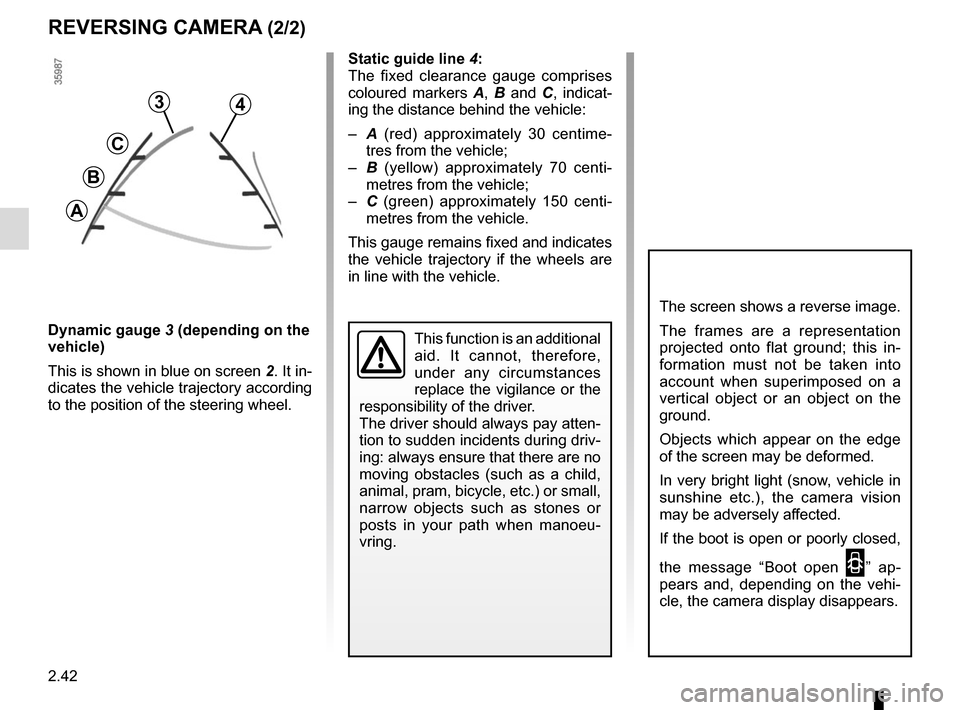
Static guide line 4:
The fixed clearance gauge comprises
coloured markers A, B and C , indicat-
ing the distance behind the vehicle:
– A (red) approximately 30 centime-
tres from the vehicle;
– B (yellow) approximately 70 centi-
metres from the vehicle;
– C (green) approximately 150 centi-
metres from the vehicle.
This gauge remains fixed and indicates
the vehicle trajectory if the wheels are
in line with the vehicle.
Dynamic gauge 3 (depending on the
vehicle)
This is shown in blue on screen 2. It in-
dicates the vehicle trajectory according
to the position of the steering wheel.
Page 125 of 248
2.43
AUTOMATIC TRANSMISSION (1/3)
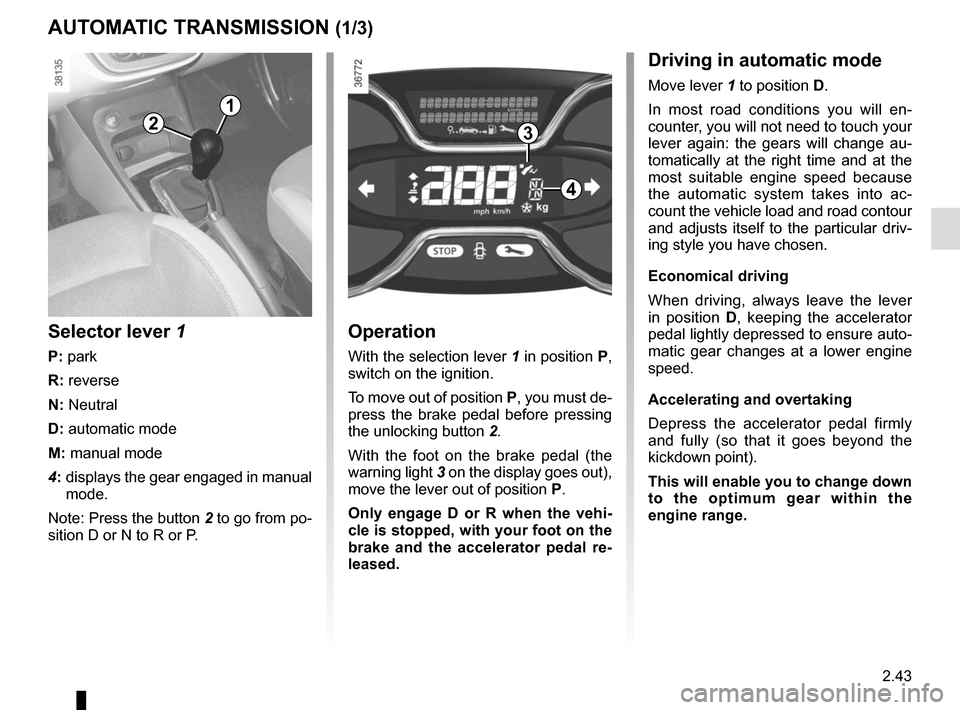
Operation
With the selection lever 1 in position P,
switch on the ignition.
To move out of position P, you must de-
press the brake pedal before pressing
the unlocking button 2.
With the foot on the brake pedal (the
warning light 3 on the display goes out),
move the lever out of position P.
Only engage D or R when the vehi-
cle is stopped, with your foot on the
brake and the accelerator pedal re-
leased.
Selector lever 1
P: park
R: reverse
N: Neutral
D: automatic mode
M: manual mode
4: displays the gear engaged in manual
mode.
Note: Press the button 2 to go from po-
sition D or N to R or P.
1
4
32
Driving in automatic mode
Move lever 1 to position D.
In most road conditions you will en-
counter, you will not need to touch your
lever again: the gears will change au-
tomatically at the right time and at the
most suitable engine speed because
the automatic system takes into ac-
count the vehicle load and road contour
and adjusts itself to the particular driv-
ing style you have chosen.
Economical driving
When driving, always leave the lever
in position D, keeping the accelerator
pedal lightly depressed to ensure auto-
matic gear changes at a lower engine
speed.
Accelerating and overtaking
Depress the accelerator pedal firmly
and fully (so that it goes beyond the
kickdown point).
This will enable you to change down
to the optimum gear within the
engine range.
Page 126 of 248
2.44
AUTOMATIC TRANSMISSION (2/3)
Special cases
In certain driving conditions (for exam-
ple, engine protection, operation of the
Electronic Stability Programme: the au-
tomatic system may change gear auto-
matically.
Likewise, to prevent incorrect manoeu-
vres, a gear change may be refused by
the automatic system: in this case the
gear display flashes for a few seconds
as a warning.
Special circumstances
– If the bends and road surface do
not allow you to stay in automatic
mode (e.g. in the mountains), we
recommend that you change to
manual mode. This will prevent the
automatic gearbox from changing
gear repeatedly when climbing, and
permit engine braking on long de-
scents.
– In cold weather , start the engine
and wait a few seconds before
moving the selector lever from posi-
tion P or N and engaging it in D or R
to prevent the engine stalling.
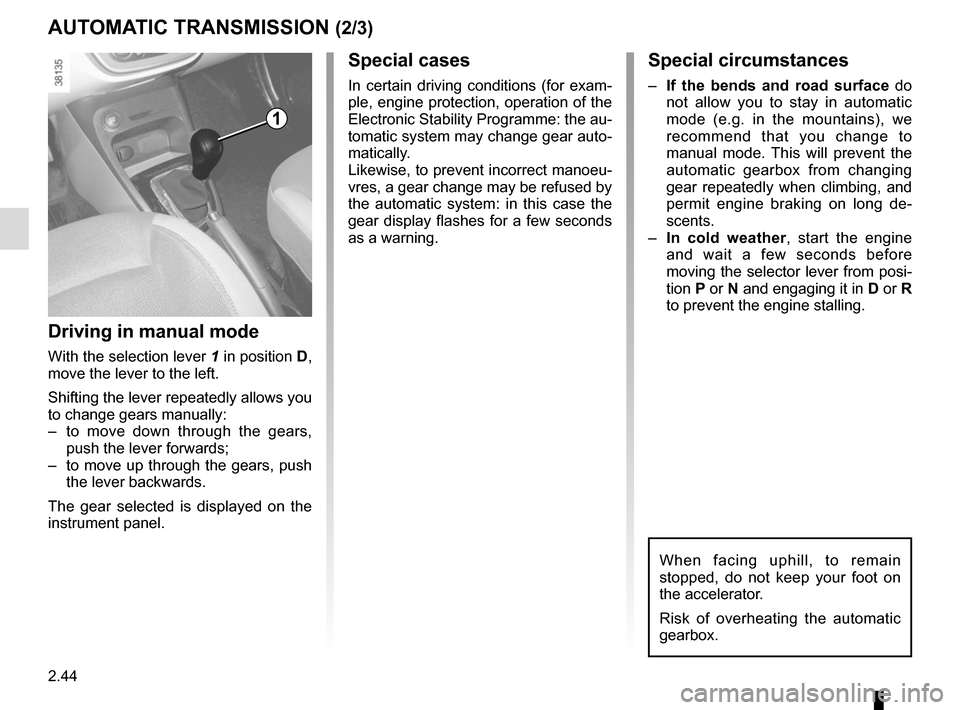
Driving in manual mode
With the selection lever 1 in position D,
move the lever to the left.
Shifting the lever repeatedly allows you
to change gears manually:
– to move down through the gears, push the lever forwards;
– to move up through the gears, push the lever backwards.
The gear selected is displayed on the
instrument panel.
1
When facing uphill, to remain
stopped, do not keep your foot on
the accelerator.
Risk of overheating the automatic
gearbox.
Page 140 of 248
3.12
ELECTRIC WINDOWS (1/2)
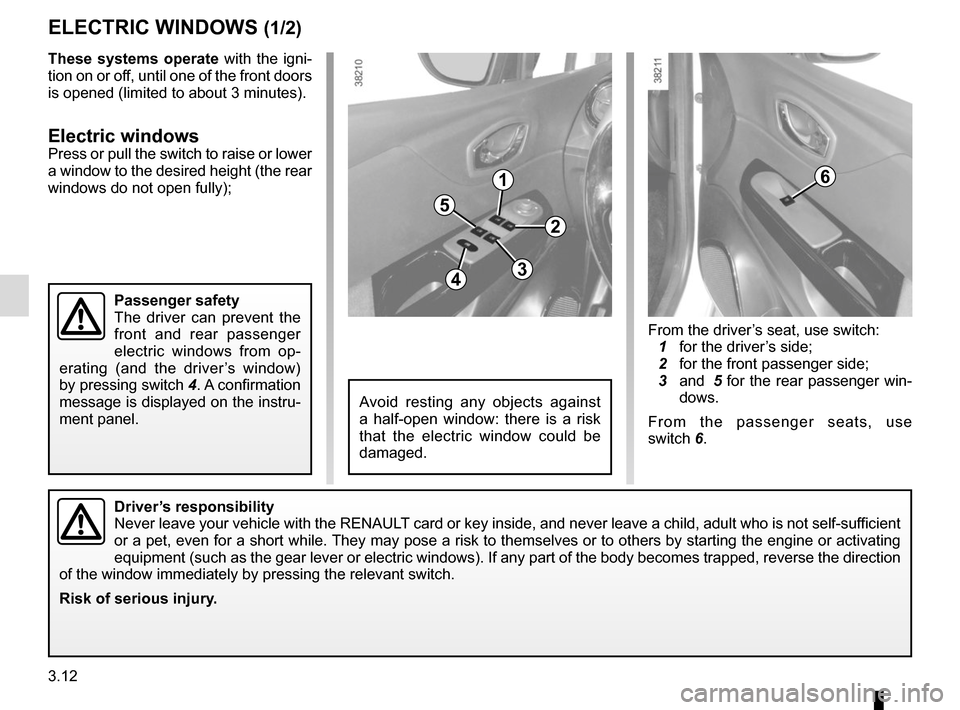
1
2
34
5
6
From the driver’s seat, use switch:
1 for the driver’s side;
2 for the front passenger side;
3 and 5 for the rear passenger win-
dows.
From the passenger seats, use
switch 6.
Avoid resting any objects against
a half-open window: there is a risk
that the electric window could be
damaged.
Driver’s responsibility
Never leave your vehicle with the RENAULT card or key inside, and never leave a child, adult who is not self-sufficient
or a pet, even for a short while. They may pose a risk to themselves or to others by starting the engine o\
r activating
equipment (such as the gear lever or electric windows). If any part of\
the body becomes trapped, reverse the direction
of the window immediately by pressing the relevant switch.
Risk of serious injury.
These systems operate with the igni-
tion on or off, until one of the front doors
is opened (limited to about 3 minutes).
Electric windowsPress or pull the switch to raise or lower
a window to the desired height (the rear
windows do not open fully);
Passenger safety
The driver can prevent the
front and rear passenger
electric windows from op-
erating (and the driver’s window)
by pressing switch 4. A confirmation
message is displayed on the instru-
ment panel.
Page 164 of 248
4.4
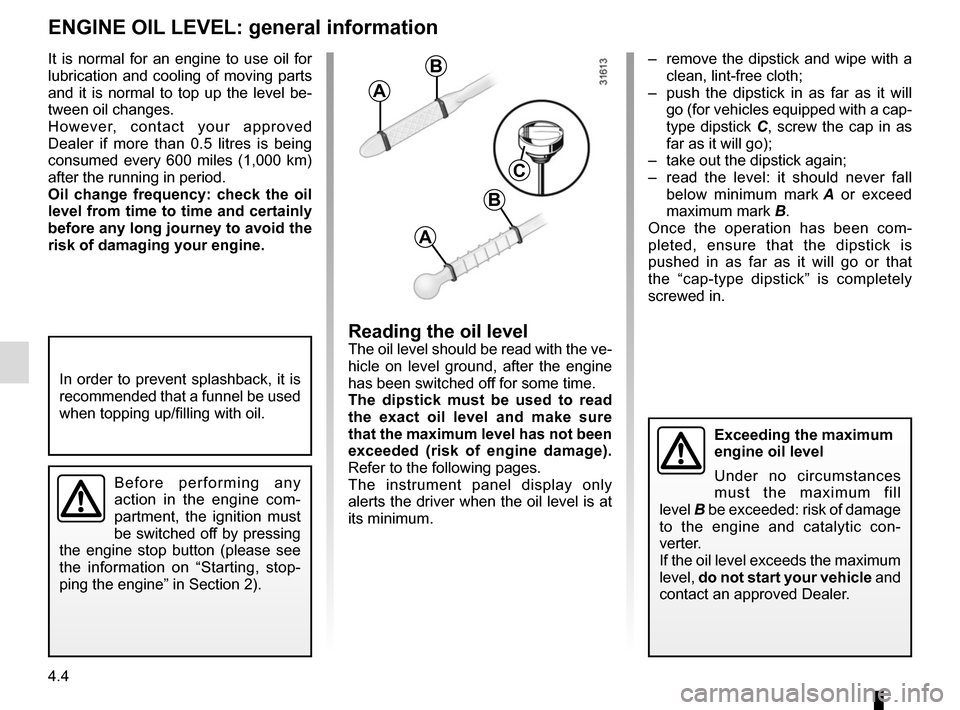
– remove the dipstick and wipe with a clean, lint-free cloth;
– push the dipstick in as far as it will go (for vehicles equipped with a cap-
type dipstick C, screw the cap in as
far as it will go);
– take out the dipstick again;
– read the level: it should never fall below minimum mark A or exceed
maximum mark B.
Once the operation has been com-
pleted, ensure that the dipstick is
pushed in as far as it will go or that
the “cap-type dipstick” is completely
screwed in.
Reading the oil levelThe oil level should be read with the ve-
hicle on level ground, after the engine
has been switched off for some time.
The dipstick must be used to read
the exact oil level and make sure
that the maximum level has not been
exceeded (risk of engine damage).
Refer to the following pages.
The instrument panel display only
alerts the driver when the oil level is at
its minimum.
It is normal for an engine to use oil for
lubrication and cooling of moving parts
and it is normal to top up the level be-
tween oil changes.
However, contact your approved
Dealer if more than 0.5 litres is being
consumed every 600 miles (1,000 km)
after the running in period.
Oil change frequency: check the oil
level from time to time and certainly
before any long journey to avoid the
risk of damaging your engine.
ENGINE OIL LEVEL: general information
A
B
A
B
C
In order to prevent splashback, it is
recommended that a funnel be used
when topping up/filling with oil.
Before performing any
action in the engine com-
partment, the ignition must
be switched off by pressing
the engine stop button (please see
the information on “Starting, stop-
ping the engine” in Section 2).
Exceeding the maximum
engine oil level
Under no circumstances
must the maximum fill
level B be exceeded: risk of damage
to the engine and catalytic con-
verter.
If the oil level exceeds the maximum
level, do not start your vehicle and
contact an approved Dealer.
Page 175 of 248
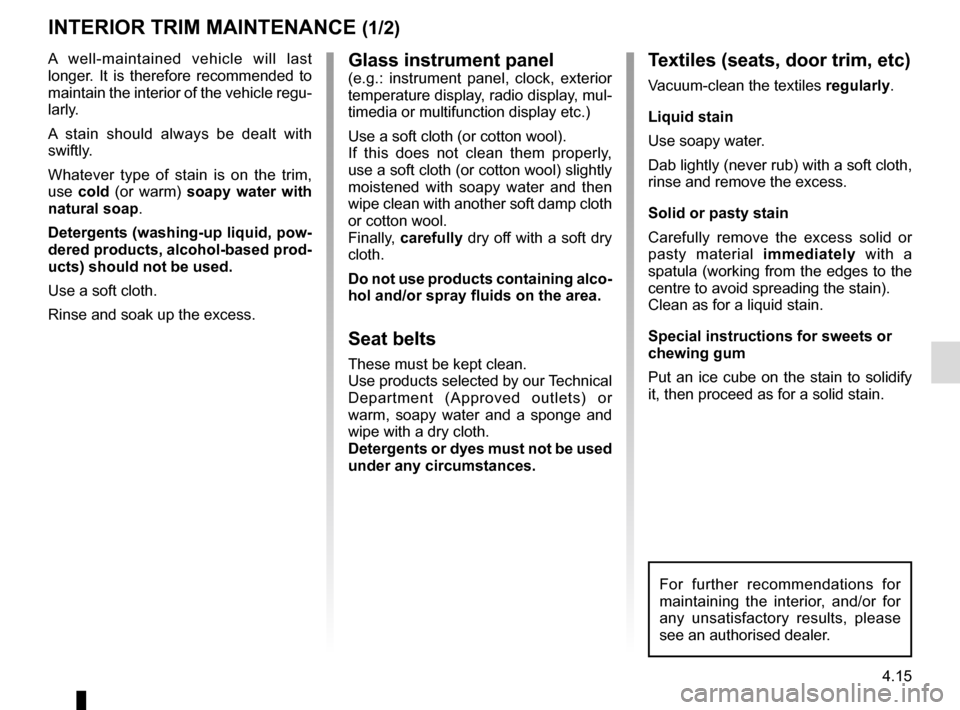
4.15
Glass instrument panel(e.g.: instrument panel, clock, exterior
temperature display, radio display, mul-
timedia or multifunction display etc.)
Use a soft cloth (or cotton wool).
If this does not clean them properly,
use a soft cloth (or cotton wool) slightly
moistened with soapy water and then
wipe clean with another soft damp cloth
or cotton wool.
Finally, carefully dry off with a soft dry
cloth.
Do not use products containing alco-
hol and/or spray fluids on the area.
Seat belts
These must be kept clean.
Use products selected by our Technical
Department (Approved outlets) or
warm, soapy water and a sponge and
wipe with a dry cloth.
Detergents or dyes must not be used
under any circumstances.
INTERIOR TRIM MAINTENANCE (1/2)
Textiles (seats, door trim, etc)
Vacuum-clean the textiles regularly.
Liquid stain
Use soapy water.
Dab lightly (never rub) with a soft cloth,
rinse and remove the excess.
Solid or pasty stain
Carefully remove the excess solid or
pasty material immediately with a
spatula (working from the edges to the
centre to avoid spreading the stain).
Clean as for a liquid stain.
Special instructions for sweets or
chewing gum
Put an ice cube on the stain to solidify
it, then proceed as for a solid stain.
A well-maintained vehicle will last
longer. It is therefore recommended to
maintain the interior of the vehicle regu-
larly.
A stain should always be dealt with
swiftly.
Whatever type of stain is on the trim,
use
cold (or warm) soapy water with
natural soap.
Detergents (washing-up liquid, pow-
dered products, alcohol-based prod-
ucts) should not be used.
Use a soft cloth.
Rinse and soak up the excess.
For further recommendations for
maintaining the interior, and/or for
any unsatisfactory results, please
see an authorised dealer.
Page 241 of 248
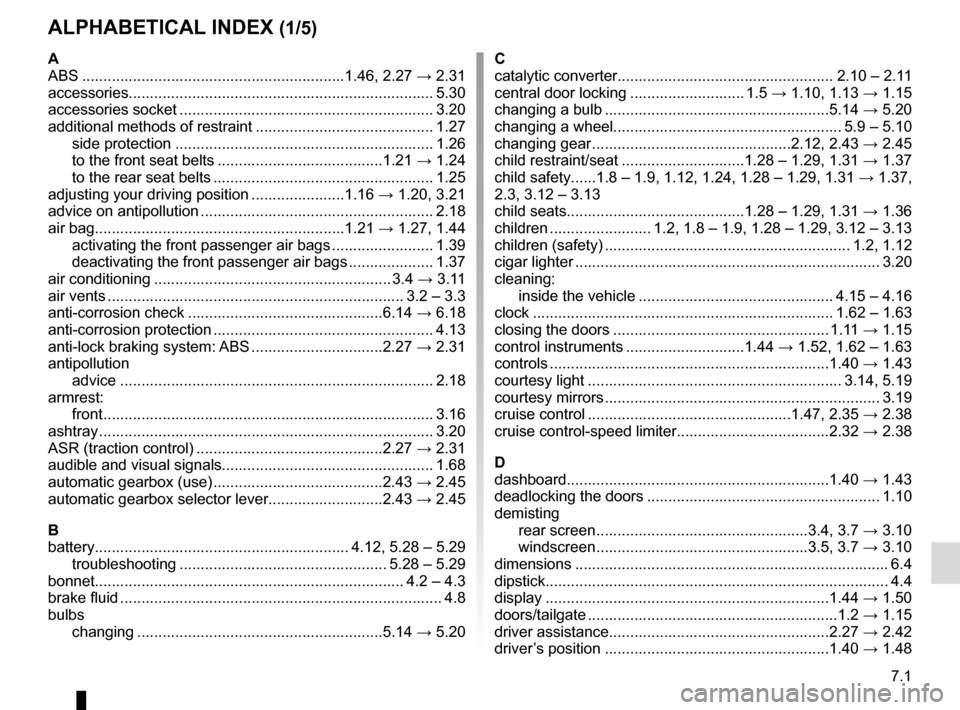
7.1
ALPHABETICAL INDEX (1/5)
A
ABS ..............................................................1.46, 2.27 → 2.31
accessories........................................................................\
5.30
accessories socket ............................................................ 3.20
additional methods of restraint .......................................... 1.27 side protection ............................................................. 1.26
to the front seat belts .......................................1.21 → 1.24
to the rear seat belts .................................................... 1.25
adjusting your driving position ......................1.16 → 1.20, 3.21
advice on antipollution ....................................................... 2.18
air bag...........................................................1.21 → 1.27, 1.44
activating the front passenger air bags ........................ 1.39
deactivating the front passenger air bags .................... 1.37
air conditioning ........................................................ 3.4 → 3.11
air vents ...................................................................... 3.2 – 3.3
anti-corrosion check ..............................................6.14 → 6.18
anti-corrosion protection .................................................... 4.13
anti-lock braking system: ABS ...............................2.27 → 2.31
antipollution advice .................................................................\
......... 2.18
armrest: front ..................................................................\
............ 3.16
ashtray ................................................................\
............... 3.20
ASR (traction control) ............................................2.27 → 2.31
audible and visual signals.................................................. 1.68
automatic gearbox (use) ........................................2.43 → 2.45
automatic gearbox selector lever...........................2.43 → 2.45
B
battery............................................................ 4.12, 5.28 – 5.29 troubleshooting ................................................. 5.28 – 5.29
bonnet........................................................................\
. 4.2 – 4.3
brake fluid ........................................................................\
.... 4.8
bulbs changing ..........................................................5.14 → 5.20C
catalytic converter................................................... 2.10 – 2.11
central door locking ........................... 1.5
→ 1.10, 1.13 → 1.15
changing a bulb .....................................................5.14 → 5.20
changing a wheel...................................................... 5.9 – 5.10
changing gear ...............................................2.12, 2.43 → 2.45
child restraint/seat .............................1.28 – 1.29, 1.31 → 1.37
child safety......1.8 – 1.9, 1.12, 1.24, 1.28 – 1.29, 1.31 → 1.37,
2.3, 3.12 – 3.13
child seats..........................................1.28 – 1.29, 1.31 → 1.36
children ........................ 1.2, 1.8 – 1.9, 1.28 – 1.29, 3.12 – 3.13
children (safety) .......................................................... 1.2, 1.12
cigar lighter ........................................................................\
3.20
cleaning: inside the vehicle .............................................. 4.15 – 4.16
clock ....................................................................... 1.62 – 1.63
closing the doors ................................................... 1.11 → 1.15
control instruments ............................1.44 → 1.52, 1.62 – 1.63
controls ...............................................................\
...1.40 → 1.43
courtesy light ............................................................ 3.14, 5.19
courtesy mirrors ................................................................. 3.19
cruise control ................................................1.47, 2.35 → 2.38
cruise control-speed limiter....................................2.32 → 2.38
D
dashboard..............................................................1.40 → 1.43
deadlocking the doors ....................................................... 1.10
demisting rear screen ..................................................3.4, 3.7 → 3.10
windscreen ..................................................3.5, 3.7 → 3.10
dimensions .............................................................\
............. 6.4
dipstick................................................................\
................. 4.4
display ................................................................\
...1.44 → 1.50
doors/tailgate .........................................................\
..1.2 → 1.15
driver assistance....................................................2.27 → 2.42
driver’s position
.....................................................1.40 → 1.48