lock RENAULT CAPTUR 2017 1.G Owner's Guide
[x] Cancel search | Manufacturer: RENAULT, Model Year: 2017, Model line: CAPTUR, Model: RENAULT CAPTUR 2017 1.GPages: 248, PDF Size: 6.56 MB
Page 52 of 248
1.46
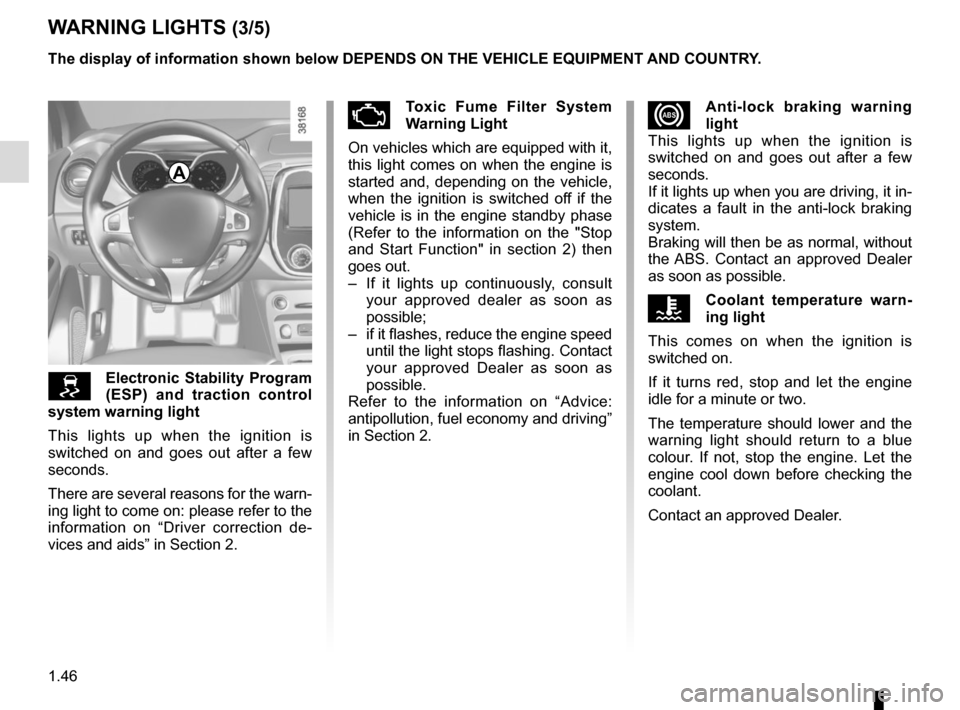
xAnti-lock braking warning
light
This lights up when the ignition is
switched on and goes out after a few
seconds.
If it lights up when you are driving, it in-
dicates a fault in the anti-lock braking
system.
Braking will then be as normal, without
the ABS. Contact an approved Dealer
as soon as possible.
ÔCoolant temperature warn-
ing light
This comes on when the ignition is
switched on.
If it turns red, stop and let the engine
idle for a minute or two.
The temperature should lower and the
warning light should return to a blue
colour. If not, stop the engine. Let the
engine cool down before checking the
coolant.
Contact an approved Dealer.
WARNING LIGHTS (3/5)
Electronic Stability Program
(ESP) and traction control
system warning light
This lights up when the ignition is
switched on and goes out after a few
seconds.
There are several reasons for the warn-
ing light to come on: please refer to the
information on “Driver correction de-
vices and aids” in Section 2.
ÄToxic Fume Filter System
Warning Light
On vehicles which are equipped with it,
this light comes on when the engine is
started and, depending on the vehicle,
when the ignition is switched off if the
vehicle is in the engine standby phase
(Refer to the information on the "Stop
and Start Function" in section 2) then
goes out.
– If it lights up continuously, consult your approved dealer as soon as
possible;
– if it flashes, reduce the engine speed until the light stops flashing. Contact
your approved Dealer as soon as
possible.
Refer to the information on “Advice:
antipollution, fuel economy and driving”
in Section 2.
A
The display of information shown below DEPENDS ON THE VEHICLE EQUIPMENT \
AND COUNTRY.
Page 57 of 248
1.51
ON-BOARD COMPUTER: general information (1/2)
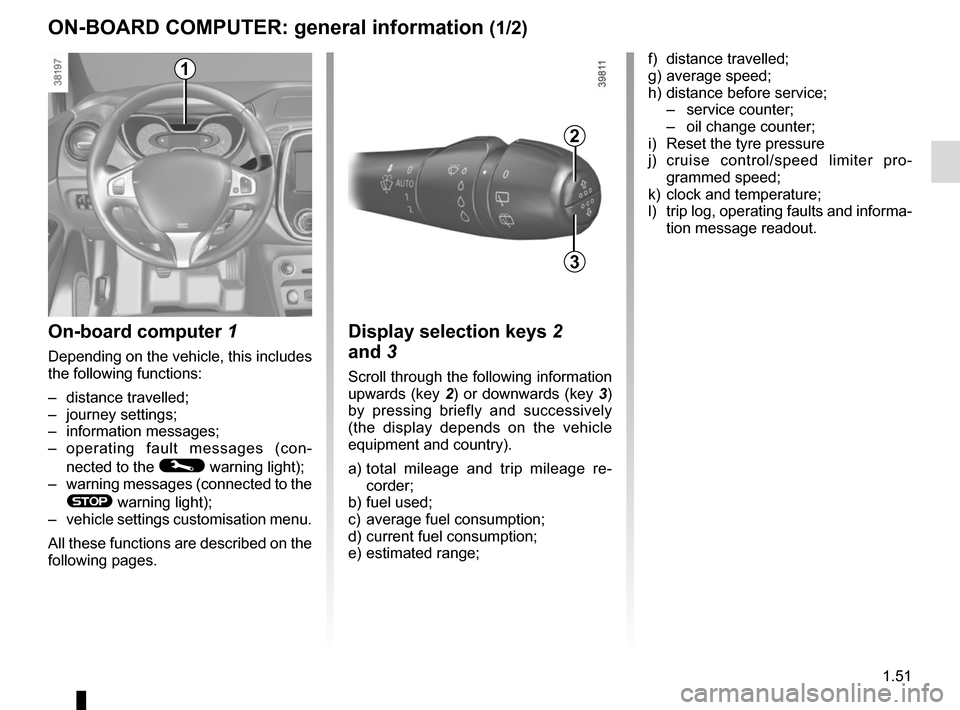
On-board computer 1
Depending on the vehicle, this includes
the following functions:
– distance travelled;
– journey settings;
– information messages;
– operating fault messages (con-
nected to the
© warning light);
– warning messages (connected to the
® warning light);
– vehicle settings customisation menu.
All these functions are described on the
following pages.
Display selection keys 2
and 3
Scroll through the following information
upwards (key 2) or downwards (key 3)
by pressing briefly and successively
(the display depends on the vehicle
equipment and country).
a) total mileage and trip mileage re-
corder;
b) fuel used;
c) average fuel consumption;
d) current fuel consumption;
e) estimated range;
2
3
f) distance travelled;
g) average speed;
h) distance before service;
– service counter;
– oil change counter;
i) Reset the tyre pressure
j) cruise control/speed limiter pro- grammed speed;
k) clock and temperature;
l) trip log, operating faults and informa- tion message readout.1
Page 63 of 248
1.57
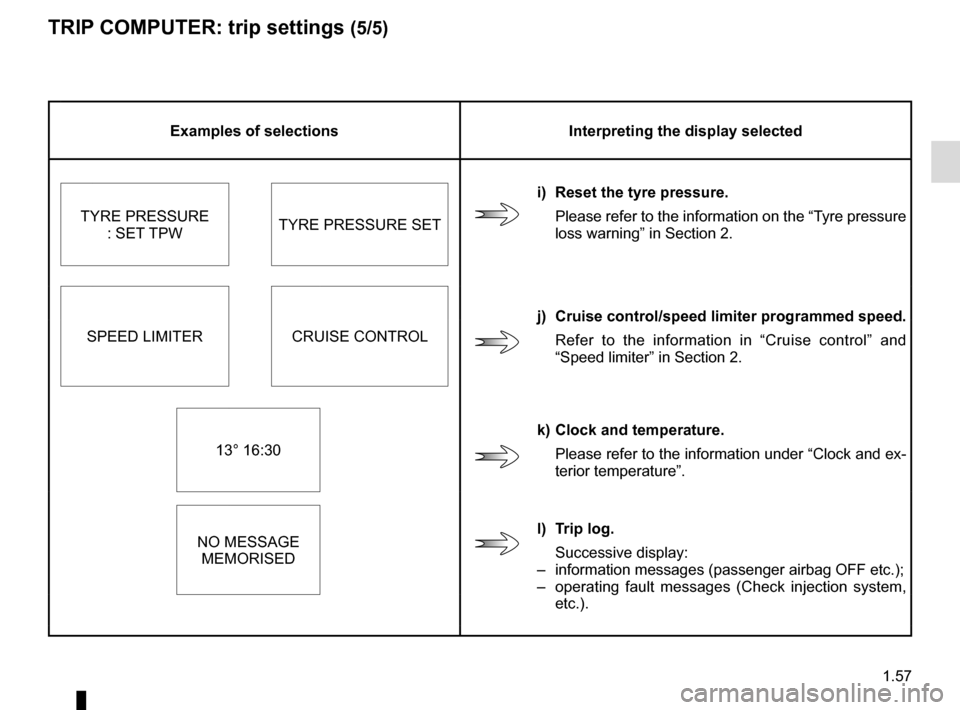
TRIP COMPUTER: trip settings (5/5)
Examples of selectionsInterpreting the display selected
i) Reset the tyre pressure. Please refer to the information on the “Tyre pressure
loss warning” in Section 2.
TYRE PRESSURE
: SET TPW TYRE PRESSURE SET
SPEED LIMITER CRUISE CONTROL j) Cruise control/speed limiter programmed speed.
Refer to the information in “Cruise control” and
“Speed limiter” in Section 2.
13° 16:30 k) Clock and temperature.
Please refer to the information under “Clock and ex-
terior temperature”.
NO MESSAGE MEMORISED l) Trip log.
Successive display:
– information messages (passenger airbag OFF etc.);
– operating fault messages (Check injection system,
etc.).
Page 64 of 248
1.58
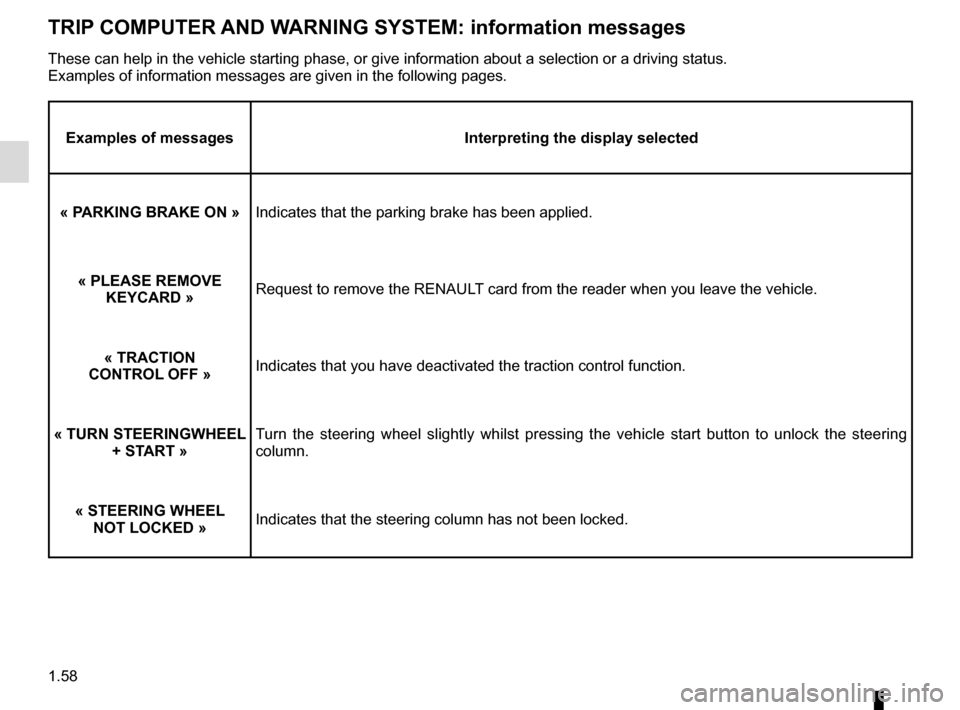
TRIP COMPUTER AND WARNING SYSTEM: information messages
Examples of messagesInterpreting the display selected
« PARKING BRAKE ON » Indicates that the parking brake has been applied.
« PLEASE REMOVE KEYCARD » Request to remove the RENAULT card from the reader when you leave the vehicle.
« TRACTION
CONTROL OFF » Indicates that you have deactivated the traction control function.
« TURN STEERINGWHEEL + START » Turn the steering wheel slightly whilst pressing the vehicle start button\
to unlock the steering
column.
« STEERING WHEEL NOT LOCKED » Indicates that the steering column has not been locked.
These can help in the vehicle starting phase, or give information about \
a selection or a driving status.
Examples of information messages are given in the following pages.
Page 67 of 248
1.61
Power Assisted Steering
Never drive with an inadequately
charged battery.
Variable power assisted
steering
The variable power assisted steering
system is equipped with an electronic
control system which alters the level of
assistance to suit the vehicle speed.
Steering is made easier during parking
manoeuvres (for added comfort) whilst
the force needed to steer increases
progressively as the speed rises (for
enhanced safety at high speeds).
Adjusting the steering wheel
height and depth
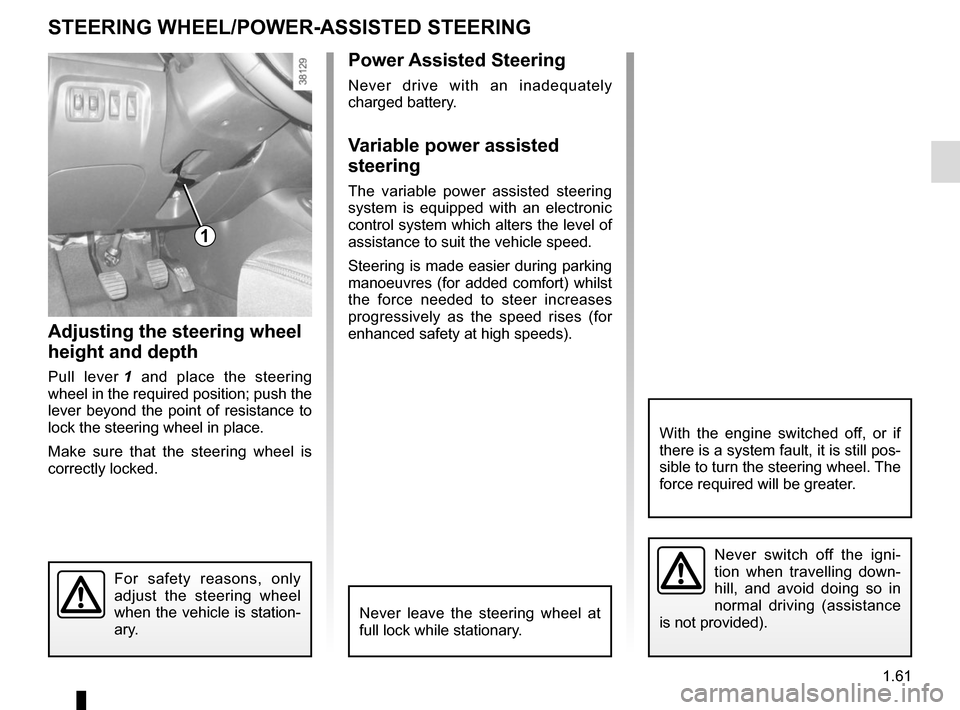
Pull lever 1 and place the steering
wheel in the required position; push the
lever beyond the point of resistance to
lock the steering wheel in place.
Make sure that the steering wheel is
correctly locked.
For safety reasons, only
adjust the steering wheel
when the vehicle is station-
ary.
STEERING WHEEL/POWER-ASSISTED STEERING
1
Never switch off the igni-
tion when travelling down-
hill, and avoid doing so in
normal driving (assistance
is not provided).
With the engine switched off, or if
there is a system fault, it is still pos-
sible to turn the steering wheel. The
force required will be greater.
Never leave the steering wheel at
full lock while stationary.
Page 68 of 248
1.62
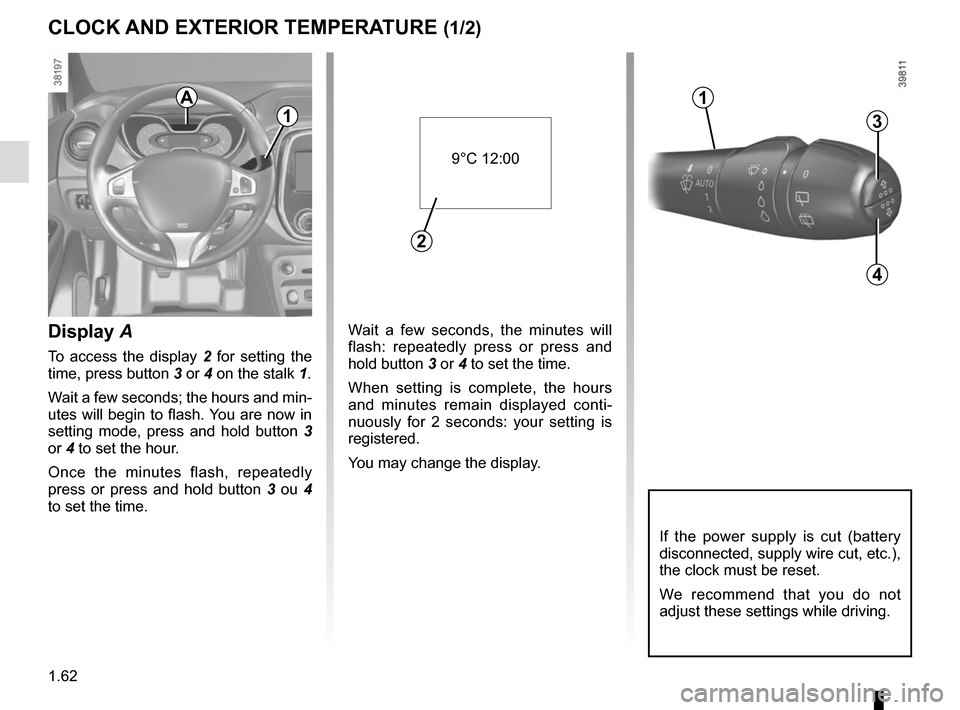
Wait a few seconds, the minutes will
flash: repeatedly press or press and
hold button 3 or 4 to set the time.
When setting is complete, the hours
and minutes remain displayed conti-
nuously for 2 seconds: your setting is
registered.
You may change the display.Display A
To access the display 2 for setting the
time, press button 3 or 4 on the stalk 1.
Wait a few seconds; the hours and min-
utes will begin to flash. You are now in
setting mode, press and hold button 3
or 4 to set the hour.
Once the minutes flash, repeatedly
press or press and hold button 3 ou 4
to set the time.
CLOCK AND EXTERIOR TEMPERATURE (1/2)
3
4
If the power supply is cut (battery
disconnected, supply wire cut, etc.),
the clock must be reset.
We recommend that you do not
adjust these settings while driving.
9°C 12:00
2
A
1
1
Page 69 of 248
1.63
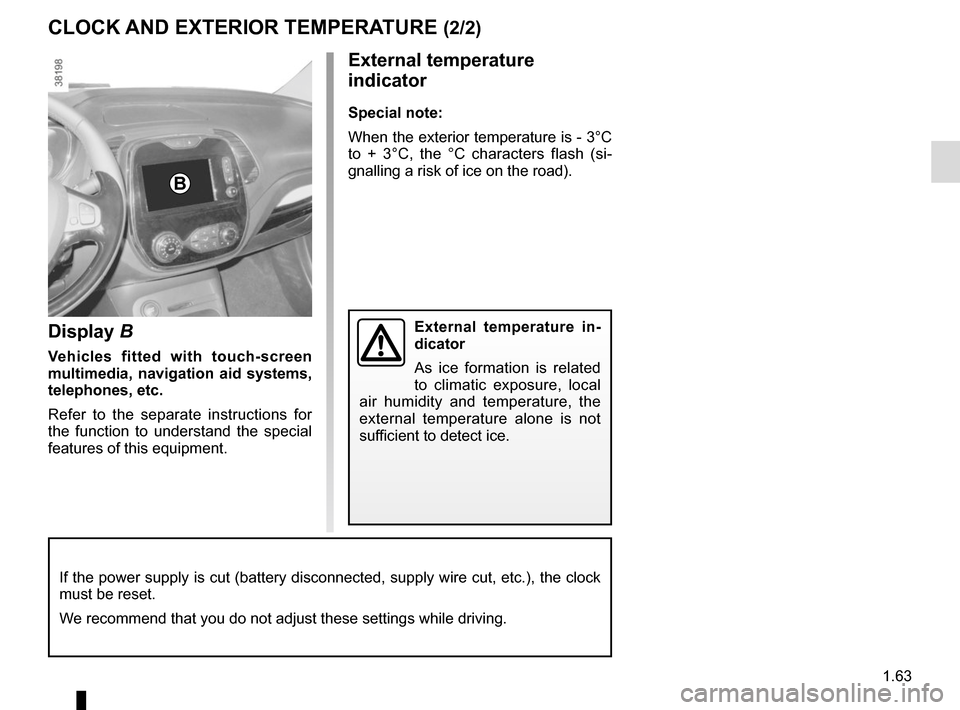
Display B
Vehicles fitted with touch-screen
multimedia, navigation aid systems,
telephones, etc.
Refer to the separate instructions for
the function to understand the special
features of this equipment.
External temperature
indicator
Special note:
When the exterior temperature is - 3°C
to + 3°C, the °C characters flash (si-
gnalling a risk of ice on the road).
External temperature in-
dicator
As ice formation is related
to climatic exposure, local
air humidity and temperature, the
external temperature alone is not
sufficient to detect ice.
CLOCK AND EXTERIOR TEMPERATURE (2/2)
If the power supply is cut (battery disconnected, supply wire cut, etc.\
), the clock
must be reset.
We recommend that you do not adjust these settings while driving.
B
Page 72 of 248
1.66
EXTERIOR LIGHTING AND SIGNALS (2/3)
Switching off the lights
There are two possibilities:
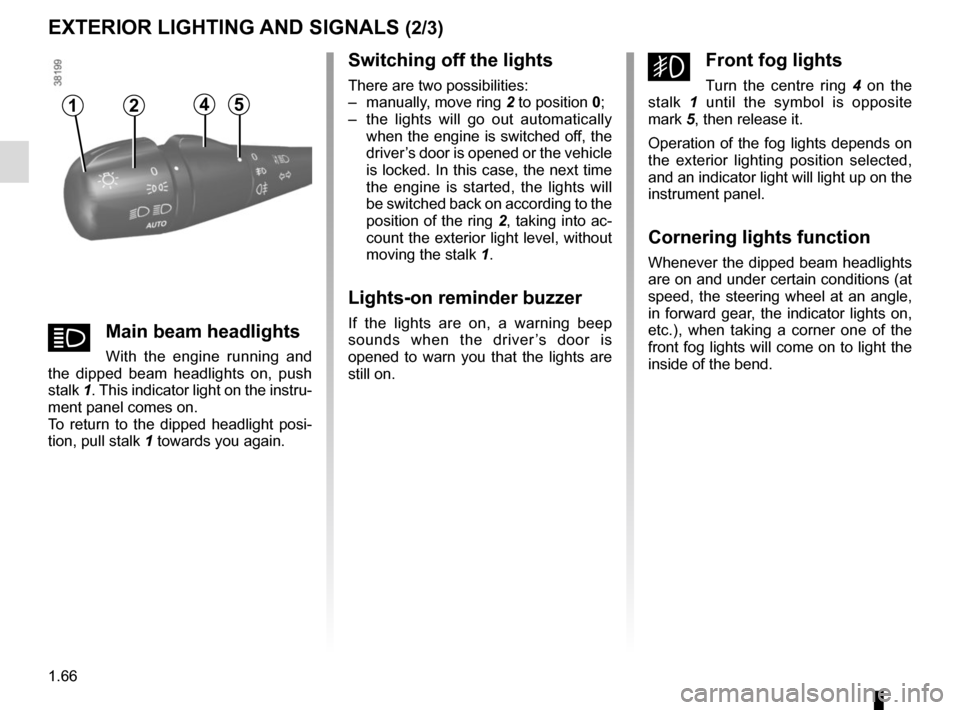
– manually, move ring 2 to position 0;
– the lights will go out automatically when the engine is switched off, the
driver’s door is opened or the vehicle
is locked. In this case, the next time
the engine is started, the lights will
be switched back on according to the
position of the ring 2, taking into ac-
count the exterior light level, without
moving the stalk 1.
Lights-on reminder buzzer
If the lights are on, a warning beep
sounds when the driver’s door is
opened to warn you that the lights are
still on.
gFront fog lights
Turn the centre ring 4 on the
stalk 1 until the symbol is opposite
mark 5, then release it.
Operation of the fog lights depends on
the exterior lighting position selected,
and an indicator light will light up on the
instrument panel.
Cornering lights function
Whenever the dipped beam headlights
are on and under certain conditions (at
speed, the steering wheel at an angle,
in forward gear, the indicator lights on,
etc.), when taking a corner one of the
front fog lights will come on to light the
inside of the bend.
12
áMain beam headlights
With the engine running and
the dipped beam headlights on, push
stalk 1. This indicator light on the instru-
ment panel comes on.
To return to the dipped headlight posi-
tion, pull stalk 1 towards you again.
45
Page 73 of 248
1.67
EXTERIOR LIGHTING AND SIGNALS (3/3)
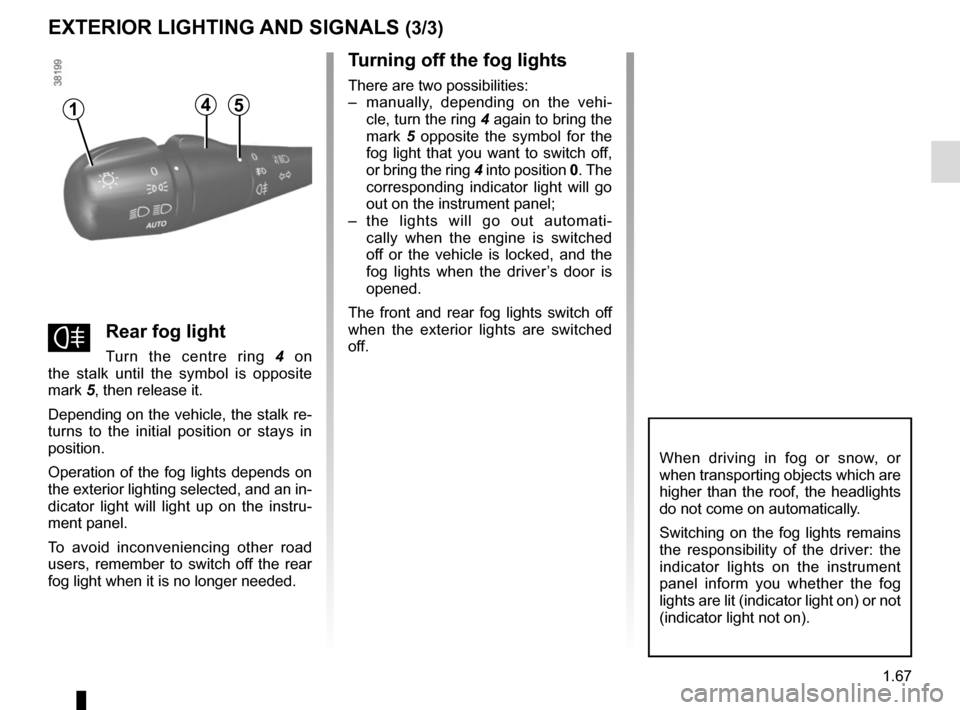
fRear fog light
Turn the centre ring 4 on
the stalk until the symbol is opposite
mark 5, then release it.
Depending on the vehicle, the stalk re-
turns to the initial position or stays in
position.
Operation of the fog lights depends on
the exterior lighting selected, and an in-
dicator light will light up on the instru-
ment panel.
To avoid inconveniencing other road
users, remember to switch off the rear
fog light when it is no longer needed.
Turning off the fog lights
There are two possibilities:
– manually, depending on the vehi- cle, turn the ring 4 again to bring the
mark 5 opposite the symbol for the
fog light that you want to switch off,
or bring the ring 4 into position 0. The
corresponding indicator light will go
out on the instrument panel;
– the lights will go out automati- cally when the engine is switched
off or the vehicle is locked, and the
fog lights when the driver’s door is
opened.
The front and rear fog lights switch off
when the exterior lights are switched
off.
When driving in fog or snow, or
when transporting objects which are
higher than the roof, the headlights
do not come on automatically.
Switching on the fog lights remains
the responsibility of the driver: the
indicator lights on the instrument
panel inform you whether the fog
lights are lit (indicator light on) or not
(indicator light not on).
415
Page 85 of 248

2.3
Hands-free RENAULT card
The RENAULT card must be inserted
in card reader 2 or in detection zone 3.
To start, depress the brake or clutch
pedal and press button 1. If a gear
is engaged, the vehicle may only be
started by depressing the clutch pedal.
Starting with the boot open in
hands-free mode
In this case, the RENAULT card must
not be located in the luggage compart-
ment.
Remote control RENAULT
card
When you get into the vehicle, insert
the RENAULT card integrated key,
pointing towards you, fully into the card
reader 2.
To start, press button 1. If a gear is en-
gaged, depress the clutch pedal to start
the vehicle.
STARTING/STOPPING THE ENGINE (1/3)
3
Special features
vehicles with an automatic gearbox
The lever should be in position P.
All vehicles
– If one of the starting conditions is not met, the message “Press brake
+ START
Ó” or “Press clutch +
START” or “Select P” is displayed
and, depending on the vehicle,
flashes on the instrument panel;
– in some cases, it will be necessary to move the steering wheel whilst
pressing the start button 1 to help
unlock the steering column; the mes-
sage “TURN STEERINGWHEEL +
START” will warn you of this;
– in the event of starting the engine in very low exterior temperatures
(lower than -10°C): hold down the
clutch pedal until the engine starts.
12