lights RENAULT CLIO 2017 X98 / 4.G Owner's Manual
[x] Cancel search | Manufacturer: RENAULT, Model Year: 2017, Model line: CLIO, Model: RENAULT CLIO 2017 X98 / 4.GPages: 260, PDF Size: 7.98 MB
Page 84 of 260
1.78
EXTERIOR LIGHTING AND SIGNALS (3/4)
Welcome and goodbye
function
(depending on vehicle)
Once the function is activated, the
lights come on automatically when the
vehicle is unlocked.
They switch off automatically:
– approximately one minute after light-ing up;
– when starting the engine based on the position of the lighting stalk;
or
– upon locking the vehicle.
“Follow-me-home lighting”
function
This function allows you to briefly switch
on the dipped beam headlights (to pro-
vide light when opening a gate, etc.).
With the engine and lights switched
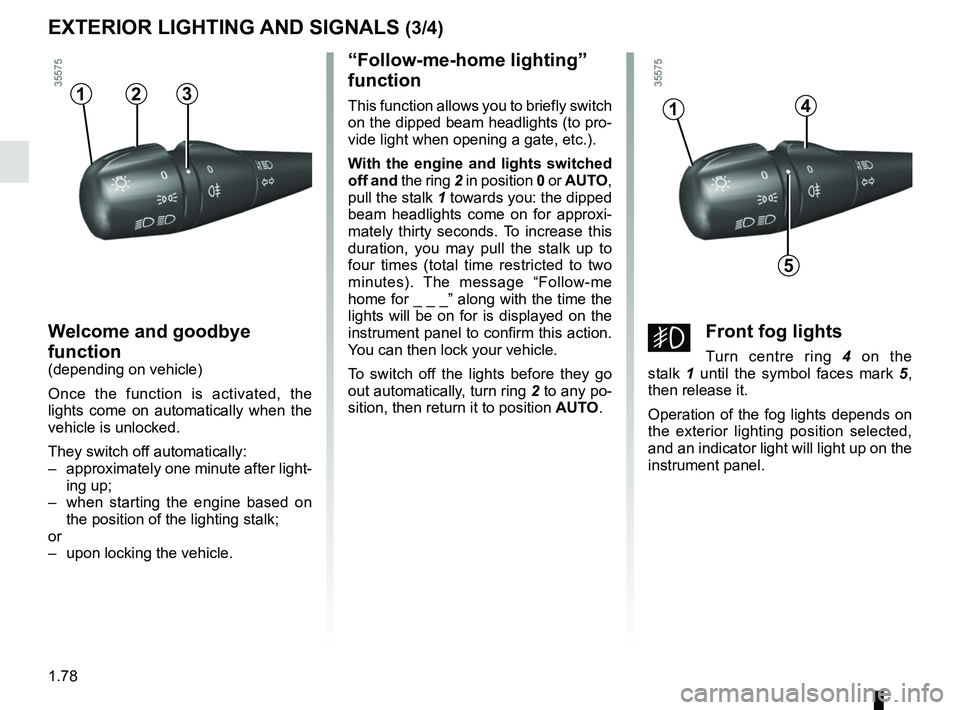
off and the ring 2 in position 0 or AUTO,
pull the stalk 1 towards you: the dipped
beam headlights come on for approxi-
mately thirty seconds. To increase this
duration, you may pull the stalk up to
four times (total time restricted to two
minutes). The message “Follow-me
home for _ _ _” along with the time the
lights will be on for is displayed on the
instrument panel to confirm this action.
You can then lock your vehicle.
To switch off the lights before they go
out automatically, turn ring 2 to any po-
sition, then return it to position AUTO.4
5
1
gFront fog lights
Turn centre ring 4 on the
stalk 1 until the symbol faces mark 5 ,
then release it.
Operation of the fog lights depends on
the exterior lighting position selected,
and an indicator light will light up on the
instrument panel.
312
Page 85 of 260
1.79
Switching off the lights
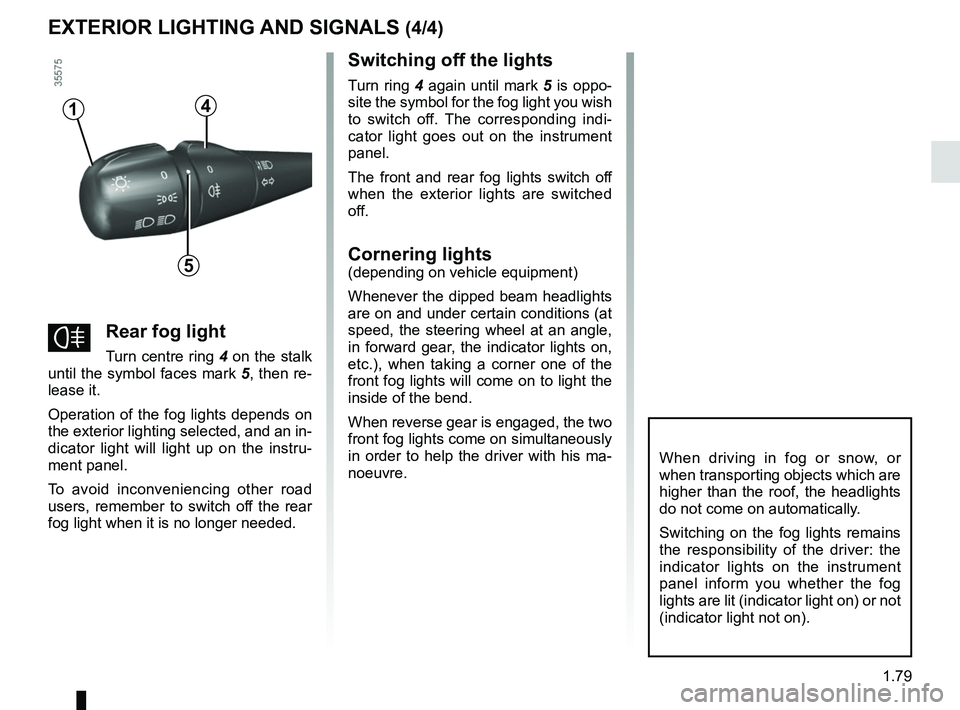
Turn ring 4 again until mark 5 is oppo-
site the symbol for the fog light you wish
to switch off. The corresponding indi-
cator light goes out on the instrument
panel.
The front and rear fog lights switch off
when the exterior lights are switched
off.
Cornering lights
(depending on vehicle equipment)
Whenever the dipped beam headlights
are on and under certain conditions (at
speed, the steering wheel at an angle,
in forward gear, the indicator lights on,
etc.), when taking a corner one of the
front fog lights will come on to light the
inside of the bend.
When reverse gear is engaged, the two
front fog lights come on simultaneously
in order to help the driver with his ma-
noeuvre.
4
5
1
fRear fog light
Turn centre ring 4 on the stalk
until the symbol faces mark 5, then re-
lease it.
Operation of the fog lights depends on
the exterior lighting selected, and an in-
dicator light will light up on the instru-
ment panel.
To avoid inconveniencing other road
users, remember to switch off the rear
fog light when it is no longer needed.
When driving in fog or snow, or
when transporting objects which are
higher than the roof, the headlights
do not come on automatically.
Switching on the fog lights remains
the responsibility of the driver: the
indicator lights on the instrument
panel inform you whether the fog
lights are lit (indicator light on) or not
(indicator light not on).
EXTERIOR LIGHTING AND SIGNALS (4/4)
Page 86 of 260
1.80
éHazard warning lights
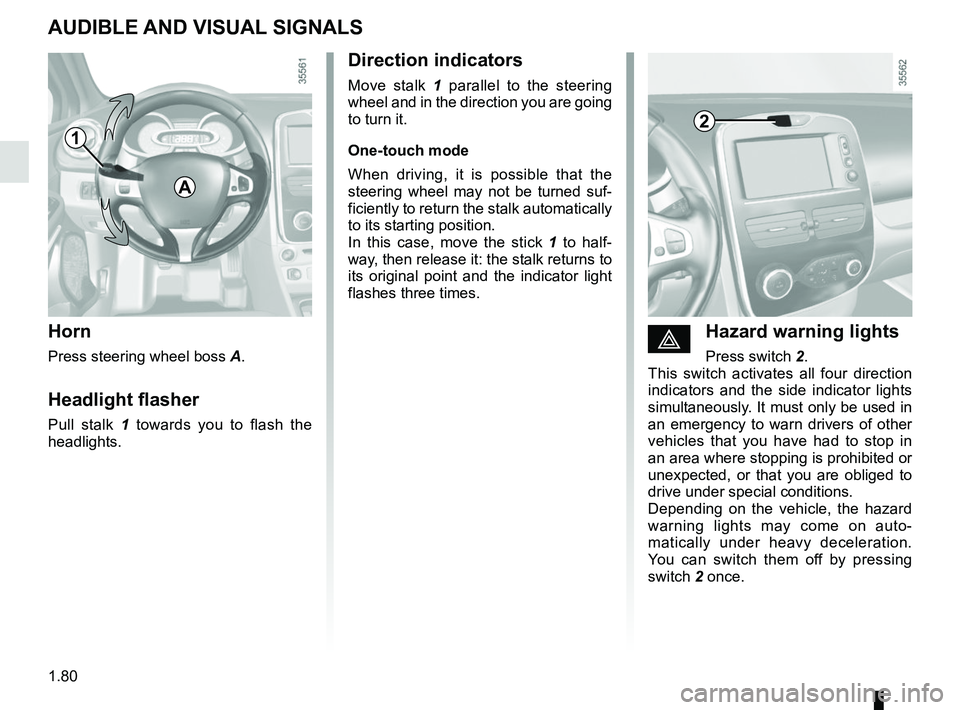
Press switch 2.
This switch activates all four direction
indicators and the side indicator lights
simultaneously. It must only be used in
an emergency to warn drivers of other
vehicles that you have had to stop in
an area where stopping is prohibited or
unexpected, or that you are obliged to
drive under special conditions.
Depending on the vehicle, the hazard
warning lights may come on auto-
matically under heavy deceleration.
You can switch them off by pressing
switch 2 once.
Direction indicators
Move stalk 1 parallel to the steering
wheel and in the direction you are going
to turn it.
One-touch mode
When driving, it is possible that the
steering wheel may not be turned suf-
ficiently to return the stalk automatically
to its starting position.
In this case, move the stick 1 to half-
way, then release it: the stalk returns to
its original point and the indicator light
flashes three times.
Horn
Press steering wheel boss A.
Headlight flasher
Pull stalk 1 towards you to flash the
headlights.
AUDIBLE AND VISUAL SIGNALS
A
21
Page 87 of 260
1.81
HEADLIGHT BEAM ADJUSTMENT
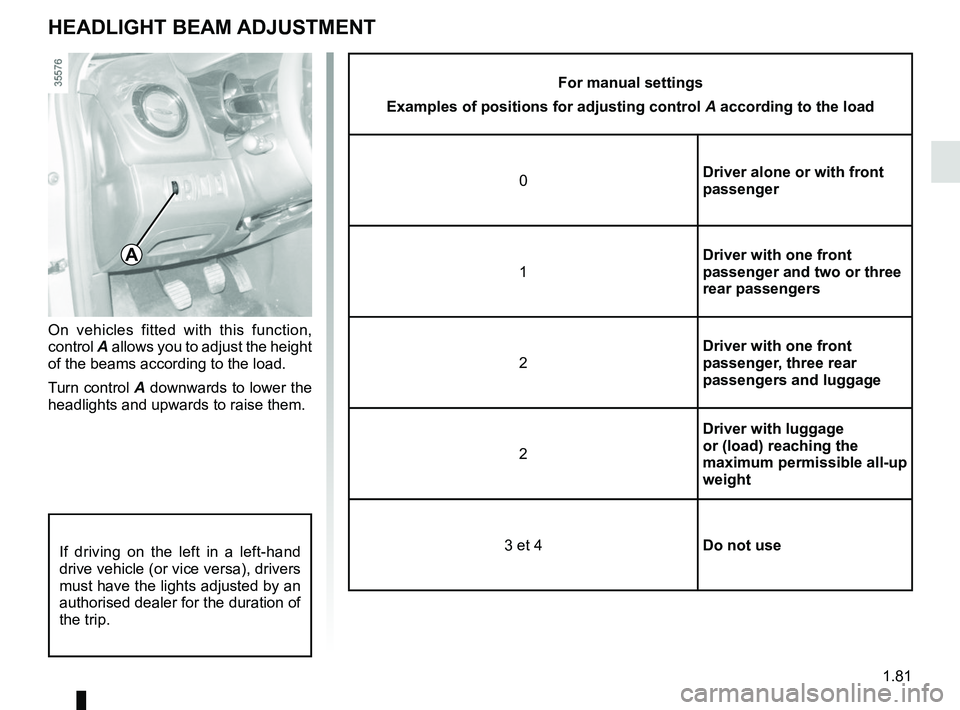
On vehicles fitted with this function,
control A allows you to adjust the height
of the beams according to the load.
Turn control A downwards to lower the
headlights and upwards to raise them.
A
If driving on the left in a left-hand
drive vehicle (or vice versa), drivers
must have the lights adjusted by an
authorised dealer for the duration of
the trip.
For manual settings
Examples of positions for adjusting control A according to the load
0 Driver alone or with front
passenger
1 Driver with one front
passenger and two or three
rear passengers
2 Driver with one front
passenger, three rear
passengers and luggage
2 Driver with luggage
or (load) reaching the
maximum permissible all-up
weight
3 et 4 Do not use
Page 92 of 260
1.86
Filling with fuel
With the ignition off, insert the nozzle
and insert it fully before turning it on to
fill the fuel tank (risk of splashing).
Keep the nozzle in this position through-
out the entire filling operation.
When the pump cuts out automatically
at the end of the filling procedure, a
maximum of two further filling attempts
may be made, as there must be suffi-
cient space in the fuel tank to allow for
expansion.
Make sure that no water enters the fuel
tank during filling. The cover A and its
surround must remain clean.
Petrol versions
Using leaded petrol will damage the
antipollution system and may lead to a
loss of warranty.
To ensure that the fuel tank is not filled
with leaded petrol, the fuel tank filler
neck contains a restrictor fitted with a
foolproof system which only allows
the nozzle for unleaded petrol to be
used (at the pump).
FUEL TANK (2/3)
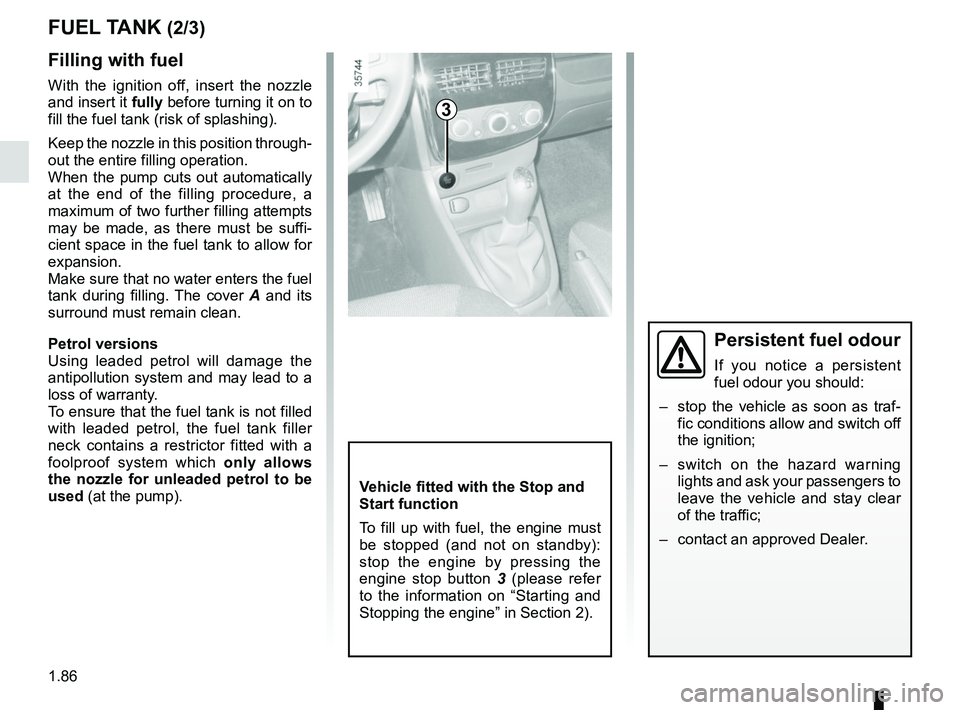
Vehicle fitted with the Stop and
Start function
To fill up with fuel, the engine must
be stopped (and not on standby):
stop the engine by pressing the
engine stop button 3 (please refer
to the information on “Starting and
Stopping the engine” in Section 2).
3
Persistent fuel odour
If you notice a persistent
fuel odour you should:
– stop the vehicle as soon as traf- fic conditions allow and switch off
the ignition;
– switch on the hazard warning lights and ask your passengers to
leave the vehicle and stay clear
of the traffic;
– contact an approved Dealer.
Page 100 of 260
2.6
STOP AND START FUNCTION (1/4)
This system enables a reduced fuel
consumption and lower greenhouse
gas emissions. The system is acti-
vated automatically when the vehicle is
started. While driving, the system stops
the engine (standby) when the vehicle
is at a standstill (traffic jam, traffic lights,
etc).
Conditions for engine
standby
The vehicle has set off from where it
was parked;
For vehicles equipped with auto-
matic gearboxes:
– the gearbox is in position D, M or N;
and
– the brake pedal is depressed (suffi-ciently hard);
and
– the accelerator pedal is not de- pressed;
and
– the speed is zero for around 1 second.
The engine remains on standby if posi-
tion P is selected, or if position N is se-
lected with the handbrake engaged and
the brake pedal released. For vehicles equipped with manual
gearboxes:
– the gearbox is in neutral;
and
– the clutch pedal is released.
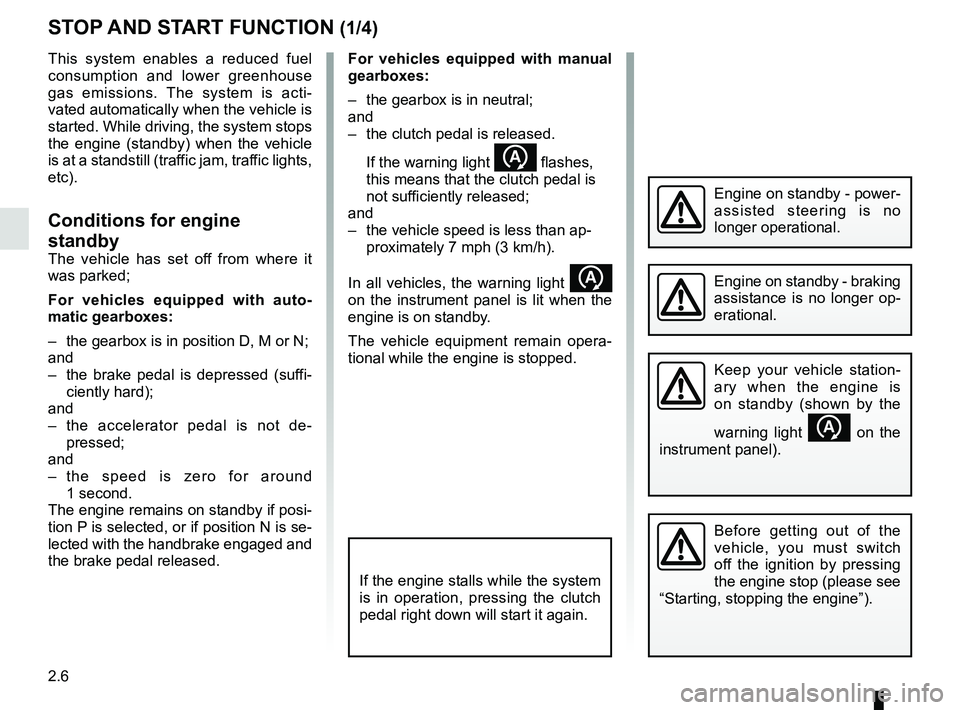
If the warning light
flashes,
this means that the clutch pedal is
not sufficiently released;
and
– the vehicle speed is less than ap- proximately 7 mph (3 km/h).
In all vehicles, the warning light
on the instrument panel is lit when the
engine is on standby.
The vehicle equipment remain opera-
tional while the engine is stopped.
If the engine stalls while the system
is in operation, pressing the clutch
pedal right down will start it again.
Before getting out of the
vehicle, you must switch
off the ignition by pressing
the engine stop (please see
“Starting, stopping the engine”).
Keep your vehicle station-
ary when the engine is
on standby (shown by the
warning light
on the
instrument panel).
Engine on standby - braking
assistance is no longer op-
erational.
Engine on standby - power-
assisted steering is no
longer operational.
Page 102 of 260
2.8
STOP AND START FUNCTION (3/4)
Conditions preventing the
standby of the engine
Certain conditions prevent the system
from using the engine standby function,
including when:
– reverse gear is engaged;
– the bonnet is not locked;
– the driver’s door is not closed;
– the driver’s seatbelt is not fastened;
– the outdoor temperature is too low or too high (less than around 0 °C or
higher than around 30 °C);
– the battery is not sufficiently charged;
– the difference between the vehicle interior temperature and the auto-
matic climate control instruction is
too high; – for vehicles with automatic gear-
boxes, the gradient is steeper than
approximately 12%;
– the “Clear View” function is activated (please see “Automatic Climate
Control” in Section 3);
– the engine temperature is too low;
– the emission control system is being regenerated;
or
– ...
The warning light
or, depend-
ing on the vehicle, the message “AUTO
STOP UNAVAILABLE” appears on the
instrument panel indicating that engine
standby is not available.
Deactivate the Stop and
Start function for any opera-
tion performed in the engine
compartment.
Special cases
With the engine on standby (traffic jam,
traffic lights, etc.), if the driver unfastens
their seat belt, opens the driver’s door
or gets out of their seat, the ignition will
be switched off.
To restart and reactivate the Stop and
Start system, press the start button
(please refer to “Starting, stopping the
engine” in Section 2).
Page 103 of 260
2.9
STOP AND START FUNCTION (4/4)
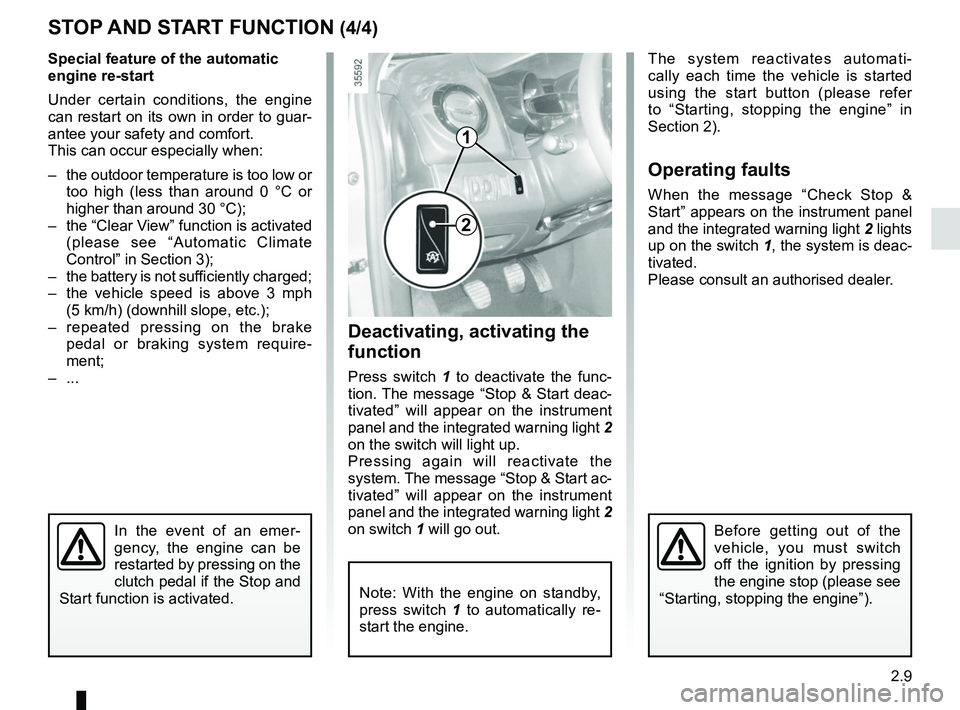
1
2
Special feature of the automatic
engine re-start
Under certain conditions, the engine
can restart on its own in order to guar-
antee your safety and comfort.
This can occur especially when:
– the outdoor temperature is too low or too high (less than around 0 °C or
higher than around 30 °C);
– the “Clear View” function is activated (please see “Automatic Climate
Control” in Section 3);
– the battery is not sufficiently charged;
– the vehicle speed is above 3 mph (5 km/h) (downhill slope, etc.);
– repeated pressing on the brake pedal or braking system require-
ment;
– ...
In the event of an emer-
gency, the engine can be
restarted by pressing on the
clutch pedal if the Stop and
Start function is activated.
Deactivating, activating the
function
Press switch 1 to deactivate the func-
tion. The message “Stop & Start deac-
tivated” will appear on the instrument
panel and the integrated warning light 2
on the switch will light up.
Pressing again will reactivate the
system. The message “Stop & Start ac-
tivated” will appear on the instrument
panel and the integrated warning light 2
on switch 1 will go out. The system reactivates automati-
cally each time the vehicle is started
using the start button (please refer
to “Starting, stopping the engine” in
Section 2).
Operating faults
When the message “Check Stop &
Start” appears on the instrument panel
and the integrated warning light
2 lights
up on the switch 1, the system is deac-
tivated.
Please consult an authorised dealer.
Before getting out of the
vehicle, you must switch
off the ignition by pressing
the engine stop (please see
“Starting, stopping the engine”).
Note: With the engine on standby,
press switch 1 to automatically re-
start the engine.
Page 105 of 260
2.11
SPECIAL FEATURES OF DIESEL VERSIONS
Diesel engine speed
Diesel engines are fitted with injection
equipment which prevents the engine
speed being exceeded irrespective of
the gear selected.
If the message “CHECK ANTI-
POLLUTION SYSTEM” is displayed
along with warning lights
Ä and
©, consult an authorised dealer
immediately.
When driving, depending on the fuel
grade used, it is possible that white
smoke may be emitted.
This is due to the exhaust particle filter
being cleaned automatically, and does
not affect the way the vehicle runs.
Running out of fuel
If the tank has been completely drai-
ned, the system must be reprimed after
the tank is refilled: see information on
the “fuel tank” in section 1 before res-
tarting the engine.
Do not park the vehicle or
run the engine in locations
where combustible subs-
tances or materials such
as grass or leaves can come into
contact with the hot exhaust system.
Precautions to be taken in
winter
To avoid any faults in icy weather:
– ensure that the battery is always fully charged,
– always keep the diesel tank re- latively full to avoid water vapour
condensing in it and accumulating at
the bottom of the tank.
Page 106 of 260
2.12
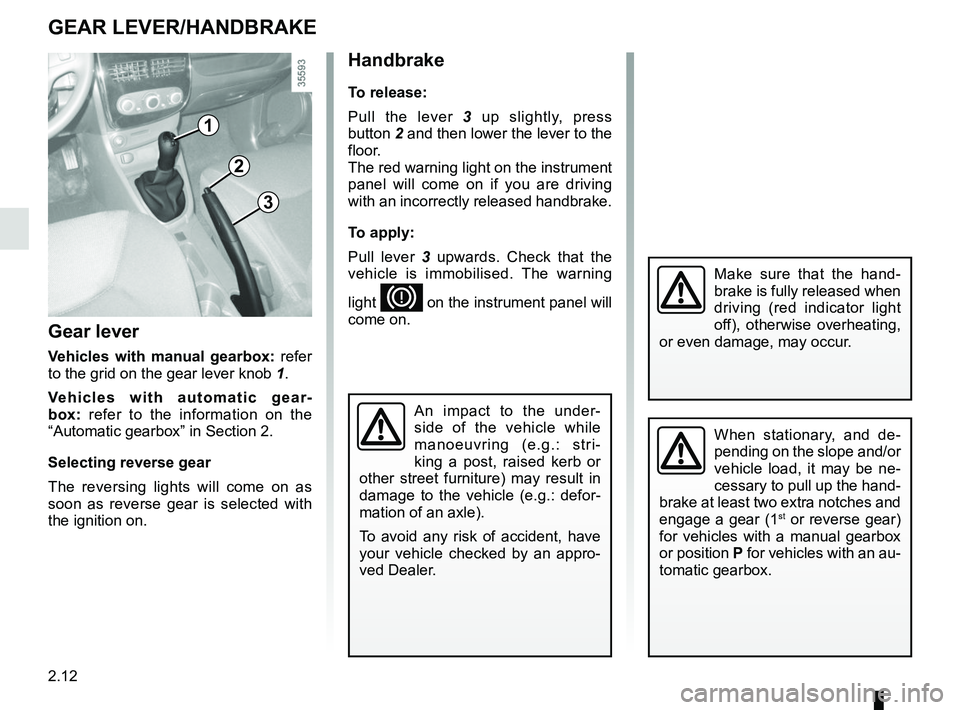
Gear lever
Vehicles with manual gearbox: refer
to the grid on the gear lever knob 1.
Vehicles with automatic gear-
box: refer to the information on the
“Automatic gearbox” in Section 2.
Selecting reverse gear
The reversing lights will come on as
soon as reverse gear is selected with
the ignition on.
1
GEAR LEVER/HANDBRAKE
Handbrake
To release:
Pull the lever 3 up slightly, press
button 2 and then lower the lever to the
floor.
The red warning light on the instrument
panel will come on if you are driving
with an incorrectly released handbrake.
To apply:
Pull lever 3 upwards. Check that the
vehicle is immobilised. The warning
light
D on the instrument panel will
come on.
3
2
When stationary, and de-
pending on the slope and/or
vehicle load, it may be ne-
cessary to pull up the hand-
brake at least two extra notches and
engage a gear (1
st or reverse gear)
for vehicles with a manual gearbox
or position P for vehicles with an au-
tomatic gearbox.
Make sure that the hand-
brake is fully released when
driving (red indicator light
off), otherwise overheating,
or even damage, may occur.
An impact to the under-
side of the vehicle while
manoeuvring (e.g.: stri-
king a post, raised kerb or
other street furniture) may result in
damage to the vehicle (e.g.: defor-
mation of an axle).
To avoid any risk of accident, have
your vehicle checked by an appro-
ved Dealer.