radio RENAULT DUSTER 2016 User Guide
[x] Cancel search | Manufacturer: RENAULT, Model Year: 2016, Model line: DUSTER, Model: RENAULT DUSTER 2016Pages: 256, PDF Size: 6.49 MB
Page 80 of 256
2.4
vehicles with an automatic
gearbox
Before starting, move the lever to posi-
tion P.
Refer to the information on the
“Automatic gearbox” in Section 2.
Stopping the engine
With the engine idling, turn the key
back to “Stop” position St.
Special note
Depending on the vehicle, accessories
(e.g. radio) stop working either when
the engine is switched off or when the
driver’s door is opened or when the
doors are locked.Driver’s responsibility
Never leave an animal,
child or adult who is not
self-sufficient alone on your
vehicle, even for a short time.
They may pose a risk to themselves
or to others by starting the engine,
activating equipment such as the
electric windows or locking the
doors, for example.
Also, in hot and/or sunny weather,
please remember that the tempera-
ture inside the passenger compart-
ment increases very quickly.
Never switch off the ignition
before the vehicle has stopped
completely . Switching off the
engine disables the assistance
equipment: brakes, steering, etc.,
and additional seatbelt devices.
The steering is locked when the key
is removed.
RISK OF DEATH OR SERIOUS
INJURY.
STARTING, STOPPING THE ENGINE (2/4)
Do not park the vehicle or
run the engine in locations
where combustible sub-
stances or materials such
as grass or leaves can come into
contact with a hot exhaust system.
Page 145 of 256
3.17
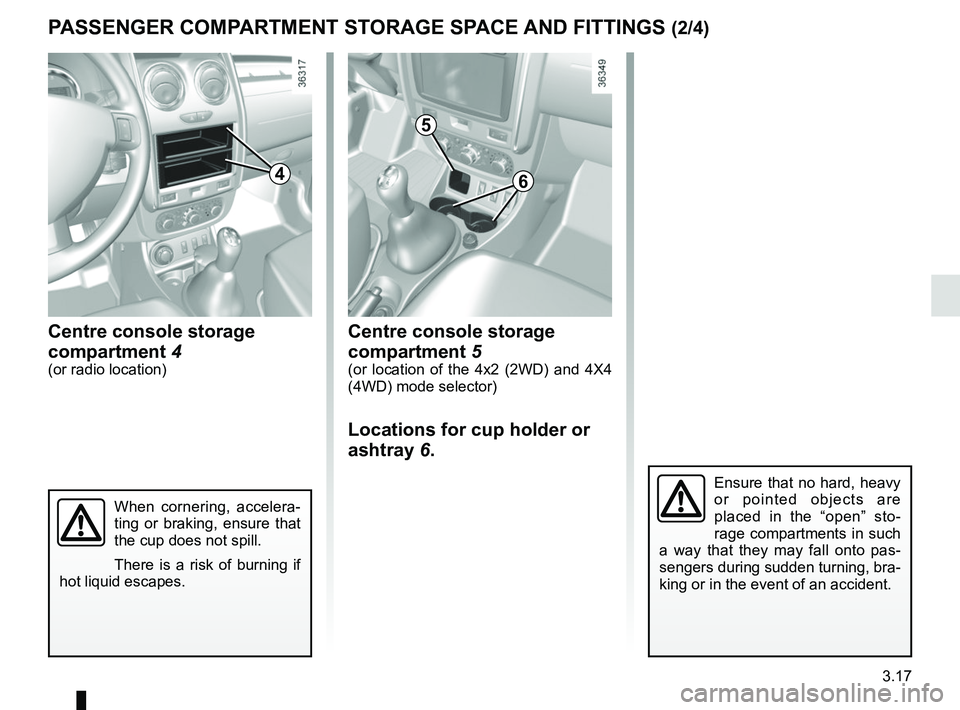
Centre console storage
compartment 5
(or location of the 4x2 (2WD) and 4X4
(4WD) mode selector)
Locations for cup holder or
ashtray 6.
PASSENGER COMPARTMENT STORAGE SPACE AND FITTINGS (2/4)
Centre console storage
compartment 4
(or radio location)
When cornering, accelera-
ting or braking, ensure that
the cup does not spill.
There is a risk of burning if
hot liquid escapes.
Ensure that no hard, heavy
or pointed objects are
placed in the “open” sto-
rage compartments in such
a way that they may fall onto pas-
sengers during sudden turning, bra-
king or in the event of an accident.
64
5
Page 157 of 256
3.29
MULTIMEDIA EQUIPMENT
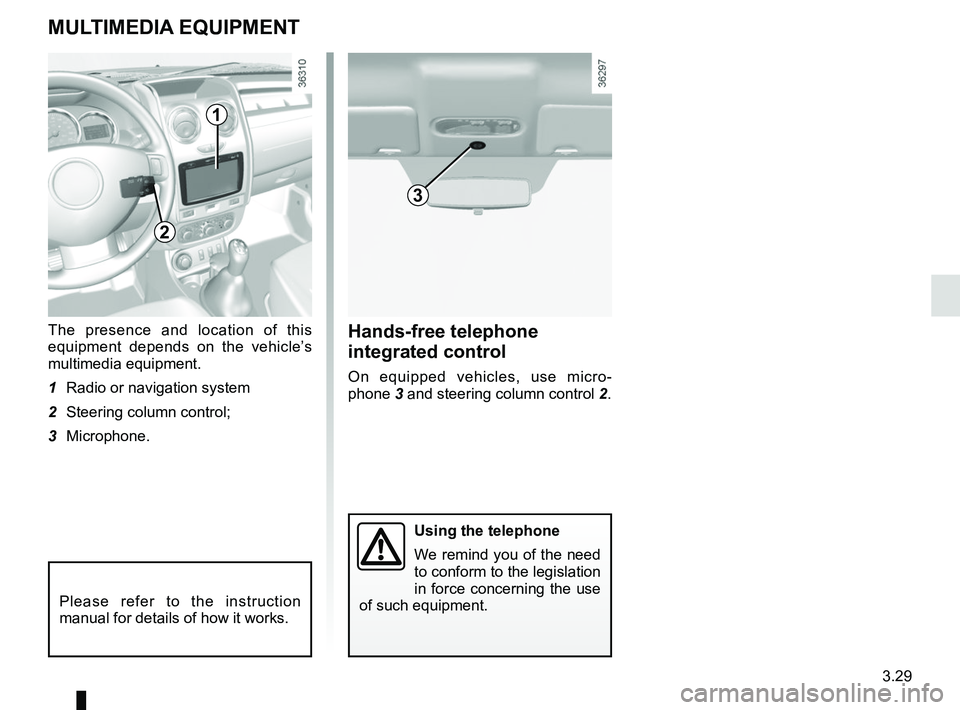
The presence and location of this
equipment depends on the vehicle’s
multimedia equipment.
1 Radio or navigation system
2 Steering column control;
3 Microphone.
Please refer to the instruction
manual for details of how it works.
Using the telephone
We remind you of the need
to conform to the legislation
in force concerning the use
of such equipment.
Hands-free telephone
integrated control
On equipped vehicles, use micro-
phone 3 and steering column control 2.
1
2
3
Page 172 of 256
4.14
BATTERY (1/2)
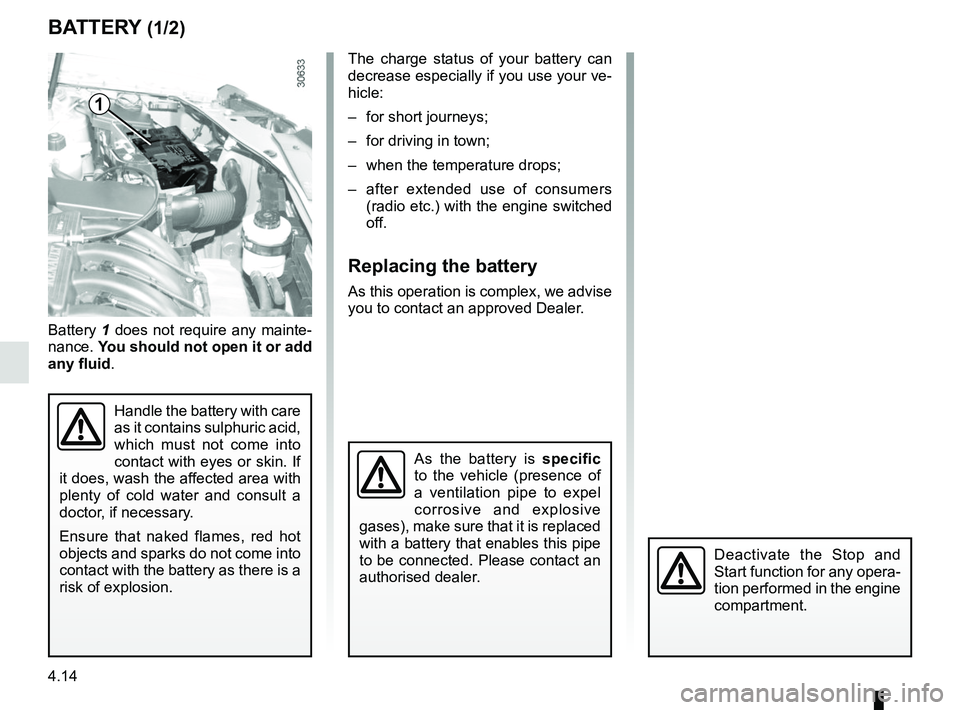
Battery 1 does not require any mainte-
nance. You should not open it or add
any fluid .
Handle the battery with care
as it contains sulphuric acid,
which must not come into
contact with eyes or skin. If
it does, wash the affected area with
plenty of cold water and consult a
doctor, if necessary.
Ensure that naked flames, red hot
objects and sparks do not come into
contact with the battery as there is a
risk of explosion.
1
The charge status of your battery can
decrease especially if you use your ve-
hicle:
– for short journeys;
– for driving in town;
– when the temperature drops;
– after extended use of consumers (radio etc.) with the engine switched
off.
Replacing the battery
As this operation is complex, we advise
you to contact an approved Dealer.
As the battery is specific
to the vehicle (presence of
a ventilation pipe to expel
corrosive and explosive
gases), make sure that it is replaced
with a battery that enables this pipe
to be connected. Please contact an
authorised dealer.
Deactivate the Stop and
Start function for any opera-
tion performed in the engine
compartment.
Page 175 of 256
4.17
Respect local regulations about wash-
ing vehicles (e.g. do not wash your ve-
hicle on a public highway).
Observe the vehicle stopping distances
when driving on gravelled surfaces to
prevent paint damage.
Repair, or have repaired quickly, areas
where the paint has been damaged, to
prevent corrosion spreading.
Remember to visit the body shop pe-
riodically in order to maintain your
anti-corrosion warranty. Refer to the
Maintenance Document.
If it is necessary to clean mechani-
cal components, hinges, etc., spray
them with products approved by our
Technical Department to protect them
after they have been cleaned.
BODYWORK MAINTENANCE (2/2)
We have selected special products
to care for your vehicle and you can
obtain these from the manufactur-
er’s accessory outlets.
Using a roller type car wash
Return the windscreen wiper stalk to
the Park position (refer to the informa-
tion on the “Windscreen washer, wiper”
in Section 1). Check the mounting of
external accessories, additional lights
and mirrors, and ensure that the wiper
blades are secured with adhesive tape.
Remove the radio aerial mast if your
vehicle is fitted with this equipment.
Remember to remove the tape and refit
the antenna after washing.
Cleaning the headlights
As the headlights are made of plastic
“glass”, use a soft cloth or cotton wool
to clean them. If this does not clean
them properly, moisten the cloth with
soapy water, then wipe clean with a soft
damp cloth or cotton wool.
Finally, carefully dry off with a soft dry
cloth.
Cleaning products containing alco-
hol must not be used.
Vehicles with a matte paint
finish
This type of paint requires certain pre-
cautions.
Do not do the following
– use wax-based products (polishing);
– rub hard;
– wash the vehicle in a roller-type car
wash;
– wash the vehicle using a high-pres-
sure device;
– attach stickers to the paintwork (risk
of leaving marks).
You should do the following
Wash the vehicle by hand using plenty
of water, using a soft cloth or a gentle
sponge.
Page 176 of 256
4.18
Glass instrument panel(e.g.: instrument panel, clock, exterior
temperature display, radio display, mul-
timedia or multifunction display etc.)
Use a soft cloth (or cotton wool).
If this does not clean them properly,
use a soft cloth (or cotton wool) slightly
moistened with soapy water and then
wipe clean with another soft damp cloth
or cotton wool.
Finally, carefully dry off with a soft dry
cloth.
Do not use products containing alco-
hol and/or spray fluids on the area.
Seat belts
These must be kept clean.
Use products selected by our Technical
Department (Approved outlets) or
warm, soapy water and a sponge and
wipe with a dry cloth.
Detergents or dyes must not be used
under any circumstances.
INTERIOR TRIM MAINTENANCE (1/2)
Textiles (seats, door trim, etc)
Vacuum-clean the textiles regularly.
Liquid stain
Use soapy water.
Dab lightly (never rub) with a soft cloth,
rinse and remove the excess.
Solid or pasty stain
Carefully remove the excess solid or
pasty material immediately with a
spatula (working from the edges to the
centre to avoid spreading the stain).
Clean as for a liquid stain.
Special instructions for sweets or
chewing gum
Put an ice cube on the stain to solidify
it, then proceed as for a solid stain.
A well-maintained vehicle will last
longer. It is therefore recommended to
maintain the interior of the vehicle regu-
larly.
A stain should always be dealt with
swiftly.
Whatever type of stain is on the trim,
use
cold (or warm) soapy water with
natural soap.
Detergents (washing-up liquid, pow-
dered products, alcohol-based prod-
ucts) should not be used.
Use a soft cloth.
Rinse and soak up the excess.
For further recommendations for
maintaining the interior, and/or for
any unsatisfactory results, please
see an authorised dealer.
Page 179 of 256

5.1
Section 5: Practical advice
Tools . . . . . . . . . . . . . . . . . . . . . . . . . . . . . . . . . . . .\
. . . . . . . . . . . . . . . . . . . . . . . . . . . . . . . . . . . . . 5.2
Puncture . . . . . . . . . . . . . . . . . . . . . . . . . . . . . . . . . . . .\
. . . . . . . . . . . . . . . . . . . . . . . . . . . . . . . . . . 5.3
Tyre inflation kit . . . . . . . . . . . . . . . . . . . . . . . . . . . \
. . . . . . . . . . . . . . . . . . . . . . . . . . . . . . . . . . . . . . 5.5
Wheel trim/Wheels . . . . . . . . . . . . . . . . . . . . . . . . . . . . . . . . . . . .\
. . . . . . . . . . . . . . . . . . . . . . . . . . 5.9
Changing a wheel . . . . . . . . . . . . . . . . . . . . . . . . . . . . . . . . . . . .\
. . . . . . . . . . . . . . . . . . . . . . . . . . . 5.10
Tyres . . . . . . . . . . . . . . . . . . . . . . . . . . . . . . . . . . . . \
. . . . . . . . . . . . . . . . . . . . . . . . . . . . . . . . . . . . . 5.12
Changing bulbs . . . . . . . . . . . . . . . . . . . . . . . . . . . . .\
. . . . . . . . . . . . . . . . . . . . . . . . . . . . . . . . . . . . 5.16Front lights . . . . . . . . . . . . . . . . . . . . . . . . . . . . . . . . . . . . \
. . . . . . . . . . . . . . . . . . . . . . . . . . . 5.16
Fog lights . . . . . . . . . . . . . . . . . . . . . . . . . . . . . . . . . . . .\
. . . . . . . . . . . . . . . . . . . . . . . . . . . . 5.17
Rear lights . . . . . . . . . . . . . . . . . . . . . . . . . . . . . . . . . . . .\
. . . . . . . . . . . . . . . . . . . . . . . . . . . 5.18
Side indicator lights . . . . . . . . . . . . . . . . . . . . . . . . . . . . . . . . . . . .\
. . . . . . . . . . . . . . . . . . . . 5.23
Interior lights . . . . . . . . . . . . . . . . . . . . . . . . . . . . . . . . . . . . \
. . . . . . . . . . . . . . . . . . . . . . . . . . 5.24
Fuses . . . . . . . . . . . . . . . . . . . . . . . . . . . . . . . . . . . . \
. . . . . . . . . . . . . . . . . . . . . . . . . . . . . . . . . . . . . 5.28
Battery: troubleshooting. . . . . . . . . . . . . . . . . . . . . . . . \
. . . . . . . . . . . . . . . . . . . . . . . . . . . . . . . . . . . 5.36
Radio frequency remote control: batteries. . . . . . . . . . . . . . . . . . . . . . . . . . . . . . . . . . . . \
. . . . . . . . . 5.38
Wiper blades . . . . . . . . . . . . . . . . . . . . . . . . . . . . . .\
. . . . . . . . . . . . . . . . . . . . . . . . . . . . . . . . . . . . . 5.39
Towing: breakdown . . . . . . . . . . . . . . . . . . . . . . . . . . . . . . . . . . . .\
. . . . . . . . . . . . . . . . . . . . . . . . . . 5.40
Fitting a radio . . . . . . . . . . . . . . . . . . . . . . . . . . . . . . . . . . . . \
. . . . . . . . . . . . . . . . . . . . . . . . . . . . . . . 5.43
Accessories . . . . . . . . . . . . . . . . . . . . . . . . . . . . . . . . . . . . \
. . . . . . . . . . . . . . . . . . . . . . . . . . . . . . . . 5.44
Operating faults . . . . . . . . . . . . . . . . . . . . . . . . . . . . . . . . . . . . \
. . . . . . . . . . . . . . . . . . . . . . . . . . . . . 5.45
Page 210 of 256
5.32
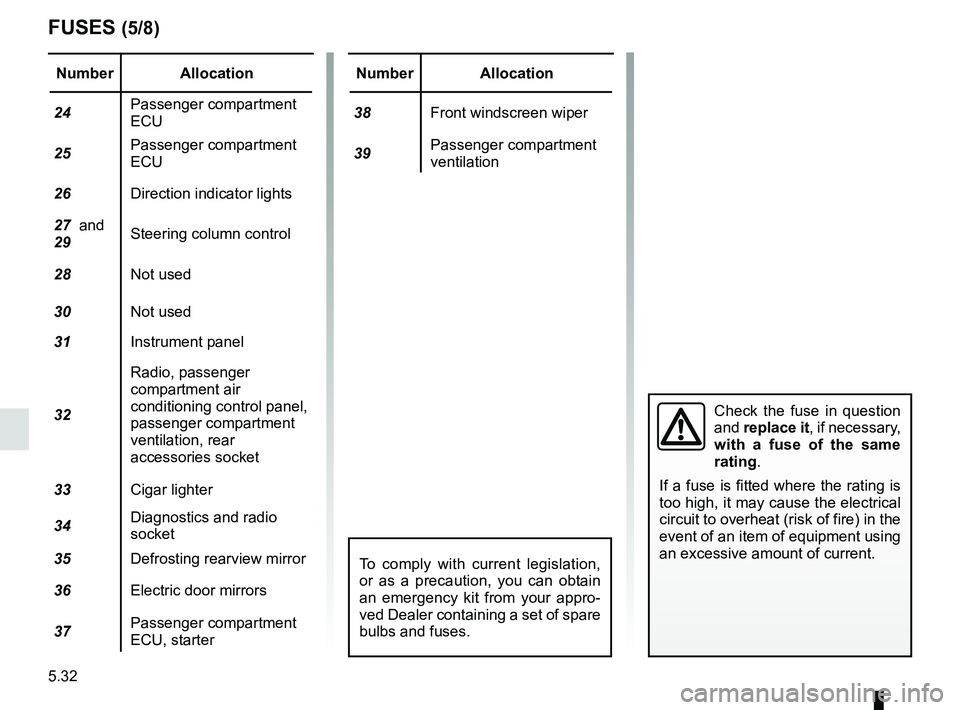
FUSES (5/8)
Number Allocation
24 Passenger compartment
ECU
25 Passenger compartment
ECU
26 Direction indicator lights
27 and
29 Steering column control
28 Not used
30 Not used
31 Instrument panel
32 Radio, passenger
compartment air
conditioning control panel,
passenger compartment
ventilation, rear
accessories socket
33 Cigar lighter
34 Diagnostics and radio
socket
35 Defrosting rearview mirror
36 Electric door mirrors
37 Passenger compartment
ECU, starterNumber Allocation
38 Front windscreen wiper
39 Passenger compartment
ventilation
Check the fuse in question
and
replace it, if necessary,
with a fuse of the same
rating.
If a fuse is fitted where the rating is
too high, it may cause the electrical
circuit to overheat (risk of fire) in the
event of an item of equipment using
an excessive amount of current.
To comply with current legislation,
or as a precaution, you can obtain
an emergency kit from your appro-
ved Dealer containing a set of spare
bulbs and fuses.
Page 213 of 256
5.35
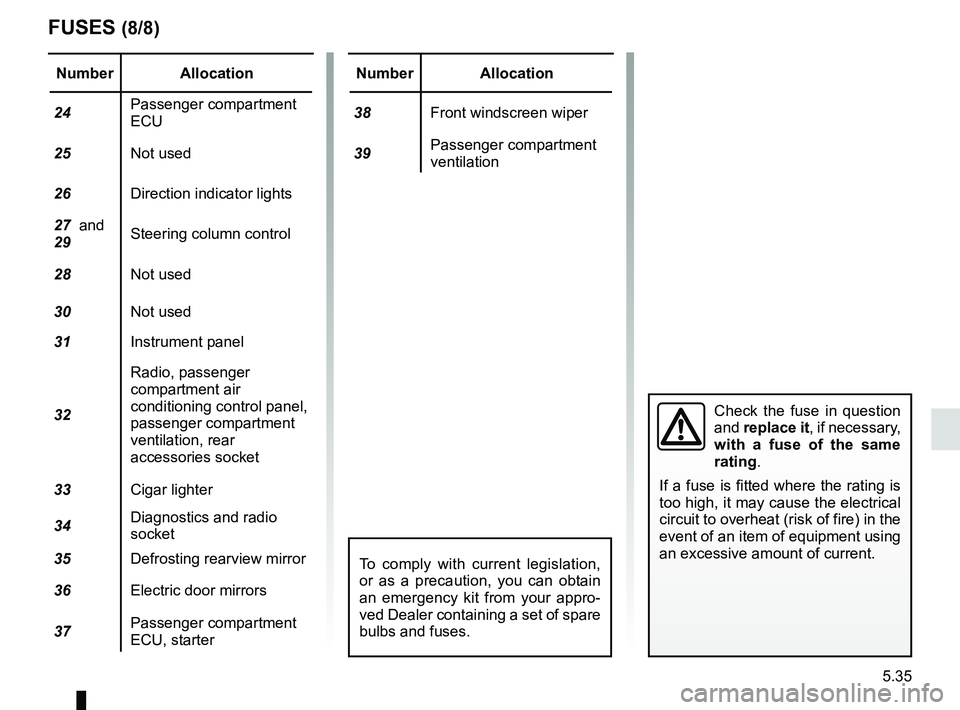
FUSES (8/8)
Number Allocation
24 Passenger compartment
ECU
25 Not used
26 Direction indicator lights
27 and
29 Steering column control
28 Not used
30 Not used
31 Instrument panel
32 Radio, passenger
compartment air
conditioning control panel,
passenger compartment
ventilation, rear
accessories socket
33 Cigar lighter
34 Diagnostics and radio
socket
35 Defrosting rearview mirror
36 Electric door mirrors
37 Passenger compartment
ECU, starterNumber Allocation
38 Front windscreen wiper
39 Passenger compartment
ventilation
Check the fuse in question
and
replace it, if necessary,
with a fuse of the same
rating.
If a fuse is fitted where the rating is
too high, it may cause the electrical
circuit to overheat (risk of fire) in the
event of an item of equipment using
an excessive amount of current.
To comply with current legislation,
or as a precaution, you can obtain
an emergency kit from your appro-
ved Dealer containing a set of spare
bulbs and fuses.
Page 216 of 256
5.38
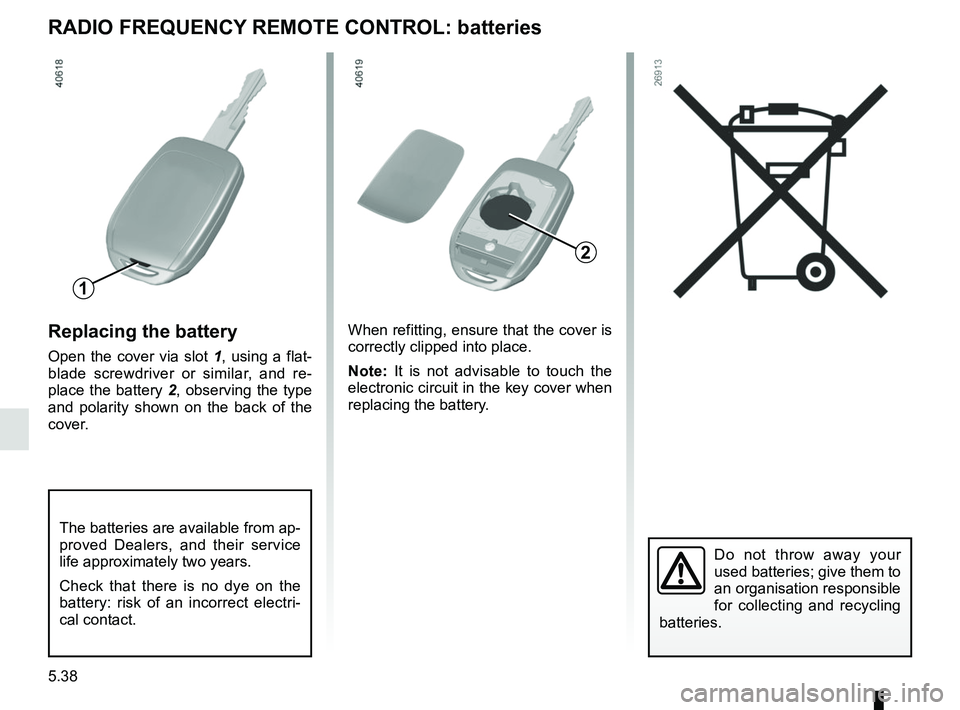
Replacing the battery
Open the cover via slot 1, using a flat-
blade screwdriver or similar, and re-
place the battery 2, observing the type
and polarity shown on the back of the
cover.When refitting, ensure that the cover is
correctly clipped into place.
Note:
It is not advisable to touch the
electronic circuit in the key cover when
replacing the battery.
Do not throw away your
used batteries; give them to
an organisation responsible
for collecting and recycling
batteries.
RADIO FREQUENCY REMOTE CONTROL: batteries
The batteries are available from ap-
proved Dealers, and their service
life approximately two years.
Check that there is no dye on the
battery: risk of an incorrect electri-
cal contact.
1
2