trip computer RENAULT ESPACE 2012 J81 / 4.G User Guide
[x] Cancel search | Manufacturer: RENAULT, Model Year: 2012, Model line: ESPACE, Model: RENAULT ESPACE 2012 J81 / 4.GPages: 267, PDF Size: 8.95 MB
Page 65 of 267

ENG_NU_932-3_X81ph3_Renault_1
TrIP cOMPUTer: operating fault messages (1/2)
These appear with t")
1.59
ENG_UD24101_1
Ordinateur de bord : messages d’anomalies de fonctionnement (X81 - J\
81 - Renault)
ENG_NU_932-3_X81ph3_Renault_1
TrIP cOMPUTer: operating fault messages (1/2)
These appear with the ú warning light and mean that you should drive very carefully to an approved dealer as soon
as possible. If you fail to follow this recommendation, you risk damagin\
g your vehicle.
They disappear when the display selection key is pressed or after several seconds and are stored in the computer log. The
ú
warning light stays on. Examples of operating fault messages are given i\
n the following pages.
Messages Interpretation of messages
« esP Off » Deactivation of the A.S.R. traction control system (see information on the “A.S.R. traction
control system” in Section 2).
« TYre sensOr aBsenT »Sensor fault on the wheel not shown on the instrument panel: this is the case, for example,
when the emergency spare wheel is fitted on the vehicle (see the information on “Tyre pres-
sure monitor” in Section 2).
« cHecK TYre PressUres »Insufficient tyre pressure for the wheel shown on the multifunction display or on the instru-
ment panel; correct the tyre pressure as soon as possible.
« cHeck fUeL fILTer » Indicates that there is water present in the diesel fuel. Contact your approved Dealer as soon
as possible.
Page 66 of 267

ENG_NU_932-3_X81ph3_Renault_1
These appear with the ú warning light and mean that you should")
1.60
ENG_UD24101_1
Ordinateur de bord : messages d’anomalies de fonctionnement (X81 - J\
81 - Renault)
ENG_NU_932-3_X81ph3_Renault_1
These appear with the ú warning light and mean that you should drive very carefully to an approved dealer as soon
as possible. If you fail to follow this recommendation, you risk damagin\
g your vehicle.
They disappear when the display selection key is pressed or after several seconds and are stored in the computer log. The
ú
warning light stays on. Examples of operating fault messages are given i\
n the following pages.
Messages Interpretation of messages
« cHecK GearBOX »Indicates that a fault has occurred in the gearbox; contact an approved \
Dealer as soon as
possible.
« card nOT deTecTed » The RENAULT hands-free card is not in the detection zone, or the vehicle has not be\
en
able to detect it. Insert it in the reader; if the fault persists contac\
t your approved Dealer.
« rePLace card Ba TTerY » Your RENAULT card battery has a service life of approximately two years.
This message appears when the battery begins to run flat (see information on the “RENAULT
card: batteries” in Section 5).
TrIP cOMPUTer: operating fault messages (2/2)
Page 67 of 267
1.61
ENG_UD24102_1
Ordinateur de bord : messages d’alerte (X81 - J81 - Renault)
ENG_NU_932-3_X81ph3_Renault_1
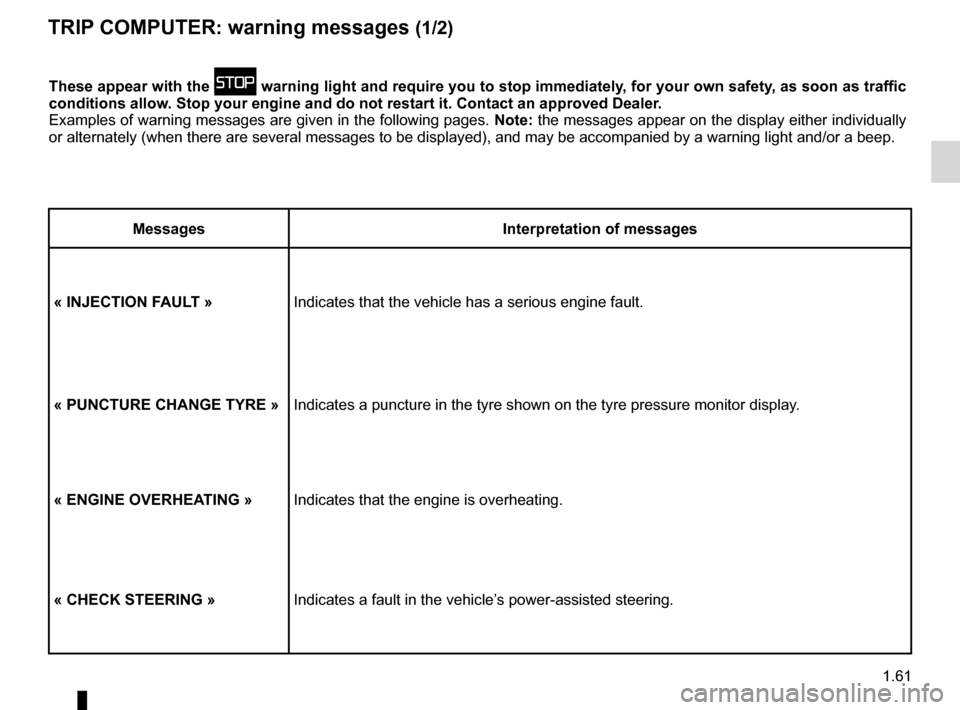
TrIP cOMPUTer: warning messages (1/2)
These appear with the û warning light and require you to stop immediately, for your own safety, as soon as traffic
conditions allow. stop your engine and do not restart it. contact an approved dealer.
Examples of warning messages are given in the following pages. note: the messages appear on the display either individually
or alternately (when there are several messages to be displayed), and \
may be accompanied by a warning light and/or a beep.
Messages Interpretation of messages
« InJecTIOn faULT » Indicates that the vehicle has a serious engine fault.
« PUncTUre cHanGe TYre »Indicates a puncture in the tyre shown on the tyre pressure monitor disp\
lay.
« enGIne OVerHea TInG »Indicates that the engine is overheating.
« cHecK sTeerInG » Indicates a fault in the vehicle’s power-assisted steering.
Page 68 of 267
1.62
ENG_UD24102_1
Ordinateur de bord : messages d’alerte (X81 - J81 - Renault)
ENG_NU_932-3_X81ph3_Renault_1
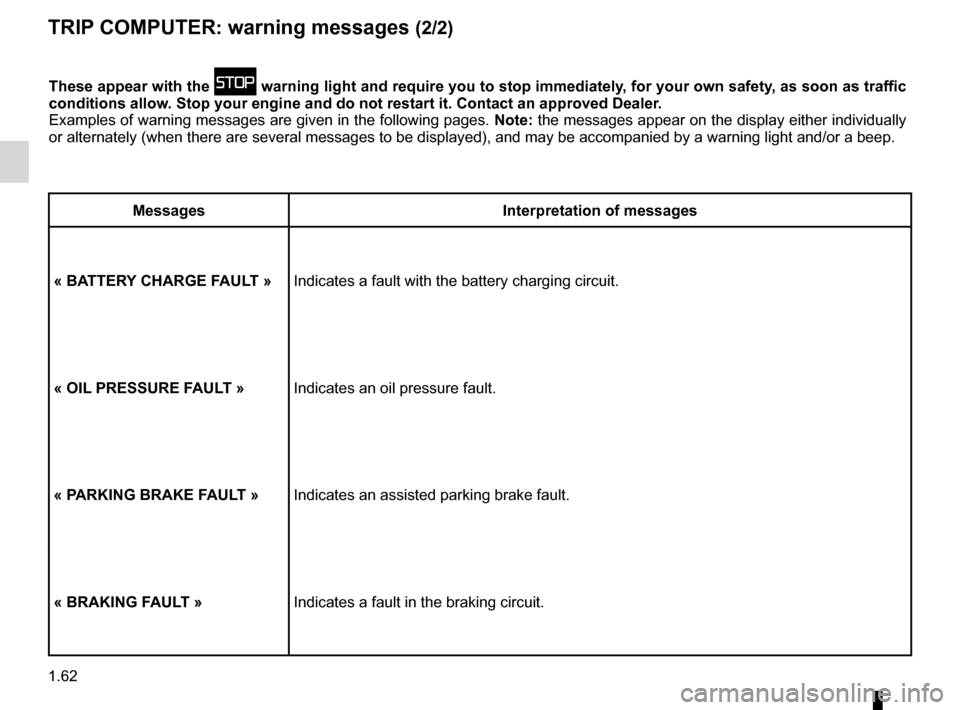
These appear with the û warning light and require you to stop immediately, for your own safety, as soon as traffic
conditions allow. stop your engine and do not restart it. contact an approved dealer.
Examples of warning messages are given in the following pages. note: the messages appear on the display either individually
or alternately (when there are several messages to be displayed), and \
may be accompanied by a warning light and/or a beep.
Messages Interpretation of messages
« Ba TTer Y cHarGe faULT » Indicates a fault with the battery charging circuit.
« OIL PressUre faULT » Indicates an oil pressure fault.
« P arKInG BraKe faULT » Indicates an assisted parking brake fault.
« BraKInG faULT » Indicates a fault in the braking circuit.
TrIP cOMPUTer: warning messages (2/2)
Page 99 of 267
\
ENG_NU_932-3_X81ph3_Renault_2
TYRE PRESSURE MONITOR
Fitting tyres(replacing tyres or fi")
JauneNoirNoir texte
2.17
ENG_UD20370_1
Système de surveillance de pression des pneus (X81 - J81 - Renault)\
ENG_NU_932-3_X81ph3_Renault_2
TYRE PRESSURE MONITOR
Fitting tyres(replacing tyres or fitting winter
tyres)
Since replacing tyres requires special
precautions, we advise you to contact
your approved dealer.
Reading the tyre pressure on the in-
strument panel (if fitted to the vehicle).
After the vehicle’s tyre pressures have
been checked, the warning messages
on the instrument panel and/or the
values read on the trip computer and
warning system are updated once you
exceed 15 mph (25 km/h).
Non-interchangeability of
wheels
Each of the sensors incor -
porated in the valves 1 is
dedicated to a single wheel:
under no circumstances
should you swap the wheels.
There is a risk of incorrect informa-
tion which could have serious con -
sequences.
To mark the correct position of the
wheel, note the colour of ring 2 (after
cleaning, if necessary) on each valve:
A yellow ring
B black ring
C red ring
D green ring
AB
Dc1
2
1
Page 108 of 267
cruise control-speed limiter....................................(current page)
speed limiter ......................................... (up to the end of the DU)
driving ................................................... (up to the end of the DU)
2.26
ENG_UD1793_1
Régulateur-Limiteur de vitesse : fonction limiteur (X81 - Renault)
ENG_NU_932-3_X81ph3_Renault_2
Jaune NoirNoir texte
Limiteur de vitesse
cRUISE cONTROL - SPEED LIMITER: limiter function
The speed limiter function helps you
stay within the driving speed limit that
you choose.
This may be useful, for example, driving
in urban areas or areas with a speed re-
striction (roadworks), etc.
The system operates from a driving
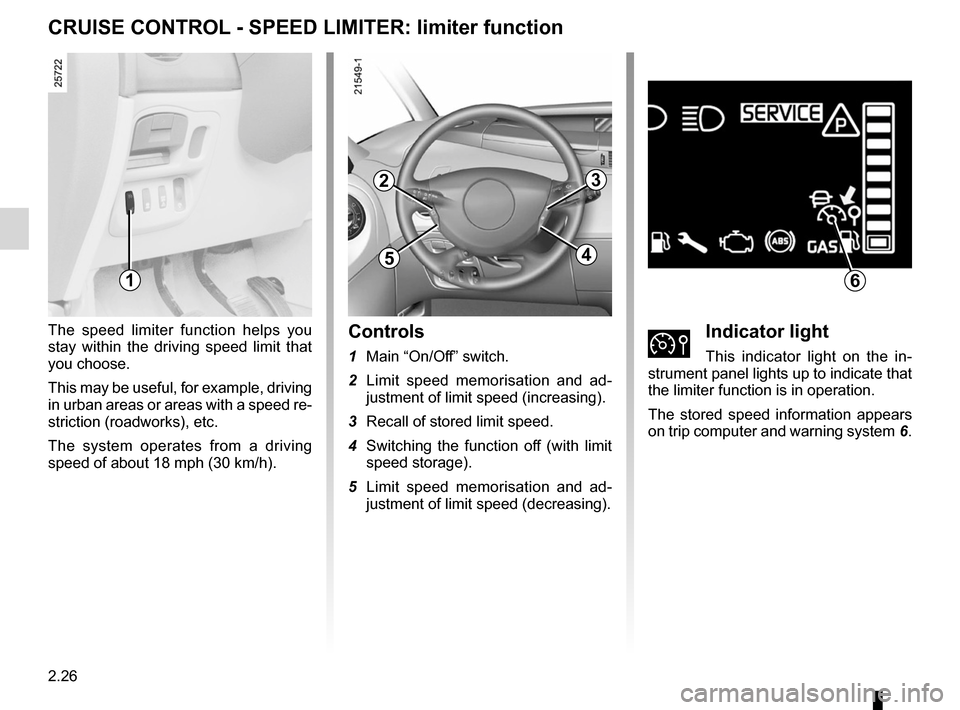
speed of about 18 mph (30 km/h).controls
1 Main “On/Off” switch.
2 Limit speed memorisation and ad -
justment of limit speed (increasing).
3 Recall of stored limit speed.
4 Switching the function off (with limit
speed storage).
5 Limit speed memorisation and ad -
justment of limit speed (decreasing).ÌIndicator light
This indicator light on the in -
strument panel lights up to indicate that
the limiter function is in operation.
The stored speed information appears
on trip computer and warning system 6.
1
2
5
3
4
6
Page 109 of 267
JauneNoirNoir texte
2.27
ENG_UD1793_1
Régulateur-Limiteur de vitesse : fonction limiteur (X81 - Renault)
ENG_NU_932-3_X81ph3_Renault_2
cRUISE cONTROL - SPEED LIMITER: limiter function (continued)
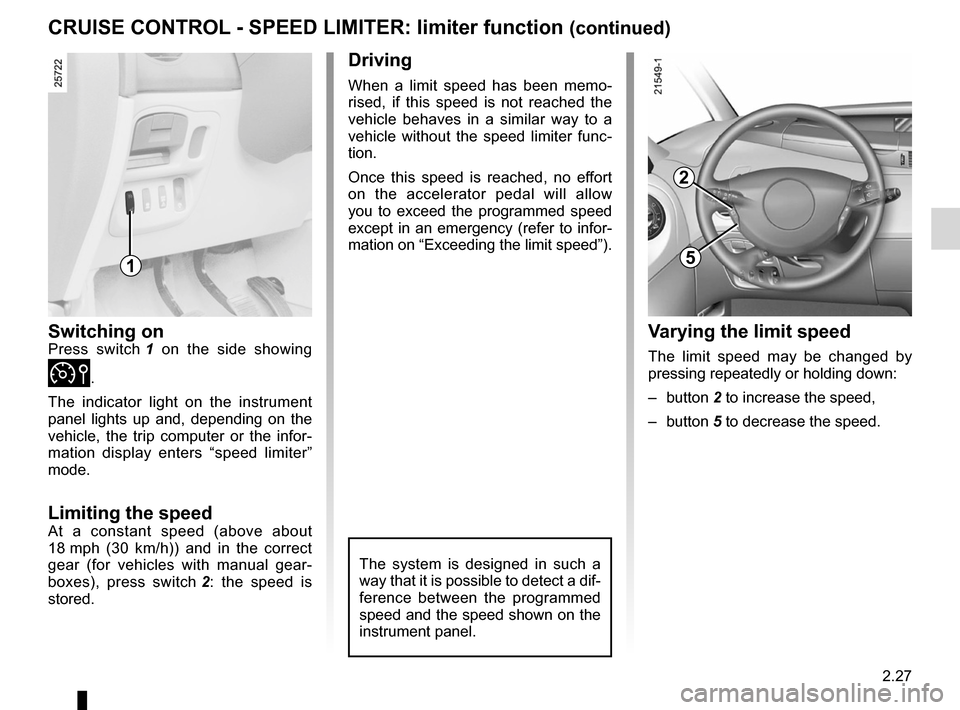
Switching onPress switch 1 on the side showing
Ì.
The indicator light on the instrument
panel lights up and, depending on the
vehicle, the trip computer or the infor -
mation display enters “speed limiter”
mode.
Limiting the speedAt a constant speed (above about
18 mph (30 km/h)) and in the correct
gear (for vehicles with manual gear -
boxes), press switch 2 : the speed is
stored.
Driving
When a limit speed has been memo -
rised, if this speed is not reached the
vehicle behaves in a similar way to a
vehicle without the speed limiter func -
tion.
Once this speed is reached, no effort
on the accelerator pedal will allow
you to exceed the programmed speed
except in an emergency (refer to infor-
mation on “Exceeding the limit speed”).
The system is designed in such a
way that it is possible to detect a dif-
ference between the programmed
speed and the speed shown on the
instrument panel.
v arying the limit speed
The limit speed may be changed by
pressing repeatedly or holding down:
– button 2 to increase the speed,
– button 5 to decrease the speed.
1
2
5
Page 110 of 267
2.28
ENG_UD1793_1
Régulateur-Limiteur de vitesse : fonction limiteur (X81 - Renault)
ENG_NU_932-3_X81ph3_Renault_2
cRUISE cONTROL - SPEED LIMITER: limiter function (continued)
Exceeding the limit speed
In the event of an emergency
It is possible to exceed the limit speed
at any moment. To do this: depress
the accelerator pedal firmly and fully
(beyond the kickdown point).
The speed flashes on the instrument
panel (trip computer and warning
system) while the speed is being ex -
ceeded.
When the emergency has passed, re -
lease the accelerator pedal: the speed
limiter function will return as soon as
you reach a speed lower than the limit
speed before the emergency.
Limit speed cannot be maintained
In some driving conditions (for example
when driving up or down a steep gradi -
ent), the system is unable to maintain
the limit speed: the memorised speed
on the instrument panel information dis-
play will flash to inform you of this situ-
ation.
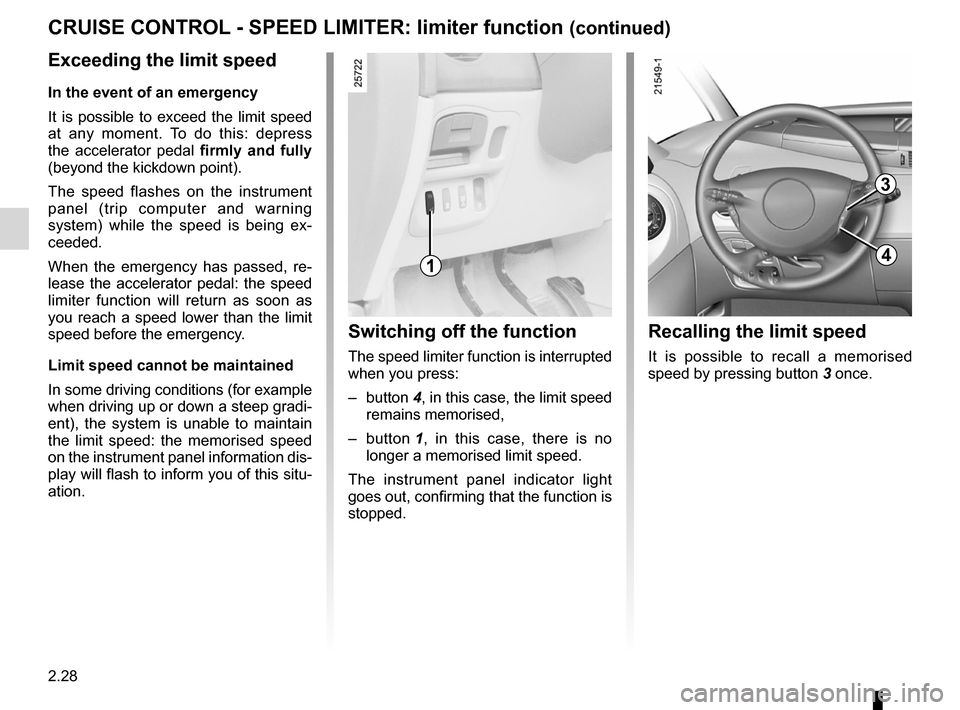
Switching off the function
The speed limiter function is interrupted
when you press:
– button 4, in this case, the limit speed
remains memorised,
– button 1 , in this case, there is no
longer a memorised limit speed.
The instrument panel indicator light
goes out, confirming that the function is
stopped.
Recalling the limit speed
It is possible to recall a memorised
speed by pressing button 3 once.
1
3
4
Page 112 of 267

ENG_NU_932-3_X81ph3_Renault_2
Jaune NoirNoir texte
cRUISE cONTROL - SPEED LIMITER: cruise control function (")
2.30
ENG_UD1794_1
Régulateur-Limiteur de vitesse : fonction régulateur (X81 - Renau\
lt)
ENG_NU_932-3_X81ph3_Renault_2
Jaune NoirNoir texte
cRUISE cONTROL - SPEED LIMITER: cruise control function (continued)
Driving
Once a cruising speed is memorised
and the cruise control function is active,
you may lift your foot off the accelera -
tor pedal.
Important: you are never -
theless advised to keep
your feet close to the pedals
in order to react if neces -
sary.
The system is designed in such a
way that it is possible to detect a dif-
ference between the programmed
speed and the speed shown on the
instrument panel.
Switching on
Press switch 1 on the side showing
Í.
The indicator light in the instrument
panel lights up and, depending on the
vehicle, the trip computer or the infor -
mation display enters cruise control
mode.
Activating cruise control
At a steady speed (above 18 mph
(30 km/h)) and in the correct gear (for
vehicles with manual gearboxes), press
switch 2 or 5 : the function is activated
and the speed is stored.
1
2
5
Page 113 of 267

ENG_NU_932-3_X81ph3_Renault_2
cRUISE cONTROL - SPEED LIMITER: cruise control function (c")
JauneNoirNoir texte
2.31
ENG_UD1794_1
Régulateur-Limiteur de vitesse : fonction régulateur (X81 - Renau\
lt)
ENG_NU_932-3_X81ph3_Renault_2
cRUISE cONTROL - SPEED LIMITER: cruise control function (continued)
Adjusting the cruising speed
The cruising speed may be changed by
pressing repeatedly or continuously on:
– button 2 to increase the speed,
– button 5 to decrease the speed.
Exceeding the cruising speed
In the event of an emergency
The cruising speed may be exceeded
at any time by depressing the accel -
erator pedal. The speed flashes on the
instrument panel (trip computer and
warning system) while the speed is
being exceeded.
cruising speed cannot be
maintained
In some driving conditions (for example
when driving up or down a steep gradi -
ent), the system is unable to maintain
the cruising speed: the speed flashes
on the instrument panel to inform you
of this situation.
The cruise control function
is in no way linked to the
braking system.
2
5