Perso RENAULT ESPACE 2016 5.G User Guide
[x] Cancel search | Manufacturer: RENAULT, Model Year: 2016, Model line: ESPACE, Model: RENAULT ESPACE 2016 5.GPages: 318, PDF Size: 3.32 MB
Page 191 of 318
3.3
MULTI-SENSE (2/2)Accessing the menu
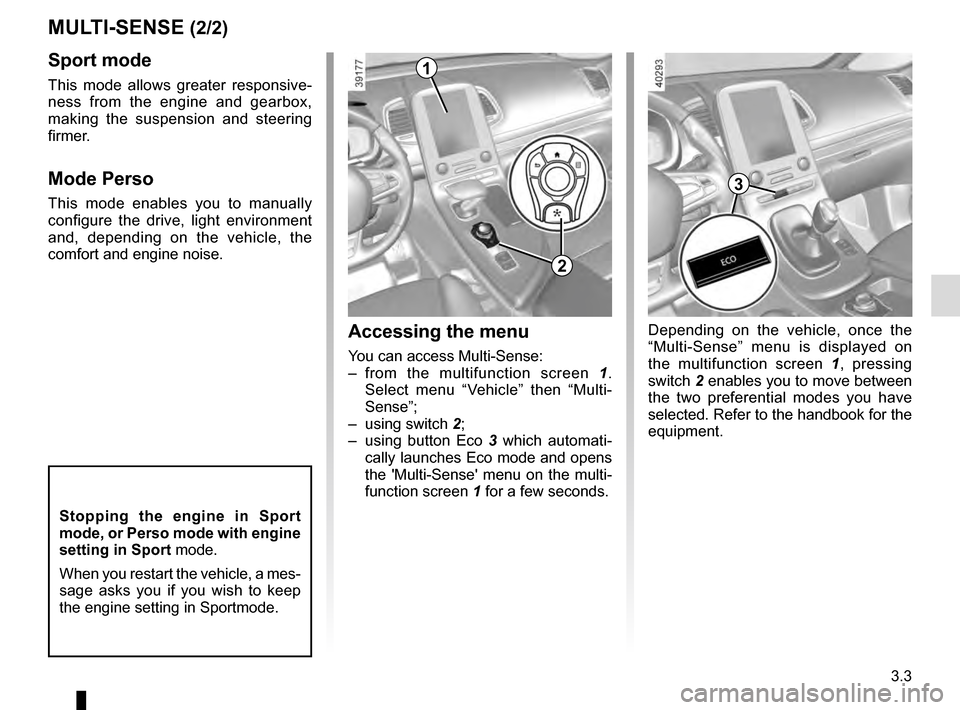
You can access Multi-Sense:
– from the multifunction screen 1.
Select menu “Vehicle” then “Multi-
Sense”;
– using switch 2;
– using button Eco 3 which automati-
cally launches Eco mode and opens
the 'Multi-Sense' menu on the multi-
function screen 1 for a few seconds.
Sport mode
This mode allows greater responsive-
ness from the engine and gearbox,
making the suspension and steering
firmer.
Mode Perso
This mode enables you to manually
configure the drive, light environment
and, depending on the vehicle, the
comfort and engine noise.
1
2
3
Depending on the vehicle, once the
“Multi-Sense” menu is displayed on
the multifunction screen 1 , pressing
switch 2 enables you to move between
the two preferential modes you have
selected. Refer to the handbook for the
equipment.
Stopping the engine in Sport
mode, or Perso mode with engine
setting in Sport mode.
When you restart the vehicle, a mes-
sage asks you if you wish to keep
the engine setting in Sportmode.
Page 227 of 318
3.39
Do not keep your foot in the air. Carry
out the movement without stopping.
Note: With the tailgate open, after de-
tecting a closure control, it waits around
3 seconds before triggering the closure
(a beep is emitted every second).
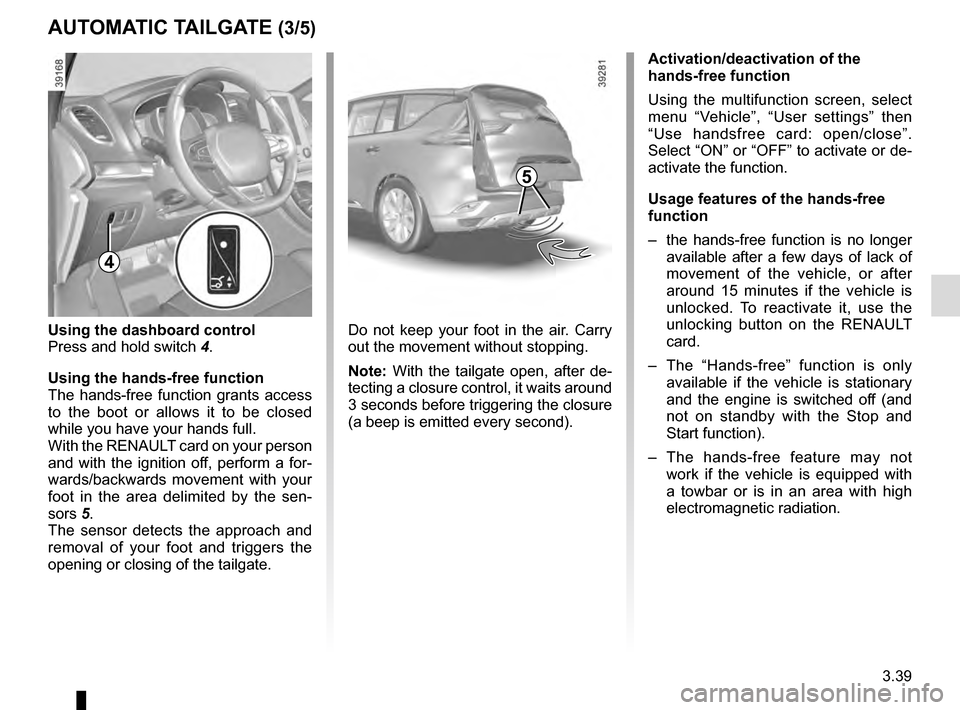
4
Using the dashboard control
Press and hold switch 4.
Using the hands-free function
The hands-free function grants access
to the boot or allows it to be closed
while you have your hands full.
With the RENAULT card on your person
and with the ignition off, perform a for-
wards/backwards movement with your
foot in the area delimited by the sen-
sors 5.
The sensor detects the approach and
removal of your foot and triggers the
opening or closing of the tailgate.
AUTOMATIC TAILGATE (3/5)
Activation/deactivation of the
hands-free function
Using the multifunction screen, select
menu “Vehicle”, “User settings” then
“Use handsfree card: open/close”.
Select “ON” or “OFF” to activate or de-
activate the function.
Usage features of the hands-free
function
– the hands-free function is no longer available after a few days of lack of
movement of the vehicle, or after
around 15 minutes if the vehicle is
unlocked. To reactivate it, use the
unlocking button on the RENAULT
card.
– The “Hands-free” function is only available if the vehicle is stationary
and the engine is switched off (and
not on standby with the Stop and
Start function).
– The hands-free feature may not work if the vehicle is equipped with
a towbar or is in an area with high
electromagnetic radiation.
5
Page 228 of 318
3.40
AUTOMATIC TAILGATE (4/5)
Stopping the tailgate
manoeuvre
The automatic tailgate manoeuvre can
be stopped at any time by a short press
on one of the controls. Depending on
the opening position, the tailgate hatch
can however continue to be opened
manually.
If the tailgate is stationary in the inter-
mediate position, your next press will
move the tailgate in the opposite direc-
tion to when you stopped it.
Manual mode
After stopping the tailgate, you can per-
form the manoeuvre manually if you
wish.
You can switch to automatic movement
at any time by pressing one of the con-
trols.
Obstacle detection
When the tailgate window encounters
an obstacle (presence of an object or
person) when it is moving, it stops.
Depending on the opening position, the
tailgate hatch can however continue to
be opened manually.
Press the tailgate opening/closing con-
trol to reperform the tailgate movement
in the same direction as before encoun-
tering the obstacle.
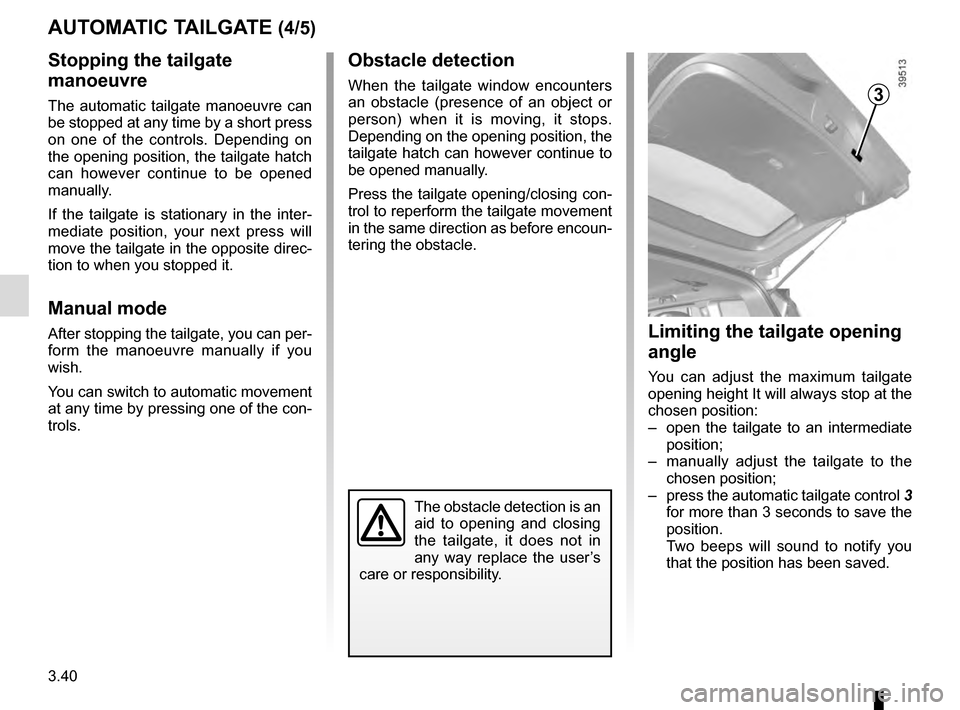
Limiting the tailgate opening
angle
You can adjust the maximum tailgate
opening height It will always stop at the
chosen position:
– open the tailgate to an intermediate position;
– manually adjust the tailgate to the chosen position;
– press the automatic tailgate control 3
for more than 3 seconds to save the
position.
Two beeps will sound to notify you
that the position has been saved.
3
The obstacle detection is an
aid to opening and closing
the tailgate, it does not in
any way replace the user’s
care or responsibility.