vin RENAULT ESPACE 2016 5.G Owner's Manual
[x] Cancel search | Manufacturer: RENAULT, Model Year: 2016, Model line: ESPACE, Model: RENAULT ESPACE 2016 5.GPages: 318, PDF Size: 3.32 MB
Page 69 of 318
1.63
WARNING LIGHTS (4/6)
ÉPreheating warning light
(diesel version)
This should come on when the igni-
tion is switched on. It indicates that the
heater plugs are in operation.
It goes out when preheating is com-
plete. The engine can be started.
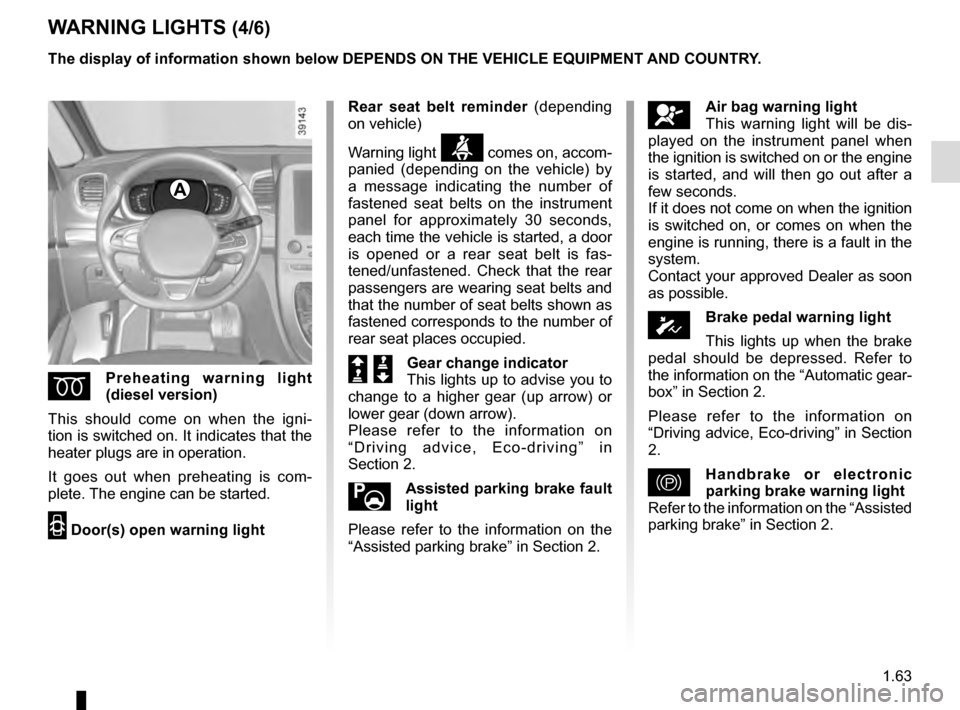
2 Door(s) open warning light
A
The display of information shown below DEPENDS ON THE VEHICLE EQUIPMENT \
AND COUNTRY.
åAir bag warning light
This warning light will be dis-
played on the instrument panel when
the ignition is switched on or the engine
is started, and will then go out after a
few seconds.
If it does not come on when the ignition
is switched on, or comes on when the
engine is running, there is a fault in the
system.
Contact your approved Dealer as soon
as possible.
ÓBrake pedal warning light
This lights up when the brake
pedal should be depressed. Refer to
the information on the “Automatic gear-
box” in Section 2.
Please refer to the information on
“Driving advice, Eco-driving” in Section
2.
}Handbrake or electronic
parking brake warning light
Refer to the information on the “Assisted
parking brake” in Section 2.
Rear seat belt reminder
(depending
on vehicle)
Warning light
ß comes on, accom-
panied (depending on the vehicle) by
a message indicating the number of
fastened seat belts on the instrument
panel for approximately 30 seconds,
each time the vehicle is started, a door
is opened or a rear seat belt is fas-
tened/unfastened. Check that the rear
passengers are wearing seat belts and
that the number of seat belts shown as
fastened corresponds to the number of
rear seat places occupied.
Š ‰Gear change indicator
This lights up to advise you to
change to a higher gear (up arrow) or
lower gear (down arrow).
Please refer to the information on
“Driving advice, Eco-driving” in
Section 2.
Assisted parking brake fault
light
Please refer to the information on the
“Assisted parking brake” in Section 2.
Page 70 of 318

The display of information shown below DEPENDS ON THE VEHICLE EQUIPMENT \
AND COUNTRY.
©Warning light
This lights up when the ignition
or engine is switched on and goes out")
1.64
WARNING LIGHTS (5/6)
The display of information shown below DEPENDS ON THE VEHICLE EQUIPMENT \
AND COUNTRY.
©Warning light
This lights up when the ignition
or engine is switched on and goes out
as soon as the engine is running. It can
light up in conjunction with other warn-
ing lights and/or messages on the in-
strument panel.
It means you should drive very care-
fully to an approved dealer as soon
as possible. If you fail to follow this re-
commendation, you risk damaging your
vehicle.
\bWarning light for electronic
stability program ( ESC ) and
traction control system
It lights up when the ignition or the
engine is switched on and goes off after
a few seconds.
There are several reasons for the war-
ning light to come on: please refer to
the information on “Driver correction
devices and aids” in Section 2.
A
ßRear seat belt reminder
warning light
This comes on for approximately 30 se-
conds, each time the vehicle is started,
a door is opened or a rear seat belt is
fastened/unfastened. Please see the
information on "Seat belts" in Section 1.
Engine standby warning
light
Please see information in the para-
graph on “Stop and Start Function” in
Section 2.
Unavailability of engine
standby warning light
Please see information in the para-
graph on “Stop and Start Function” in
Section 2.
Φ Speed limiter,
cruise control and
adaptive cruise control warning
lights
Please refer to the information on the
“Speed limiter”, “Cruise control” and
“Adaptive cruise control” in Section 2.
\fTyre pressure monitoring
system
Refer to the information on the “Tyre
pressure monitoring system” in
Section 2.
Emergency active brake
assist
Refer to the information on “Driving cor-
rection devices and aids” in Section 2.
Page 72 of 318
1.66
DISPLAYS AND INDICATORS (1/4)
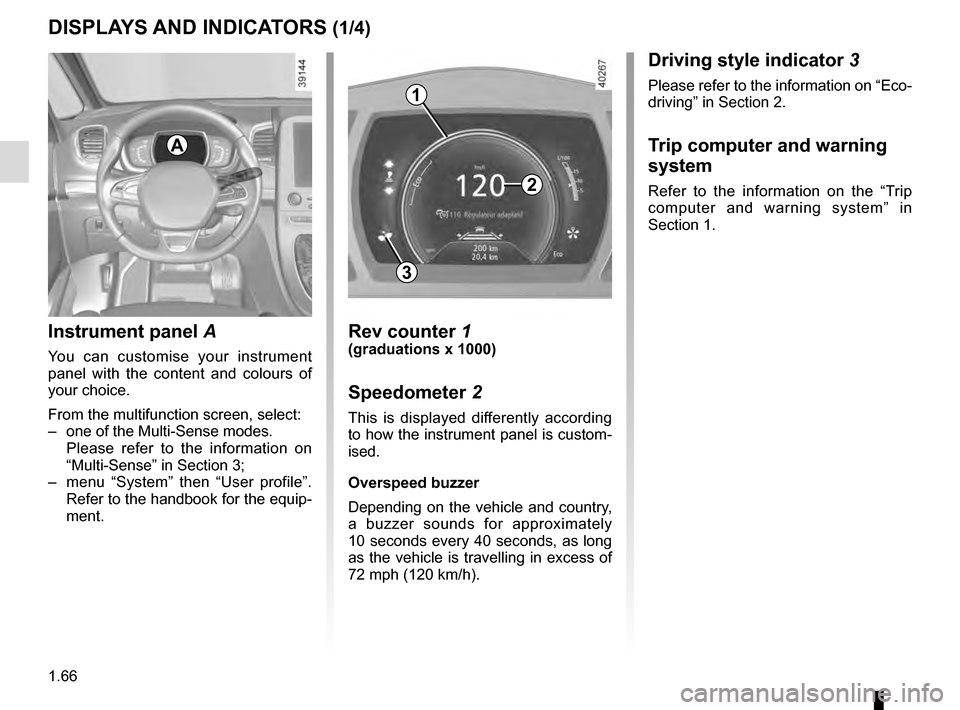
Instrument panel A
You can customise your instrument
panel with the content and colours of
your choice.
From the multifunction screen, select:
– one of the Multi-Sense modes.
Please refer to the information on
“Multi-Sense” in Section 3;
– menu “System” then “User profile”. Refer to the handbook for the equip-
ment.
Rev counter 1(graduations x 1000)
Speedometer 2
This is displayed differently according
to how the instrument panel is custom-
ised.
Overspeed buzzer
Depending on the vehicle and country,
a buzzer sounds for approximately
10 seconds every 40 seconds, as long
as the vehicle is travelling in excess of
72 mph (120 km/h).
2
1
3
A
Driving style indicator 3
Please refer to the information on “Eco-
driving” in Section 2.
Trip computer and warning
system
Refer to the information on the “Trip
computer and warning system” in
Section 1.
Page 74 of 318
1.68
DISPLAYS AND INDICATORS (3/4)
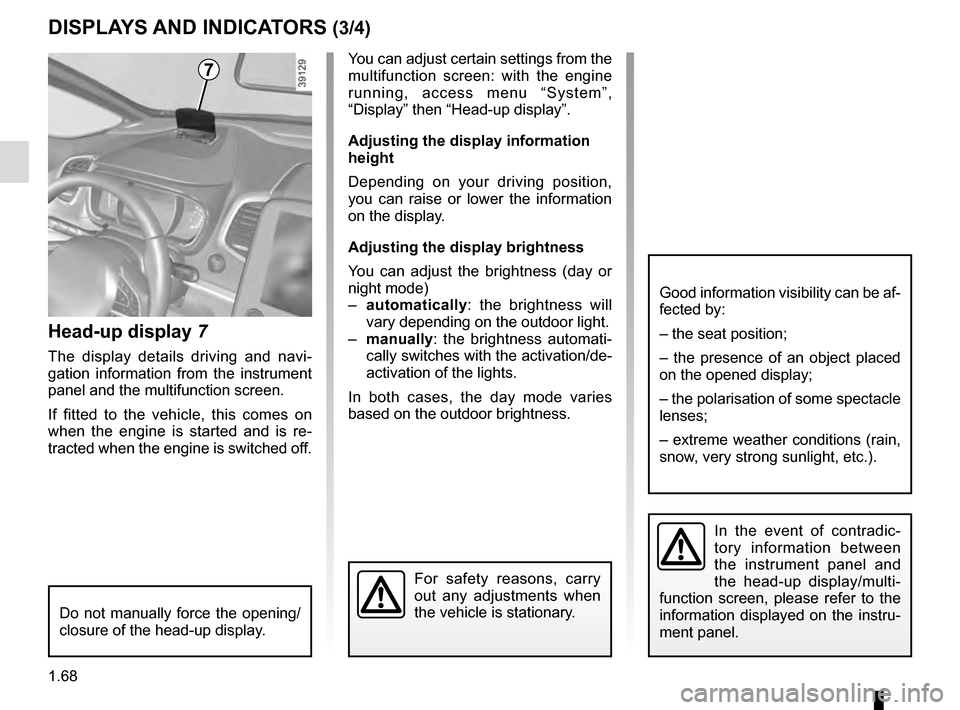
Head-up display 7
The display details driving and navi-
gation information from the instrument
panel and the multifunction screen.
If fitted to the vehicle, this comes on
when the engine is started and is re-
tracted when the engine is switched off.
7You can adjust certain settings from the
multifunction screen: with the engine
running, access menu “System”,
“Display” then “Head-up display”.
Adjusting the display information
height
Depending on your driving position,
you can raise or lower the information
on the display.
Adjusting the display brightness
You can adjust the brightness (day or
night mode)
– automatically : the brightness will
vary depending on the outdoor light.
– manually: the brightness automati-
cally switches with the activation/de-
activation of the lights.
In both cases, the day mode varies
based on the outdoor brightness.
Good information visibility can be af-
fected by:
– the seat position;
– the presence of an object placed
on the opened display;
– the polarisation of some spectacle
lenses;
– extreme weather conditions (rain,
snow, very strong sunlight, etc.).
In the event of contradic-
tory information between
the instrument panel and
the head-up display/multi-
function screen, please refer to the
information displayed on the instru-
ment panel.
Do not manually force the opening/
closure of the head-up display.
For safety reasons, carry
out any adjustments when
the vehicle is stationary.
Page 77 of 318
1.71
3
ON-BOARD COMPUTER: general information (2/2)
Interpreting some of the
values displayed after
resetting
The values showing average fuel con-
sumption and average speed will
become more stable and reliable the
further you have travelled since the last
time the Reset button was pressed.
The average fuel consumption may de-
crease when:
– the vehicle stops accelerating;
– the engine reaches its operating
temperature (if the engine was cold
when the reset key was pressed);
– when driving from an urban area
onto the open road.
Automatic resetting of the
journey parameters
Resetting occurs automatically when
the maximum value of any of the pa-
rameters is exceeded.
Trip mileage resetting
With “trip mileage recorder” selected
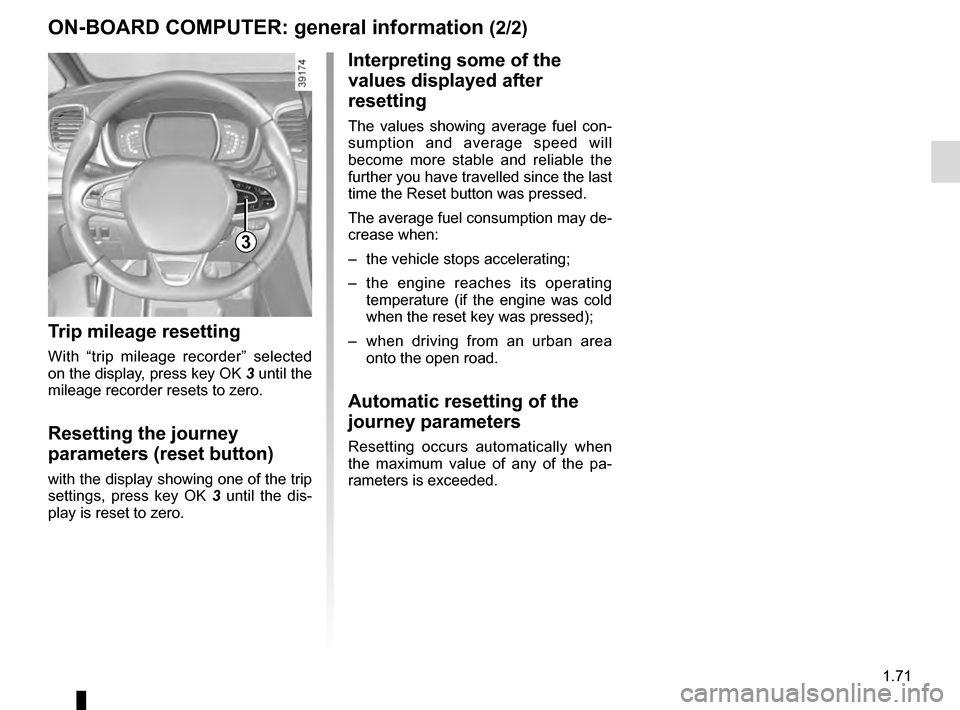
on the display, press key OK 3 until the
mileage recorder resets to zero.
Resetting the journey
parameters (reset button)
with the display showing one of the trip
settings, press key OK 3 until the dis-
play is reset to zero.
Page 78 of 318

The display of information shown below DEPENDS ON THE VEHICLE EQUIPMENT \
AND COUNTRY.
Examples of selectionsInterpreting the display selected
101778 km
a)")
1.72
ON-BOARD COMPUTER: trip settings (1/5)
The display of information shown below DEPENDS ON THE VEHICLE EQUIPMENT \
AND COUNTRY.
Examples of selectionsInterpreting the display selected
101778 km
a) Total mileage and trip mileage recorder.
112.4 km
Fuel used
b) Journey parameters: Fuel used.
Fuel consumed since the last reset.
8 L
Middle
Average fuel consumption since the last reset.
The value is displayed after having travelled at least 400 metres since \
the last
reset.
5.8 L/100
Current
Current fuel consumption. This value is displayed after a speed of approximately 20 mph (30 km/h)\
is reached.
7.4 L/100
Page 79 of 318

The display of information shown below DEPENDS ON THE VEHICLE EQUIPMENT \
AND COUNTRY.
Examples of selectionsInterpreting the display selected
Range
b) Jou")
1.73
ON-BOARD COMPUTER: trip settings (2/5)
The display of information shown below DEPENDS ON THE VEHICLE EQUIPMENT \
AND COUNTRY.
Examples of selectionsInterpreting the display selected
Range
b) Journey parameters (continued):
Estimated range with remaining fuel.
The value is displayed after driving 400 metres.
541 km
Distance
Distance travelled since last reset.522 km
Middle
Average speed since the last reset.
The value is displayed after driving 400 metres.
123.4 km/H
Page 81 of 318

Examples of selectionsInterpreting the display selected
On-board computer")
1.75
The display of information shown below DEPENDS ON THE VEHICLE EQUIPMENT \
AND COUNTRY.
TRIP COMPUTER: trip settings (4/5)
Examples of selectionsInterpreting the display selected
On-board computer with distance before
next service message (cntd.)
c) Mileage before service or oil change.Mileage before service
With the ignition switched on and the engine not running ,
and the selected display is “Mileage before service”, press
button OK for about 5 seconds to display the mileage before
the next service, then press button 2 to view the mileage before
the next oil change (distance or time remaining before the next
service). When the range approaches its limit, there are several
possible scenarios:
– distance/time remaining less than 900 miles (1,500 km) or
one month : the message “Service due in” is displayed, ac-
companied by the nearest term (distance or time);
– range equal to 0 km/miles or service date reached: the
message “Service required” is displayed accompanied by
warning light
©.
The vehicle requires an oil change as soon as possible.
Service Intervals
Oil change in
30 000 Kms / 24 mo
Service due in
300 Kms / 24 days
Service required
Depending on the vehicle, the mileage before an oil change varies accord\
ing to the driving style (frequent driving at low speed ,
door-to-door journeys, extensive use at idling speed, towing a trailer, etc.). The distance remaining until the next oil change can
therefore decrease more quickly in some cases than the actual distance t\
ravelled.
Resetting: to reset the mileage before a service, press and hold button 2 for approximately 10 seconds until the display shows
the range permanently.
NB: if a service is performed without changing the engine oil, only the mi\
leage before the next service should be reset. In the
event of an oil change, both the distance before the next service and th\
e next oil change should be reset.
Page 83 of 318
1.77
TRIP COMPUTER AND WARNING SYSTEM: information messages
Examples of messagesInterpreting the display selected
« Parking brake on » Indicates that the parking brake has been applied.
« Checking control functions » Displayed with the ignition on when the vehicle is running self-diagnost\
ics.
« Turn steering
wheel + START » Turn the steering wheel slightly whilst pressing the vehicle start button\
to unlock the steering
column.
« Steering wheel not locked » Indicates that the steering column has not been locked.
These can help in the vehicle starting phase, or give information about \
a selection or a driving status.
Examples of information messages are given in the following pages.
Page 86 of 318
1.80
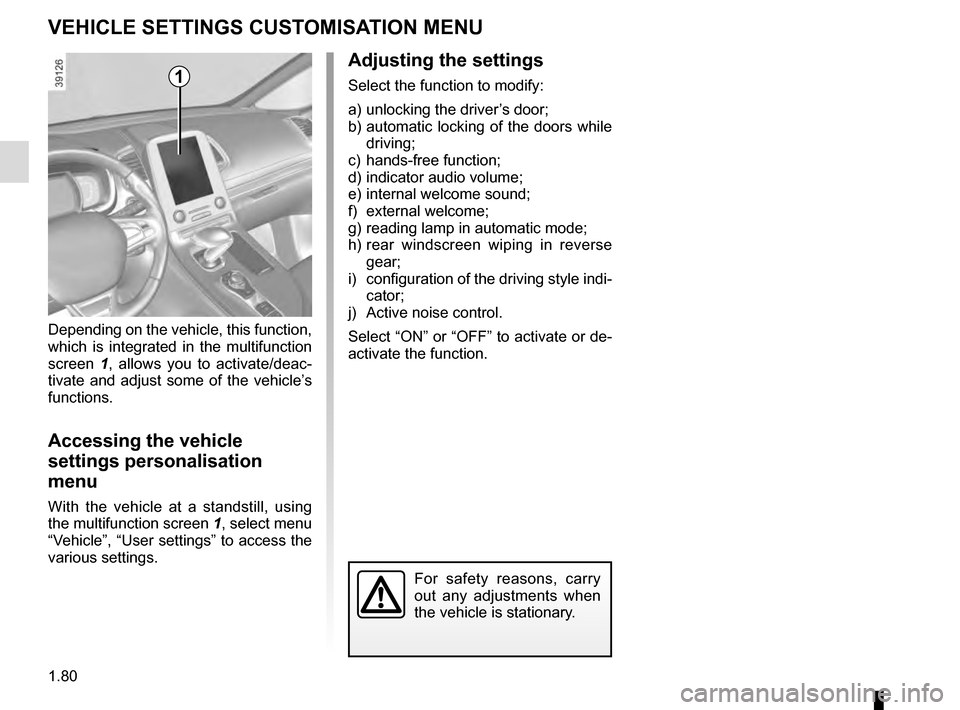
VEHICLE SETTINGS CUSTOMISATION MENU
Adjusting the settings
Select the function to modify:
a) unlocking the driver’s door;
b) automatic locking of the doors while driving;
c) hands-free function;
d) indicator audio volume;
e) internal welcome sound;
f) external welcome;
g) reading lamp in automatic mode;
h) rear windscreen wiping in reverse gear;
i) configuration of the driving style indi- cator;
j) Active noise control.
Select “ON” or “OFF” to activate or de-
activate the function.
Depending on the vehicle, this function,
which is integrated in the multifunction
screen
1, allows you to activate/deac-
tivate and adjust some of the vehicle’s
functions.
Accessing the vehicle
settings personalisation
menu
With the vehicle at a standstill, using
the multifunction screen 1, select menu
“Vehicle”, “User settings” to access the
various settings.
1
For safety reasons, carry
out any adjustments when
the vehicle is stationary.