Screen RENAULT KADJAR 2017 1.G R Link 2 Workshop Manual
[x] Cancel search | Manufacturer: RENAULT, Model Year: 2017, Model line: KADJAR, Model: RENAULT KADJAR 2017 1.GPages: 130, PDF Size: 5.83 MB
Page 81 of 130
4.9
CALL LOG
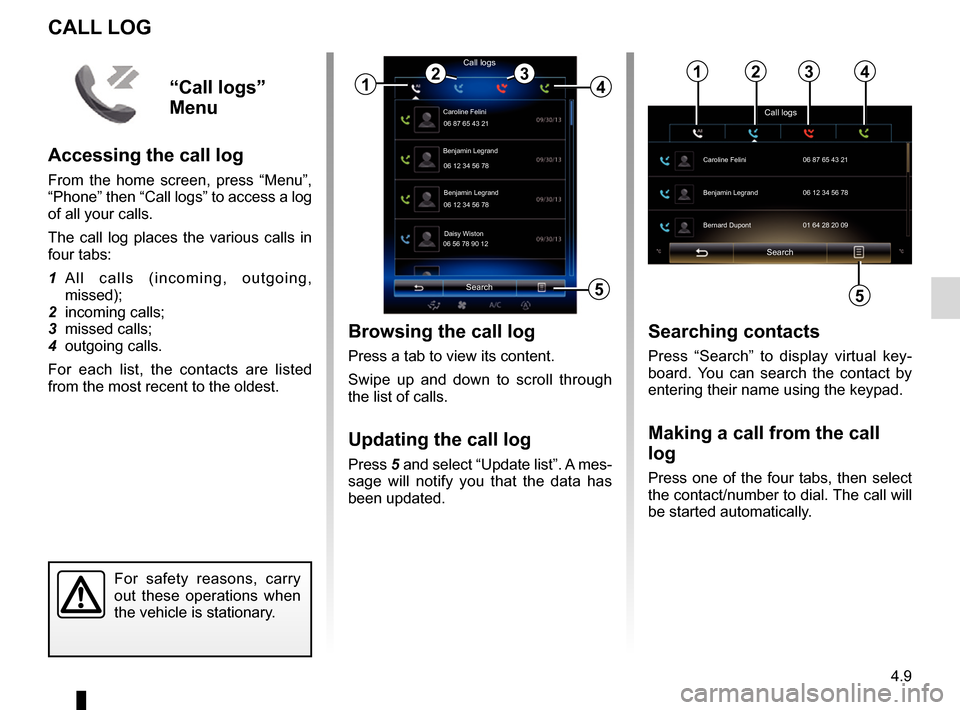
Browsing the call log
Press a tab to view its content.
Swipe up and down to scroll through
the list of calls.
Updating the call log
Press 5 and select “Update list”. A mes-
sage will notify you that the data has
been updated.
Search
Caroline Felini
Call logs
06 87 65 43 21
Benjamin Legrand
06 12 34 56 78
Benjamin Legrand
06 12 34 56 78
Daisy Wiston
06 56 78 90 12
1
Searching contacts
Press “Search” to display virtual key-
board. You can search the contact by
entering their name using the keypad.
Making a call from the call
log
Press one of the four tabs, then select
the contact/number to dial. The call will
be started automatically.
For safety reasons, carry
out these operations when
the vehicle is stationary.
243
5
“Call logs”
Menu
Accessing the call log
From the home screen, press “Menu”,
“Phone” then “Call logs” to access a log
of all your calls.
The call log places the various calls in
four tabs:
1 All calls (incoming, outgoing, missed);
2 incoming calls;
3 missed calls;
4 outgoing calls.
For each list, the contacts are listed
from the most recent to the oldest.
Search
Call logs
Caroline Felini
06 87 65 43 21
Benjamin Legrand 06 12 34 56 78
Bernard Dupont 01 64 28 20 09
1234
5
Page 82 of 130
4.10
DIAL NUMBER
For safety reasons, carry
out these operations when
the vehicle is stationary.
Dial numberCall
“Dial number”
menu
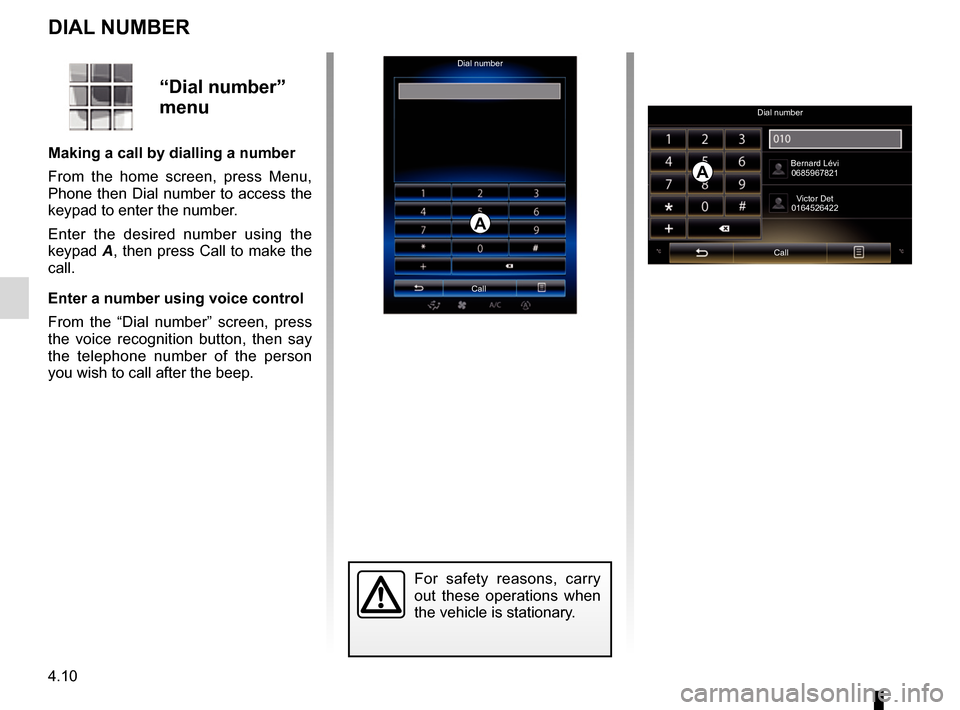
Making a call by dialling a number
From the home screen, press Menu,
Phone then Dial number to access the
keypad to enter the number.
Enter the desired number using the
keypad A, then press Call to make the
call.
Enter a number using voice control
From the “Dial number” screen, press
the voice recognition button, then say
the telephone number of the person
you wish to call after the beep.
Dial number
Call Bernard Lévi
0685967821
Victor Det
0164526422
A
A
Page 83 of 130
4.11
Searching SMSYou can search SMS by pressing
“Search”, then by entering a keyword
using the digital keypad.
Sorting SMSTo sort SMS by time or contact name,
press the pop-up menu button.
DetailPress one of the SMS in the list to get
details. You can find contact name,
number (if the number is present in
your handset memory or the phone-
book list) and message.
You can call the contact directly by
pressing “Call” if this number is saved
in the memory or in your phonebook.
SMS
Note: only SMS can be read via the
multimedia system. Other types of
message may not be read.
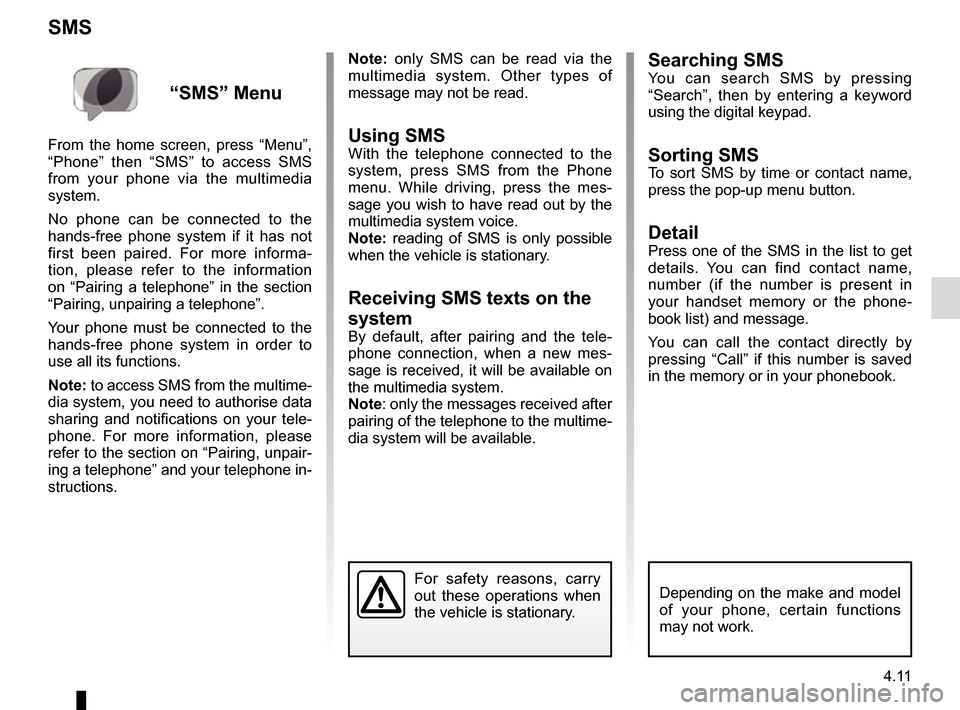
Using SMSWith the telephone connected to the
system, press SMS from the Phone
menu. While driving, press the mes-
sage you wish to have read out by the
multimedia system voice.
Note: reading of SMS is only possible
when the vehicle is stationary.
Receiving SMS texts on the
system
By default, after pairing and the tele-
phone connection, when a new mes-
sage is received, it will be available on
the multimedia system.
Note: only the messages received after
pairing of the telephone to the multime-
dia system will be available.
For safety reasons, carry
out these operations when
the vehicle is stationary.
“SMS” Menu
From the home screen, press “Menu”,
“Phone” then “SMS” to access SMS
from your phone via the multimedia
system.
No phone can be connected to the
hands-free phone system if it has not
first been paired. For more informa-
tion, please refer to the information
on “Pairing a telephone” in the section
“Pairing, unpairing a telephone”.
Your phone must be connected to the
hands-free phone system in order to
use all its functions.
Note: to access SMS from the multime-
dia system, you need to authorise data
sharing and notifications on your tele-
phone. For more information, please
refer to the section on “Pairing, unpair-
ing a telephone” and your telephone in-
structions.
Depending on the make and model
of your phone, certain functions
may not work.
Page 84 of 130
4.12
Configuring voicemail
If the voicemail box is not configured,
the configuration screen will be dis-
played. Enter your number on the
keypad, then confirm.
VOICE MAIL
For safety reasons, carry
out these operations when
the vehicle is stationary.
“Voice mail”
Menu
Accessing voicemail
With your telephone connected to the
system, from the home screen, press
Menu, Phone then Voice mail to access
your voicemail.
Page 88 of 130
5.2
INTRODUCTION TO THE APPS MENU
Introduction to R-Link Store
Your multimedia system is connected to
allow direct access to the services of-
fered.
R-Link Store is the applications store for
your multimedia system. Here you can
buy applications, functions and serv-
ices through a secure online system.
For further information, please refer to
the section on “R-Link Store”.“Apps” menu
From the home screen, press Menu,
then Apps to access the following
menus:
– “My apps”;
– « R-Link Store » ;
– “App manager ";
– “Private life ".
Some services are freely accessible
during the trial period. You can extend
your subscription from the R-Link Store
in your vehicle or online via the manu-
facturer's website.
Connect
The Log In button at the bottom of the
screen is:
– Visible and active: if services are not activated and the vehicle is station-
ary.
– Greyed out: if services are not acti- vated but the vehicle is not station-
ary or a connection is not available
at that specific moment.
– Not there: if services are activated or have already been activated.
Page 89 of 130
5.3
MY APPS
Organize applications
To organise your apps, press the
pop-up button, then “Organise apps”.
App reorganisation can be done di-
rectly by dragging-and-dropping them.
Applications can be deleted by press-
ing delete button “X”. If the app cannot
be deleted, the delete button is not dis-
played.
“My apps”
menu
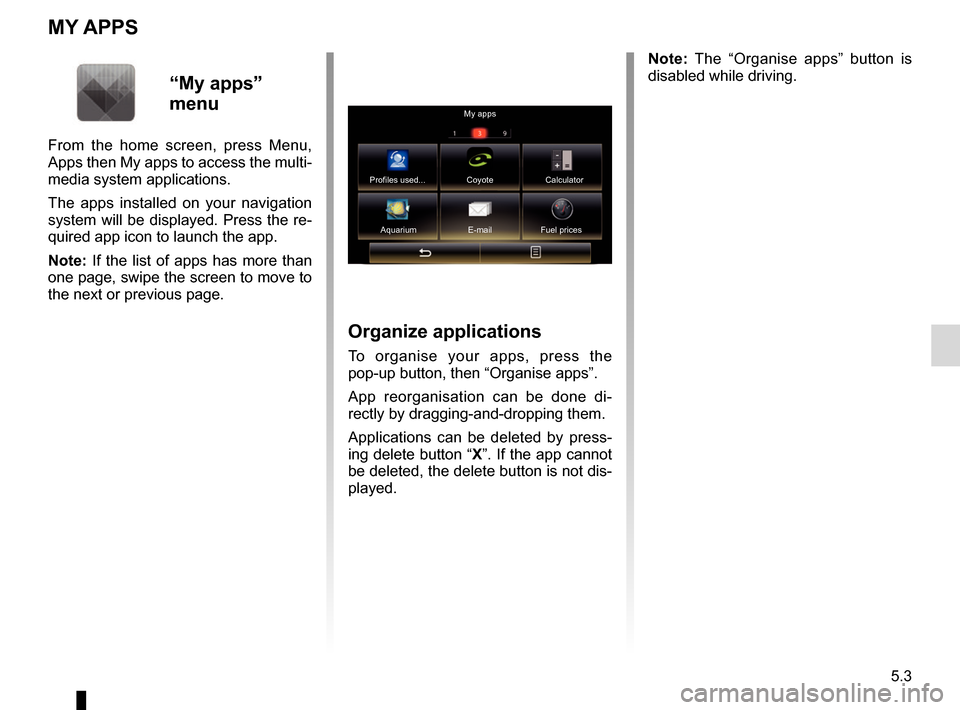
From the home screen, press Menu,
Apps then My apps to access the multi-
media system applications.
The apps installed on your navigation
system will be displayed. Press the re-
quired app icon to launch the app.
Note: If the list of apps has more than
one page, swipe the screen to move to
the next or previous page. Note: The “Organise apps” button is
disabled while driving.
My apps
Profiles used... Coyote Calculator Aquarium E-mail Fuel prices
Page 90 of 130
5.4
R-LINK STORE (1/4)
Downloading and installing
applications from R-Link
Store
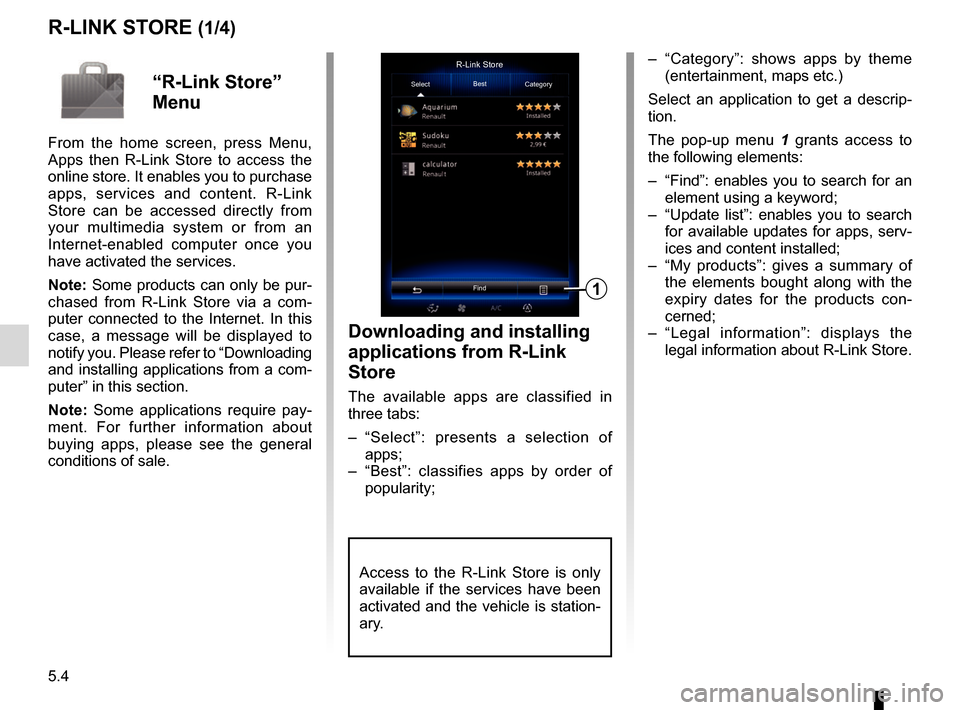
The available apps are classified in
three tabs:
– “Select”: presents a selection of apps;
– “Best”: classifies apps by order of popularity;
– “Category”: shows apps by theme (entertainment, maps etc.)
Select an application to get a descrip-
tion.
The pop-up menu 1 grants access to
the following elements:
– “Find”: enables you to search for an element using a keyword;
– “Update list”: enables you to search for available updates for apps, serv-
ices and content installed;
– “My products”: gives a summary of the elements bought along with the
expiry dates for the products con-
cerned;
– “Legal information”: displays the legal information about R-Link Store.R-Link Store
Select Best
Category
Find
1
“R-Link Store”
Menu
From the home screen, press Menu,
Apps then R-Link Store to access the
online store. It enables you to purchase
apps, services and content. R-Link
Store can be accessed directly from
your multimedia system or from an
Internet-enabled computer once you
have activated the services.
Note: Some products can only be pur-
chased from R-Link Store via a com-
puter connected to the Internet. In this
case, a message will be displayed to
notify you. Please refer to “Downloading
and installing applications from a com-
puter” in this section.
Note: Some applications require pay-
ment. For further information about
buying apps, please see the general
conditions of sale.
Access to the R-Link Store is only
available if the services have been
activated and the vehicle is station-
ary.
Page 92 of 130
5.6
Note: Some products can only be pur-
chased from a computer connected to
the Internet, from the www.renault.com
website.
Create an account on My Renault
web site
To buy and download applications from
a computer connected to the Internet
from www.renault.com, you must first
create an account My Renault:
– from a computer connected to the Internet, open your browser, go to
www.renault.com and select your
country;
– click on the “Connection” button and follow the steps indicated on the
website.
Once you have created an account and
registered your vehicle in My Renault,
you can explore the catalogue of appli-
cations and search for product updates.
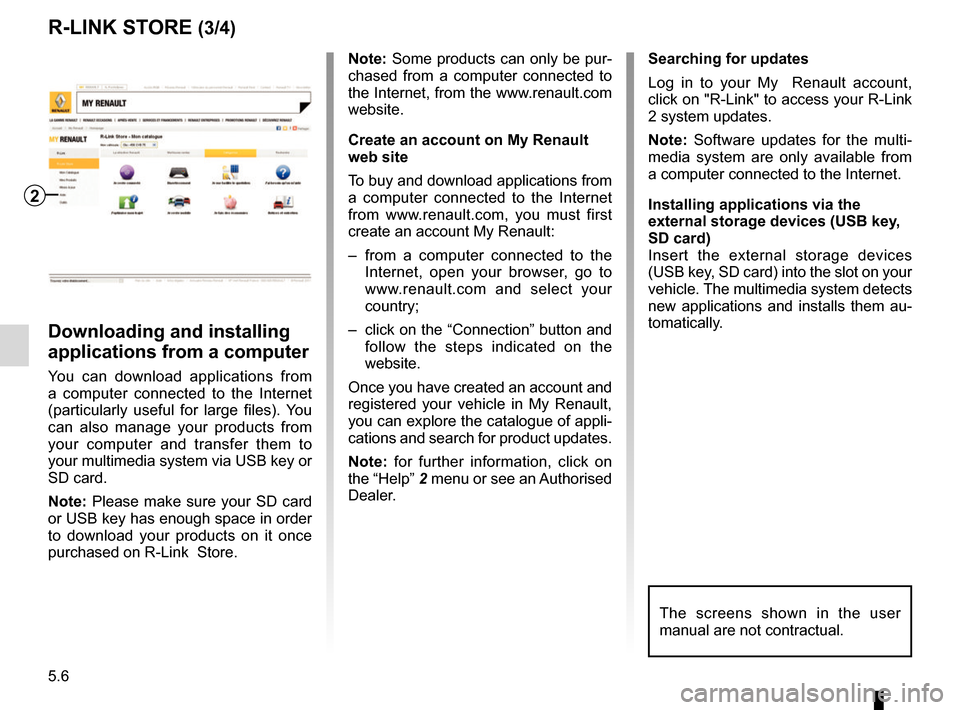
Note: for further information, click on
the “Help” 2 menu or see an Authorised
Dealer.
Downloading and installing
applications from a computer
You can download applications from
a computer connected to the Internet
(particularly useful for large files). You
can also manage your products from
your computer and transfer them to
your multimedia system via USB key or
SD card.
Note: Please make sure your SD card
or USB key has enough space in order
to download your products on it once
purchased on R-Link Store. Searching for updates
Log in to your My Renault account,
click on "R-Link" to access your R-Link
2 system updates.
Note: Software updates for the multi-
media system are only available from
a computer connected to the Internet.
Installing applications via the
external storage devices (USB key,
SD card)
Insert the external storage devices
(USB key, SD card) into the slot on your
vehicle. The multimedia system detects
new applications and installs them au-
tomatically.
R-LINK STORE (3/4)
The screens shown in the user
manual are not contractual.
2
Page 93 of 130
5.7
R-LINK STORE (4/4)
Managing personal data
Resetting the system
To reset all the system settings and/or
delete all personal data, select “System”
from main menu, then “General reset”
on the pop-up menu and follow the on-
screen instructions.
Data sharing
You can authorise or reject data sharing
from the moment the system is started.
Select “App settings” from the My apps
menu, then Privacy. You can activate/
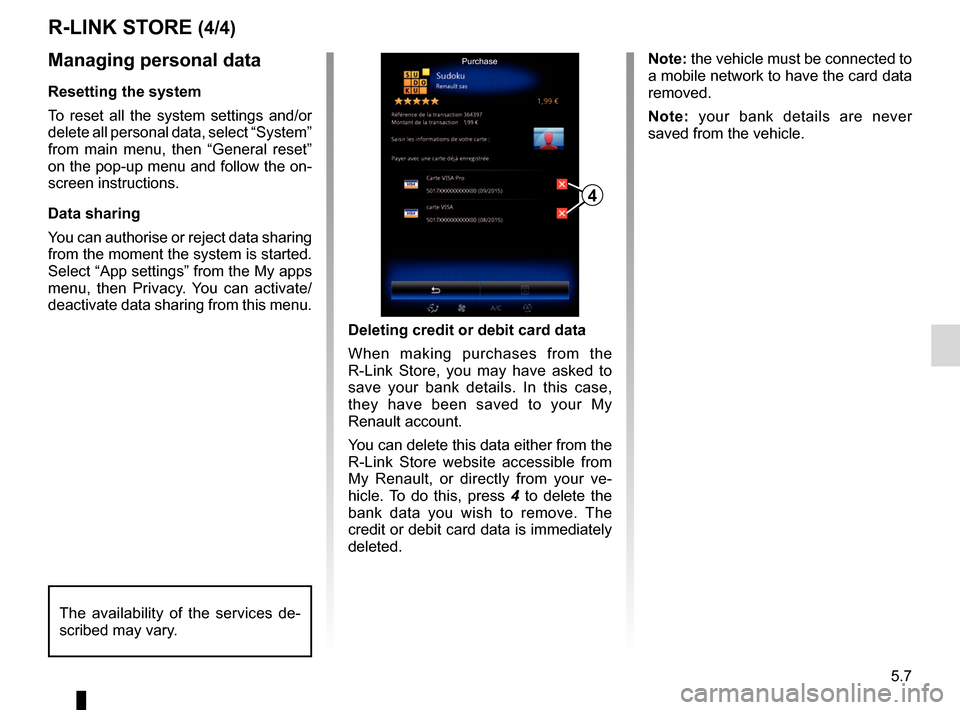
deactivate data sharing from this menu.Deleting credit or debit card data
When making purchases from the
R-Link Store, you may have asked to
save your bank details. In this case,
they have been saved to your My
Renault account.
You can delete this data either from the
R-Link Store website accessible from
My Renault, or directly from your ve-
hicle. To do this, press 4 to delete the
bank data you wish to remove. The
credit or debit card data is immediately
deleted.
4
Purchase
The availability of the services de-
scribed may vary.
Note: the vehicle must be connected to
a mobile network to have the card data
removed.
Note: your bank details are never
saved from the vehicle.
Page 94 of 130
5.8
APP MANAGER
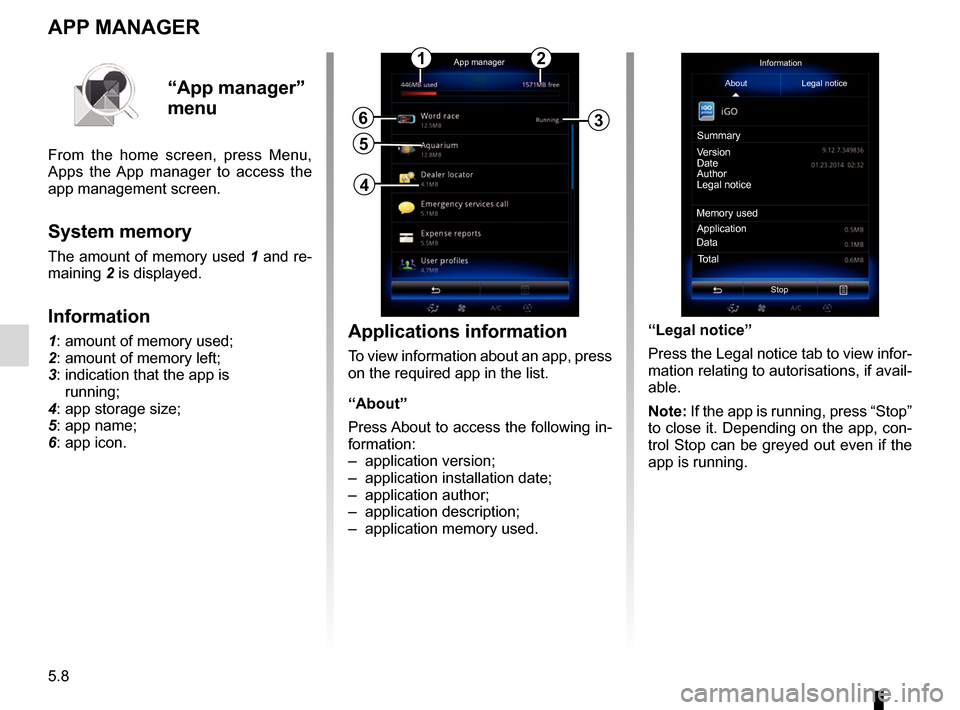
Applications information
To view information about an app, press
on the required app in the list.
“About”
Press About to access the following in-
formation:
– application version;
– application installation date;
– application author;
– application description;
– application memory used.
6
5
App managerInformation
About Legal notice
Version
Date
Author
Legal notice
Memory used Application
Total
Data
Stop
Summary
“App manager”
menu
From the home screen, press Menu,
Apps the App manager to access the
app management screen.
System memory
The amount of memory used 1 and re-
maining
2 is displayed.
Information
1: amount of memory used;
2: amount of memory left;
3: indication that the app is
running;
4: app storage size;
5: app name;
6: app icon.
12
3
4
“Legal notice”
Press the Legal notice tab to view infor-
mation relating to autorisations, if avail-
able.
Note: If the app is running, press “Stop”
to close it. Depending on the app, con-
trol Stop can be greyed out even if the
app is running.