steering wheel RENAULT KADJAR 2018 User Guide
[x] Cancel search | Manufacturer: RENAULT, Model Year: 2018, Model line: KADJAR, Model: RENAULT KADJAR 2018Pages: 310, PDF Size: 8.35 MB
Page 89 of 310
1.83
EXTERIOR LIGHTING AND SIGNALS (6/6)
fRear fog lights
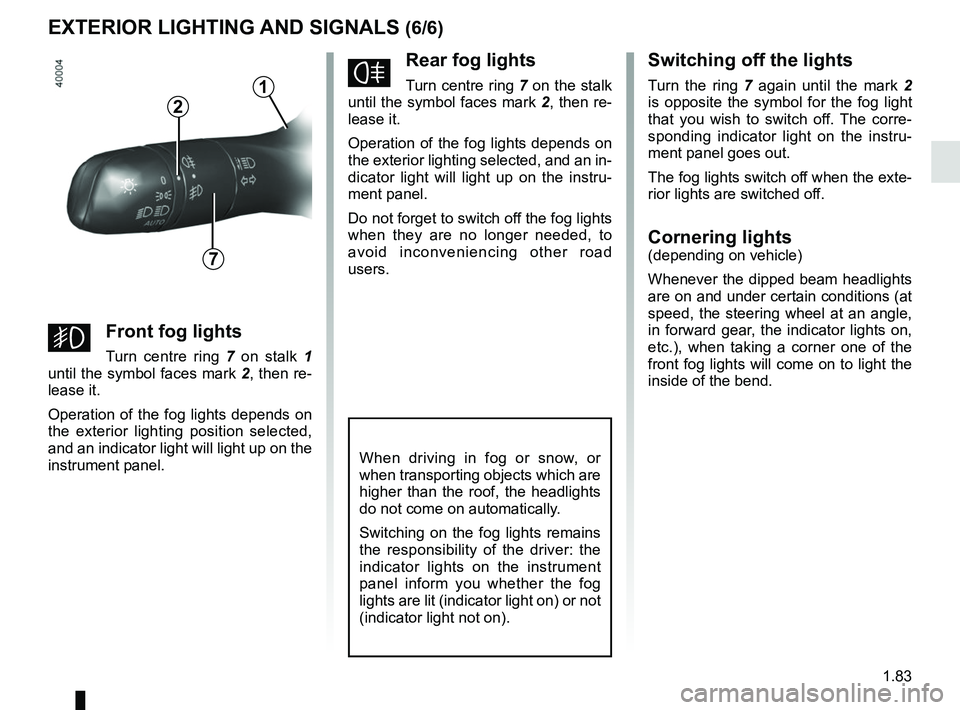
Turn centre ring 7 on the stalk
until the symbol faces mark 2, then re-
lease it.
Operation of the fog lights depends on
the exterior lighting selected, and an in-
dicator light will light up on the instru-
ment panel.
Do not forget to switch off the fog lights
when they are no longer needed, to
avoid inconveniencing other road
users.
Switching off the lights
Turn the ring 7 again until the mark 2
is opposite the symbol for the fog light
that you wish to switch off. The corre-
sponding indicator light on the instru-
ment panel goes out.
The fog lights switch off when the exte-
rior lights are switched off.
Cornering lights(depending on vehicle)
Whenever the dipped beam headlights
are on and under certain conditions (at
speed, the steering wheel at an angle,
in forward gear, the indicator lights on,
etc.), when taking a corner one of the
front fog lights will come on to light the
inside of the bend.
When driving in fog or snow, or
when transporting objects which are
higher than the roof, the headlights
do not come on automatically.
Switching on the fog lights remains
the responsibility of the driver: the
indicator lights on the instrument
panel inform you whether the fog
lights are lit (indicator light on) or not
(indicator light not on).
7
2
gFront fog lights
Turn centre ring 7 on stalk 1
until the symbol faces mark 2, then re-
lease it.
Operation of the fog lights depends on
the exterior lighting position selected,
and an indicator light will light up on the
instrument panel.
1
Page 90 of 310
1.84
AUDIBLE AND VISUAL SIGNALS
Horn
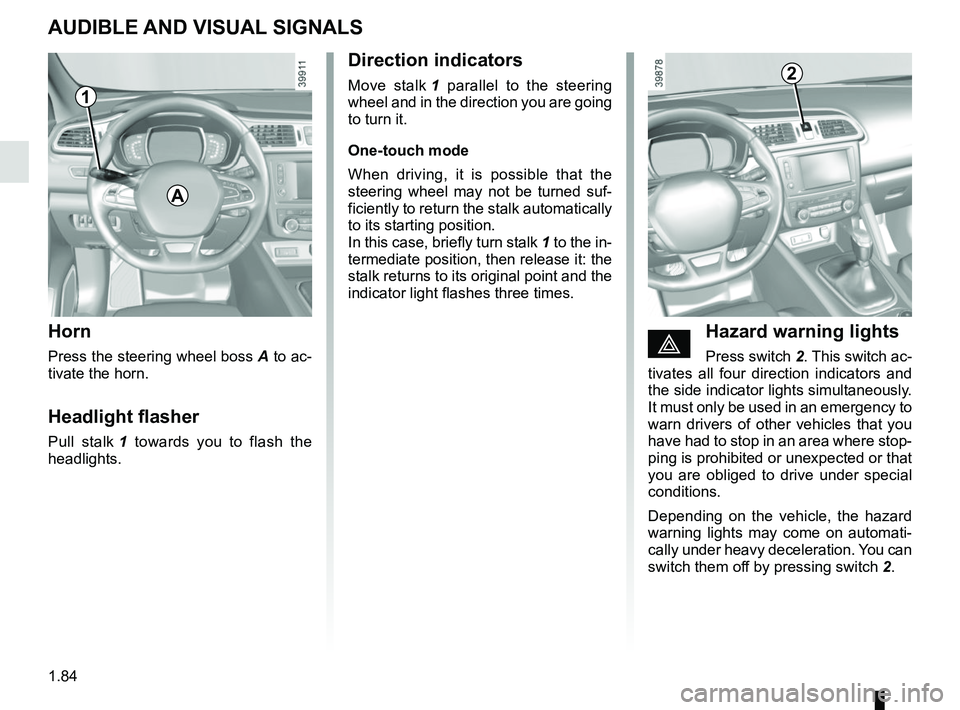
Press the steering wheel boss A to ac-
tivate the horn.
Headlight flasher
Pull stalk 1 towards you to flash the
headlights.
éHazard warning lights
Press switch 2. This switch ac-
tivates all four direction indicators and
the side indicator lights simultaneously.
It must only be used in an emergency to
warn drivers of other vehicles that you
have had to stop in an area where stop-
ping is prohibited or unexpected or that
you are obliged to drive under special
conditions.
Depending on the vehicle, the hazard
warning lights may come on automati-
cally under heavy deceleration. You can
switch them off by pressing switch 2.
Direction indicators
Move stalk 1 parallel to the steering
wheel and in the direction you are going
to turn it.
One-touch mode
When driving, it is possible that the
steering wheel may not be turned suf-
ficiently to return the stalk automatically
to its starting position.
In this case, briefly turn stalk 1 to the in-
termediate position, then release it: the
stalk returns to its original point and the
indicator light flashes three times.2
A
1
Page 111 of 310
2.3
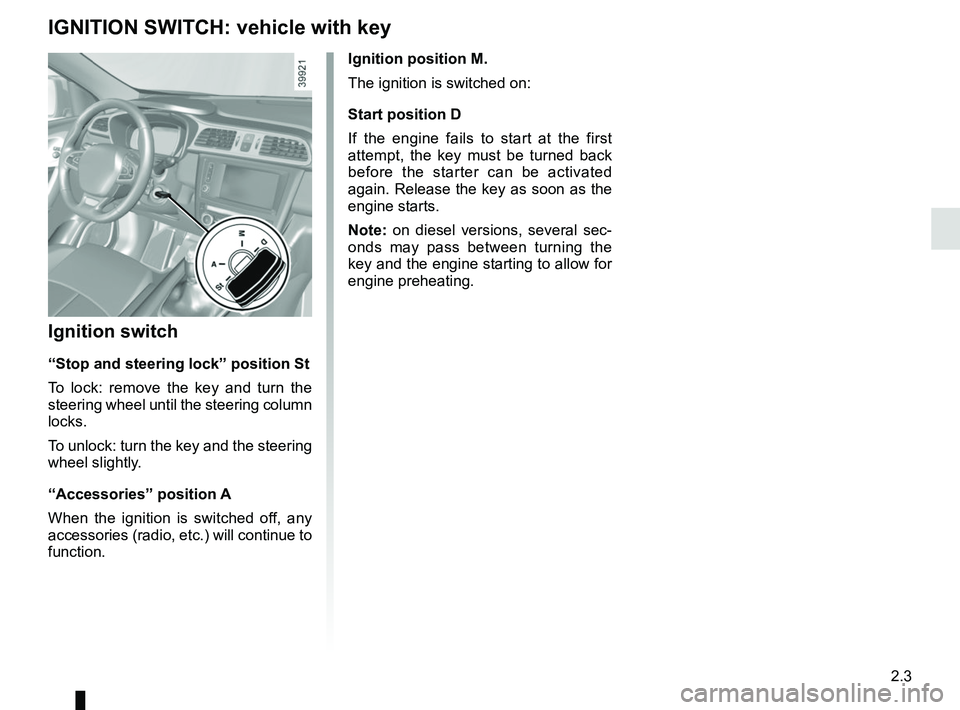
Ignition position M.
The ignition is switched on:
Start position D
If the engine fails to start at the first
attempt, the key must be turned back
before the starter can be activated
again. Release the key as soon as the
engine starts.
Note: on diesel versions, several sec-
onds may pass between turning the
key and the engine starting to allow for
engine preheating.
Ignition switch
“Stop and steering lock” position St
To lock: remove the key and turn the
steering wheel until the steering column
locks.
To unlock: turn the key and the steering
wheel slightly.
“Accessories” position A
When the ignition is switched off, any
accessories (radio, etc.) will continue to
function.
IGNITION SWITCH: vehicle with key
Page 112 of 310
2.4
STARTING, STOPPING THE ENGINE: vehicle with key
Starting the engine
Petrol versions– Activate the starter without ac-
celerating;
– release the key as soon as the
engine starts.
ÉDiesel versions
– Turn the ignition key to the
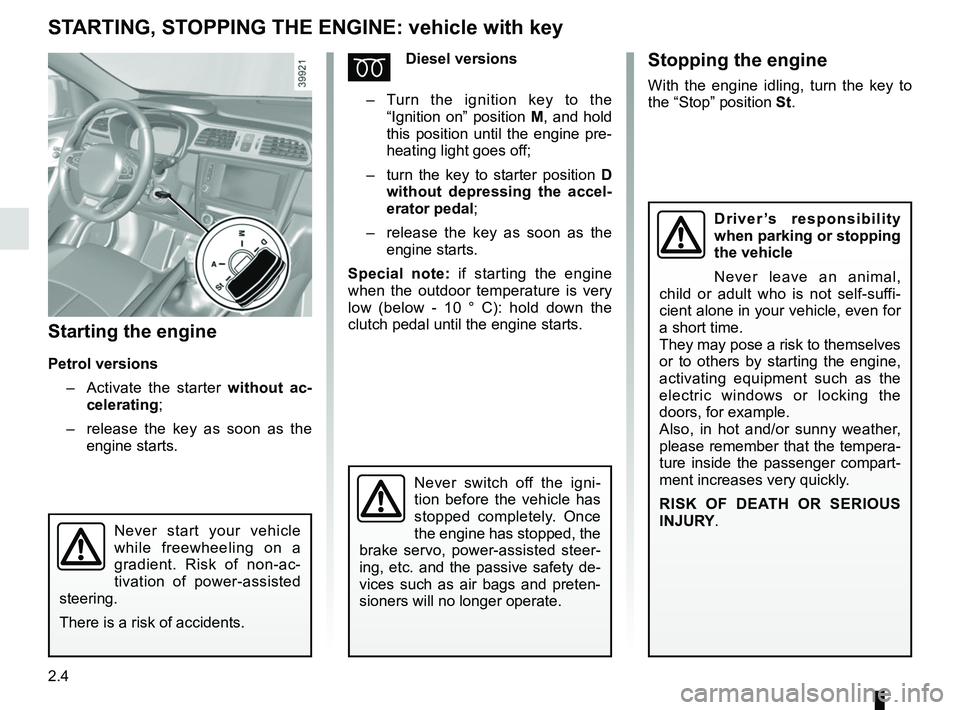
“Ignition on” position M, and hold
this position until the engine pre-
heating light goes off;
– turn the key to starter position D
without depressing the accel-
erator pedal;
– release the key as soon as the
engine starts.
Special note: if starting the engine
when the outdoor temperature is very
low (below - 10 ° C): hold down the
clutch pedal until the engine starts.
Never start your vehicle
while freewheeling on a
gradient. Risk of non-ac-
tivation of power-assisted
steering.
There is a risk of accidents.
Never switch off the igni-
tion before the vehicle has
stopped completely. Once
the engine has stopped, the
brake servo, power-assisted steer-
ing, etc. and the passive safety de-
vices such as air bags and preten-
sioners will no longer operate.
Driver’s responsibility
when parking or stopping
the vehicle
Never leave an animal,
child or adult who is not self-suffi-
cient alone in your vehicle, even for
a short time.
They may pose a risk to themselves
or to others by starting the engine,
activating equipment such as the
electric windows or locking the
doors, for example.
Also, in hot and/or sunny weather,
please remember that the tempera-
ture inside the passenger compart-
ment increases very quickly.
RISK OF DEATH OR SERIOUS
INJURY.
Stopping the engine
With the engine idling, turn the key to
the “Stop” position St.
Page 113 of 310
2.5
STARTING, STOPPING THE ENGINE: vehicle with RENAULT CARD (1/3)
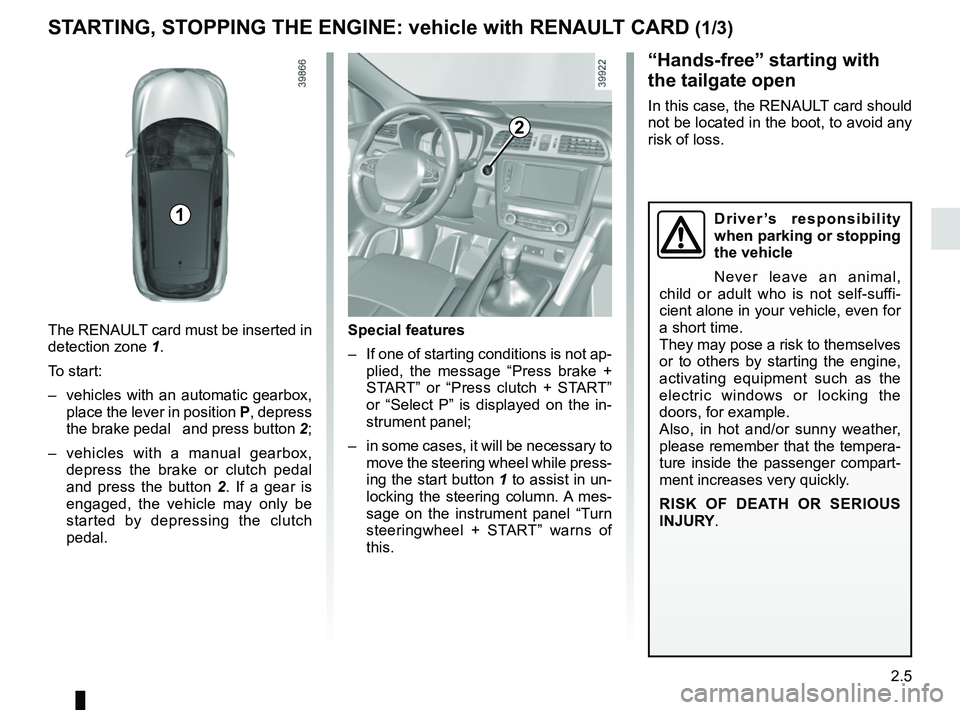
The RENAULT card must be inserted in
detection zone 1.
To start:
– vehicles with an automatic gearbox, place the lever in position P, depress
the brake pedal and press button 2;
– vehicles with a manual gearbox, depress the brake or clutch pedal
and press the button 2 . If a gear is
engaged, the vehicle may only be
started by depressing the clutch
pedal.
“Hands-free” starting with
the tailgate open
In this case, the RENAULT card should
not be located in the boot, to avoid any
risk of loss.
2
1
Special features
– If one of starting conditions is not ap- plied, the message “Press brake +
START” or “Press clutch + START”
or “Select P” is displayed on the in-
strument panel;
– in some cases, it will be necessary to move the steering wheel while press-
ing the start button 1 to assist in un-
locking the steering column. A mes-
sage on the instrument panel “Turn
steeringwheel + START” warns of
this.
Driver’s responsibility
when parking or stopping
the vehicle
Never leave an animal,
child or adult who is not self-suffi-
cient alone in your vehicle, even for
a short time.
They may pose a risk to themselves
or to others by starting the engine,
activating equipment such as the
electric windows or locking the
doors, for example.
Also, in hot and/or sunny weather,
please remember that the tempera-
ture inside the passenger compart-
ment increases very quickly.
RISK OF DEATH OR SERIOUS
INJURY.
Page 140 of 310
2.32
Electronic stability control
ESC with understeer control
and traction control
Electronic stability control ESC
This system helps you to keep control
of the vehicle in critical driving condi-
tions (avoiding an obstacle, loss of grip
on a bend, etc.).
Operating principle
A sensor in the steering wheel detects
the direction selected by the driver.
Other sensors throughout the vehicle
measure the actual direction.
The system compares driver input to
the actual trajectory of the vehicle and
corrects the trajectory if necessary by
controlling the braking of certain wheels
and/or engine power. In the event that
the system is engaged, indicator light
\b flashes on the instrument panel.Understeer control
This system optimises the action of the
ESC in the case of pronounced under-
steer (loss of front axle road holding).
Traction control
This system helps to limit wheelspin of
the drive wheels and to control the ve-
hicle when pulling away accelerating or
decelerating.
Operating principle
Using the wheel sensors, the system
measures and compares the speed of
the drive wheels at all times and slows
down their over-rotation. If a wheel is
starting to slip, the system brakes au-
tomatically until the drive supplied be-
comes compatible with the level of grip
under the wheel again.
The system also adjusts the engine
speed to the grip available under the
wheels, independently of the pressure
exerted on the accelerator pedal.
DRIVING CORRECTION DEVICES AND AIDS (3/10)
Operating faults
When the system detects an operat-
ing fault the message “Check ESC” and
warning light
© and \b appear
on the instrument panel.
In this case, the ESC and traction con-
trol system are deactivated. Consult an
authorised dealer.
Page 174 of 310
2.66
REVERSING CAMERA (1/2)
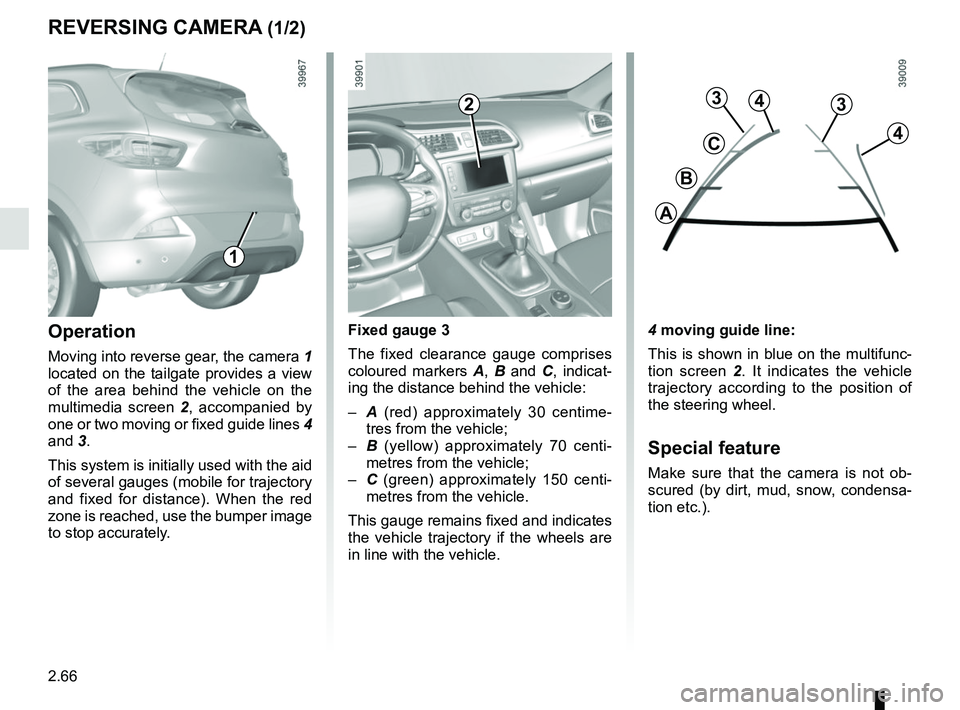
4 moving guide line:
This is shown in blue on the multifunc-
tion screen 2. It indicates the vehicle
trajectory according to the position of
the steering wheel.
Special feature
Make sure that the camera is not ob-
scured (by dirt, mud, snow, condensa-
tion etc.).
Operation
Moving into reverse gear, the camera 1
located on the tailgate provides a view
of the area behind the vehicle on the
multimedia screen 2, accompanied by
one or two moving or fixed guide lines 4
and 3.
This system is initially used with the aid
of several gauges (mobile for trajectory
and fixed for distance). When the red
zone is reached, use the bumper image
to stop accurately. Fixed gauge 3
The fixed clearance gauge comprises
coloured markers
A, B and C , indicat-
ing the distance behind the vehicle:
– A (red) approximately 30 centime-
tres from the vehicle;
– B (yellow) approximately 70 centi-
metres from the vehicle;
– C (green) approximately 150 centi-
metres from the vehicle.
This gauge remains fixed and indicates
the vehicle trajectory if the wheels are
in line with the vehicle.
1
4
C
B
A
323
4
Page 176 of 310
2.68
ASSISTED PARKING (1/4)
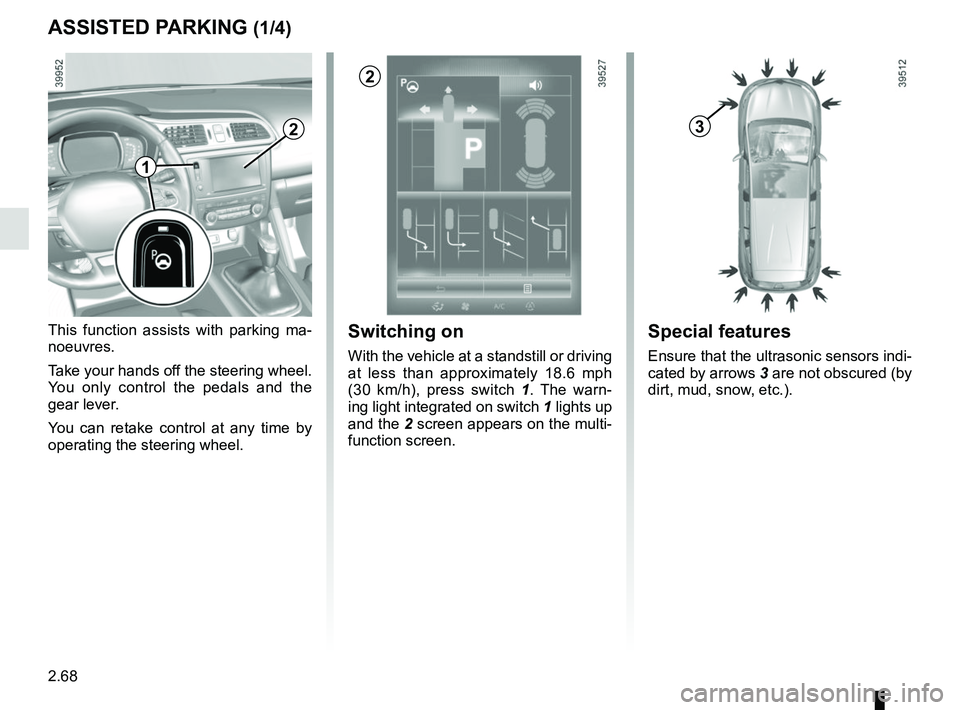
This function assists with parking ma-
noeuvres.
Take your hands off the steering wheel.
You only control the pedals and the
gear lever.
You can retake control at any time by
operating the steering wheel.Switching on
With the vehicle at a standstill or driving
at less than approximately 18.6 mph
(30 km/h), press switch 1. The warn-
ing light integrated on switch 1 lights up
and the 2 screen appears on the multi-
function screen.
2
Special features
Ensure that the ultrasonic sensors indi-
cated by arrows 3 are not obscured (by
dirt, mud, snow, etc.).
32
1
Page 177 of 310
2.69
Choice of manoeuvre
The system can perform four types of
manoeuvres:
– parallel parking;
– perpendicular parking;
– angle parking;
– moving out of a parallel parking space.
From the multifunction screen, select
the manoeuvre to be performed.
Note: When starting the vehicle, or
after successfully completed parallel
parking using the system, the default
manoeuvre proposed by the system is
assistance in exiting a parallel parking
space. In other cases, the default ma-
noeuvre can be set from the multifunc-
tion screen.
ASSISTED PARKING (2/4)
Operation
Parking
As long as the vehicle speed is less
than 20 mph (30 km/h), the system
looks for available parking spaces on
both sides of the vehicle.
Once a space has been found, it is dis-
played on the multifunction screen, indi-
cated by a small letter “P”. Drive slowly,
with the indicators activated on the side
of the space, until the message “Stop”
is displayed, alongside a beep.
The space is then indicated on the mul-
tifunction screen by a capital “P”.
– Stop the vehicle;
– select reverse gear.
Warning light
lights up on the in-
strument panel, along with a beep.
– release the steering wheel;
– follow the system instructions pro- vided on the multifunction screen. Your speed should not exceed around 4
mph (7 km/h).
Once the warning light
on the
instrument panel goes off and a beep
sounds, the manoeuvre has been com-
pleted.
Page 178 of 310
2.70
ASSISTED PARKING (3/4)
Your speed should not exceed around
4 mph (7 km/h).
Once in position to exit the space, the
system will notify you of the end of the
manoeuvre.
Once the warning light
on the
instrument panel goes off and a beep
sounds, the manoeuvre has been com-
pleted.
Suspending the manoeuvreThe manoeuvre is suspended in the fol-
lowing circumstances:
– you take control of the wheel;
– a door or the boot is opened;
– the vehicle is at a standstill for too long;
– an obstacle in the direction of move- ment prevents the manoeuvre from
being completed;
– the engine will stop.
Once the warning light
on the
instrument panel goes off and a beep
sounds, the manoeuvre has been sus-
pended. Then to resume the manoeu-
vre, press and hold the system activa-
tion switch. In this case, the reason for suspending
the manoeuvre will be displayed on the
multifunction screen.
Make sure:
– you have released the steering wheel
and;
– that all doors and the boot are closed, and;
– that no obstacles are in the way of the direction of movement, and;
– that the engine is started.
Cancelling the manoeuvre
The manoeuvre can be stopped in the
following cases:
– by pressing the system activation switch;
– the vehicle speed has exceeded 4 mph (7 km/h);
– You have performed more than ten forwards/backwards movements in
one manoeuvre;
– the parking distance control sensors are dirty or blocked;
– the vehicle wheels have skidded.
Once the warning light
on the
instrument panel goes off and a beep
sounds, the manoeuvre has been
ended.
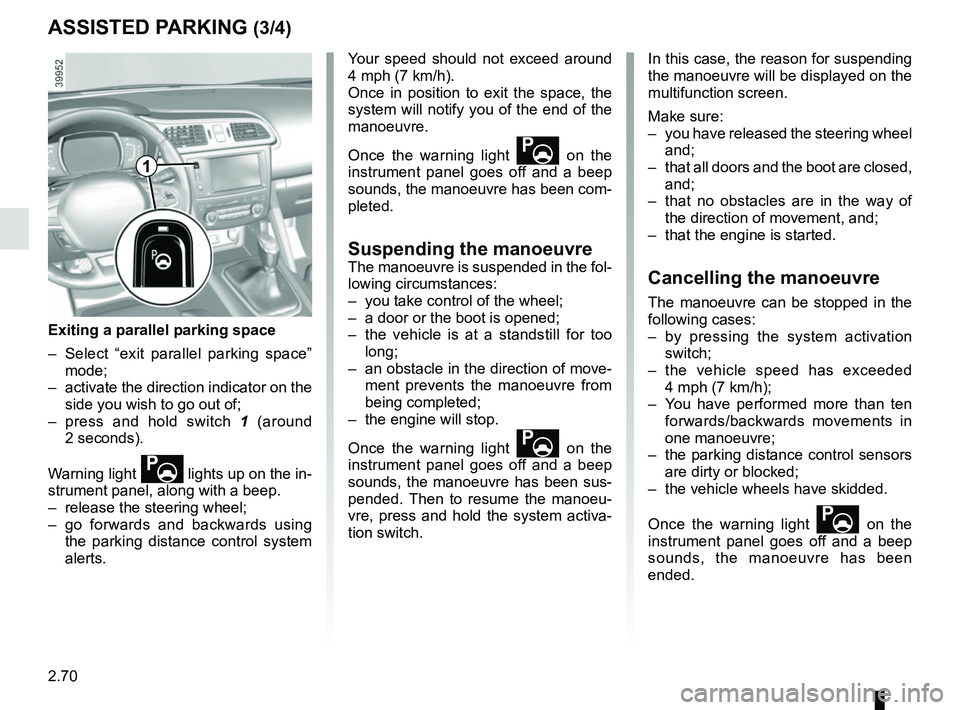
Exiting a parallel parking space
– Select “exit parallel parking space” mode;
– activate the direction indicator on the side you wish to go out of;
– press and hold switch 1 (around
2 seconds).
Warning light
lights up on the in-
strument panel, along with a beep.
– release the steering wheel;
– go forwards and backwards using the parking distance control system
alerts.
1