ignition RENAULT KANGOO VAN ZERO EMISSION 2017 X61 / 2.G Owner's Manual
[x] Cancel search | Manufacturer: RENAULT, Model Year: 2017, Model line: KANGOO VAN ZERO EMISSION, Model: RENAULT KANGOO VAN ZERO EMISSION 2017 X61 / 2.GPages: 232, PDF Size: 5.12 MB
Page 95 of 232
1.89
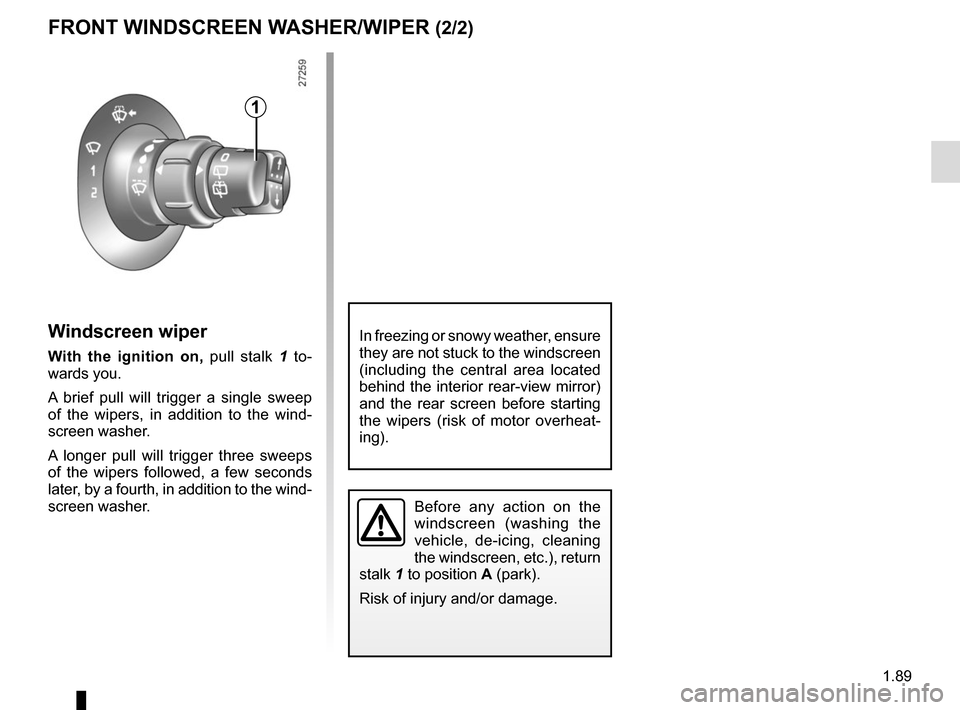
Windscreen wiper
With the ignition on, pull stalk 1 to-
wards you.
A brief pull will trigger a single sweep
of the wipers, in addition to the wind-
screen washer.
A longer pull will trigger three sweeps
of the wipers followed, a few seconds
later, by a fourth, in addition to the wind-
screen washer.
FRONT WINDSCREEN WASHER/WIPER (2/2)
1
Before any action on the
windscreen (washing the
vehicle, de-icing, cleaning
the windscreen, etc.), return
stalk 1 to position A (park).
Risk of injury and/or damage.
In freezing or snowy weather, ensure
they are not stuck to the windscreen
(including the central area located
behind the interior rear-view mirror)
and the rear screen before starting
the wipers (risk of motor overheat-
ing).
Page 97 of 232
1.91
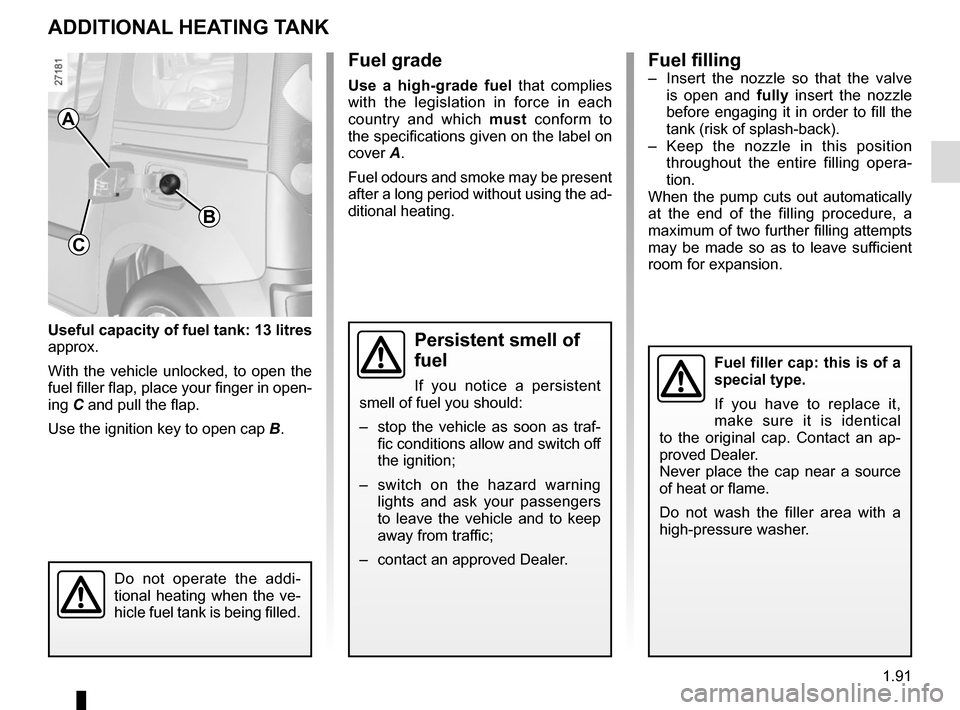
Useful capacity of fuel tank: 13 litres
approx.
With the vehicle unlocked, to open the
fuel filler flap, place your finger in open-
ing C and pull the flap.
Use the ignition key to open cap B.
ADDITIONAL HEATING TANK
Fuel grade
Use a high-grade fuel that complies
with the legislation in force in each
country and which must conform to
the specifications given on the label on
cover A.
Fuel odours and smoke may be present
after a long period without using the ad-
ditional heating.
A
C
B
Fuel filler cap: this is of a
special type.
If you have to replace it,
make sure it is identical
to the original cap. Contact an ap-
proved Dealer.
Never place the cap near a source
of heat or flame.
Do not wash the filler area with a
high-pressure washer.
Fuel filling– Insert the nozzle so that the valve is open and fully insert the nozzle
before engaging it in order to fill the
tank (risk of splash-back).
– Keep the nozzle in this position throughout the entire filling opera-
tion.
When the pump cuts out automatically
at the end of the filling procedure, a
maximum of two further filling attempts
may be made so as to leave sufficient
room for expansion.
Persistent smell of
fuel
If you notice a persistent
smell of fuel you should:
– stop the vehicle as soon as traf- fic conditions allow and switch off
the ignition;
– switch on the hazard warning lights and ask your passengers
to leave the vehicle and to keep
away from traffic;
– contact an approved Dealer.
Do not operate the addi-
tional heating when the ve-
hicle fuel tank is being filled.
Page 100 of 232
2.2
STARTING, STOPPING THE ENGINE (1/2)
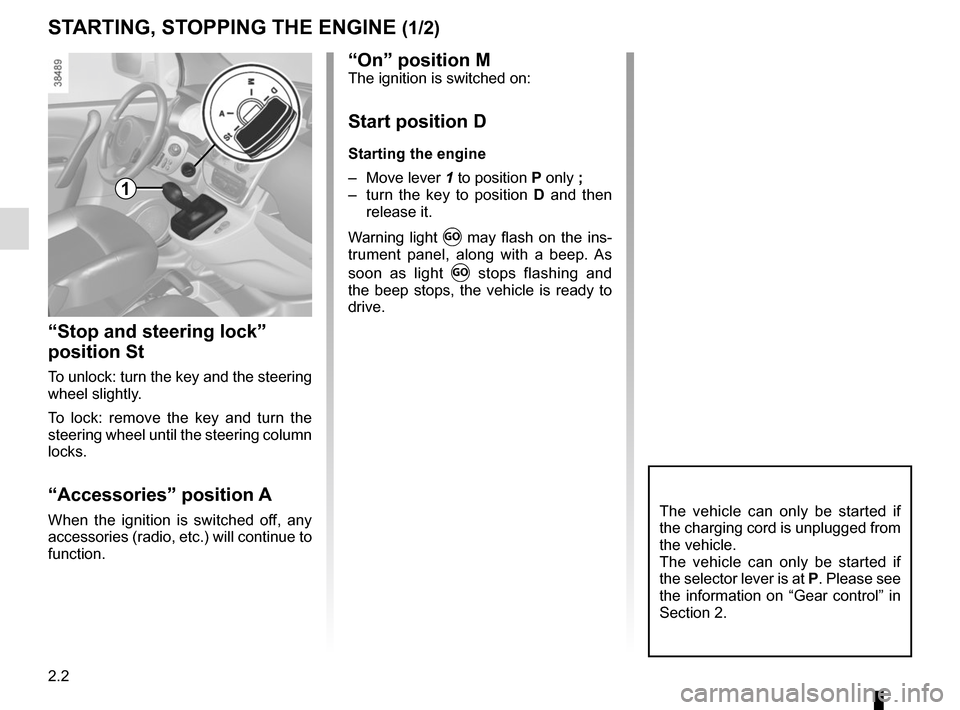
“Stop and steering lock”
position St
To unlock: turn the key and the steering
wheel slightly.
To lock: remove the key and turn the
steering wheel until the steering column
locks.
“Accessories” position A
When the ignition is switched off, any
accessories (radio, etc.) will continue to
function.The vehicle can only be started if
the charging cord is unplugged from
the vehicle.
The vehicle can only be started if
the selector lever is at P. Please see
the information on “Gear control” in
Section 2.
1
“On” position MThe ignition is switched on:
Start position D
Starting the engine
– Move lever 1 to position P only ;
– turn the key to position D and then
release it.
Warning light
Ṑ may flash on the ins-
trument panel, along with a beep. As
soon as light
Ṑ stops flashing and
the beep stops, the vehicle is ready to
drive.
Page 102 of 232
2.4
GEAR CONTROL (1/2)
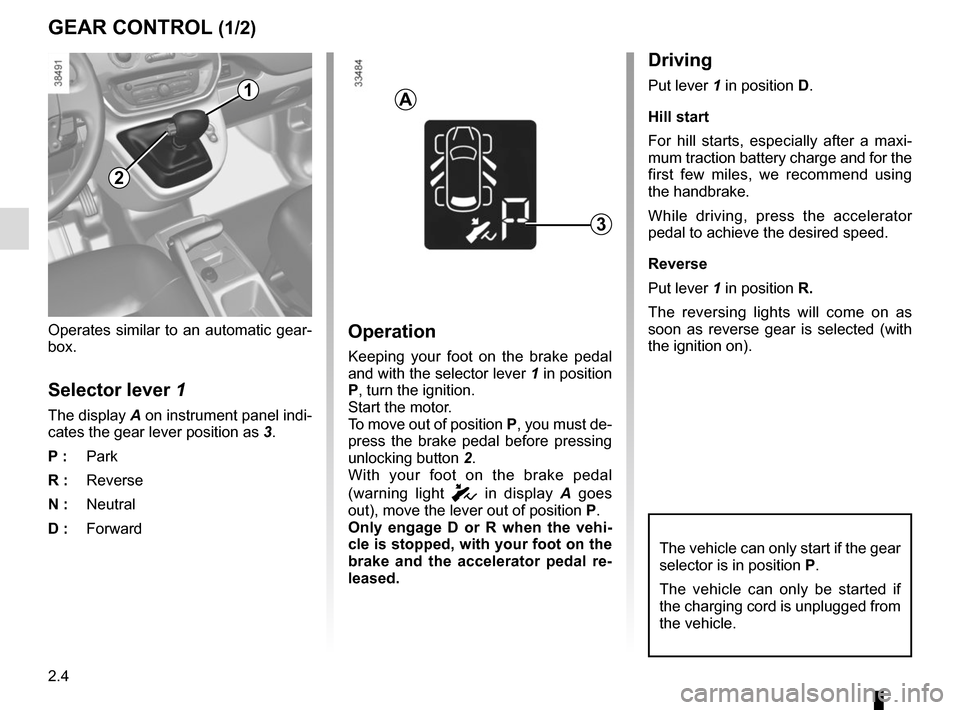
Operates similar to an automatic gear-
box.
Selector lever 1
The display A on instrument panel indi-
cates the gear lever position as 3.
P : Park
R : Reverse
N : Neutral
D : Forward
Operation
Keeping your foot on the brake pedal
and with the selector lever 1 in position
P, turn the ignition.
Start the motor.
To move out of position P, you must de-
press the brake pedal before pressing
unlocking button 2.
With your foot on the brake pedal
(warning light
c in display A goes
out), move the lever out of position P.
Only engage D or R when the vehi-
cle is stopped, with your foot on the
brake and the accelerator pedal re-
leased.
1
Driving
Put lever 1 in position D.
Hill start
For hill starts, especially after a maxi-
mum traction battery charge and for the
first few miles, we recommend using
the handbrake.
While driving, press the accelerator
pedal to achieve the desired speed.
Reverse
Put lever 1 in position R.
The reversing lights will come on as
soon as reverse gear is selected (with
the ignition on).
3
2
A
The vehicle can only start if the gear
selector is in position P.
The vehicle can only be started if
the charging cord is unplugged from
the vehicle.
Page 110 of 232
2.12
TYRE PRESSURE LOSS WARNING (2/4)
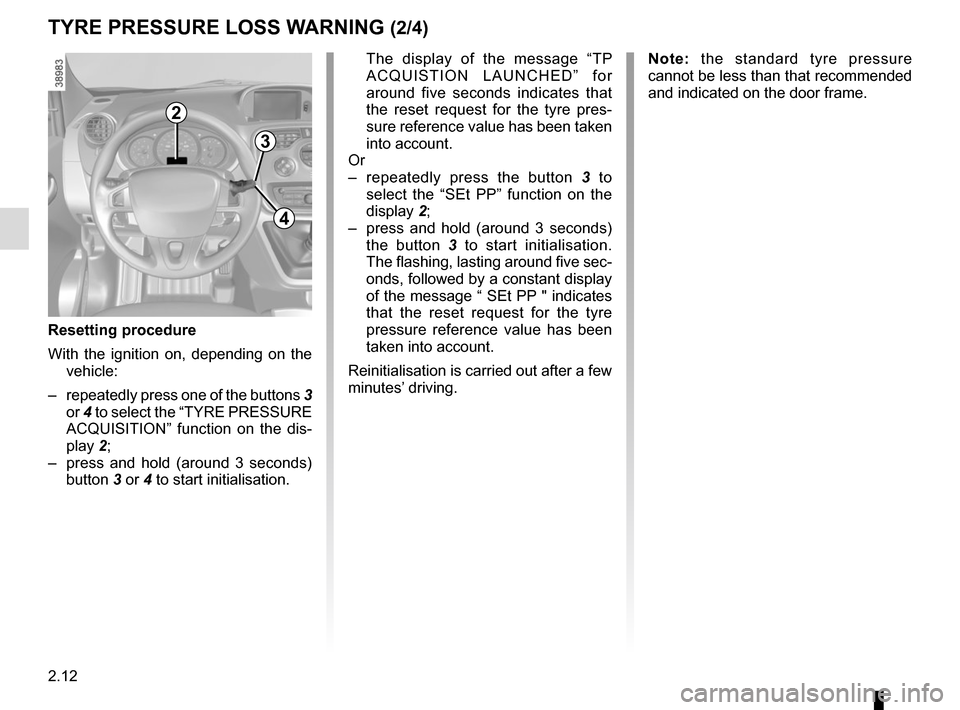
2
3
4
The display of the message “TP ACQUISTION LAUNCHED” for
around five seconds indicates that
the reset request for the tyre pres-
sure reference value has been taken
into account.
Or
– repeatedly press the button 3 to
select the “SEt PP” function on the
display 2;
– press and hold (around 3 seconds) the button 3 to start initialisation.
The flashing, lasting around five sec-
onds, followed by a constant display
of the message “ SEt PP " indicates
that the reset request for the tyre
pressure reference value has been
taken into account.
Reinitialisation is carried out after a few
minutes’ driving.
Resetting procedure
With the ignition on, depending on the vehicle:
– repeatedly press one of the buttons 3
or 4 to select the “TYRE PRESSURE
ACQUISITION” function on the dis-
play 2;
– press and hold (around 3 seconds) button 3 or 4 to start initialisation.
Note: the standard tyre pressure
cannot be less than that recommended
and indicated on the door frame.
Page 124 of 232
2.26
Temporary deactivation of
the system
(depending on vehicle)
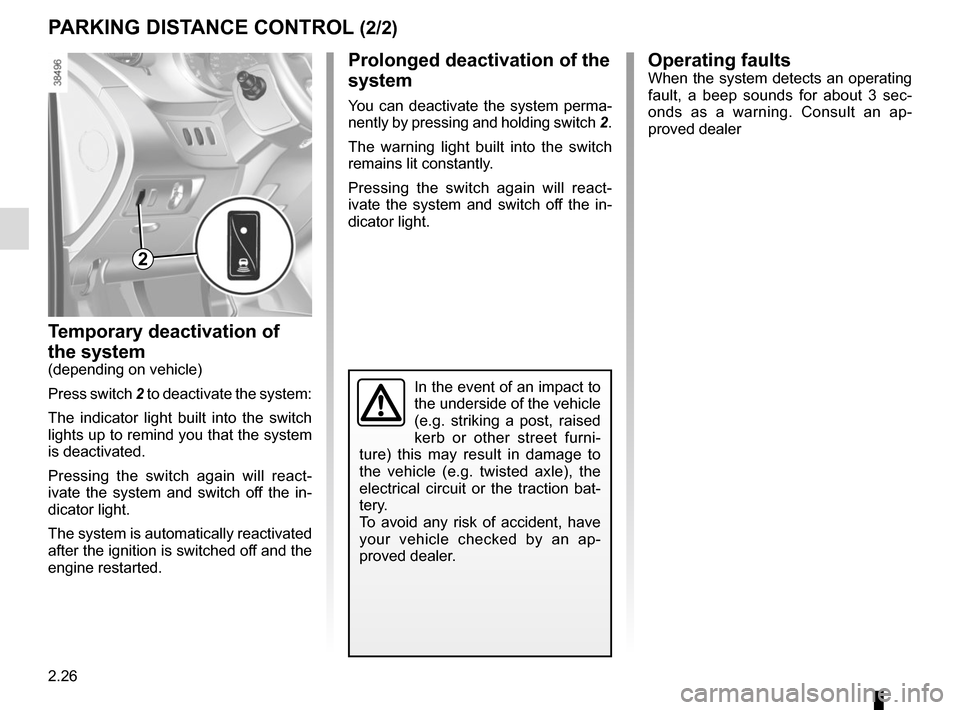
Press switch 2 to deactivate the system:
The indicator light built into the switch
lights up to remind you that the system
is deactivated.
Pressing the switch again will react-
ivate the system and switch off the in-
dicator light.
The system is automatically reactivated
after the ignition is switched off and the
engine restarted.
PARKING DISTANCE CONTROL (2/2)
Operating faultsWhen the system detects an operating
fault, a beep sounds for about 3 sec-
onds as a warning. Consult an ap-
proved dealer
In the event of an impact to
the underside of the vehicle
(e.g. striking a post, raised
kerb or other street furni-
ture) this may result in damage to
the vehicle (e.g. twisted axle), the
electrical circuit or the traction bat-
tery.
To avoid any risk of accident, have
your vehicle checked by an ap-
proved dealer.
2
Prolonged deactivation of the
system
You can deactivate the system perma-
nently by pressing and holding switch 2.
The warning light built into the switch
remains lit constantly.
Pressing the switch again will react-
ivate the system and switch off the in-
dicator light.
Page 133 of 232
3.7
AIR CONDITIONING/HEATING: programming (1/2)
Adjusting the programming
This function enables the electric net-
work (and the not the traction battery)
to be used under certain conditions, in
order to obtain a comfortable tempera-
ture prior to using the vehicle.
It triggers the heating in cold weather
and the air conditioning in warm
weather.
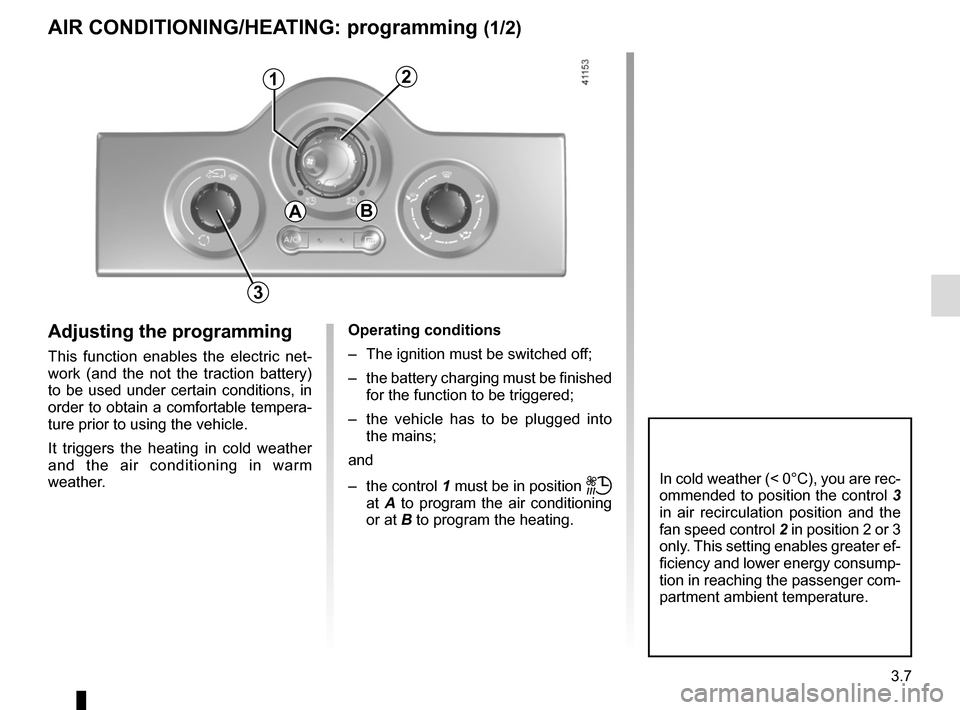
1
Operating conditions
– The ignition must be switched off;
– the battery charging must be finished for the function to be triggered;
– the vehicle has to be plugged into the mains;
and
– the control 1 must be in position
ṗ
at A to program the air conditioning
or at B to program the heating.
3
In cold weather (< 0°C), you are rec-
ommended to position the control 3
in air recirculation position and the
fan speed control 2 in position 2 or 3
only. This setting enables greater ef-
ficiency and lower energy consump-
tion in reaching the passenger com-
partment ambient temperature.
2
AB
Page 134 of 232
3.8
AIR CONDITIONING/HEATING: programming (2/2)
Activating the function
– With the ignition on, position the con-trol 1 in one of the
ṗ positions;
– turn off the ignition. The “COMFORT” message and the programmed time
are displayed on the instrument
panel for a few seconds;
– charge your vehicle;
The function triggers on the hour pre-
ceding the hour programmed in order to
reach a comfortable temperature.
Automatically switching off the
function
– About 30 minutes after the pro- grammed time;
– if the charging socket is discon- nected;
– if control 1 is not in one of the
ṗ
positions.
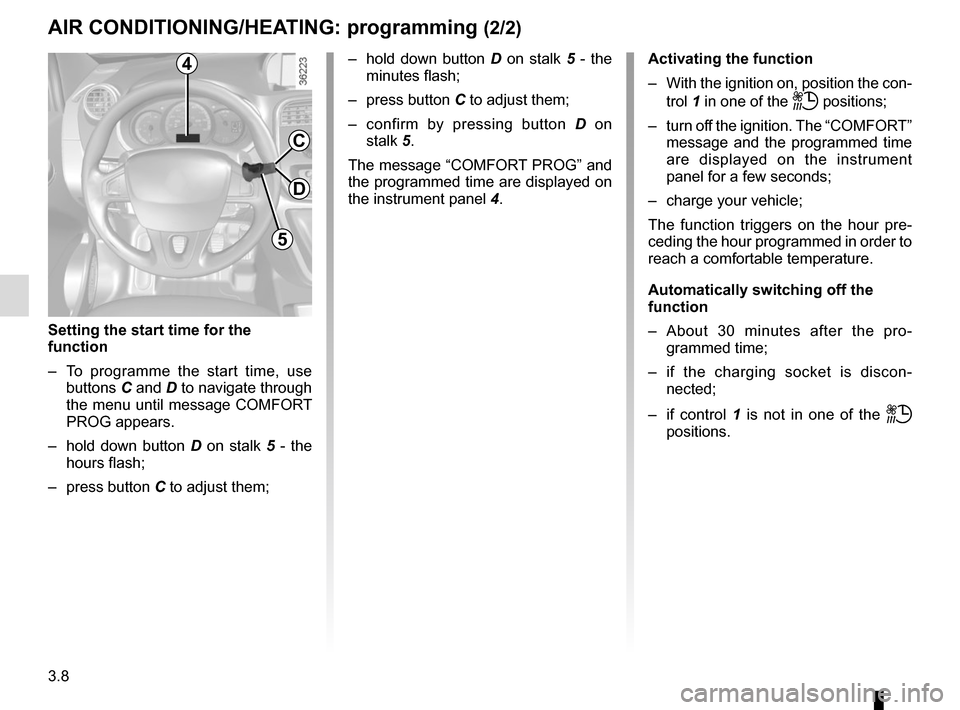
4
5
C
D
Setting the start time for the
function
– To programme the start time, use buttons C and D to navigate through
the menu until message COMFORT
PROG appears.
– hold down button D on stalk 5 - the
hours flash;
– press button C to adjust them; – hold down button
D on stalk 5 - the
minutes flash;
– press button C to adjust them;
– confirm by pressing button D on
stalk 5.
The message “COMFORT PROG” and
the programmed time are displayed on
the instrument panel 4.
Page 136 of 232
3.10
ADDITIONAL HEATING (2/2)
Operating fault
If the additional heating does not switch
on:
– start the vehicle;
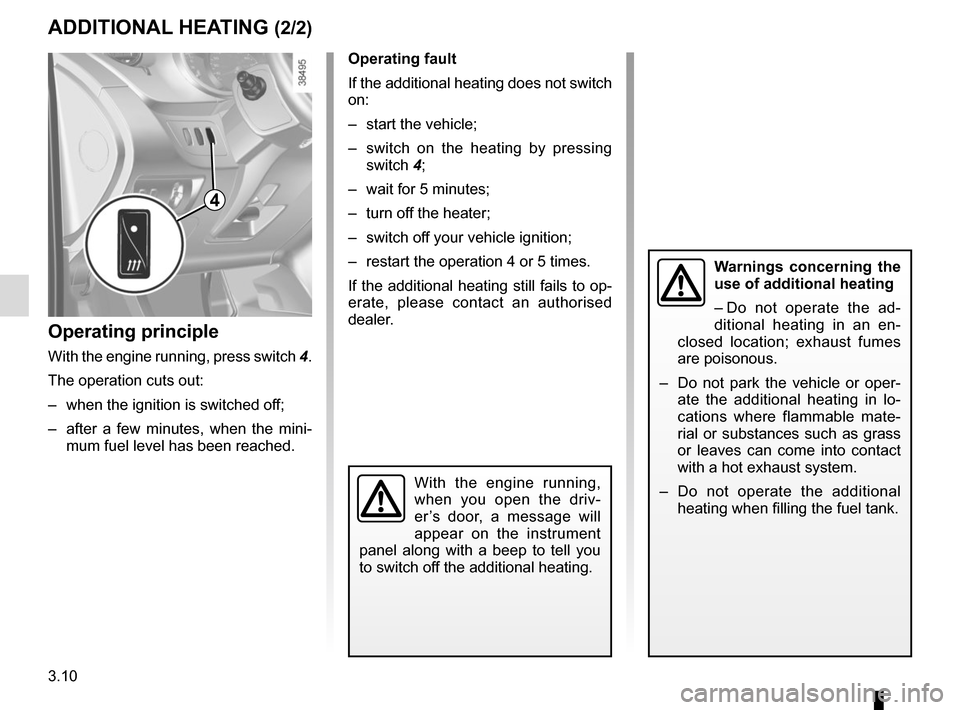
– switch on the heating by pressing switch 4;
– wait for 5 minutes;
– turn off the heater;
– switch off your vehicle ignition;
– restart the operation 4 or 5 times.
If the additional heating still fails to op-
erate, please contact an authorised
dealer.
Operating principle
With the engine running, press switch 4.
The operation cuts out:
– when the ignition is switched off;
– after a few minutes, when the mini- mum fuel level has been reached.
With the engine running,
when you open the driv-
er’s door, a message will
appear on the instrument
panel along with a beep to tell you
to switch off the additional heating.
Warnings concerning the
use of additional heating
– Do not operate the ad-
ditional heating in an en-
closed location; exhaust fumes
are poisonous.
– Do not park the vehicle or oper- ate the additional heating in lo-
cations where flammable mate-
rial or substances such as grass
or leaves can come into contact
with a hot exhaust system.
– Do not operate the additional heating when filling the fuel tank.
4
Page 140 of 232
3.14
Special features
Depending on the vehicle, remote un-
locking of the doors triggers timed light-
ing of the passenger compartment. If
one of the front or rear doors is opened,
the period for which the light is switched
on will start again.
Then the courtesy light and the luggage
compartment light dim and go out.
The lighting timer will cut out for vari-
ous reasons:
– if a door has been open for 15 min-utes;
– if all the doors have been closed for 15 seconds or 5 minutes, depending
on the vehicle;
– when the ignition is switched on.
INTERIOR LIGHTING (2/2)
C
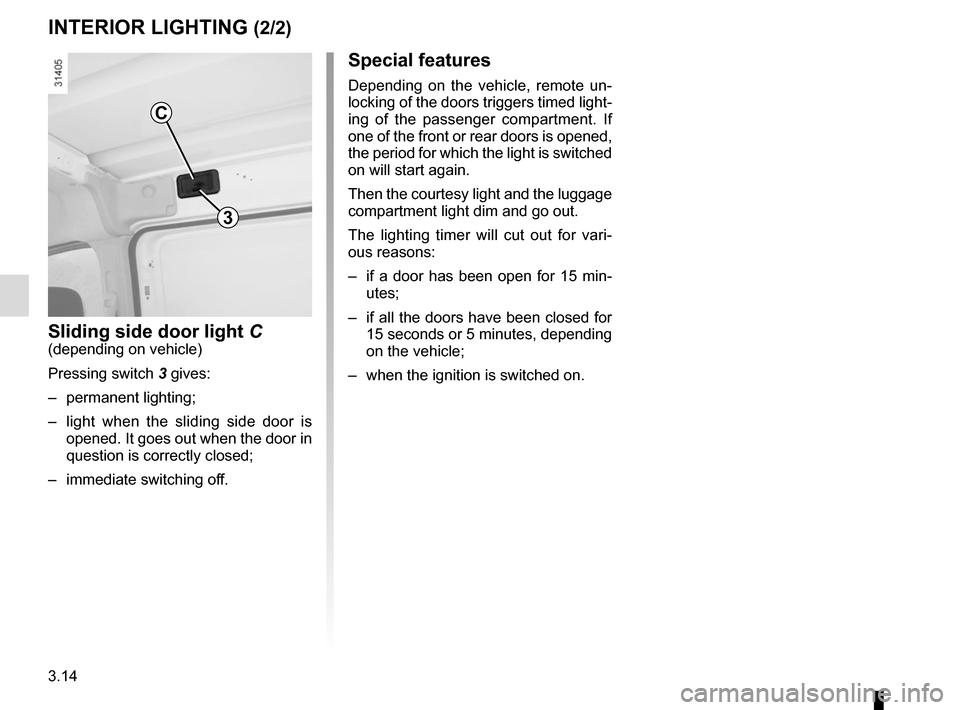
Sliding side door light C(depending on vehicle)
Pressing switch 3 gives:
– permanent lighting;
– light when the sliding side door is opened. It goes out when the door in
question is correctly closed;
– immediate switching off.
3