lock RENAULT KANGOO VAN ZERO EMISSION 2017 X61 / 2.G Owner's Guide
[x] Cancel search | Manufacturer: RENAULT, Model Year: 2017, Model line: KANGOO VAN ZERO EMISSION, Model: RENAULT KANGOO VAN ZERO EMISSION 2017 X61 / 2.GPages: 232, PDF Size: 5.12 MB
Page 54 of 232
1.48
CHILD SAFETY: choosing a child/baby seat mounting (1/2)
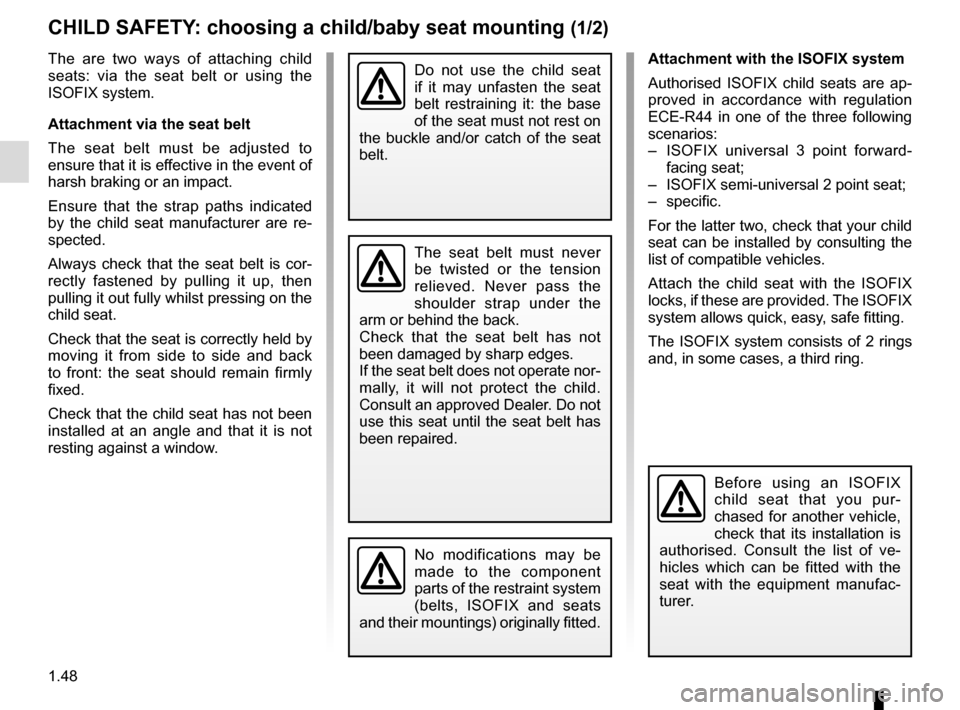
The are two ways of attaching child
seats: via the seat belt or using the
ISOFIX system.
Attachment via the seat belt
The seat belt must be adjusted to
ensure that it is effective in the event of
harsh braking or an impact.
Ensure that the strap paths indicated
by the child seat manufacturer are re-
spected.
Always check that the seat belt is cor-
rectly fastened by pulling it up, then
pulling it out fully whilst pressing on the
child seat.
Check that the seat is correctly held by
moving it from side to side and back
to front: the seat should remain firmly
fixed.
Check that the child seat has not been
installed at an angle and that it is not
resting against a window.Attachment with the ISOFIX system
Authorised ISOFIX child seats are ap-
proved in accordance with regulation
ECE-R44 in one of the three following
scenarios:
– ISOFIX universal 3 point forward-
facing seat;
– ISOFIX semi-universal 2 point seat;
– specific.
For the latter two, check that your child
seat can be installed by consulting the
list of compatible vehicles.
Attach the child seat with the ISOFIX
locks, if these are provided. The ISOFIX
system allows quick, easy, safe fitting.
The ISOFIX system consists of 2 rings
and, in some cases, a third ring.
Before using an ISOFIX
child seat that you pur-
chased for another vehicle,
check that its installation is
authorised. Consult the list of ve-
hicles which can be fitted with the
seat with the equipment manufac-
turer.
No modifications may be
made to the component
parts of the restraint system
(belts, ISOFIX and seats
and their mountings) originally fitted.
The seat belt must never
be twisted or the tension
relieved. Never pass the
shoulder strap under the
arm or behind the back.
Check that the seat belt has not
been damaged by sharp edges.
If the seat belt does not operate nor-
mally, it will not protect the child.
Consult an approved Dealer. Do not
use this seat until the seat belt has
been repaired.
Do not use the child seat
if it may unfasten the seat
belt restraining it: the base
of the seat must not rest on
the buckle and/or catch of the seat
belt.
Page 55 of 232
1.49
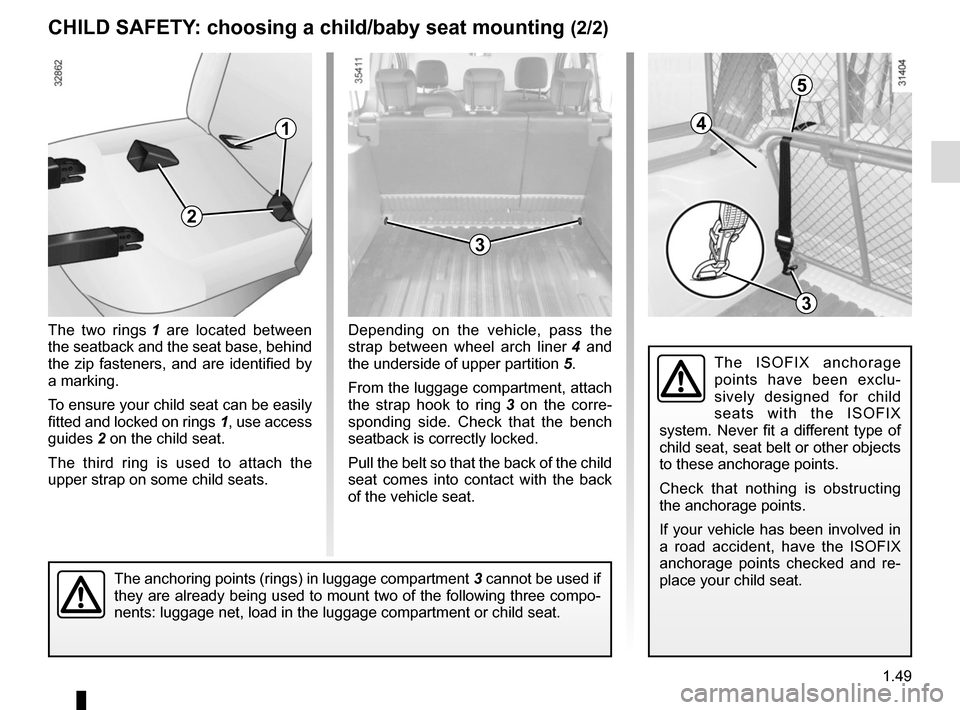
The two rings 1 are located between
the seatback and the seat base, behind
the zip fasteners, and are identified by
a marking.
To ensure your child seat can be easily
fitted and locked on rings 1, use access
guides 2 on the child seat.
The third ring is used to attach the
upper strap on some child seats.
3
CHILD SAFETY: choosing a child/baby seat mounting (2/2)
Depending on the vehicle, pass the
strap between wheel arch liner 4 and
the underside of upper partition 5.
From the luggage compartment, attach
the strap hook to ring 3 on the corre-
sponding side. Check that the bench
seatback is correctly locked.
Pull the belt so that the back of the child
seat comes into contact with the back
of the vehicle seat.
The ISOFIX anchorage
points have been exclu-
sively designed for child
seats with the ISOFIX
system. Never fit a different type of
child seat, seat belt or other objects
to these anchorage points.
Check that nothing is obstructing
the anchorage points.
If your vehicle has been involved in
a road accident, have the ISOFIX
anchorage points checked and re-
place your child seat.
The anchoring points (rings) in luggage compartment 3 cannot be used if
they are already being used to mount two of the following three compo-
nents: luggage net, load in the luggage compartment or child seat.
4
5
3
1
2
Page 62 of 232
1.56
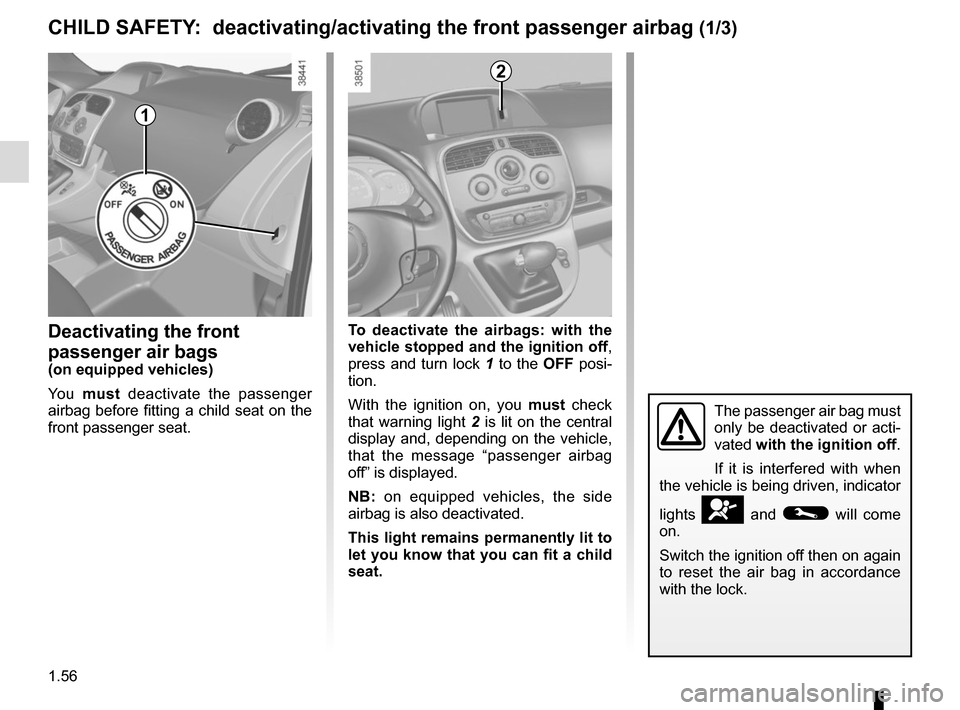
Deactivating the front
passenger air bags
(on equipped vehicles)
Yo u must deactivate the passenger
airbag before fitting a child seat on the
front passenger seat. To deactivate the airbags: with the
vehicle stopped and the ignition off
,
press and turn lock 1 to the OFF posi-
tion.
With the ignition on, you must check
that warning light 2 is lit on the central
display and, depending on the vehicle,
that the message “passenger airbag
off” is displayed.
NB: on equipped vehicles, the side
airbag is also deactivated.
This light remains permanently lit to
let you know that you can fit a child
seat.
CHILD SAFETY: deactivating/activating the front passenger airbag (1/3)
The passenger air bag must
only be deactivated or acti-
vated with the ignition off.
If it is interfered with when
the vehicle is being driven, indicator
lights
å and © will come
on.
Switch the ignition off then on again
to reset the air bag in accordance
with the lock.
2
1
Page 64 of 232
1.58
The passenger air bag must
only be deactivated or acti-
vated with the ignition off.
If it is interfered with when
the vehicle is being driven, indicator
lights
å and © will come
on.
Switch the ignition off then on again
to reset the air bag in accordance
with the lock.
Operating faults
In the event that the front passenger air
bag activation/deactivation system is
faulty, child seats must not be fitted to
the front seat.
Allowing any other passenger to sit in
that seat is not recommended.
Contact your approved Dealer as soon
as possible.
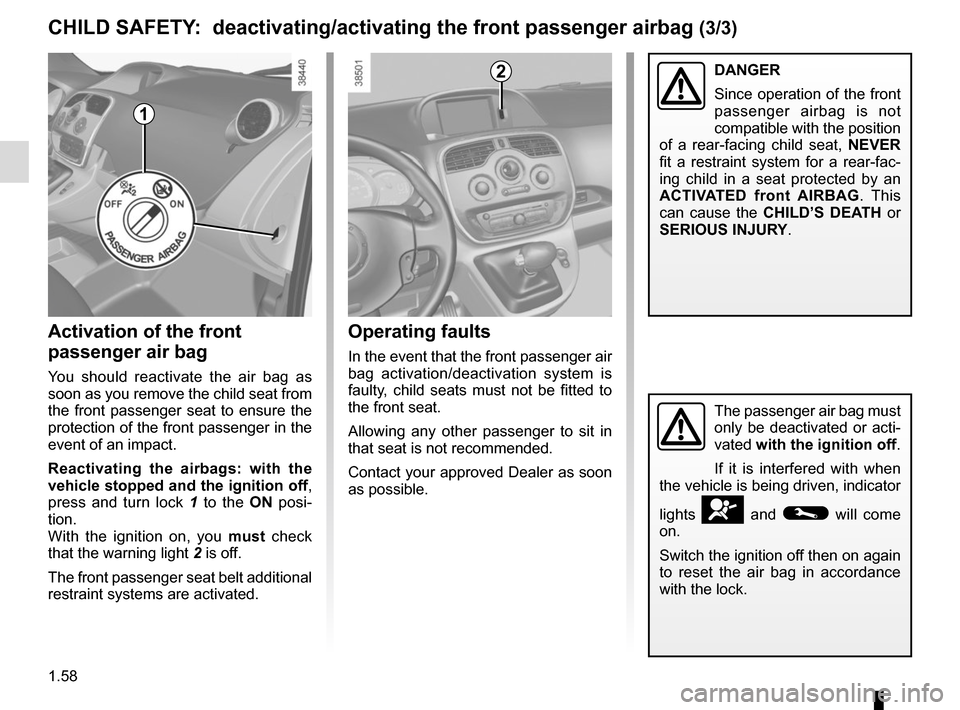
Activation of the front
passenger air bag
You should reactivate the air bag as
soon as you remove the child seat from
the front passenger seat to ensure the
protection of the front passenger in the
event of an impact.
Reactivating the airbags: with the
vehicle stopped and the ignition off ,
press and turn lock 1 to the ON posi-
tion.
With the ignition on, you must check
that the warning light 2 is off.
The front passenger seat belt additional
restraint systems are activated.
2
CHILD SAFETY: deactivating/activating the front passenger airbag (3/3)
1
DANGER
Since operation of the front
passenger airbag is not
compatible with the position
of a rear-facing child seat, NEVER
fit a restraint system for a rear-fac-
ing child in a seat protected by an
ACTIVATED front AIRBAG . This
can cause the CHILD’S DEATH or
SERIOUS INJURY.
Page 65 of 232
1.59
STEERING WHEEL/POWER-ASSISTED STEERING
Steering wheel height
adjustment
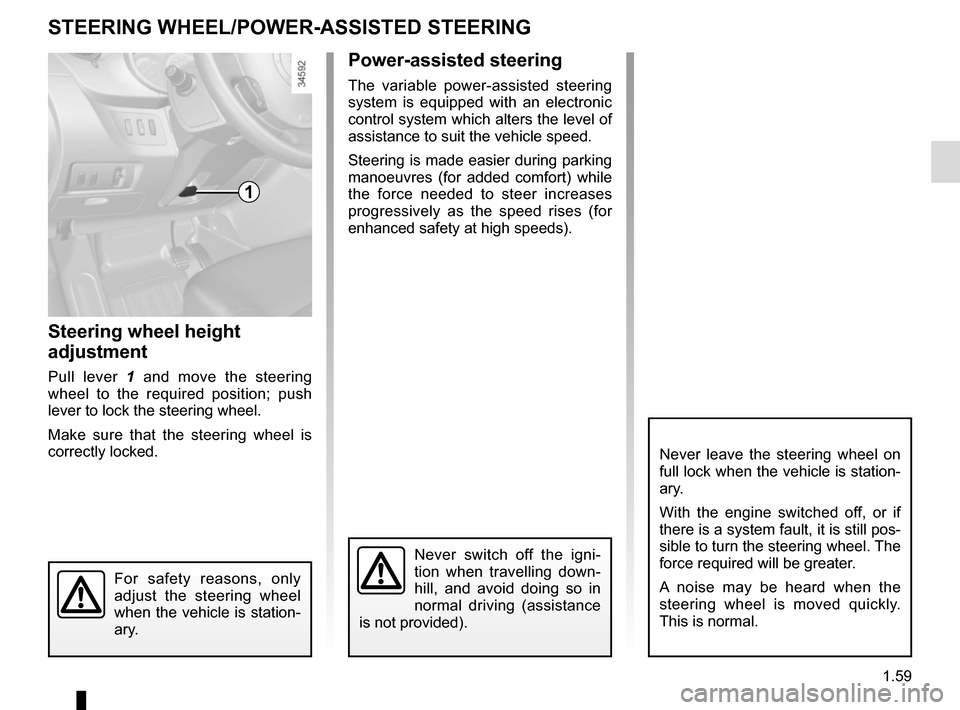
Pull lever 1 and move the steering
wheel to the required position; push
lever to lock the steering wheel.
Make sure that the steering wheel is
correctly locked.
For safety reasons, only
adjust the steering wheel
when the vehicle is station-
ary.
1
Never switch off the igni-
tion when travelling down-
hill, and avoid doing so in
normal driving (assistance
is not provided).
Power-assisted steering
The variable power-assisted steering
system is equipped with an electronic
control system which alters the level of
assistance to suit the vehicle speed.
Steering is made easier during parking
manoeuvres (for added comfort) while
the force needed to steer increases
progressively as the speed rises (for
enhanced safety at high speeds).
Never leave the steering wheel on
full lock when the vehicle is station-
ary.
With the engine switched off, or if
there is a system fault, it is still pos-
sible to turn the steering wheel. The
force required will be greater.
A noise may be heard when the
steering wheel is moved quickly.
This is normal.
Page 67 of 232
1.61
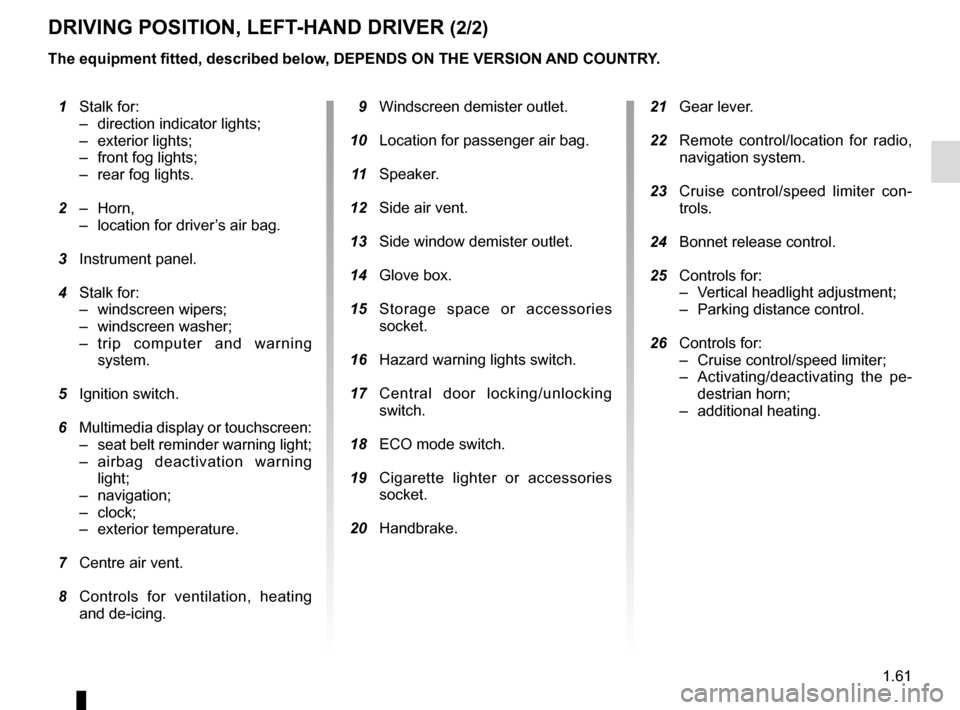
21 Gear lever.
22 Remote control/location for radio,
navigation system.
23 Cruise control/speed limiter con-
trols.
24 Bonnet release control.
25 Controls for:
– Vertical headlight adjustment;
– Parking distance control.
26 Controls for:
– Cruise control/speed limiter;
– Activating/deactivating the pe-destrian horn;
– additional heating.
1 Stalk for:
– direction indicator lights;
– exterior lights;
– front fog lights;
– rear fog lights.
2 – Horn,
– location for driver’s air bag.
3 Instrument panel.
4 Stalk for:
– windscreen wipers;
– windscreen washer;
– trip computer and warning system.
5 Ignition switch.
6 Multimedia display or touchscreen:
– seat belt reminder warning light;
– airbag deactivation warning light;
– navigation;
– clock;
– exterior temperature.
7 Centre air vent.
8 Controls for ventilation, heating
and de-icing. 9 Windscreen demister outlet.
10 Location for passenger air bag.
11 Speaker.
12 Side air vent.
13 Side window demister outlet.
14 Glove box.
15 Storage space or accessories
socket.
16 Hazard warning lights switch.
17 Central door locking/unlocking
switch.
18 ECO mode switch.
19 Cigarette lighter or accessories
socket.
20 Handbrake.
DRIVING POSITION, LEFT-HAND DRIVER (2/2)
The equipment fitted, described below, DEPENDS ON THE VERSION AND COUNTRY.
Page 69 of 232
1.63
DRIVING POSITION: RIGHT-HAND DRIVE (2/2)
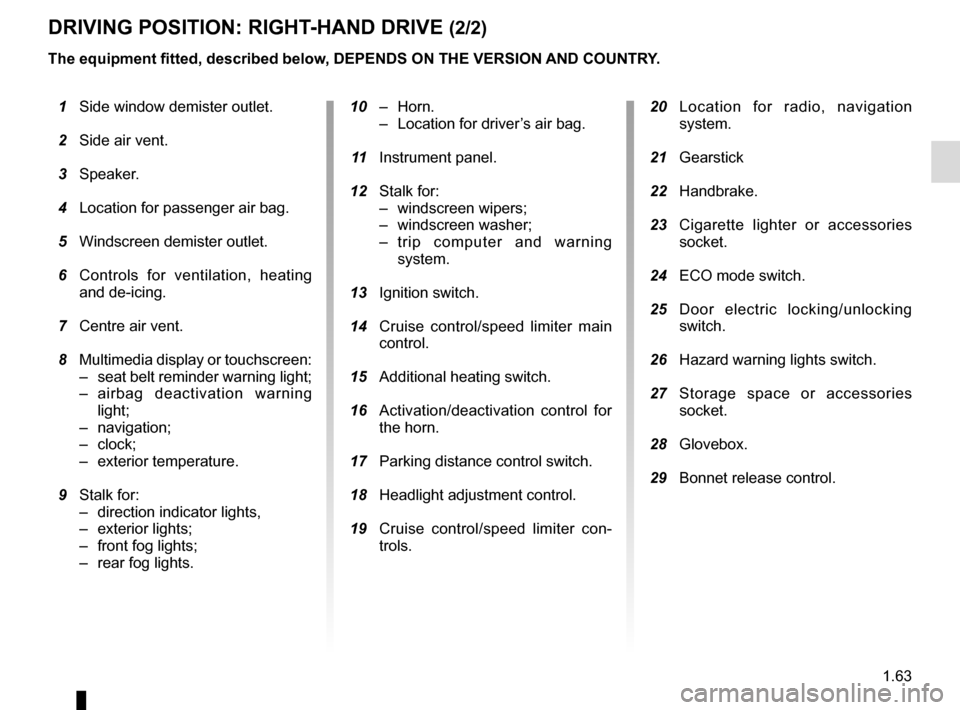
20 Location for radio, navigation
system.
21 Gearstick
22 Handbrake.
23 Cigarette lighter or accessories
socket.
24 ECO mode switch.
25 Door electric locking/unlocking
switch.
26 Hazard warning lights switch.
27 Storage space or accessories
socket.
28 Glovebox.
29 Bonnet release control.
10 – Horn.
– Location for driver’s air bag.
11 Instrument panel.
12 Stalk for:
– windscreen wipers;
– windscreen washer;
– trip computer and warning system.
13 Ignition switch.
14 Cruise control/speed limiter main
control.
15 Additional heating switch.
16 Activation/deactivation control for
the horn.
17 Parking distance control switch.
18 Headlight adjustment control.
19 Cruise control/speed limiter con-
trols.
1 Side window demister outlet.
2 Side air vent.
3 Speaker.
4 Location for passenger air bag.
5 Windscreen demister outlet.
6 Controls for ventilation, heating
and de-icing.
7 Centre air vent.
8 Multimedia display or touchscreen:
– seat belt reminder warning light;
– airbag deactivation warning light;
– navigation;
– clock;
– exterior temperature.
9 Stalk for:
– direction indicator lights,
– exterior lights;
– front fog lights;
–
rear fog lights.
The equipment fitted, described below, DEPENDS ON THE VERSION AND COUNTRY.
Page 72 of 232

The presence and operation of the warning lights DEPEND ON THE EQUIPMENT\
AND COUNTRY.
Electrotechnical system
warning light
When the blue warning light comes on,
this")
1.66
WARNING LIGHTS (3/3)
The presence and operation of the warning lights DEPEND ON THE EQUIPMENT\
AND COUNTRY.
Electrotechnical system
warning light
When the blue warning light comes on,
this indicates that the traction battery
temperature is too low.
When the orange warning light comes
on, this indicates the traction battery or
the engine temperature is too high. Opt
for a calmer driving style.
If either of these warning lights come
on, this may lead to reduced vehicle
performance.
xAnti-lock braking warning
light
This lights up when the ignition is
switched on and goes out after a few
seconds.
If it does not go out after the ignition is
switched on, or lights up when driving,
there is a fault with the ABS. Braking
will then be as normal, without the ABS
system.
Contact an approved Dealer as soon as
possible.
Low traction battery level
warning light
This comes on when the traction bat-
tery charge level has reached the re-
serve threshold. Please see the infor-
mation on “Displays and indicators” in
Section 1.
Electrotechnical system
warning light
If this comes on while driving, it indi-
cates an electrotechnical fault relating
to the “400V” electrical circuit. Please
contact an authorised dealer as soon
as possible.
A
LLow fuel level or additional
heating warning light
This comes on when the ignition is
switched on and goes out after a few
seconds. When driving, if it comes on
together with a beep, the minimum fuel
level has been reached.
Driving correction device
warning light
Please refer to the information on
“Driver correction devices and aids” in
Section 2.
\bTyre pressure loss warning
Please refer to the information
on the “Tyre pressure loss warning” in
Section 2.
Page 85 of 232
1.79
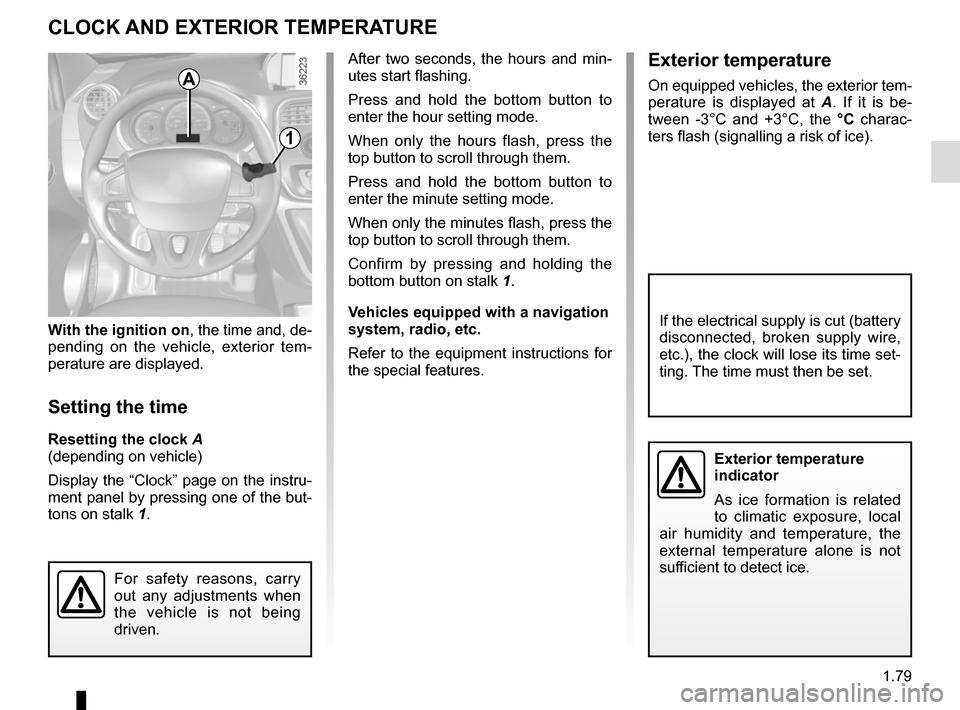
With the ignition on, the time and, de-
pending on the vehicle, exterior tem-
perature are displayed.
Setting the time
Resetting the clock A
(depending on vehicle)
Display the “Clock” page on the instru-
ment panel by pressing one of the but-
tons on stalk 1.
CLOCK AND EXTERIOR TEMPERATURE
Exterior temperature
indicator
As ice formation is related
to climatic exposure, local
air humidity and temperature, the
external temperature alone is not
sufficient to detect ice.
If the electrical supply is cut (battery
disconnected, broken supply wire,
etc.), the clock will lose its time set-
ting. The time must then be set.
A
1
For safety reasons, carry
out any adjustments when
the vehicle is not being
driven.
After two seconds, the hours and min-
utes start flashing.
Press and hold the bottom button to
enter the hour setting mode.
When only the hours flash, press the
top button to scroll through them.
Press and hold the bottom button to
enter the minute setting mode.
When only the minutes flash, press the
top button to scroll through them.
Confirm by pressing and holding the
bottom button on stalk 1.
Vehicles equipped with a navigation
system, radio, etc.
Refer to the equipment instructions for
the special features.Exterior temperature
On equipped vehicles, the exterior tem-
perature is displayed at A. If it is be-
tween -3°C and +3°C, the °C charac-
ters flash (signalling a risk of ice).
Page 90 of 232
1.84
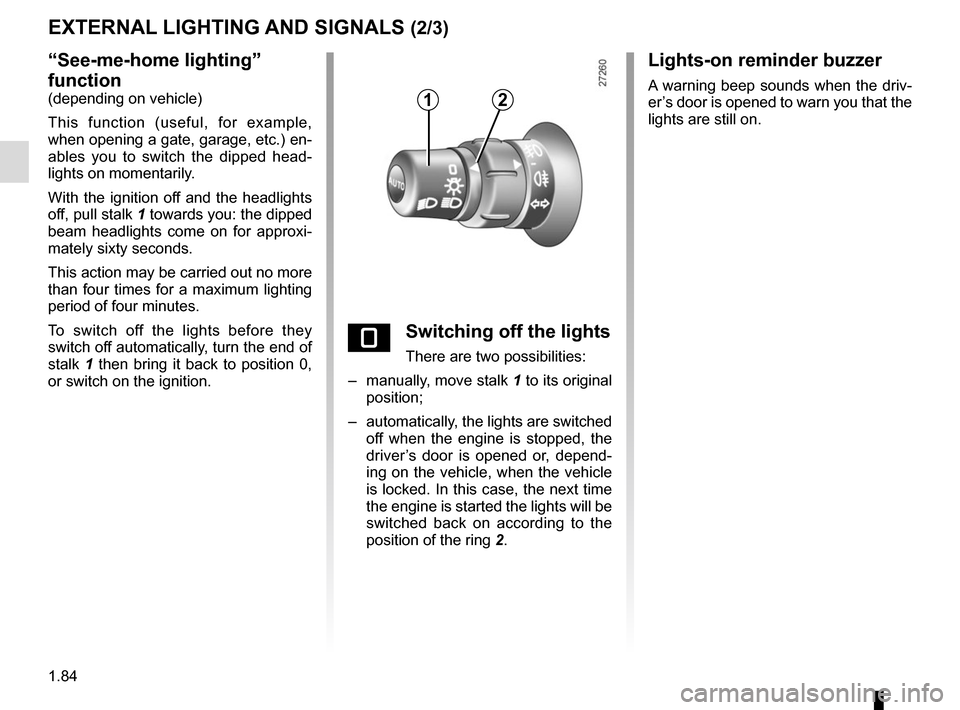
“See-me-home lighting”
function
(depending on vehicle)
This function (useful, for example,
when opening a gate, garage, etc.) en-
ables you to switch the dipped head-
lights on momentarily.
With the ignition off and the headlights
off, pull stalk 1 towards you: the dipped
beam headlights come on for approxi-
mately sixty seconds.
This action may be carried out no more
than four times for a maximum lighting
period of four minutes.
To switch off the lights before they
switch off automatically, turn the end of
stalk 1 then bring it back to position 0,
or switch on the ignition.
EXTERNAL LIGHTING AND SIGNALS (2/3)
eSwitching off the lights
There are two possibilities:
– manually, move stalk 1 to its original
position;
– automatically, the lights are switched off when the engine is stopped, the
driver’s door is opened or, depend-
ing on the vehicle, when the vehicle
is locked. In this case, the next time
the engine is started the lights will be
switched back on according to the
position of the ring 2.
12
Lights-on reminder buzzer
A warning beep sounds when the driv-
er’s door is opened to warn you that the
lights are still on.