REAR LOCK RENAULT KOLEOS 2018 User Guide
[x] Cancel search | Manufacturer: RENAULT, Model Year: 2018, Model line: KOLEOS, Model: RENAULT KOLEOS 2018Pages: 332, PDF Size: 8.91 MB
Page 59 of 332
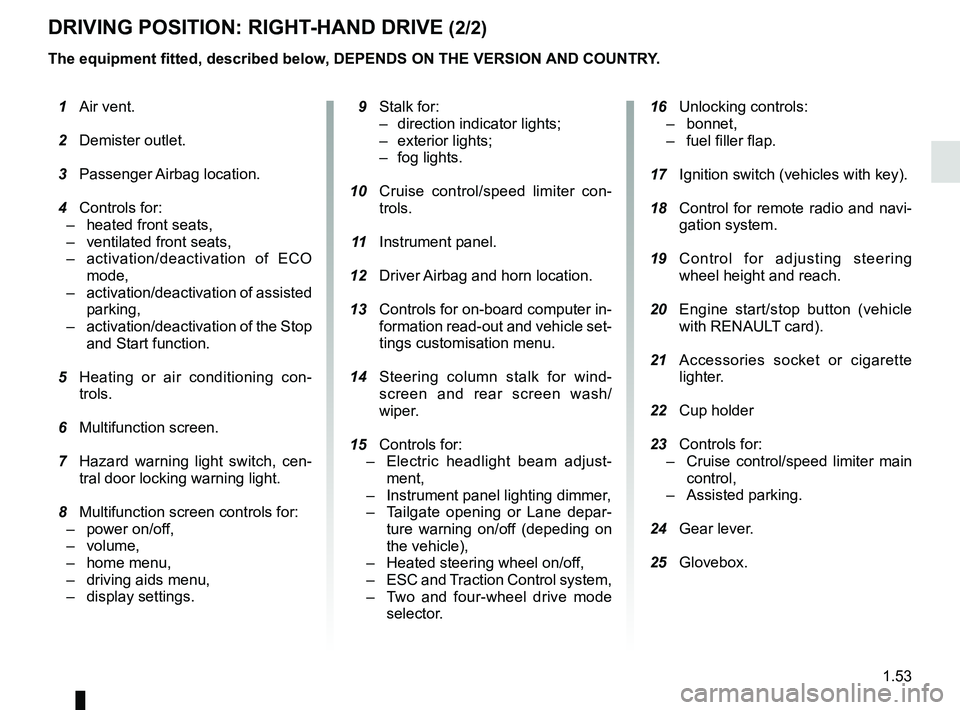
1.53
DRIVING POSITION: RIGHT-HAND DRIVE (2/2)
The equipment fitted, described below, DEPENDS ON THE VERSION AND COUNTRY.
16 Unlocking controls:
– bonnet,
– fuel filler flap.
17 Ignition switch (vehicles with key).
18 Control for remote radio and navi-
gation system.
19 Control for adjusting steering
wheel height and reach.
20 Engine start/stop button (vehicle
with RENAULT card).
21 Accessories socket or cigarette
lighter.
22 Cup holder
23 Controls for:
– Cruise control/speed limiter main
control,
– Assisted parking.
24 Gear lever.
25 Glovebox.
1 Air vent.
2 Demister outlet.
3 Passenger Airbag location.
4 Controls for:
– heated front seats,
– ventilated front seats,
– activation/deactivation of ECO
mode,
– activation/deactivation of assisted
parking,
– activation/deactivation of the Stop
and Start function.
5 Heating or air conditioning con-
trols.
6 Multifunction screen.
7 Hazard warning light switch, cen-
tral door locking warning light.
8 Multifunction screen controls for:
– power on/off,
– volume,
– home menu,
– driving aids menu,
– display settings.
9 Stalk for:
– direction indicator lights;
– exterior lights;
– fog lights.
10 Cruise control/speed limiter con-
trols.
11 Instrument panel.
12 Driver Airbag and horn location.
13 Controls for on-board computer in-
formation read-out and vehicle set-
tings customisation menu.
14 Steering column stalk for wind-
screen and rear screen wash/
wiper.
15
Controls for:
– Electric headlight beam adjust-
ment,
– Instrument panel lighting dimmer,
– Tailgate opening or Lane depar-
ture warning on/of
f (depeding on
the vehicle),
– Heated steering wheel on/off,
– ESC and Traction Control system,
– Two and four-wheel drive mode
selector.
Page 78 of 332
1.72
VEHICLE SETTINGS CUSTOMISATION MENU (1/2)
Adjusting the settings
(depending on the vehicle)
Select the function to modify:
a) unlocking the driver’s door only;
b) automatic locking of the doors while driving;
c) hands-free function;
d) indicator audio volume;
e) internal welcome sound;
f) external welcome;
g) reading lamp in automatic mode;
h) rear windscreen wiping in reverse gear;
i) configuration of the driving style indi- cator;
j) Active noise control.
Select “ON” or “OFF” to activate or de-
activate the function.
For the “Light brightness intensity”
function, select the intensity by press-
ing “+” or “-”.
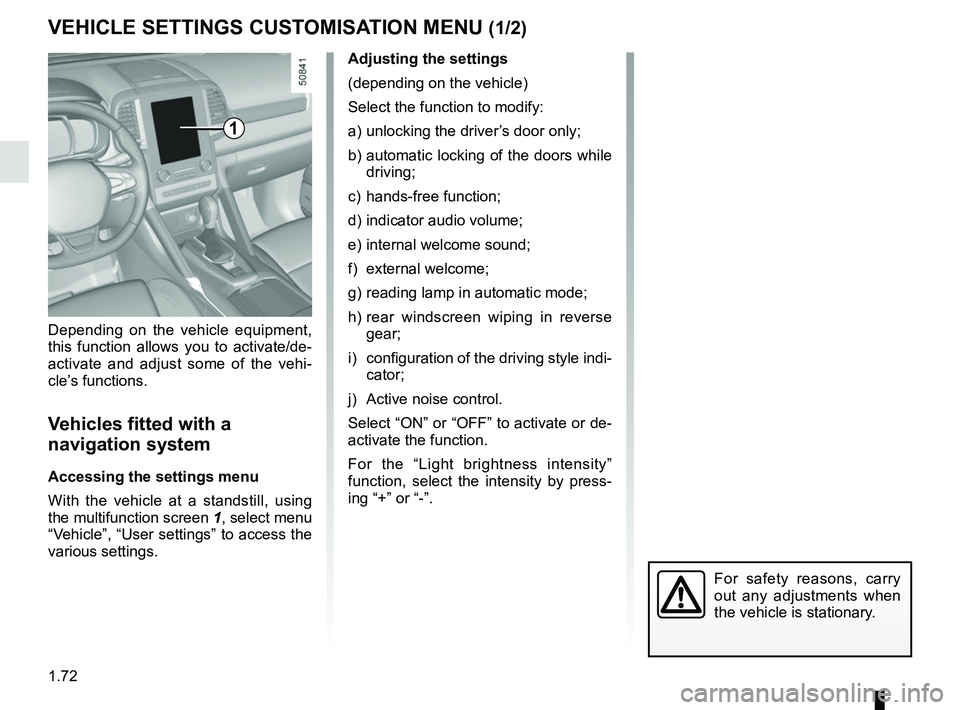
Depending on the vehicle equipment,
this function allows you to activate/de-
activate and adjust some of the vehi-
cle’s functions.
Vehicles fitted with a
navigation system
Accessing the settings menu
With the vehicle at a standstill, using
the multifunction screen
1, select menu
“Vehicle”, “User settings” to access the
various settings.
1
For safety reasons, carry
out any adjustments when
the vehicle is stationary.
Page 79 of 332
1.73
VEHICLE SETTINGS CUSTOMISATION MENU (2/2)
34
= function activated
< function deactivated
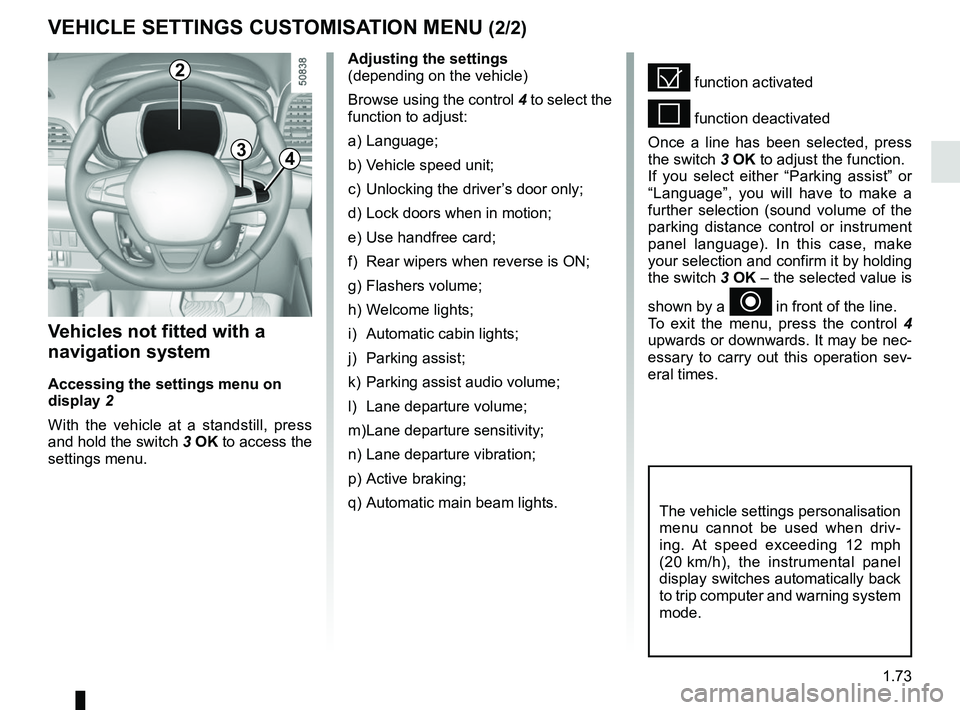
Once a line has been selected, press
the switch 3 OK to adjust the function.
If you select either “Parking assist” or
“Language”, you will have to make a
further selection (sound volume of the
parking distance control or instrument
panel language). In this case, make
your selection and confirm it by holding
the switch 3 OK – the selected value is
shown by a
~ in front of the line.
To exit the menu, press the control 4
upwards or downwards. It may be nec-
essary to carry out this operation sev-
eral times.
Vehicles not fitted with a
navigation system
Accessing the settings menu on
display 2
With the vehicle at a standstill, press
and hold the switch 3 OK to access the
settings menu.
Adjusting the settings
(depending on the vehicle)
Browse using the control 4 to select the
function to adjust:
a) Language;
b) Vehicle speed unit;
c) Unlocking the driver’s door only;
d) Lock doors when in motion;
e) Use handfree card;
f) Rear wipers when reverse is ON;
g) Flashers volume;
h) Welcome lights;
i) Automatic cabin lights;
j) Parking assist;
k) Parking assist audio volume;
l) Lane departure volume;
m) Lane departure sensitivity;
n) Lane departure vibration;
p) Active braking;
q) Automatic main beam lights.
The vehicle settings personalisation
menu cannot be used when driv-
ing. At speed exceeding 12 mph
(20 km/h), the instrumental panel
display switches automatically back
to trip computer and warning system
mode.
2
Page 83 of 332
1.77
Welcome and goodbye function
(depending on the vehicle)
From the multifunction screen, select
menu “Vehicle”, “User settings”,
“External welcome” and activate or de-
activate the function (ON or OFF).
REAR VIEW MIRRORS (1/2)Folding rear view mirrors
The door mirrors automatically fold in
when the vehicle is locked using the
button on the RENAULT card or remote
“Hands-free” locking. In this case, when
the engine is started, the door mirrors
fold out.
In any case, you can make the door
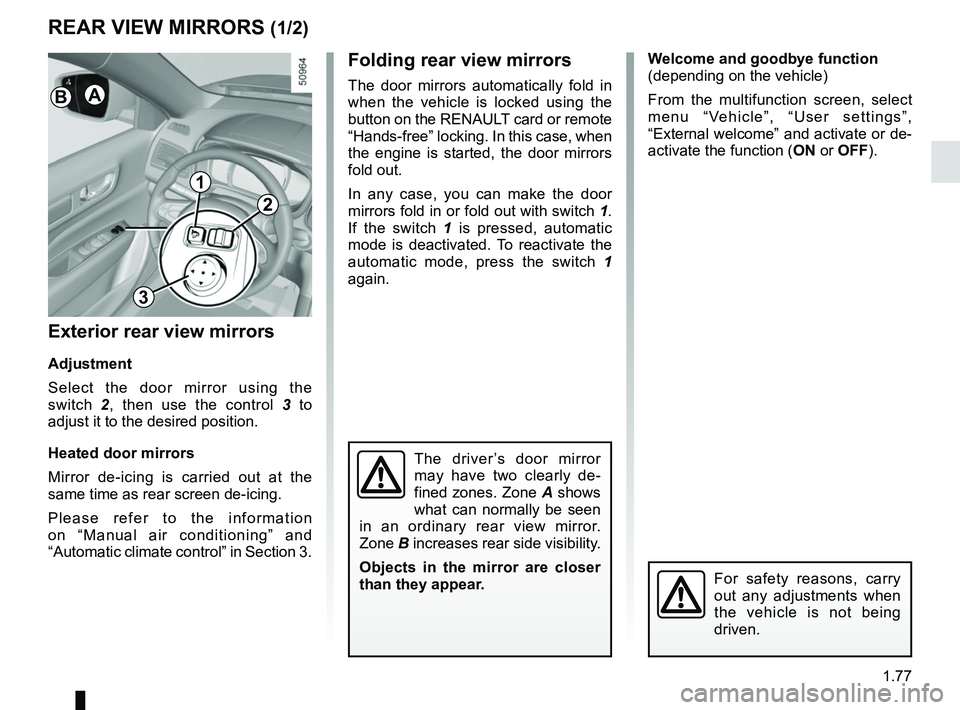
mirrors fold in or fold out with switch 1.
If the switch 1 is pressed, automatic
mode is deactivated. To reactivate the
automatic mode, press the switch 1
again.
Exterior rear view mirrors
Adjustment
Select the door mirror using the
switch 2, then use the control 3 to
adjust it to the desired position.
Heated door mirrors
Mirror de-icing is carried out at the
same time as rear screen de-icing.
Please refer to the information
on “Manual air conditioning” and
“Automatic climate control” in Section 3.
The driver’s door mirror
may have two clearly de-
fined zones. Zone A shows
what can normally be seen
in an ordinary rear view mirror.
Zone B increases rear side visibility.
Objects in the mirror are closer
than they appear.
For safety reasons, carry
out any adjustments when
the vehicle is not being
driven.
1
2
3
AB
Page 88 of 332
1.82
“See-me-home lighting”
function
This function allows you to briefly switch
on the dipped beam headlights (to pro-
vide light when opening a gate, etc.).
With the engine and lights switched
off and the ring 3 in position 0 or
AUTO, pull the stalk 1 towards you: the
dipped beam headlights come on for
approximately 30 seconds. To increase
this duration, you may pull the stalk up
to four times (total time limited to ap-
proximately 2 minutes). The message
“Follow me home for _ _ _” along with
the time the lights will be on for is dis-
played on the instrument panel to con-
firm this action. You can then lock your
vehicle.
To switch off the lights before they go
out automatically, turn ring 3 to any po-
sition, then return it to the AUTO posi-
tion .
EXTERIOR LIGHTING AND SIGNALS (4/5)
Welcome and goodbye
function
(depending on the vehicle)
Once the function is activated, the day-
time running lights and the rear side
light light up automatically upon detect-
ing the RENAULT card or when the ve-
hicle is unlocked.
They switch off automatically:
– approximately one minute after li- ghting up;
– when starting the engine based on the position of the lighting stalk;
or
– upon locking the vehicle. Activating/deactivating the function
From the multifunction screen, select
menu “Vehicle”, “User settings” then
“External welcome”. Choose “
ON”
or “OFF” to activate or deactivate the
function.
Page 96 of 332
1.90
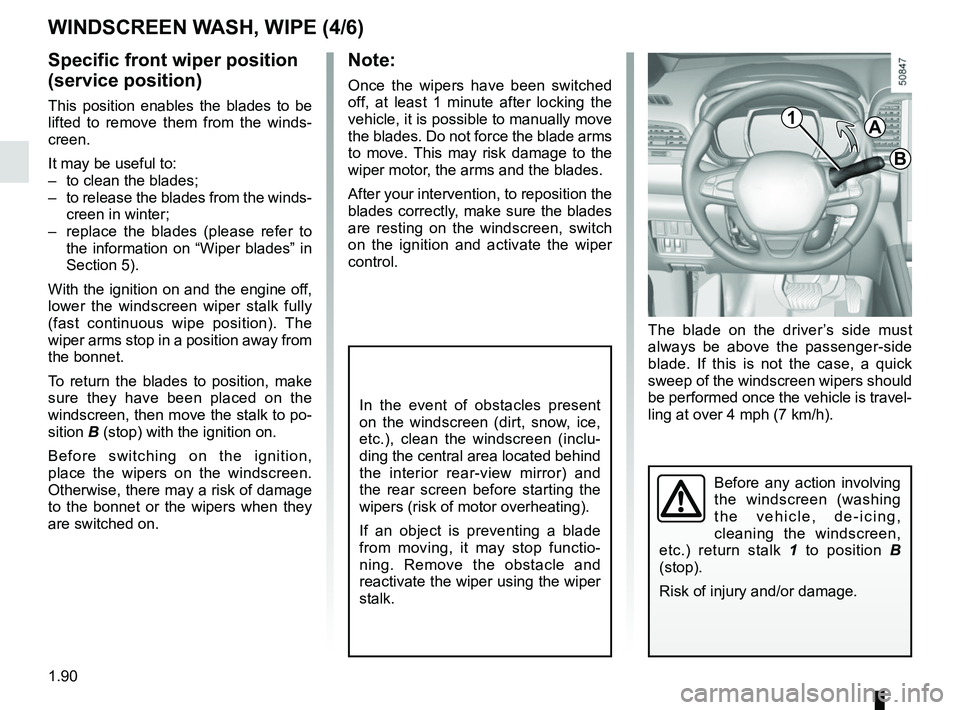
The blade on the driver’s side must
always be above the passenger-side
blade. If this is not the case, a quick
sweep of the windscreen wipers should
be performed once the vehicle is travel-
ling at over 4 mph (7 km/h).
Note:
Once the wipers have been switched
off, at least 1 minute after locking the
vehicle, it is possible to manually move
the blades. Do not force the blade arms
to move. This may risk damage to the
wiper motor, the arms and the blades.
After your intervention, to reposition the
blades correctly, make sure the blades
are resting on the windscreen, switch
on the ignition and activate the wiper
control.
Before any action involving
the windscreen (washing
the vehicle, de-icing,
cleaning the windscreen,
etc.) return stalk 1 to position B
(stop).
Risk of injury and/or damage.
In the event of obstacles present
on the windscreen (dirt, snow, ice,
etc.), clean the windscreen (inclu-
ding the central area located behind
the interior rear-view mirror) and
the rear screen before starting the
wipers (risk of motor overheating).
If an object is preventing a blade
from moving, it may stop functio-
ning. Remove the obstacle and
reactivate the wiper using the wiper
stalk.
WINDSCREEN WASH, WIPE (4/6)
Specific front wiper position
(service position)
This position enables the blades to be
lifted to remove them from the winds-
creen.
It may be useful to:
– to clean the blades;
– to release the blades from the winds- creen in winter;
– replace the blades (please refer to the information on “Wiper blades” in
Section 5).
With the ignition on and the engine off,
lower the windscreen wiper stalk fully
(fast continuous wipe position). The
wiper arms stop in a position away from
the bonnet.
To return the blades to position, make
sure they have been placed on the
windscreen, then move the stalk to po-
sition B (stop) with the ignition on.
Before switching on the ignition,
place the wipers on the windscreen.
Otherwise, there may a risk of damage
to the bonnet or the wipers when they
are switched on.1A
B
Page 100 of 332
1.94
Activation/deactivation of the rear
screen wiper
(depending on the vehicle)
Engaging reverse gear triggers inter-
mittent wiping (if the front wipers are in
operation). If your vehicle is fitted with
a vehicle settings customisation menu,
you can opt to activate or deactivate
this function. To do this, refer to the in-
formation on the “Vehicle settings cus-
tomisation menu” in Section 1; “Rear
wiping in reverse gear”.
REAR SCREEN WASH, WIPE (2/2)
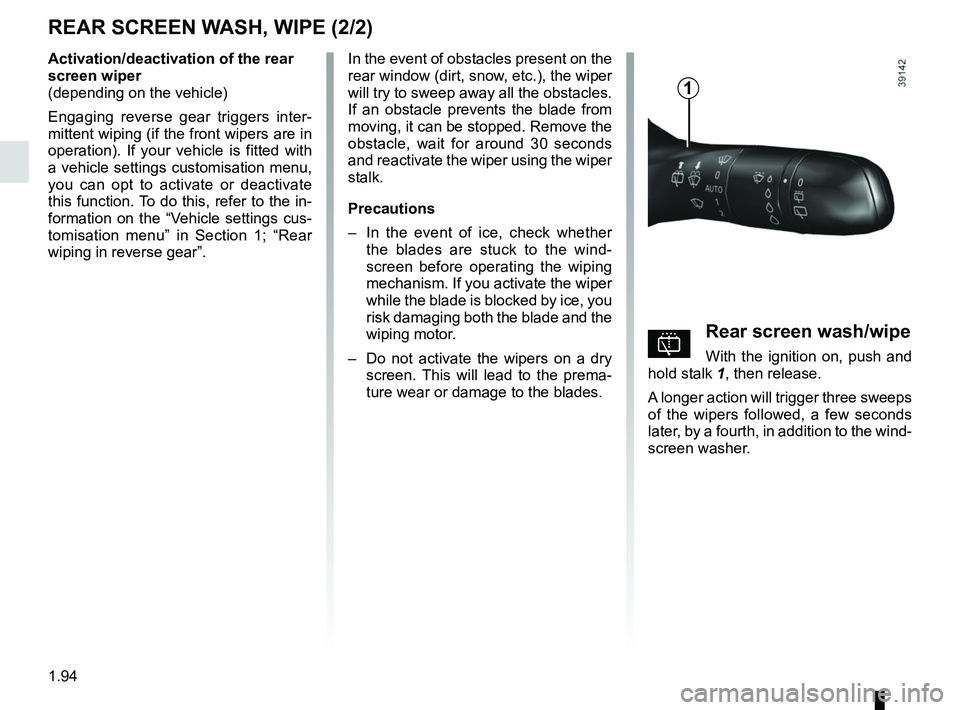
pRear screen wash/wipe
With the ignition on, push and
hold stalk 1, then release.
A longer action will trigger three sweeps
of the wipers followed, a few seconds
later, by a fourth, in addition to the wind-
screen washer.
In the event of obstacles present on the
rear window (dirt, snow, etc.), the wiper
will try to sweep away all the obstacles.
If an obstacle prevents the blade from
moving, it can be stopped. Remove the
obstacle, wait for around 30 seconds
and reactivate the wiper using the wiper
stalk.
Precautions
–
In the event of ice, check whether
the blades are stuck to the wind-
screen before operating the wiping
mechanism. If you activate the wiper
while the blade is blocked by ice, you
risk damaging both the blade and the
wiping motor.
– Do not activate the wipers on a dry
screen. This will lead to the prema-
ture wear or damage to the blades.
1
Page 139 of 332
2.35
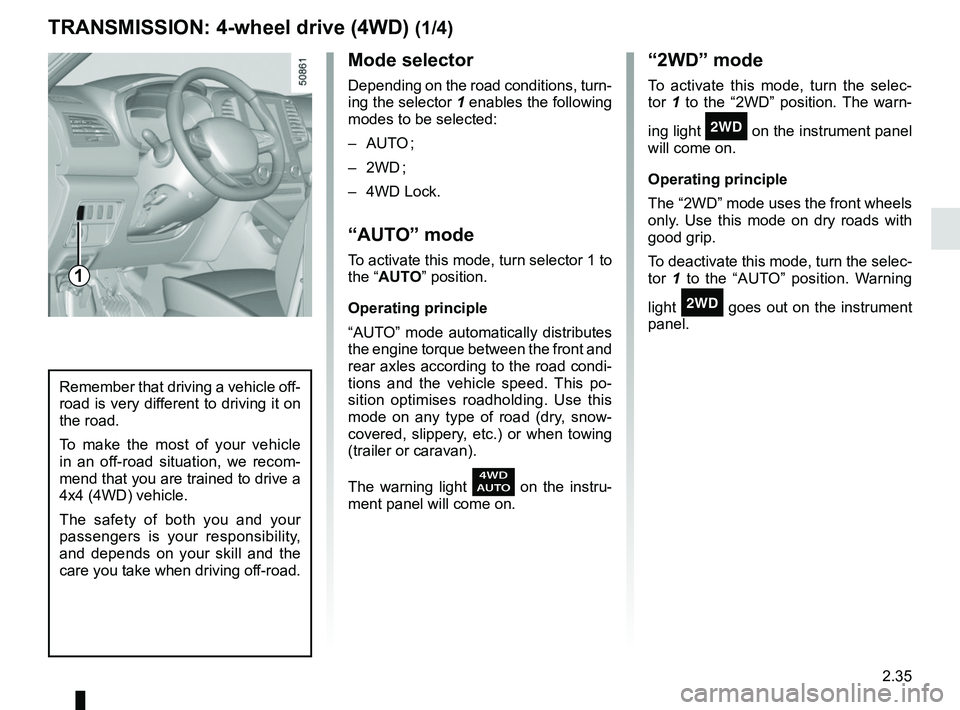
Mode selector
Depending on the road conditions, turn-
ing the selector 1 enables the following
modes to be selected:
– AUTO ;
– 2WD ;
– 4WD Lock.
“AUTO” mode
To activate this mode, turn selector 1 to
the “AUTO” position.
Operating principle
“AUTO” mode automatically distributes
the engine torque between the front and
rear axles according to the road condi-
tions and the vehicle speed. This po-
sition optimises roadholding. Use this
mode on any type of road (dry, snow-
covered, slippery, etc.) or when towing
(trailer or caravan).
The warning light
on the instru-
ment panel will come on.
TRANSMISSION: 4-wheel drive (4WD) (1/4)
“2WD” mode
To activate this mode, turn the selec-
tor 1 to the “2WD” position. The warn-
ing light
‘ on the instrument panel
will come on.
Operating principle
The “2WD” mode uses the front wheels
only. Use this mode on dry roads with
good grip.
To deactivate this mode, turn the selec-
tor 1 to the “AUTO” position. Warning
light
‘ goes out on the instrument
panel.
Remember that driving a vehicle off-
road is very different to driving it on
the road.
To make the most of your vehicle
in an off-road situation, we recom-
mend that you are trained to drive a
4x4 (4WD) vehicle.
The safety of both you and your
passengers is your responsibility,
and depends on your skill and the
care you take when driving off-road.
1
Page 140 of 332
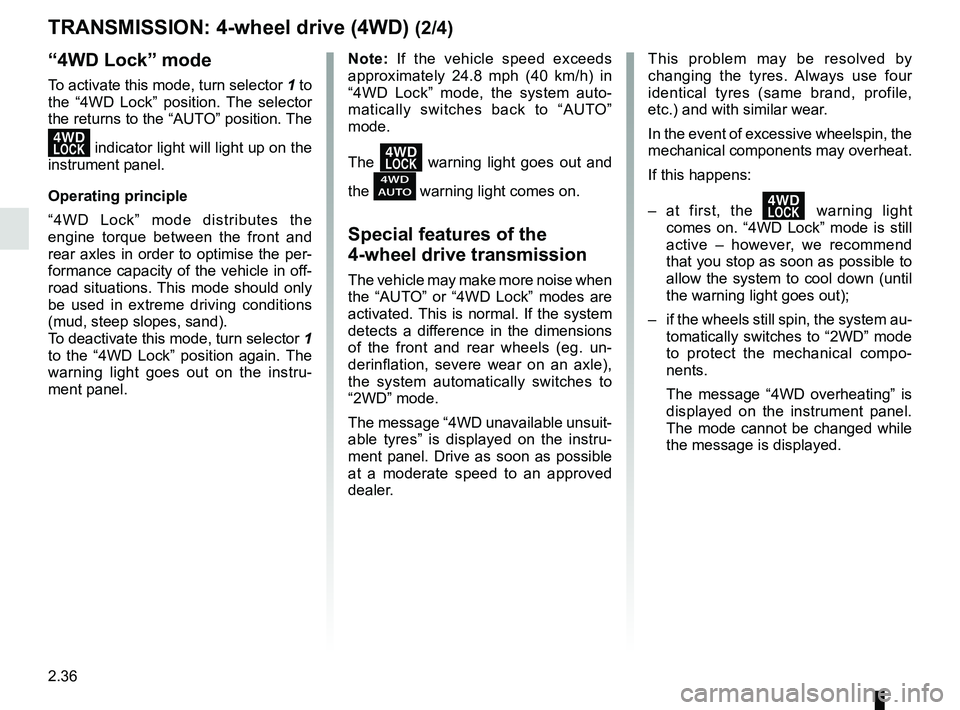
2.36
TRANSMISSION: 4-wheel drive (4WD) (2/4)
This problem may be resolved by
changing the tyres. Always use four
identical tyres (same brand, profile,
etc.) and with similar wear.
In the event of excessive wheelspin, the
mechanical components may overheat.
If this happens:
– at first, the
’ warning light
comes on. “4WD Lock” mode is still
active – however, we recommend
that you stop as soon as possible to
allow the system to cool down (until
the warning light goes out);
– if the wheels still spin, the system au- tomatically switches to “2WD” mode
to protect the mechanical compo-
nents.
The message “4WD overheating” is
displayed on the instrument panel.
The mode cannot be changed while
the message is displayed.
Note: If the vehicle speed exceeds
approximately 24.8 mph (40 km/h) in
“4WD Lock” mode, the system auto-
matically switches back to “AUTO”
mode.
The
’ warning light goes out and
the
warning light comes on.
Special features of the
4-wheel drive transmission
The vehicle may make more noise when
the “AUTO” or “4WD Lock” modes are
activated. This is normal. If the system
detects a difference in the dimensions
of the front and rear wheels (eg. un-
derinflation, severe wear on an axle),
the system automatically switches to
“2WD” mode.
The message “4WD unavailable unsuit-
able tyres” is displayed on the instru-
ment panel. Drive as soon as possible
at a moderate speed to an approved
dealer.
“4WD Lock” mode
To activate this mode, turn selector 1 to
the “4WD Lock” position. The selector
the returns to the “AUTO” position. The
’ indicator light will light up on the
instrument panel.
Operating principle
“4WD Lock” mode distributes the
engine torque between the front and
rear axles in order to optimise the per-
formance capacity of the vehicle in off-
road situations. This mode should only
be used in extreme driving conditions
(mud, steep slopes, sand).
To deactivate this mode, turn selector 1
to the “4WD Lock” position again. The
warning light goes out on the instru-
ment panel.
Page 142 of 332
 (4/4)
All-wheel drive system
– Irrespective of the mode selected, do not start the engine if one or mor\
e wheels are not in contact with the ground
(eg. when")
2.38
TRANSMISSION: 4-wheel drive (4WD) (4/4)
All-wheel drive system
– Irrespective of the mode selected, do not start the engine if one or mor\
e wheels are not in contact with the ground
(eg. when the vehicle is on a jack or roller bench).
– Do not turn the mode selector when cornering, reversing or if the wheels\
are spinning excessively. Only select the
“2WD”, “AUTO” or “4WD Lock” mode when the vehicle is being driven in a str\
aight line.
– Only use tyres which meet the required specifications.
– “4WD Lock” mode is exclusively reserved for driving off-road. The use of this mode in any other conditions may adversely
affect the vehicle’s manoeuvrability and damage its mechanical components.
– Always ensure tyres with identical specifications are fitted to all four\
wheels (brand, size, structure, wear etc.). Fitting tyres
of different sizes to the front and rear wheels and/or left and right wheels m\
ay have serious consequences for the tyres,
gearbox, transfer gearbox and the rear differential pinions.