warning RENAULT KOLEOS 2018 Repair Manual
[x] Cancel search | Manufacturer: RENAULT, Model Year: 2018, Model line: KOLEOS, Model: RENAULT KOLEOS 2018Pages: 332, PDF Size: 8.91 MB
Page 145 of 332
2.41
8
7
System A (continued)
For vehicle not fitted with a
navigation system
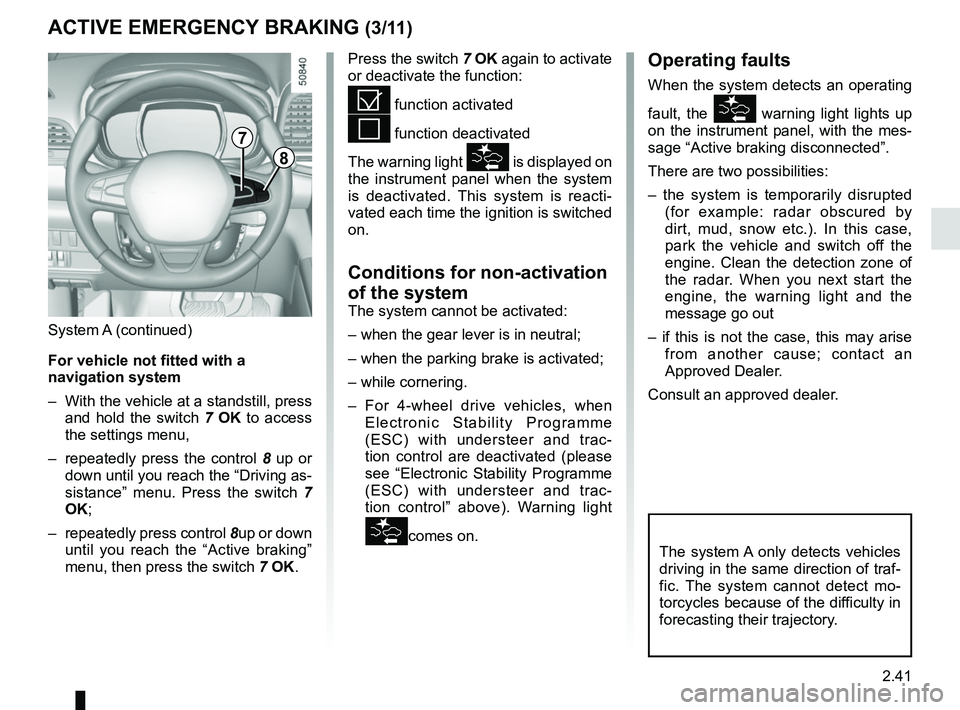
– With the vehicle at a standstill, press and hold the switch 7 OK to access
the settings menu,
– repeatedly press the control 8 up or
down until you reach the “Driving as-
sistance” menu. Press the switch 7
OK;
– repeatedly press control 8up or down
until you reach the “Active braking”
menu, then press the switch 7 OK.
ACTIVE EMERGENCY BRAKING (3/11)
Operating faults
When the system detects an operating
fault, the
warning light lights up
on the instrument panel, with the mes-
sage “Active braking disconnected”.
There are two possibilities:
– the system is temporarily disrupted (for example: radar obscured by
dirt, mud, snow etc.). In this case,
park the vehicle and switch off the
engine. Clean the detection zone of
the radar. When you next start the
engine, the warning light and the
message go out
– if this is not the case, this may arise from another cause; contact an
Approved Dealer.
Consult an approved dealer.
Press the switch 7
OK again to activate
or deactivate the function:= function activated
< function deactivated
The warning light
is displayed on
the instrument panel when the system
is deactivated. This system is reacti-
vated each time the ignition is switched
on.
Conditions for non-activation
of the system
The system cannot be activated:
– when the gear lever is in neutral;
– when the parking brake is activated;
– while cornering.
– For 4-wheel drive vehicles, when Electronic Stability Programme
(ESC) with understeer and trac-
tion control are deactivated (please
see “Electronic Stability Programme
(ESC) with understeer and trac-
tion control” above). Warning light
comes on.The system A only detects vehicles
driving in the same direction of traf-
fic. The system cannot detect mo-
torcycles because of the difficulty in
forecasting their trajectory.
Page 149 of 332
2.45
ACTIVE EMERGENCY BRAKING (7/11)
System B (continued)
Detection of vehicles
Operation
When driving (speed between about
4.34 and 99.2 mph (7 and 160 km/h)), if
there is a risk of collision with the vehi-
cle in front, the system:
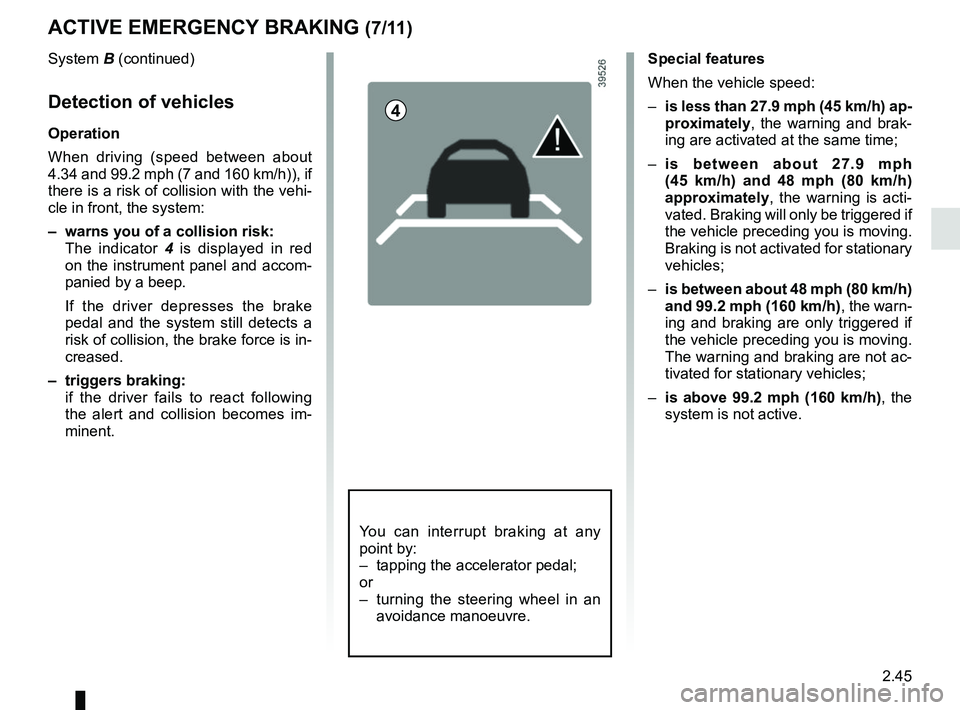
– warns you of a collision risk:
The indicator 4 is displayed in red
on the instrument panel and accom-
panied by a beep.
If the driver depresses the brake
pedal and the system still detects a
risk of collision, the brake force is in-
creased.
– triggers braking:
if the driver fails to react following the alert and collision becomes im-
minent.
4
You can interrupt braking at any
point by:
– tapping the accelerator pedal;
or
– turning the steering wheel in an avoidance manoeuvre.
Special features
When the vehicle speed:
– is less than 27.9 mph (45 km/h) ap-
proximately, the warning and brak-
ing are activated at the same time;
– is between about 27.9 mph
(45 km/h) and 48 mph (80 km/h)
approximately, the warning is acti-
vated. Braking will only be triggered if
the vehicle preceding you is moving.
Braking is not activated for stationary
vehicles;
– is between about 48 mph (80 km/h)
and 99.2 mph (160 km/h) , the warn-
ing and braking are only triggered if
the vehicle preceding you is moving.
The warning and braking are not ac-
tivated for stationary vehicles;
– is above 99.2 mph (160 km/h), the
system is not active.
Page 150 of 332
2.46
ACTIVE EMERGENCY BRAKING (8/11)
System B (continued)
Activating or deactivating the
system
For vehicles fitted with a navigation
system
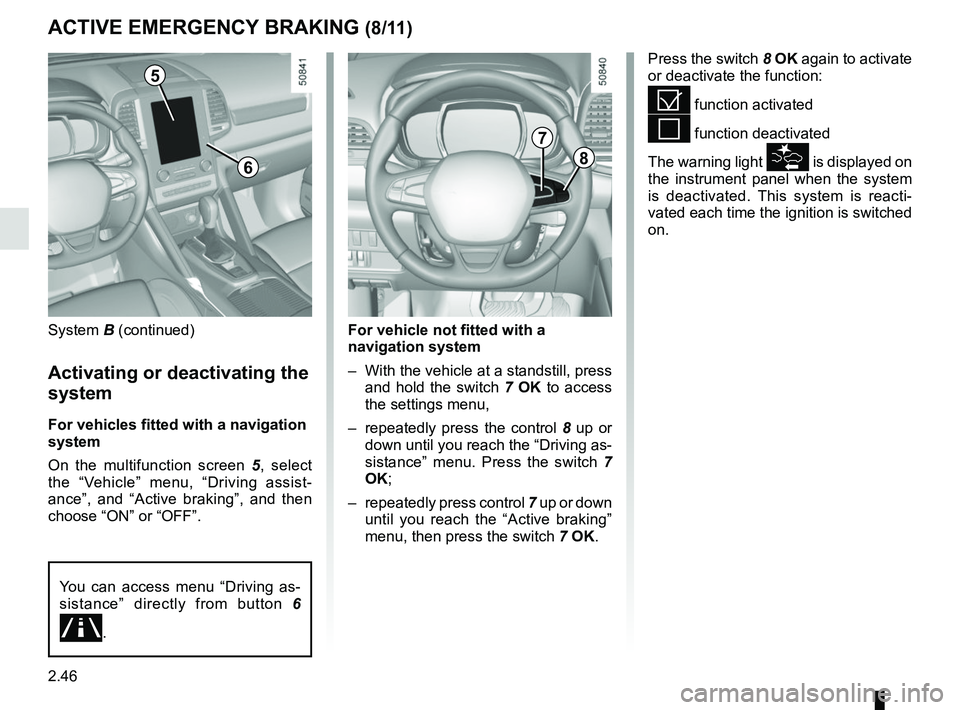
On the multifunction screen 5, select
the “Vehicle” menu, “Driving assist-
ance”, and “Active braking”, and then
choose “ON” or “OFF”.
Press the switch 8 OK again to activate
or deactivate the function:
= function activated
< function deactivated
The warning light
is displayed on
the instrument panel when the system
is deactivated. This system is reacti-
vated each time the ignition is switched
on.
5
8
7
For vehicle not fitted with a
navigation system
– With the vehicle at a standstill, press and hold the switch 7 OK to access
the settings menu,
– repeatedly press the control 8 up or
down until you reach the “Driving as-
sistance” menu. Press the switch 7
OK;
– repeatedly press control 7 up or down
until you reach the “Active braking”
menu, then press the switch 7 OK.
You can access menu “Driving as-
sistance” directly from button 6
\b.
6
Page 151 of 332
2.47
ACTIVE EMERGENCY BRAKING (9/11)
System B (continued)
Conditions for non-activation
of the system
The system cannot be activated:
– when the gear lever is in neutral;
– when the parking brake is activated;
– while cornering.
As a general rule, if the driver shows
signs of attention (action on the steering
wheel, pedals etc.), the system delays
its operation or does not activate.
Operating faults
When the system detects an operating
fault, the
warning light lights up
on the instrument panel, with the mes-
sage “Active braking disconnected”.
Consult an approved dealer.
Temporarily not available
When the system detects a tempo-
rary unavailability, the
warning
light lights up on the instrument panel
accompanied by the message “Active
braking: sensor blind” or, depending on
the vehicle, “Radar-camera: no visibil-
ity”.
The possible causes are:
– the system is temporarily blinded (glare from the sun, dipped beam
headlights, bad weather conditions
etc.). The system will be operational
again when visibility conditions are
better.
– The system is temporarily disrupted (for example: windscreen obscured
by dirt, ice, snow etc.). In this case,
park the vehicle and switch off the
engine. Clean the windscreen. When
you next start the engine, the warn-
ing light and the message go out.
– If this is not the case, this may arise from another cause; contact an
Approved Dealer.
Page 154 of 332

This function is a driving aid in the event of the accidental crossing o\
f
a continuous or broken line in the road. However, the function is not in-
tended to repla")
2.50
LANE DEPARTURE WARNING (1/3)
This function is a driving aid in the event of the accidental crossing o\
f
a continuous or broken line in the road. However, the function is not in-
tended to replace the driver. The function can be disrupted under certain
conditions, including:
– poor visibility (rain, snow, fog, dirty windscreen, glare of the sun, partially ob- scured road lines, etc.);
– roads with tight bends;
– closely following a vehicle in the same lane;
– worn road markings, difficult to distinguish or spaced very widely apart;
– narrow roads;
– ...
In this case, the line visibility indicators remain uncoloured on the in\
strument
panel to indicate that the function will not operate (lines not detecte\
d).
Under no circumstances should this function replace the driver’s care or respon-
sibility whilst performing manoeuvres.
This system notifies the driver when
they accidentally cross a continuous or
broken line.
This function uses a camera attached
to the windscreen, behind the rear-view
mirror.
Page 155 of 332
2.51
LANE DEPARTURE WARNING (2/3)
Activation/deactivation
Vehicles fitted with a navigation
system
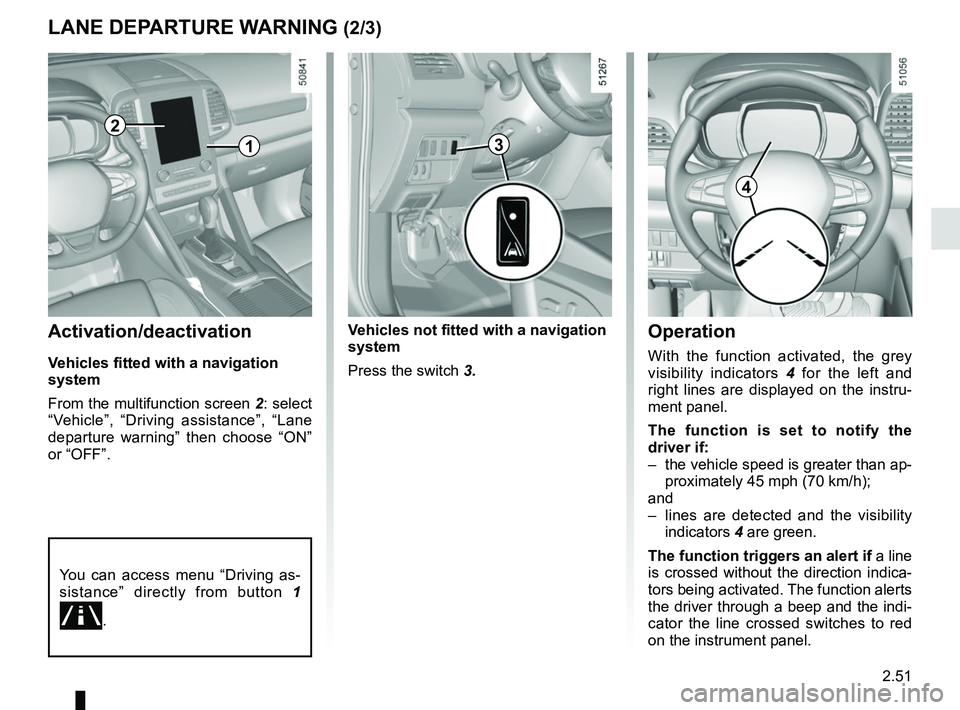
From the multifunction screen 2: select
“Vehicle”, “Driving assistance”, “Lane
departure warning” then choose “ON”
or “OFF”.
Operation
With the function activated, the grey
visibility indicators 4 for the left and
right lines are displayed on the instru-
ment panel.
The function is set to notify the
driver if:
– the vehicle speed is greater than ap- proximately 45 mph (70 km/h);
and
– lines are detected and the visibility indicators 4 are green.
The function triggers an alert if a line
is crossed without the direction indica-
tors being activated. The function alerts
the driver through a beep and the indi-
cator the line crossed switches to red
on the instrument panel.
You can access menu “Driving as-
sistance” directly from button 1
\b.
2
4
1
Vehicles not fitted with a navigation
system
Press the switch 3.
3
Page 156 of 332
2.52
2
65
Adjustment
Vehicles fitted with a navigation
system
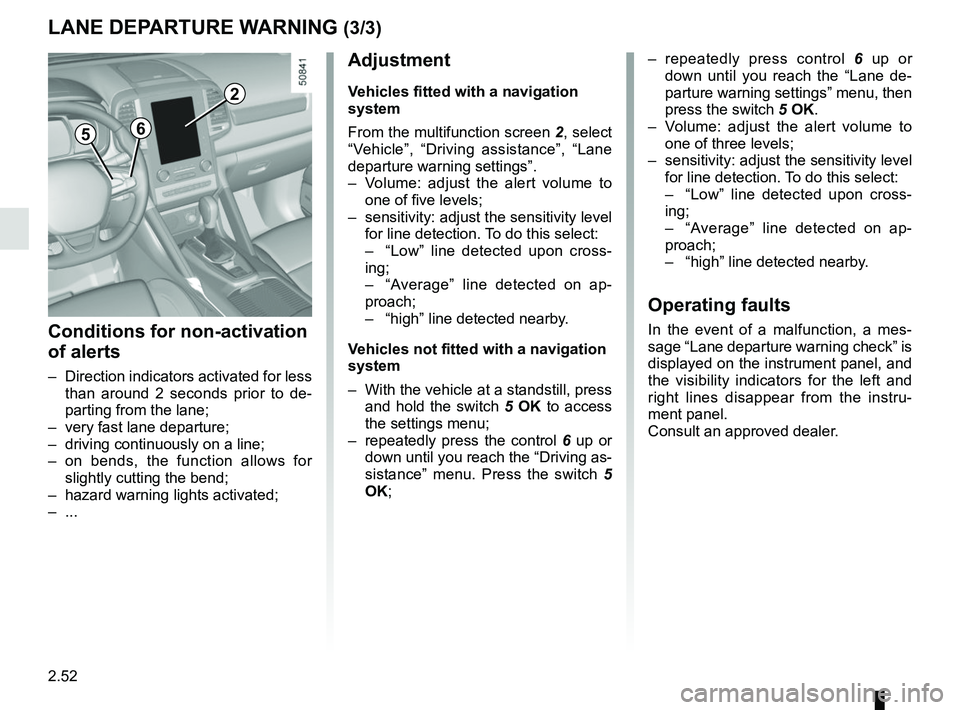
From the multifunction screen 2, select
“Vehicle”, “Driving assistance”, “Lane
departure warning settings”.
– Volume: adjust the alert volume to one of five levels;
– sensitivity: adjust the sensitivity level for line detection. To do this select:
– “Low” line detected upon cross-
ing;
– “Average” line detected on ap-
proach;
– “high” line detected nearby.
Vehicles not fitted with a navigation
system
– With the vehicle at a standstill, press and hold the switch 5 OK to access
the settings menu;
– repeatedly press the control 6 up or
down until you reach the “Driving as-
sistance” menu. Press the switch 5
OK;
– repeatedly press control 6 up or
down until you reach the “Lane de-
parture warning settings” menu, then
press the switch 5 OK.
– Volume: adjust the alert volume to one of three levels;
– sensitivity: adjust the sensitivity level for line detection. To do this select:
– “Low” line detected upon cross-
ing;
– “Average” line detected on ap-
proach;
– “high” line detected nearby.
Operating faults
In the event of a malfunction, a mes-
sage “Lane departure warning check” is
displayed on the instrument panel, and
the visibility indicators for the left and
right lines disappear from the instru-
ment panel.
Consult an approved dealer.
LANE DEPARTURE WARNING (3/3)
Conditions for non-activation
of alerts
– Direction indicators activated for less than around 2 seconds prior to de-
parting from the lane;
– very fast lane departure;
– driving continuously on a line;
– on bends, the function allows for slightly cutting the bend;
– hazard warning lights activated;
– ...
Page 157 of 332
2.53
FATIGUE DETECTION WARNING (1/2)
The fatigue detection warning is a func-
tion which is useful on monotonous
roads (motorways, high-speed roads
etc.).
It analyses driver behaviour and takes
account of events to inform you of any
risk of fatigue such as:
– steering wheel movement;
– driver actions on other devices (indi-cators, windscreen washer etc.);
– time spent driving without stopping;
– ...
This function is an addi-
tional driving aid in case of
risk of fatigue. This function
does not take the place of
the driver.
Under no circumstances should this
function replace the driver’s care or
responsibility whilst driving.
Activation/deactivation
Vehicles fitted with a multimedia
system
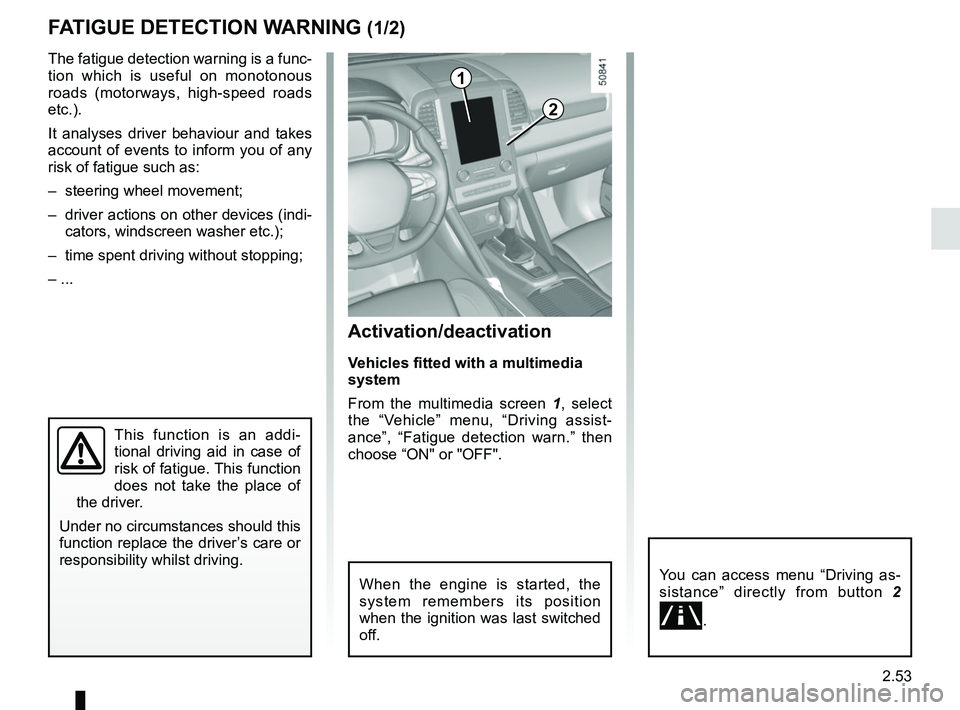
From the multimedia screen 1, select
the “Vehicle” menu, “Driving assist-
ance”, “Fatigue detection warn.” then
choose “ON" or "OFF".
You can access menu “Driving as-
sistance” directly from button 2
\b.
2
1
When the engine is started, the
system remembers its position
when the ignition was last switched
off.
Page 158 of 332
2.54
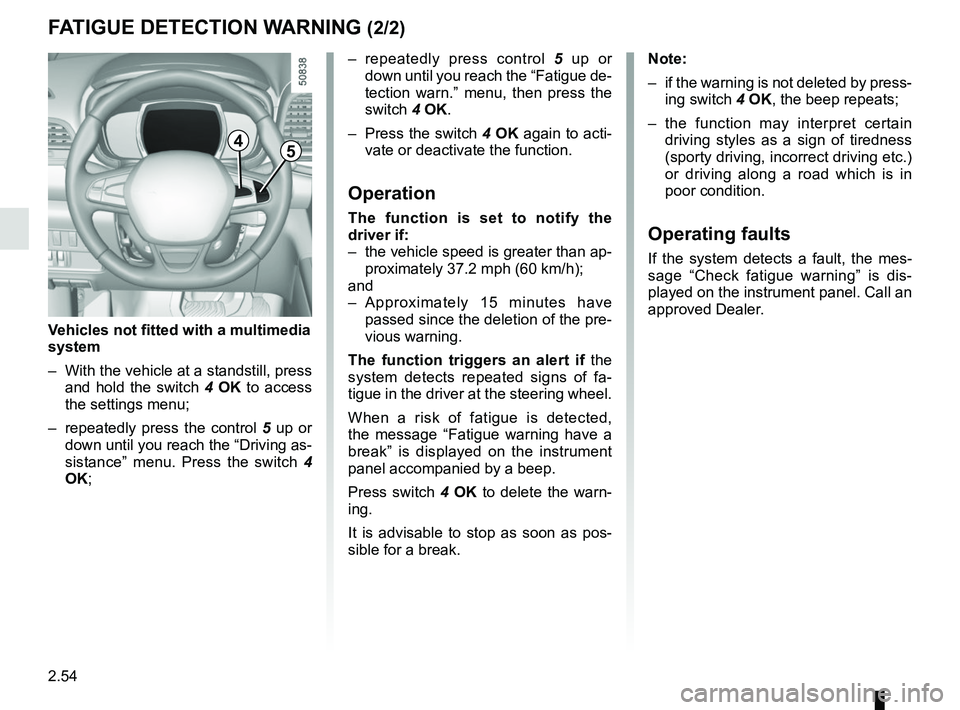
– repeatedly press control 5 up or
down until you reach the “Fatigue de-
tection warn.” menu, then press the
switch 4 OK.
– Press the switch 4 OK again to acti-
vate or deactivate the function.
Operation
The function is set to notify the
driver if:
– the vehicle speed is greater than ap- proximately 37.2 mph (60 km/h);
and
– Approximately 15 minutes have passed since the deletion of the pre-
vious warning.
The function triggers an alert if the
system detects repeated signs of fa-
tigue in the driver at the steering wheel.
When a risk of fatigue is detected,
the message “Fatigue warning have a
break” is displayed on the instrument
panel accompanied by a beep.
Press switch 4 OK to delete the warn-
ing.
It is advisable to stop as soon as pos-
sible for a break.
FATIGUE DETECTION WARNING (2/2)
Note:
– if the warning is not deleted by press- ing switch 4 OK, the beep repeats;
– the function may interpret certain driving styles as a sign of tiredness
(sporty driving, incorrect driving etc.)
or driving along a road which is in
poor condition.
Operating faults
If the system detects a fault, the mes-
sage “Check fatigue warning” is dis-
played on the instrument panel. Call an
approved Dealer.
4
Vehicles not fitted with a multimedia
system
– With the vehicle at a standstill, press and hold the switch 4 OK to access
the settings menu;
– repeatedly press the control 5 up or
down until you reach the “Driving as-
sistance” menu. Press the switch 4
OK;
5
Page 159 of 332
2.55
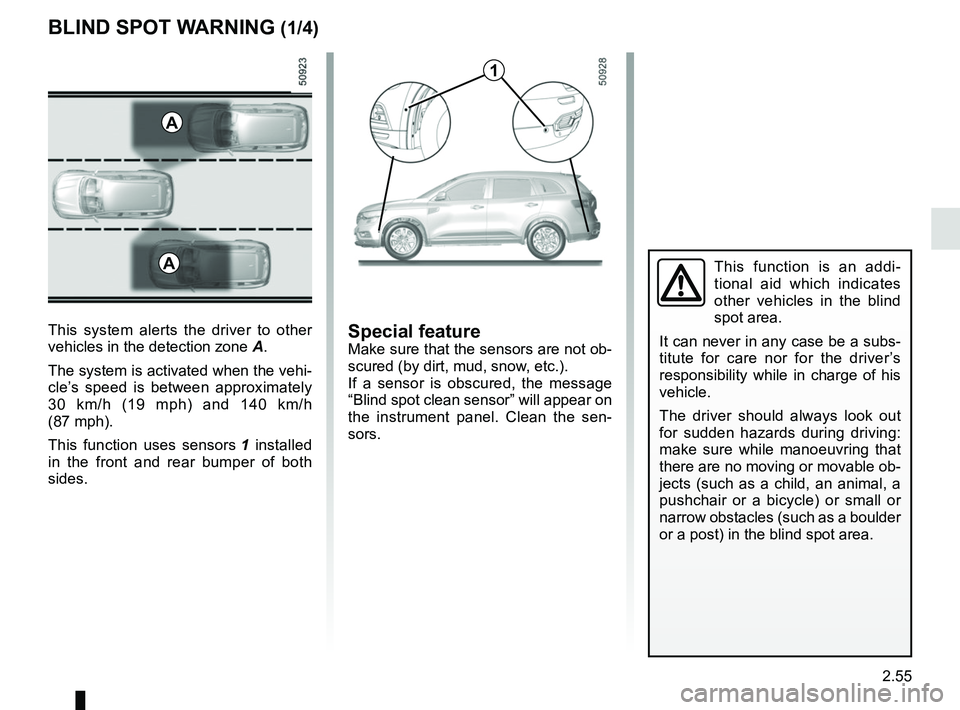
BLIND SPOT WARNING (1/4)
This system alerts the driver to other
vehicles in the detection zone A.
The system is activated when the vehi-
cle’s speed is between approximately
30 km/h (19 mph) and 140 km/h
(87 mph).
This function uses sensors 1 installed
in the front and rear bumper of both
sides.
1
A
Special featureMake sure that the sensors are not ob-
scured (by dirt, mud, snow, etc.).
If a sensor is obscured, the message
“Blind spot clean sensor” will appear on
the instrument panel. Clean the sen-
sors.
AThis function is an addi-
tional aid which indicates
other vehicles in the blind
spot area.
It can never in any case be a subs-
titute for care nor for the driver’s
responsibility while in charge of his
vehicle.
The driver should always look out
for sudden hazards during driving:
make sure while manoeuvring that
there are no moving or movable ob-
jects (such as a child, an animal, a
pushchair or a bicycle) or small or
narrow obstacles (such as a boulder
or a post) in the blind spot area.