collision RENAULT KOLEOS 2018 Owners Manual
[x] Cancel search | Manufacturer: RENAULT, Model Year: 2018, Model line: KOLEOS, Model: RENAULT KOLEOS 2018Pages: 332, PDF Size: 8.91 MB
Page 40 of 332
1.34
CHILD SAFETY: General information (1/2)
Carrying children
Children, and adults, must be correctly
seated and strapped in for all journeys.
The children being carried in your vehi-
cle are your responsibility.
A child is not a miniature adult. Children
are at risk of specific injuries as their
muscles and bones have not yet fin-
ished growing. The seat belt alone
would not provide suitable protection.
Use an approved child seat and ensure
you use it correctly.
Please ensure that you comply with the
legislation of your country.
A collision at 30 mph
(50 km/h) is the same as fall-
ing a distance of 10 metres.
Transporting a child without
a restraint is the equivalent of allow-
ing him or her to play on a fourth-
floor balcony without railings.
Never travel with a child held in your
arms. In the event of an accident,
you will not be able to keep hold of
the child, even if you yourself are
wearing a seat belt.
If your vehicle has been involved in
a road accident, replace the child
seat and have the seat belts and
ISOFIX anchorage points checked.
To prevent the doors being
opened, use the “Child
safety” device (refer to the
information on “Opening
and closing the doors” in Section 1).
Driver’s responsibility
when parking or stopping
the vehicle
Never leave an animal,
child or adult who is not self-suffi-
cient alone on your vehicle, even for
a short time.
They may pose a risk to themselves
or to others by starting the engine,
activating equipment such as the
electric windows or by locking the
doors.
Also, in hot and/or sunny weather,
please remember that the tempera-
ture inside the passenger compart-
ment increases very quickly.
RISK OF DEATH OR SERIOUS
INJURY.
Page 43 of 332
1.37
Attachment using the ISOFIX
system
Authorised child seats ISOFIX are
standardised in accordance with cur-
rent regulations. If any of the five cases
below applies:
– ISOFIX universal 3-point forward- facing seat;
– ISOFIX semi-universal 2-point seat;
– Specific;
i-Size which has:
– either a belt which attaches to the third ring of the sear concerned;
– or a support leg that rests on the ve- hicle floor, compatible with the ap-
proved seat i-Size, the role of which
is to prevent the child seat from
moving in the event of a collision.
In the latter three cases check that your
child seat can be installed by consulting
the list of compatible vehicles.
Attach the child seat with the ISOFIX
locks, if these are provided. The ISOFIX
system allows quick, easy, safe fitting.
The ISOFIX system consists of 2 rings
and, in some cases, a third ring.
CHILD SAFETY: choosing a child seat mounting (1/2)
There are two ways of attaching child
seats: via the seat belt or using the
ISOFIX system.
Attachment via the seat belt
The seat belt must be adjusted to
ensure that it is effective in the event of
harsh braking or an impact.
Ensure that the strap paths indicated
by the child seat manufacturer are re-
spected.
Always check that the seat belt is cor-
rectly fastened by pulling it up, then
pulling it out fully whilst pressing on the
child seat.
Check that the seat is correctly held by
moving it from side to side and back
to front: the seat should remain firmly
fixed.
Check that the child seat has not been
installed at an angle and that it is not
resting against a window.
No modifications may be
made to the component
parts of the restraint system
(ISOFIX seat belts, seats
and their mountings) originally fitted.
The seat belt must never
be twisted or the tension
relieved. Never pass the
shoulder strap under the
arm or behind the back.
Check that the seat belt has not
been damaged by sharp edges.
If the seat belt does not operate nor-
mally, it will not protect the child.
Consult an approved dealer. Do not
use this seat until the seat belt has
been repaired.
Do not use the child seat
if it may unfasten the seat
belt restraining it: the base
of the seat must not rest on
the buckle and/or catch of the seat
belt.
Before using an ISOFIX
child seat that you pur-
chased for another vehicle,
check that its installation is
authorised. Consult the list of ve-
hicles which can be fitted with the
seat from the equipment manufac-
turer.
Page 144 of 332
2.40
Activating or deactivating the
system
For vehicles fitted with a navigation
system
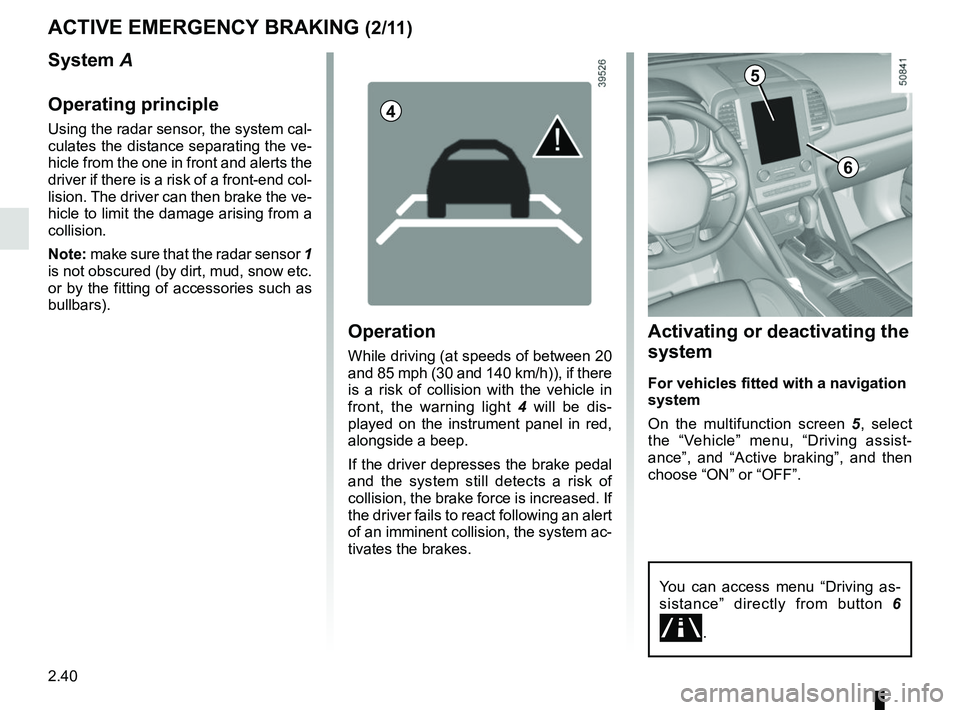
On the multifunction screen 5, select
the “Vehicle” menu, “Driving assist-
ance”, and “Active braking”, and then
choose “ON” or “OFF”.
ACTIVE EMERGENCY BRAKING (2/11)
5
You can access menu “Driving as-
sistance” directly from button 6
\b.
6
Operation
While driving (at speeds of between 20
and 85 mph (30 and 140 km/h)), if there
is a risk of collision with the vehicle in
front, the warning light 4 will be dis-
played on the instrument panel in red,
alongside a beep.
If the driver depresses the brake pedal
and the system still detects a risk of
collision, the brake force is increased. If
the driver fails to react following an alert
of an imminent collision, the system ac-
tivates the brakes.
System A
Operating principle
Using the radar sensor, the system cal-
culates the distance separating the ve-
hicle from the one in front and alerts the
driver if there is a risk of a front-end col-
lision. The driver can then brake the ve-
hicle to limit the damage arising from a
collision.
Note: make sure that the radar sensor 1
is not obscured (by dirt, mud, snow etc.
or by the fitting of accessories such as
bullbars).4
Page 148 of 332
2.44
ACTIVE EMERGENCY BRAKING (6/11)
System B
Operating principle
Using information from the radar-cam-
era, the system calculates the distance
which separates it from the vehicle in
front and the surrounding pedestrians.
It notifies the driver if there is a risk of
head-on collision. The driver can then
brake the vehicle to limit the damage
arising from a collision.
Note: make sure the windscreen is not
obscured (dirt, mud, snow, condensa-
tion etc.).
This function is an addi-
tional driving aid. This func-
tion is not under any circum-
stances intended to replace
the due care and attention of the
driver, who should at all times be
in control of the vehicle.This system applies maximum
braking to the vehicle
For safety reasons, always wear
your seat belt when travelling in
your vehicle and make sure that it
is loaded so that no items can be
thrown forward and hit the occu-
pants.
9
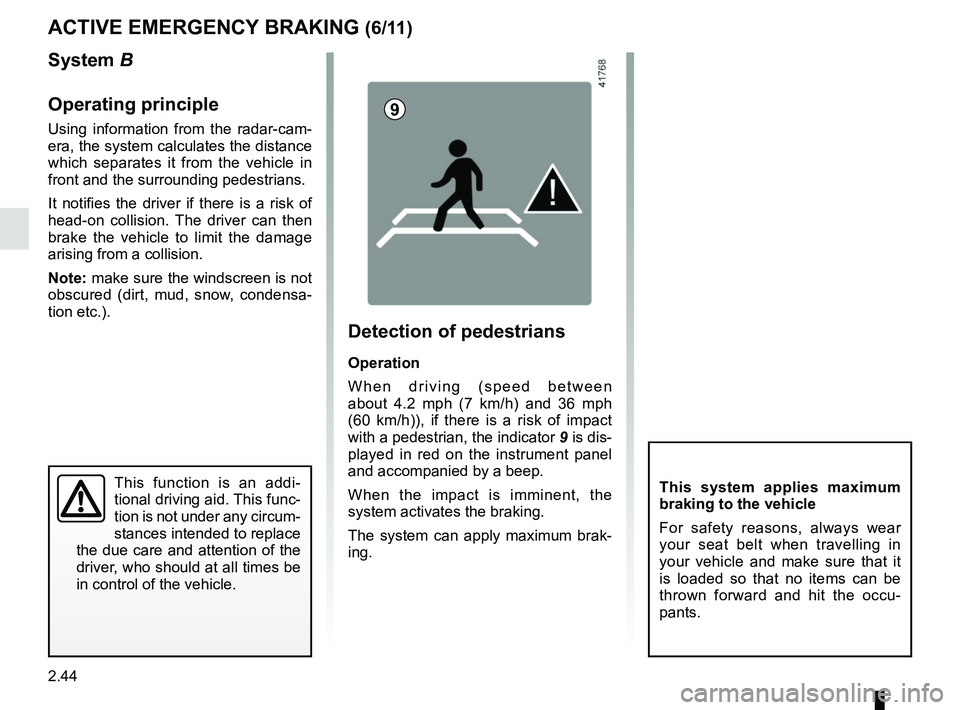
Detection of pedestrians
Operation
When driving (speed between
about 4.2 mph (7 km/h) and 36 mph
(60 km/h)), if there is a risk of impact
with a pedestrian, the indicator 9 is dis-
played in red on the instrument panel
and accompanied by a beep.
When the impact is imminent, the
system activates the braking.
The system can apply maximum brak-
ing.
Page 149 of 332
2.45
ACTIVE EMERGENCY BRAKING (7/11)
System B (continued)
Detection of vehicles
Operation
When driving (speed between about
4.34 and 99.2 mph (7 and 160 km/h)), if
there is a risk of collision with the vehi-
cle in front, the system:
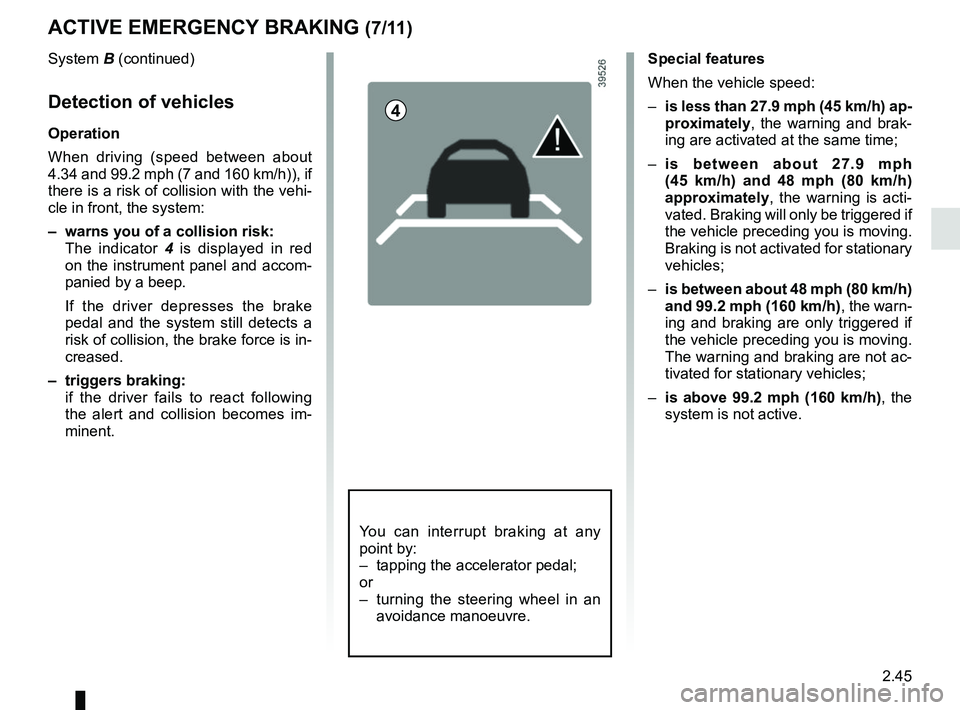
– warns you of a collision risk:
The indicator 4 is displayed in red
on the instrument panel and accom-
panied by a beep.
If the driver depresses the brake
pedal and the system still detects a
risk of collision, the brake force is in-
creased.
– triggers braking:
if the driver fails to react following the alert and collision becomes im-
minent.
4
You can interrupt braking at any
point by:
– tapping the accelerator pedal;
or
– turning the steering wheel in an avoidance manoeuvre.
Special features
When the vehicle speed:
– is less than 27.9 mph (45 km/h) ap-
proximately, the warning and brak-
ing are activated at the same time;
– is between about 27.9 mph
(45 km/h) and 48 mph (80 km/h)
approximately, the warning is acti-
vated. Braking will only be triggered if
the vehicle preceding you is moving.
Braking is not activated for stationary
vehicles;
– is between about 48 mph (80 km/h)
and 99.2 mph (160 km/h) , the warn-
ing and braking are only triggered if
the vehicle preceding you is moving.
The warning and braking are not ac-
tivated for stationary vehicles;
– is above 99.2 mph (160 km/h), the
system is not active.
Page 179 of 332

This function is an additional driving aid. This function is not under any circumstances intended to replace the due\
care
and attention of the driver, who should")
2.75
ADAPTIVE CRUISE CONTROL (7/8)
This function is an additional driving aid. This function is not under any circumstances intended to replace the due\
care
and attention of the driver, who should at all times be in control of the vehicle.
The driver should always adapt their speed to the traffic conditions, regardless of the system indications.
The system should under no circumstances be taken to be an obstacle dete\
ctor or an anti-collision system.
System servicing/repairs
– In the event of an impact, the radar-camera alignment may be changed, an\
d its operation may consequently be affected. Deactivate the function and consult an authorised dealer.
– Any work in the area where the radar-camera is located (repairs, replac\
ements, windscreen modifications etc.) must be car- ried out by a qualified professional.
Only an authorised dealer is qualified to service the system.
Deactivating the function
You must disable the function if:
– the brake lights are not functioning;
– the area of the radar-camera has been damaged (on the windscreen side o\
r the interior rear-view mirror side);
– the vehicle is being towed (breakdowns);
– traffic is heavy;
– the vehicle is travelling in a tunnel;
– the vehicle is travelling on a windy road;
– the windscreen is cracked or distorted (do not carry out windscreen rep\
airs in this area; have it changed by an Authorised Dealer);
– the vehicle is travelling on a slippery road or in poor weather conditio\
ns (fog, snow, rain, side winds etc.).
In the event of the system behaving abnormally, deactivate it and consult an authorised dealer.
Page 183 of 332
2.79
An impact to the under-
side of the vehicle while
manoeuvring (e.g.: strik-
ing a post, raised kerb or
other street furniture) may result in
damage to the vehicle (e.g.: defor-
mation of an axle).
To avoid any risk of accident, have
your vehicle checked by an ap-
proved dealer.
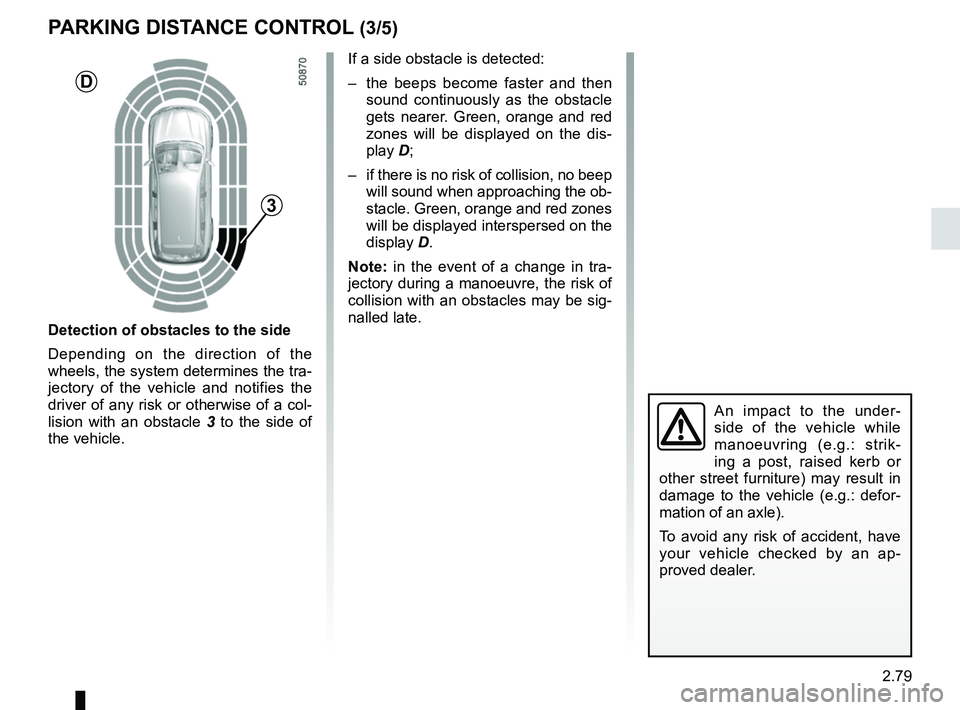
Detection of obstacles to the side
Depending on the direction of the
wheels, the system determines the tra-
jectory of the vehicle and notifies the
driver of any risk or otherwise of a col-
lision with an obstacle 3 to the side of
the vehicle.
PARKING DISTANCE CONTROL (3/5)
If a side obstacle is detected:
– the beeps become faster and then sound continuously as the obstacle
gets nearer. Green, orange and red
zones will be displayed on the dis-
play D;
– if there is no risk of collision, no beep will sound when approaching the ob-
stacle. Green, orange and red zones
will be displayed interspersed on the
display D.
Note: in the event of a change in tra-
jectory during a manoeuvre, the risk of
collision with an obstacles may be sig-
nalled late.
3
D