light RENAULT MASTER 2016 X62 / 2.G Repair Manual
[x] Cancel search | Manufacturer: RENAULT, Model Year: 2016, Model line: MASTER, Model: RENAULT MASTER 2016 X62 / 2.GPages: 284, PDF Size: 6.69 MB
Page 136 of 284
2.22
TYRE PRESSURE LOSS WARNING (2/3)
2
3
4
Note:
The standard tyre pressure cannot be
less than that recommended and indi-
cated on the door frame.
Display
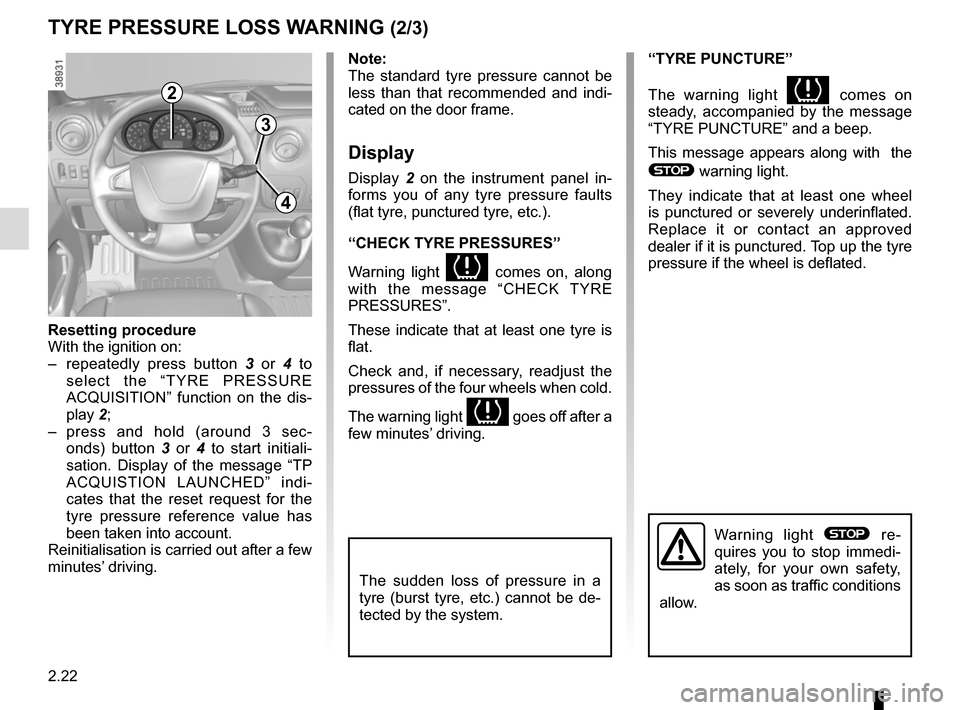
Display 2 on the instrument panel in-
forms you of any tyre pressure faults
(flat tyre, punctured tyre, etc.).
“CHECK TYRE PRESSURES”
Warning light
comes on, along
with the message “CHECK TYRE
PRESSURES”.
These indicate that at least one tyre is
flat.
Check and, if necessary, readjust the
pressures of the four wheels when cold.
The warning light
goes off after a
few minutes’ driving.
“TYRE PUNCTURE”
The warning light
comes on
steady, accompanied by the message
“TYRE PUNCTURE” and a beep.
This message appears along with the
® warning light.
They indicate that at least one wheel
is punctured or severely underinflated.
Replace it or contact an approved
dealer if it is punctured. Top up the tyre
pressure if the wheel is deflated.
Warning light ® re-
quires you to stop immedi-
ately, for your own safety,
as soon as traffic conditions
allow.
Resetting procedure
With the ignition on:
– repeatedly press button 3 or 4 to
select the “TYRE PRESSURE
ACQUISITION” function on the dis-
play 2;
– press and hold (around 3 sec- onds) button 3 or 4 to start initiali-
sation. Display of the message “TP
ACQUISTION LAUNCHED” indi-
cates that the reset request for the
tyre pressure reference value has
been taken into account.
Reinitialisation is carried out after a few
minutes’ driving.
The sudden loss of pressure in a
tyre (burst tyre, etc.) cannot be de-
tected by the system.
Page 137 of 284
2.23
TYRE PRESSURE LOSS WARNING (3/3)
“CHECK TYRE SENSORS”
The warning light
flashes for
several seconds, then stays on, along
with the message “CHECK TYRE
SENSORS”.
This message appears along with the
© warning light.
They indicate that at least one tyre is
not fitted with sensors (e.g. emergency
spare wheel). Otherwise, consult an
authorised dealer.
Readjustment of tyre
pressures
The tyre pressures must be adjusted
when cold (please refer to the label lo-
cated on the edge of the driver’s door).
If tyre pressures cannot be checked
when the tyres are cold, the recom-
mended pressures must be increased
by 0.2 to 0.3 bar (3 PSI).
Never deflate a hot tyre.
Replacing wheels/tyres
This system requires specific equip-
ment (wheels, tyres, hubcaps, etc.).
Please see the information on “Tyres”
in Section 5.
Contact an approved Dealer to fit new
tyres and to find out about available ac-
cessories compatible with the system
and available from your dealer net-
work: the use of any other accessory
could affect the correct operation of the
system or damage a sensor.
Emergency spare wheel
If the vehicle is equipped with an emer- -
gency spare wheel, it will not have a
sensor. When it is fitted on the vehicle,
the warning light
flashes for sev-
eral seconds, then stays on, together
with the warning light
© and the
message “CHECK TYRE SENSORS”
appears on the instrument panel.
Tyre repair product and
inflation kit
Because the valves are specially de-
signed, only use equipment approved
by the approved network. Please refer
to “Tyre inflation kit” in Section 5.
Changing a wheel
The system may take sev-
eral minutes depending on
use for the new wheel pres-
sures to be recognised; check the
tyre pressures after all operations.
Page 138 of 284

This function is a driving aid in the event of the accidental crossing o\
f
a continuous or broken line in the road. However, the function is not in-
tended to repla")
2.24
LANE DEPARTURE WARNING (1/2)
This function is a driving aid in the event of the accidental crossing o\
f
a continuous or broken line in the road. However, the function is not in-
tended to replace the driver. The function can be disrupted under certain
conditions, including:
– poor visibility (rain, snow, fog, dirty windscreen, glare of the sun, partially ob- scured road lines, etc.);
– roads with tight bends;
– closely following a vehicle in the same lane;
– worn road markings, difficult to distinguish or spaced very widely apart;
– narrow roads;
– ...
In this case, warning light
\b on the instrument panel goes out to indicate that
the function will not operate (lines not detected).
Under no circumstances should this function replace the driver’s care or respon-
sibility whilst performing manoeuvres.
This system notifies the driver when
they accidentally cross a continuous or
broken line.
This function uses the camera 1 at-
tached to the windscreen, behind the
rear-view mirror.
Note: Make sure the windscreen is not
obstructed (dirt, ice, snow, etc.).
1
Page 139 of 284
2.25
LANE DEPARTURE WARNING (2/2)Conditions for non-activation
of alerts
– Indicators activated or having been activated less than approximately
four seconds prior to departing from
the lane;
– Very fast lane departure;
– Driving continuously on a line;
– ...
Operating faults
In the event of a malfunction, a mes-
sage “LANE DEPARTURE CHECK” is
displayed on the instrument panel ac-
companied by the warning light
©.
Consult an approved dealer.
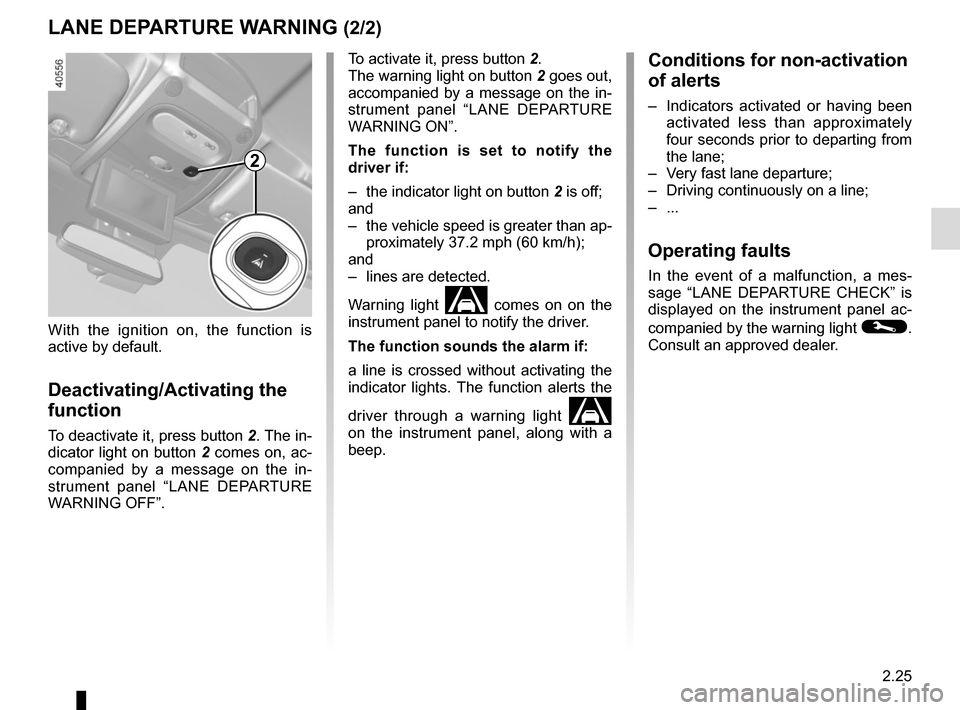
To activate it, press button 2.
The warning light on button
2 goes out,
accompanied by a message on the in-
strument panel “LANE DEPARTURE
WARNING ON”.
The function is set to notify the
driver if:
– the indicator light on button 2 is off;
and
– the vehicle speed is greater than ap- proximately 37.2 mph (60 km/h);
and
– lines are detected.
Warning light
\b comes on on the
instrument panel to notify the driver.
The function sounds the alarm if:
a line is crossed without activating the
indicator lights. The function alerts the
driver through a warning light
\b
on the instrument panel, along with a
beep.
2
With the ignition on, the function is
active by default.
Deactivating/Activating the
function
To deactivate it, press button 2. The in-
dicator light on button 2 comes on, ac-
companied by a message on the in-
strument panel “LANE DEPARTURE
WARNING OFF”.
Page 140 of 284
2.26
CRUISE CONTROL/SPEED LIMITER: limiter function (1/3)
The speed limiter function helps you
stay within the driving speed limit that
you choose, known as the limit speed.
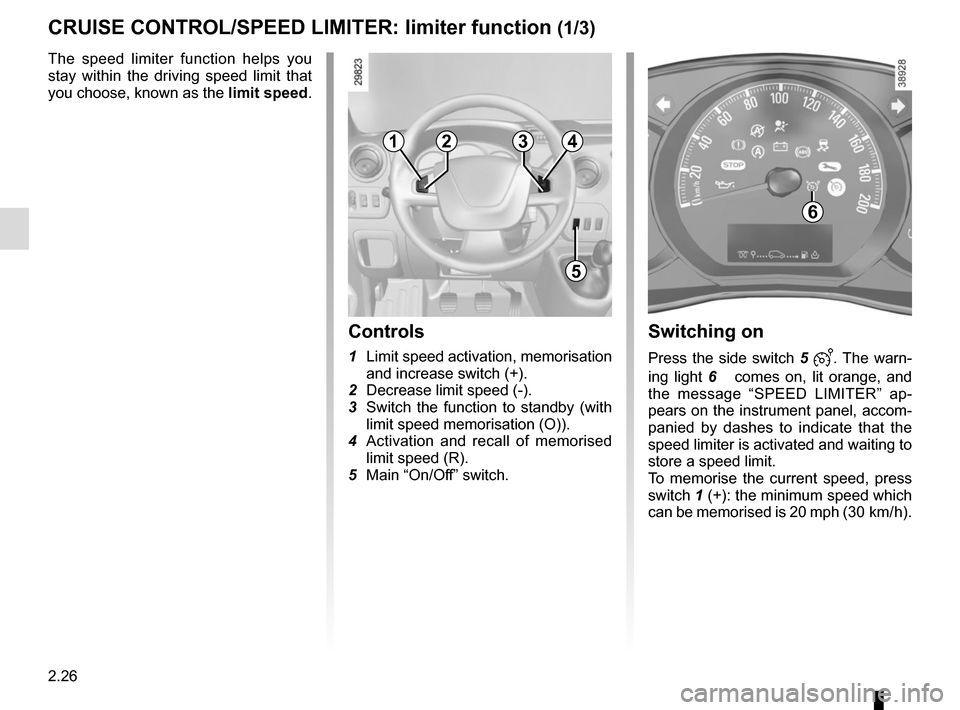
Controls
1 Limit speed activation, memorisation
and increase switch (+).
2 Decrease limit speed (-).
3 Switch the function to standby (with limit speed memorisation (O)).
4 Activation and recall of memorised limit speed (R).
5 Main “On/Off” switch.
Switching on
Press the side switch 5 . The warn-
ing light 6
comes on, lit orange, and
the message “SPEED LIMITER” ap-
pears on the instrument panel, accom-
panied by dashes to indicate that the
speed limiter is activated and waiting to
store a speed limit.
To memorise the current speed, press
switch 1 (+): the minimum speed which
can be memorised is 20 mph (30 km/ h).
6
1
5
234
Page 142 of 284
2.28
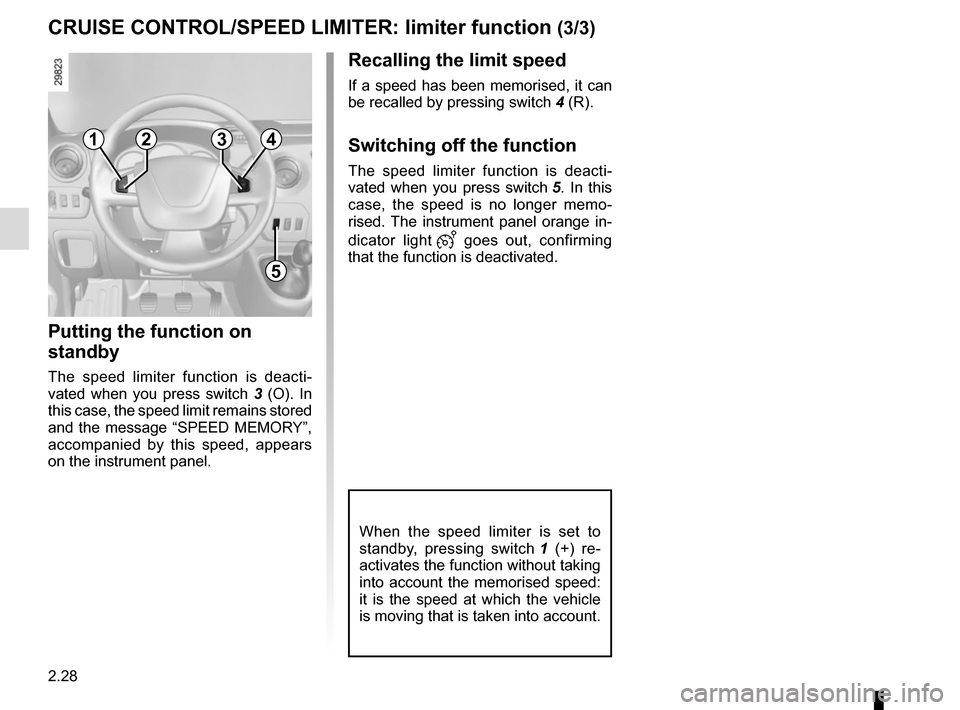
Recalling the limit speed
If a speed has been memorised, it can
be recalled by pressing switch 4 (R).
Switching off the function
The speed limiter function is deacti-
vated when you press switch 5. In this
case, the speed is no longer memo-
rised. The instrument panel orange in-
dicator light
goes out, confirming
that the function is deactivated.
CRUISE CONTROL/SPEED LIMITER: limiter function (3/3)
Putting the function on
standby
The speed limiter function is deacti-
vated when you press switch 3 (O). In
this case, the speed limit remains stored
and the message “SPEED MEMORY”,
accompanied by this speed, appears
on the instrument panel.
When the speed limiter is set to
standby, pressing switch 1 (+) re-
activates the function without taking
into account the memorised speed:
it is the speed at which the vehicle
is moving that is taken into account.
1
5
234
Page 144 of 284
2.30
CRUISE CONTROL/SPEED LIMITER: cruise control function (2/4)
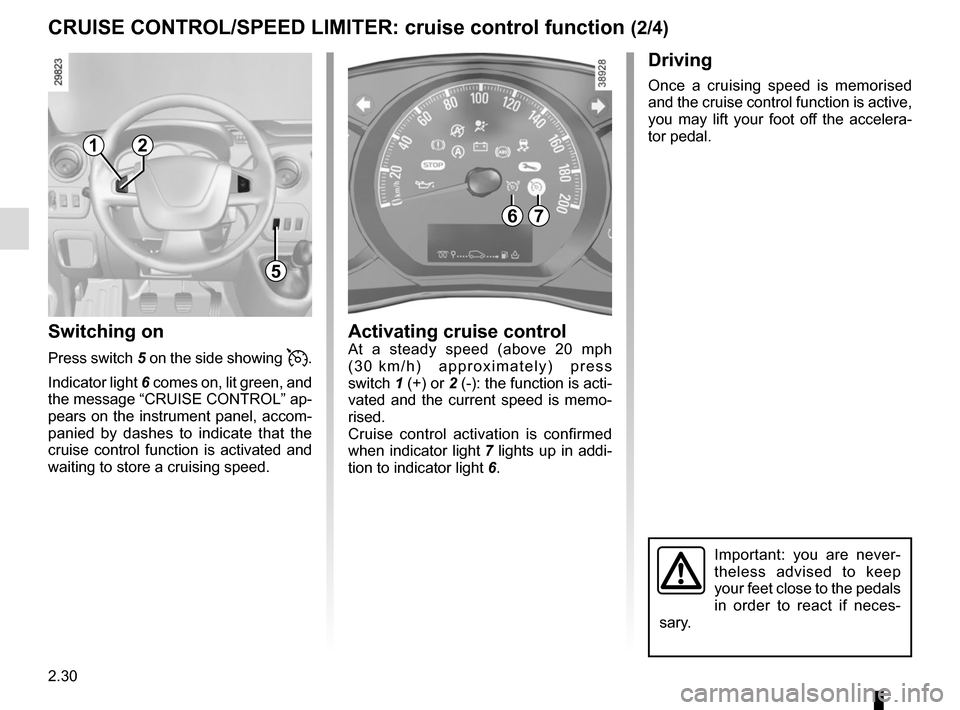
Switching on
Press switch 5 on the side showing .
Indicator light 6 comes on, lit green, and
the message “CRUISE CONTROL” ap-
pears on the instrument panel, accom-
panied by dashes to indicate that the
cruise control function is activated and
waiting to store a cruising speed.
Driving
Once a cruising speed is memorised
and the cruise control function is active,
you may lift your foot off the accelera-
tor pedal.
Activating cruise controlAt a steady speed (above 20 mph
(30 km/h) approximately) press
switch 1 (+) or 2 (-): the function is acti-
vated and the current speed is memo-
rised.
Cruise control activation is confirmed
when indicator light 7 lights up in addi-
tion to indicator light 6.
Important: you are never-
theless advised to keep
your feet close to the pedals
in order to react if neces-
sary.
67
1
5
2
Page 146 of 284
2.32
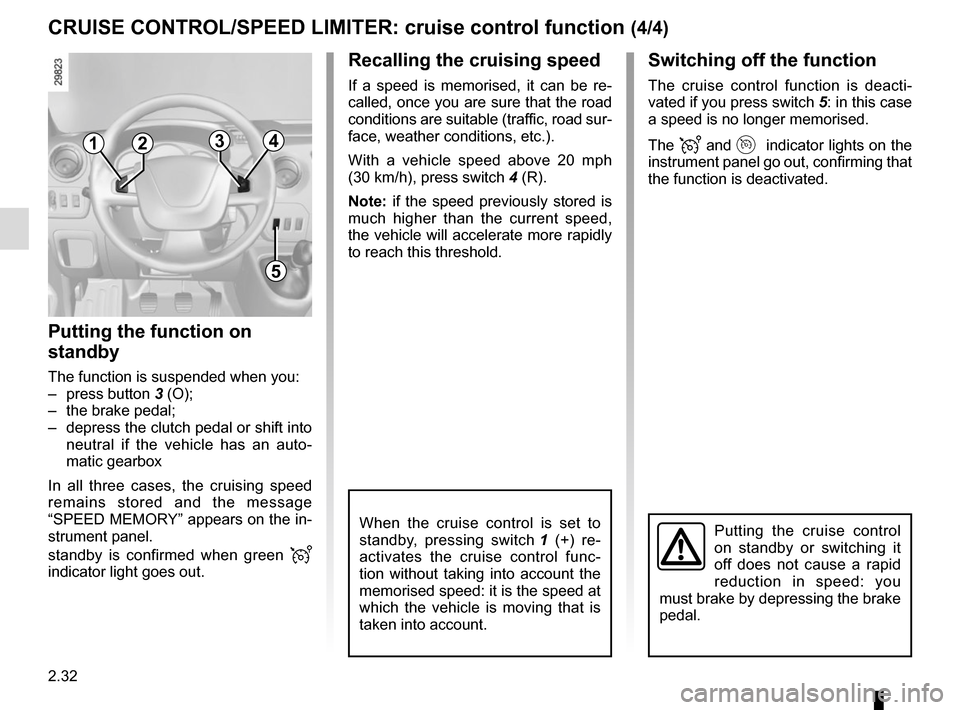
Switching off the function
The cruise control function is deacti-
vated if you press switch 5: in this case
a speed is no longer memorised.
The
and indicator lights on the
instrument panel go out, confirming that
the function is deactivated.
Recalling the cruising speed
If a speed is memorised, it can be re-
called, once you are sure that the road
conditions are suitable (traffic, road sur-
face, weather conditions, etc.).
With a vehicle speed above 20 mph
(30 km/h), press switch 4 (R).
Note: if the speed previously stored is
much higher than the current speed,
the vehicle will accelerate more rapidly
to reach this threshold.
When the cruise control is set to
standby, pressing switch 1 (+) re-
activates the cruise control func-
tion without taking into account the
memorised speed: it is the speed at
which the vehicle is moving that is
taken into account.Putting the cruise control
on standby or switching it
off does not cause a rapid
reduction in speed: you
must brake by depressing the brake
pedal.
CRUISE CONTROL/SPEED LIMITER: cruise control function (4/4)
1
5
2
Putting the function on
standby
The function is suspended when you:
– press button 3 (O);
– the brake pedal;
– depress the clutch pedal or shift into neutral if the vehicle has an auto-
matic gearbox
In all three cases, the cruising speed
remains stored and the message
“SPEED MEMORY” appears on the in-
strument panel.
standby is confirmed when green
indicator light goes out.
43
Page 147 of 284
2.33
VEHICLE WITH OVERSPEED FUNCTION
The vehicle speed may be permanently
set at a fixed value depending on the
vehicle or on local legislation.
To adjust the value or activate/deacti-
vate the function, consult an approved
dealer.
In the event of statutory limits (depend-
ing on the vehicle), this function may
not be deactivated.
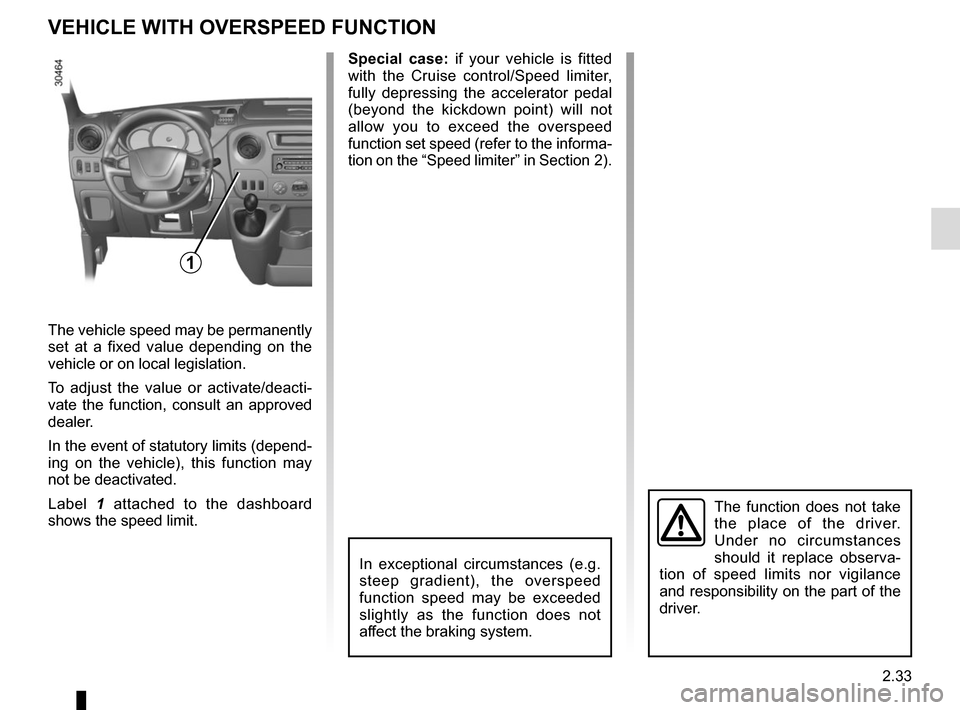
Label 1 attached to the dashboard
shows the speed limit. Special case:
if your vehicle is fitted
with the Cruise control/Speed limiter,
fully depressing the accelerator pedal
(beyond the kickdown point) will not
allow you to exceed the overspeed
function set speed (refer to the informa-
tion on the “Speed limiter” in Section 2).
In exceptional circumstances (e.g.
steep gradient), the overspeed
function speed may be exceeded
slightly as the function does not
affect the braking system.
The function does not take
the place of the driver.
Under no circumstances
should it replace observa-
tion of speed limits nor vigilance
and responsibility on the part of the
driver.
1
Page 149 of 284
2.35
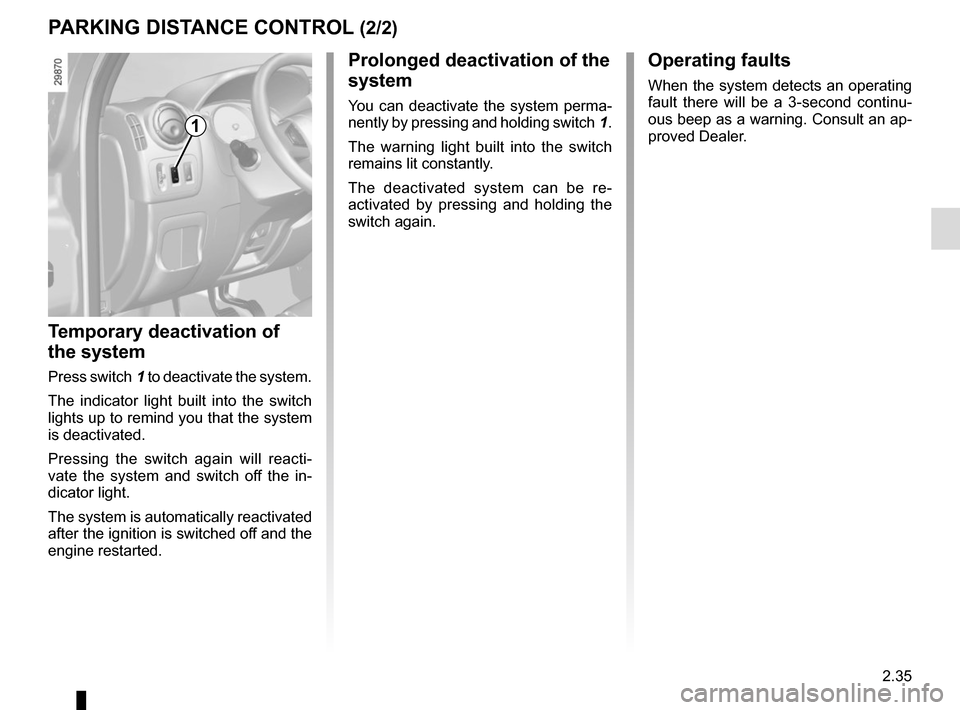
Prolonged deactivation of the
system
You can deactivate the system perma-
nently by pressing and holding switch 1.
The warning light built into the switch
remains lit constantly.
The deactivated system can be re-
activated by pressing and holding the
switch again.
Temporary deactivation of
the system
Press switch 1 to deactivate the system.
The indicator light built into the switch
lights up to remind you that the system
is deactivated.
Pressing the switch again will reacti-
vate the system and switch off the in-
dicator light.
The system is automatically reactivated
after the ignition is switched off and the
engine restarted.
Operating faults
When the system detects an operating
fault there will be a 3-second continu-
ous beep as a warning. Consult an ap-
proved Dealer.
PARKING DISTANCE CONTROL (2/2)
1