display RENAULT MASTER 2018 Owner's Manual
[x] Cancel search | Manufacturer: RENAULT, Model Year: 2018, Model line: MASTER, Model: RENAULT MASTER 2018Pages: 290, PDF Size: 7.1 MB
Page 138 of 290
2.22
DRIVER CORRECTION DEVICES AND AIDS (7/8)
Grip control
If fitted on the vehicle, grip control
makes it easier to control the vehicle on
low grip surfaces (soft ground, etc.).“Soft ground” mode
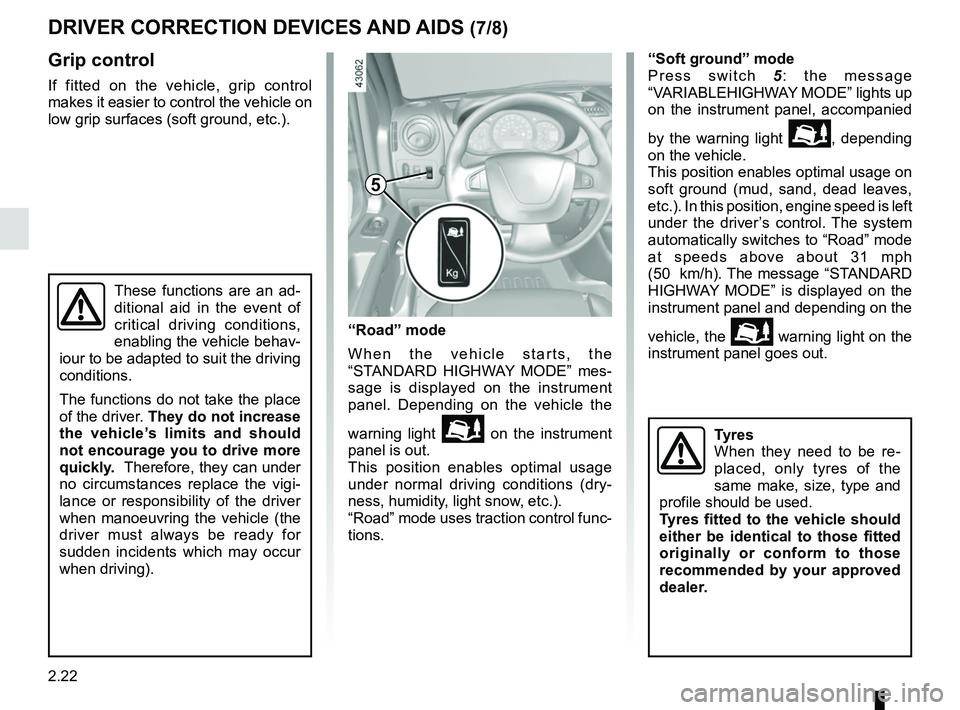
Press switch
5: the message
“VARIABLEHIGHWAY MODE” lights up
on the instrument panel, accompanied
by the warning light
\b, depending
on the vehicle.
This position enables optimal usage on
soft ground (mud, sand, dead leaves,
etc.). In this position, engine speed is left
under the driver’s control. The system
automatically switches to “Road” mode
at speeds above about 31 mph
(50 km/h). The message “STANDARD
HIGHWAY MODE” is displayed on the
instrument panel and depending on the
vehicle, the
\b warning light on the
instrument panel goes out.
These functions are an ad-
ditional aid in the event of
critical driving conditions,
enabling the vehicle behav-
iour to be adapted to suit the driving
conditions.
The functions do not take the place
of the driver. They do not increase
the vehicle’s limits and should
not encourage you to drive more
quickly. Therefore, they can under
no circumstances replace the vigi-
lance or responsibility of the driver
when manoeuvring the vehicle (the
driver must always be ready for
sudden incidents which may occur
when driving).
“Road” mode
When the vehicle starts, the
“STANDARD HIGHWAY MODE” mes-
sage is displayed on the instrument
panel. Depending on the vehicle the
warning light
\b on the instrument
panel is out.
This position enables optimal usage
under normal driving conditions (dry-
ness, humidity, light snow, etc.).
“Road” mode uses traction control func-
tions.
5
Tyres
When they need to be re-
placed, only tyres of the
same make, size, type and
profile should be used.
Tyres fitted to the vehicle should
either be identical to those fitted
originally or conform to those
recommended by your approved
dealer.
Page 141 of 290
2.25
TYRE PRESSURE LOSS WARNING (2/3)
2
3
4
Note:
The standard tyre pressure cannot be
less than that recommended and indi-
cated on the door frame.
Display
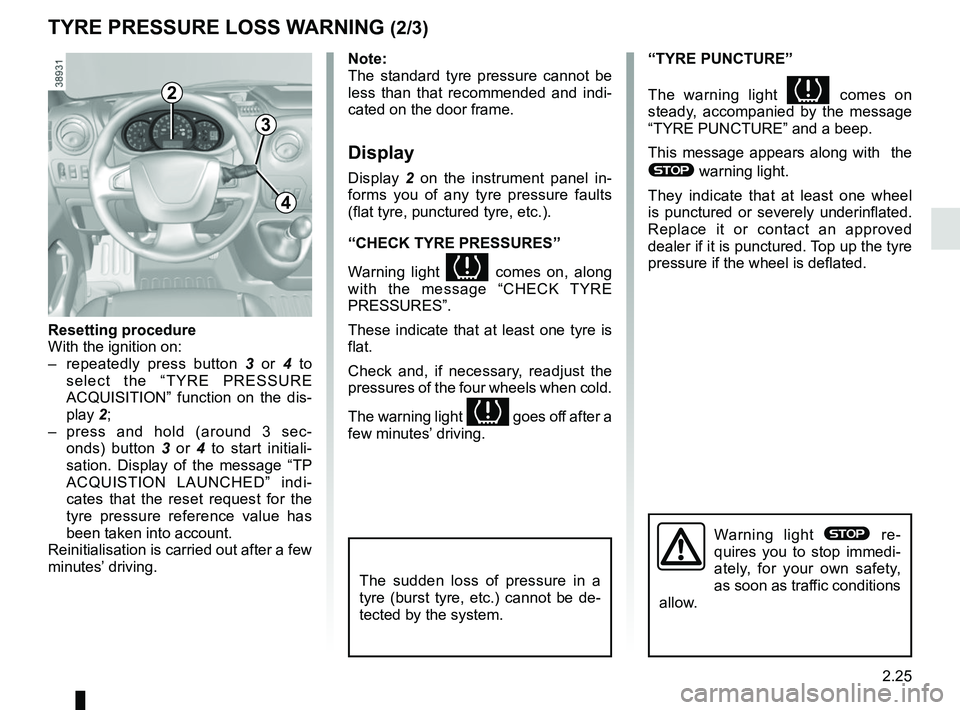
Display 2 on the instrument panel in-
forms you of any tyre pressure faults
(flat tyre, punctured tyre, etc.).
“CHECK TYRE PRESSURES”
Warning light
comes on, along
with the message “CHECK TYRE
PRESSURES”.
These indicate that at least one tyre is
flat.
Check and, if necessary, readjust the
pressures of the four wheels when cold.
The warning light
goes off after a
few minutes’ driving.
“TYRE PUNCTURE”
The warning light
comes on
steady, accompanied by the message
“TYRE PUNCTURE” and a beep.
This message appears along with the
® warning light.
They indicate that at least one wheel
is punctured or severely underinflated.
Replace it or contact an approved
dealer if it is punctured. Top up the tyre
pressure if the wheel is deflated.
Warning light ® re-
quires you to stop immedi-
ately, for your own safety,
as soon as traffic conditions
allow.
Resetting procedure
With the ignition on:
– repeatedly press button 3 or 4 to
select the “TYRE PRESSURE
ACQUISITION” function on the dis-
play 2;
– press and hold (around 3 sec- onds) button 3 or 4 to start initiali-
sation. Display of the message “TP
ACQUISTION LAUNCHED” indi-
cates that the reset request for the
tyre pressure reference value has
been taken into account.
Reinitialisation is carried out after a few
minutes’ driving.
The sudden loss of pressure in a
tyre (burst tyre, etc.) cannot be de-
tected by the system.
Page 144 of 290
2.28
LANE DEPARTURE WARNING (2/3)Conditions for non-activation
of alerts
– Indicators activated or having been activated less than approximately
four seconds prior to departing from
the lane;
– Very fast lane departure;
– Driving continuously on a line;
– ...
Operating faults
In the event of a malfunction, a mes-
sage “LANE DEPARTURE CHECK” is
displayed on the instrument panel ac-
companied by the warning light
©.
Consult an approved dealer.
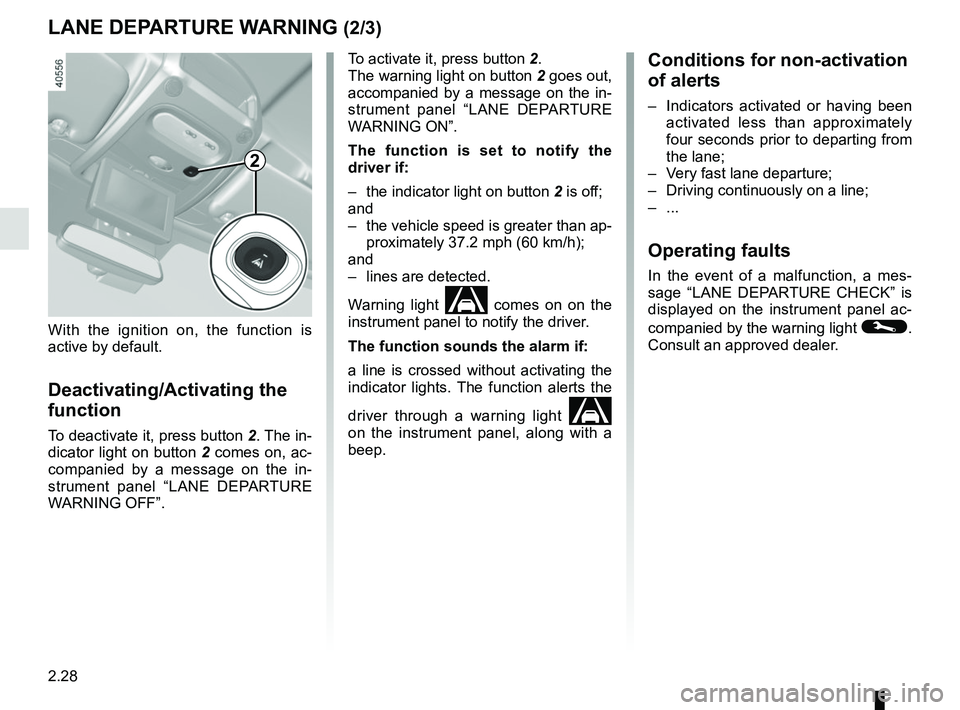
To activate it, press button 2.
The warning light on button
2 goes out,
accompanied by a message on the in-
strument panel “LANE DEPARTURE
WARNING ON”.
The function is set to notify the
driver if:
– the indicator light on button 2 is off;
and
– the vehicle speed is greater than ap- proximately 37.2 mph (60 km/h);
and
– lines are detected.
Warning light
comes on on the
instrument panel to notify the driver.
The function sounds the alarm if:
a line is crossed without activating the
indicator lights. The function alerts the
driver through a warning light
on the instrument panel, along with a
beep.
2
With the ignition on, the function is
active by default.
Deactivating/Activating the
function
To deactivate it, press button 2. The in-
dicator light on button 2 comes on, ac-
companied by a message on the in-
strument panel “LANE DEPARTURE
WARNING OFF”.
Page 147 of 290
2.31
SPEED LIMITER (2/3)
Exceeding the limit speed
It is possible to exceed the limit speed
at any moment. To do this: press the
accelerator pedal firmly and fully
(beyond the kickdown point).
Whilst the speed is being exceeded,
the limit speed displayed on the instru-
ment panel flashes.
Then, as far as is possible, release
the accelerator pedal: the speed lim-
iter function will return as soon as you
reach a speed lower than the memo-
rised speed.
Limited speed cannot be maintained
When driving down a steep gradient,
the system is unable to maintain the
limit speed: the memorised speed will
flash on the instrument panel informa-
tion display to inform you of this situ-
ation.
The speed limiter function is
in no way linked to the brak-
ing system.
Driving
When a limited speed has been stored
and this speed is not reached, driving is
similar to driving a vehicle without the
speed limiter function.
Once you have reached the stored
speed, no effort on the accelera-
tor pedal will allow you to exceed
the programmed speed except in an
emergency (refer to information on
“Exceeding the limit speed”).
1
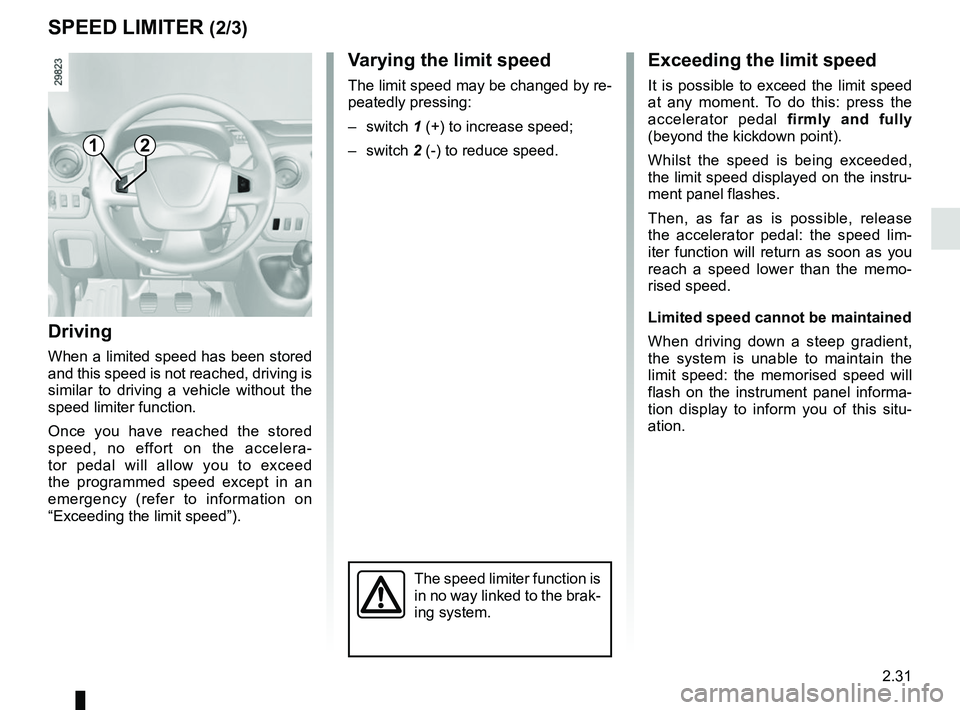
Varying the limit speed
The limit speed may be changed by re-
peatedly pressing:
– switch 1 (+) to increase speed;
– switch 2 (-) to reduce speed.
2
Page 151 of 290
2.35
CRUISE CONTROL (3/4)
Exceeding the cruising speed
The cruising speed may be exceeded
at any time by depressing the accelera-
tor pedal. While it is being exceeded,
the cruising speed flashes on the in-
strument panel.
Then, release the accelerator pedal:
after a few seconds, the vehicle will
automatically return to its set cruising
speed.
Cruising speed cannot be
maintained
When driving down a steep gradient,
the system is unable to maintain the
cruising speed: the stored speed will
flash on the instrument panel informa-
tion display to inform you of this situ-
ation.
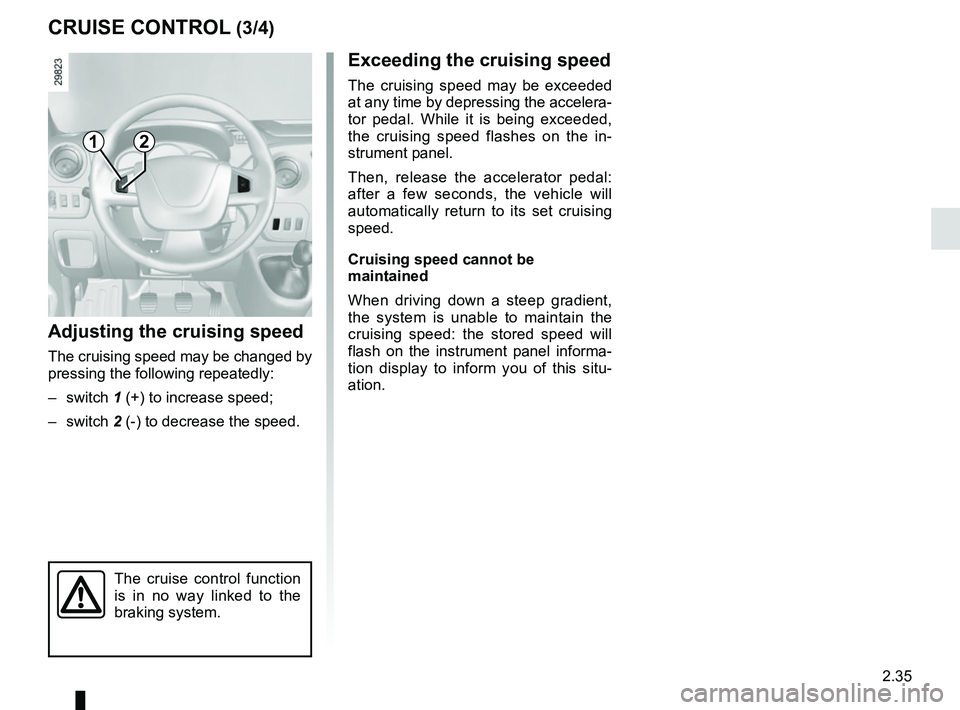
Adjusting the cruising speed
The cruising speed may be changed by
pressing the following repeatedly:
– switch 1 (+) to increase speed;
– switch 2 (-) to decrease the speed.
The cruise control function
is in no way linked to the
braking system.
12
Page 156 of 290
2.40
REVERSING CAMERA (1/2)
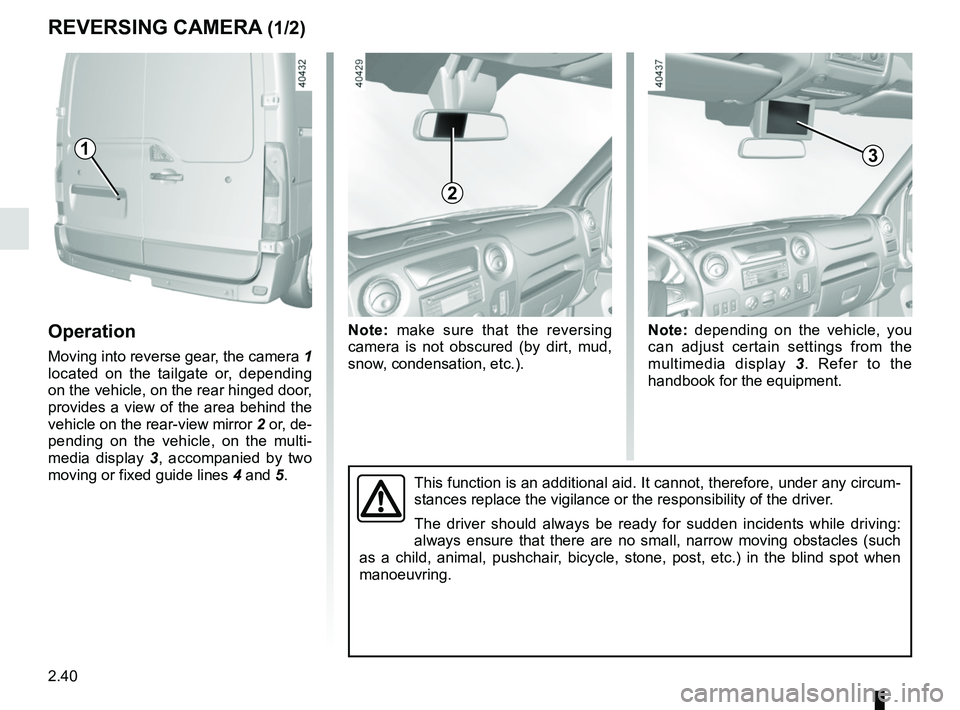
Operation
Moving into reverse gear, the camera 1
located on the tailgate or, depending
on the vehicle, on the rear hinged door,
provides a view of the area behind the
vehicle on the rear-view mirror 2 or, de-
pending on the vehicle, on the multi-
media display 3, accompanied by two
moving or fixed guide lines 4 and 5.
1
Note: make sure that the reversing
camera is not obscured (by dirt, mud,
snow, condensation, etc.).Note: depending on the vehicle, you
can adjust certain settings from the
multimedia display 3. Refer to the
handbook for the equipment.
This function is an additional aid. It cannot, therefore, under any circ\
um-
stances replace the vigilance or the responsibility of the driver.
The driver should always be ready for sudden incidents while driving:
always ensure that there are no small, narrow moving obstacles (such
as a child, animal, pushchair, bicycle, stone, post, etc.) in the blind spot when
manoeuvring.
2
3
Page 157 of 290
2.41
REVERSING CAMERA (2/2)
The screen shows a reverse image.
The frames are a representation
projected on a flat surface. This in-
formation is to not be taken into ac-
count when superimposed on a
vertical object or an object on the
ground.
Objects which appear on the edge
of the screen may be deformed.
In very bright light (snow, vehicle in
sunshine etc.), the camera vision
may be adversely affected.
If the rear doors are open or poorly
closed, the camera display disap-
pears and, depending on the ve-
hicle, the message “BOOT OPEN”
appears.
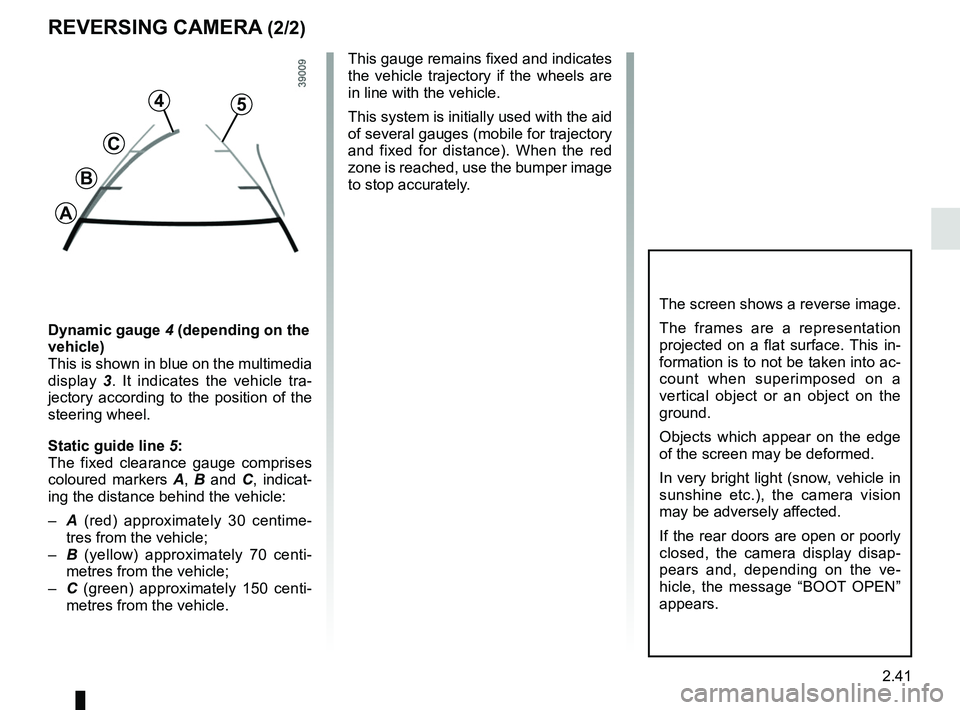
Dynamic gauge 4 (depending on the
vehicle)
This is shown in blue on the multimedia
display 3. It indicates the vehicle tra-
jectory according to the position of the
steering wheel.
Static guide line 5:
The fixed clearance gauge comprises
coloured markers A, B and C , indicat-
ing the distance behind the vehicle:
– A (red) approximately 30 centime-
tres from the vehicle;
– B (yellow) approximately 70 centi-
metres from the vehicle;
– C (green) approximately 150 centi-
metres from the vehicle. This gauge remains fixed and indicates
the vehicle trajectory if the wheels are
in line with the vehicle.
This system is initially used with the aid
of several gauges (mobile for trajectory
and fixed for distance). When the red
zone is reached, use the bumper image
to stop accurately.
4
C
B
A
5
Page 161 of 290
2.45
SEQUENTIAL GEARBOX (1/5)
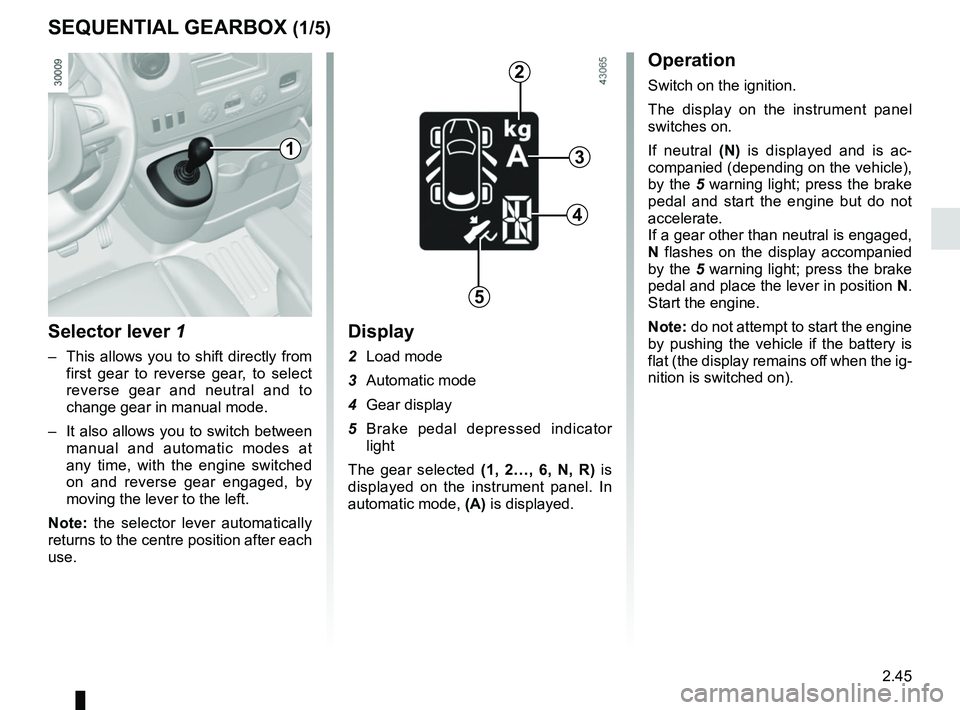
Selector lever 1
– This allows you to shift directly from first gear to reverse gear, to select
reverse gear and neutral and to
change gear in manual mode.
– It also allows you to switch between manual and automatic modes at
any time, with the engine switched
on and reverse gear engaged, by
moving the lever to the left.
Note: the selector lever automatically
returns to the centre position after each
use.
Display
2 Load mode
3 Automatic mode
4 Gear display
5 Brake pedal depressed indicator light
The gear selected (1, 2…, 6, N, R) is
displayed on the instrument panel. In
automatic mode, (A) is displayed.
Operation
Switch on the ignition.
The display on the instrument panel
switches on.
If neutral (N) is displayed and is ac-
companied (depending on the vehicle),
by the 5 warning light; press the brake
pedal and start the engine but do not
accelerate.
If a gear other than neutral is engaged,
N flashes on the display accompanied
by the 5 warning light; press the brake
pedal and place the lever in position N.
Start the engine.
Note: do not attempt to start the engine
by pushing the vehicle if the battery is
flat (the display remains off when the ig-
nition is switched on).
1
2
3
4
5
Page 162 of 290
2.46
Reverse gear (vehicle stationary)
– Brake pedal depressed. Push the
selector lever towards the right and
to the rear as shown on the base
of the lever, and then release it.
Reverse gear is engaged and the
letter R appears on the display.
– Release the brake pedal: – the engine’s idle speed is suffi-
cient for parking manoeuvres;
– accelerate gently to reverse.
You may shift from reverse gear to a
forwards gear by pushing the lever for-
wards once the vehicle is stationary.
Note: When the vehicle is stationary,
you must depress the brake pedal to
engage or disengage a gear. Otherwise,
warning light 5 will come on.
SEQUENTIAL GEARBOX (2/5)
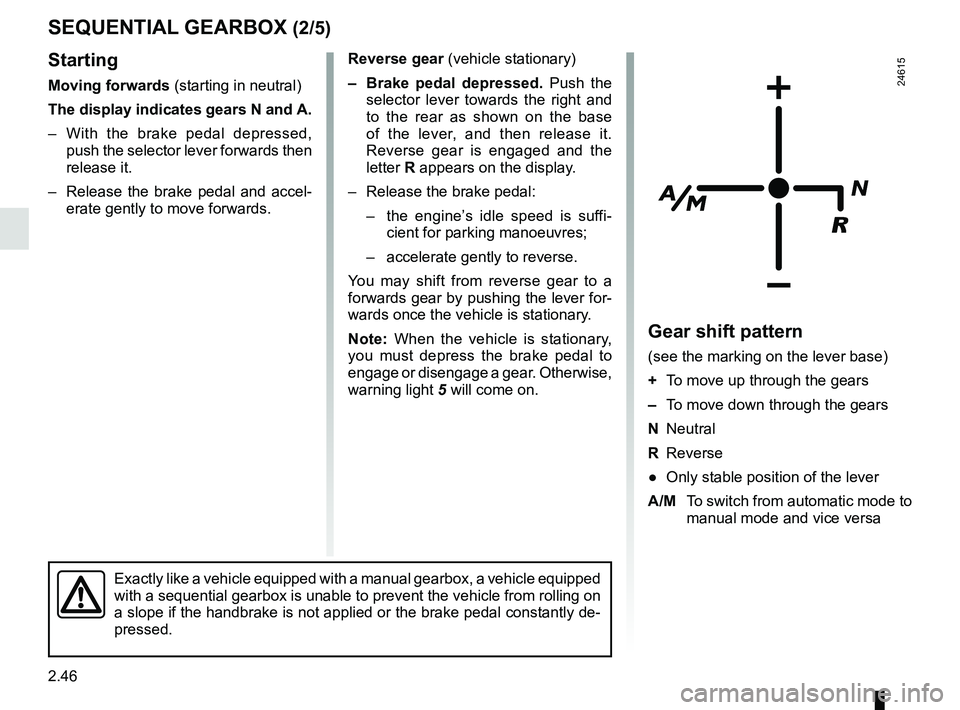
Gear shift pattern
(see the marking on the lever base)
+ To move up through the gears
– To move down through the gears
N Neutral
R Reverse
● Only stable position of the lever
A/M To switch from automatic mode to
manual mode and vice versa
24615
Exactly like a vehicle equipped with a manual gearbox, a vehicle equippe\
d
with a sequential gearbox is unable to prevent the vehicle from rolling \
on
a slope if the handbrake is not applied or the brake pedal constantly de\
-
pressed.
Starting
Moving forwards (starting in neutral)
The display indicates gears N and A.
– With the brake pedal depressed, push the selector lever forwards then
release it.
– Release the brake pedal and accel- erate gently to move forwards.
Page 164 of 290
2.48
SEQUENTIAL GEARBOX (4/5)
Operation in automatic mode
Automatic mode is selected by default
every time the ignition is switched on.
The letter A appears on the display.
The vehicle is controlled using the ac-
celerator and the brake. Gears will
change automatically at the correct
moment and at a suitable engine speed
because the automatic mode takes the
road surface and the chosen driving
style into consideration.
Gears may be shifted manually in this
mode. Pushing the lever forwards
or backwards shifts a gear upwards
(except if there is a risk of underrev-
ving) or downwards (except if there is a
risk of overrevving).
Note: automatic mode takes account
of:
– the position and speed of depression of the accelerator pedal to assess
driving style and select the optimum
gear;
– action on the brake pedal, to com- mence engine braking in preparation
for a downshift.
You can stop the vehicle at red lights,
with the gear engaged, by depressing
the brake pedal; there is no need to
change to neutral (N).
The vehicle will move off again:
– either slowly, if you release the brake without accelerating (e.g. when in a
traffic jam);
– or quickly, if you release the brake and accelerate.
Accelerating and overtaking
– Slowly depress the accelerator pedal to accelerate gradually;
The oil level in the automatic gear-
box system reservoir varies depend-
ing on use. Adding oil is strictly
forbidden (except by qualified ap-
proved network personnel).
– to obtain maximum vehicle per-
formance regardless of the mode
selected (automatic or manual),
quickly depress the accelerator
pedal beyond the kickdown point.
The speed with which you depress the
pedal will allow you to downshift ac-
cording to the vehicle’s capabilities.
Parking the vehicle
It is possible to park in gear (for exam-
ple, on a slope):
– with the ignition on, select a gear with your foot on the brake ;
– check that a gear other than N is dis- played on the instrument panel, then
remove the ignition key;
– apply the handbrake.
To disengage the gear, switch on the
ignition without starting the engine and
shift the selector lever to neutral with
the brake pedal depressed . Check
that N is displayed on the instrument
panel.