trip computer RENAULT MEGANE 2017 4.G User Guide
[x] Cancel search | Manufacturer: RENAULT, Model Year: 2017, Model line: MEGANE, Model: RENAULT MEGANE 2017 4.GPages: 346, PDF Size: 7.04 MB
Page 83 of 346
1.77
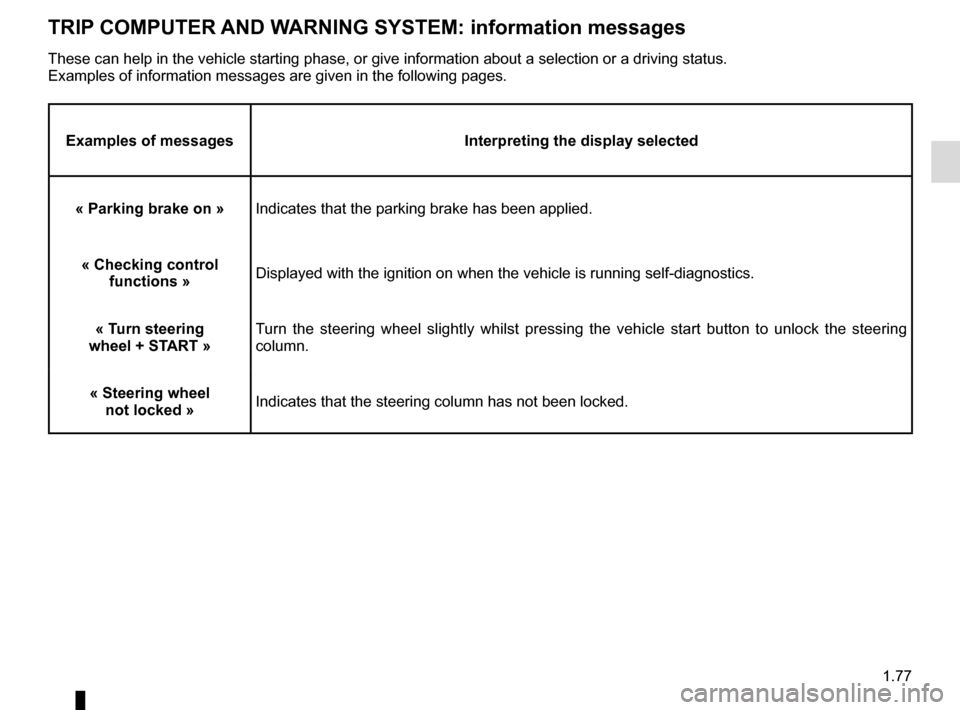
TRIP COMPUTER AND WARNING SYSTEM: information messages
Examples of messagesInterpreting the display selected
« Parking brake on » Indicates that the parking brake has been applied.
« Checking control functions » Displayed with the ignition on when the vehicle is running self-diagnost\
ics.
« Turn steering
wheel + START » Turn the steering wheel slightly whilst pressing the vehicle start button\
to unlock the steering
column.
« Steering wheel not locked » Indicates that the steering column has not been locked.
These can help in the vehicle starting phase, or give information about \
a selection or a driving status.
Examples of information messages are given in the following pages.
Page 84 of 346

1.78
TRIP COMPUTER AND WARNING SYSTEM: operating fault messages
These appear with the © warning light and mean that you should drive very carefully to an author\
ised dealer as
soon as possible. If you fail to follow this recommendation, you risk da\
maging your vehicle.
They disappear when the display selection key is pressed or after severa\
l seconds and are stored in the computer log. The
© warning light stays on. Examples of operating fault messages are given \
in the following pages.
Examples of messages Interpreting the display selected
« Clean diesel filter » Indicates the presence of water in the diesel filter; contact an approve\
d Dealer
as soon as possible.
« Check lighting » Indicates a fault in the headlights.
« Check vehicle » Indicates a fault in one of the pedal sensors, battery management system\
or oil
level sensor.
« Check airbag » Indicates a fault in the restraint system in addition to the seat belts.\
In the event
of an accident, it is possible that they may not be triggered.
« Check anti-pollution system » Indicates a fault in the vehicle’s particle filter system.
Page 85 of 346
1.79
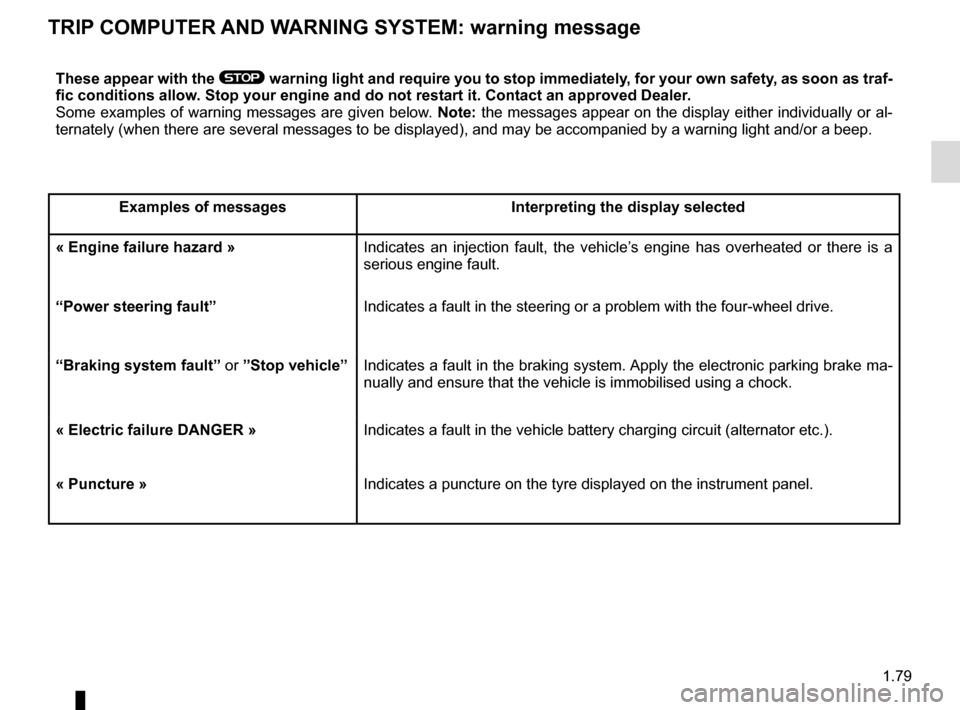
TRIP COMPUTER AND WARNING SYSTEM: warning message
These appear with the ® warning light and require you to stop immediately, for your own safety, as soon as traf-
fic conditions allow. Stop your engine and do not restart it. Contact an approved Dealer.
Some examples of warning messages are given below. Note: the messages appear on the display either individually or al-
ternately (when there are several messages to be displayed), and may b\
e accompanied by a warning light and/or a beep.
Examples of messages Interpreting the display selected
« Engine failure hazard » Indicates an injection fault, the vehicle’s engine has overheated or there is a
serious engine fault.
“Power steering fault” Indicates a fault in the steering or a problem with the four-wheel drive\
.
“Braking system fault” or ”Stop vehicle” Indicates a fault in the braking system. Apply the electronic parking brake ma-
nually and ensure that the vehicle is immobilised using a chock.
« Electric failure DANGER » Indicates a fault in the vehicle battery charging circuit (alternator e\
tc.).
« Puncture » Indicates a puncture on the tyre displayed on the instrument panel.
Page 87 of 346
1.81
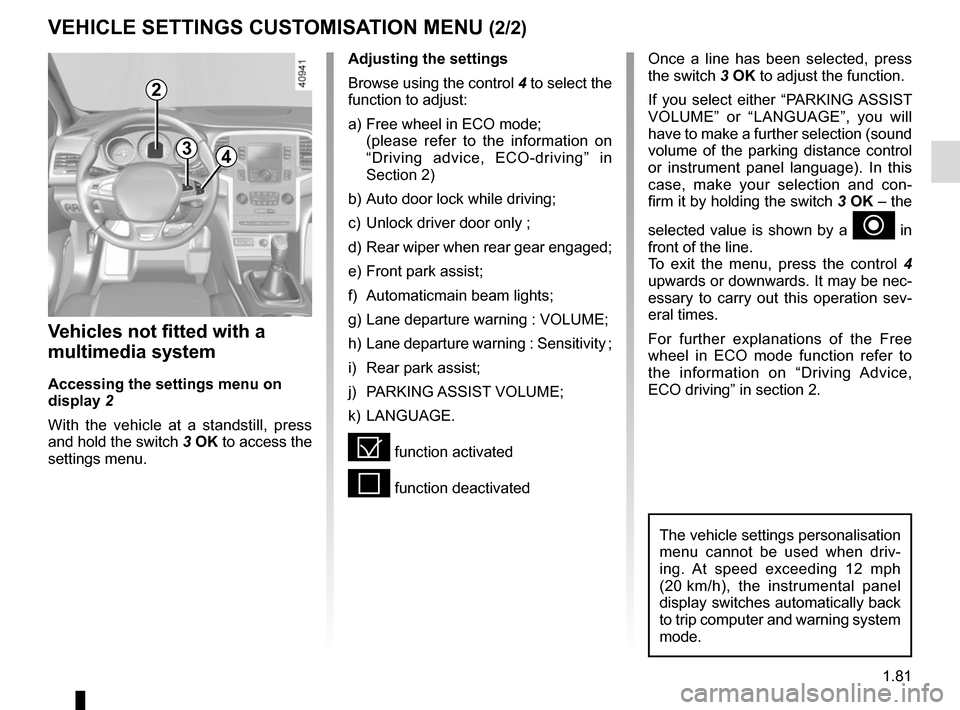
VEHICLE SETTINGS CUSTOMISATION MENU (2/2)
34
Once a line has been selected, press
the switch 3 OK to adjust the function.
If you select either “PARKING ASSIST
VOLUME” or “LANGUAGE”, you will
have to make a further selection (sound
volume of the parking distance control
or instrument panel language). In this
case, make your selection and con-
firm it by holding the switch 3 OK – the
selected value is shown by a
~ in
front of the line.
To exit the menu, press the control 4
upwards or downwards. It may be nec-
essary to carry out this operation sev-
eral times.
For further explanations of the Free
wheel in ECO mode function refer to
the information on “Driving Advice,
ECO driving” in section 2.
Vehicles not fitted with a
multimedia system
Accessing the settings menu on
display 2
With the vehicle at a standstill, press
and hold the switch 3 OK to access the
settings menu.
Adjusting the settings
Browse using the control 4 to select the
function to adjust:
a) Free wheel in ECO mode;
(please refer to the information on “Driving advice, ECO-driving” in
Section 2)
b) Auto door lock while driving;
c) Unlock driver door only ;
d) Rear wiper when rear gear engaged;
e) Front park assist;
f) Automaticmain beam lights;
g) Lane departure warning : VOLUME;
h) Lane departure warning : Sensitivity ;
i) Rear park assist;
j) PARKING ASSIST VOLUME;
k) LANGUAGE.
= function activated
< function deactivated
The vehicle settings personalisation
menu cannot be used when driv-
ing. At speed exceeding 12 mph
(20 km/h), the instrumental panel
display switches automatically back
to trip computer and warning system
mode.
2
Page 343 of 346

steering wheeladjustment .............................................................\
...... 1.82
Stop & Start ..........................................................")
7.5
ALPHABETICAL INDEX (5/5)
steering wheeladjustment .............................................................\
...... 1.82
Stop & Start ...........................................................2.10 → 2.13
Stop & Start function..............................................2.10 → 2.13
stopping the engine ............................................................. 2.4
storage compartment.............................................3.29 → 3.32
storage compartments ..................... 3.29 → 3.32, 3.47 → 3.51
sun blinds ........................................................................\
.. 3.28
sun visor ........................................................................\
.... 3.28
sunroof...................................................................3.23 → 3.25
switching on the vehicle ignition ................................... 2.3, 2.6
T
tailgate ............................................. 3.39 → 3.43, 3.47 → 3.52
tanks and reservoirs brake fluid ...................................................................... 4.9
coolant ................................................................\
........... 4.8
tanks and reservoirs: windscreen washer ...................................................... 4.10
technical specifications ............................................6.5 → 6.10
telephone ................................................................ 3.56 – 3.57
temperature regulation ............................................3.9 → 3.19
tool kit ........................................................................\
.......... 5.7
towing breakdown ........................................................ 5.37 – 5.38
towing equipment .............................................. 3.52 – 3.53
towing a caravan ............................................. 3.52 – 3.53, 6.9
towing hitch...................................................... 5.7, 5.37 – 5.38
towing rings .............................................................. 3.46, 3.52
towing weights ..................................................................... 6.9
traction control .......................................................2.30 → 2.39
transporting children ..........................1.35 – 1.36, 1.38 → 1.49
transporting objects in the luggage compartment ........................................ 3.52
luggage net ....................................................... 3.45 – 3.46
trims ..................................................................\
................... 5.8 trip computer and warning system... 1.58
→ 1.63, 1.70 → 1.79
tyre inflation kit...........................................................5.4 → 5.6
tyre pressure.............................2.27 → 2.29, 4.13 – 4.14, 5.12
tyre pressure monitor.............................................2.27 → 2.29
tyre pressures ...........................2.27 → 2.29, 4.13 – 4.14, 4.14
tyres .................... 2.24, 2.27 → 2.29, 4.13 – 4.14, 5.11 → 5.13
U
unlocking the doors ...............................................1.13 → 1.15
V
ventilation ............................................................\
....3.6 → 3.19
W
warning buzzer ......................................................... 1.16, 1.53
warning lights................................... 1.58 → 1.63, 1.70 → 1.79
washing .................................................................. 4.15 – 4.16
weights ................................................................\
................ 6.9
wheelbrace .............................................................\
............. 5.7
wheels (safety) ...................................................... 5.11 → 5.13
windscreen de-icing/demisting ................................. 3.11, 3.16
windscreen washer .....................................1.95 → 1.100, 4.10
windscreen washer/wiper ....................................1.95 → 1.100
wiper blades ........................................................... 5.35 – 5.36
wipers .................................................................\
.1.95 → 1.100
blades ............................................................... 5.35 – 5.36