lock RENAULT MEGANE 2018 User Guide
[x] Cancel search | Manufacturer: RENAULT, Model Year: 2018, Model line: MEGANE, Model: RENAULT MEGANE 2018Pages: 348, PDF Size: 9.25 MB
Page 17 of 348
1.11
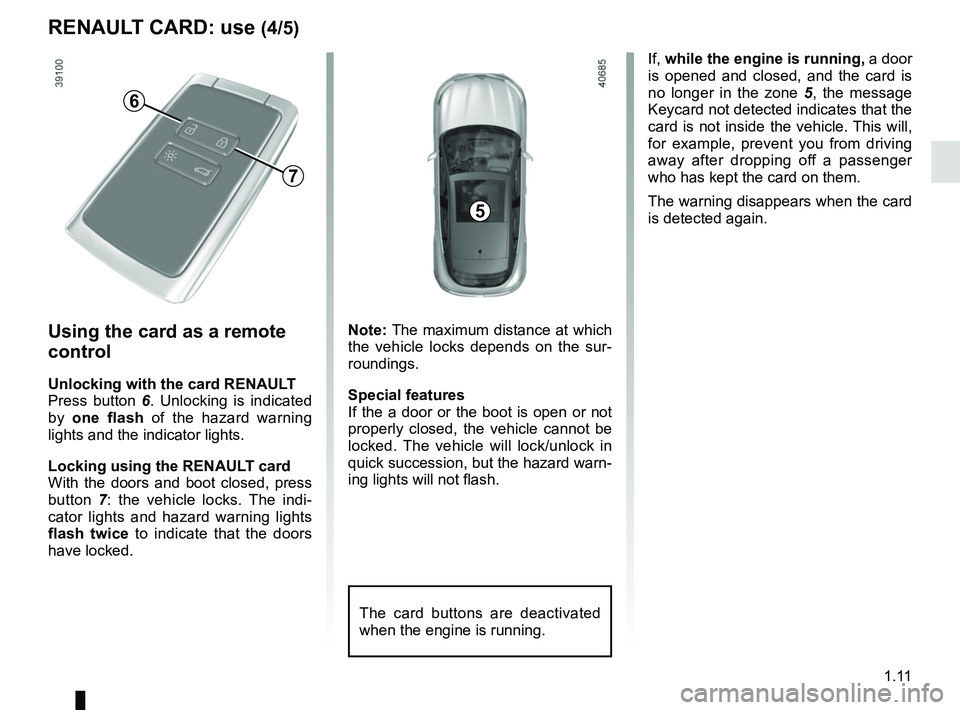
If, while the engine is running, a door
is opened and closed, and the card is
no longer in the zone 5, the message
Keycard not detected indicates that the
card is not inside the vehicle. This will,
for example, prevent you from driving
away after dropping off a passenger
who has kept the card on them.
The warning disappears when the card
is detected again.
Using the card as a remote
control
Unlocking with the card RENAULT
Press button 6 . Unlocking is indicated
by one flash of the hazard warning
lights and the indicator lights.
Locking using the RENAULT card
With the doors and boot closed, press
button 7: the vehicle locks. The indi-
cator lights and hazard warning lights
flash twice to indicate that the doors
have locked. Note: The maximum distance at which
the vehicle locks depends on the sur-
roundings.
Special features
If the a door or the boot is open or not
properly closed, the vehicle cannot be
locked. The vehicle will lock/unlock in
quick succession, but the hazard warn-
ing lights will not flash.
The card buttons are deactivated
when the engine is running.
5
6
7
RENAULT CARD: use (4/5)
Page 18 of 348
1.12
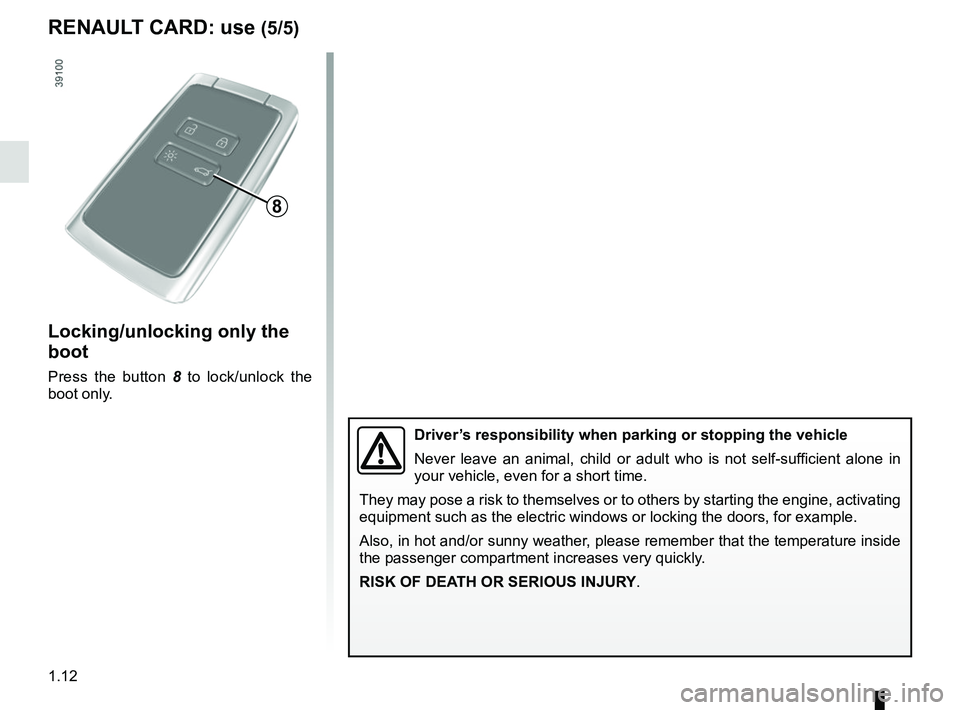
Locking/unlocking only the
boot
Press the button 8 to lock/unlock the
boot only.
8
RENAULT CARD: use (5/5)
Driver’s responsibility when parking or stopping the vehicle
Never leave an animal, child or adult who is not self-sufficient alone in
your vehicle, even for a short time.
They may pose a risk to themselves or to others by starting the engine, \
activating
equipment such as the electric windows or locking the doors, for example\
.
Also, in hot and/or sunny weather, please remember that the temperature inside
the passenger compartment increases very quickly.
RISK OF DEATH OR SERIOUS INJURY.
Page 19 of 348
1.13
Never use deadlocking if
someone is still inside the
vehicle.
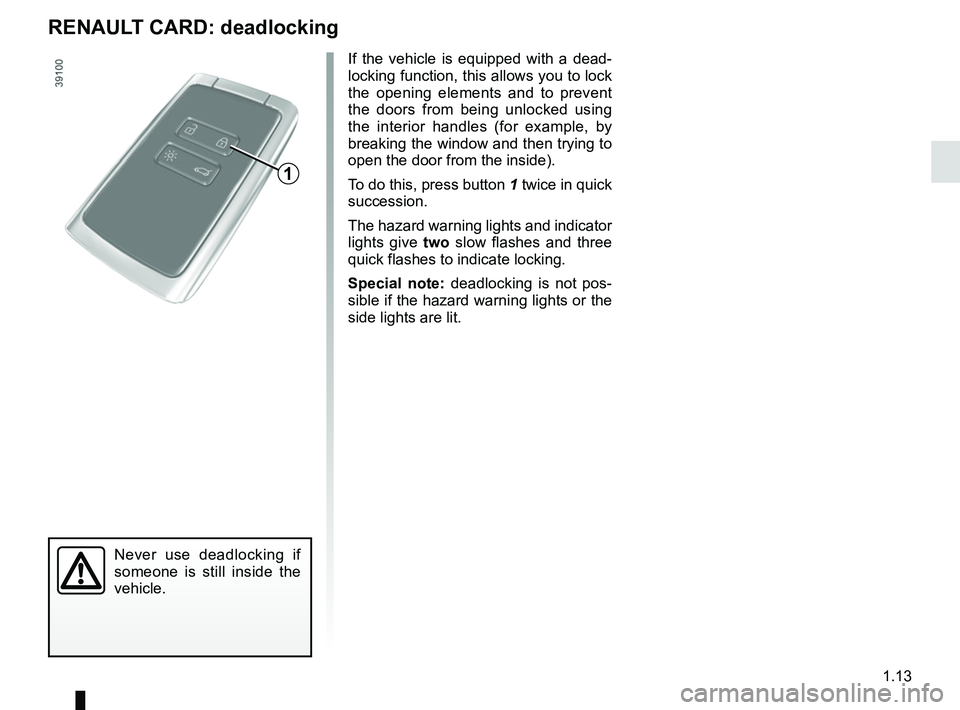
If the vehicle is equipped with a dead-
locking function, this allows you to lock
the opening elements and to prevent
the doors from being unlocked using
the interior handles (for example, by
breaking the window and then trying to
open the door from the inside).
To do this, press button 1 twice in quick
succession.
The hazard warning lights and indicator
lights give two slow flashes and three
quick flashes to indicate locking.
Special note: deadlocking is not pos-
sible if the hazard warning lights or the
side lights are lit.
RENAULT CARD: deadlocking
1
Page 20 of 348
1.14
LOCKING, UNLOCKING THE DOORS (1/3)
If the remote control or,
depending on the vehicle, the
RENAULT card does not work
In some cases, the radio frequency
remote control or the RENAULT card
may not work:
– RENAULT card/radio frequency remote control battery worn or run
flat, vehicle battery flat, etc.
– use of appliances operating on the same frequency as the card (mobile
phone, etc.);
– vehicle located in a high electromag- netic radiation zone.
It is then possible:
– depending on the vehicle, use the radio frequency remote control or
the emergency key integrated in the
card to unlock the front left-hand
door;
– to lock each of the doors manually;
– to use the interior door locking/un- locking control (refer to the following
pages).
A
1
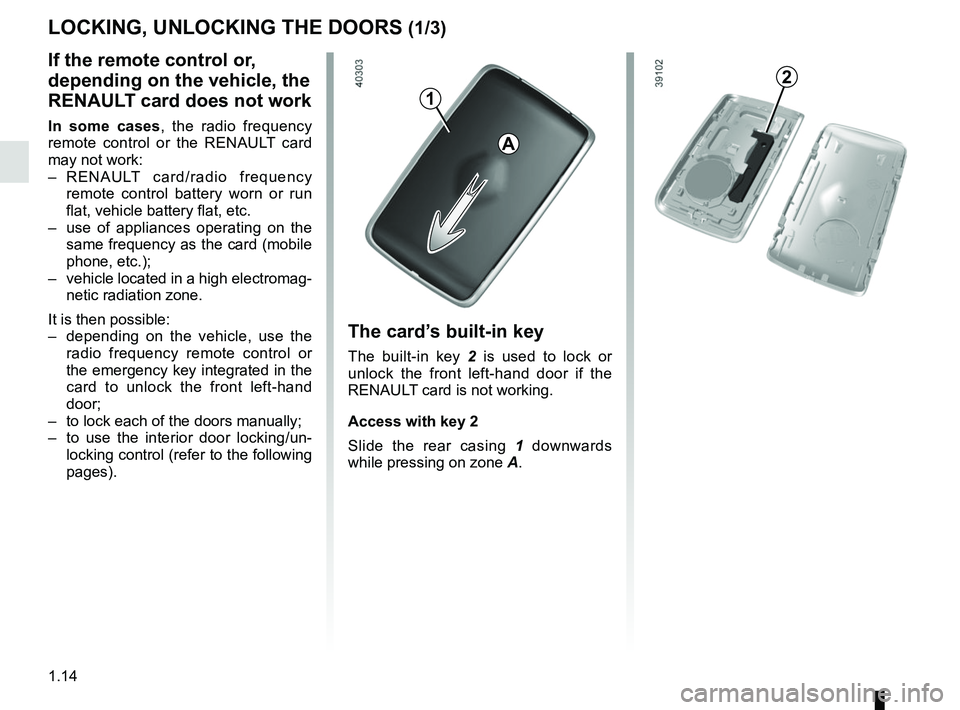
The card’s built-in key
The built-in key 2 is used to lock or
unlock the front left-hand door if the
RENAULT card is not working.
Access with key 2
Slide the rear casing 1 downwards
while pressing on zone A.
2
Page 21 of 348
1.15
LOCKING, UNLOCKING THE DOORS (2/3)
B
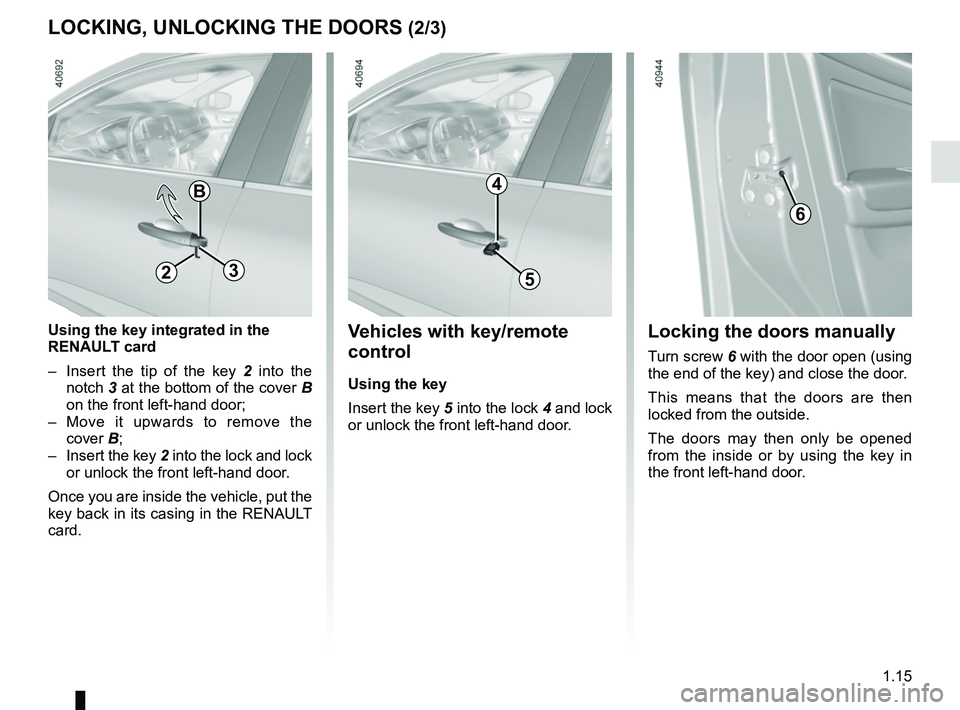
Using the key integrated in the
RENAULT card
– Insert the tip of the key 2 into the
notch 3 at the bottom of the cover B
on the front left-hand door;
– Move it upwards to remove the cover B;
– Insert the key 2 into the lock and lock or unlock the front left-hand door.
Once you are inside the vehicle, put the
key back in its casing in the RENAULT
card.
6
Locking the doors manually
Turn screw 6 with the door open (using
the end of the key) and close the door.
This means that the doors are then
locked from the outside.
The doors may then only be opened
from the inside or by using the key in
the front left-hand door.
5
4
Vehicles with key/remote
control
Using the key
Insert the key 5 into the lock 4 and lock
or unlock the front left-hand door.
23
Page 22 of 348
1.16
LOCKING, UNLOCKING THE DOORS (3/3)
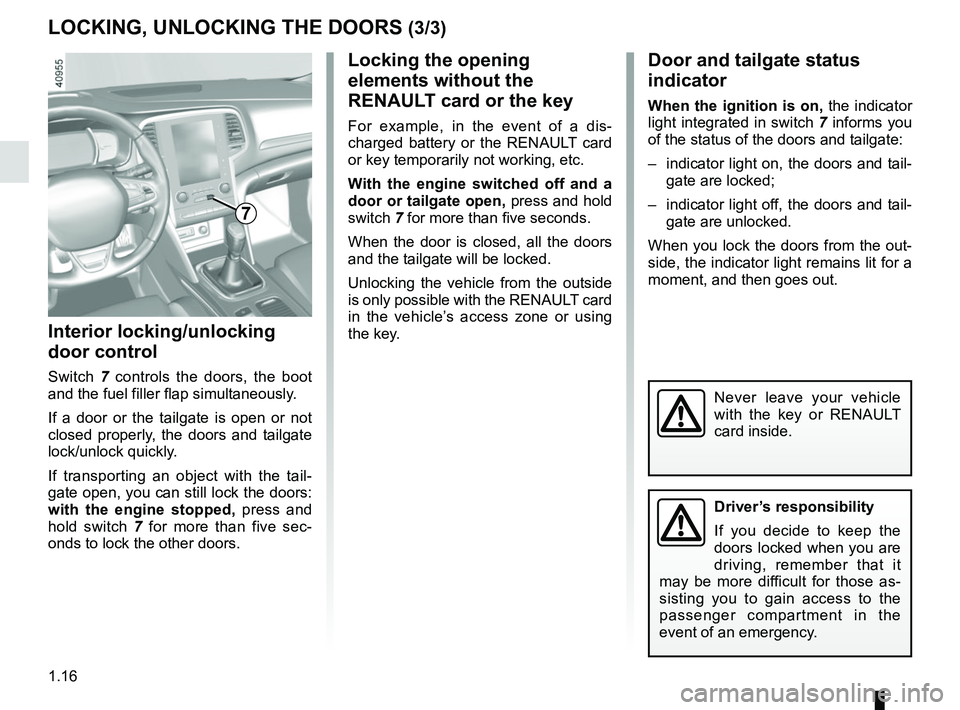
Interior locking/unlocking
door control
Switch 7 controls the doors, the boot
and the fuel filler flap simultaneously.
If a door or the tailgate is open or not
closed properly, the doors and tailgate
lock/unlock quickly.
If transporting an object with the tail-
gate open, you can still lock the doors:
with the engine stopped, press and
hold switch 7 for more than five sec-
onds to lock the other doors.
Locking the opening
elements without the
RENAULT card or the key
For example, in the event of a dis-
charged battery or the RENAULT card
or key temporarily not working, etc.
With the engine switched off and a
door or tailgate open, press and hold
switch 7 for more than five seconds.
When the door is closed, all the doors
and the tailgate will be locked.
Unlocking the vehicle from the outside
is only possible with the RENAULT card
in the vehicle’s access zone or using
the key.
Door and tailgate status
indicator
When the ignition is on, the indicator
light integrated in switch 7 informs you
of the status of the doors and tailgate:
– indicator light on, the doors and tail- gate are locked;
– indicator light off, the doors and tail- gate are unlocked.
When you lock the doors from the out-
side, the indicator light remains lit for a
moment, and then goes out.
Never leave your vehicle
with the key or RENAULT
card inside.
7
Driver’s responsibility
If you decide to keep the
doors locked when you are
driving, remember that it
may be more difficult for those as-
sisting you to gain access to the
passenger compartment in the
event of an emergency.
Page 23 of 348
1.17
OPENING AND CLOSING THE DOORS (1/3)
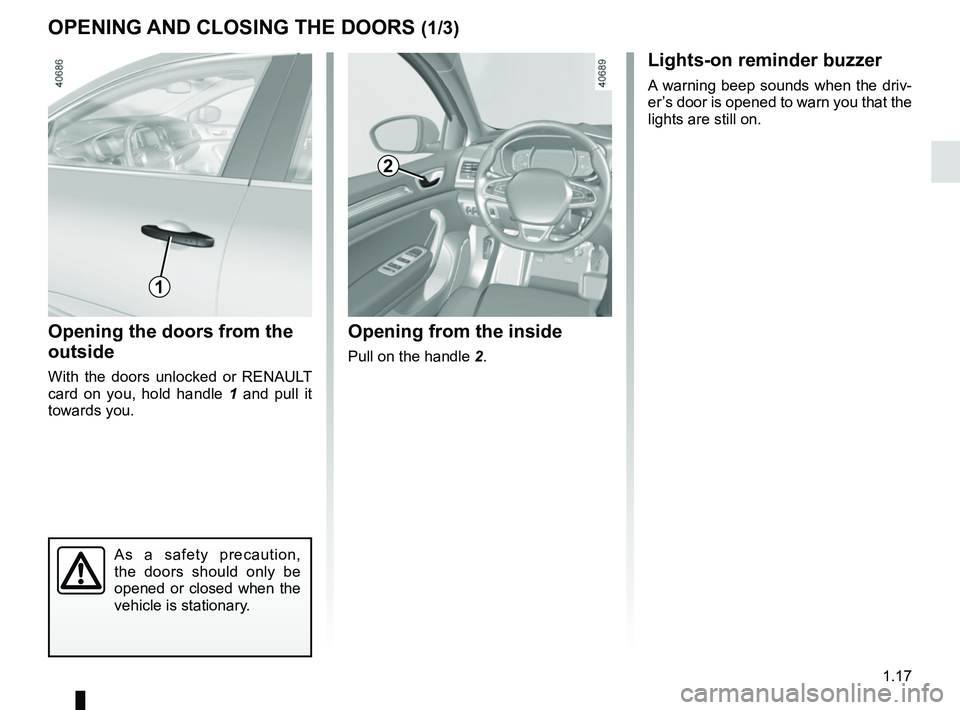
Opening the doors from the
outside
With the doors unlocked or RENAULT
card on you, hold handle 1 and pull it
towards you.
Opening from the inside
Pull on the handle 2.
2
As a safety precaution,
the doors should only be
opened or closed when the
vehicle is stationary.
1
Lights-on reminder buzzer
A warning beep sounds when the driv-
er’s door is opened to warn you that the
lights are still on.
Page 25 of 348
1.19
OPENING AND CLOSING THE DOORS (3/3)
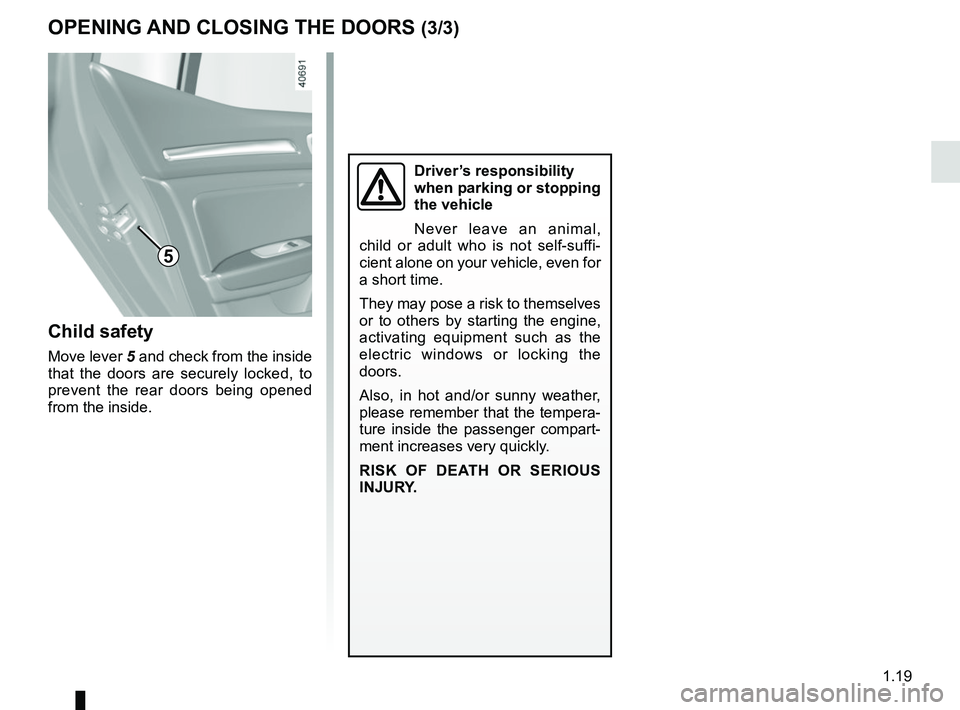
Child safety
Move lever 5 and check from the inside
that the doors are securely locked, to
prevent the rear doors being opened
from the inside.
Driver’s responsibility
when parking or stopping
the vehicle
Never leave an animal,
child or adult who is not self-suffi-
cient alone on your vehicle, even for
a short time.
They may pose a risk to themselves
or to others by starting the engine,
activating equipment such as the
electric windows or locking the
doors.
Also, in hot and/or sunny weather,
please remember that the tempera-
ture inside the passenger compart-
ment increases very quickly.
RISK OF DEATH OR SERIOUS
INJURY.
5
Page 26 of 348
1.20
AUTOMATIC LOCKING WHEN DRIVING
Operating principleAfter the vehicle is started, the system
automatically locks the doors when you
are driving at approximately 6 mph
(10 km/h) and over.
The door can be unlocked:
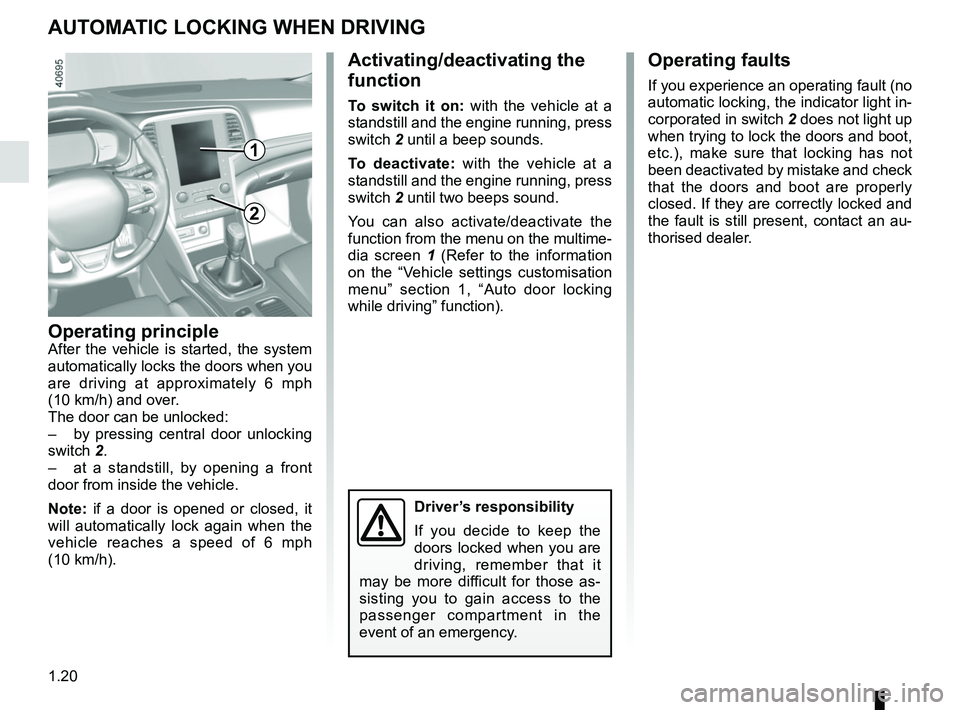
– by pressing central door unlocking
switch 2.
– at a standstill, by opening a front
door from inside the vehicle.
Note: if a door is opened or closed, it
will automatically lock again when the
vehicle reaches a speed of 6 mph
(10 km/h).
Activating/deactivating the
function
To switch it on: with the vehicle at a
standstill and the engine running, press
switch 2 until a beep sounds.
To deactivate: with the vehicle at a
standstill and the engine running, press
switch 2 until two beeps sound.
You can also activate/deactivate the
function from the menu on the multime-
dia screen 1 (Refer to the information
on the “Vehicle settings customisation
menu” section 1, “Auto door locking
while driving” function).
Operating faults
If you experience an operating fault (no
automatic locking, the indicator light in-
corporated in switch 2 does not light up
when trying to lock the doors and boot,
etc.), make sure that locking has not
been deactivated by mistake and check
that the doors and boot are properly
closed. If they are correctly locked and
the fault is still present, contact an au-
thorised dealer.
2
Driver’s responsibility
If you decide to keep the
doors locked when you are
driving, remember that it
may be more difficult for those as-
sisting you to gain access to the
passenger compartment in the
event of an emergency.
1
Page 27 of 348
1.21
To raise the headrest
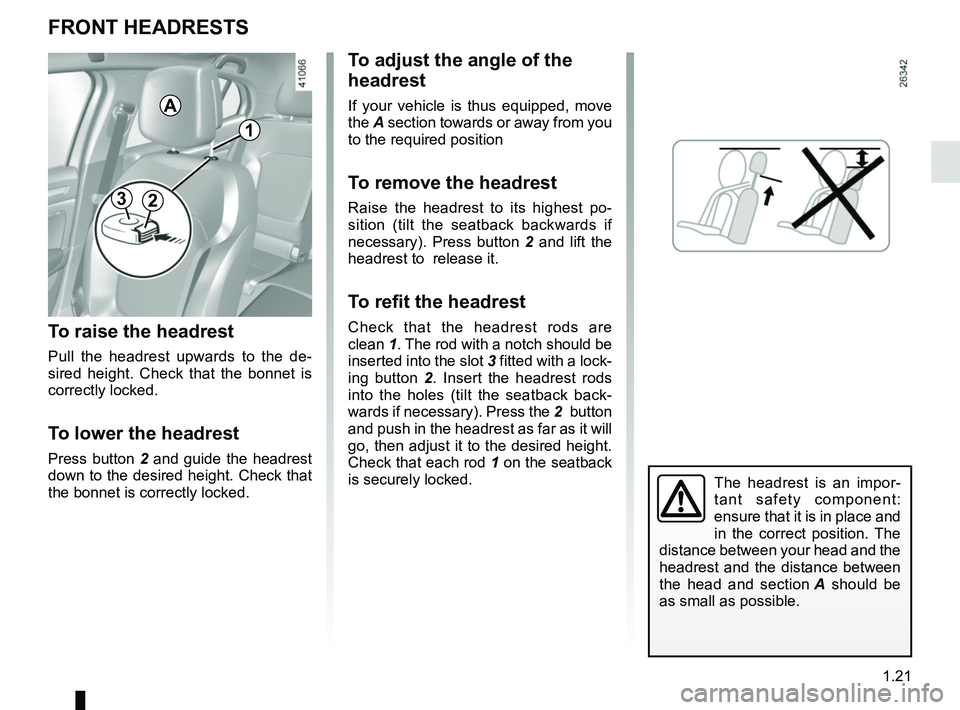
Pull the headrest upwards to the de-
sired height. Check that the bonnet is
correctly locked.
To lower the headrest
Press button 2 and guide the headrest
down to the desired height. Check that
the bonnet is correctly locked.
To adjust the angle of the
headrest
If your vehicle is thus equipped, move
the A section towards or away from you
to the required position
To remove the headrest
Raise the headrest to its highest po-
sition (tilt the seatback backwards if
necessary). Press button 2 and lift the
headrest to release it.
To refit the headrest
Check that the headrest rods are
clean 1. The rod with a notch should be
inserted into the slot 3 fitted with a lock-
ing button 2 . Insert the headrest rods
into the holes (tilt the seatback back-
wards if necessary). Press the 2 button
and push in the headrest as far as it will
go, then adjust it to the desired height.
Check that each rod 1 on the seatback
is securely locked.
FRONT HEADRESTS
The headrest is an impor-
tant safety component:
ensure that it is in place and
in the correct position. The
distance between your head and the
headrest and the distance between
the head and section A should be
as small as possible.
23
1
A