instrument panel RENAULT MEGANE HATCHBACK 2016 X95 / 3.G User Guide
[x] Cancel search | Manufacturer: RENAULT, Model Year: 2016, Model line: MEGANE HATCHBACK, Model: RENAULT MEGANE HATCHBACK 2016 X95 / 3.GPages: 242, PDF Size: 3.54 MB
Page 57 of 242
ABS ....................................................................... (current page)
air bag.................................................................... (current page)
variable power-assisted steering ........................... (current page)
filter particle filter ..................................................... (current page)
speed limiter .......................................................... (current page)
cruise control ......................................................... (current page)
Jaune NoirNoir texte
1.51
ENG_UD23618_6
Tableau de bord : témoins lumineux (X95 - B95 - D95 - K95 - L38 - X38\
- X32 - B32 - Renault)
ENG_NU_837-8_BDK95_Renault_1
WARNINg LIgHTs (2/4)
A
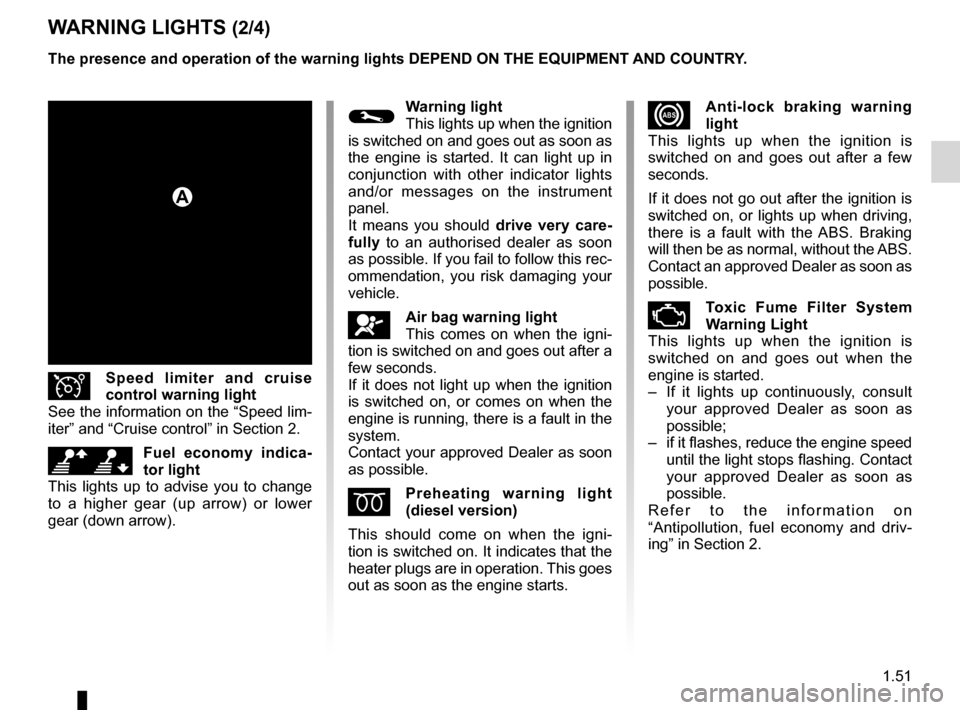
xAnti-lock braking warning
light
This lights up when the ignition is
switched on and goes out after a few
seconds.
If it does not go out after the ignition is
switched on, or lights up when driving,
there is a fault with the ABS. Braking
will then be as normal, without the ABS.
Contact an approved Dealer as soon as
possible.
ÄToxic fume fi lter sy stem
Warning Light
This lights up when the ignition is
switched on and goes out when the
engine is started.
–
I
f it lights up continuously, consult
your approved Dealer as soon as
possible;
–
if
it flashes, reduce the engine speed
until the light stops flashing. Contact
your approved Dealer as soon as
possible.
R e f e r t o t h e i n f o r m a t i o n o n
“Antipollution, fuel economy and driv-
ing” in Section 2.
©Warning light
This lights up when the ignition
is switched on and goes out as soon as
the engine is started. It can light up in
conjunction with other indicator lights
and/or messages on the instrument
panel.
It means you should drive very care-
fully to an authorised dealer as soon
as possible. If you fail to follow this rec-
ommendation, you risk damaging your
vehicle.
åAir bag warning light
This comes on when the igni-
tion is switched on and goes out after a
few seconds.
If it does not light up when the ignition
is switched on, or comes on when the
engine is running, there is a fault in the
system.
Contact your approved Dealer as soon
as possible.
Épreheating warning light
(diesel version)
This should come on when the igni-
tion is switched on. It indicates that the
heater plugs are in operation. This goes
out as soon as the engine starts.
Îspeed limiter and cruise
control warning light
See the information on the “Speed lim-
iter” and “Cruise control” in Section 2.
\[fuel economy indica-
tor light
This lights up to advise you to change
to a higher gear (up arrow) or lower
gear (down arrow). The presence and operation of the warning lights d E p EN d ON THE EQUI pm ENT AN d c OUNTRY.
Page 59 of 242

ENG_NU_837-8_BDK95_Renault_1
ßfront seat belt reminder
warni")
JauneNoirNoir texte
1.53
ENG_UD23618_6
Tableau de bord : témoins lumineux (X95 - B95 - D95 - K95 - L38 - X38\
- X32 - B32 - Renault)
ENG_NU_837-8_BDK95_Renault_1
ßfront seat belt reminder
warning light
This lights up on the central display
when starting the engine then, if the
driver’s or front passenger’s seat belt
(if this seat is occupied) is not fastened
and the vehicle has reached approxi-
mately 12 mph (20 km/h), it flashes and
a bleep sounds for around 120 sec-
onds.
Note: an object placed on the passen-
ger seat base may activate the warning
light in some cases.
Rear seat belt reminder (depending
on vehicle)
the
ß warning light on the cen-
tral display lights up accompanied by a
message on the instrument panel indi-
cating the number of seat belts buck-
led for approximately 30 seconds each
time:
–
the vehicle is started;
–
a door is opened;
–
a
rear seat belt is fastened or unfas-
tened.
Check that the rear passengers are
wearing seat belts and that the number
of seat belt shown as fastened corre-
sponds to the number of rear bench
seat places occupied.
WARNINg LIgHTs (4/4)
ðHeated seats operating indi-
cator
This indicates that one of the heated
seats is in operation.
LLow fuel level warning light
This comes on when the igni-
tion is switched on and goes out after a
few seconds. If it comes on when driv-
ing accompanied by a beep, fill up with
fuel as soon as possible. There is only
approximately 30 miles (50 km) worth
of fuel left after the warning light first
comes on.
ÜNot used
ùdriving correction
device warning light
Refer to information on “Driver correc-
tion devices and aids” in Section 2.
The presence and operation of the warning lights
d
E
p
EN
d ON THE EQUI pm ENT AN d c OUNTRY.
Page 60 of 242
indicators:instrument panel ............................. (up to the end of the DU)
display .................................................. (up to the end of the DU)
instrument panel ................................... (up to the end of the DU)
fuel level ................................................................ (current page)
coolant ................................................................... (current page)
control instruments ............................... (up to the end of the DU)
levels: fuel ................................................................... (current page)
levels: coolant ............................................................. (current page)
1.54
ENG_UD18928_3
Tableau de bord : afficheurs et indicateurs (X95 - B95 - D95 - Renault)
ENG_NU_837-8_BDK95_Renault_1
Jaune NoirNoir texte
dIspLAYs AN d IN d I c ATOR s (1/2)
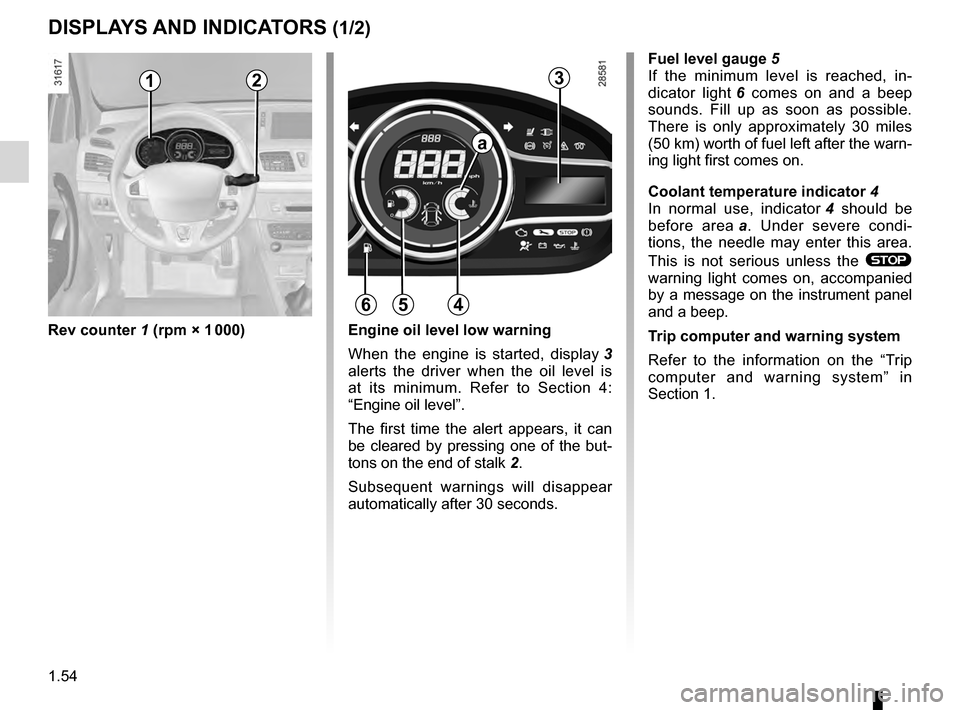
Rev counter 1 (rpm × 1 000)
f
uel level gauge
5
If the minimum level is reached, in-
dicator light
6
comes on and a beep
sounds. Fill up as soon as possible.
There is only approximately 30 miles
(50 km) worth of fuel left after the warn-
ing light first comes on.
c
oolant temperature indicator 4
In normal use, indicator
4
should be
before area
a .
Under severe condi-
tions, the needle may enter this area.
This is not serious unless the
®
warning light comes on, accompanied
by a message on the instrument panel
and a beep.
Trip computer and warning system
Refer to the information on the “Trip
computer and warning system” in
Section 1.
Engine oil level low warning
When the engine is started, display
3
alerts the driver when the oil level is
at its minimum. Refer to Section 4:
“Engine oil level”.
The first time the alert appears, it can
be cleared by pressing one of the but-
tons on the end of stalk
2.
Subsequent warnings will disappear
automatically after 30 seconds.
12
564
a
3
Page 61 of 242
JauneNoirNoir texte
1.55
ENG_UD18928_3
Tableau de bord : afficheurs et indicateurs (X95 - B95 - D95 - Renault)
ENG_NU_837-8_BDK95_Renault_1
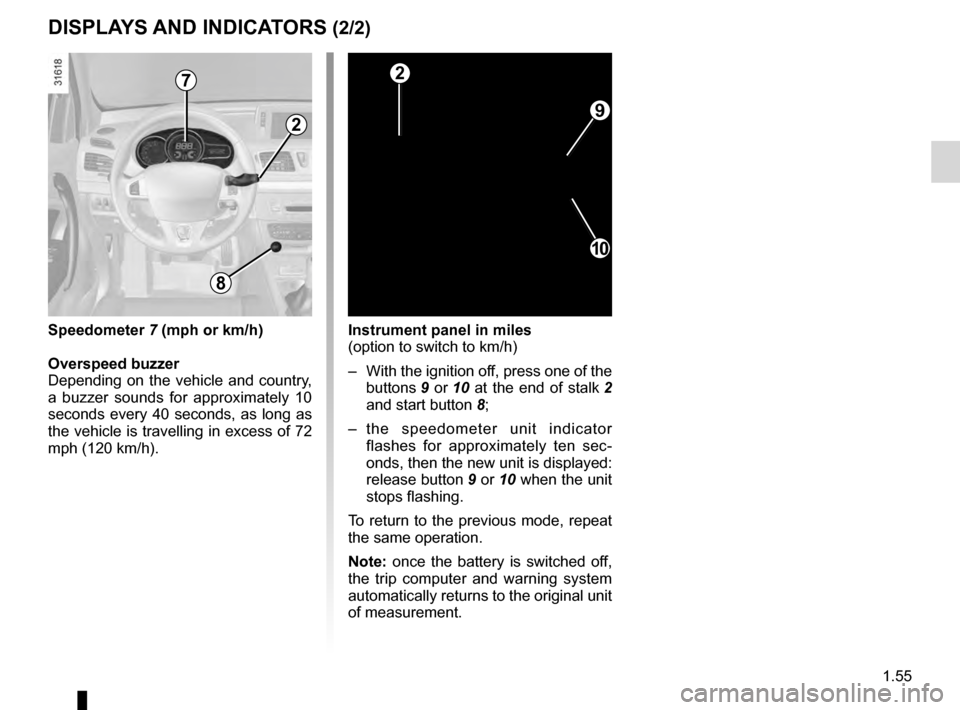
Instrument panel in miles
(option to switch to km/h)
–
With
the ignition off, press one of the
buttons
9 or 10 at the end of stalk 2
and start button
8;
–
t
he speedometer unit indicator
flashes for approximately ten sec-
onds, then the new unit is displayed:
release button
9 or 10 when the unit
stops flashing.
To return to the previous mode, repeat
the same operation.
Note: once the battery is switched off,
the trip computer and warning system
automatically returns to the original unit
of measurement.
dIspLAYs AN d IN d I c ATOR s (2/2)
9
10
2
2
8
speedometer 7 (mph or km/h)
Overspeed buzzer
Depending
on the vehicle and country,
a buzzer sounds for approximately 10
seconds every 40 seconds, as long as
the vehicle is travelling in excess of 72
mph (120 km/h).
7
Page 62 of 242
control instruments ............................... (up to the end of the DU)
indicators: instrument panel ............................. (up to the end of the DU)
trip computer and warning system........ (up to the end of the DU)
instrument panel ................................... (up to the end of the DU)
warning lights........................................ (up to the end of the DU)
instrument panel messages.................. (up to the end of the DU)
1.56
ENG_UD23628_4
Ordinateur de bord : généralités (X95 - B95 - D95 - K95 - L38 \
- X38 - X32 - B32 - Renault)
ENG_NU_837-8_BDK95_Renault_1
Jaune NoirNoir texte
trip computer
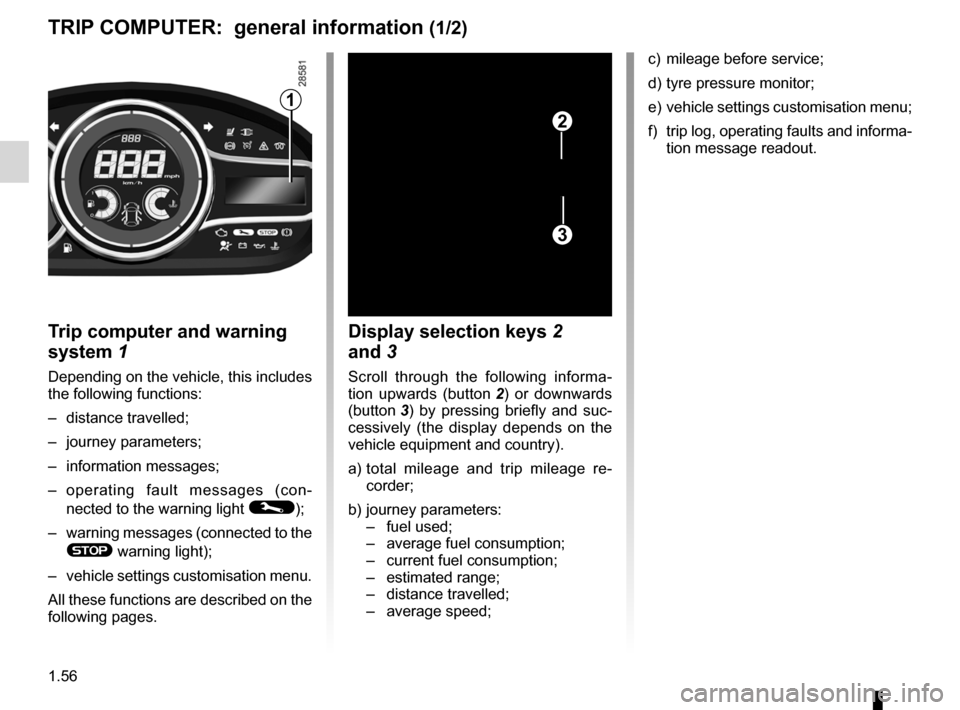
Trip computer and warning
system
1
Depending on the vehicle, this includes
the following functions:
–
distance travelled;
–
journey parameters;
–
information messages;
–
o
perating fault messages (con-
nected to the warning light
©);
–
warning
messages (connected to the
® warning light);
–
vehicle
settings customisation menu.
All these functions are described on the
following pages.
display selection keys 2
and 3
Scroll through the following informa-
tion upwards (button 2)
or downwards
(button
3 )
by pressing briefly and suc-
cessively (the display depends on the
vehicle equipment and country).
a)
t
otal mileage and trip mileage re-
corder;
b)
journey parameters:
–
fuel used;
–
average fuel consumption;
–
current fuel consumption;
–
estimated range;
–
distance travelled;
–
average speed;
1
2
3
c) mileage before service;
d)
tyre pressure monitor;
e)
vehicle
settings customisation menu;
f)
trip
log, operating faults and informa-
tion message readout.
TRIp c O mp UTER: general information (1/2)
Page 64 of 242
trip computer and warning system........ (up to the end of the DU)
warning lights........................................ (up to the end of the DU)
instrument panel messages.................. (up to the end of the DU)
instrument panel ................................... (up to the end of the DU)
1.58
ENG_UD23624_1
Ordinateur de bord : paramètres de voyage (X95 - B95 - D95 - K95 - R\
enault)
ENG_NU_837-8_BDK95_Renault_1
Jaune NoirNoir texte
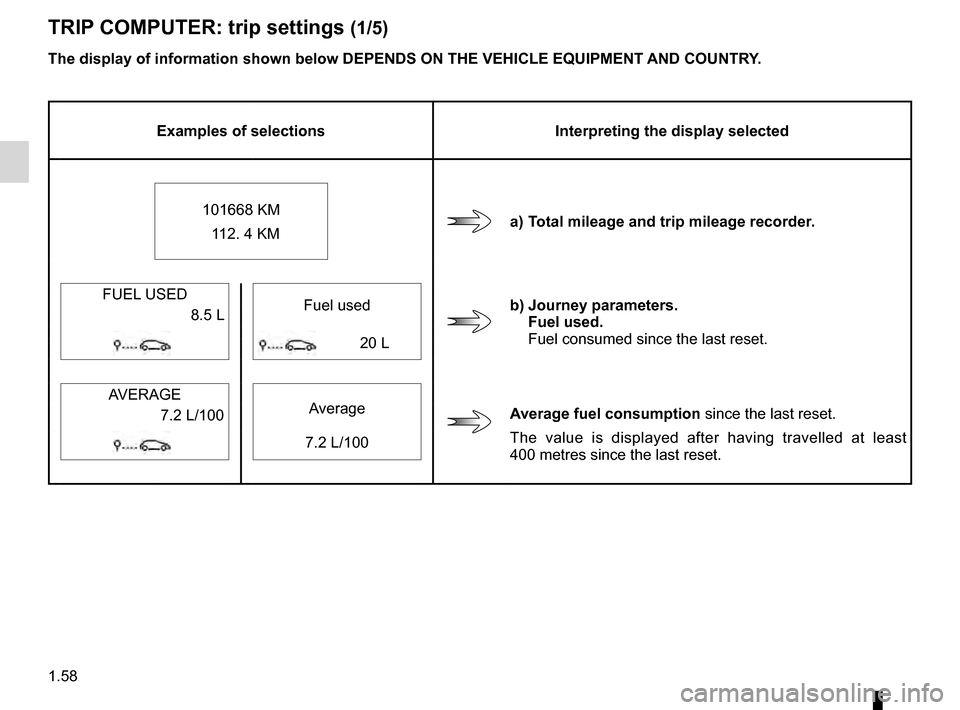
The display of information shown below dEpENds ON THE vEHIcLE EQUIpmENT ANd cOUNTRY.
Examples of selections Interpreting the display selected
101668 KM 112. 4 KM
a) Total mileage and trip mileage recorder.
FUEL USED Fuel used
b) Journey parameters.f
uel used.
Fuel consumed since the last reset.
8.5 L
20 L
AVERAGE Average
Average fuel consumption since the last reset.
The value is displayed after having travelled at least
400
metres since the last reset.
7.2 L/100
7.2 L/100
TRIp
c O mp UTER: trip settings (1/5)
Page 68 of 242

ENG_NU_837-8_BDK95_Renault_1
TRIp c O mp UTER: trip settings (5/5)
Examples of selections Interpretin")
1.62
ENG_UD23624_1
Ordinateur de bord : paramètres de voyage (X95 - B95 - D95 - K95 - R\
enault)
ENG_NU_837-8_BDK95_Renault_1
TRIp c O mp UTER: trip settings (5/5)
Examples of selections Interpreting the display selected
e) vehicle settings customisation menu.
Enables certain vehicle functions to be set (instrument panel language, parking
distance control, etc.). Refer to the information on “Vehicle settings customisation
menu” in Section 1.
Settings menu:
press and hold
f) Trip log.
Successive display:
–
information messages (passe
nger air bag OFF etc.),
–
opera
ting fault messages (check the injection system, etc).
No message available
The display of information shown below
d E p EN ds ON THE v EHI c LE EQUI pm ENT AN d c OUNTRY.
Page 69 of 242
trip computer and warning system......................... (current page)
warning lights......................................................... (current page)
instrument panel messages................................... (current page)
instrument panel .................................................... (current page)
1.63
ENG_UD23625_1
Ordinateur de bord : messages d’information (X95 - B95 - D95 - K95 -\
Renault)
ENG_NU_837-8_BDK95_Renault_1
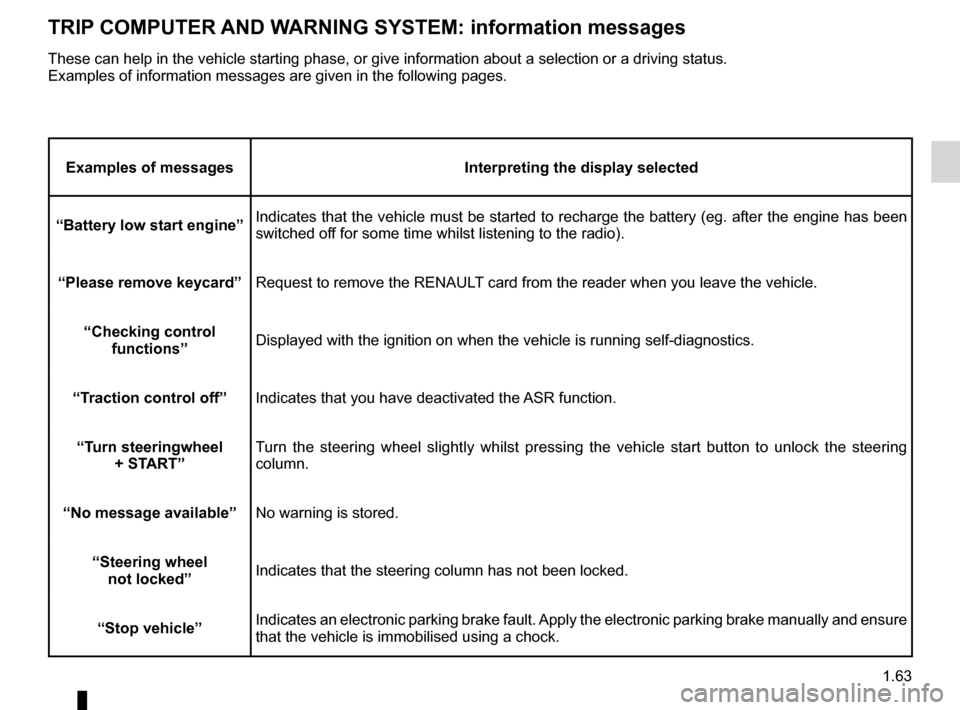
TRIp c O mp UTER AN d WARNIN g s Y s TE m : information messages
Examples of messages Interpreting the display selected
“Battery low start engine” Indicates that the vehicle must be started to recharge the battery (eg. after the engine has been
switched off for some time whilst listening to the radio).
“
p lease remove keycard” Request to remove the RENAULT card from the reader when you leave the vehicle.
“
c hecking control functions” Displayed with the ignition on when the vehicle is running self-diagnost\
ics.
“Traction control off” Indicates that you have deactivated the ASR function.
“Turn steeringwheel +
s TART” Turn the steering wheel slightly whilst pressing the vehicle start button to unlock the steering
column.
“No message available” No warning is stored.
“
s teering wheel
not locked” Indicates that the steering column has not been locked.
“
s top vehicle” Indicates an electronic parking brake fault. Apply the electronic parking brake manually and ensure
that the vehicle is immobilised using a chock.
These can help in the vehicle starting phase, or give information about \
a selection or a driving status.
Examples of information messages are given in the following pages.
Page 70 of 242
trip computer and warning system......................... (current page)
instrument panel messages................................... (current page)
warning lights......................................................... (current page)
instrument panel .................................................... (current page)
1.64
ENG_UD23626_1
Ordinateur de bord : messages d’anomalies de fonctionnement (X95 - B\
95 - D95 - K95 - Renault)
ENG_NU_837-8_BDK95_Renault_1
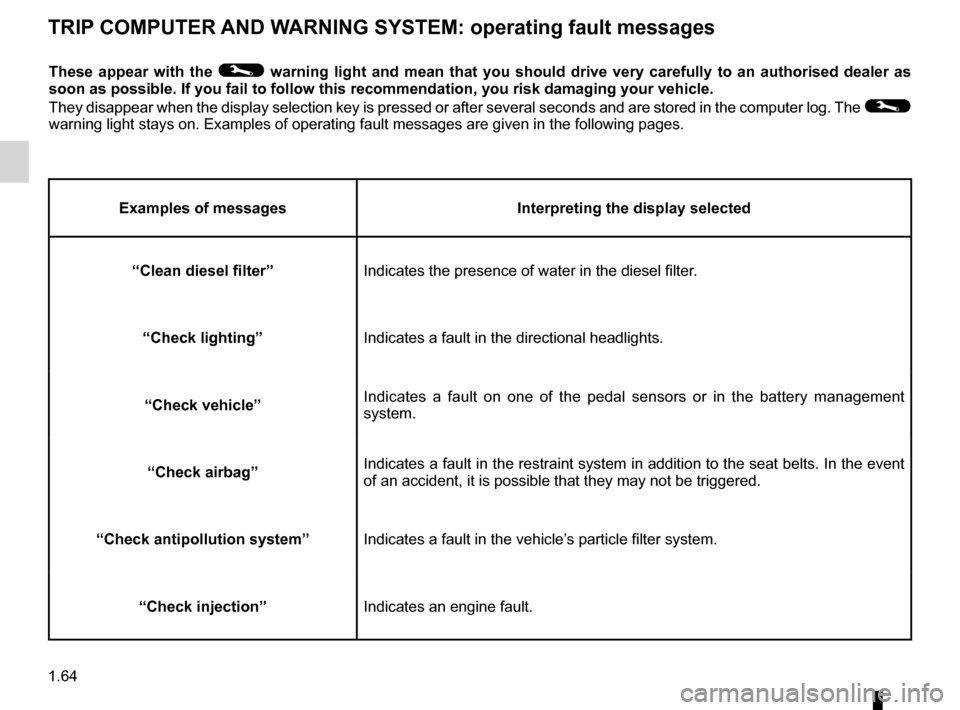
TRIp c O mp UTER AN d WARNIN g s Y s TE m : operating fault messages
These appear with the © warning light and mean that you should drive very carefully to an authorised dealer as
soon as possible. If you fail to follow this recommendation, you risk da\
maging your vehicle.
They disappear when the display selection key is pressed or after several seconds and are stored in the computer log. The
©
warning light stays on. Examples of operating fault messages are given i\
n the following pages.
Examples of messages Interpreting the display selected
“
c
lean diesel filter” Indicates the presence of water in the diesel filter.
“
c
heck lighting” Indicates a fault in the directional headlights.
“
c
heck vehicle” Indicates a fault on one of the pedal sensors or in the battery management
system.
“
c
heck airbag” Indicates a fault in the restraint system in addition to the seat belts. In the event
of an accident, it is possible that they may not be triggered.
“
c
heck antipollution system” Indicates a fault in the vehicle’s particle filter system.
“
c
heck injection” Indicates an engine fault.
Page 71 of 242
trip computer and warning system......................... (current page)
warning lights......................................................... (current page)
instrument panel messages................................... (current page)
instrument panel .................................................... (current page)
1.65
ENG_UD23627_1
Ordinateur de bord : messages d’alerte (X95 - B95 - D95 - K95 - Rena\
ult)
ENG_NU_837-8_BDK95_Renault_1
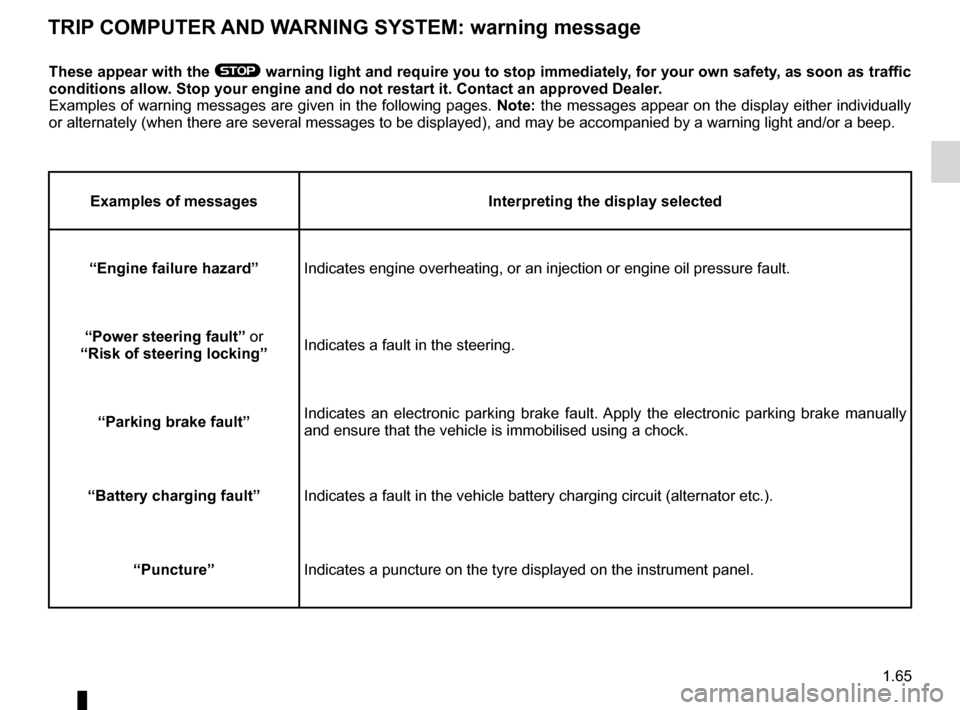
TRIp c O mp UTER AN d WARNIN g s Y s TE m : warning message
These appear with the ® warning light and require you to stop immediately, for your own safety, as soon as traffic
conditions allow.
s
top your engine and do not restart it. c ontact an approved d ealer.
Examples of warning messages are given in the following pages. Note: the messages appear on the display either individually
or alternately (when there are several messages to be displayed), and \
may be accompanied by a warning light and/or a beep.
Examples of messages Interpreting the display selected
“Engine failure hazard” Indicates engine overheating, or an injection or engine oil pressure fau\
lt.
“
p
ower steering fault” or
“Risk of steering locking” Indicates a fault in the steering.
“
p
arking brake fault” Indicates an electronic parking brake fault. Apply the electronic parking brake manually
and ensure that the vehicle is immobilised using a chock.
“Battery charging fault” Indicates a fault in the vehicle battery charging circuit (alternator e\
tc.).
“
p
uncture” Indicates a puncture on the tyre displayed on the instrument panel.