instrument panel RENAULT SCENIC 2018 User Guide
[x] Cancel search | Manufacturer: RENAULT, Model Year: 2018, Model line: SCENIC, Model: RENAULT SCENIC 2018Pages: 364, PDF Size: 10.43 MB
Page 78 of 364
1.72
DISPLAYS AND INDICATORS (1/6)
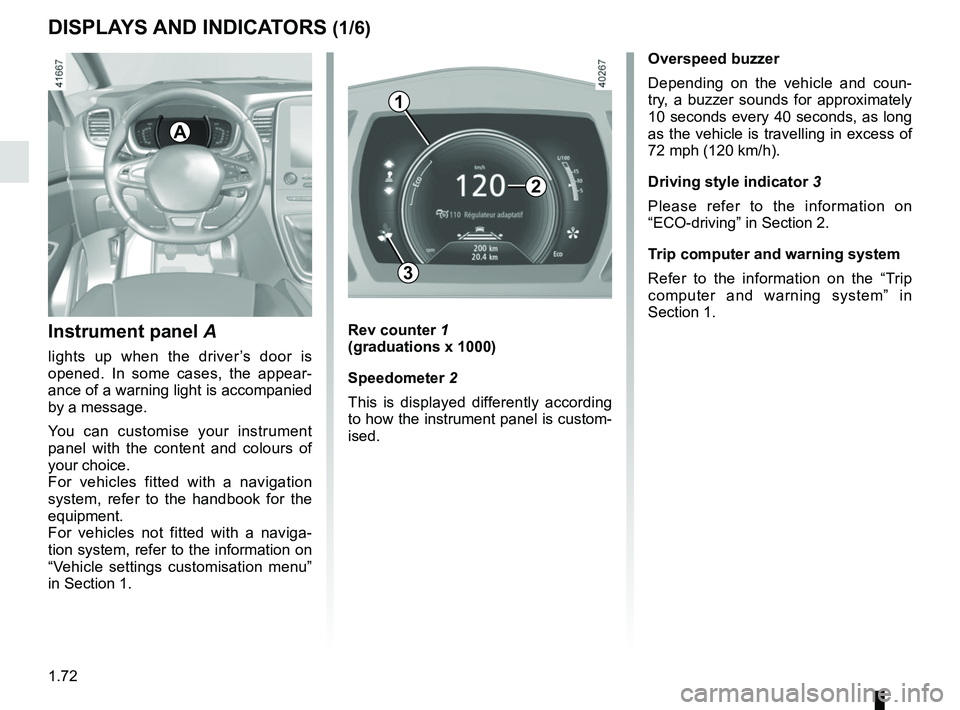
Instrument panel A
lights up when the driver’s door is
opened. In some cases, the appear-
ance of a warning light is accompanied
by a message.
You can customise your instrument
panel with the content and colours of
your choice.
For vehicles fitted with a navigation
system, refer to the handbook for the
equipment.
For vehicles not fitted with a naviga-
tion system, refer to the information on
“Vehicle settings customisation menu”
in Section 1.
Rev counter 1
(graduations x 1000)
Speedometer 2
This is displayed differently according
to how the instrument panel is custom-
ised.
3
A
Overspeed buzzer
Depending on the vehicle and coun-
try, a buzzer sounds for approximately
10 seconds every 40 seconds, as long
as the vehicle is travelling in excess of
72 mph (120 km/h).
Driving style indicator 3
Please refer to the information on
“ECO-driving” in Section 2.
Trip computer and warning system
Refer to the information on the “Trip
computer and warning system” in
Section 1.
1
2
Page 80 of 364
1.74
DISPLAYS AND INDICATORS (3/6)
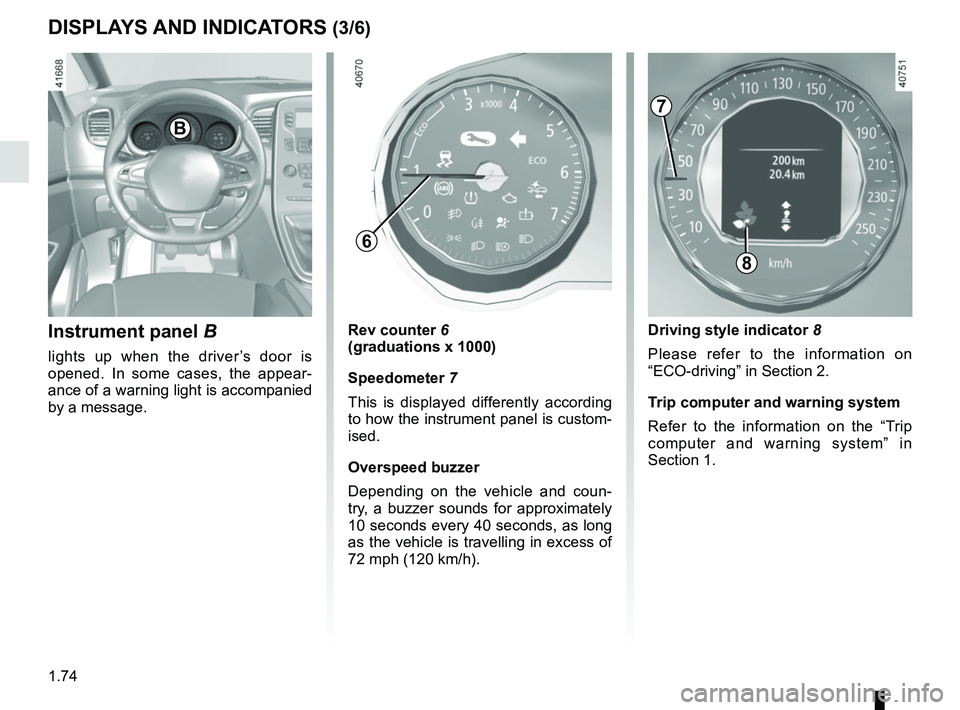
Instrument panel B
lights up when the driver’s door is
opened. In some cases, the appear-
ance of a warning light is accompanied
by a message.
Rev counter 6
(graduations x 1000)
Speedometer 7
This is displayed differently according
to how the instrument panel is custom-
ised.
Overspeed buzzer
Depending on the vehicle and coun-
try, a buzzer sounds for approximately
10 seconds every 40 seconds, as long
as the vehicle is travelling in excess of
72 mph (120 km/h).
8
B
Driving style indicator 8
Please refer to the information on
“ECO-driving” in Section 2.
Trip computer and warning system
Refer to the information on the “Trip
computer and warning system” in
Section 1.
7
6
Page 81 of 364
1.75
DISPLAYS AND INDICATORS (4/6)
1110
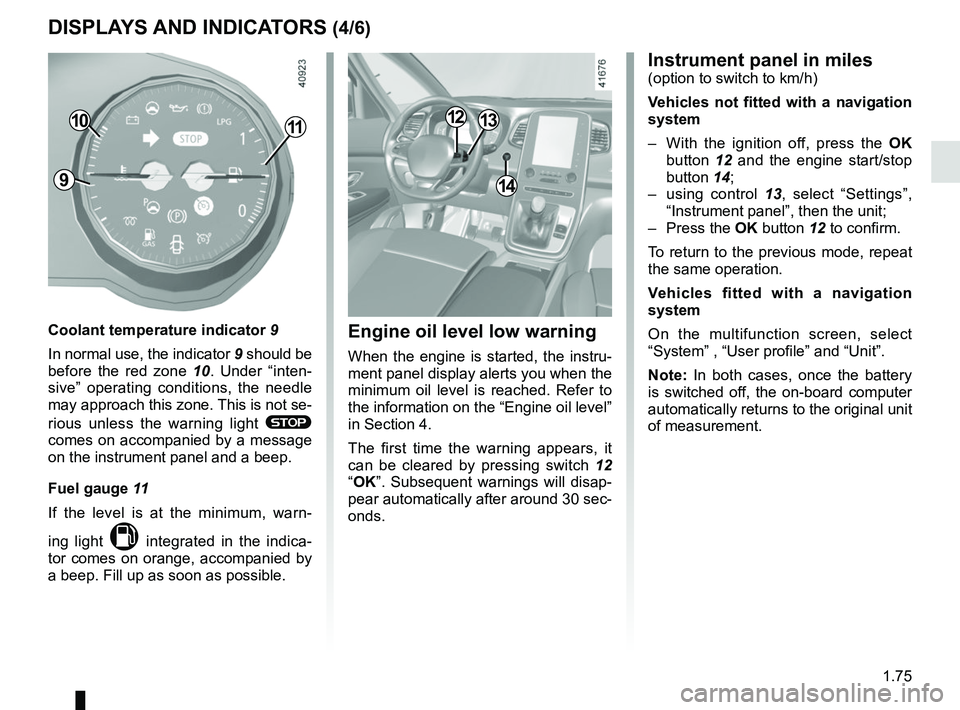
Coolant temperature indicator 9
In normal use, the indicator 9 should be
before the red zone 10. Under “inten-
sive” operating conditions, the needle
may approach this zone. This is not se-
rious unless the warning light
®
comes on accompanied by a message
on the instrument panel and a beep.
Fuel gauge 11
If the level is at the minimum, warn-
ing light
M integrated in the indica-
tor comes on orange, accompanied by
a beep. Fill up as soon as possible.
914
1213
Instrument panel in miles(option to switch to km/h)
Vehicles not fitted with a navigation
system
– With the ignition off, press the OK
button 12 and the engine start/stop
button 14;
– using control 13, select “Settings”,
“Instrument panel”, then the unit;
– Press the OK button 12 to confirm.
To return to the previous mode, repeat
the same operation.
Vehicles fitted with a navigation
system
On the multifunction screen, select
“System” , “User profile” and “Unit”.
Note: In both cases, once the battery
is switched off, the on-board computer
automatically returns to the original unit
of measurement.
Engine oil level low warning
When the engine is started, the instru-
ment panel display alerts you when the
minimum oil level is reached. Refer to
the information on the “Engine oil level”
in Section 4.
The first time the warning appears, it
can be cleared by pressing switch 12
“OK”. Subsequent warnings will disap-
pear automatically after around 30 sec-
onds.
Page 82 of 364
1.76
DISPLAYS AND INDICATORS (5/6)
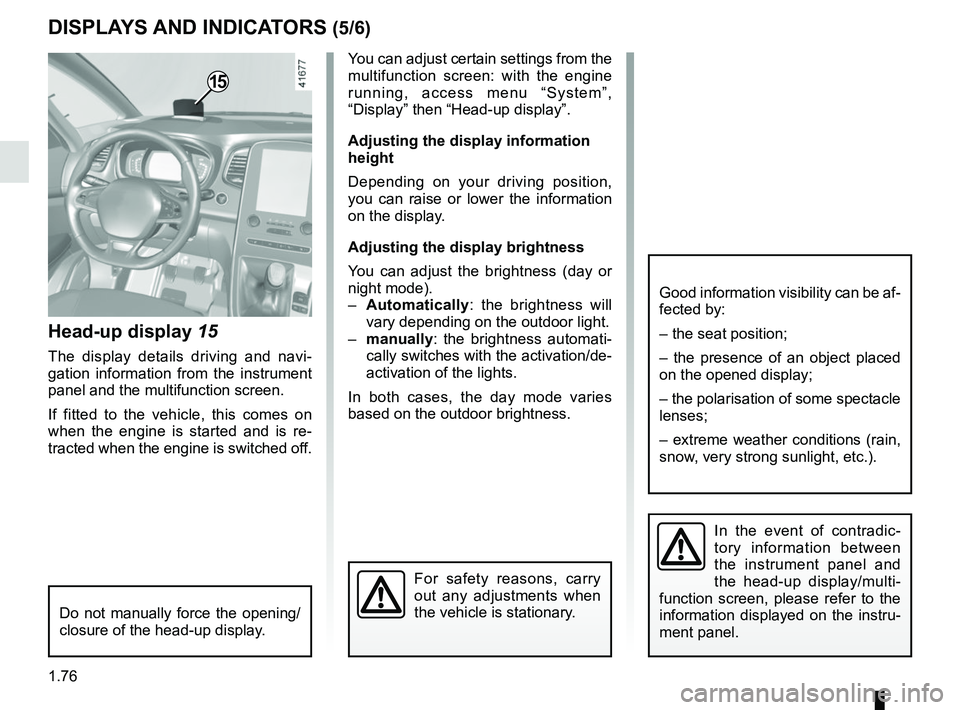
Head-up display 15
The display details driving and navi-
gation information from the instrument
panel and the multifunction screen.
If fitted to the vehicle, this comes on
when the engine is started and is re-
tracted when the engine is switched off.
15
You can adjust certain settings from the
multifunction screen: with the engine
running, access menu “System”,
“Display” then “Head-up display”.
Adjusting the display information
height
Depending on your driving position,
you can raise or lower the information
on the display.
Adjusting the display brightness
You can adjust the brightness (day or
night mode).
– Automatically : the brightness will
vary depending on the outdoor light.
– manually: the brightness automati-
cally switches with the activation/de-
activation of the lights.
In both cases, the day mode varies
based on the outdoor brightness.
Good information visibility can be af-
fected by:
– the seat position;
– the presence of an object placed
on the opened display;
– the polarisation of some spectacle
lenses;
– extreme weather conditions (rain,
snow, very strong sunlight, etc.).
In the event of contradic-
tory information between
the instrument panel and
the head-up display/multi-
function screen, please refer to the
information displayed on the instru-
ment panel.
Do not manually force the opening/
closure of the head-up display.
For safety reasons, carry
out any adjustments when
the vehicle is stationary.
Page 93 of 364
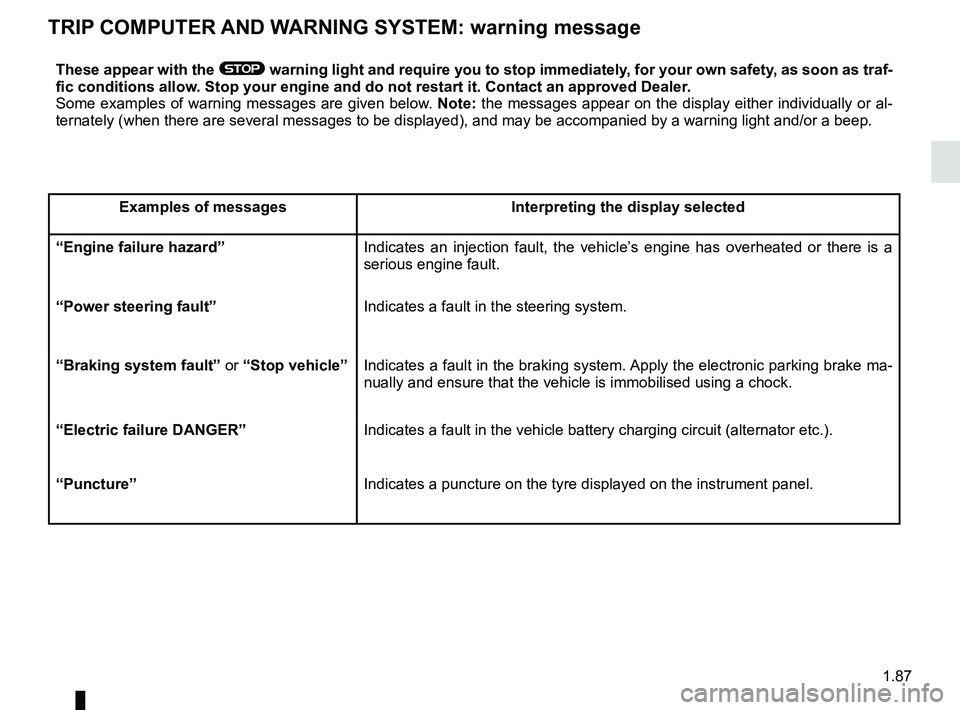
1.87
TRIP COMPUTER AND WARNING SYSTEM: warning message
These appear with the ® warning light and require you to stop immediately, for your own safety, as soon as traf-
fic conditions allow. Stop your engine and do not restart it. Contact an approved Dealer.
Some examples of warning messages are given below. Note: the messages appear on the display either individually or al-
ternately (when there are several messages to be displayed), and may b\
e accompanied by a warning light and/or a beep.
Examples of messages Interpreting the display selected
“Engine failure hazard” Indicates an injection fault, the vehicle’s engine has overheated or there is a
serious engine fault.
“Power steering fault” Indicates a fault in the steering system.
“Braking system fault” or “Stop vehicle” Indicates a fault in the braking system. Apply the electronic parking brake ma-
nually and ensure that the vehicle is immobilised using a chock.
“Electric failure DANGER” Indicates a fault in the vehicle battery charging circuit (alternator e\
tc.).
“Puncture” Indicates a puncture on the tyre displayed on the instrument panel.
Page 95 of 364
1.89
VEHICLE SETTINGS CUSTOMISATION MENU (2/2)
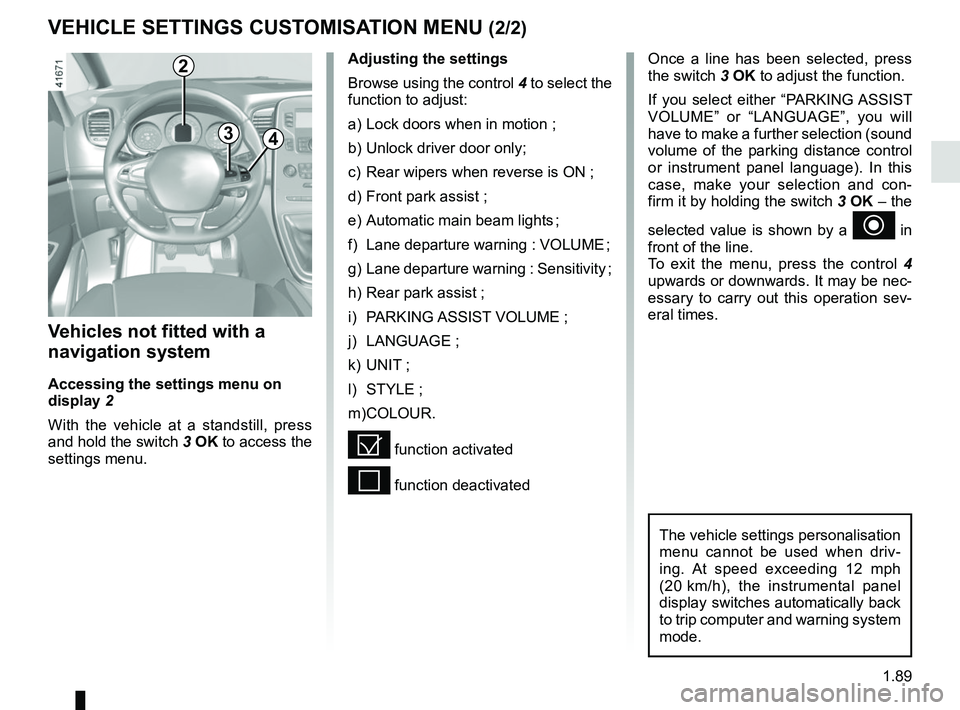
34
Once a line has been selected, press
the switch 3 OK to adjust the function.
If you select either “PARKING ASSIST
VOLUME” or “LANGUAGE”, you will
have to make a further selection (sound
volume of the parking distance control
or instrument panel language). In this
case, make your selection and con-
firm it by holding the switch 3 OK – the
selected value is shown by a
~ in
front of the line.
To exit the menu, press the control 4
upwards or downwards. It may be nec-
essary to carry out this operation sev-
eral times.
Vehicles not fitted with a
navigation system
Accessing the settings menu on
display 2
With the vehicle at a standstill, press
and hold the switch 3 OK to access the
settings menu.
Adjusting the settings
Browse using the control 4 to select the
function to adjust:
a) Lock doors when in motion ;
b) Unlock driver door only;
c) Rear wipers when reverse is ON ;
d) Front park assist ;
e) Automatic main beam lights ;
f) Lane departure warning : VOLUME ;
g) Lane departure warning : Sensitivity ;
h) Rear park assist ;
i) PARKING ASSIST VOLUME ;
j) LANGUAGE ;
k) UNIT ;
l) STYLE ;
m) COLOUR.
= function activated
< function deactivated
The vehicle settings personalisation
menu cannot be used when driv-
ing. At speed exceeding 12 mph
(20 km/h), the instrumental panel
display switches automatically back
to trip computer and warning system
mode.
2
Page 101 of 364
1.95
EXTERIOR LIGHTING AND SIGNALS (1/6)
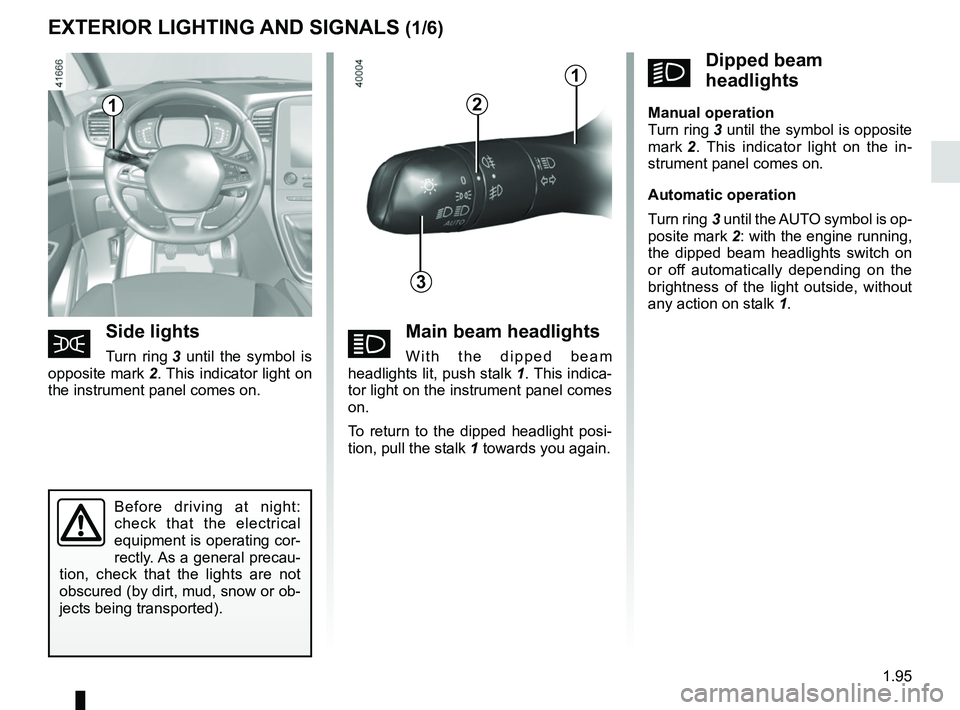
áMain beam headlights
With the dipped beam
headlights lit, push stalk 1. This indica-
tor light on the instrument panel comes
on.
To return to the dipped headlight posi-
tion, pull the stalk 1 towards you again.šSide lights
Turn ring 3 until the symbol is
opposite mark 2. This indicator light on
the instrument panel comes on.
kDipped beam
headlights
Manual operation
Turn ring 3 until the symbol is opposite
mark 2 . This indicator light on the in-
strument panel comes on.
Automatic operation
Turn ring 3 until the AUTO symbol is op-
posite mark 2: with the engine running,
the dipped beam headlights switch on
or off automatically depending on the
brightness of the light outside, without
any action on stalk 1.
Before driving at night:
check that the electrical
equipment is operating cor-
rectly. As a general precau-
tion, check that the lights are not
obscured (by dirt, mud, snow or ob-
jects being transported).
1
3
2
1
Page 104 of 364
1.98
EXTERIOR LIGHTING AND SIGNALS (4/6)
Using the portable naviga-
tion system at night in the
windscreen area below the
camera may disturb the op-
eration of the “automatic main beam
headlights” system (risk of reflection
on the windscreen).
Automatic main beam
headlights (continued)
Operating faults
When the message “Check auto li-
ghting” appears on the instrument
panel, the system is deactivated.
Consult an approved dealer.
Operating faults
When the message “Check lighting”
with warning light
© is displayed
and warning light
k flashes on the
instrument panel, this indicates that
there is a lighting fault.
Consult an approved dealer.
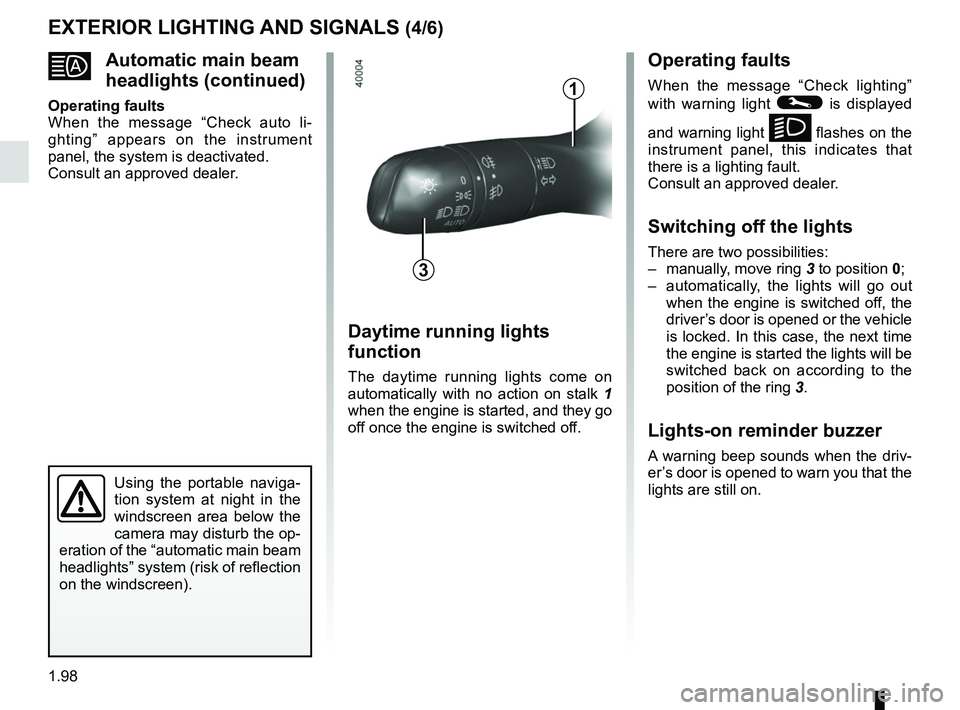
Switching off the lights
There are two possibilities:
– manually, move ring 3 to position 0;
– automatically, the lights will go out when the engine is switched off, the
driver’s door is opened or the vehicle
is locked. In this case, the next time
the engine is started the lights will be
switched back on according to the
position of the ring 3.
Lights-on reminder buzzer
A warning beep sounds when the driv-
er’s door is opened to warn you that the
lights are still on.
Daytime running lights
function
The daytime running lights come on
automatically with no action on stalk 1
when the engine is started, and they go
off once the engine is switched off.
3
1
Page 105 of 364
1.99
EXTERIOR LIGHTING AND SIGNALS (5/6)
“See-me-home lighting”
function
This function allows you to briefly switch
on the dipped beam headlights (to pro-
vide light when opening a gate, etc.).
With the engine and lights switched
off and the ring 3 in position 0 or
AUTO, pull the stalk 1 towards you: the
dipped beam headlights come on for
approximately 30 seconds. To increase
this duration, you may pull the stalk up
to four times (total time restricted to ap-
proximately two minutes). The mes-
sage “Follow-me home for _ _ _” along
with the time the lights will be on for is
displayed on the instrument panel to
confirm this action. You can then lock
your vehicle.
To switch off the lights before they go
out automatically, turn ring 3 to any po-
sition, then return it to the AUTO posi-
tion .
Welcome and goodbye
function
(depending on the vehicle)
Once the function is activated, the day-
time running lights and the rear side
light light up automatically upon detect-
ing the RENAULT card or when the ve-
hicle is unlocked.
They switch off automatically:
– approximately one minute after li- ghting up;
– when starting the engine based on the position of the lighting stalk;
or
– upon locking the vehicle. Welcome lighting under the door
mirrors
With the function activated, the lights
located under the door mirrors come
on automatically upon detection of the
RENAULT card, upon unlocking the
vehicle or when opening a door.
They switch off automatically:
– approximately one minute after li-
ghting up;
– upon starting the engine;
or
– upon locking the vehicle.
Activating/deactivating the function
From the multifunction screen, select
menu “vehicle”, “User settings” then
“External welcome”. Choose “ ON”
or “OFF” to activate or deactivate the
function.
Page 106 of 364
1.100
EXTERIOR LIGHTING AND SIGNALS (6/6)
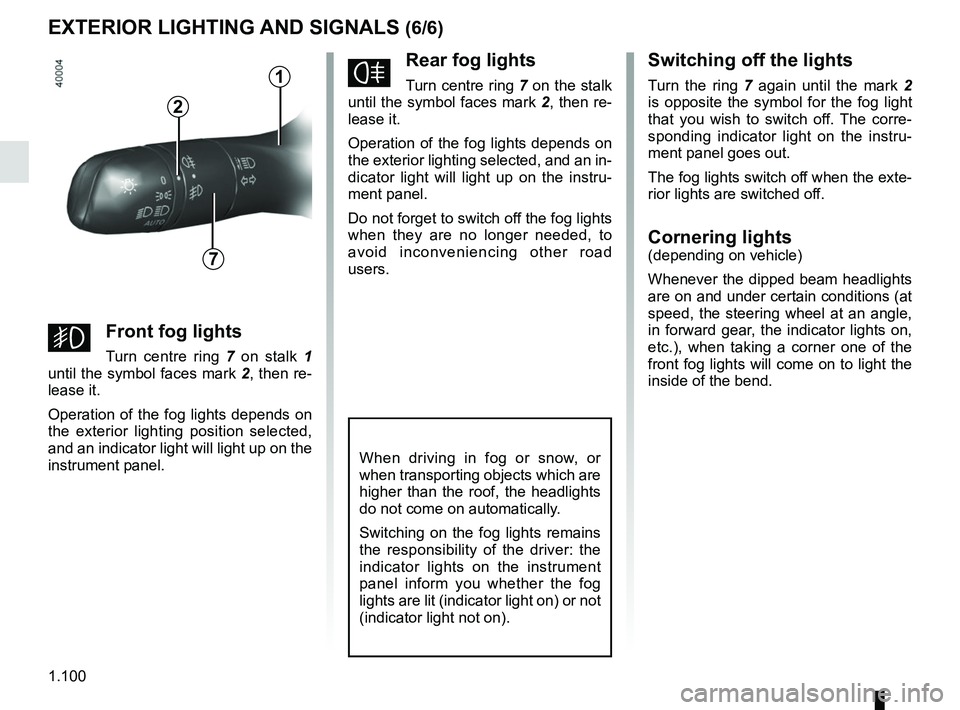
fRear fog lights
Turn centre ring 7 on the stalk
until the symbol faces mark 2, then re-
lease it.
Operation of the fog lights depends on
the exterior lighting selected, and an in-
dicator light will light up on the instru-
ment panel.
Do not forget to switch off the fog lights
when they are no longer needed, to
avoid inconveniencing other road
users.
Switching off the lights
Turn the ring 7 again until the mark 2
is opposite the symbol for the fog light
that you wish to switch off. The corre-
sponding indicator light on the instru-
ment panel goes out.
The fog lights switch off when the exte-
rior lights are switched off.
Cornering lights(depending on vehicle)
Whenever the dipped beam headlights
are on and under certain conditions (at
speed, the steering wheel at an angle,
in forward gear, the indicator lights on,
etc.), when taking a corner one of the
front fog lights will come on to light the
inside of the bend.
When driving in fog or snow, or
when transporting objects which are
higher than the roof, the headlights
do not come on automatically.
Switching on the fog lights remains
the responsibility of the driver: the
indicator lights on the instrument
panel inform you whether the fog
lights are lit (indicator light on) or not
(indicator light not on).
7
2
gFront fog lights
Turn centre ring 7 on stalk 1
until the symbol faces mark 2, then re-
lease it.
Operation of the fog lights depends on
the exterior lighting position selected,
and an indicator light will light up on the
instrument panel.
1