key RENAULT SCENIC 2018 User Guide
[x] Cancel search | Manufacturer: RENAULT, Model Year: 2018, Model line: SCENIC, Model: RENAULT SCENIC 2018Pages: 364, PDF Size: 10.43 MB
Page 71 of 364
1.65
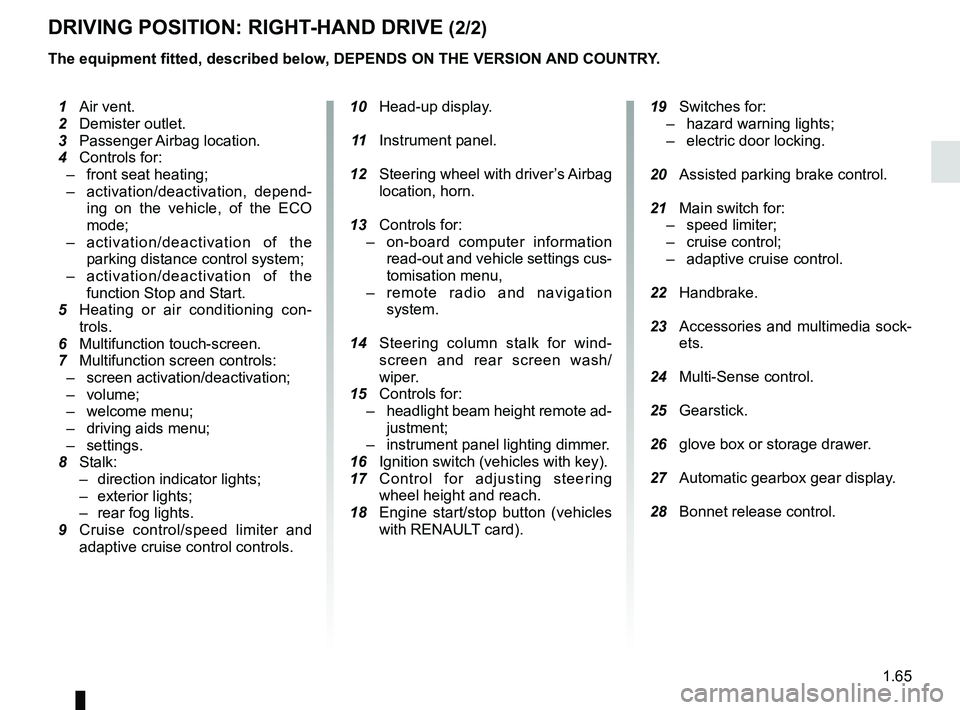
DRIVING POSITION: RIGHT-HAND DRIVE (2/2)
The equipment fitted, described below, DEPENDS ON THE VERSION AND COUNTRY.
10 Head-up display.
11 Instrument panel.
12 Steering wheel with driver’s Airbag
location, horn.
13 Controls for:
– on-board computer information
read-out and vehicle settings cus-
tomisation menu,
– remote radio and navigation
system.
14 Steering column stalk for wind-
screen and rear screen wash/
wiper.
15 Controls for:
– headlight beam height remote ad-
justment;
– instrument panel lighting dimmer.
16 Ignition switch (vehicles with key).
17 Control for adjusting steering
wheel height and reach.
18 Engine start/stop button (vehicles
with RENAULT card).
19 Switches for:
– hazard warning lights;
– electric door locking.
20 Assisted parking brake control.
21 Main switch for:
– speed limiter;
– cruise control;
– adaptive cruise control.
22 Handbrake.
23 Accessories and multimedia sock-
ets.
24 Multi-Sense control.
25 Gearstick.
26 glove box or storage drawer.
27 Automatic gearbox gear display.
28 Bonnet release control.
1 Air vent.
2 Demister outlet.
3 Passenger Airbag location.
4 Controls for:
– front seat heating;
– activation/deactivation, depend-
ing on the vehicle, of the ECO
mode;
– activation/deactivation of the
parking distance control system;
– activation/deactivation of the
function Stop and Start.
5
Heating or air conditioning con-
trols.
6 Multifunction touch-screen.
7 Multifunction screen controls:
– screen activation/deactivation;
– volume;
– welcome menu;
– driving aids menu;
– settings.
8 Stalk:
– direction indicator lights;
– exterior lights;
– rear fog lights.
9 Cruise control/speed limiter and
adaptive cruise control controls.
Page 84 of 364
1.78
TRIP COMPUTER: general information (1/2)
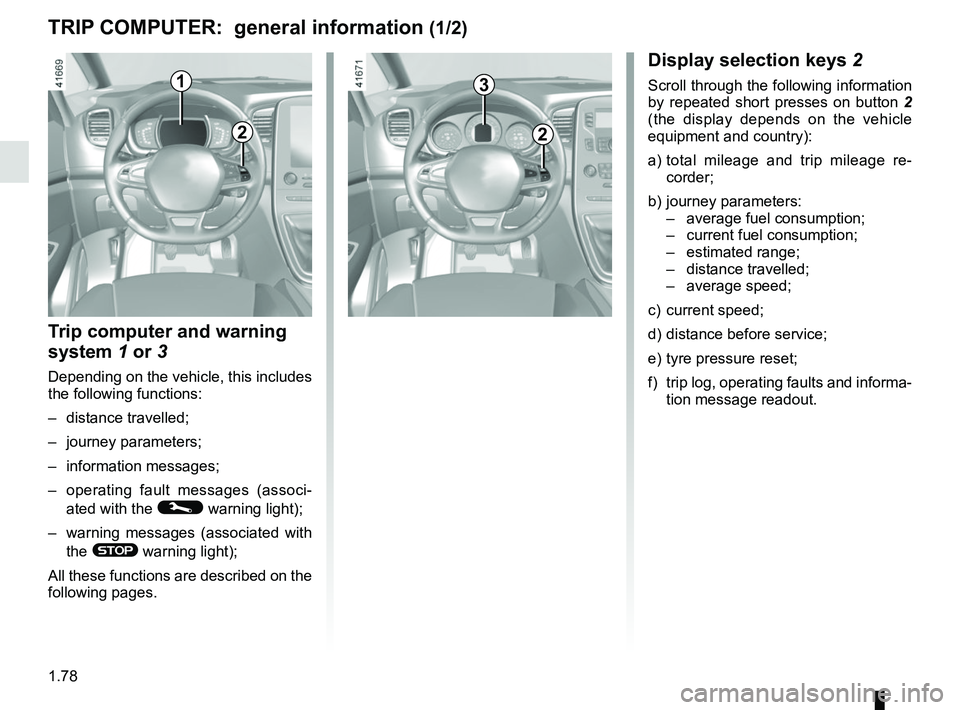
1
Display selection keys 2
Scroll through the following information
by repeated short presses on button 2
(the display depends on the vehicle
equipment and country):
a) total mileage and trip mileage re-
corder;
b) journey parameters: – average fuel consumption;
– current fuel consumption;
– estimated range;
– distance travelled;
– average speed;
c) current speed;
d) distance before service;
e) tyre pressure reset;
f) trip log, operating faults and informa- tion message readout.
Trip computer and warning
system 1 or 3
Depending on the vehicle, this includes
the following functions:
– distance travelled;
– journey parameters;
– information messages;
– operating fault messages (associ-
ated with the
© warning light);
– warning messages (associated with the
® warning light);
All these functions are described on the
following pages.
2
3
2
Page 85 of 364
1.79
ON-BOARD COMPUTER: general information (2/2)
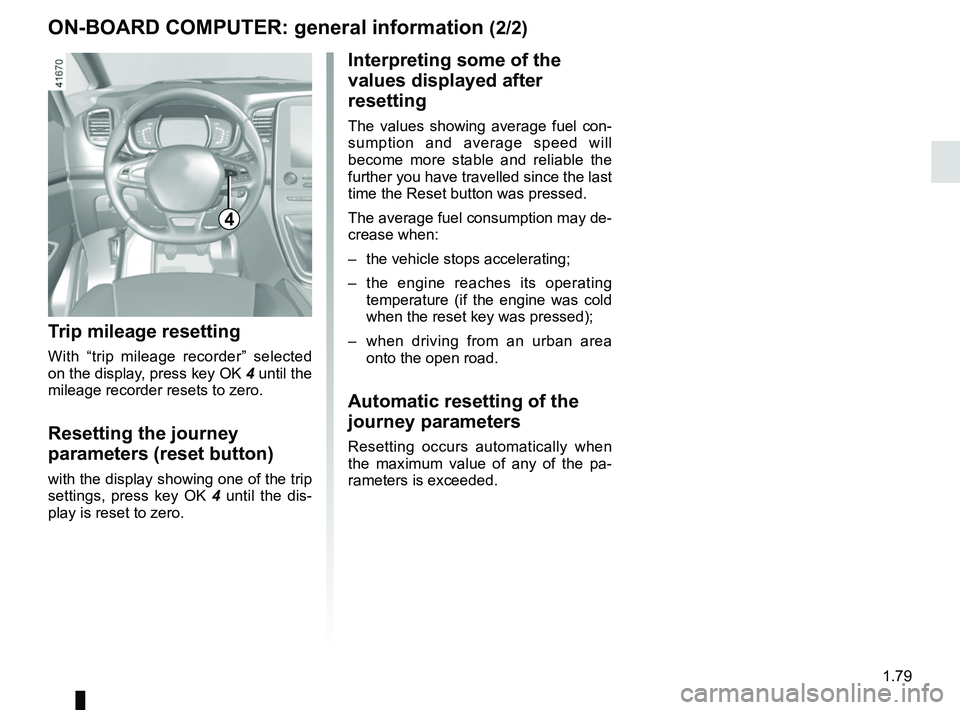
4
Interpreting some of the
values displayed after
resetting
The values showing average fuel con-
sumption and average speed will
become more stable and reliable the
further you have travelled since the last
time the Reset button was pressed.
The average fuel consumption may de-
crease when:
– the vehicle stops accelerating;
– the engine reaches its operating
temperature (if the engine was cold
when the reset key was pressed);
– when driving from an urban area
onto the open road.
Automatic resetting of the
journey parameters
Resetting occurs automatically when
the maximum value of any of the pa-
rameters is exceeded.
Trip mileage resetting
With “trip mileage recorder” selected
on the display, press key OK 4 until the
mileage recorder resets to zero.
Resetting the journey
parameters (reset button)
with the display showing one of the trip
settings, press key OK 4 until the dis-
play is reset to zero.
Page 92 of 364

1.86
TRIP COMPUTER AND WARNING SYSTEM: operating fault messages
These appear with the © warning light and mean that you should drive very carefully to an author\
ised dealer as
soon as possible. If you fail to follow this recommendation, you risk da\
maging your vehicle.
They disappear when the display selection key is pressed or after severa\
l seconds and are stored in the computer log. The
© warning light stays on. Examples of operating fault messages are given \
in the following pages.
Examples of messages Interpreting the display selected
“Clean diesel filter” Indicates the presence of water in the diesel filter; contact an approve\
d Dealer
as soon as possible.
“Check lighting” Indicates a fault in the headlights.
“Check vehicle” Indicates a fault in one of the pedal sensors, battery management system\
or oil
level sensor.
“Check airbag” Indicates a fault in the restraint system in addition to the seat belts.\
In the event
of an accident, it is possible that they may not be triggered.
“Check anti- pollution system” Indicates a fault in the vehicle’s particle filter system.
Page 119 of 364
1.113
FUEL TANK (3/3)
Persistent smell of
fuel
If you notice a persistent
smell of fuel you should:
– stop the vehicle as soon as traf- fic conditions allow and switch off
the ignition;
– switch on the hazard warning lights and ask your passengers
to leave the vehicle and to keep
away from traffic;
– contact an authorised dealer.
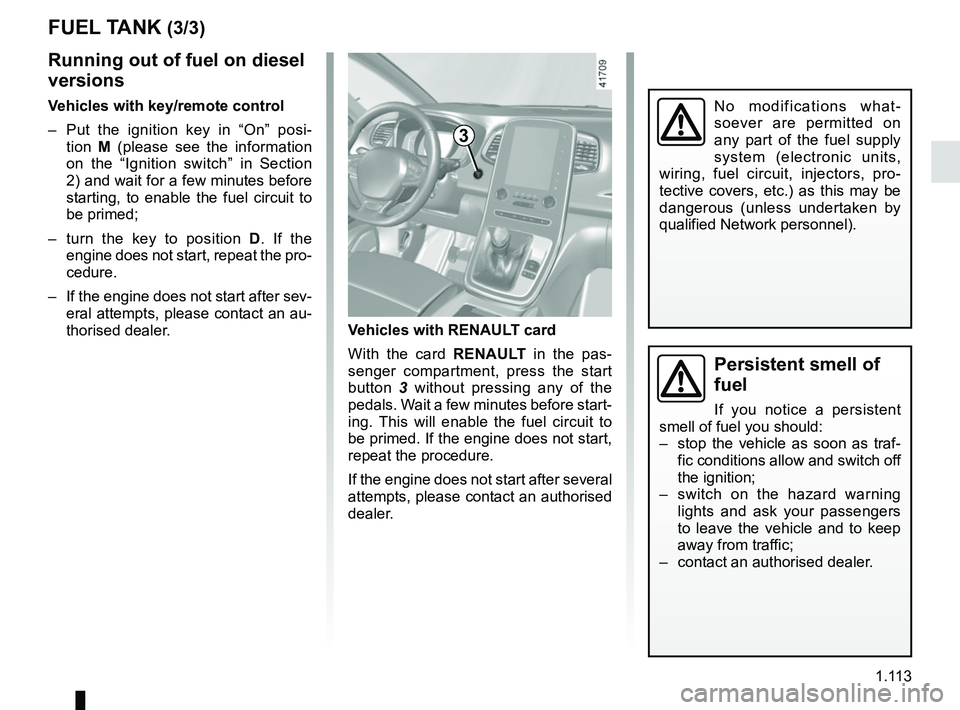
Vehicles with RENAULT card
With the card RENAULT in the pas-
senger compartment, press the start
button 3 without pressing any of the
pedals. Wait a few minutes before start-
ing. This will enable the fuel circuit to
be primed. If the engine does not start,
repeat the procedure.
If the engine does not start after several
attempts, please contact an authorised
dealer.
No modifications what-
soever are permitted on
any part of the fuel supply
system (electronic units,
wiring, fuel circuit, injectors, pro-
tective covers, etc.) as this may be
dangerous (unless undertaken by
qualified Network personnel).
3
Running out of fuel on diesel
versions
Vehicles with key/remote control
– Put the ignition key in “On” posi- tion M (please see the information
on the “Ignition switch” in Section
2) and wait for a few minutes before
starting, to enable the fuel circuit to
be primed;
– turn the key to position D . If the
engine does not start, repeat the pro-
cedure.
– If the engine does not start after sev- eral attempts, please contact an au-
thorised dealer.
Page 123 of 364
2.3
IGNITION SWITCH: vehicle with key
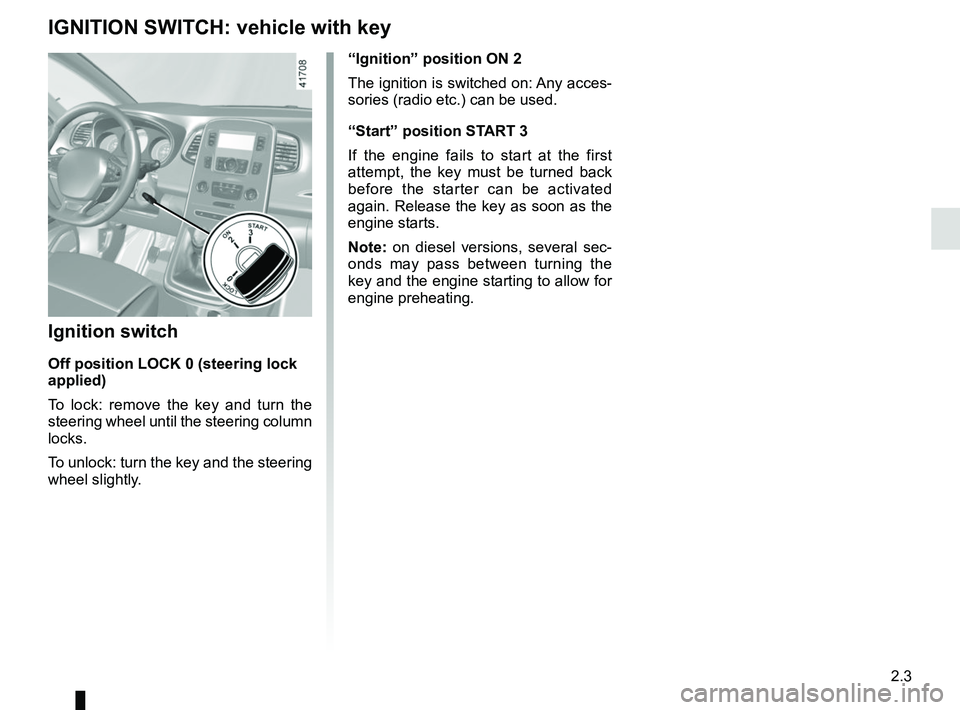
“Ignition” position ON 2
The ignition is switched on: Any acces-
sories (radio etc.) can be used.
“Start” position START 3
If the engine fails to start at the first
attempt, the key must be turned back
before the starter can be activated
again. Release the key as soon as the
engine starts.
Note: on diesel versions, several sec-
onds may pass between turning the
key and the engine starting to allow for
engine preheating.
Ignition switch
Off position LOCK 0 (steering lock
applied)
To lock: remove the key and turn the
steering wheel until the steering column
locks.
To unlock: turn the key and the steering
wheel slightly.
Page 124 of 364
2.4
STARTING, STOPPING THE ENGINE: vehicle with key
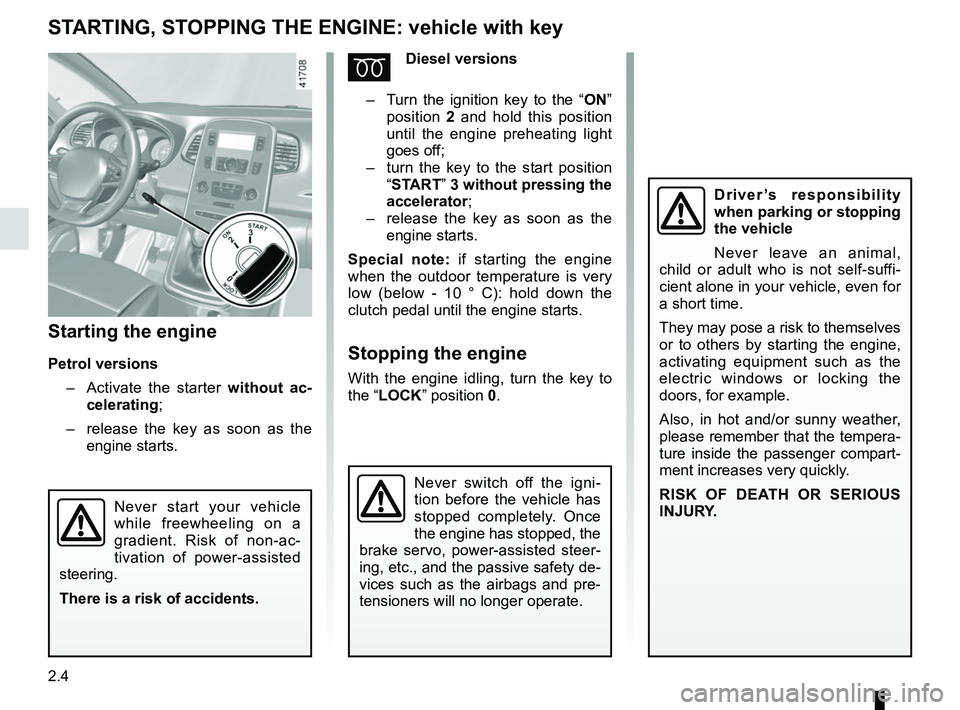
Starting the engine
Petrol versions– Activate the starter without ac-
celerating;
– release the key as soon as the
engine starts.
ÉDiesel versions
– Turn the ignition key to the “ ON”
position 2 and hold this position
until the engine preheating light
goes off;
– turn the key to the start position
“START” 3 without pressing the
accelerator ;
– release the key as soon as the
engine starts.
Special note: if starting the engine
when the outdoor temperature is very
low (below - 10 ° C): hold down the
clutch pedal until the engine starts.
Stopping the engine
With the engine idling, turn the key to
the “LOCK” position 0.
Never start your vehicle
while freewheeling on a
gradient. Risk of non-ac-
tivation of power-assisted
steering.
There is a risk of accidents.
Driver’s responsibility
when parking or stopping
the vehicle
Never leave an animal,
child or adult who is not self-suffi-
cient alone in your vehicle, even for
a short time.
They may pose a risk to themselves
or to others by starting the engine,
activating equipment such as the
electric windows or locking the
doors, for example.
Also, in hot and/or sunny weather,
please remember that the tempera-
ture inside the passenger compart-
ment increases very quickly.
RISK OF DEATH OR SERIOUS
INJURY.
Never switch off the igni-
tion before the vehicle has
stopped completely. Once
the engine has stopped, the
brake servo, power-assisted steer-
ing, etc., and the passive safety de-
vices such as the airbags and pre-
tensioners will no longer operate.
Page 127 of 364
2.7
STARTING, STOPPING THE ENGINE: vehicle with RENAULT card (3/3)
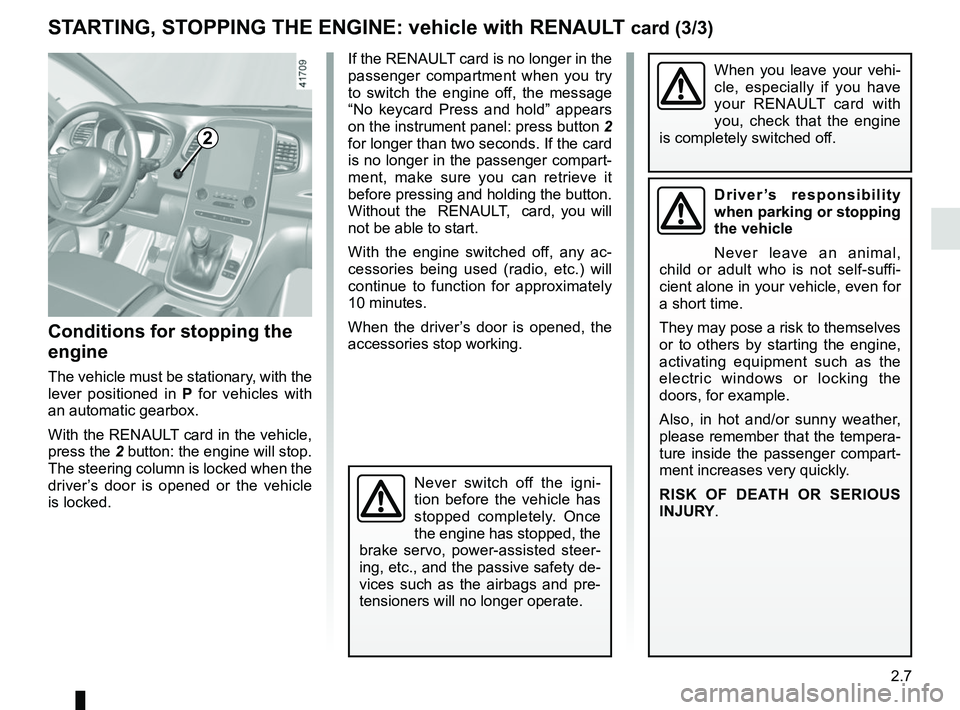
Conditions for stopping the
engine
The vehicle must be stationary, with the
lever positioned in P for vehicles with
an automatic gearbox.
With the RENAULT card in the vehicle,
press the 2 button: the engine will stop. The steering column is locked when the
driver’s door is opened or the vehicle
is locked.
When you leave your vehi-
cle, especially if you have
your RENAULT card with
you, check that the engine
is completely switched off.
2
If the RENAULT card is no longer in the
passenger compartment when you try
to switch the engine off, the message
“No keycard Press and hold” appears
on the instrument panel: press button 2
for longer than two seconds. If the card
is no longer in the passenger compart-
ment, make sure you can retrieve it
before pressing and holding the button.
Without the RENAULT, card, you will
not be able to start.
With the engine switched off, any ac-
cessories being used (radio, etc.) will
continue to function for approximately
10 minutes.
When the driver’s door is opened, the
accessories stop working.
Driver’s responsibility
when parking or stopping
the vehicle
Never leave an animal,
child or adult who is not self-suffi-
cient alone in your vehicle, even for
a short time.
They may pose a risk to themselves
or to others by starting the engine,
activating equipment such as the
electric windows or locking the
doors, for example.
Also, in hot and/or sunny weather,
please remember that the tempera-
ture inside the passenger compart-
ment increases very quickly.
RISK OF DEATH OR SERIOUS
INJURY.
Never switch off the igni-
tion before the vehicle has
stopped completely. Once
the engine has stopped, the
brake servo, power-assisted steer-
ing, etc., and the passive safety de-
vices such as the airbags and pre-
tensioners will no longer operate.
Page 130 of 364
2.10
FUNCTION STOP AND START (3/4)
Conditions preventing the
standby of the engine
Certain conditions prevent the system
from using the engine standby function,
including when:
for vehicles equipped with a
RENAULT card:
– the driver’s door is not closed;
– the driver’s seatbelt is not fastened.
for all vehicles:
– reverse gear is engaged;
– the bonnet is not locked;
– the outdoor temperature is too low or too high (less than around 5°C or
higher than around 35°C);
– one of the two batteries is not suffi- ciently charged;
– the difference between the vehicle interior temperature and the auto-
matic climate control instruction is
too high;
– parking distance control is in opera- tion; – for vehicles with automatic gear-
boxes, the gradient is steeper than
approximately 12%;
– the “Clear View” function is activated (please see “Automatic climate con-
trol” in Section 3);
– the engine temperature is too low;
– the emission control system is being regenerated;
– ...
Warning light
is displayed on the
instrument panel. This notifies you that
engine standby is not available.
Deactivate the Stop and
Start function for any opera-
tion performed in the engine
compartment.
Special case for vehicles with
a RENAULT card
With the engine on standby (traffic jam,
traffic lights, etc.), if the driver unfas-
tens the seat belt and opens the driv-
er’s door, or gets out of the seat, the
ignition is switched off.
The assisted parking brake is applied
automatically.
To restart and reactivate the Stop and
Start system, start the engine (please
refer to the information on “Starting,
stopping the engine” in Section 2).
Special case of vehicles with
a key
With the engine on standby (traffic
jam, traffic lights, etc.), if you get out of
the vehicle, a beep warns you that the
engine is on standby and has not been
stopped.
Page 131 of 364
2.11
FUNCTION STOP AND START (4/4)
Special feature of the automatic
engine re-start
Under certain conditions, the engine
can restart on its own in order to guar-
antee your safety and comfort.
This can occur especially when:
– the outdoor temperature is too low or too high (less than around 5°C or
higher than around 35°C);
– the “Clear View” function is activated (please see “Automatic climate con-
trol” in Section 3);
– one of the two batteries is not suffi- ciently charged;
– the vehicle speed is above 3 mph (5 km/h) (downhill slope, etc.);
– repeated pressing on the brake pedal or braking system require-
ment;
– on vehicles fitted with a manual gearbox, restarting may be inter-
rupted if the clutch pedal is released
too quickly while a gear is engaged;
– ...
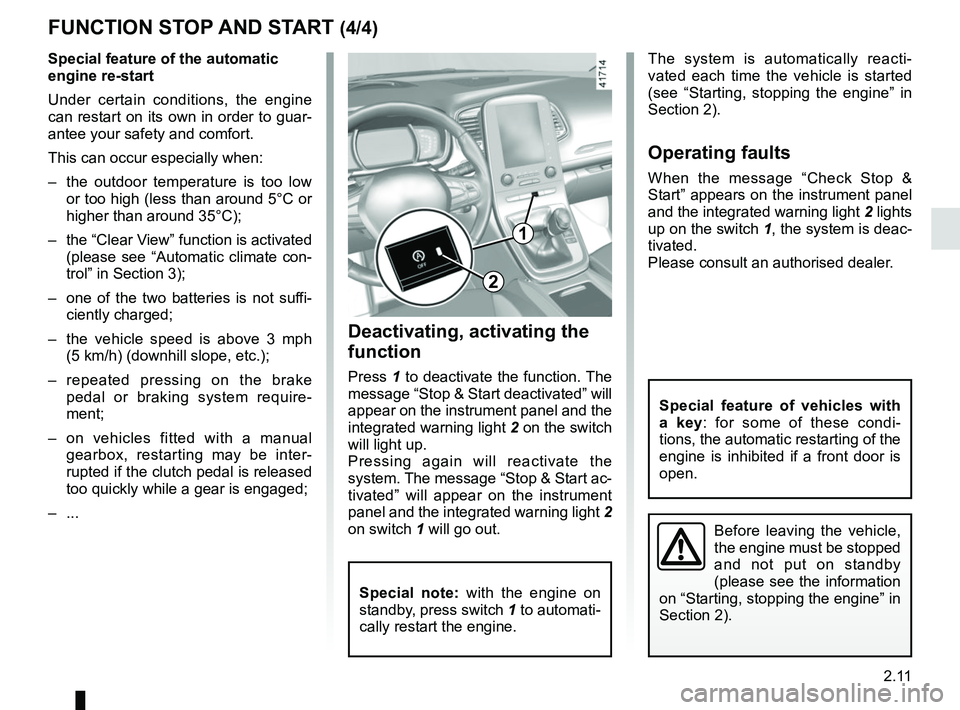
1
2
Deactivating, activating the
function
Press 1 to deactivate the function. The
message “Stop & Start deactivated” will
appear on the instrument panel and the
integrated warning light 2 on the switch
will light up.
Pressing again will reactivate the
system. The message “Stop & Start ac-
tivated” will appear on the instrument
panel and the integrated warning light 2
on switch 1 will go out.
Special note: with the engine on
standby, press switch 1 to automati-
cally restart the engine.
The system is automatically reacti-
vated each time the vehicle is started
(see “Starting, stopping the engine” in
Section 2).
Operating faults
When the message “Check Stop &
Start” appears on the instrument panel
and the integrated warning light 2 lights
up on the switch 1, the system is deac-
tivated.
Please consult an authorised dealer.
Special feature of vehicles with
a key: for some of these condi-
tions, the automatic restarting of the
engine is inhibited if a front door is
open.
Before leaving the vehicle,
the engine must be stopped
and not put on standby
(please see the information
on “Starting, stopping the engine” in
Section 2).