navigation RENAULT SCENIC 2018 User Guide
[x] Cancel search | Manufacturer: RENAULT, Model Year: 2018, Model line: SCENIC, Model: RENAULT SCENIC 2018Pages: 364, PDF Size: 10.43 MB
Page 147 of 364
2.27
DRIVING ADVICE, ECO-DRIVING (4/6)
ECO mode
ECO mode is a function which opti-
mises fuel consumption. It acts upon
certain power consuming systems in
the vehicle (heating, air conditioning,
power-assisted steering etc.) and on
certain driving actions (acceleration,
gear changing, cruise control, deceler-
ation etc.).
Limiting acceleration enables low fuel
consumption in urban and surrounding
areas. When ECO mode is in use, it is
normal to notice a change in the heat-
ing level.
Activating the function
The function can be activated:
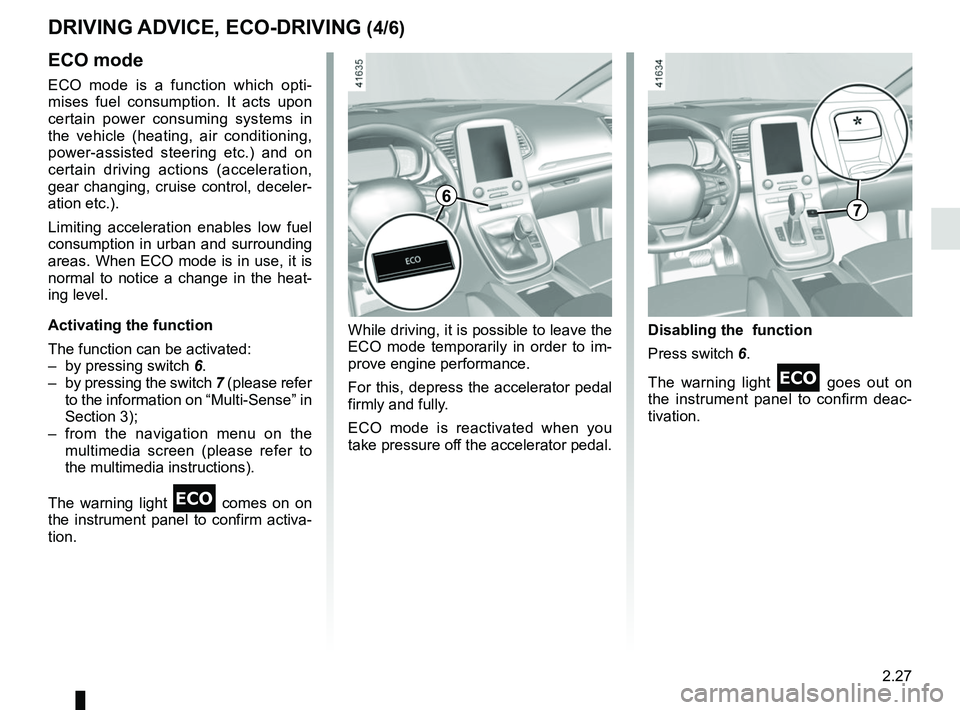
– by pressing switch 6.
– by pressing the switch 7 (please refer
to the information on “Multi-Sense” in
Section 3);
– from the navigation menu on the multimedia screen (please refer to
the multimedia instructions).
The warning light
comes on on
the instrument panel to confirm activa-
tion. Disabling the function
Press switch 6.
The warning light
goes out on
the instrument panel to confirm deac-
tivation.
While driving, it is possible to leave the
ECO mode temporarily in order to im-
prove engine performance.
For this, depress the accelerator pedal
firmly and fully.
ECO mode is reactivated when you
take pressure off the accelerator pedal.
67
Page 152 of 364
2.32
TYRE PRESSURE MONITORING SYSTEM (1/3)
If the vehicle is equipped with the func-
tion, this system monitors the tyre pres-
sure.
Operating principle
Each wheel (except for the emergency
spare wheel) has a sensor in the infla-
tion valve which periodically measures
the tyre pressure.
The system displays the current pres-
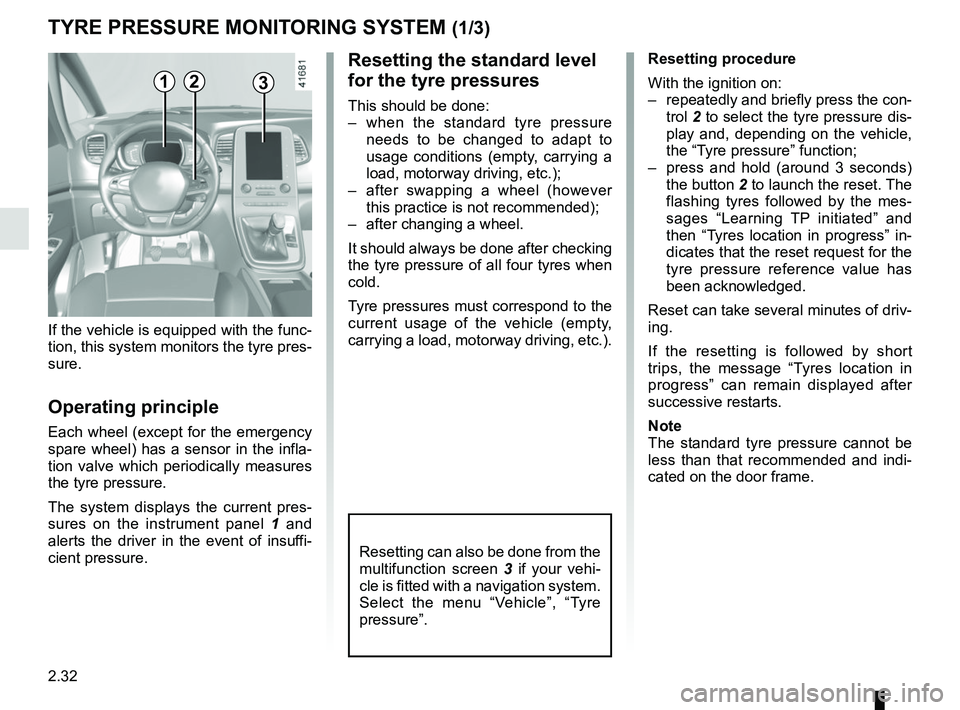
sures on the instrument panel 1 and
alerts the driver in the event of insuffi-
cient pressure.
Resetting the standard level
for the tyre pressures
This should be done:
– when the standard tyre pressure needs to be changed to adapt to
usage conditions (empty, carrying a
load, motorway driving, etc.);
– after swapping a wheel (however this practice is not recommended);
– after changing a wheel.
It should always be done after checking
the tyre pressure of all four tyres when
cold.
Tyre pressures must correspond to the
current usage of the vehicle (empty,
carrying a load, motorway driving, etc.).
21
Resetting procedure
With the ignition on:
– repeatedly and briefly press the con- trol 2 to select the tyre pressure dis-
play and, depending on the vehicle,
the “Tyre pressure” function;
– press and hold (around 3 seconds) the button 2 to launch the reset. The
flashing tyres followed by the mes-
sages “Learning TP initiated” and
then “Tyres location in progress” in-
dicates that the reset request for the
tyre pressure reference value has
been acknowledged.
Reset can take several minutes of driv-
ing.
If the resetting is followed by short
trips, the message “Tyres location in
progress” can remain displayed after
successive restarts.
Note
The standard tyre pressure cannot be
less than that recommended and indi-
cated on the door frame.
3
Resetting can also be done from the
multifunction screen 3 if your vehi-
cle is fitted with a navigation system.
Select the menu “Vehicle”, “Tyre
pressure”.
Page 163 of 364
2.43
ACTIVE EMERGENCY BRAKING (4/7)
Activating or deactivating the
system
For vehicles fitted with a navigation
system
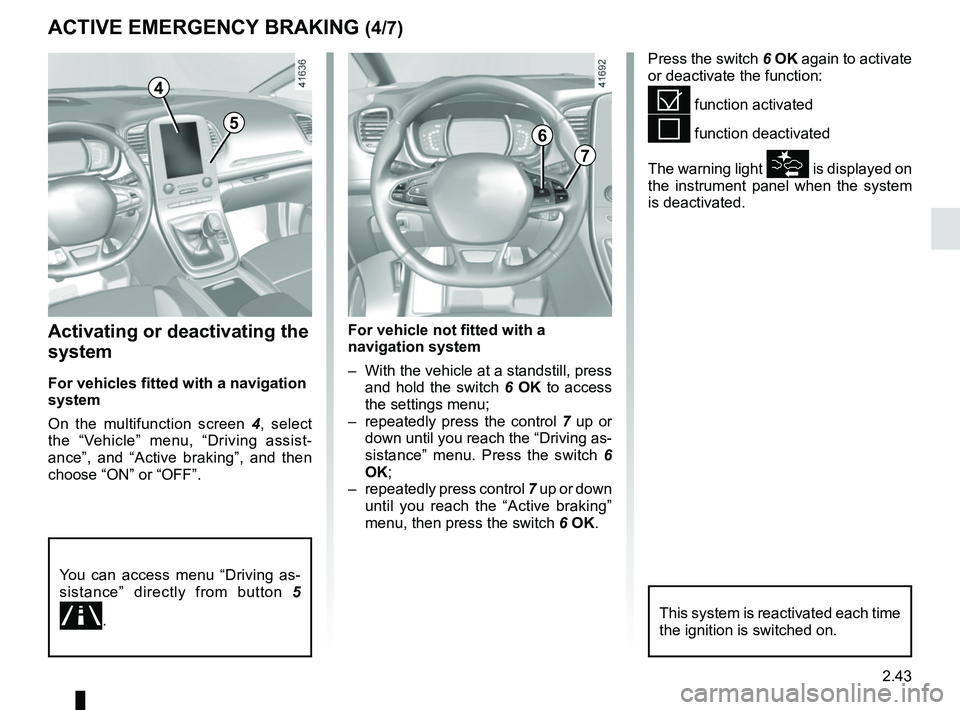
On the multifunction screen 4, select
the “Vehicle” menu, “Driving assist-
ance”, and “Active braking”, and then
choose “ON” or “OFF”.
Press the switch 6 OK again to activate
or deactivate the function:
= function activated
< function deactivated
The warning light
\b is displayed on
the instrument panel when the system
is deactivated.
4
7
6
For vehicle not fitted with a
navigation system
– With the vehicle at a standstill, press and hold the switch 6 OK to access
the settings menu;
– repeatedly press the control 7 up or
down until you reach the “Driving as-
sistance” menu. Press the switch 6
OK;
– repeatedly press control 7 up or down
until you reach the “Active braking”
menu, then press the switch 6 OK.
You can access menu “Driving as-
sistance” directly from button 5
.
5
This system is reactivated each time
the ignition is switched on.
Page 176 of 364
2.56
Activation/deactivation
Vehicles fitted with a navigation
system
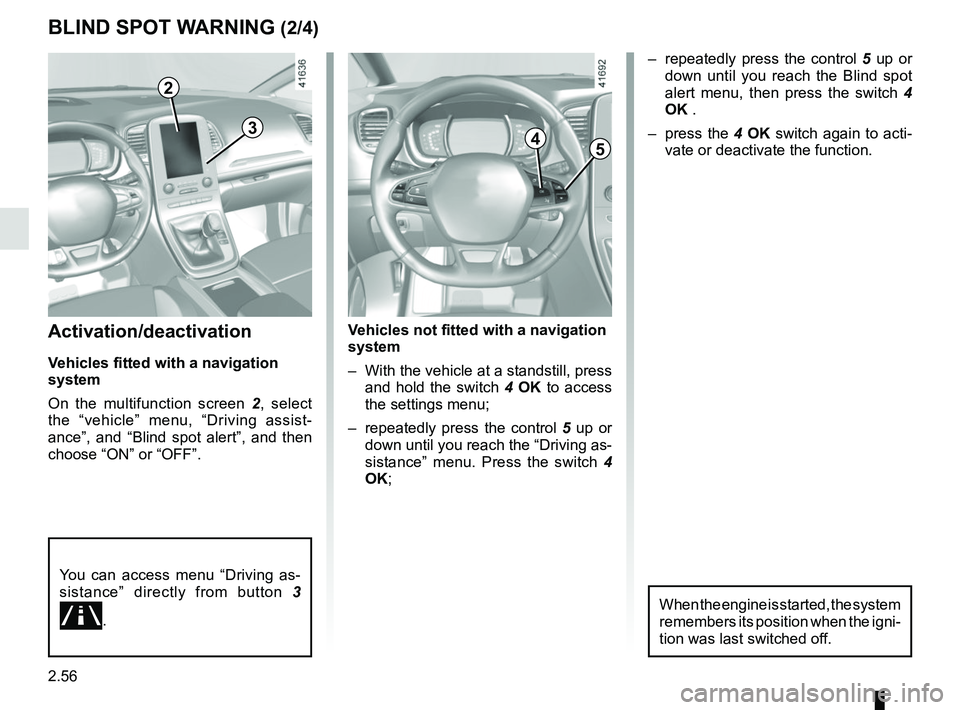
On the multifunction screen 2, select
the “vehicle” menu, “Driving assist-
ance”, and “Blind spot alert”, and then
choose “ON” or “OFF”.
You can access menu “Driving as-
sistance” directly from button 3
.
Vehicles not fitted with a navigation
system
– With the vehicle at a standstill, press
and hold the switch 4 OK to access
the settings menu;
– repeatedly press the control 5 up or
down until you reach the “Driving as-
sistance” menu. Press the switch 4
OK;
BLIND SPOT WARNING (2/4)
– repeatedly press the control 5 up or
down until you reach the Blind spot
alert menu, then press the switch 4
OK .
– press the 4 OK switch again to acti-
vate or deactivate the function.
45
When the engine is started, the system
remembers its position when the igni-
tion was last switched off.
3
2
Page 182 of 364
2.62
FATIGUE DETECTION WARNING (1/2)
The fatigue detection warning is a func-
tion which is useful on monotonous
roads (motorways, high-speed roads
etc.).
It analyses driver behaviour and takes
account of events to inform you of any
risk of fatigue, such as:
– steering wheel movement;
– driver actions on other devices (indi-cators, windscreen washer, etc.);
– time spent driving without stopping;
– ...
This function is an addi-
tional driving aid in case of
risk of fatigue. The function
does not take the place of
the driver.
Under no circumstances should this
function replace the driver’s care or
responsibility whilst driving.
Activation/deactivation
Vehicles fitted with a navigation
system
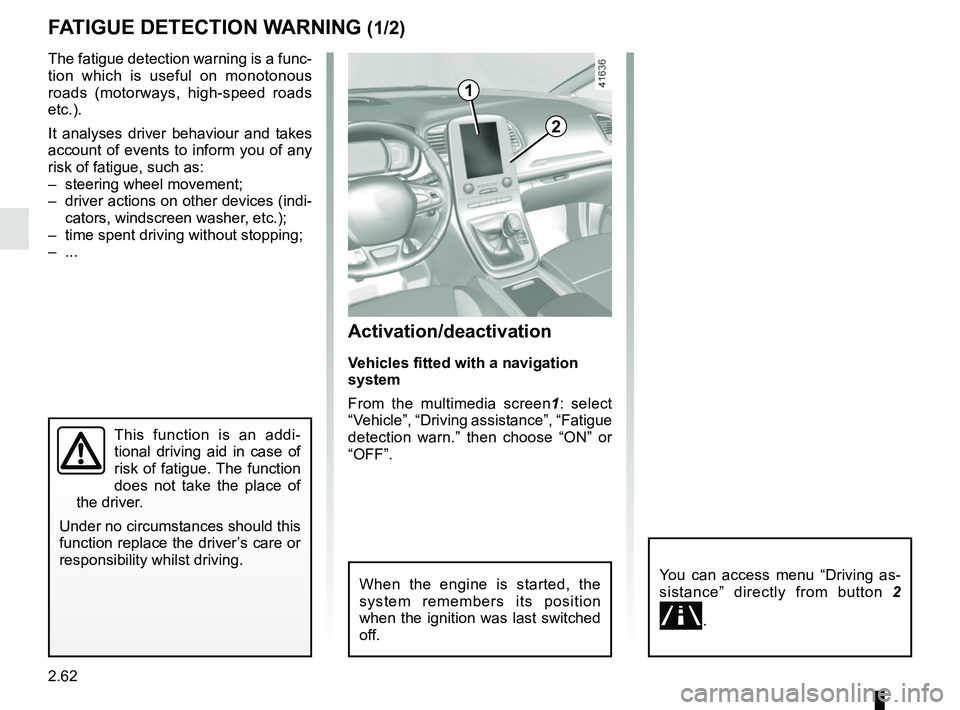
From the multimedia screen1 : select
“Vehicle”, “Driving assistance”, “Fatigue
detection warn.” then choose “ON” or
“OFF”.
You can access menu “Driving as-
sistance” directly from button 2
.
2
1
When the engine is started, the
system remembers its position
when the ignition was last switched
off.
Page 183 of 364
2.63
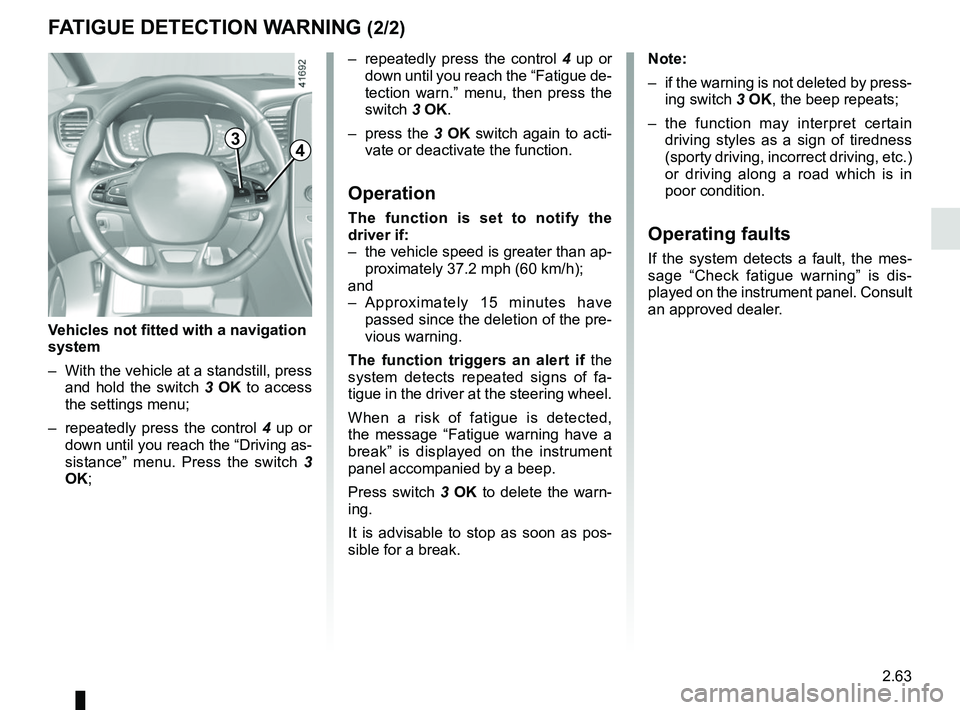
– repeatedly press the control 4 up or
down until you reach the “Fatigue de-
tection warn.” menu, then press the
switch 3 OK.
– press the 3 OK switch again to acti-
vate or deactivate the function.
Operation
The function is set to notify the
driver if:
– the vehicle speed is greater than ap- proximately 37.2 mph (60 km/h);
and
– Approximately 15 minutes have passed since the deletion of the pre-
vious warning.
The function triggers an alert if the
system detects repeated signs of fa-
tigue in the driver at the steering wheel.
When a risk of fatigue is detected,
the message “Fatigue warning have a
break” is displayed on the instrument
panel accompanied by a beep.
Press switch 3 OK to delete the warn-
ing.
It is advisable to stop as soon as pos-
sible for a break.
FATIGUE DETECTION WARNING (2/2)
Note:
– if the warning is not deleted by press- ing switch 3 OK, the beep repeats;
– the function may interpret certain driving styles as a sign of tiredness
(sporty driving, incorrect driving, etc.)
or driving along a road which is in
poor condition.
Operating faults
If the system detects a fault, the mes-
sage “Check fatigue warning” is dis-
played on the instrument panel. Consult
an approved dealer.
3
Vehicles not fitted with a navigation
system
– With the vehicle at a standstill, press and hold the switch 3 OK to access
the settings menu;
– repeatedly press the control 4 up or
down until you reach the “Driving as-
sistance” menu. Press the switch 3
OK;
4
Page 184 of 364
2.64
OVERSPEED ALERT (1/3)
The overspeed alert with signage panel
recognition notifies the driver that they
are exceeding the speed limit for the
section of road on which they are cur-
rently travelling.For vehicles equipped with a navigation
system and if the vehicle is travelling in
a country where the speed units differ
from those of the vehicle, the system
displays the speed limit sign in the unit
of the country, alongside the speed limit
converted to the unit used by the vehi-
cle’s instrument panel.
For countries where the speed limit is
reduced during rainy weather on some
types of roads, on vehicles equipped
with a navigation system, the system
can modify the limited speed after a few
seconds of wiping the windscreen.
Special situations
The system does not take into account
exceptional speed limit measures, such
as peak pollution days.
On equipped vehicles, some infor-
mation is given on the head-up dis-
play.
Operating principle
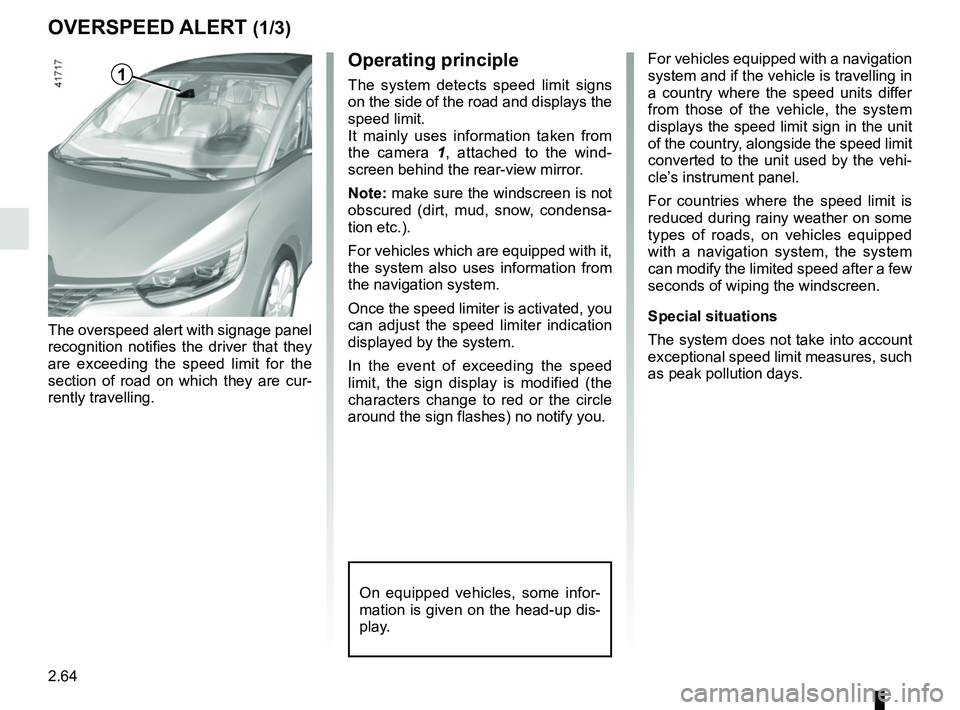
The system detects speed limit signs
on the side of the road and displays the
speed limit.
It mainly uses information taken from
the camera 1
, attached to the wind-
screen behind the rear-view mirror.
Note: make sure the windscreen is not
obscured (dirt, mud, snow, condensa-
tion etc.).
For vehicles which are equipped with it,
the system also uses information from
the navigation system.
Once the speed limiter is activated, you
can adjust the speed limiter indication
displayed by the system.
In the event of exceeding the speed
limit, the sign display is modified (the
characters change to red or the circle
around the sign flashes) no notify you.1
Page 185 of 364
2.65
OVERSPEED ALERT (2/3)
Activating/deactivating the
system
Vehicles fitted with a navigation
system
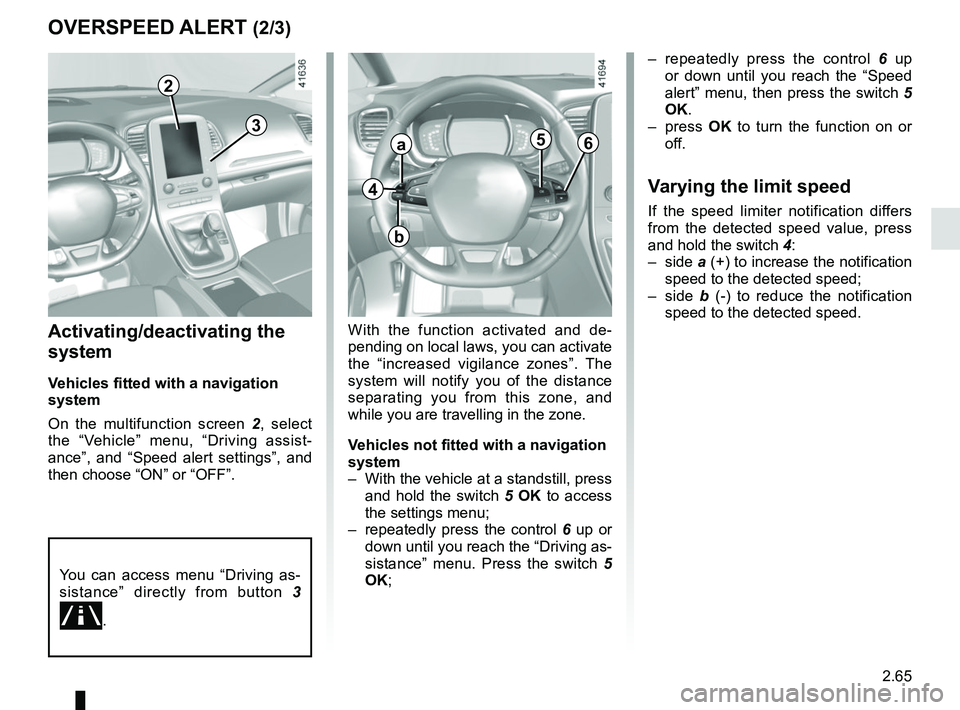
On the multifunction screen 2, select
the “Vehicle” menu, “Driving assist-
ance”, and “Speed alert settings”, and
then choose “ON” or “OFF”.
With the function activated and de-
pending on local laws, you can activate
the “increased vigilance zones”. The
system will notify you of the distance
separating you from this zone, and
while you are travelling in the zone.
Vehicles not fitted with a navigation
system
– With the vehicle at a standstill, press and hold the switch 5 OK to access
the settings menu;
– repeatedly press the control 6 up or
down until you reach the “Driving as-
sistance” menu. Press the switch 5
OK; – repeatedly press the control
6 up
or down until you reach the “Speed
alert” menu, then press the switch 5
OK.
– press OK to turn the function on or
off.
Varying the limit speed
If the speed limiter notification differs
from the detected speed value, press
and hold the switch 4:
– side a (+) to increase the notification
speed to the detected speed;
– side b (-) to reduce the notification
speed to the detected speed.
You can access menu “Driving as-
sistance” directly from button 3
.
4
a
b
56
3
2
Page 205 of 364
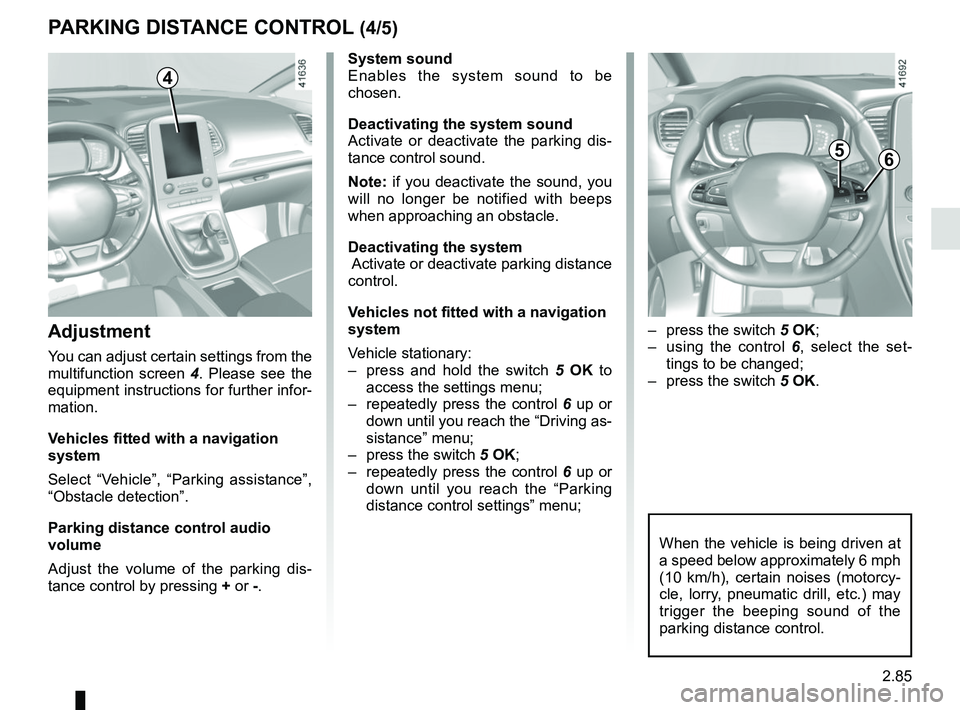
2.85
System sound
Enables the system sound to be
chosen.
Deactivating the system sound
Activate or deactivate the parking dis-
tance control sound.
Note: if you deactivate the sound, you
will no longer be notified with beeps
when approaching an obstacle.
Deactivating the system
Activate or deactivate parking distance
control.
Vehicles not fitted with a navigation
system
Vehicle stationary:
– press and hold the switch 5 OK to
access the settings menu;
– repeatedly press the control 6 up or
down until you reach the “Driving as-
sistance” menu;
– press the switch 5 OK;
– repeatedly press the control 6 up or
down until you reach the “Parking
distance control settings” menu;
PARKING DISTANCE CONTROL (4/5)
When the vehicle is being driven at
a speed below approximately 6 mph
(10 km/h), certain noises (motorcy-
cle, lorry, pneumatic drill, etc.) may
trigger the beeping sound of the
parking distance control.
4
Adjustment
You can adjust certain settings from the
multifunction screen 4. Please see the
equipment instructions for further infor-
mation.
Vehicles fitted with a navigation
system
Select “Vehicle”, “Parking assistance”,
“Obstacle detection”.
Parking distance control audio
volume
Adjust the volume of the parking dis-
tance control by pressing + or -.
– press the switch 5 OK;
– using the control 6, select the set-
tings to be changed;
– press the switch 5 OK.
56
Page 360 of 364
7.4
ALPHABETICAL INDEX (4/6)
lighting:exterior ....................................................1.7, 1.95 → 1.102
instrument panel .......................................................... 1.95
interior ..........................................3.27 – 3.28, 5.24 → 5.26
lights adjustment .................................................... 1.101 – 1.102
changing bulbs .................................................. 5.17 – 5.18
front ................................................................... 5.17 – 5.18
lights: adjusting ....................................................... 1.101 – 1.102
adjustment of headlight beam height ............ 1.101 – 1.102
brake lights .................................................................. 5.19
dipped beam headlights ........................... 1.95, 5.17 – 5.18
direction indicators ..................................1.94, 5.17 → 5.19
electric beam height adjustment ................... 1.101 – 1.102
fog lights ........................................................... 1.100, 5.19
hazard warning ............................................................ 1.94
main beam headlights ..................... 1.96, 1.98, 5.17 – 5.18
number plate lights ...................................................... 5.23
reversing lights ............................................................. 5.19
side lights ............................................................ 1.95, 5.19
locking the doors ........................ 1.4, 1.6 → 1.12, 1.16 → 1.18
luggage compartment cover .............................................. 3.48
luggage retaining net .............................................3.53 → 3.55
M
maintenance ............................................................\
.......... 2.30
maintenance: bodywork .........................................................4.15 → 4.17
interior trim ........................................................ 4.18 – 4.19
mechanical .........................................4.2 – 4.3, 6.9 → 6.14
manual air conditioning..............................................3.6 → 3.8
map reading lights .................................................. 3.27 – 3.28
menu for customising the vehicle settings .............. 1.88 – 1.89
methods of restraint in addition to the seat belts ...1.36 → 1.38
mulitfunction display ..............................................1.72 → 1.77multifunction screen...............................................1.72
→ 1.77
multimedia (equipment) .......................................... 3.22 – 3.23
multimedia equipment ............................................ 3.22 – 3.23
Multi-Sense................................................................. 3.2 – 3.3
N
navigation ............................................................... 3.22 – 3.23
navigation system ................................................... 3.22 – 3.23
O
oil change ..................................................................... 4.4, 4.7
opening the doors ..................................................1.13 → 1.17
operating faults ......................................................5.38 → 5.44
overspeed warning .......................................1.72, 2.64 → 2.66
P
paintwork maintenance ....................................................4.15 → 4.17
parking assistance: assisted parking 2.82 → 2.86, 2.89 → 2.92
parking distance control.........................................2.82 → 2.86
P
pedestrian detection ..............................................2.40 → 2.46
P
power-assisted steering..................................................... 1.91
puncture................................................. 5.2 → 5.4, 5.9 → 5.13
R
radio........................................................................\
3.22 – 3.23
radio frequency remote control/key use ....................................................................\
...1.2 → 1.4
rear parcel shelf ............................................. 3.37, 3.47 – 3.48
rear screen de-icing/demisting .......................................... 3.13
rear seats functions ..........................................................3.40 → 3.45